air con VAUXHALL ADAM 2015 User Guide
[x] Cancel search | Manufacturer: VAUXHALL, Model Year: 2015, Model line: ADAM, Model: VAUXHALL ADAM 2015Pages: 225, PDF Size: 6.81 MB
Page 46 of 225
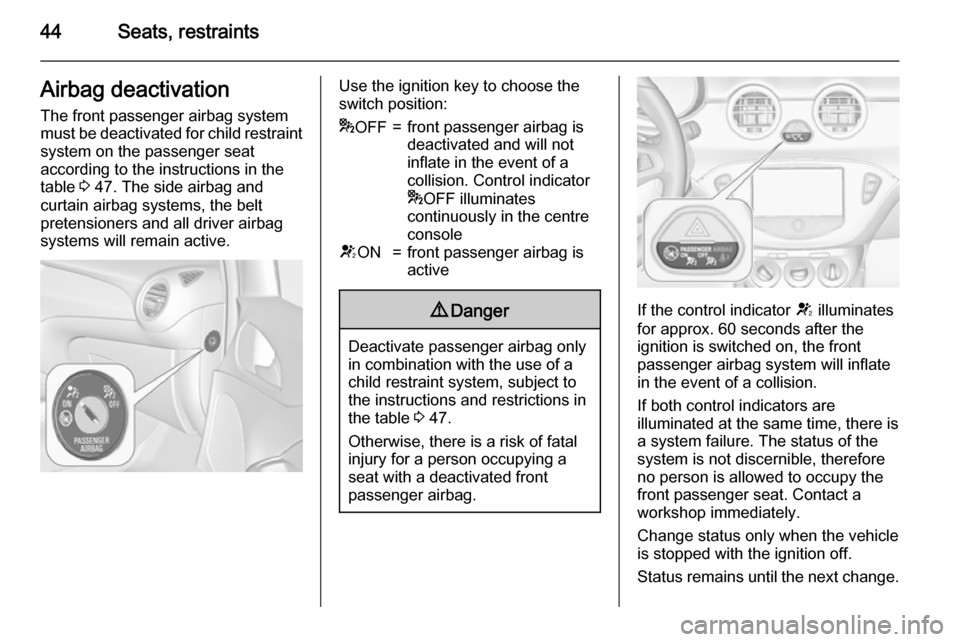
44Seats, restraintsAirbag deactivationThe front passenger airbag systemmust be deactivated for child restraint
system on the passenger seat
according to the instructions in the
table 3 47. The side airbag and
curtain airbag systems, the belt
pretensioners and all driver airbag
systems will remain active.Use the ignition key to choose the
switch position:* OFF=front passenger airbag is
deactivated and will not
inflate in the event of a
collision. Control indicator
* OFF illuminates
continuously in the centre
consoleV ON=front passenger airbag is
active9 Danger
Deactivate passenger airbag only
in combination with the use of a
child restraint system, subject to
the instructions and restrictions in
the table 3 47.
Otherwise, there is a risk of fatal
injury for a person occupying a
seat with a deactivated front
passenger airbag.
If the control indicator V illuminates
for approx. 60 seconds after the
ignition is switched on, the front
passenger airbag system will inflate
in the event of a collision.
If both control indicators are
illuminated at the same time, there is
a system failure. The status of the
system is not discernible, therefore
no person is allowed to occupy the
front passenger seat. Contact a
workshop immediately.
Change status only when the vehicle
is stopped with the ignition off.
Status remains until the next change.
Page 47 of 225

Seats, restraints45
Control indicator for airbag
deactivation 3 85.Child restraints
Child restraint systems
We recommend the following
Vauxhall child restraint system which are tailored specifically to the vehicle:
■ Group 0, Group 0+
VAUXHALL Baby cradle, with or
without ISOFIX base, for children
up to 13 kg.
■ Group I
FAIR G 0/1 S ISOFIX, for children
from 9 kg to 13 kg in this group.
VAUXHALL Duo, for children from
13 kg to 18 kg in this group.
■ Group II, Group III
VAUXHALL Kid, VAUXHALL
Kidfix, TAKATA MAXI 2/3 for
children from 15 kg up to 36 kg.
When a child restraint system is being
used, pay attention to the following
usage and installation instructions
and also those supplied with the child restraint system.Always comply with local or national
regulations. In some countries, the
use of child restraint systems is
forbidden on certain seats.9 Danger
If using a rear-facing child restraint
system on the front passenger
seat, the airbag system for the
front passenger seat must be
deactivated. This also applies to
certain forward-facing child
restraint systems as indicated in
the table 3 47.
Airbag deactivation 3 44.
Airbag label 3 39.
Selecting the right system The rear seats are the most
convenient location to fasten a child restraint system.
Children should travel facing
rearwards in the vehicle as long as
possible. This ensures that the child's backbone, which is still very weak, is
under less strain in the event of an
accident.
Page 87 of 225
Instruments and controls85Airbag and belt tensioners
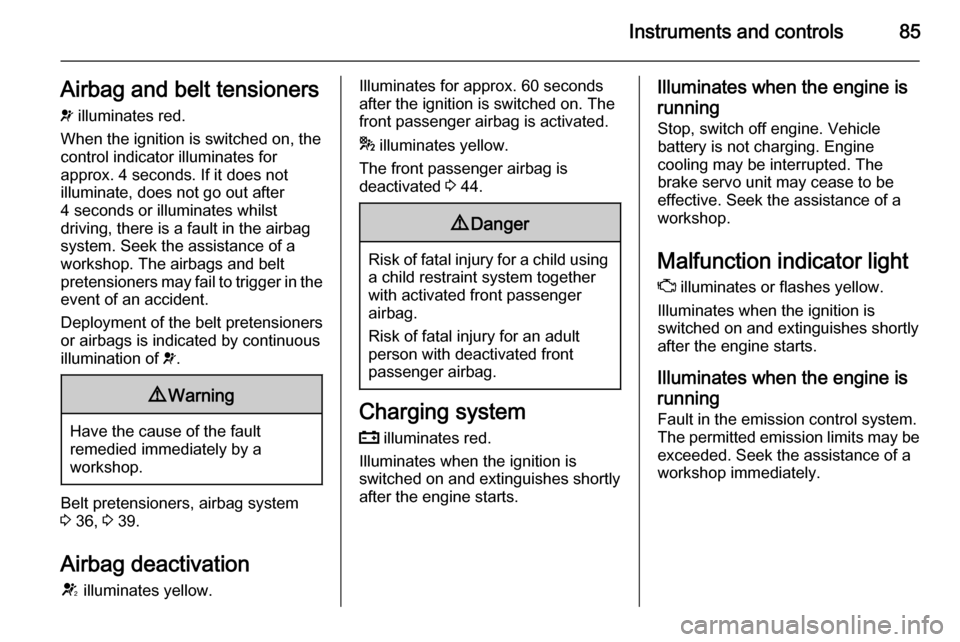
v illuminates red.
When the ignition is switched on, the control indicator illuminates for
approx. 4 seconds. If it does not
illuminate, does not go out after
4 seconds or illuminates whilst
driving, there is a fault in the airbag
system. Seek the assistance of a
workshop. The airbags and belt
pretensioners may fail to trigger in the event of an accident.
Deployment of the belt pretensioners
or airbags is indicated by continuous
illumination of v.9 Warning
Have the cause of the fault
remedied immediately by a
workshop.
Belt pretensioners, airbag system
3 36, 3 39.
Airbag deactivation
V illuminates yellow.
Illuminates for approx. 60 seconds
after the ignition is switched on. The
front passenger airbag is activated.
* illuminates yellow.
The front passenger airbag is
deactivated 3 44.9 Danger
Risk of fatal injury for a child using
a child restraint system together
with activated front passenger
airbag.
Risk of fatal injury for an adult
person with deactivated front
passenger airbag.
Charging system
p illuminates red.
Illuminates when the ignition is
switched on and extinguishes shortly
after the engine starts.
Illuminates when the engine is
running
Stop, switch off engine. Vehicle
battery is not charging. Engine
cooling may be interrupted. The
brake servo unit may cease to be
effective. Seek the assistance of a
workshop.
Malfunction indicator light
Z illuminates or flashes yellow.
Illuminates when the ignition is
switched on and extinguishes shortly
after the engine starts.
Illuminates when the engine isrunning
Fault in the emission control system. The permitted emission limits may be
exceeded. Seek the assistance of a
workshop immediately.
Page 98 of 225
96Instruments and controlsVehicle messagesMessages are indicated mainly in the
Driver Information Centre (DIC), in
some cases together with a warning
and signal buzzer.
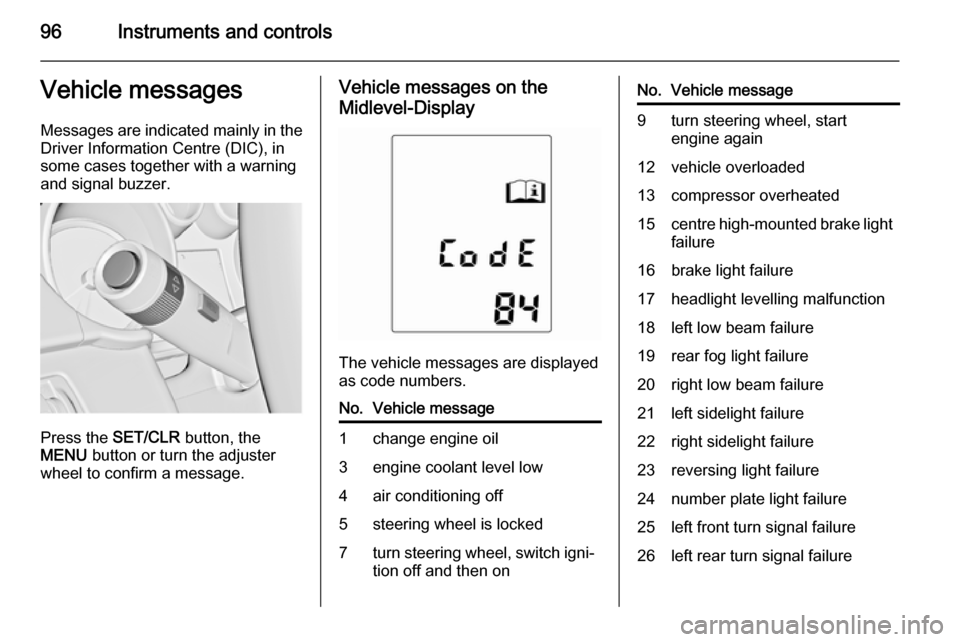
Press the SET/CLR button, the
MENU button or turn the adjuster
wheel to confirm a message.
Vehicle messages on the
Midlevel-Display
The vehicle messages are displayed
as code numbers.
No.Vehicle message1change engine oil3engine coolant level low4air conditioning off5steering wheel is locked7turn steering wheel, switch igni‐
tion off and then onNo.Vehicle message9turn steering wheel, start
engine again12vehicle overloaded13compressor overheated15centre high-mounted brake light
failure16brake light failure17headlight levelling malfunction18left low beam failure19rear fog light failure20right low beam failure21left sidelight failure22right sidelight failure23reversing light failure24number plate light failure25left front turn signal failure26left rear turn signal failure
Page 99 of 225

Instruments and controls97
No.Vehicle message27right front turn signal failure28right rear turn signal failure35replace battery in radio remote
control48clean side blind spot alert
system53tighten gas cap56tyre pressure imbalance on
front axle57tyre pressure imbalance on rear
axle58winter tyres detection59open and then close driver
window60open and then close front
passenger window66service theft alarm system67service steering wheel lock68service power steeringNo.Vehicle message75service air conditioning76service side blind spot alert
system79top up engine oil82change engine oil soon84engine power reduced89service vehicle soon95service airbag128bonnet open134park assist fault, clean bumper136service parking assist174low vehicle battery258park assist offVehicle messages on the
Uplevel-Display
The vehicle messages are displayed
as text. Follow the instructions given
in the messages.
The system displays messages
regarding the following topics:
■ fluid levels
■ anti-theft alarm system
■ brakes
■ ride control systems
■ cruise control, speed limiter
■ parking assist systems
Page 100 of 225

98Instruments and controls
■ lighting, bulb replacement
■ wiper/washer system
■ doors, windows
■ radio remote control
■ seat belts
■ airbag systems
■ engine and transmission
■ tyre pressure
■ vehicle battery
Vehicle messages on the
Colour-Info-Display Some important messages appear
additionally in the
Colour-Info-Display. Some
messages only pop-up for a few
seconds.
Warning chimes When starting the engine orwhilst driving
Only one warning chime will sound at a time.The warning chime regarding
unfastened seat belts has priority
over any other warning chime.
■ If seat belt is not fastened.
■ If a door or the tailgate is not fully closed when starting off.
■ If a certain speed is exceeded with parking brake applied.
■ If a programmed speed is exceeded.
■ If a warning message appears in the Driver Information Centre orInfo-Display.
■ If the parking assist detects an object.
■ If the reverse gear is engaged and the rear end carrier extended.
When the vehicle is parked and/ or the driver's door is opened ■ When the key is in the ignition switch.
■ With exterior lights on.
During an Autostop ■ If the driver's door is opened.Battery voltage
Uplevel-Display
When the vehicle battery voltage is running low, a warning message will
appear in the Driver Information
Centre.
Midlevel-Display
When the vehicle battery voltage is
running low, a warning code 174 will appear in the Driver Information
Centre.
1. Switch off immediately electrical consumers which are not requiredfor a safe ride, e.g. seat heating,
heated rear window or other main consumers.
2. Charge the vehicle battery by driving continuously for a while or
by using a charging device.
The warning message or warning
code will disappear after the engine
has been started twice consecutively
without a voltage drop.
If the vehicle battery cannot be
recharged, have the cause of the fault
remedied by a workshop.
Page 101 of 225
Instruments and controls99Vehicle personalisation
The vehicle's behaviour can be
personalised via changing the
settings in the Info-Display.
Some of the personal settings for
different drivers can be memorised
individually for each vehicle key.
Memorised settings 3 21.
Depending on vehicle equipment and country-specific regulations some ofthe functions described below might
not be available.
Some functions are only displayed or
active when the engine is running.
Personal settings
Graphic-Info-Display
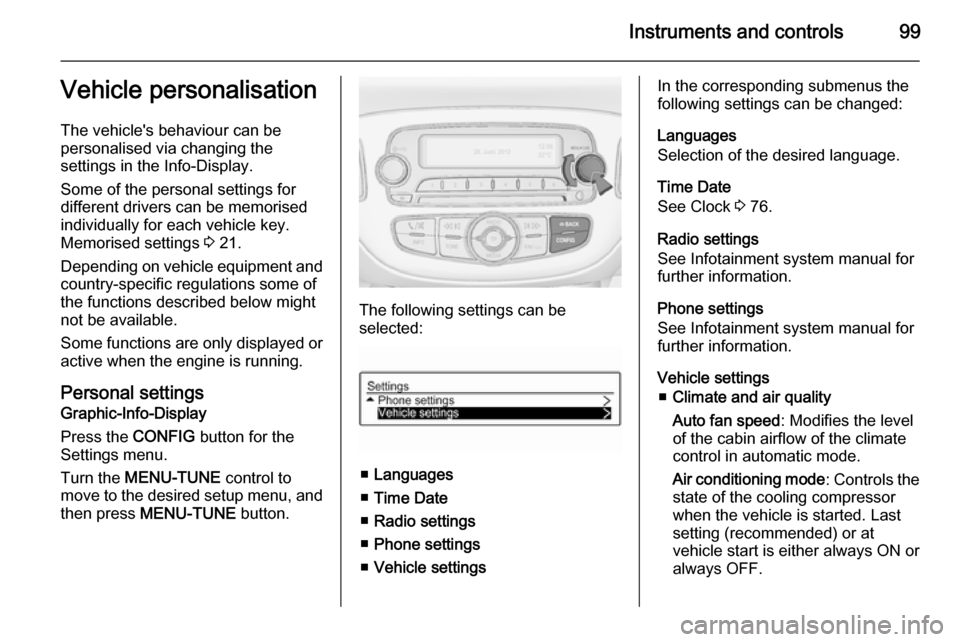
Press the CONFIG button for the
Settings menu.
Turn the MENU-TUNE control to
move to the desired setup menu, and
then press MENU-TUNE button.
The following settings can be
selected:
■ Languages
■ Time Date
■ Radio settings
■ Phone settings
■ Vehicle settings
In the corresponding submenus the
following settings can be changed:
Languages
Selection of the desired language.
Time Date
See Clock 3 76.
Radio settings
See Infotainment system manual for further information.
Phone settings
See Infotainment system manual for further information.
Vehicle settings ■ Climate and air quality
Auto fan speed : Modifies the level
of the cabin airflow of the climate
control in automatic mode.
Air conditioning mode : Controls the
state of the cooling compressor
when the vehicle is started. Last
setting (recommended) or at
vehicle start is either always ON or always OFF.
Page 103 of 225
Instruments and controls101
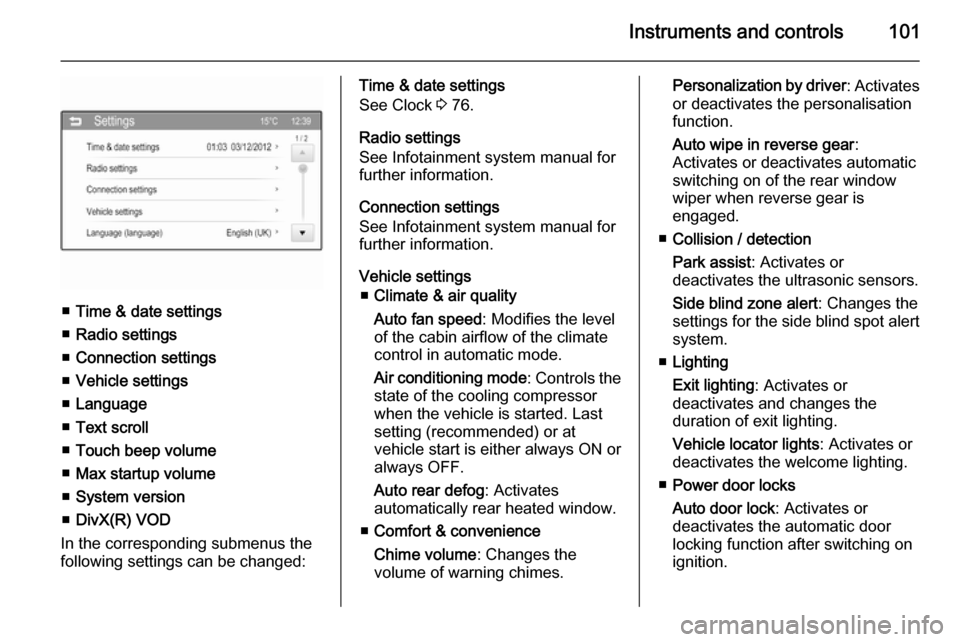
■Time & date settings
■ Radio settings
■ Connection settings
■ Vehicle settings
■ Language
■ Text scroll
■ Touch beep volume
■ Max startup volume
■ System version
■ DivX(R) VOD
In the corresponding submenus the
following settings can be changed:
Time & date settings
See Clock 3 76.
Radio settings
See Infotainment system manual for
further information.
Connection settings
See Infotainment system manual for
further information.
Vehicle settings ■ Climate & air quality
Auto fan speed : Modifies the level
of the cabin airflow of the climate
control in automatic mode.
Air conditioning mode : Controls the
state of the cooling compressor
when the vehicle is started. Last
setting (recommended) or at
vehicle start is either always ON or always OFF.
Auto rear defog : Activates
automatically rear heated window.
■ Comfort & convenience
Chime volume : Changes the
volume of warning chimes.Personalization by driver : Activates
or deactivates the personalisation
function.
Auto wipe in reverse gear :
Activates or deactivates automatic
switching on of the rear window
wiper when reverse gear is
engaged.
■ Collision / detection
Park assist : Activates or
deactivates the ultrasonic sensors.
Side blind zone alert : Changes the
settings for the side blind spot alert
system.
■ Lighting
Exit lighting : Activates or
deactivates and changes the
duration of exit lighting.
Vehicle locator lights : Activates or
deactivates the welcome lighting.
■ Power door locks
Auto door lock : Activates or
deactivates the automatic door
locking function after switching on
ignition.
Page 110 of 225
108Lighting
Notice
In the event of an accident with
airbag deployment the courtesy
lights are turned on automatically.
Dome light Spotlight incorporated in the interior
lighting comes on when headlights
are switched on.
Dome light illuminates gear shifting
console indirectly.
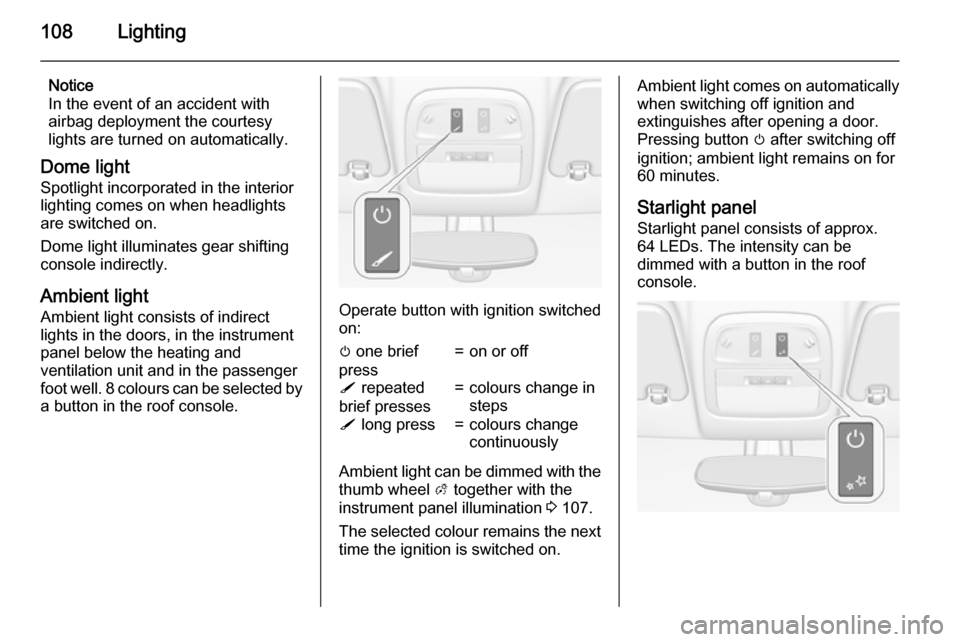
Ambient light Ambient light consists of indirect
lights in the doors, in the instrument
panel below the heating and
ventilation unit and in the passenger
foot well. 8 colours can be selected by
a button in the roof console.
Operate button with ignition switched
on:
m one brief
press=on or offS repeated
brief presses=colours change in
stepsS long press=colours change
continuously
Ambient light can be dimmed with the thumb wheel A together with the
instrument panel illumination 3 107.
The selected colour remains the next
time the ignition is switched on.
Ambient light comes on automatically when switching off ignition and
extinguishes after opening a door.
Pressing button m after switching off
ignition; ambient light remains on for
60 minutes.
Starlight panel
Starlight panel consists of approx.
64 LEDs. The intensity can be
dimmed with a button in the roof
console.
Page 113 of 225
Climate control111Climate controlClimate control systems ............. 111
Air vents ..................................... 119
Maintenance .............................. 119Climate control systems
Heating and ventilation
system
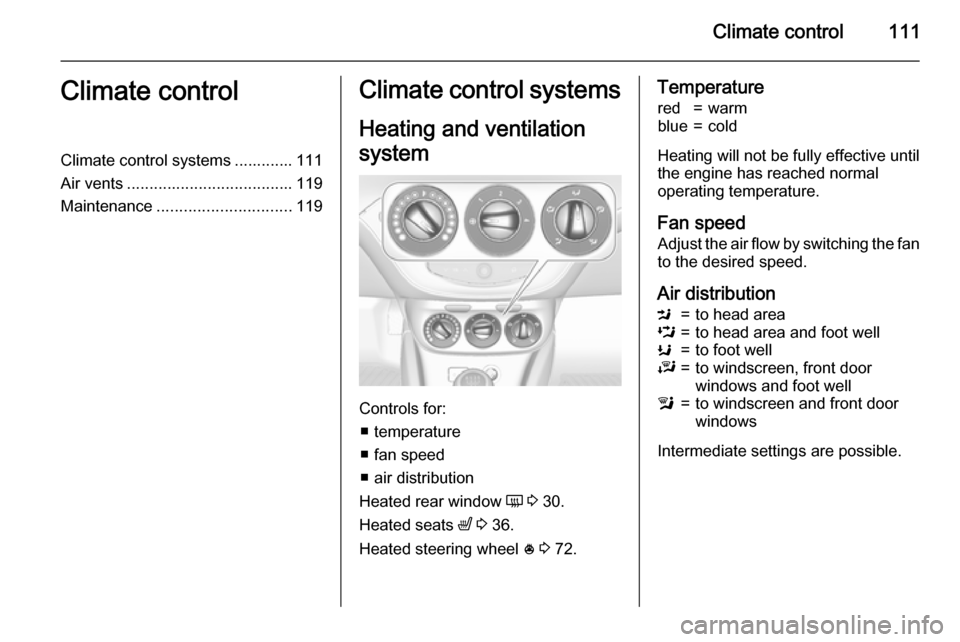
Controls for: ■ temperature
■ fan speed
■ air distribution
Heated rear window Ü 3 30.
Heated seats ß 3 36.
Heated steering wheel * 3 72.
Temperaturered=warmblue=cold
Heating will not be fully effective until
the engine has reached normal
operating temperature.
Fan speed Adjust the air flow by switching the fan
to the desired speed.
Air distribution
M=to head areaL=to head area and foot wellK=to foot wellJ=to windscreen, front door
windows and foot welll=to windscreen and front door
windows
Intermediate settings are possible.