rain VAUXHALL ADAM 2015 Owner's Guide
[x] Cancel search | Manufacturer: VAUXHALL, Model Year: 2015, Model line: ADAM, Model: VAUXHALL ADAM 2015Pages: 225, PDF Size: 6.81 MB
Page 50 of 225

48Seats, restraints
1=if the child restraint system is being secured using a three-point seat belt, move seat height adjustment in the uppermost
position. Adjust seat backrest inclination as far as necessary to a vertical position to ensure that the belt is tight on the buckle side2=remove rear head restraint when using child restraint systems in this group 3 32*=move the respective front seat ahead of the child restraint system to one of the foremost adjustment positions**=move the front passenger seat to the rearmost adjustment position. Move seat height adjustment to the uppermost
position and the headrest to the lowest position. Adjust seat backrest inclination as far as necessary to a vertical position to ensure that vehicle seat belt runs forwards from the upper anchorage pointU=universal suitability in conjunction with three-point seat beltX=no child restraint system permitted in this weight class
Permissible options for fitting an ISOFIX child restraint system
Weight classSize classFixtureOn front passenger seatOn rear seatsGroup 0: up to 10 kg
or approx. 10 monthsEISO/R1XIL *Group 0+: up to 13 kg
or approx. 2 yearsEISO/R1XIL *DISO/R2XXCISO/R3XX
Page 51 of 225

Seats, restraints49
Weight classSize classFixtureOn front passenger seatOn rear seatsGroup I: 9 to 18 kg
or approx. 8 months to 4 yearsDISO/R2XXCISO/R3XXBISO/F2XIL, IUF**B1ISO/F2XXIL, IUF**AISO/F3XIL, IUF**Group II: 15 to 25 kg
or approx. 3 to 7 yearsXILGroup III: 22 to 36 kg
or approx. 6 to 12 yearsXILIL=suitable for particular ISOFIX restraint systems of the "specific-vehicle", "restricted" or "semi-universal" categories.
The ISOFIX restraint system must be approved for the specific vehicle typeIUF=suitable for ISOFIX forward-facing child restraint systems of universal category approved for use in this weight classX=no ISOFIX child restraint system approved in this weight class*=move the respective front seat ahead of the child restraint system to one of the foremost adjustment positions**=remove respective rear head restraint when using child restraint systems in this size class 3 32
Page 52 of 225

50Seats, restraints
ISOFIX size class and seat deviceA – ISO/F3=forward-facing child restraint system for children of maximum size in the weight class 9 to 18 kgB – ISO/F2=forward-facing child restraint system for smaller children in the weight class 9 to 18 kgB1 – ISO/F2X=forward-facing child restraint system for smaller children in the weight class 9 to 18 kgC – ISO/R3=rear-facing child restraint system for children of maximum size in the weight class up to 18 kgD – ISO/R2=rear-facing child restraint system for smaller children in the weight class up to 18 kgE – ISO/R1=rear-facing child restraint system for young children in the weight class up to 13 kg
Page 53 of 225

Seats, restraints51ISOFIX child restraint
systems Fasten vehicle-approved ISOFIX
child restraint systems to the ISOFIX
mounting brackets. Specific vehicle
ISOFIX child restraint system
positions are marked in the table by
IL.
ISOFIX mounting brackets are
indicated by the ISOFIX logo on the
backrest.
The vehicle is equipped with guides in the backrests to support the
installation of the child restraint
system. Open the flaps of the guides
to mount a child restraint system.
Remove rear head restraint before
mounting a child restraint system, if
required 3 47.
Top-tether fastening eyes The vehicle has two fastening eyes
on the backside of the rear seats.
Top-Tether fastening eyes are
marked with the symbol : for a child
seat.In addition to the ISOFIX mounting,
fasten the Top-Tether strap to the
Top-Tether fastening eyes.
ISOFIX child restraint systems of
universal category positions are
marked in the table by IUF.
Remove rear head restraint before
mounting a child restraint system, if
required 3 47.
Page 65 of 225
Storage63
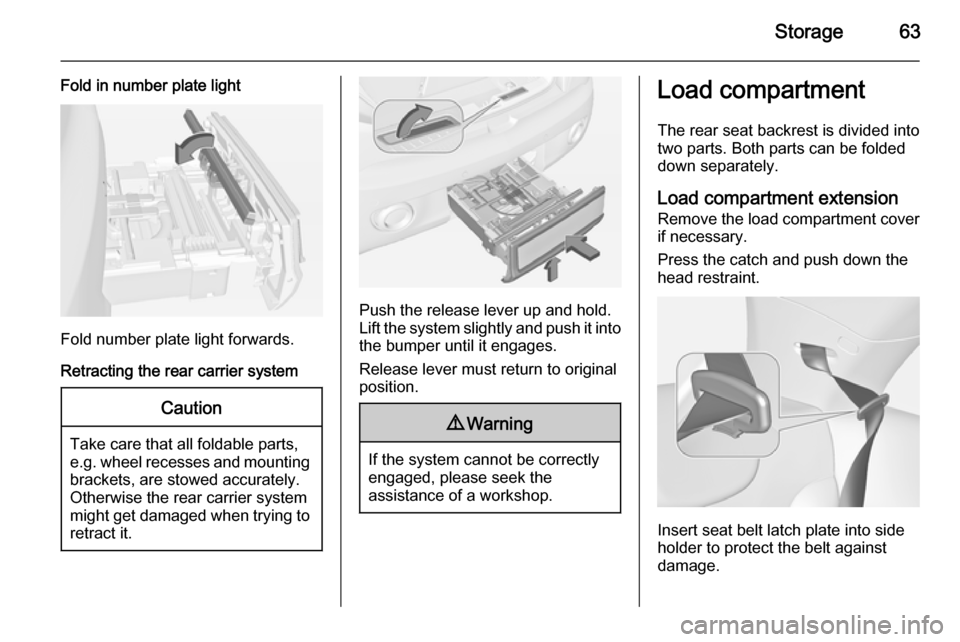
Fold in number plate light
Fold number plate light forwards.
Retracting the rear carrier system
Caution
Take care that all foldable parts,
e.g. wheel recesses and mounting brackets, are stowed accurately.
Otherwise the rear carrier system might get damaged when trying to retract it.
Push the release lever up and hold.
Lift the system slightly and push it into the bumper until it engages.
Release lever must return to original
position.
9 Warning
If the system cannot be correctly
engaged, please seek the
assistance of a workshop.
Load compartment
The rear seat backrest is divided into
two parts. Both parts can be folded
down separately.
Load compartment extension Remove the load compartment cover if necessary.
Press the catch and push down the
head restraint.
Insert seat belt latch plate into side
holder to protect the belt against
damage.
Page 75 of 225
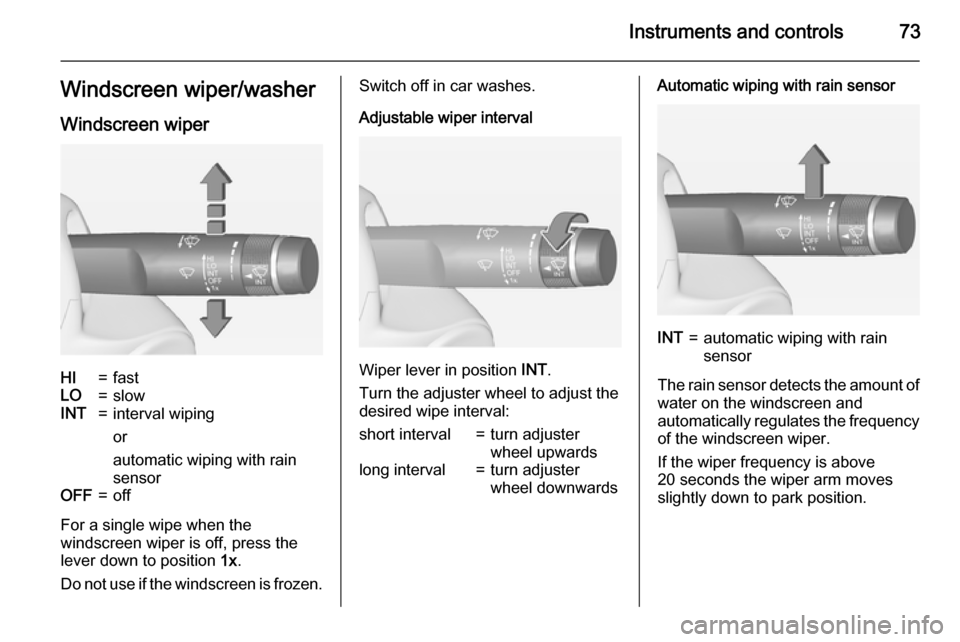
Instruments and controls73Windscreen wiper/washerWindscreen wiperHI=fastLO=slowINT=interval wiping
or
automatic wiping with rain
sensorOFF=off
For a single wipe when the
windscreen wiper is off, press the
lever down to position 1x.
Do not use if the windscreen is frozen.
Switch off in car washes.
Adjustable wiper interval
Wiper lever in position INT.
Turn the adjuster wheel to adjust the
desired wipe interval:
short interval=turn adjuster
wheel upwardslong interval=turn adjuster
wheel downwardsAutomatic wiping with rain sensorINT=automatic wiping with rain
sensor
The rain sensor detects the amount of water on the windscreen and
automatically regulates the frequency
of the windscreen wiper.
If the wiper frequency is above
20 seconds the wiper arm moves
slightly down to park position.
Page 76 of 225
74Instruments and controls
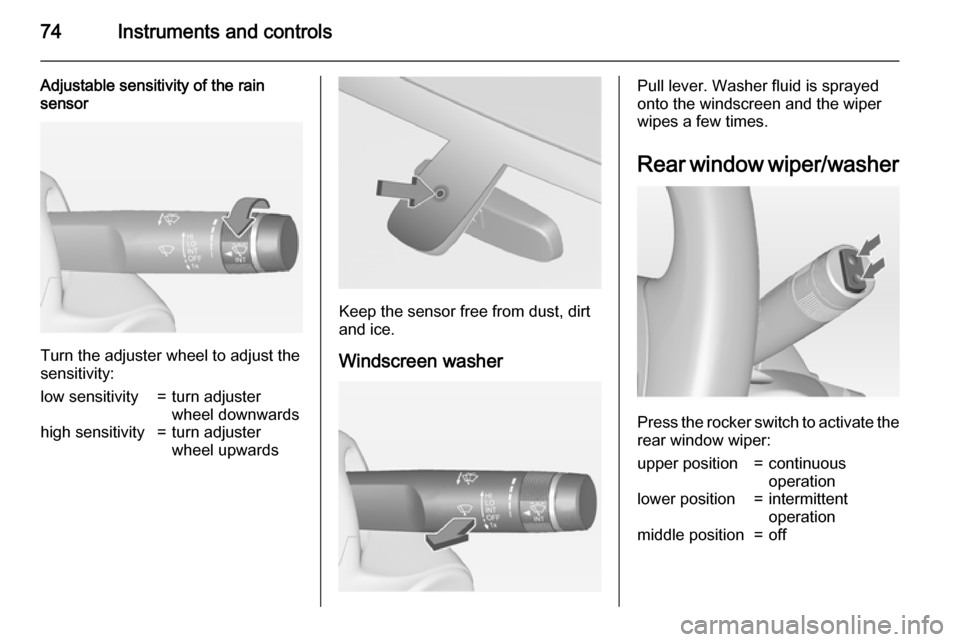
Adjustable sensitivity of the rain
sensor
Turn the adjuster wheel to adjust the
sensitivity:
low sensitivity=turn adjuster
wheel downwardshigh sensitivity=turn adjuster
wheel upwards
Keep the sensor free from dust, dirt
and ice.
Windscreen washer
Pull lever. Washer fluid is sprayed
onto the windscreen and the wiper
wipes a few times.
Rear window wiper/washer
Press the rocker switch to activate the
rear window wiper:
upper position=continuous
operationlower position=intermittent
operationmiddle position=off
Page 87 of 225
Instruments and controls85Airbag and belt tensioners
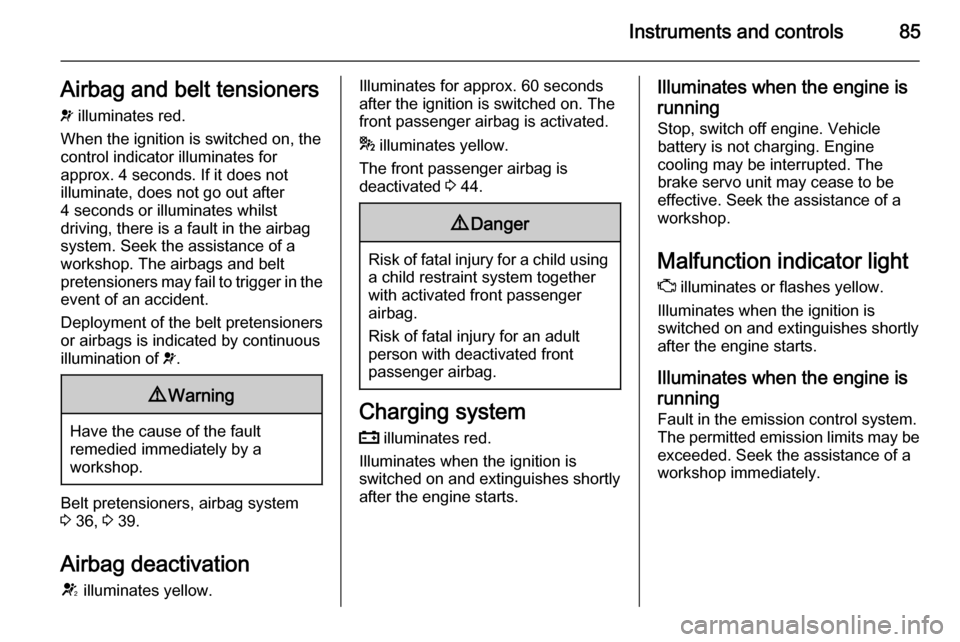
v illuminates red.
When the ignition is switched on, the control indicator illuminates for
approx. 4 seconds. If it does not
illuminate, does not go out after
4 seconds or illuminates whilst
driving, there is a fault in the airbag
system. Seek the assistance of a
workshop. The airbags and belt
pretensioners may fail to trigger in the event of an accident.
Deployment of the belt pretensioners
or airbags is indicated by continuous
illumination of v.9 Warning
Have the cause of the fault
remedied immediately by a
workshop.
Belt pretensioners, airbag system
3 36, 3 39.
Airbag deactivation
V illuminates yellow.
Illuminates for approx. 60 seconds
after the ignition is switched on. The
front passenger airbag is activated.
* illuminates yellow.
The front passenger airbag is
deactivated 3 44.9 Danger
Risk of fatal injury for a child using
a child restraint system together
with activated front passenger
airbag.
Risk of fatal injury for an adult
person with deactivated front
passenger airbag.
Charging system
p illuminates red.
Illuminates when the ignition is
switched on and extinguishes shortly
after the engine starts.
Illuminates when the engine is
running
Stop, switch off engine. Vehicle
battery is not charging. Engine
cooling may be interrupted. The
brake servo unit may cease to be
effective. Seek the assistance of a
workshop.
Malfunction indicator light
Z illuminates or flashes yellow.
Illuminates when the ignition is
switched on and extinguishes shortly
after the engine starts.
Illuminates when the engine isrunning
Fault in the emission control system. The permitted emission limits may be
exceeded. Seek the assistance of a
workshop immediately.
Page 106 of 225
104Lighting
When switching on the ignition,
automatic light control is active.
When headlights are on, 8
illuminates. Control indicator 8
3 88.
Tail lights
Tail lights are illuminated together
with headlights and sidelights.
Automatic light control
When the automatic light control
function is switched on and the
engine is running, the system
switches between daytime running
light and headlights automatically
depending on the lighting conditions
and information given by the rain
sensor system.
Daytime running light 3 105.
Automatic headlight activation
When the automatic light control
function is switched on and the
engine is running, the headlights are
switched on during poor lighting
conditions.
Furthermore the headlights are
switched on if the windscreen wipers
have been activated for several
wipes.
Tunnel detection When a tunnel is entered the
headlights are switched on without
any delay.High beam
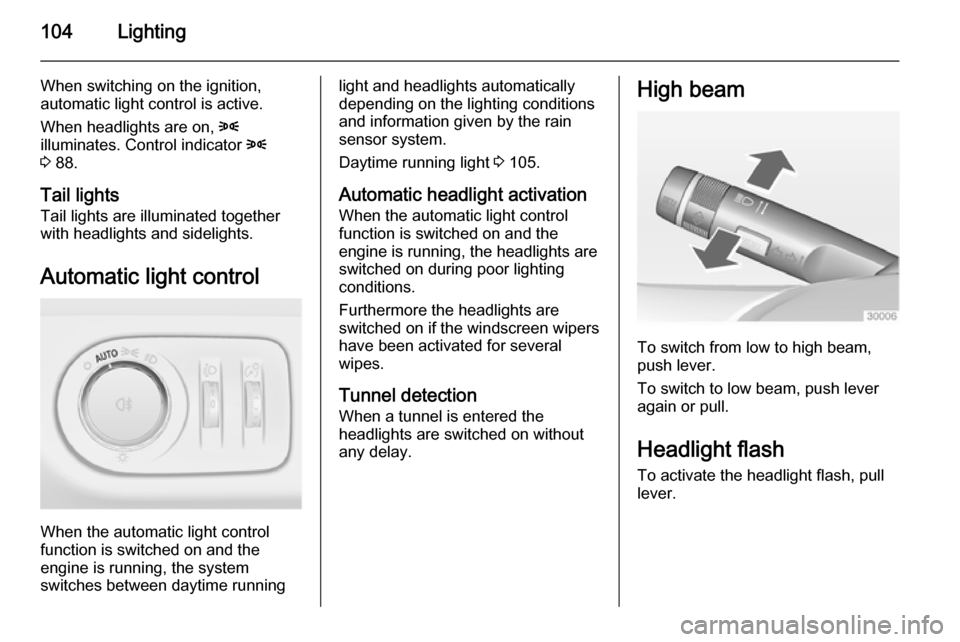
To switch from low to high beam,
push lever.
To switch to low beam, push lever
again or pull.
Headlight flash To activate the headlight flash, pull
lever.
Page 109 of 225

Lighting107Reversing lightsThe reversing light comes on when
the ignition is on and reverse gear is
selected.
Misted light covers The inside of the light housing may
mist up briefly in poor, wet and cold weather conditions, in heavy rain or
after washing. The mist disappears
quickly by itself; to help switch on the
headlights.Interior lighting
Instrument panel
illumination control
Brightness of the following lights can
be adjusted when the exterior lights
are on:
■ instrument panel illumination
■ ambient light
■ dome light
■ Info-Display
■ illuminated switches and operation elements
Turn thumb wheel A and hold until
the desired brightness is obtained.
Interior lights Front courtesy lightDuring entry and exit of the vehicle,
the courtesy light automatically
switches on and then off after a delay.
Operate rocker switch:
w=automatic switching on
and offpress u=onpress v=off