Rear VAUXHALL ADAM 2015 Service Manual
[x] Cancel search | Manufacturer: VAUXHALL, Model Year: 2015, Model line: ADAM, Model: VAUXHALL ADAM 2015Pages: 225, PDF Size: 6.81 MB
Page 103 of 225
Instruments and controls101
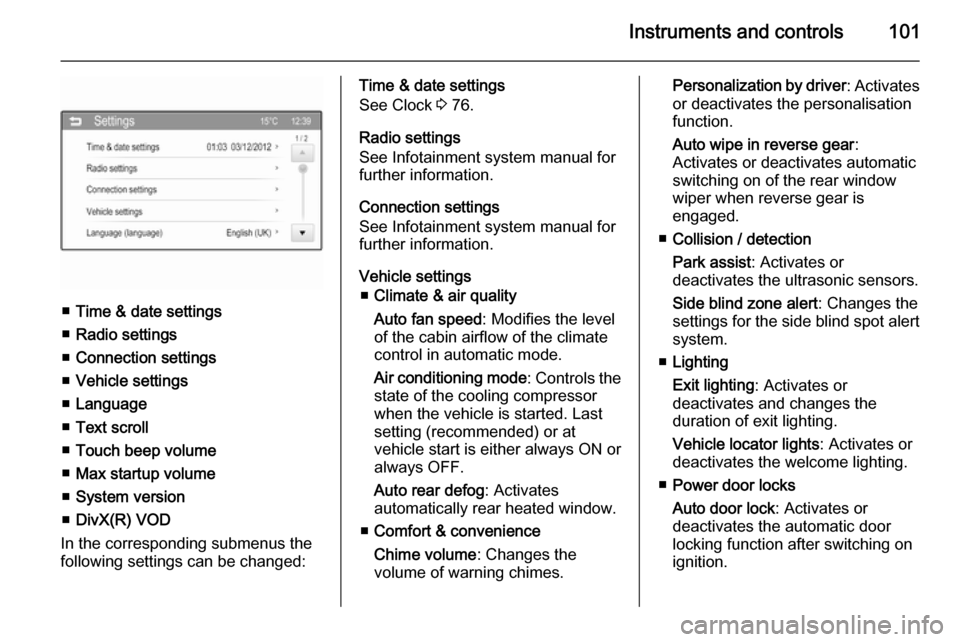
■Time & date settings
■ Radio settings
■ Connection settings
■ Vehicle settings
■ Language
■ Text scroll
■ Touch beep volume
■ Max startup volume
■ System version
■ DivX(R) VOD
In the corresponding submenus the
following settings can be changed:
Time & date settings
See Clock 3 76.
Radio settings
See Infotainment system manual for
further information.
Connection settings
See Infotainment system manual for
further information.
Vehicle settings ■ Climate & air quality
Auto fan speed : Modifies the level
of the cabin airflow of the climate
control in automatic mode.
Air conditioning mode : Controls the
state of the cooling compressor
when the vehicle is started. Last
setting (recommended) or at
vehicle start is either always ON or always OFF.
Auto rear defog : Activates
automatically rear heated window.
■ Comfort & convenience
Chime volume : Changes the
volume of warning chimes.Personalization by driver : Activates
or deactivates the personalisation
function.
Auto wipe in reverse gear :
Activates or deactivates automatic
switching on of the rear window
wiper when reverse gear is
engaged.
■ Collision / detection
Park assist : Activates or
deactivates the ultrasonic sensors.
Side blind zone alert : Changes the
settings for the side blind spot alert
system.
■ Lighting
Exit lighting : Activates or
deactivates and changes the
duration of exit lighting.
Vehicle locator lights : Activates or
deactivates the welcome lighting.
■ Power door locks
Auto door lock : Activates or
deactivates the automatic door
locking function after switching on
ignition.
Page 108 of 225
106LightingTurn and lane-change
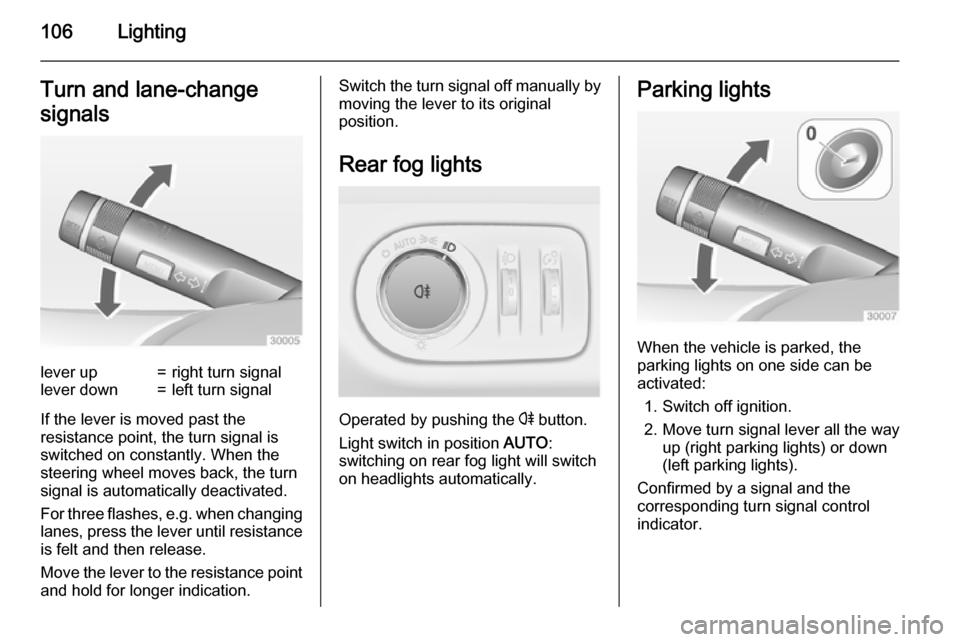
signalslever up=right turn signallever down=left turn signal
If the lever is moved past the
resistance point, the turn signal is
switched on constantly. When the
steering wheel moves back, the turn
signal is automatically deactivated.
For three flashes, e.g. when changing lanes, press the lever until resistance
is felt and then release.
Move the lever to the resistance point
and hold for longer indication.
Switch the turn signal off manually by moving the lever to its original
position.
Rear fog lights
Operated by pushing the r button.
Light switch in position AUTO:
switching on rear fog light will switch
on headlights automatically.
Parking lights
When the vehicle is parked, the
parking lights on one side can be
activated:
1. Switch off ignition.
2. Move turn signal lever all the way up (right parking lights) or down
(left parking lights).
Confirmed by a signal and the
corresponding turn signal control
indicator.
Page 112 of 225
110Lighting
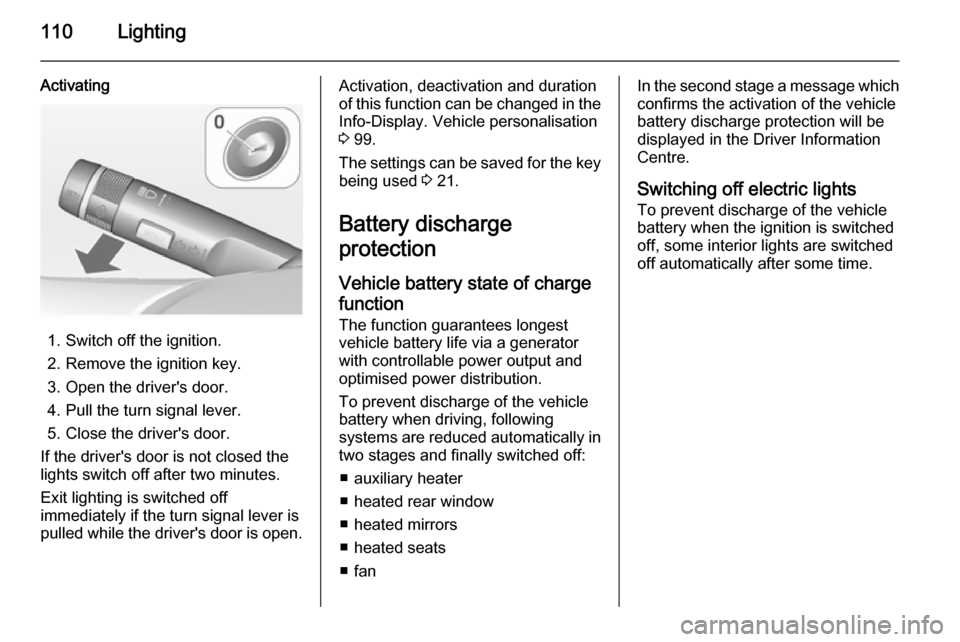
Activating
1. Switch off the ignition.
2. Remove the ignition key.
3. Open the driver's door.
4. Pull the turn signal lever.
5. Close the driver's door.
If the driver's door is not closed the
lights switch off after two minutes.
Exit lighting is switched off
immediately if the turn signal lever is
pulled while the driver's door is open.
Activation, deactivation and duration
of this function can be changed in the Info-Display. Vehicle personalisation
3 99.
The settings can be saved for the key being used 3 21.
Battery discharge
protection
Vehicle battery state of charge
function
The function guarantees longest
vehicle battery life via a generator with controllable power output and
optimised power distribution.
To prevent discharge of the vehicle
battery when driving, following
systems are reduced automatically in two stages and finally switched off:
■ auxiliary heater
■ heated rear window
■ heated mirrors
■ heated seats
■ fanIn the second stage a message which
confirms the activation of the vehicle
battery discharge protection will be
displayed in the Driver Information Centre.
Switching off electric lights To prevent discharge of the vehicle
battery when the ignition is switched
off, some interior lights are switched
off automatically after some time.
Page 113 of 225
Climate control111Climate controlClimate control systems ............. 111
Air vents ..................................... 119
Maintenance .............................. 119Climate control systems
Heating and ventilation
system
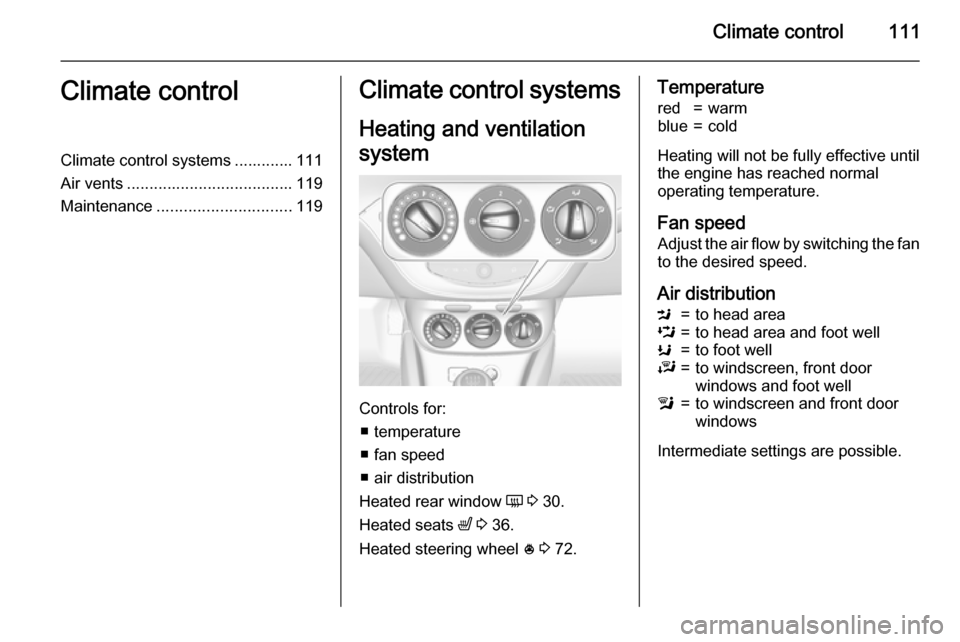
Controls for: ■ temperature
■ fan speed
■ air distribution
Heated rear window Ü 3 30.
Heated seats ß 3 36.
Heated steering wheel * 3 72.
Temperaturered=warmblue=cold
Heating will not be fully effective until
the engine has reached normal
operating temperature.
Fan speed Adjust the air flow by switching the fan
to the desired speed.
Air distribution
M=to head areaL=to head area and foot wellK=to foot wellJ=to windscreen, front door
windows and foot welll=to windscreen and front door
windows
Intermediate settings are possible.
Page 114 of 225
112Climate control
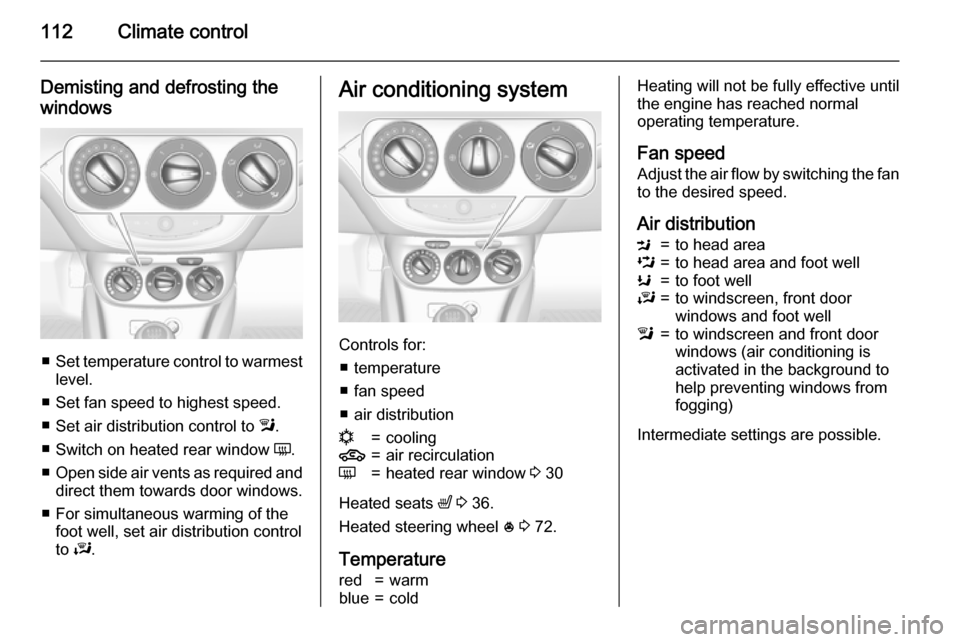
Demisting and defrosting the
windows
■ Set temperature control to warmest
level.
■ Set fan speed to highest speed.
■ Set air distribution control to l.
■ Switch on heated rear window Ü.
■ Open side air vents as required and
direct them towards door windows.
■ For simultaneous warming of the foot well, set air distribution control
to J.
Air conditioning system
Controls for:
■ temperature
■ fan speed
■ air distribution
n=cooling4=air recirculationÜ=heated rear window 3 30
Heated seats ß 3 36.
Heated steering wheel * 3 72.
Temperature
red=warmblue=coldHeating will not be fully effective until
the engine has reached normal
operating temperature.
Fan speed Adjust the air flow by switching the fan
to the desired speed.
Air distributionM=to head areaL=to head area and foot wellK=to foot wellJ=to windscreen, front door
windows and foot welll=to windscreen and front door
windows (air conditioning is
activated in the background to
help preventing windows from
fogging)
Intermediate settings are possible.
Page 116 of 225
114Climate control
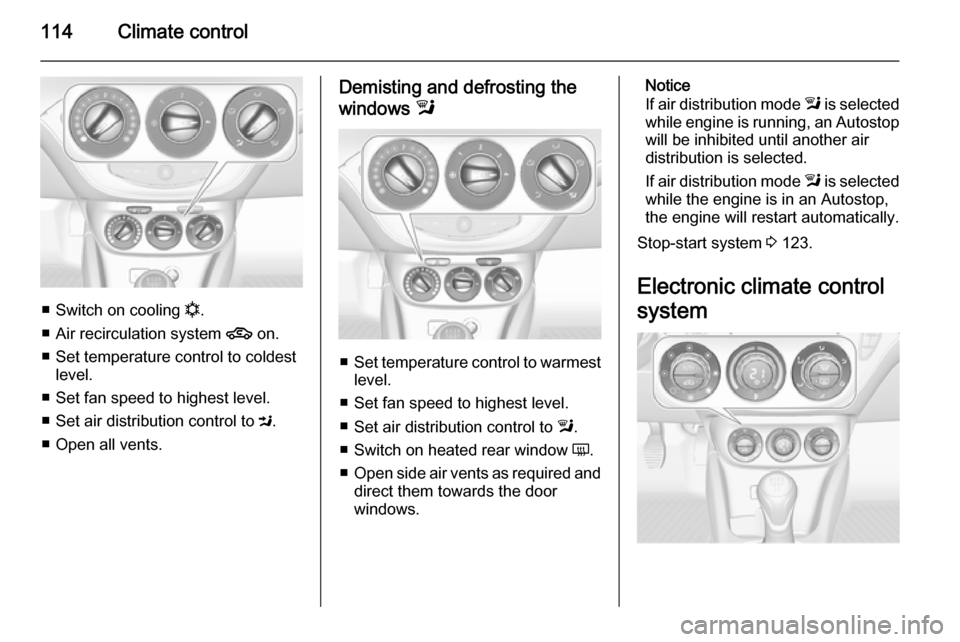
■Switch on cooling n.
■ Air recirculation system 4 on.
■ Set temperature control to coldest level.
■ Set fan speed to highest level.
■ Set air distribution control to M.
■ Open all vents.
Demisting and defrosting the
windows l
■Set temperature control to warmest
level.
■ Set fan speed to highest level.
■ Set air distribution control to l.
■ Switch on heated rear window Ü.
■ Open side air vents as required and
direct them towards the door
windows.
Notice
If air distribution mode l is selected
while engine is running, an Autostop
will be inhibited until another air
distribution is selected.
If air distribution mode l is selected
while the engine is in an Autostop,
the engine will restart automatically.
Stop-start system 3 123.
Electronic climate control
system
Page 117 of 225
Climate control115
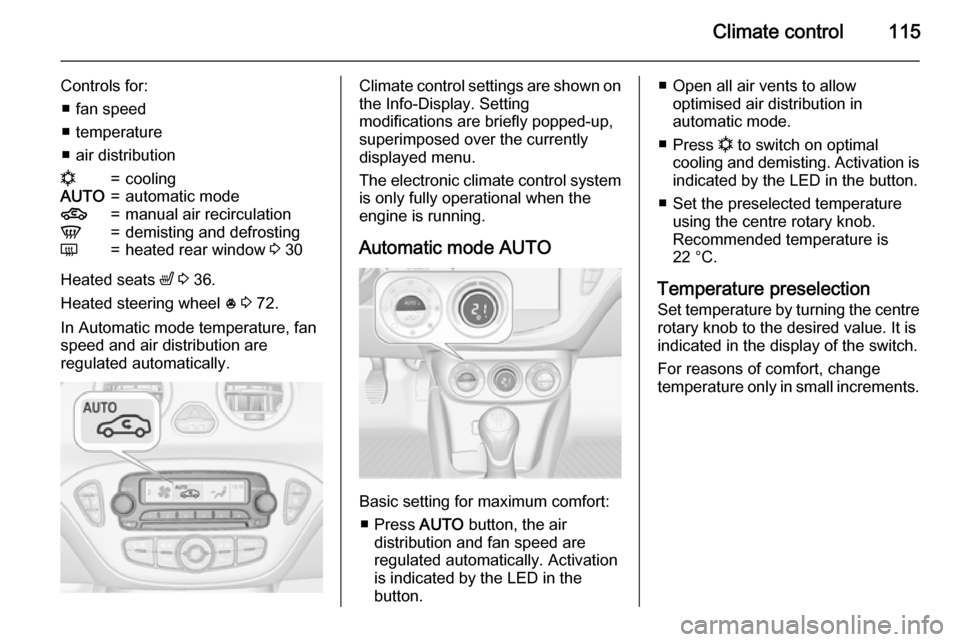
Controls for:■ fan speed
■ temperature
■ air distributionn=coolingAUTO=automatic mode4=manual air recirculationV=demisting and defrostingÜ=heated rear window 3 30
Heated seats ß 3 36.
Heated steering wheel * 3 72.
In Automatic mode temperature, fan
speed and air distribution are
regulated automatically.
Climate control settings are shown on the Info-Display. Setting
modifications are briefly popped-up,
superimposed over the currently
displayed menu.
The electronic climate control system
is only fully operational when the
engine is running.
Automatic mode AUTO
Basic setting for maximum comfort: ■ Press AUTO button, the air
distribution and fan speed are
regulated automatically. Activation
is indicated by the LED in the
button.
■ Open all air vents to allow optimised air distribution in
automatic mode.
■ Press n to switch on optimal
cooling and demisting. Activation is indicated by the LED in the button.
■ Set the preselected temperature using the centre rotary knob.
Recommended temperature is
22 °C.
Temperature preselection
Set temperature by turning the centre
rotary knob to the desired value. It is
indicated in the display of the switch.
For reasons of comfort, change
temperature only in small increments.
Page 118 of 225
116Climate control
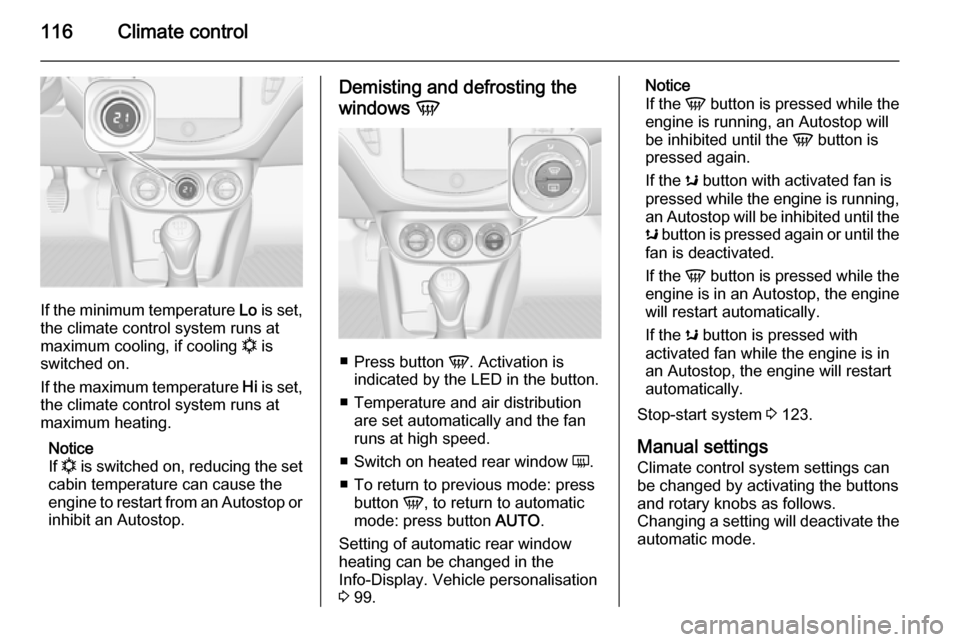
If the minimum temperature Lo is set,
the climate control system runs at
maximum cooling, if cooling n is
switched on.
If the maximum temperature Hi is set,
the climate control system runs at
maximum heating.
Notice
If n is switched on, reducing the set
cabin temperature can cause the
engine to restart from an Autostop or inhibit an Autostop.
Demisting and defrosting the
windows V
■
Press button V. Activation is
indicated by the LED in the button.
■ Temperature and air distribution are set automatically and the fan
runs at high speed.
■ Switch on heated rear window Ü.
■ To return to previous mode: press button V, to return to automatic
mode: press button AUTO.
Setting of automatic rear window heating can be changed in the
Info-Display. Vehicle personalisation
3 99.
Notice
If the V button is pressed while the
engine is running, an Autostop will
be inhibited until the V button is
pressed again.
If the s button with activated fan is
pressed while the engine is running,
an Autostop will be inhibited until the s button is pressed again or until the
fan is deactivated.
If the V button is pressed while the
engine is in an Autostop, the engine will restart automatically.
If the s button is pressed with
activated fan while the engine is in an Autostop, the engine will restart
automatically.
Stop-start system 3 123.
Manual settings Climate control system settings can
be changed by activating the buttons
and rotary knobs as follows.
Changing a setting will deactivate the
automatic mode.
Page 126 of 225

124Driving and operating
An Autostop is indicated by the
needle at the AUTOSTOP position in
the tachometer.
During an Autostop, the heating and
brake performance will be
maintained.
Conditions for an Autostop
The stop-start system checks if each
of the following conditions is fulfilled:
■ The stop-start system is not manually deactivated.
■ The bonnet is fully closed.
■ The driver's door is closed or the driver's seat belt is fastened.
■ The vehicle battery is sufficiently charged and in good condition.
■ The engine is warmed up.
■ The engine coolant temperature is not too high.
■ The engine exhaust temperature is
not too high, e.g. after driving with
high engine load.
■ The ambient temperature is above -5 °C.
■ The climate control system allows an Autostop.
■ The brake vacuum is sufficient.
■ The vehicle was driven at least at walking speed since the last
Autostop.
Otherwise an Autostop will be
inhibited.
Certain settings of the climate control
system may inhibit an Autostop. See
Climate control chapter for more
details 3 114.
Immediately after motorway driving
an Autostop may be inhibited.
New vehicle running-in 3 121.Vehicle battery discharge protection
To ensure reliable engine restarts, several vehicle battery discharge
protection features are implemented
as part of the stop-start system.
Power saving measures
During an Autostop, several electrical
features, e.g. the rear window
heating, are disabled or switched into
a power saving mode. The fan speed of the climate control system is
reduced to save power.
Restart of the engine by the
driver
Depress the clutch pedal to restart the
engine.
The engine start is indicated by the
needle at the idle speed position in
the tachometer.
If the selector lever is shifted out of
neutral before depressing the clutch
first, control indicator - illuminates
or is shown as a symbol in the Driver
Information Centre.
Control indicator - 3 86.
Page 137 of 225
Driving and operating135
Change speed limit
With speed limiter active, turn thumb
wheel to RES/+ to increase or SET/-
to decrease the desired maximum
speed.
Exceeding the speed limit
In the event of an emergency it is possible to exceed the speed limit by
depressing the accelerator pedal
firmly beyond the point of resistance.
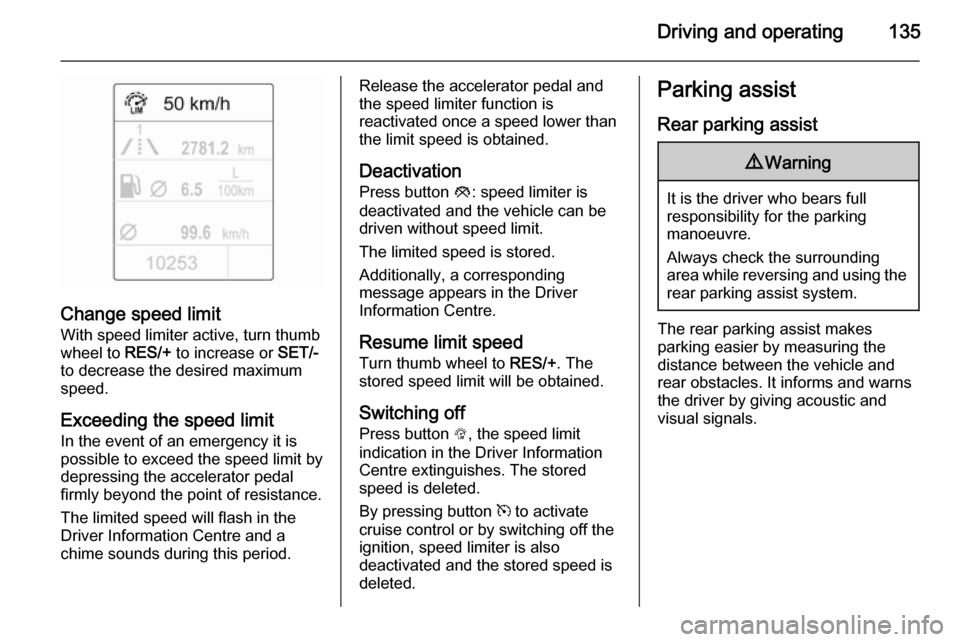
The limited speed will flash in the
Driver Information Centre and a
chime sounds during this period.
Release the accelerator pedal and the speed limiter function is
reactivated once a speed lower than
the limit speed is obtained.
Deactivation
Press button y: speed limiter is
deactivated and the vehicle can be
driven without speed limit.
The limited speed is stored.
Additionally, a corresponding
message appears in the Driver
Information Centre.
Resume limit speedTurn thumb wheel to RES/+. The
stored speed limit will be obtained.
Switching off
Press button L, the speed limit
indication in the Driver Information
Centre extinguishes. The stored
speed is deleted.
By pressing button m to activate
cruise control or by switching off the
ignition, speed limiter is also
deactivated and the stored speed is
deleted.Parking assist
Rear parking assist9 Warning
It is the driver who bears full
responsibility for the parking
manoeuvre.
Always check the surrounding
area while reversing and using the rear parking assist system.
The rear parking assist makes
parking easier by measuring the
distance between the vehicle and
rear obstacles. It informs and warns
the driver by giving acoustic and
visual signals.