wheel VAUXHALL ASTRA J 2016 Workshop Manual
[x] Cancel search | Manufacturer: VAUXHALL, Model Year: 2016, Model line: ASTRA J, Model: VAUXHALL ASTRA J 2016Pages: 341, PDF Size: 10.35 MB
Page 178 of 341
176Driving and operatingABS starts to regulate brake pressureas soon as a wheel shows a tendency to lock. The vehicle remains
steerable, even during hard braking.
ABS control is made apparent
through a pulse in the brake pedal
and the noise of the regulation
process.
For optimum braking, keep the brake
pedal fully depressed throughout the
braking process, despite the fact that
the pedal is pulsating. Do not reduce
the pressure on the pedal.
After starting off the system performs
a self-test which may be audible.
Control indicator u 3 114.
Adaptive brake light
During full braking, all three brake
lights flash for the duration of ABS
control.Fault9 Warning
If there is a fault in the ABS, the
wheels may be liable to lock due
to braking that is heavier than
normal. The advantages of ABS are no longer available. During
hard braking, the vehicle can no longer be steered and may
swerve.
Have the cause of the fault remedied
by a workshop.
Parking brake
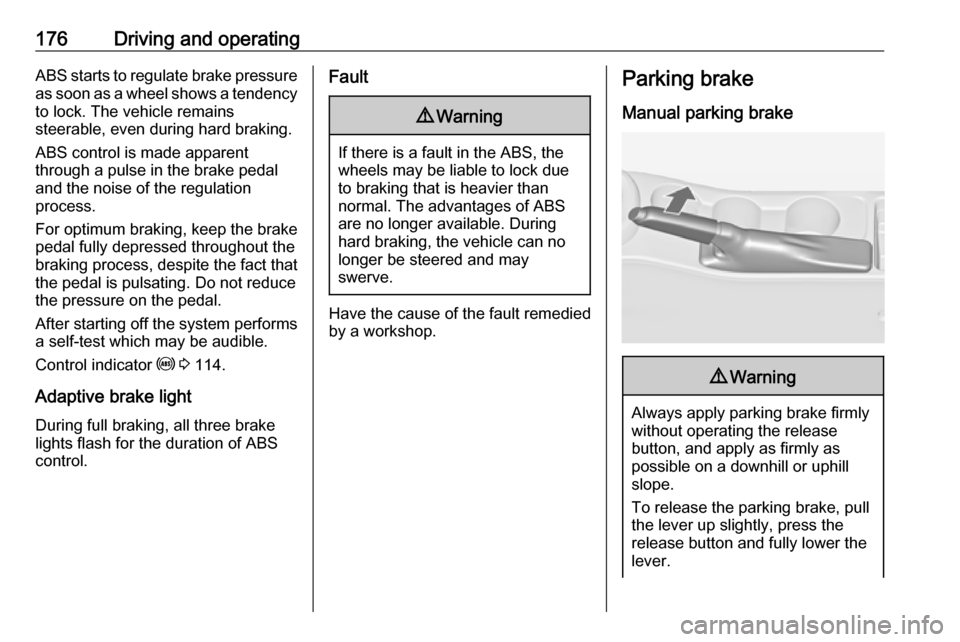
Manual parking brake9 Warning
Always apply parking brake firmly
without operating the release
button, and apply as firmly as
possible on a downhill or uphill
slope.
To release the parking brake, pull
the lever up slightly, press the
release button and fully lower the
lever.
Page 180 of 341

178Driving and operatingApply electric parking brake: pull and
hold the switch m for more than
5 seconds. If control indicator m
illuminates, electric parking brake is
applied.
Release electric parking brake: push
and hold the switch m for more than
2 seconds. If control indicator m
extinguishes, electric parking brake is
released.
Control indicator m flashes: electric
parking brake is not fully applied or
released. When continuously
flashing, release electric parking
brake and retry applying.
Brake assist If the brake pedal is depressed
quickly and forcefully, maximum
brake force is automatically applied
(full braking).
Maintain steady pressure on the brake pedal for as long as full braking
is required. Maximum brake force is
automatically reduced when the
brake pedal is released.Hill start assist
The system helps prevent unintendedmovement when driving away on
inclines.
When releasing the foot brake after
stopping on an incline, the brakes
remain on for a further two seconds.
The brakes release automatically as
soon as the vehicle begins to
accelerate.
The hill start assist is not active during
an Autostop.Ride control systems
Traction Control system
The Traction Control system (TC) is a component of the Electronic Stability
Control (ESC) 3 179.
TC improves driving stability when
necessary, regardless of the type of
road surface or tyre grip, by
preventing the drive wheels from spinning.
As soon as the drive wheels starts to
spin, engine output is reduced and
the wheel spinning the most is braked
individually. This considerably
improves the driving stability of the
vehicle on slippery road surfaces.
TC is operational after each engine
start as soon as the control indicator
b extinguishes.
When TC operates b flashes.
Page 181 of 341
Driving and operating1799Warning
Do not let this special safety
feature tempt you into taking risks
when driving.
Adapt speed to the road
conditions.
Control indicator b 3 115.
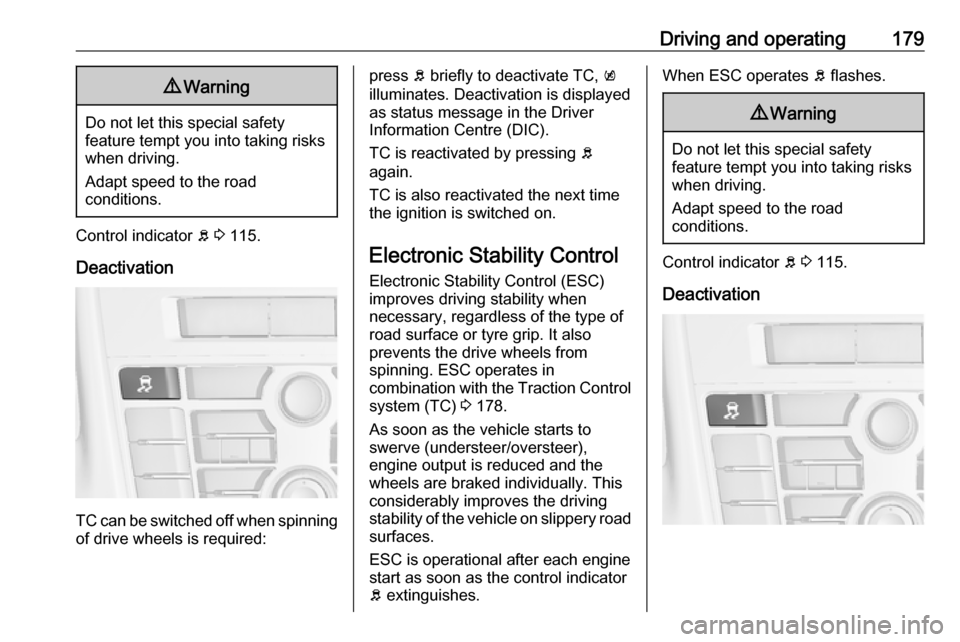
Deactivation
TC can be switched off when spinning of drive wheels is required:
press b briefly to deactivate TC, k
illuminates. Deactivation is displayed
as status message in the Driver
Information Centre (DIC).
TC is reactivated by pressing b
again.
TC is also reactivated the next time
the ignition is switched on.
Electronic Stability Control
Electronic Stability Control (ESC)
improves driving stability when
necessary, regardless of the type of
road surface or tyre grip. It also
prevents the drive wheels from
spinning. ESC operates in
combination with the Traction Control system (TC) 3 178.
As soon as the vehicle starts to
swerve (understeer/oversteer),
engine output is reduced and the
wheels are braked individually. This
considerably improves the driving
stability of the vehicle on slippery road
surfaces.
ESC is operational after each engine
start as soon as the control indicator
b extinguishes.When ESC operates b flashes.9 Warning
Do not let this special safety
feature tempt you into taking risks
when driving.
Adapt speed to the road
conditions.
Control indicator b 3 115.
Deactivation
Page 185 of 341
Driving and operating183NORMAL mode
In NORMAL mode, when neither
SPORT nor VXR is pressed, all
settings of the systems are adapted
to standard values.
SPORT mode
The settings of the systems are
adapted to a sportier driving style.
VXR mode
The drive dynamic characteristics are
adapted to high performance
settings.
In this mode, the illumination of main
instruments is switched to red.
Personalised settings in the VXR
mode
The driver can select the functions of
the VXR mode when VXR is pressed.
These settings can be changed in the Settings menu in the Info-Display.
Vehicle personalisation 3 130.Driver assistance
systems9 Warning
Driver assistance systems are
developed to support the driver
and not to replace the driver's
attention.
The driver accepts full
responsibility when driving the
vehicle.
When using driver assistance
systems, always take care
regarding the current traffic
situation.
Cruise control
The Cruise control can store and
maintain speeds of approx. 20 to
120 mph. Deviations from the stored
speeds may occur when driving uphill or downhill.
For safety reasons, the cruise control cannot be activated until the foot
brake has been operated once.
Activating in first gear is not possible.
Do not use the cruise control if it is not advisable to maintain a constant
speed.
With automatic transmission, only activate cruise control in automatic
mode.
Control indicator m 3 117.
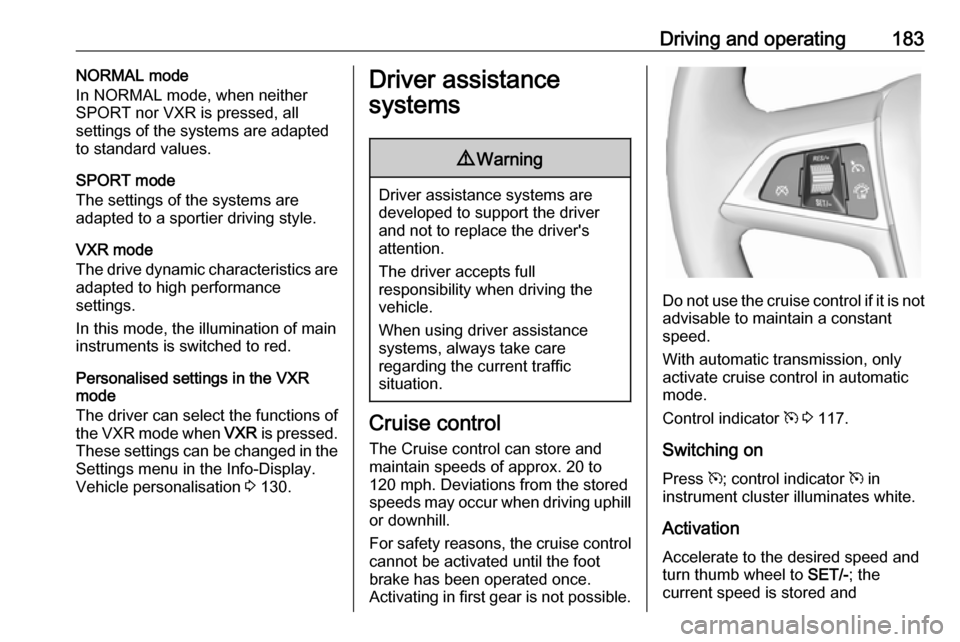
Switching on
Press m; control indicator m in
instrument cluster illuminates white.
Activation Accelerate to the desired speed and
turn thumb wheel to SET/-; the
current speed is stored and
Page 186 of 341
184Driving and operatingmaintained. Control indicator m in
instrument cluster illuminates green.
Accelerator pedal can be released.
Vehicle speed can be increased by depressing the accelerator pedal.
When the accelerator pedal is
released, the previously stored speed
is resumed.
Cruise control remains activated
while gearshifting.
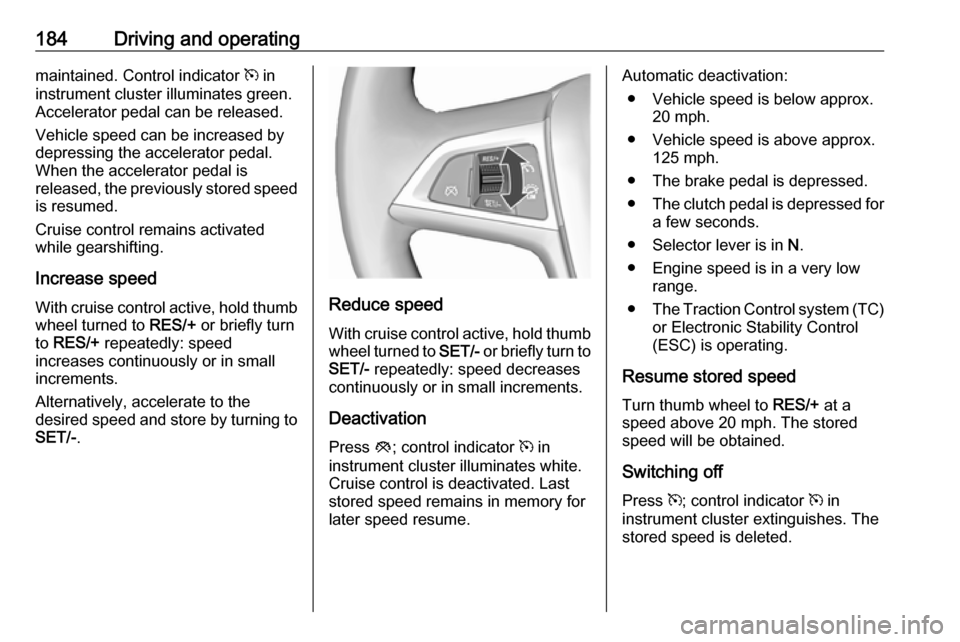
Increase speed With cruise control active, hold thumb
wheel turned to RES/+ or briefly turn
to RES/+ repeatedly: speed
increases continuously or in small
increments.
Alternatively, accelerate to the
desired speed and store by turning to SET/- .
Reduce speed
With cruise control active, hold thumb
wheel turned to SET/- or briefly turn to
SET/- repeatedly: speed decreases
continuously or in small increments.
Deactivation
Press y; control indicator m in
instrument cluster illuminates white.
Cruise control is deactivated. Last
stored speed remains in memory for
later speed resume.
Automatic deactivation:
● Vehicle speed is below approx. 20 mph.
● Vehicle speed is above approx. 125 mph.
● The brake pedal is depressed.
● The clutch pedal is depressed for
a few seconds.
● Selector lever is in N.
● Engine speed is in a very low range.
● The Traction Control system (TC)
or Electronic Stability Control
(ESC) is operating.
Resume stored speed Turn thumb wheel to RES/+ at a
speed above 20 mph. The stored speed will be obtained.
Switching off
Press m; control indicator m in
instrument cluster extinguishes. The
stored speed is deleted.
Page 187 of 341
Driving and operating185Pressing L for activating speed
limiter or switching off the ignition also
switches off cruise control and
deletes the stored speed.
Speed limiter
The speed limiter prevents the
vehicle exceeding a preset maximum speed.
The maximum speed can be set at a
speed above 15 mph.
The driver can only accelerate up to
the preset speed. Deviations from the
limited speed may occur when driving
downhill.
The preset speed limit is displayed in
the top line of the Driver Information
Centre (DIC) when the system is
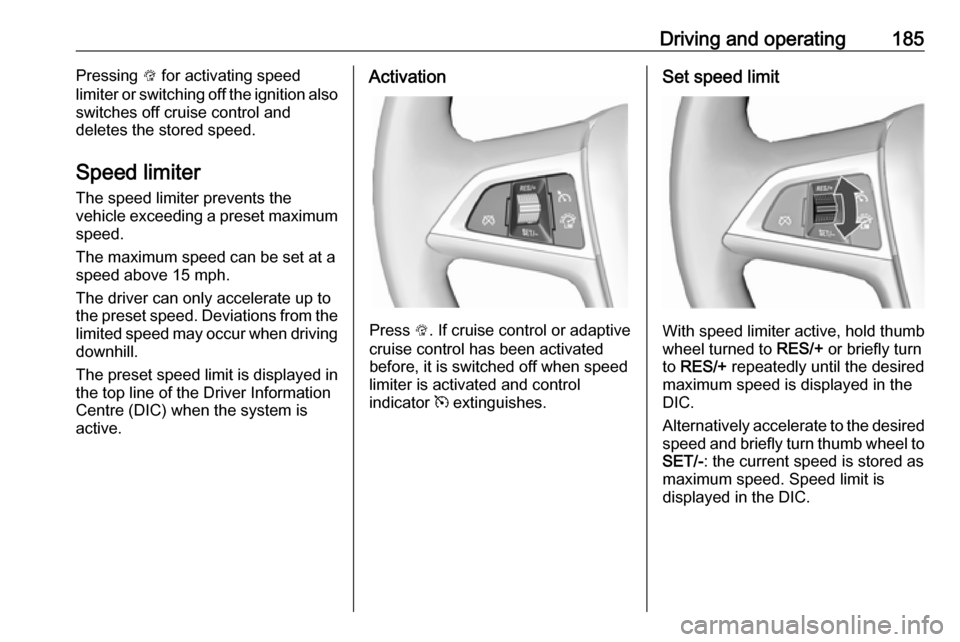
active.Activation
Press L. If cruise control or adaptive
cruise control has been activated
before, it is switched off when speed
limiter is activated and control
indicator m extinguishes.
Set speed limit
With speed limiter active, hold thumb
wheel turned to RES/+ or briefly turn
to RES/+ repeatedly until the desired
maximum speed is displayed in the
DIC.
Alternatively accelerate to the desired speed and briefly turn thumb wheel to SET/- : the current speed is stored as
maximum speed. Speed limit is
displayed in the DIC.
Page 188 of 341
186Driving and operating
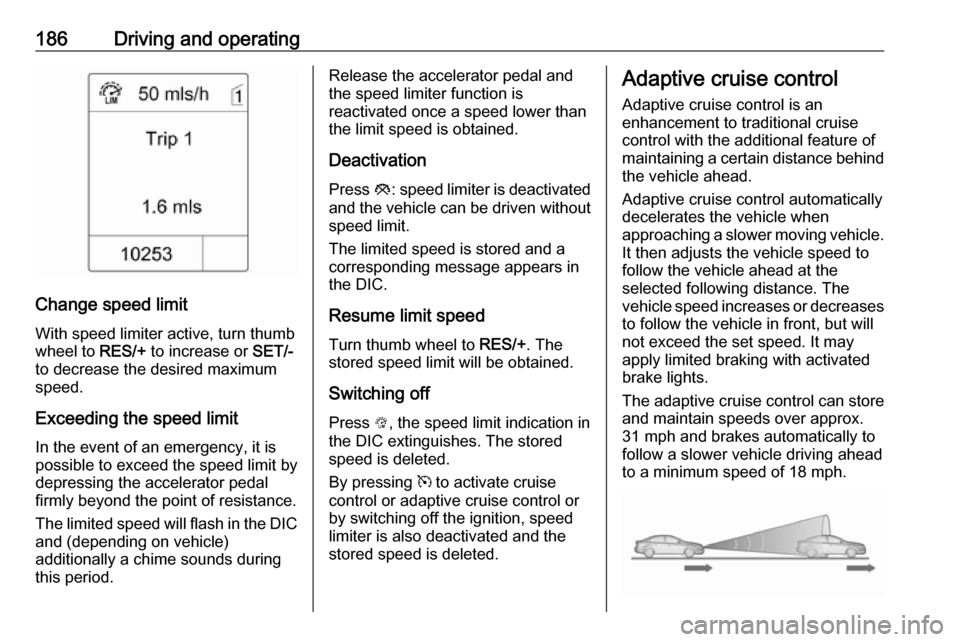
Change speed limit
With speed limiter active, turn thumb
wheel to RES/+ to increase or SET/-
to decrease the desired maximum
speed.
Exceeding the speed limit
In the event of an emergency, it is
possible to exceed the speed limit by
depressing the accelerator pedal
firmly beyond the point of resistance.
The limited speed will flash in the DIC and (depending on vehicle)
additionally a chime sounds during
this period.
Release the accelerator pedal and the speed limiter function is
reactivated once a speed lower than the limit speed is obtained.
Deactivation Press y: speed limiter is deactivated
and the vehicle can be driven without
speed limit.
The limited speed is stored and a
corresponding message appears in
the DIC.
Resume limit speed Turn thumb wheel to RES/+. The
stored speed limit will be obtained.
Switching off
Press L, the speed limit indication in
the DIC extinguishes. The stored
speed is deleted.
By pressing m to activate cruise
control or adaptive cruise control or
by switching off the ignition, speed limiter is also deactivated and the
stored speed is deleted.Adaptive cruise control
Adaptive cruise control is an
enhancement to traditional cruise
control with the additional feature of maintaining a certain distance behind the vehicle ahead.
Adaptive cruise control automatically
decelerates the vehicle when
approaching a slower moving vehicle. It then adjusts the vehicle speed to
follow the vehicle ahead at the
selected following distance. The
vehicle speed increases or decreases
to follow the vehicle in front, but will
not exceed the set speed. It may
apply limited braking with activated
brake lights.
The adaptive cruise control can store and maintain speeds over approx.
31 mph and brakes automatically to
follow a slower vehicle driving ahead
to a minimum speed of 18 mph.
Page 189 of 341

Driving and operating187Adaptive cruise control uses a radar
sensor to detect the vehicles ahead.
If no vehicle is detected in the driving
path, the adaptive cruise control will
behave like a traditional cruise
control.
For safety reasons, the system
cannot be activated before the brake
pedal has been depressed once
since switching on ignition. Activation
in first gear is not possible.
Adaptive cruise control is mainly
advised to be used on long straight
roads, e.g. highways or country roads
with steady traffic. Do not use the
system if it is not advisable to
maintain a constant speed.
Control indicator A 3 118, m 3 117.9 Warning
The complete driver attention is
always required while driving with adaptive cruise control. The driver
stays fully in control of the vehicle
because the brake pedal, the
accelerator pedal and the cancel
switch have priority over any
adaptive cruise control operation.
Switching on
Press C to switch on adaptive cruise
control. The control indicator m
illuminates white.
Activation by setting the speed
Adaptive cruise control can be
activated between 31 mph and
112 mph.
Accelerate to the desired speed and
turn thumb wheel to SET/-, the
current speed is stored and
maintained. Control indicator m
illuminates green.
The adaptive cruise control symbol,
the following distance setting and set
speed are indicated in the top line of
the Driver Information Centre (DIC).
The accelerator pedal can be
released. Adaptive cruise control
remains activated while gearshifting.
Overriding set speedIt is always possible to drive faster
than the selected set speed by
depressing the accelerator pedal.
When the accelerator pedal is
released, the vehicle returns to the
desired distance if a slower vehicle is
ahead. Otherwise it returns to the
stored speed.
Page 190 of 341
188Driving and operatingOnce the system is activated,
adaptive cruise control decelerates or
brakes if it detects a vehicle ahead,
which is slower or closer than the
desired following distance.9 Warning
Accelerating by the driver
deactivates automatic braking by
the system. This is indicated as a
pop-up warning in the Driver
Information Centre (DIC).
Increase speed
With adaptive cruise control active, hold thumb wheel turned to RES/+:
speed increases continuously in large increments, or activate repeatedly
RES/+ : speed increases in small
increments.
If the vehicle is driven with adaptive cruise control active much faster than
the desired speed, e.g. after
depressing the accelerator pedal,
then the current speed can be stored and maintained by turning the thumb
wheel to SET/-.
Reduce speed
With adaptive cruise control active,
hold thumb wheel turned to SET/-:
speed decreases continuously in
large increments, or activate
repeatedly SET/-: speed decreases in
small increments.
If the vehicle is driven with adaptive cruise control active much slower
than the desired speed, e.g. because
of a slower vehicle ahead, then the
current speed can be stored and
maintained by turning the thumb
wheel to SET/-.
Resume stored speed
If the system is switched on but
inactive, then turn thumb wheel to
RES/+ at a speed above 31 mph to
resume the stored speed.
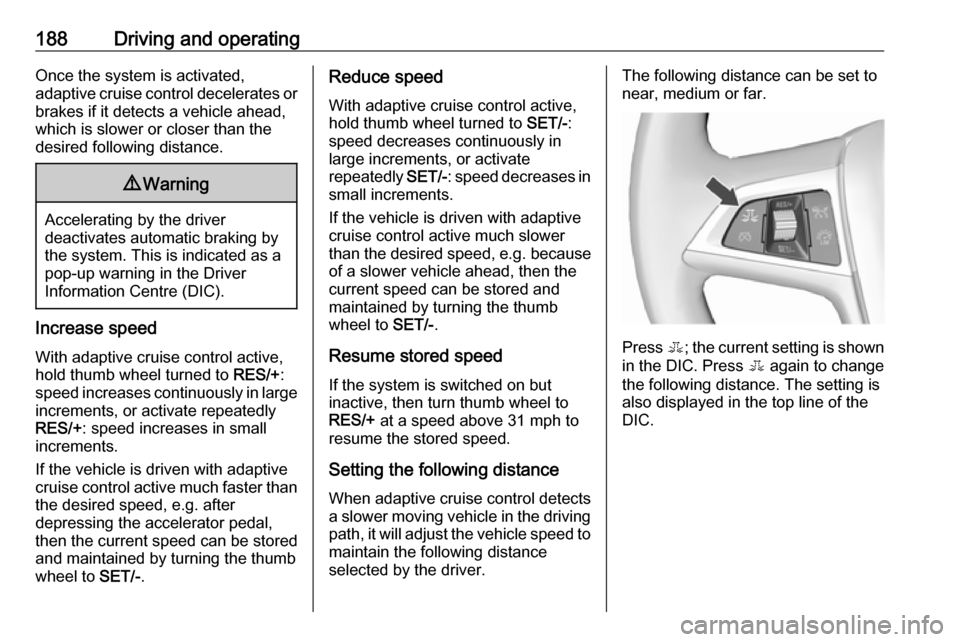
Setting the following distance
When adaptive cruise control detects
a slower moving vehicle in the driving path, it will adjust the vehicle speed to
maintain the following distance
selected by the driver.The following distance can be set to
near, medium or far.
Press E; the current setting is shown
in the DIC. Press E again to change
the following distance. The setting is
also displayed in the top line of the
DIC.
Page 192 of 341

190Driving and operating● There is no traffic and nothingdetected on the road sides forseveral minutes. In this case,
there are no radar echoes and
the sensor may report that it is
blocked.
● The collision imminent braking system is applying the brakes.
● The radar sensor is blocked by an ice or water film.
● A fault is detected in the radar, engine or brake system.
When adaptive cruise control is
deactivated automatically, the control indicator m illuminates white and a
warning symbol is displayed as a pop-
up in the DIC.
The stored speed is maintained.
9 Warning
When adaptive cruise control is
deactivated, the driver must take
over full brake and engine control.
Switching off
Press C to switch off adaptive cruise
control. The control indicator m
extinguishes. The stored speed is
deleted.
Switching off the ignition also
switches off adaptive cruise control
and deletes the stored speed.
Driver's attention
● Use adaptive cruise control carefully on bends or mountain
roads, as it can lose the vehicle
ahead and need time to detect it
again.
● Do not use the system on slippery roads as it can create
rapid changes in tyre traction
(wheel spinning), so that you
could lose control.
● Do not use adaptive cruise control during rain, snow or
heavy dirt, as the radar sensor
can be covered by a water film,
dust, ice or snow. This reduces or suppresses completely the
visibility. In case of sensor
blockage, clean the sensor
cover.
System limits ● The system's automatic brake force does not permit hard
braking and the braking level
may not be sufficient to avoid a
collision.