ac system VAUXHALL INSIGNIA 2016 Manual Online
[x] Cancel search | Manufacturer: VAUXHALL, Model Year: 2016, Model line: INSIGNIA, Model: VAUXHALL INSIGNIA 2016Pages: 327, PDF Size: 9.26 MB
Page 146 of 327
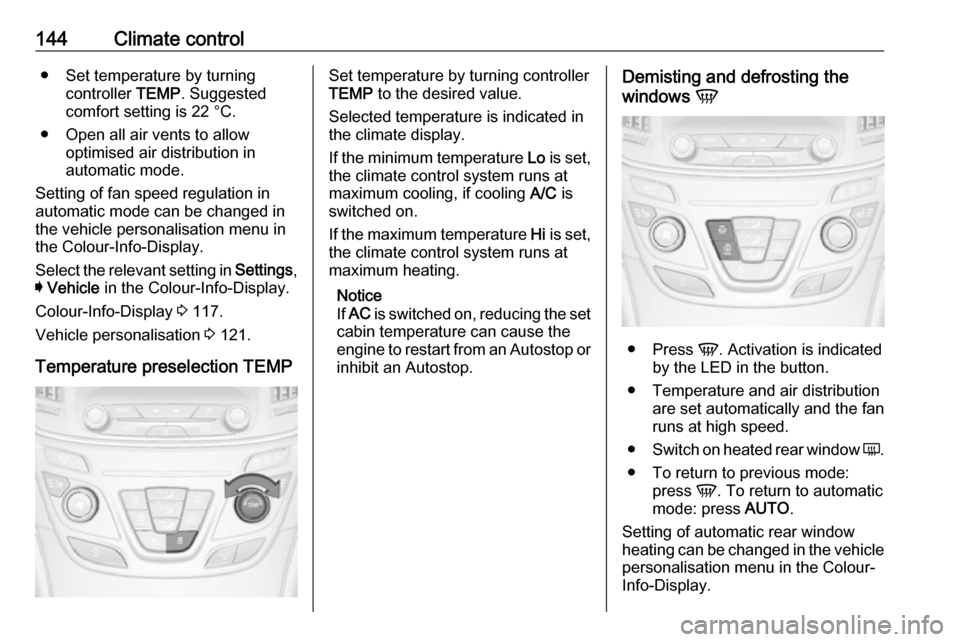
144Climate control● Set temperature by turningcontroller TEMP. Suggested
comfort setting is 22 °C.
● Open all air vents to allow optimised air distribution in
automatic mode.
Setting of fan speed regulation in
automatic mode can be changed in the vehicle personalisation menu in
the Colour-Info-Display.
Select the relevant setting in Settings,
I Vehicle in the Colour-Info-Display.
Colour-Info-Display 3 117.
Vehicle personalisation 3 121.
Temperature preselection TEMPSet temperature by turning controller
TEMP to the desired value.
Selected temperature is indicated in
the climate display.
If the minimum temperature Lo is set,
the climate control system runs at maximum cooling, if cooling A/C is
switched on.
If the maximum temperature Hi is set,
the climate control system runs at
maximum heating.
Notice
If AC is switched on, reducing the set
cabin temperature can cause the
engine to restart from an Autostop or inhibit an Autostop.Demisting and defrosting the
windows V
●
Press V. Activation is indicated
by the LED in the button.
● Temperature and air distribution are set automatically and the fan
runs at high speed.
● Switch on heated rear window Ü.
● To return to previous mode: press V. To return to automatic
mode: press AUTO.
Setting of automatic rear window heating can be changed in the vehicle personalisation menu in the Colour-
Info-Display.
Page 147 of 327
Climate control145Select the relevant setting in Settings,
I Vehicle in the Colour-Info-Display.
Colour-Info-Display 3 117.
Vehicle personalisation 3 121.
Notice
If V is pressed while the engine is
running, an Autostop will be inhibited
until V is pressed again.
If V is pressed while the engine is
in an Autostop, the engine will restart automatically.
Stop-start system 3 159.
Manual settings Climate control system settings can
be manually adapted by using the air
distribution buttons and the fan speed controller as follows. Manual
changing of settings will deactivate
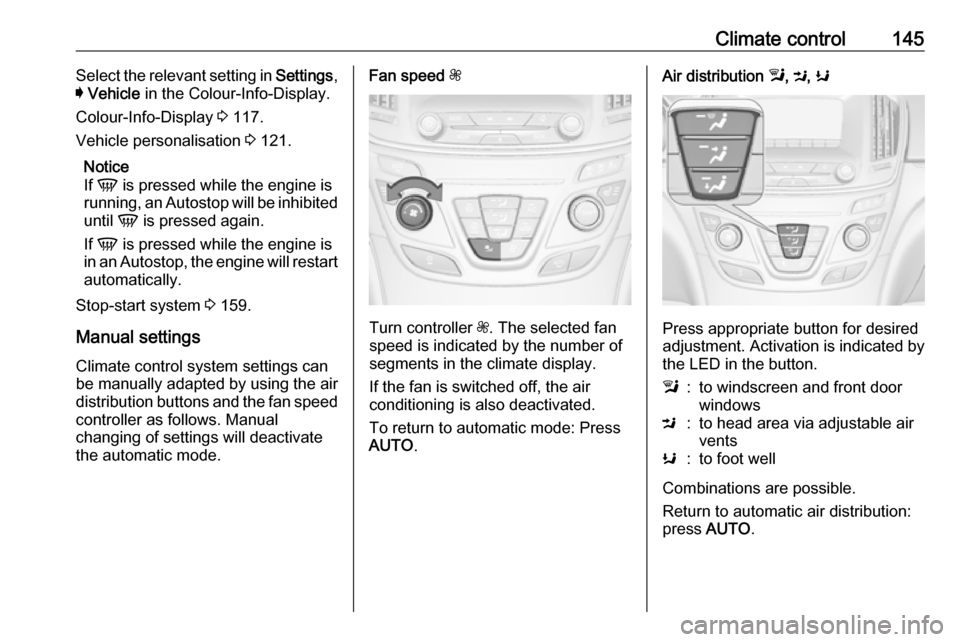
the automatic mode.Fan speed Z
Turn controller Z. The selected fan
speed is indicated by the number of segments in the climate display.
If the fan is switched off, the air
conditioning is also deactivated.
To return to automatic mode: Press AUTO .
Air distribution l, M , K
Press appropriate button for desired
adjustment. Activation is indicated by the LED in the button.
l:to windscreen and front door
windowsM:to head area via adjustable air
ventsK:to foot well
Combinations are possible.
Return to automatic air distribution:
press AUTO .
Page 148 of 327
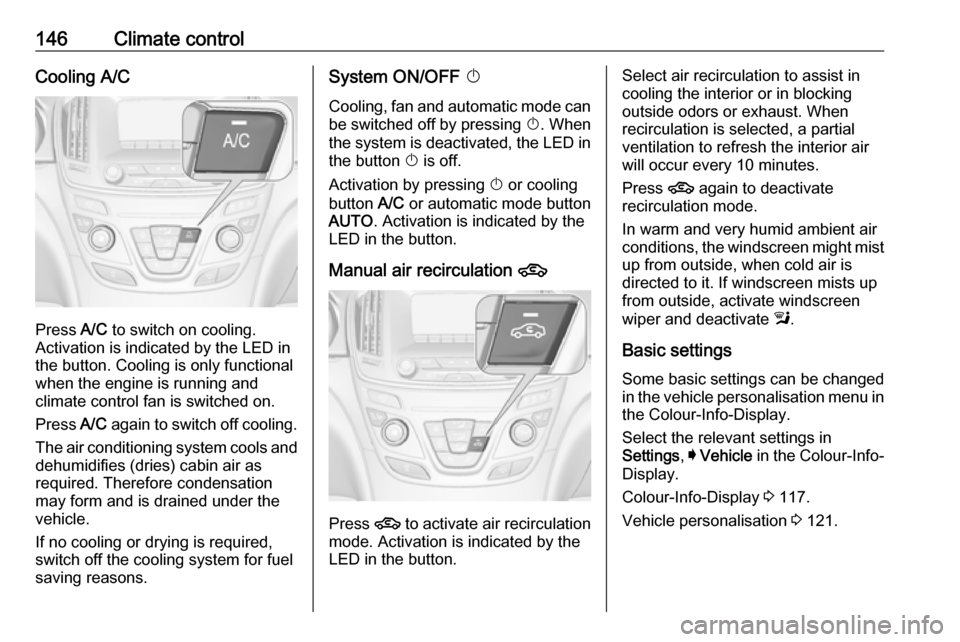
146Climate controlCooling A/C
Press A/C to switch on cooling.
Activation is indicated by the LED in
the button. Cooling is only functional
when the engine is running and
climate control fan is switched on.
Press A/C again to switch off cooling.
The air conditioning system cools and
dehumidifies (dries) cabin air as
required. Therefore condensation
may form and is drained under the
vehicle.
If no cooling or drying is required,
switch off the cooling system for fuel
saving reasons.
System ON/OFF X
Cooling, fan and automatic mode can
be switched off by pressing X. When
the system is deactivated, the LED in the button X is off.
Activation by pressing X or cooling
button A/C or automatic mode button
AUTO . Activation is indicated by the
LED in the button.
Manual air recirculation 4
Press 4 to activate air recirculation
mode. Activation is indicated by the
LED in the button.
Select air recirculation to assist in cooling the interior or in blocking
outside odors or exhaust. When
recirculation is selected, a partial
ventilation to refresh the interior air
will occur every 10 minutes.
Press 4 again to deactivate
recirculation mode.
In warm and very humid ambient air
conditions, the windscreen might mist up from outside, when cold air is
directed to it. If windscreen mists up
from outside, activate windscreen
wiper and deactivate l.
Basic settings
Some basic settings can be changed in the vehicle personalisation menu in the Colour-Info-Display.
Select the relevant settings in
Settings , I Vehicle in the Colour-Info-
Display.
Colour-Info-Display 3 117.
Vehicle personalisation 3 121.
Page 149 of 327

Climate control147Dual automatic climate
control system
The dual automatic climate control
allows different climatisation
temperatures for driver and front
passenger side.
In Automatic mode, temperature, fan speed and air distribution are
regulated automatically.
Panels and buttons for the following
functions:
● temperature RS
● air distribution l M K
● fan speed R ZS
● automatic mode AUTO
● cooling A/C
● air recirculation 4
● demisting and defrosting V
● system ON/OFF X
● dual zone temperature
synchronisation SYNC
Heated rear window Ü 3 42.
Heated front seats ß 3 53.
Ventilated front seats A 3 53.
Heated steering wheel * 3 85.
IndicationTemperature settings are indicated
for driver and passenger side
separately on the panels.
Each change of settings is shown in
the Info-Display for a few seconds.
The dual automatic climate control
system is only fully operational when
the engine is running.
Climate control system settings are
saved in the key used to lock the vehicle.
Automatic mode AUTO
Page 150 of 327
148Climate controlBasic setting for maximum comfort:● Press AUTO, the air distribution
and fan speed are regulated
automatically. Activation is
indicated by the LED in the
button.
● Press A/C to switch on optimal
cooling and demisting. Activation is indicated by the LED in the
button.
● Set temperature by touching R or
S on the driver side. Suggested
comfort setting is 22 °C.
Temperature can be set
differently for driver and
passenger. Touch R or S on the
passenger side to allow different
temperature zones.
● Open all air vents to allow optimised air distribution in
automatic mode.
Setting of fan speed regulation in
automatic mode can be changed in
the vehicle personalisation menu in
the Colour-Info-Display.
Select the relevant setting in Settings,
I Vehicle , in the Colour-Info-Display.
Colour-Info-Display 3 117.Vehicle personalisation 3 121.
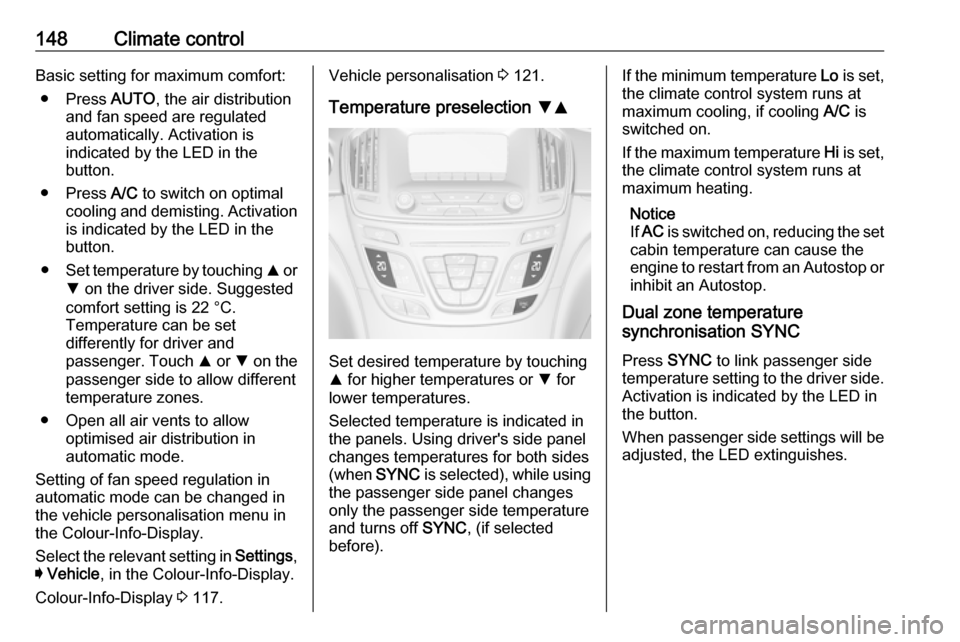
Temperature preselection SR
Set desired temperature by touching
R for higher temperatures or S for
lower temperatures.
Selected temperature is indicated in
the panels. Using driver's side panel
changes temperatures for both sides (when SYNC is selected), while using
the passenger side panel changes
only the passenger side temperature and turns off SYNC, (if selected
before).
If the minimum temperature Lo is set,
the climate control system runs at
maximum cooling, if cooling A/C is
switched on.
If the maximum temperature Hi is set,
the climate control system runs at maximum heating.
Notice
If AC is switched on, reducing the set
cabin temperature can cause the
engine to restart from an Autostop or
inhibit an Autostop.
Dual zone temperature
synchronisation SYNC
Press SYNC to link passenger side
temperature setting to the driver side.
Activation is indicated by the LED in
the button.
When passenger side settings will be adjusted, the LED extinguishes.
Page 151 of 327
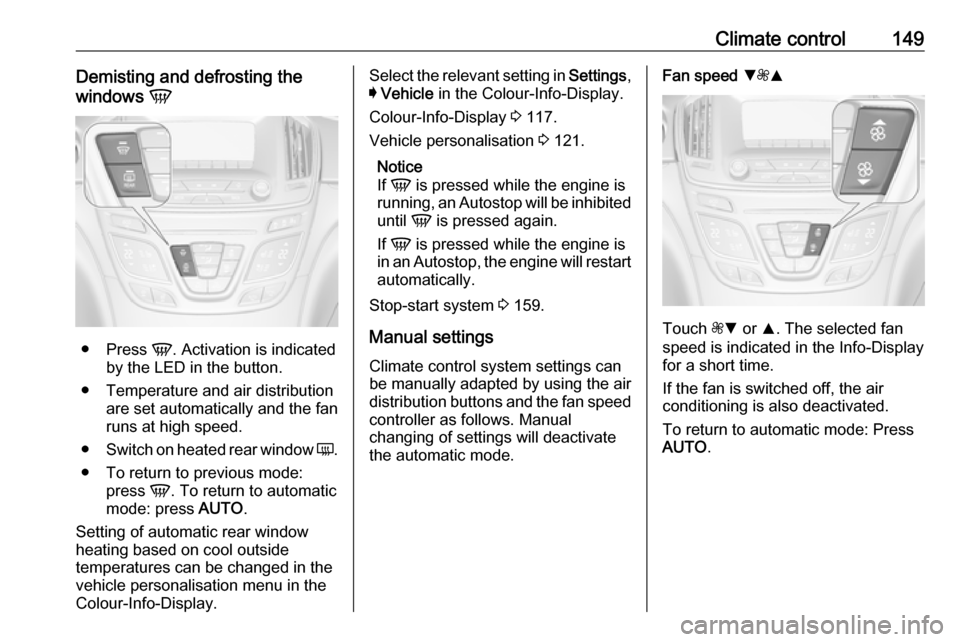
Climate control149Demisting and defrosting the
windows V
●
Press V. Activation is indicated
by the LED in the button.
● Temperature and air distribution are set automatically and the fan
runs at high speed.
● Switch on heated rear window Ü.
● To return to previous mode: press V. To return to automatic
mode: press AUTO.
Setting of automatic rear window heating based on cool outside
temperatures can be changed in the
vehicle personalisation menu in the
Colour-Info-Display.
Select the relevant setting in Settings,
I Vehicle in the Colour-Info-Display.
Colour-Info-Display 3 117.
Vehicle personalisation 3 121.
Notice
If V is pressed while the engine is
running, an Autostop will be inhibited
until V is pressed again.
If V is pressed while the engine is
in an Autostop, the engine will restart automatically.
Stop-start system 3 159.
Manual settings
Climate control system settings can
be manually adapted by using the air
distribution buttons and the fan speed controller as follows. Manual
changing of settings will deactivate
the automatic mode.Fan speed SZR
Touch ZS or R. The selected fan
speed is indicated in the Info-Display for a short time.
If the fan is switched off, the air
conditioning is also deactivated.
To return to automatic mode: Press AUTO .
Page 152 of 327
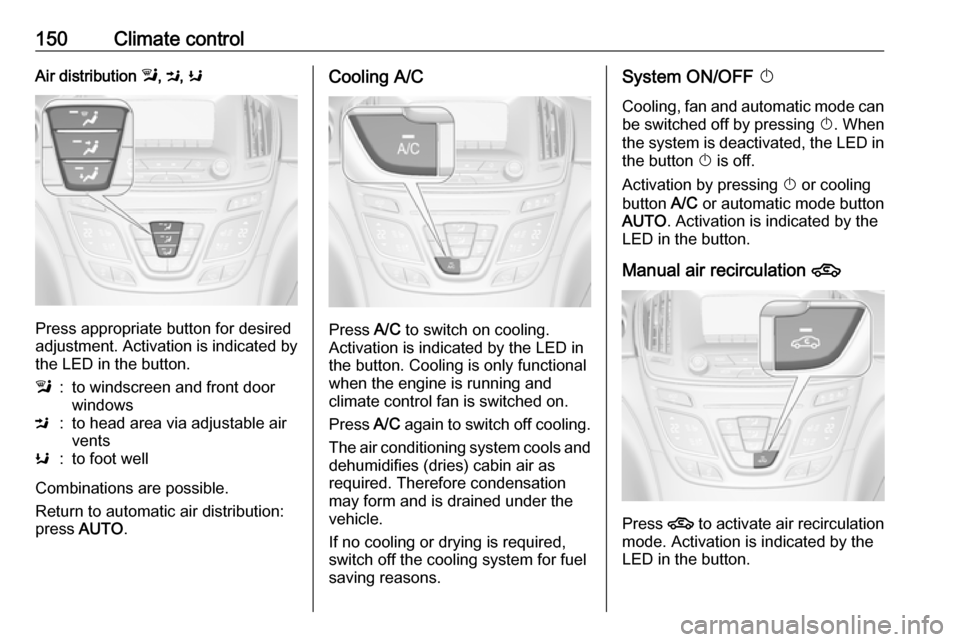
150Climate controlAir distribution l, M , K
Press appropriate button for desired
adjustment. Activation is indicated by the LED in the button.
l:to windscreen and front door
windowsM:to head area via adjustable air
ventsK:to foot well
Combinations are possible.
Return to automatic air distribution:
press AUTO .
Cooling A/C
Press A/C to switch on cooling.
Activation is indicated by the LED in
the button. Cooling is only functional
when the engine is running and
climate control fan is switched on.
Press A/C again to switch off cooling.
The air conditioning system cools and
dehumidifies (dries) cabin air as
required. Therefore condensation
may form and is drained under the
vehicle.
If no cooling or drying is required,
switch off the cooling system for fuel
saving reasons.
System ON/OFF X
Cooling, fan and automatic mode can
be switched off by pressing X. When
the system is deactivated, the LED in the button X is off.
Activation by pressing X or cooling
button A/C or automatic mode button
AUTO . Activation is indicated by the
LED in the button.
Manual air recirculation 4
Press 4 to activate air recirculation
mode. Activation is indicated by the
LED in the button.
Page 155 of 327

Climate control153Active carbon filter
In addition to the particle filter, the active carbon filter reduces odours.
Air conditioning regularoperation
In order to ensure continuously
efficient performance, it is
recommended that air conditioning
should be operated for a few minutes once a month, irrespective of the
weather and time of year.
Service
For optimal cooling performance, it is recommended to annually check the
climate control system, starting
three years after initial vehicle
registration, including:
● functionality and pressure test
● heating functionality
● leakage check
● check of drive belts
● cleaning of condenser and evaporator drainage
● performance check
Page 156 of 327

154Driving and operatingDriving and
operatingDriving hints ............................... 155
Control of the vehicle ...............155
Steering ................................... 155
Starting and operating ...............155
New vehicle running-in ............155
Ignition switch positions ...........155
Power button ........................... 156
Retained power off ..................157
Starting the engine ..................158
Overrun cut-off ........................ 159
Stop-start system ....................159
Parking .................................... 162
Engine exhaust .......................... 163
Diesel particle filter ..................163
Catalytic converter ...................164
AdBlue ..................................... 164
Automatic transmission ..............167
Transmission display ...............167
Selector lever .......................... 168
Manual mode ........................... 169
Electronic driving programmes 170
Fault ........................................ 170
Interruption of power supply ....170Manual transmission ..................171
Drive systems ............................ 172
All-wheel drive ......................... 172
Brakes ........................................ 172
Antilock brake system .............172
Parking brake .......................... 173
Brake assist ............................. 175
Hill start assist ......................... 175
Ride control systems .................175
Traction Control system ..........175
Electronic Stability Control ......176
Interactive driving system ........177
Driver assistance systems .........180
Cruise control .......................... 180
Speed limiter ........................... 182
Adaptive cruise control ............183
Forward collision alert .............190
Following distance indication ...194
Active emergency braking .......194
Parking assist .......................... 196
Side blind spot alert .................202
Lane change alert ....................204
Rear view camera ...................205
Rear cross traffic alert .............207
Traffic sign assistant ................208
Lane departure warning ..........212
Fuel ............................................ 213
Fuel for petrol engines .............213Fuel for diesel engines ............213
Fuel for liquid gas operation ....213
Refuelling ................................ 215
Fuel consumption - CO 2-
Emissions .............................. 220
Trailer hitch ................................ 220
General information .................220
Driving characteristics and towing tips .............................. 221
Trailer towing ........................... 221
Towing equipment ...................222
Trailer stability assist ...............223
Page 157 of 327

Driving and operating155Driving hints
Control of the vehicle
Never coast with engine not
running (except during Autostop)
Many systems will not function in this
situation ( e.g. brake servo unit, power
steering). Driving in this manner is a
danger to yourself and others. All
systems function during an Autostop,
but there will be a controlled reduction
in power steering assist and vehicle
speed is reduced.
Stop-start system 3 159.
Pedals To ensure the pedal travel is
uninhibited, there must be no mats in
the area of the pedals.
Use only floor mats, which fit properly
and are fixed by the retainers on the
driver side.Steering
If power steering assist is lost
because the engine stops or due to a system malfunction, the vehicle can
be steered but may require increased
effort.
Control indicator c 3 106.Caution
Vehicles equipped with hydraulic
power steering:
If the steering wheel is turned until it reaches the end of its travel, and
is held in that position for more
than 15 seconds, damage may
occur to the power steering
system and there may be loss of
power steering assist.
Starting and operating
New vehicle running-in
Do not brake unnecessarily hard for
the first few journeys.
During the first drive, smoke may
occur because of wax and oil
evaporating off the exhaust system.
Park the vehicle in the open for a
while after the first drive and avoid
inhaling the fumes.
During the running-in period fuel and engine oil consumption may be
higher and the cleaning process of the diesel particle filter may take
place more often.
Diesel particle filter 3 163.
Ignition switch positions Turn key: