set VAUXHALL INSIGNIA 2020 Infotainment system
[x] Cancel search | Manufacturer: VAUXHALL, Model Year: 2020, Model line: INSIGNIA, Model: VAUXHALL INSIGNIA 2020Pages: 85, PDF Size: 1.89 MB
Page 8 of 85
8Introduction
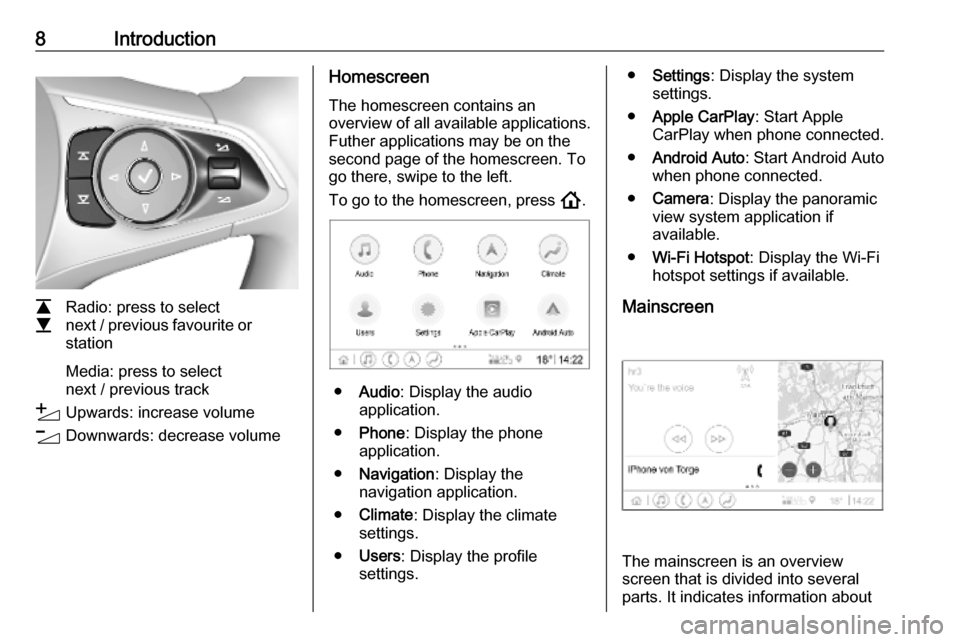
L
M Radio: press to select
next / previous favourite or
station
Media: press to select
next / previous track
Y Upwards: increase volume
Z Downwards: decrease volume
Homescreen
The homescreen contains an
overview of all available applications.
Futher applications may be on the
second page of the homescreen. To
go there, swipe to the left.
To go to the homescreen, press !.
● Audio : Display the audio
application.
● Phone : Display the phone
application.
● Navigation : Display the
navigation application.
● Climate : Display the climate
settings.
● Users : Display the profile
settings.
● Settings : Display the system
settings.
● Apple CarPlay : Start Apple
CarPlay when phone connected.
● Android Auto : Start Android Auto
when phone connected.
● Camera : Display the panoramic
view system application if
available.
● Wi-Fi Hotspot : Display the Wi-Fi
hotspot settings if available.
Mainscreen
The mainscreen is an overview
screen that is divided into several
parts. It indicates information about
Page 10 of 85
10Basic operationBasic operation
Screen operations The display of the Infotainment
system has a touch-sensitive surface
that allows direct interaction with the
displayed menu controls.Caution
Do not use pointed or hard items
like ballpoint pens, pencils or
similar for touch screen operation.
Use the following finger gestures to
control the Infotainment system.
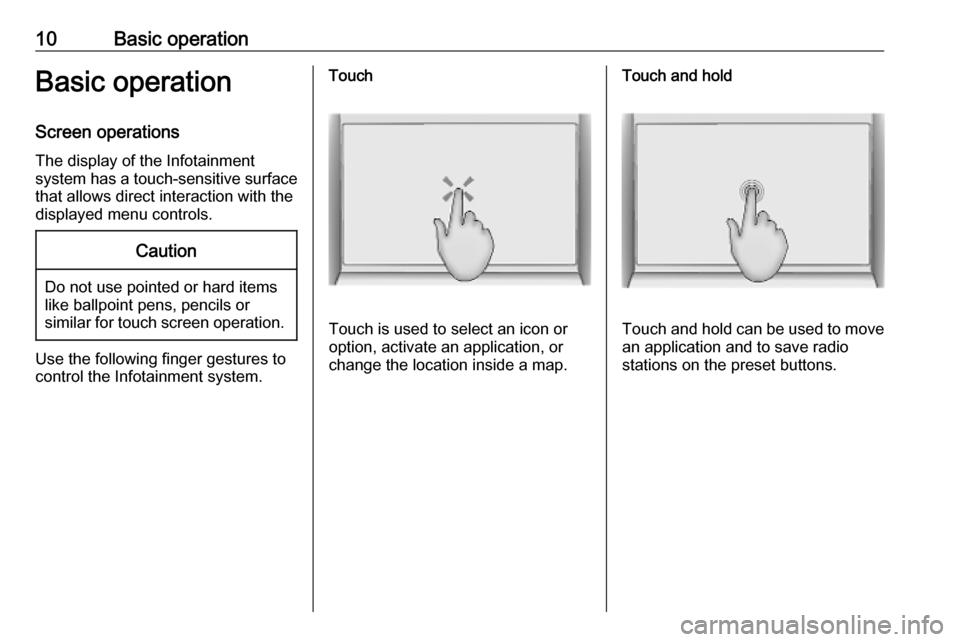
Touch
Touch is used to select an icon or
option, activate an application, or
change the location inside a map.
Touch and hold
Touch and hold can be used to move an application and to save radio
stations on the preset buttons.
Page 11 of 85
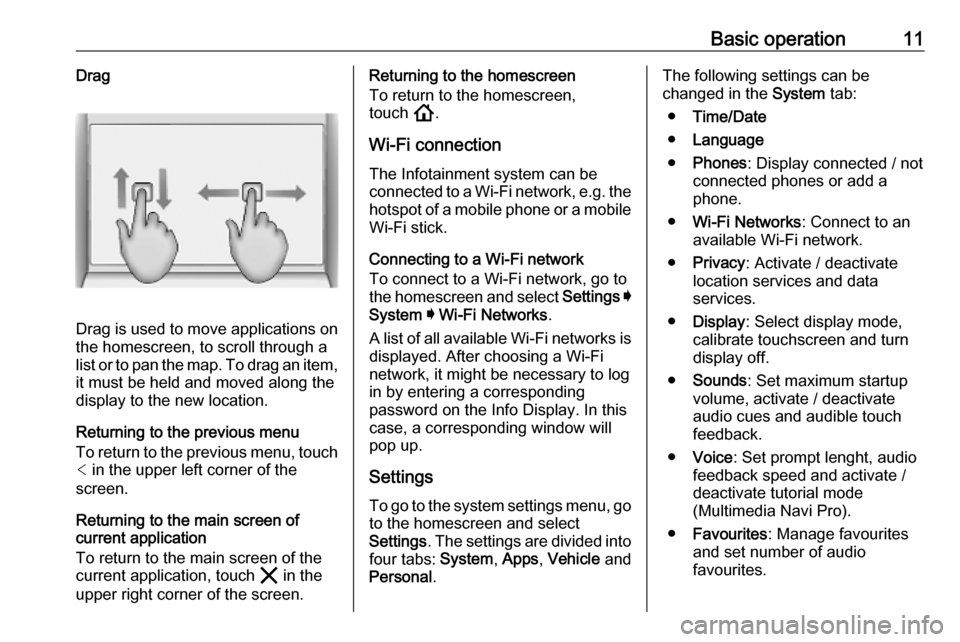
Basic operation11Drag
Drag is used to move applications on
the homescreen, to scroll through a
list or to pan the map. To drag an item,
it must be held and moved along the
display to the new location.
Returning to the previous menu
To return to the previous menu, touch < in the upper left corner of the
screen.
Returning to the main screen of
current application
To return to the main screen of the
current application, touch & in the
upper right corner of the screen.
Returning to the homescreen
To return to the homescreen,
touch !.
Wi-Fi connection The Infotainment system can beconnected to a Wi-Fi network, e.g. the
hotspot of a mobile phone or a mobile Wi-Fi stick.
Connecting to a Wi-Fi network
To connect to a Wi-Fi network, go to
the homescreen and select Settings I
System I Wi-Fi Networks .
A list of all available Wi-Fi networks is
displayed. After choosing a Wi-Fi
network, it might be necessary to log
in by entering a corresponding
password on the Info Display. In this
case, a corresponding window will
pop up.
Settings
To go to the system settings menu, go to the homescreen and select
Settings . The settings are divided into
four tabs: System, Apps , Vehicle and
Personal .The following settings can be
changed in the System tab:
● Time/Date
● Language
● Phones : Display connected / not
connected phones or add a
phone.
● Wi-Fi Networks : Connect to an
available Wi-Fi network.
● Privacy : Activate / deactivate
location services and data
services.
● Display : Select display mode,
calibrate touchscreen and turn
display off.
● Sounds : Set maximum startup
volume, activate / deactivate audio cues and audible touch
feedback.
● Voice : Set prompt lenght, audio
feedback speed and activate /
deactivate tutorial mode
(Multimedia Navi Pro).
● Favourites : Manage favourites
and set number of audio favourites.
Page 12 of 85

12Basic operation●About : Display information about
open soure software and device registration.
● Running Applications : Stop
applications, e.g. Climate or
Users .
● Restore Factory Settings : Reset
vehicle settings, delete settings
and personal data and clear
default applications
The following settings can be
changed in the Apps tab:
● Android Auto : Activate /
deactivate the Android Auto
application.
● Apple CarPlay : Activate /
deactivate the Apple CarPlay
application.
● Audio (options depend on current
audio source): Change the tone
settings, auto volume, activate /
deactivate traffic programme
(Multimedia Navi Pro), DAB-FM
linking, DAB announcements,
etc.
● Climate : Change the climate
settings.Climate settings are described in the Owner's Manual.
● Navigation : Change the
navigation settings (Multimedia
Navi Pro).
● Phone : Sort contacts, re-
synchronise contacts, delete all
vehicle contacts, etc.
The vehicle settings can be changed
in the Vehicle tab. Vehicle settings
are described in the Owner's Manual.
The profile settings can be changed
in the Personal tab (Multimedia Navi
Pro).
Page 13 of 85

Profiles13ProfilesThis application is only applicable toMultimedia Navi Pro.
Touch Users on the homescreen to
display a list of all available profiles.
Due to the option of creating profiles,
the Infotainment system can be fitted
to several drivers. Different settings
as well as favourite radio stations and destinations will be connected to aspecific profile. Thereby, the settings
and favourites don't need to be
adjusted every time another person is driving the vehicle.
A profile can be connected to a
specific vehicle key. While starting the
vehicle, the corresponding profile will
be activated.
Creating a profile 1. Select Users on the homescreen.
2. If applicable, select Add User
Profile .
3. Select Create Profile .
4. Enter a profile name and select Next .5.If desired, choose a profile picture
and select Next. Otherwise, select
Skip .
6. If desired, choose a vehicle key which is intended to be connectedto the profile and select Next.
Otherwise, select Skip.
7. Select Done.
A new profile is created. The profile settings can be changed at any time.
Notice
Whenever a new profile is created or the active profile is switched, the
audio application is paused and
restarted.
Creating a PIN for a profile
Every created profile can be secured
with a PIN. After switching on the vehicle, the PIN has to be entered.
To create a PIN, go to the
homescreen and select Settings I
Personal I Security .
The Guest profile cannot be secured
with a PIN.Switching the profile
There are two ways to switch the
profile:
● Select Users on the homescreen
and select the desired profile.
● If the Guest profile is not active:
Go the the homescreen and
select Settings I Personal I
Switch User . Select the desired
profile.
Editing a profile Only the currently active profile can
be edited. There are two ways to edit
a profile:
● Go to the homescreen and select
Users I / .
● Go to the homescreen and select
Settings I Personal .
All profile settings, e.g. name, profile
picture, connected vehicle key, can
be changed.
Deleting a profile
To delete a profile, select f next to
the corresponding profile. The Guest
profile cannot be deleted.
Page 15 of 85
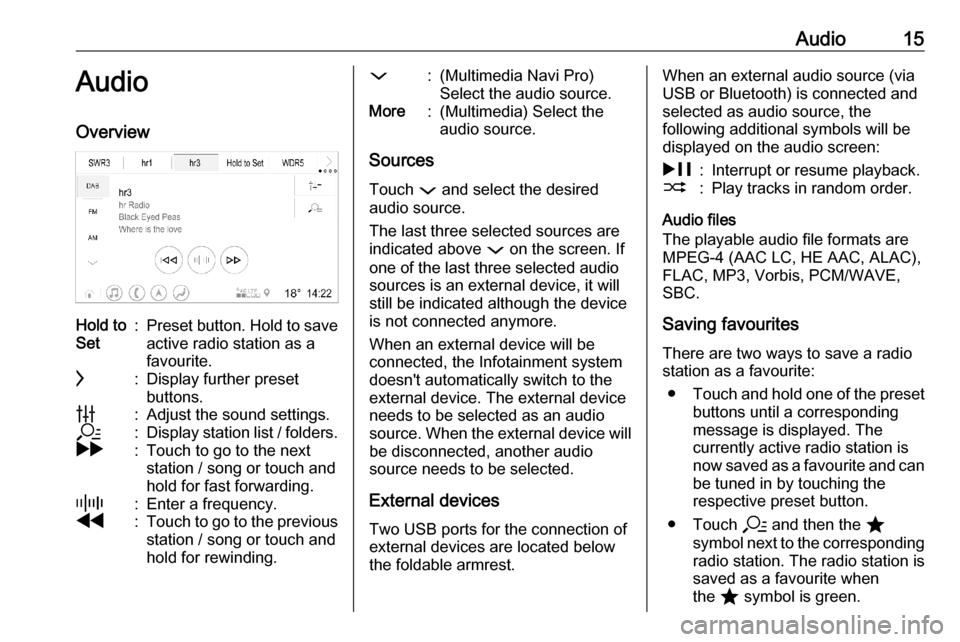
Audio15AudioOverviewHold to
Set:Preset button. Hold to save
active radio station as a
favourite.c:Display further preset
buttons.b:Adjust the sound settings.a:Display station list / folders.g:Touch to go to the next
station / song or touch and
hold for fast forwarding._:Enter a frequency.f:Touch to go to the previous station / song or touch and
hold for rewinding.::(Multimedia Navi Pro)
Select the audio source.More:(Multimedia) Select the
audio source.
Sources
Touch : and select the desired
audio source.
The last three selected sources are
indicated above : on the screen. If
one of the last three selected audio
sources is an external device, it will
still be indicated although the device
is not connected anymore.
When an external device will be
connected, the Infotainment system doesn't automatically switch to the
external device. The external device
needs to be selected as an audio
source. When the external device will be disconnected, another audio
source needs to be selected.
External devices Two USB ports for the connection ofexternal devices are located below
the foldable armrest.
When an external audio source (via
USB or Bluetooth) is connected and
selected as audio source, the
following additional symbols will be
displayed on the audio screen:&:Interrupt or resume playback.2:Play tracks in random order.
Audio files
The playable audio file formats are
MPEG-4 (AAC LC, HE AAC, ALAC),
FLAC, MP3, Vorbis, PCM/WAVE,
SBC.
Saving favourites There are two ways to save a radio
station as a favourite:
● Touch and hold one of the preset
buttons until a corresponding
message is displayed. The
currently active radio station is
now saved as a favourite and can
be tuned in by touching the
respective preset button.
● Touch a and then the ;
symbol next to the corresponding radio station. The radio station is
saved as a favourite when
the ; symbol is green.
Page 16 of 85

16AudioTraffic programmeTraffic programme is a service of FM
radio stations. When traffic
programme is activated, the currently
playing audio source will be
interrupted when an FM radio station
is broadcasting traffic news. The
audio source will be switched back
when the traffic news are over. During
the broadcast of traffic news, the
volume will be increased.
There are two ways to activate or
deactivate traffic programme:
● Go to the homescreen and select
Settings I Apps I Audio .
● When FM is the active audio source, there is a TP button on
the audio screen. By touching TP , traffic programme will be
activated or deactivated. A yellow
line indicates that traffic
programme is activated.DAB announcements
DAB announcements are a service of DAB radio stations. DAB
announcements are divided into
different categories such as traffic, news, weather, etc.
To activate or deactivate DAB
announcements, go to the
homescreen and select Settings I
Apps I Audio I DAB Announcements .
The DAB Announcements menu is
only available when DAB is the
currently selected audio source.
Notice
The volume will not increase during
DAB announcements.
DAB-DAB linking
If this function is activated, the device switches over to the same service
(programme) on another DAB
ensemble (if available) when the DAB
signal is too weak to be picked up by
the receiver.
To activate or deactivate DAB-DAB
linking, go to the homescreen and select Settings I Apps I Audio .DAB-FM linking
This function enables switching from
a DAB station to a corresponding FM
station and vice versa.
If this function is activated, the device switches over to a corresponding FM
station of the active DAB service (if
available) when the DAB signal is too
weak to be picked up by the receiver.
To activate or deactivate DAB-FM
linking, go to the homescreen and
select Settings I Apps I Audio .
Adjusting the sound settings
To adjust the sound settings, touch
b on the audio screen. The following
settings can be adjusted:
● Equalizer
● Fade / Balance
Page 17 of 85
Navigation17NavigationNavigation system.......................17
Connected navigation ..................18Navigation system
This application is only applicable to
Multimedia Navi Pro.
For each profile, the terms and
conditions and a privacy statement of
the navigation function need to be
accepted when starting the
navigation application for the first
time. After a short introduction about
the connected navigation feature,
also a privacy statement of the
predictive navigation function needs
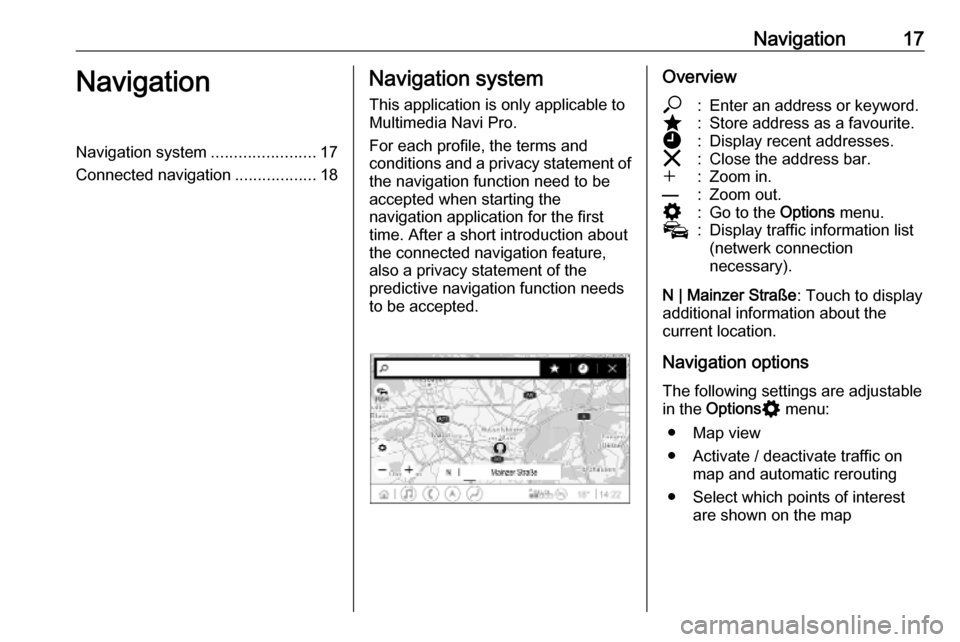
to be accepted.Overview*:Enter an address or keyword.;:Store address as a favourite.':Display recent addresses.&:Close the address bar.w:Zoom in.––:Zoom out.%:Go to the Options menu.v:Display traffic information list
(netwerk connection
necessary).
N | Mainzer Straße : Touch to display
additional information about the
current location.
Navigation options
The following settings are adjustable
in the Options % menu:
● Map view
● Activate / deactivate traffic on map and automatic rerouting
● Select which points of interest are shown on the map
Page 19 of 85

Navigation19will also be indicated when the traffic
information list is empty due to no
incidents like road works or accidents.
Notice
Using the connected navigation
function consumes mobile data.
Additional costs could emerge.
Network connection
To use the connected navigation
function, a network connection is
necessary. A mobile hotspot, e.g.
mobile phone or mobile Wi-Fi stick,
can be used.
When connected to a hotspot, y will
appear in the bottom bar. If a mobile
phone is connected via Bluetooth,
y will only appear for a few seconds
but y will appear in the extended
status view.
Connected navigation will be
indicated by the word LIVE on the
traffic symbol v on the navigation
screen.
Notice
When no traffic information are
available although LIVE is indicated
on the traffic symbol v, thenetwork connection might be
interrupted. Wait some minutes until
the network connection is built up
again.
In some countries, traffic information
can also be received via FM TMC and DAB+ TPEG when no network
connection is available.
Predictive navigationPredictive navigation is a
personalised and increasingly useful
function that detects common
destinations like home and work.
Additionally, the predictive navigation
function understands the driver's
patterns and uses historical driving
and traffic data to predict usual traffic conditions.
To activate or deactivate the
predictive navigation function, go to
the homescreen and select
Navigation I Options % I Settings .
Parking and fuel price information
Depending on the country, the
connected navigation function
indicates parking and fuel price
information. When the vehicle isreaching a densely populated
destination, and if the system
determines that parking may be
limited then it will attempt to display
nearby parking destinations with price information if available. The function
also indicates real-time fuel prices of participating petrol stations.
To display the parking and fuel prices
as well as opening hours and
telephone numbers, if available,
touch the point of interest on the map or see the results of the points of
interest search.
Due to different update rates of the
petrol stations and the navigation
system, the fuel prices can
temporarily vary.
Online map updates
The navigation map can be updated
up to four times a year. The updates
are based on the driving patterns by
considering updates of typically
driven areas and overlapping
countries.
To update the navigation map, a
network connection is necessary. To check for updates, go to the
Page 20 of 85

20Navigationhomescreen and select Navigation I
Options % I Settings . If desired,
automatic map updates can be
activated. Additionally, a message
will be displayed if the update
exceeds 250 MB.
Updating the whole continent is not possible via online map updates. A
new SD card is necessary due to the
data volume.
Navigation map card port
The map data will be delivered on a
SD card. The SD card slot is only to
be used for navigation map SD cards.