ESP VAUXHALL MOVANO_B 2015.5 Owner's Manual
[x] Cancel search | Manufacturer: VAUXHALL, Model Year: 2015.5, Model line: MOVANO_B, Model: VAUXHALL MOVANO_B 2015.5Pages: 215, PDF Size: 5.11 MB
Page 5 of 215

Introduction3Vehicle specific data
Please enter your vehicle's data on
the previous page to keep it easily
accessible. This information is
available in the sections "Service and maintenance" and "Technical data"
as well as on the identification plate.
Introduction
Your vehicle is a designed
combination of advanced technology, safety, environmental friendliness
and economy.
This Owner's Manual provides you
with all the necessary information to
enable you to drive your vehicle
safely and efficiently.
Make sure your passengers are
aware of the possible risk of accident
and injury which may result from
improper use of the vehicle.
You must always comply with the
specific laws and regulations of the
country that you are in. These laws
may differ from the information in this Owner's Manual.When this Owner's Manual refers to aworkshop visit, we recommend your
Vauxhall Authorised Repairer.
All Vauxhall Authorised Repairers
provide first-class service at
reasonable prices. Experienced
mechanics trained by Vauxhall work
according to specific Vauxhall
instructions.
The customer literature pack should
always be kept ready to hand in the
vehicle.
Using this manual ■ This manual describes all options and features available for this
model. Certain descriptions,
including those for display and
menu functions, may not apply to
your vehicle due to model variant,
country specifications, special
equipment or accessories.
■ The "In brief" section will give you an initial overview.
■ The table of contents at the beginning of this manual and withineach section shows where the
information is located.■ The index will enable you to search
for specific information.
■ This Owner's Manual depicts left- hand drive vehicles. Operation is
similar for right-hand drive vehicles.
■ The Owner's Manual uses the factory engine designations. The
corresponding sales designations
can be found in the section
"Technical data".
■ Directional data, e.g. left or right, or
front or back, always relate to the
direction of travel.
■ The vehicle display screens may not support your specific language.
■ Display messages and interior labelling are written in bold letters.
Danger, Warnings and
Cautions9 Danger
Text marked 9 Danger provides
information on risk of fatal injury.
Disregarding this information may
endanger life.
Page 28 of 215
26Keys, doors and windows
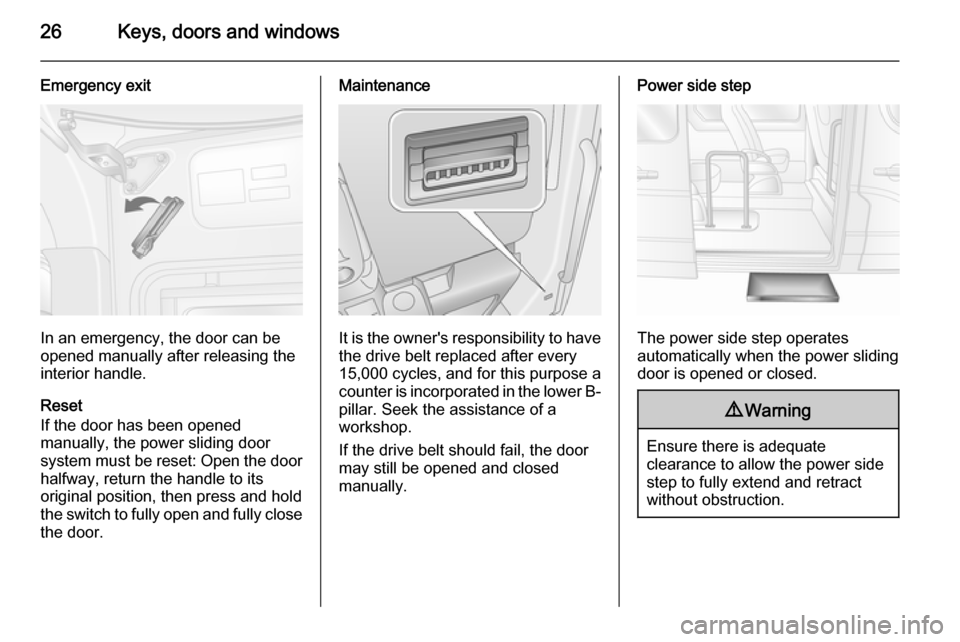
Emergency exit
In an emergency, the door can be
opened manually after releasing the
interior handle.
Reset
If the door has been opened
manually, the power sliding door
system must be reset: Open the door
halfway, return the handle to its
original position, then press and hold the switch to fully open and fully close the door.
Maintenance
It is the owner's responsibility to have
the drive belt replaced after every
15,000 cycles, and for this purpose a
counter is incorporated in the lower B- pillar. Seek the assistance of a
workshop.
If the drive belt should fail, the door
may still be opened and closed
manually.
Power side step
The power side step operates
automatically when the power sliding
door is opened or closed.
9 Warning
Ensure there is adequate
clearance to allow the power side
step to fully extend and retract
without obstruction.
Page 35 of 215
Keys, doors and windows33Windows
Windscreen
Windscreen stickers Do not attach stickers, e.g. toll road
stickers or similar, on the windscreen
in the area of the interior mirror.
Otherwise the detection zone of the
sensor in the mirror housing could be
restricted.
Manual windows The door windows can be opened or
closed with the window cranks.
Power windows9 Warning
Take care when operating the
power windows. Risk of injury,
particularly to children.
Keep a close watch on the
windows when closing them.
Ensure that nothing becomes
trapped in them as they move.
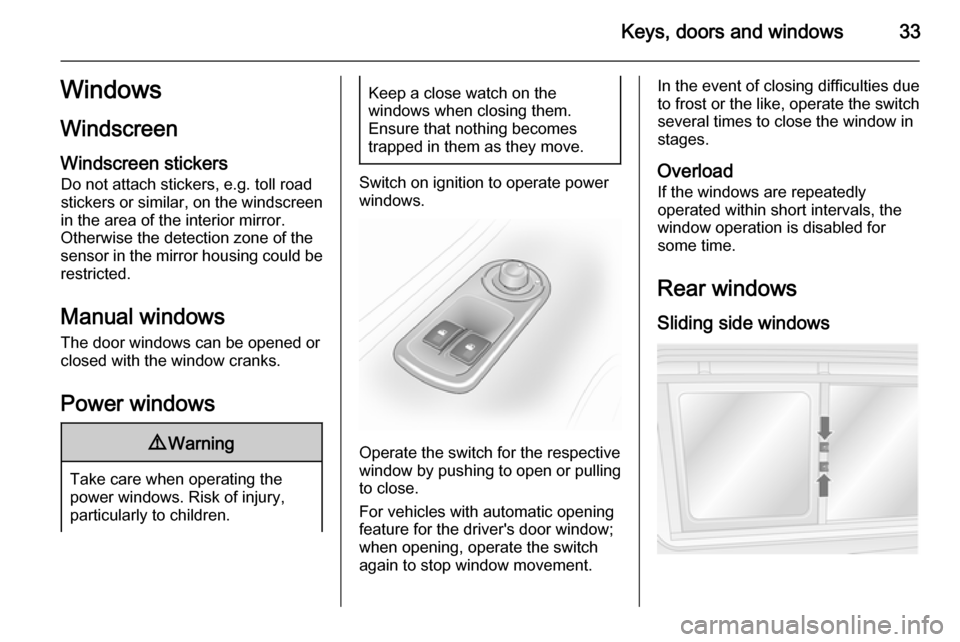
Switch on ignition to operate power
windows.
Operate the switch for the respective
window by pushing to open or pulling to close.
For vehicles with automatic opening
feature for the driver's door window;
when opening, operate the switch
again to stop window movement.
In the event of closing difficulties due
to frost or the like, operate the switch
several times to close the window in
stages.
Overload
If the windows are repeatedly
operated within short intervals, the window operation is disabled for
some time.
Rear windows Sliding side windows
Page 43 of 215
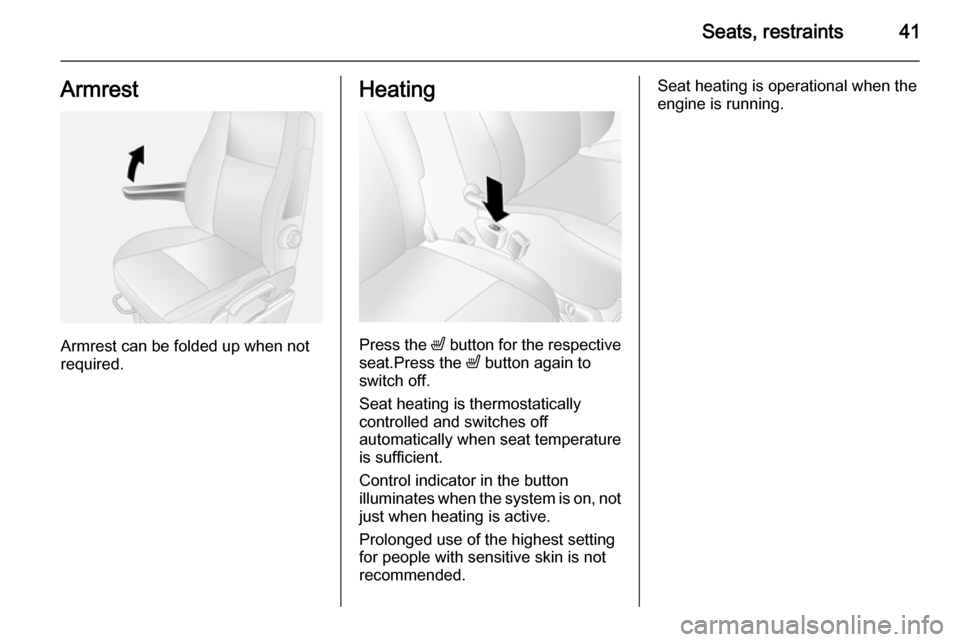
Seats, restraints41Armrest
Armrest can be folded up when not
required.
Heating
Press the ß button for the respective
seat.Press the ß button again to
switch off.
Seat heating is thermostatically
controlled and switches off
automatically when seat temperature
is sufficient.
Control indicator in the button
illuminates when the system is on, not
just when heating is active.
Prolonged use of the highest setting
for people with sensitive skin is not
recommended.
Seat heating is operational when the
engine is running.
Page 53 of 215
Seats, restraints519Warning
Keep the area in which the airbag
inflates clear of obstructions.
Notice
Only use protective seat covers that have been approved for the vehicle.Be careful not to cover the airbags.
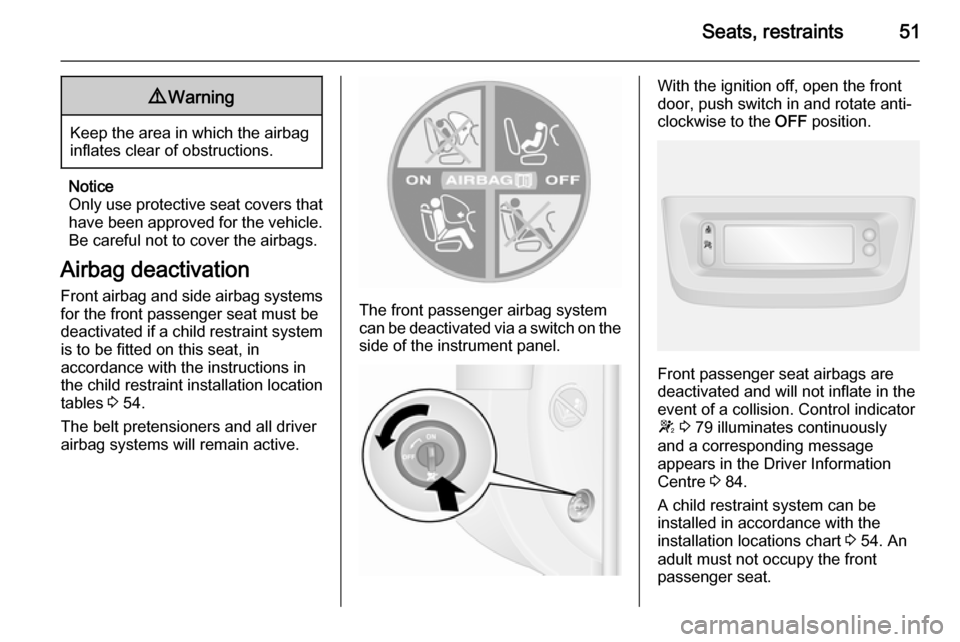
Airbag deactivation Front airbag and side airbag systems
for the front passenger seat must be
deactivated if a child restraint system is to be fitted on this seat, in
accordance with the instructions in
the child restraint installation location
tables 3 54.
The belt pretensioners and all driver airbag systems will remain active.
The front passenger airbag system
can be deactivated via a switch on the
side of the instrument panel.
With the ignition off, open the front
door, push switch in and rotate anti-
clockwise to the OFF position.
Front passenger seat airbags are
deactivated and will not inflate in the event of a collision. Control indicator
W 3 79 illuminates continuously
and a corresponding message
appears in the Driver Information
Centre 3 84.
A child restraint system can be
installed in accordance with the
installation locations chart 3 54. An
adult must not occupy the front
passenger seat.
Page 55 of 215

Seats, restraints53deactivated; if not, the triggering ofthe airbags poses a risk of fatal
injury to the child.
This is especially the case if rear-
facing child restraint systems are
used on the front passenger seat.
Airbag deactivation 3 51.
Airbag label 3 46.
The rear seats are the most
convenient location to fasten a child
restraint system.
Children should travel facing
rearwards in the vehicle as long as
possible. This makes sure that the
child's backbone, which is still very
weak, is under less strain in the event
of an accident.
Child locks 3 24.
Selecting the right system Suitable are restraint systems that
comply with valid UN ECE
regulations. Check local laws and
regulations for mandatory use of child restraint systems.
Ensure that the child restraint system to be installed is compatible with the
vehicle type.
Ensure that the mounting location of
the child restraint system within the
vehicle is correct, see following
tables.
Allow children to enter and exit the
vehicle only on the side facing away
from the traffic.
When the child restraint system is not in use, secure the seat with a seat belt
or remove it from the vehicle.
Child restraint systems could be
fastened with ISOFIX mounting
brackets, Top-tether if available, and/
or a three-point seat belt. Refer to the
following tables.
Notice
Do not affix anything on the child
restraint systems and do not cover
them with any other materials.
A child restraint system which has
been subjected to stress in an
accident must be replaced.
Page 78 of 215

76Instruments and controls
Control indicator W illuminates if the
temperature is too high 3 80,
3 82.Caution
If engine coolant temperature is
too high, stop vehicle, switch off
engine. Danger to engine. Check
coolant level.
For physical reasons, the coolant
temperature gauge shows the coolant temperature only if the coolant level is adequate.
Engine oil level monitor
The engine oil level monitor is correct
only if the vehicle is parked on a level
surface with a cold engine.
If the engine oil level is correct when
the ignition is switched on OIL LEVEL
CORRECT appears briefly in the
Driver Information Centre.
If the engine oil is above the minimum level, press the trip computer button
on the end of the wiper lever within
30 seconds of switching on the
ignition. The message OIL LEVEL is
displayed in combination with the squares that correspond to the oil
level.
As the oil level diminishes, the
squares in the display are replaced
with dashes.▢▢▢▢▢▢=Maximum level▢▢▢- - -=Intermediate level- - - - - -=Minimum level
If the minimum engine oil level is
reached TOP-UP OIL LEVEL is
displayed in combination with control
indicator A after the ignition is
switched on for 30 seconds. Check
and top up engine oil 3 140.
To exit the oil level monitor display,
press either trip computer button.
Trip computer 3 86.
Service display
When the ignition is switched on, the
remaining distance before the next
service is due may be shown briefly in the Driver Information Centre. Based
on driving conditions, the interval at
which a service will be indicated can
vary considerably.
When the remaining distance before
the next service is less than
1800 miles or 2 months, SERVICE
IN appears in the Driver Information
Centre.
When the distance reaches 0 miles or
the service date is due, control
indicators o and A illuminate in the
instrument cluster and SERVICE
DUE appears in the Driver
Information Centre.
The vehicle needs a service. Seek the assistance of a workshop.
Resetting the service display After a service, the service displaymust be reset: if available, select the
distance before service display in the
Driver Information Centre, then press and hold button on end of wiper lever
for approx. 10 seconds until the
distance before service is displayed
continuously.
Trip computer 3 86.
Driver Information Centre 3 84.
Page 83 of 215
Instruments and controls81
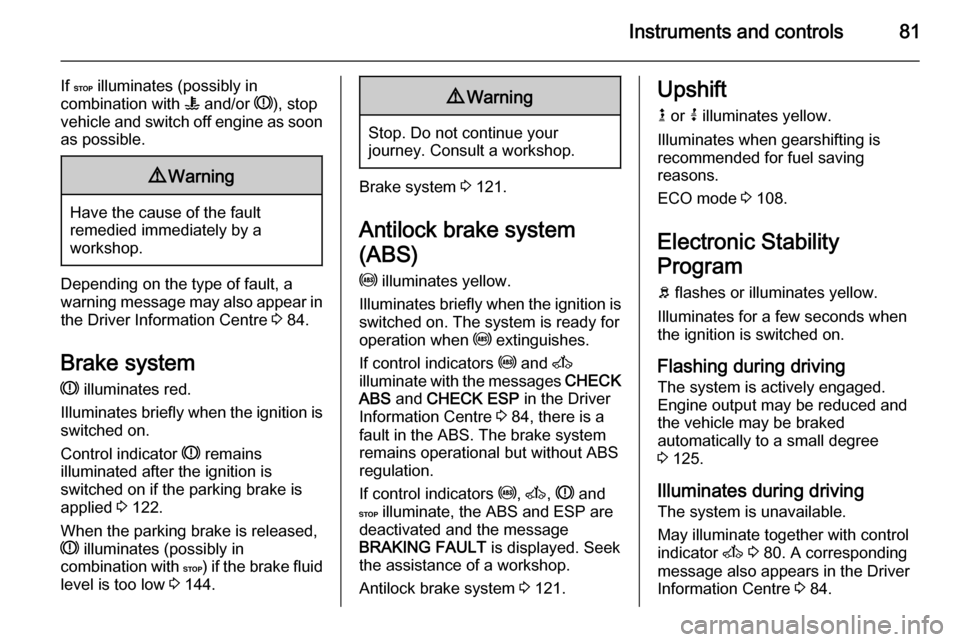
If C illuminates (possibly in
combination with W and/or R), stop
vehicle and switch off engine as soon
as possible.9 Warning
Have the cause of the fault
remedied immediately by a
workshop.
Depending on the type of fault, a
warning message may also appear in the Driver Information Centre 3 84.
Brake system R illuminates red.
Illuminates briefly when the ignition is
switched on.
Control indicator R remains
illuminated after the ignition is
switched on if the parking brake is
applied 3 122.
When the parking brake is released,
R illuminates (possibly in
combination with C) if the brake fluid
level is too low 3 144.
9
Warning
Stop. Do not continue your
journey. Consult a workshop.
Brake system 3 121.
Antilock brake system
(ABS) u illuminates yellow.
Illuminates briefly when the ignition is
switched on. The system is ready for
operation when u extinguishes.
If control indicators u and A
illuminate with the messages CHECK
ABS and CHECK ESP in the Driver
Information Centre 3 84, there is a
fault in the ABS. The brake system
remains operational but without ABS
regulation.
If control indicators u, A , R and
C illuminate, the ABS and ESP are
deactivated and the message
BRAKING FAULT is displayed. Seek
the assistance of a workshop.
Antilock brake system 3 121.
Upshift
k or j illuminates yellow.
Illuminates when gearshifting is
recommended for fuel saving
reasons.
ECO mode 3 108.
Electronic Stability
Program
b flashes or illuminates yellow.
Illuminates for a few seconds when
the ignition is switched on.
Flashing during driving The system is actively engaged.
Engine output may be reduced and the vehicle may be braked
automatically to a small degree
3 125.
Illuminates during driving The system is unavailable.
May illuminate together with control
indicator A 3 80. A corresponding
message also appears in the Driver
Information Centre 3 84.
Page 84 of 215
82Instruments and controls
ESP®Plus
3 125, Traction Control
system 3 124.
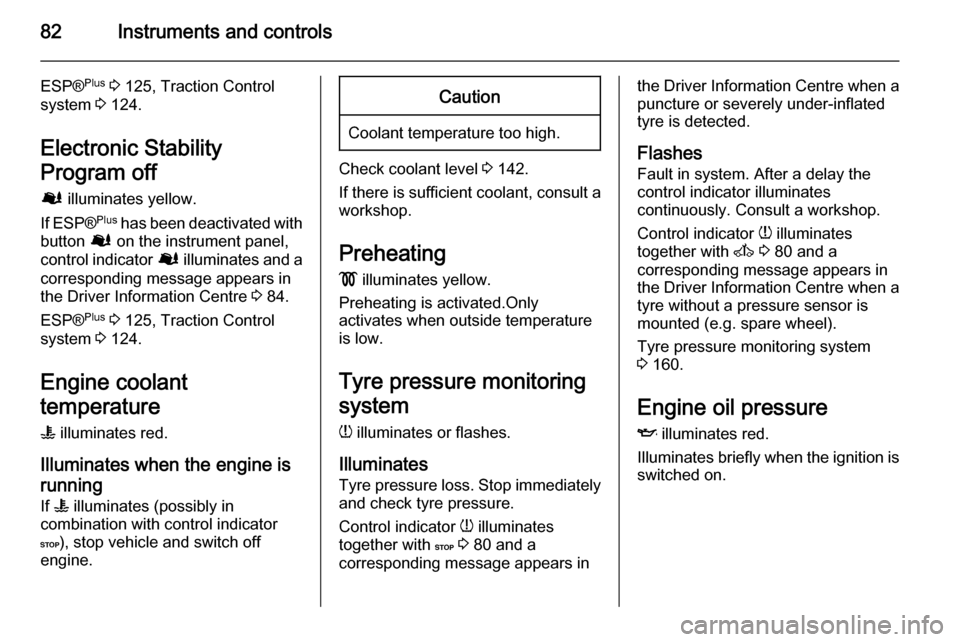
Electronic Stability
Program off Ø illuminates yellow.
If ESP ®Plus
has been deactivated with
button Ø on the instrument panel,
control indicator Ø illuminates and a
corresponding message appears in
the Driver Information Centre 3 84.
ESP® Plus
3 125, Traction Control
system 3 124.
Engine coolant
temperature
W illuminates red.
Illuminates when the engine is running
If W illuminates (possibly in
combination with control indicator
C ), stop vehicle and switch off
engine.Caution
Coolant temperature too high.
Check coolant level 3 142.
If there is sufficient coolant, consult a workshop.
Preheating
! illuminates yellow.
Preheating is activated.Only
activates when outside temperature is low.
Tyre pressure monitoring
system
w illuminates or flashes.
Illuminates Tyre pressure loss. Stop immediately
and check tyre pressure.
Control indicator w illuminates
together with C 3 80 and a
corresponding message appears in
the Driver Information Centre when a
puncture or severely under-inflated
tyre is detected.
Flashes
Fault in system. After a delay the
control indicator illuminates
continuously. Consult a workshop.
Control indicator w illuminates
together with A 3 80 and a
corresponding message appears in
the Driver Information Centre when a tyre without a pressure sensor is
mounted (e.g. spare wheel).
Tyre pressure monitoring system
3 160.
Engine oil pressure
I illuminates red.
Illuminates briefly when the ignition is switched on.
Page 87 of 215
Instruments and controls85
■ Vehicle messages 3 85
■ Trip computer 3 86
Some of the displayed functions differ
when the vehicle is being driven or at a standstill. Some functions are only
available when the vehicle is being
driven.
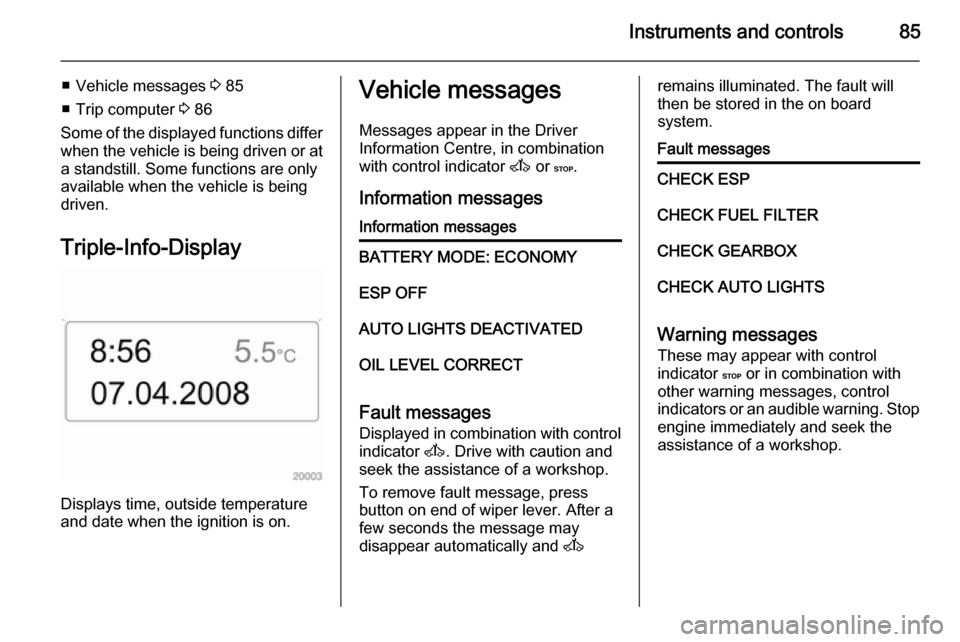
Triple-Info-Display
Displays time, outside temperature
and date when the ignition is on.
Vehicle messages
Messages appear in the Driver
Information Centre, in combination
with control indicator A or C.
Information messagesInformation messagesBATTERY MODE: ECONOMYESP OFFAUTO LIGHTS DEACTIVATEDOIL LEVEL CORRECT
Fault messages Displayed in combination with control
indicator A. Drive with caution and
seek the assistance of a workshop.
To remove fault message, press
button on end of wiper lever. After a
few seconds the message may
disappear automatically and A
remains illuminated. The fault will
then be stored in the on board
system.Fault messagesCHECK ESPCHECK FUEL FILTERCHECK GEARBOXCHECK AUTO LIGHTS
Warning messages
These may appear with control
indicator C or in combination with
other warning messages, control
indicators or an audible warning. Stop
engine immediately and seek the
assistance of a workshop.