display VAUXHALL MOVANO_B 2016 User Guide
[x] Cancel search | Manufacturer: VAUXHALL, Model Year: 2016, Model line: MOVANO_B, Model: VAUXHALL MOVANO_B 2016Pages: 233
Page 85 of 233
Instruments and controls83Control indicators in the roof
console or instrument panel
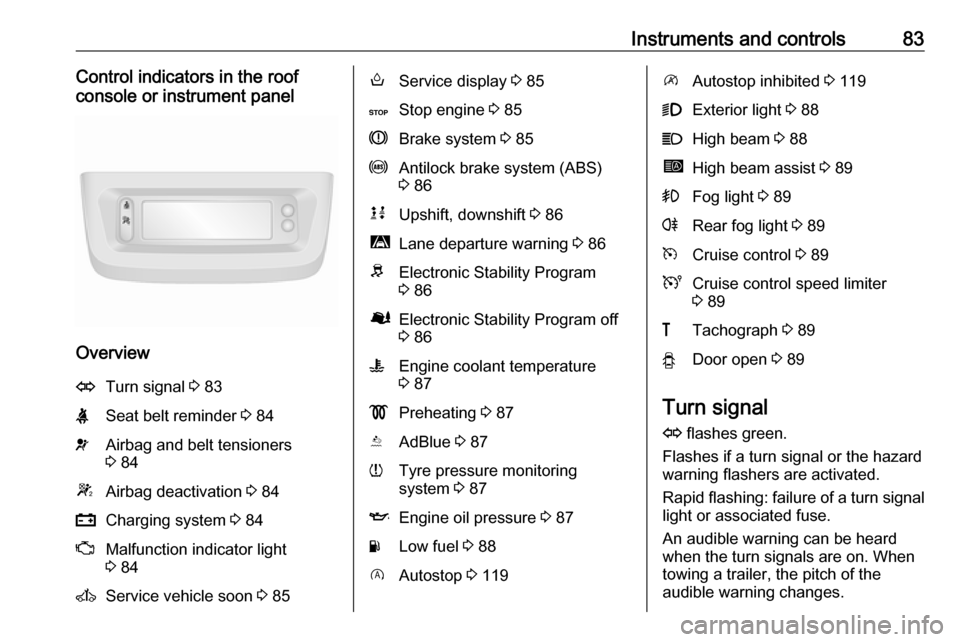
Overview
OTurn signal 3 83XSeat belt reminder 3 84vAirbag and belt tensioners
3 84WAirbag deactivation 3 84pCharging system 3 84ZMalfunction indicator light
3 84AService vehicle soon 3 85oService display 3 85CStop engine 3 85RBrake system 3 85uAntilock brake system (ABS)
3 86kjUpshift, downshift 3 86ìLane departure warning 3 86RElectronic Stability Program
3 86ØElectronic Stability Program off
3 86WEngine coolant temperature
3 87!Preheating 3 87YAdBlue 3 87wTyre pressure monitoring
system 3 87IEngine oil pressure 3 87YLow fuel 3 88DAutostop 3 119\Autostop inhibited 3 1199Exterior light 3 88CHigh beam 3 88íHigh beam assist 3 89>Fog light 3 89rRear fog light 3 89mCruise control 3 89UCruise control speed limiter
3 89&Tachograph 3 89yDoor open 3 89
Turn signal
O flashes green.
Flashes if a turn signal or the hazard
warning flashers are activated.
Rapid flashing: failure of a turn signal
light or associated fuse.
An audible warning can be heard
when the turn signals are on. When
towing a trailer, the pitch of the
audible warning changes.
Page 87 of 233
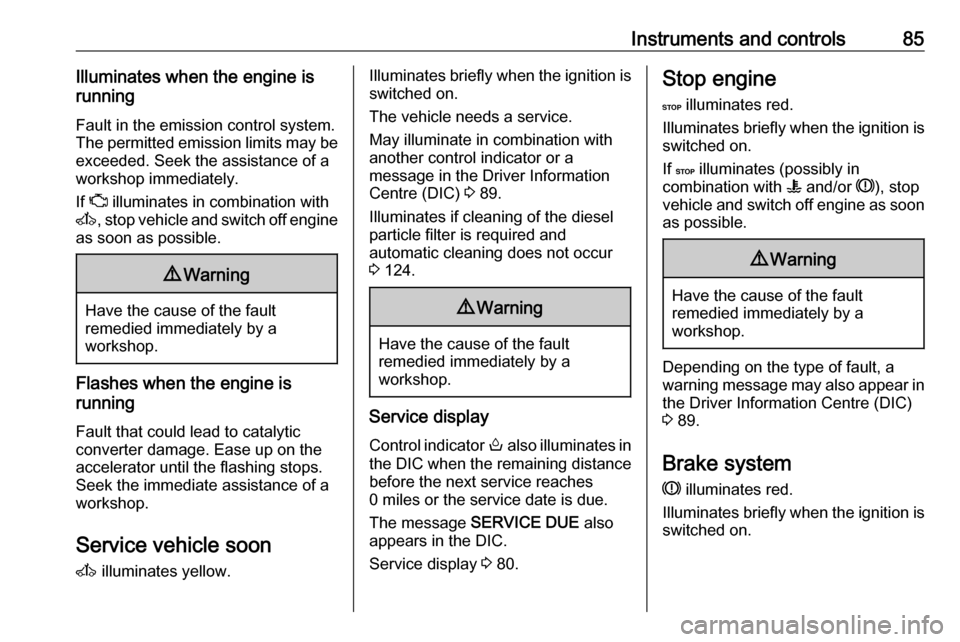
Instruments and controls85Illuminates when the engine is
running
Fault in the emission control system.
The permitted emission limits may be
exceeded. Seek the assistance of a
workshop immediately.
If Z illuminates in combination with
A , stop vehicle and switch off engine
as soon as possible.9 Warning
Have the cause of the fault
remedied immediately by a
workshop.
Flashes when the engine is
running
Fault that could lead to catalytic
converter damage. Ease up on the
accelerator until the flashing stops.
Seek the immediate assistance of a
workshop.
Service vehicle soon
A illuminates yellow.
Illuminates briefly when the ignition is
switched on.
The vehicle needs a service.
May illuminate in combination with
another control indicator or a
message in the Driver Information
Centre (DIC) 3 89.
Illuminates if cleaning of the diesel particle filter is required and
automatic cleaning does not occur
3 124.9 Warning
Have the cause of the fault
remedied immediately by a
workshop.
Service display
Control indicator o also illuminates in
the DIC when the remaining distance
before the next service reaches
0 miles or the service date is due.
The message SERVICE DUE also
appears in the DIC.
Service display 3 80.
Stop engine
C illuminates red.
Illuminates briefly when the ignition is
switched on.
If C illuminates (possibly in
combination with W and/or R), stop
vehicle and switch off engine as soon
as possible.9 Warning
Have the cause of the fault
remedied immediately by a
workshop.
Depending on the type of fault, a
warning message may also appear in the Driver Information Centre (DIC)3 89.
Brake system
R illuminates red.
Illuminates briefly when the ignition is
switched on.
Page 88 of 233

86Instruments and controlsControl indicator R remains
illuminated after the ignition is
switched on if the parking brake is
applied 3 135.
When the parking brake is released,
R illuminates (possibly in
combination with C) if the brake fluid
level is too low 3 159.9 Warning
Stop. Do not continue your
journey. Consult a workshop.
Brake system 3 134.
Antilock brake system (ABS)
u illuminates yellow.
Illuminates briefly when the ignition is
switched on. The system is ready for
operation when u extinguishes.
If control indicators u and A
illuminate with the messages CHECK
ABS and CHECK ESP in the Driver
Information Centre (DIC) 3 89,
there is a fault in the ABS. The brake
system remains operational but
without ABS regulation.
If control indicators u, A , R and
C illuminate, the ABS and ESP are
deactivated and the message
BRAKING FAULT is displayed. Seek
the assistance of a workshop.
Antilock brake system 3 134.
Upshift
k or j illuminates yellow.
Illuminates when gearshifting is
recommended for fuel saving
reasons.
ECO mode 3 116.
Lane departure warning
ì illuminates when the system is
switched on and ready to operate.
A warning chime sounds in
conjunction with ì when the system
recognises an unintended lane
change.
Lane departure warning 3 146.Electronic Stability Program
b flashes or illuminates yellow.
Illuminates briefly when the ignition is
switched on.
Flashing during driving
The system is actively engaged.
Engine output may be reduced and the vehicle may be braked
automatically to a small degree
3 137.
Illuminates during driving The system is unavailable.
May illuminate together with control
indicator A 3 85. A corresponding
message also appears in the Driver Information Centre (DIC) 3 89.
ESP® Plus
3 137, Traction Control
system 3 136.
Electronic Stability Program off
Ø illuminates green.
Page 91 of 233
Instruments and controls89High beam assistí illuminates when the high beam
assist is activated 3 96.
Fog light > illuminates green.
Illuminated when the front fog lights are on 3 98.
Rear fog light r illuminates yellow.
Illuminated when the rear fog light is
on 3 99.
Cruise control m , U illuminates green or yellow.
m illuminates green when a certain
speed is stored.
U illuminates green when the system
is on.
Speed limiter U illuminates yellow.
U illuminates yellow when the
system is on.Cruise control, Speed limiter 3 139.
Tachograph
& illuminates when there is a fault
3 94.
Door open y illuminates yellow.
Illuminates with the ignition switched
on when a door or the load
compartment is open.
Depending on version, control
indicator also illuminates in
transmission display, indicating
relevant open door.Information displays
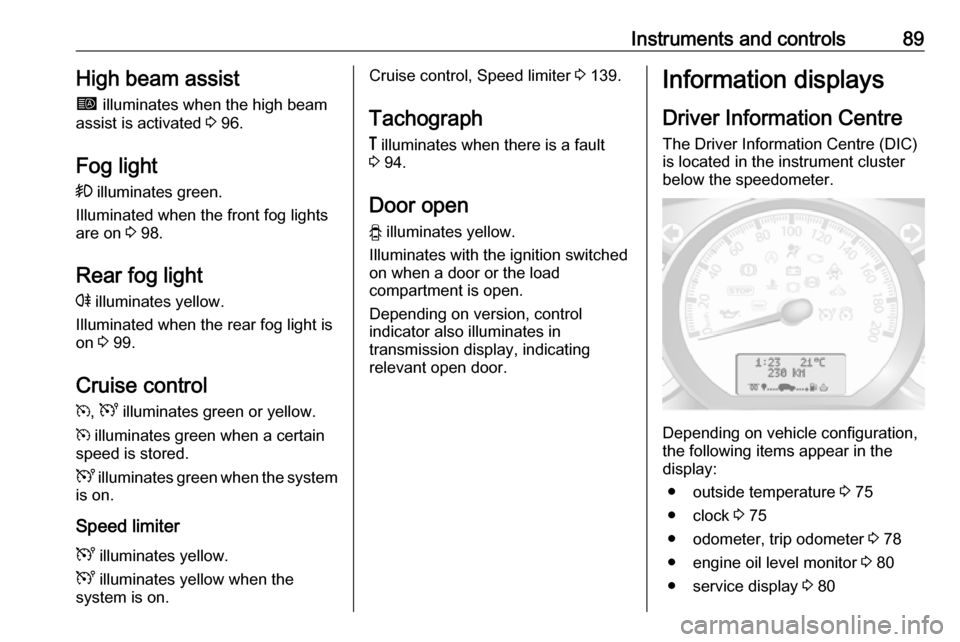
Driver Information Centre The Driver Information Centre (DIC)
is located in the instrument cluster
below the speedometer.
Depending on vehicle configuration,
the following items appear in the
display:
● outside temperature 3 75
● clock 3 75
● odometer, trip odometer 3 78
● engine oil level monitor 3 80
● service display 3 80
Page 92 of 233
90Instruments and controls● vehicle messages 3 90
● trip computer 3 92
Some of the displayed functions differ
when the vehicle is being driven or at
a standstill. Some functions are only
available when the vehicle is being
driven.
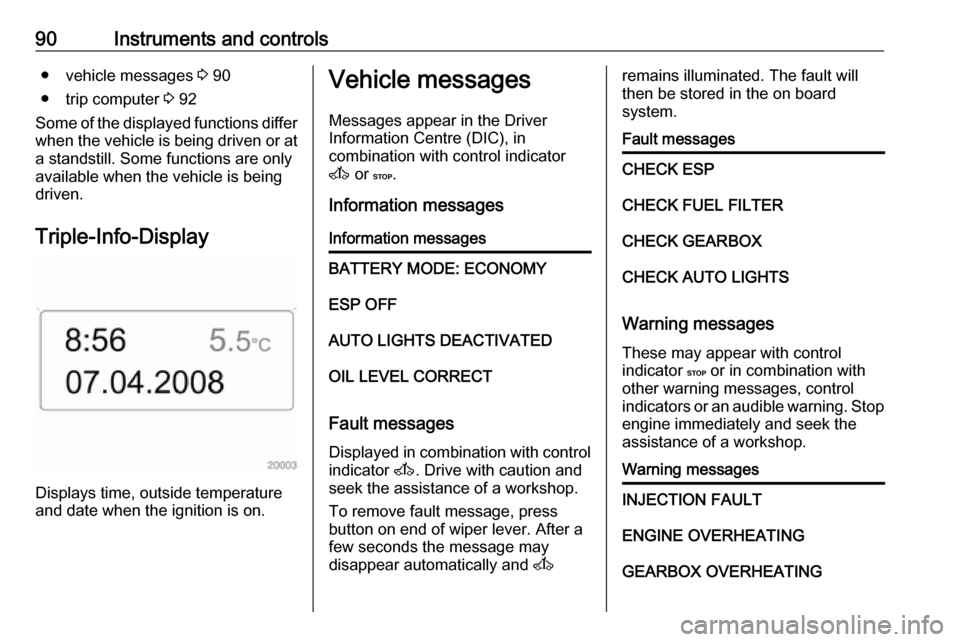
Triple-Info-Display
Displays time, outside temperature
and date when the ignition is on.
Vehicle messages
Messages appear in the Driver
Information Centre (DIC), in
combination with control indicator
A or C.
Information messagesInformation messagesBATTERY MODE: ECONOMYESP OFFAUTO LIGHTS DEACTIVATEDOIL LEVEL CORRECT
Fault messages Displayed in combination with control
indicator A. Drive with caution and
seek the assistance of a workshop.
To remove fault message, press
button on end of wiper lever. After a
few seconds the message may
disappear automatically and A
remains illuminated. The fault will
then be stored in the on board
system.Fault messagesCHECK ESPCHECK FUEL FILTERCHECK GEARBOXCHECK AUTO LIGHTS
Warning messages
These may appear with control
indicator C or in combination with
other warning messages, control
indicators or an audible warning. Stop engine immediately and seek the
assistance of a workshop.
Warning messagesINJECTION FAULTENGINE OVERHEATINGGEARBOX OVERHEATING
Page 94 of 233
92Instruments and controlsTrip computerThe trip computer provides
information on driving data, which is
continually recorded and evaluated electronically.
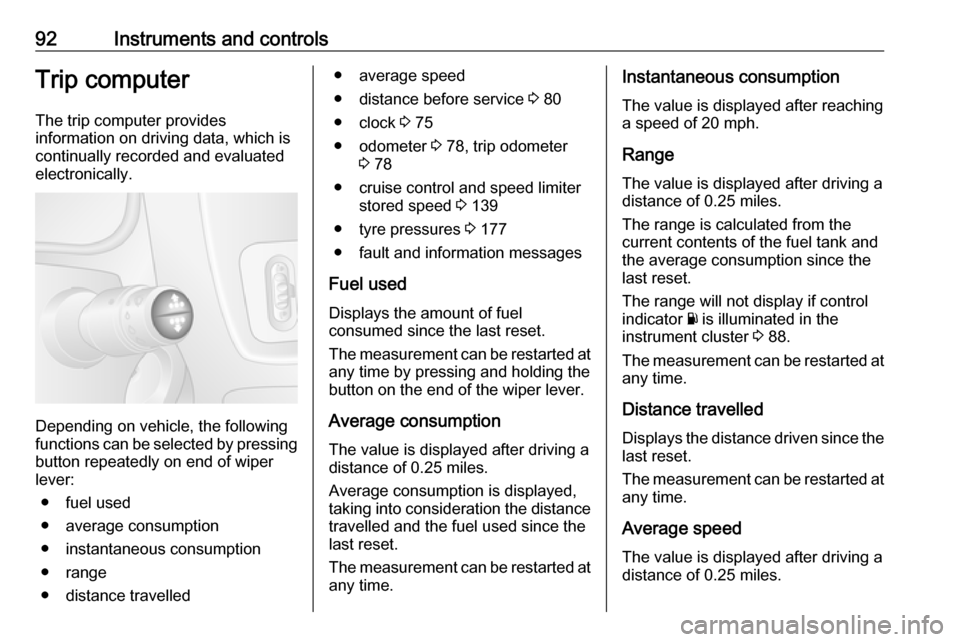
Depending on vehicle, the following
functions can be selected by pressing button repeatedly on end of wiper
lever:
● fuel used
● average consumption
● instantaneous consumption
● range
● distance travelled
● average speed
● distance before service 3 80
● clock 3 75
● odometer 3 78, trip odometer
3 78
● cruise control and speed limiter stored speed 3 139
● tyre pressures 3 177
● fault and information messages
Fuel used Displays the amount of fuel
consumed since the last reset.
The measurement can be restarted at any time by pressing and holding the
button on the end of the wiper lever.
Average consumption
The value is displayed after driving a distance of 0.25 miles.
Average consumption is displayed,
taking into consideration the distance
travelled and the fuel used since the
last reset.
The measurement can be restarted at
any time.Instantaneous consumption
The value is displayed after reaching
a speed of 20 mph.
Range
The value is displayed after driving a distance of 0.25 miles.
The range is calculated from the
current contents of the fuel tank and
the average consumption since the
last reset.
The range will not display if control
indicator Y is illuminated in the
instrument cluster 3 88.
The measurement can be restarted at
any time.
Distance travelled
Displays the distance driven since the
last reset.
The measurement can be restarted at
any time.
Average speedThe value is displayed after driving a
distance of 0.25 miles.
Page 95 of 233

Instruments and controls93The average speed since the last
reset is displayed.
The measurement can be restarted at
any time.
Interruptions in the journey with the
ignition off are not included in the
calculations.
Reset trip computer information
To reset the trip computer, select one
of its functions then press and hold
button on end of wiper lever.
The following trip computer
information will be reset:
● fuel used
● average consumption
● range
● distance travelled
● average speed
The trip computer will reset
automatically when the maximum
value of any of the parameters is
exceeded.Fuel economy rating (ecoScoring)
If equipped, a rating of 0 to 100 is
shown in the display to help evaluate
fuel efficiency, based on your driving
style.
Higher ratings indicate better fuel economy.
Tips to improve fuel economy are also
given in the display. Journeys can be
saved in the system memory,
enabling you to compare
performances. Refer to Infotainment
system manual for further
information.
Vehicle messages 3 90.
Journey record
When the engine is switched off, a record of the last journey is shown in
the display.
The following information is
displayed:
● average fuel consumption
● trip odometer
● fuel saved in milesInterruption of power supply
If the power supply has been
interrupted or if the vehicle battery
voltage has dropped too low, the
values stored in the trip computer will be lost.
Page 96 of 233
94Instruments and controlsTachograph
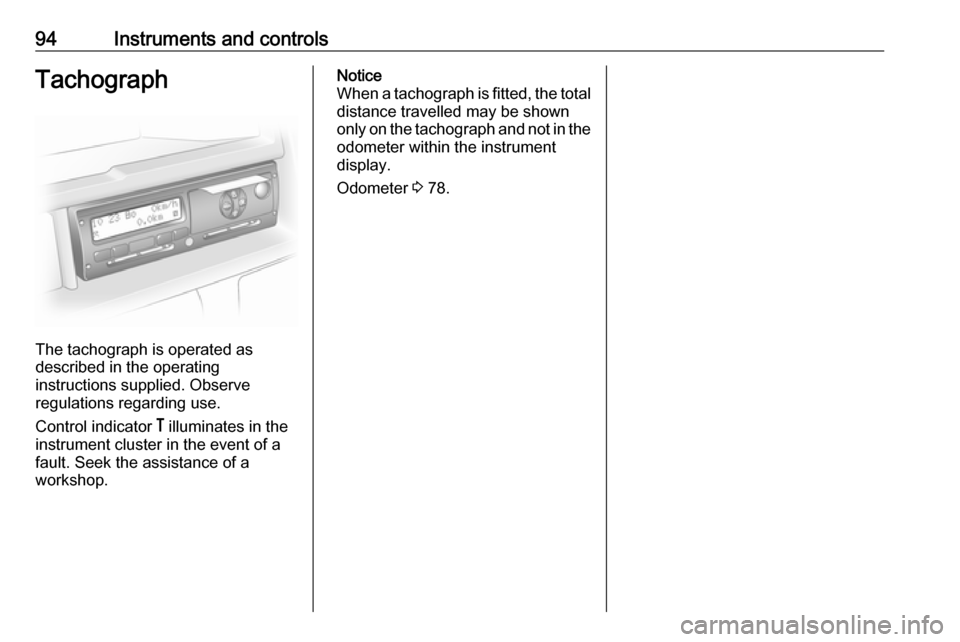
The tachograph is operated as
described in the operating
instructions supplied. Observe
regulations regarding use.
Control indicator & illuminates in the
instrument cluster in the event of a
fault. Seek the assistance of a
workshop.
Notice
When a tachograph is fitted, the total distance travelled may be shown
only on the tachograph and not in the
odometer within the instrument
display.
Odometer 3 78.
Page 107 of 233
Climate control105Demisting and defrosting the
windows
● Switch cooling AC on.
● Set temperature control to warmest level.
● Set fan speed to highest level.
● Set air distribution control to V.
● Switch on heated rear window Ü.
● Open side air vents as required and direct them towards doorwindows.
● For simultaneous warming of the
foot well, set air distribution
control to J.
Notice
If V is pressed while the engine is
running, an Autostop will be inhibited
until V is pressed again.
If V is pressed while the engine is
in an Autostop, the engine will restart
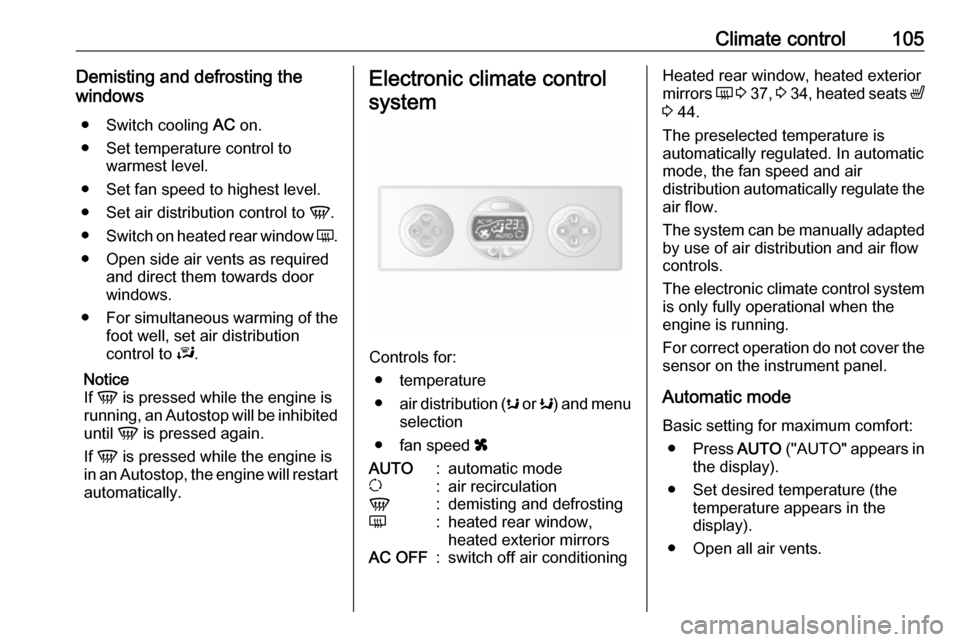
automatically.Electronic climate control
system
Controls for: ● temperature
● air distribution ( s or K) and menu
selection
● fan speed x
AUTO:automatic modeu:air recirculationV:demisting and defrostingÜ:heated rear window,
heated exterior mirrorsAC OFF:switch off air conditioningHeated rear window, heated exterior
mirrors Ü 3 37 , 3 34 , heated seats ß
3 44.
The preselected temperature is
automatically regulated. In automatic
mode, the fan speed and air
distribution automatically regulate the
air flow.
The system can be manually adapted by use of air distribution and air flow
controls.
The electronic climate control system
is only fully operational when the
engine is running.
For correct operation do not cover the
sensor on the instrument panel.
Automatic mode
Basic setting for maximum comfort: ● Press AUTO ("AUTO" appears in
the display).
● Set desired temperature (the temperature appears in the
display).
● Open all air vents.
Page 108 of 233

106Climate controlDuring automatic mode, the settings
for fan speed, air distribution, air
conditioning and air recirculation are
automatically regulated by the system and are not shown on the display.
Temperature preselection
Temperatures can be set to the
desired value with the 2 buttons
below the display.
For reasons of comfort, change
temperature only in small increments.red:warmblue:cold
Heating will not be fully effective until
the engine has reached normal
operating temperature.
If the minimum temperature of 15 ℃
is set, the electronic climate control
system runs at maximum cooling.
If the maximum temperature of 27 ℃
is set, the electronic climate control
system runs at maximum heating.
Notice
If the temperature is to be reduced
for climate comfort reasons, an
Autostop can be inhibited or the
engine will restart automatically
when cooling is switched on.
Stop-start system 3 119.
Fan speed
Fan speed can be increased or
decreased with the x buttons.
The selected fan speed is indicated
with x in the display.
If the fan is switched off the air
conditioning is also deactivated.
To return to automatic mode: Press
AUTO .
Demisting and defrosting the
windows
Press V. LED illuminates.
Temperature and air distribution are
set automatically, air conditioning is
switched on and the fan runs at a high
speed.
To return to automatic mode: press
V or AUTO .Notice
If V is pressed while the engine is
running, an Autostop will be inhibited
until V is pressed again.
If V is pressed while the engine is
in an Autostop, the engine will restart
automatically.
Air distribution
Press s or K repeatedly.
Arrows shown in the display indicate
the distribution settings:s:to windscreen and front door
windows9:to windscreen, front door
windows and foot wellM:to head areaL:to head area and foot wellK:to foot well
To return to automatic mode: Press
AUTO .
Cooling
The air conditioning system cools and dehumidifies (dries) when outside
temperature is above a specific level.
Therefore condensation may form
and drip from under the vehicle.