light VAUXHALL MOVANO_B 2016 Owner's Guide
[x] Cancel search | Manufacturer: VAUXHALL, Model Year: 2016, Model line: MOVANO_B, Model: VAUXHALL MOVANO_B 2016Pages: 233
Page 103 of 233
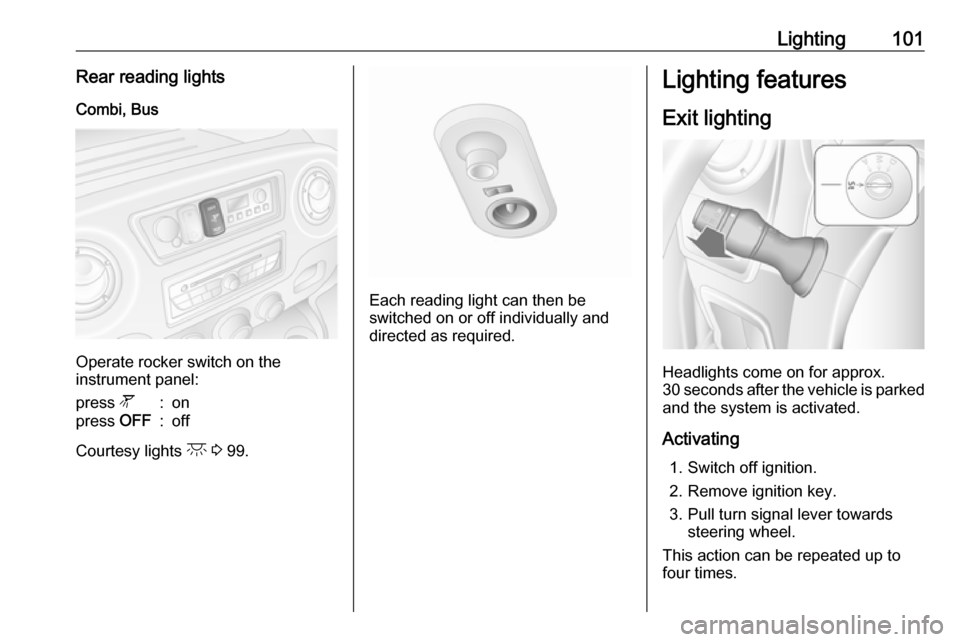
Lighting101Rear reading lightsCombi, Bus
Operate rocker switch on the
instrument panel:
press l:onpress OFF:off
Courtesy lights c 3 99.
Each reading light can then be
switched on or off individually and
directed as required.
Lighting features
Exit lighting
Headlights come on for approx.
30 seconds after the vehicle is parked and the system is activated.
Activating 1. Switch off ignition.
2. Remove ignition key.
3. Pull turn signal lever towards steering wheel.
This action can be repeated up to
four times.
Page 104 of 233

102LightingThe headlights are turned off
immediately by turning the light switch
to any position and returning to 7.
Battery discharge protection To prevent discharge of the vehicle
battery when the ignition is switched off, some interior lights may be
switched off automatically after some
time.
Page 121 of 233
Driving and operating119To increase or decrease the fast idle
speed rate, consult a workshop.
Notice
When the fast idle function is
activated, the stop-start system is
automatically deactivated.
Stop-start system 3 119.
Overrun cut-off
The fuel supply is automatically cut off
during overrun, i.e. when the vehicle
is driven with a gear engaged but
accelerator is released.
Stop-start system The stop-start system helps to save
fuel and to reduce the exhaust
emission. When conditions allow, it
switches off the engine as soon as the
vehicle is at a low speed or at a
standstill, e.g. at a traffic light or in a
traffic jam. It starts the engine
automatically as soon as the clutch is depressed. A vehicle battery sensor
ensures that an Autostop is only performed if the vehicle battery is
sufficiently charged for a restart.Activation
The stop-start system is available as soon as the engine is started, the
vehicle starts-off and the conditions
as stated below in this section are
fulfilled.
Deactivation
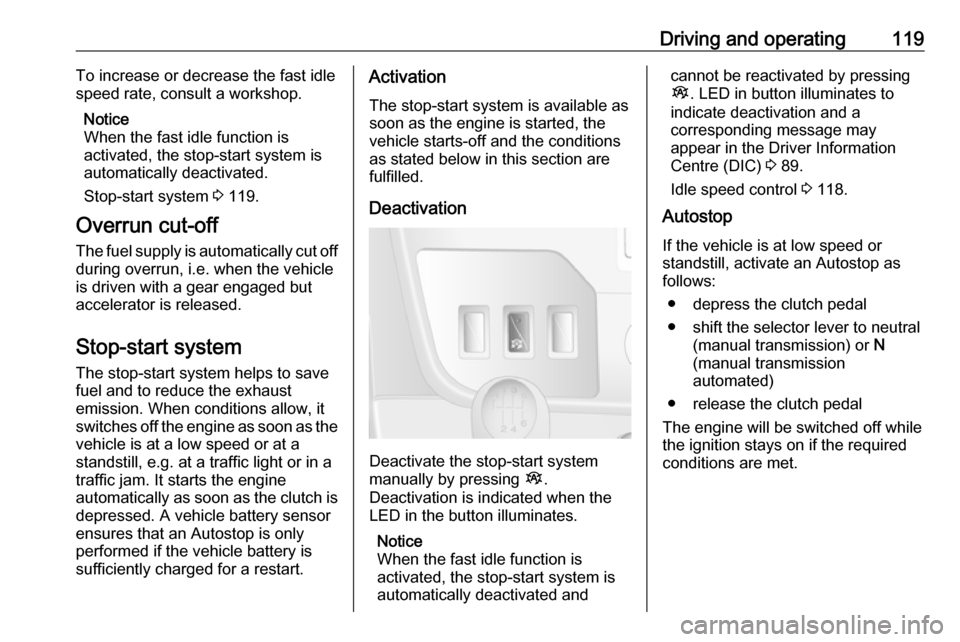
Deactivate the stop-start system
manually by pressing Î.
Deactivation is indicated when the
LED in the button illuminates.
Notice
When the fast idle function is
activated, the stop-start system is
automatically deactivated and
cannot be reactivated by pressing
Î . LED in button illuminates to
indicate deactivation and a
corresponding message may
appear in the Driver Information
Centre (DIC) 3 89.
Idle speed control 3 118.
Autostop
If the vehicle is at low speed or
standstill, activate an Autostop as
follows:
● depress the clutch pedal
● shift the selector lever to neutral (manual transmission) or N
(manual transmission
automated)
● release the clutch pedal
The engine will be switched off while
the ignition stays on if the required conditions are met.
Page 125 of 233
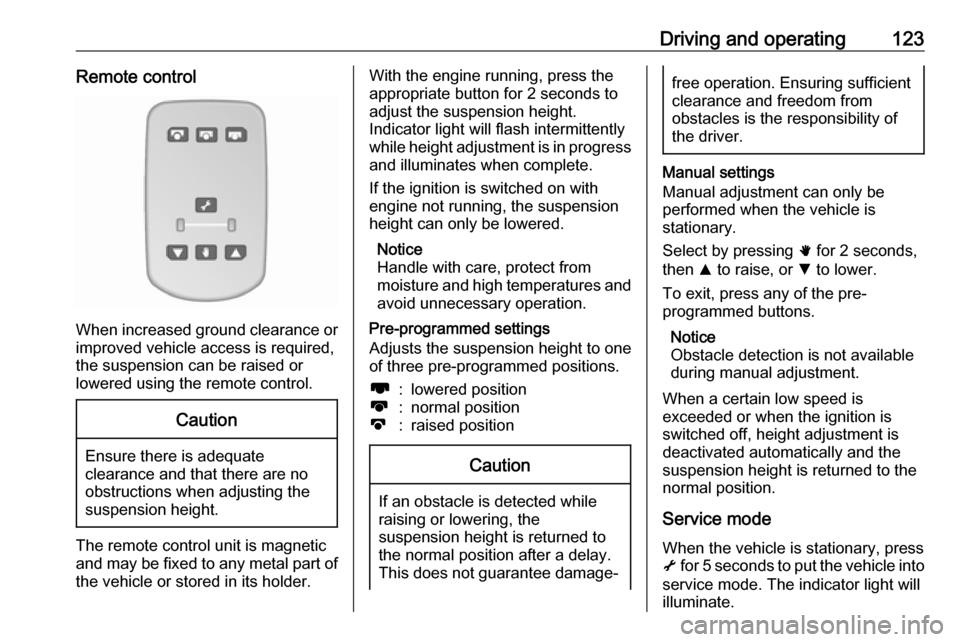
Driving and operating123Remote control
When increased ground clearance orimproved vehicle access is required,the suspension can be raised or
lowered using the remote control.
Caution
Ensure there is adequate
clearance and that there are no
obstructions when adjusting the
suspension height.
The remote control unit is magnetic
and may be fixed to any metal part of the vehicle or stored in its holder.
With the engine running, press theappropriate button for 2 seconds to
adjust the suspension height.
Indicator light will flash intermittently
while height adjustment is in progress
and illuminates when complete.
If the ignition is switched on with
engine not running, the suspension
height can only be lowered.
Notice
Handle with care, protect from
moisture and high temperatures and
avoid unnecessary operation.
Pre-programmed settings
Adjusts the suspension height to one
of three pre-programmed positions.l:lowered positionk:normal positionj:raised positionCaution
If an obstacle is detected while
raising or lowering, the
suspension height is returned to the normal position after a delay.
This does not guarantee damage-
free operation. Ensuring sufficient
clearance and freedom from
obstacles is the responsibility of the driver.
Manual settings
Manual adjustment can only be
performed when the vehicle is
stationary.
Select by pressing h for 2 seconds,
then R to raise, or S to lower.
To exit, press any of the pre-
programmed buttons.
Notice
Obstacle detection is not available
during manual adjustment.
When a certain low speed is
exceeded or when the ignition is
switched off, height adjustment is deactivated automatically and the
suspension height is returned to the
normal position.
Service mode
When the vehicle is stationary, press
i for 5 seconds to put the vehicle into
service mode. The indicator light will
illuminate.
Page 127 of 233
Driving and operating125Caution
Fuel grades other than those listedon page 3 148, 3 201 could
damage the catalytic converter or
electronic components.
Unburnt petrol will overheat and
damage the catalytic converter.
Therefore avoid excessive use of the starter, running the fuel tank
dry and starting the engine by
pushing or towing.
In the event of misfiring, uneven
engine running, a reduction in engine performance or other unusual
problems, have the cause of the fault
rectified by a workshop as soon as
possible. In an emergency, driving
can be continued for a short period,
keeping vehicle speed and engine
speed low.
If control indicator Z flashes, the
permitted emission limits may be
exceeded. Lift your foot off the
accelerator until Z stops flashing and
is steadily illuminated. Contact a
workshop immediately.
Malfunction indicator light 3 84.
AdBlue
General information The selective catalytic reduction
(BlueInjection) is a method to
substantially reduce the nitrogen
oxides in the exhaust emission. This
is achieved by injecting a Diesel
Exhaust Fluid (DEF) into the exhaust
system.
The designation of the DEF used is
AdBlue Ⓡ. It is a non-toxic, non-
flammable, colourless and odourless
fluid which consists of 32% urea and
68% water.
Notice
AdBlue Ⓡ is a registered trademark
of the Verband der
Automobilindustrie e.V. (VDA).9 Warning
Avoid contact of your eyes or skin
with AdBlue.
In case of eye or skin contact,
rinse off with water.
Caution
Avoid contact of the paintwork with AdBlue.
In case of contact, rinse off with water.
AdBlue freezes at a temperature of
approx. -11 °C. As the vehicle is
equipped with an AdBlue pre-heater,
the emissions reduction at low
temperatures is ensured. The AdBlue
pre-heater works automatically.
Page 133 of 233
Driving and operating131Starting the engine
Depress the brake pedal when
starting the engine. If the brake pedal
is not depressed, T illuminates in the
transmission display and the engine
cannot be started.
When the brake pedal is depressed,
the transmission automatically shifts
to N (neutral); "N" appears in the
transmission display and the engine
can be started. There may be a slight delay.
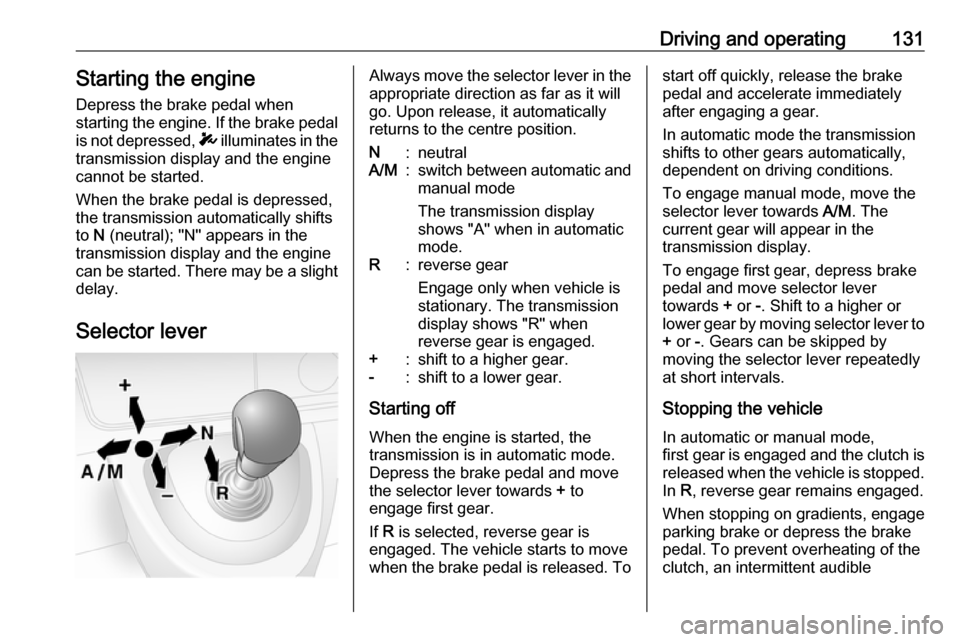
Selector leverAlways move the selector lever in the
appropriate direction as far as it will
go. Upon release, it automatically
returns to the centre position.N:neutralA/M:switch between automatic and manual mode
The transmission display
shows "A" when in automatic
mode.R:reverse gear
Engage only when vehicle is
stationary. The transmission
display shows "R" when
reverse gear is engaged.+:shift to a higher gear.-:shift to a lower gear.
Starting off
When the engine is started, the
transmission is in automatic mode. Depress the brake pedal and move
the selector lever towards + to
engage first gear.
If R is selected, reverse gear is
engaged. The vehicle starts to move
when the brake pedal is released. To
start off quickly, release the brake pedal and accelerate immediately
after engaging a gear.
In automatic mode the transmission
shifts to other gears automatically,
dependent on driving conditions.
To engage manual mode, move the
selector lever towards A/M. The
current gear will appear in the
transmission display.
To engage first gear, depress brake
pedal and move selector lever
towards + or -. Shift to a higher or
lower gear by moving selector lever to + or -. Gears can be skipped by
moving the selector lever repeatedly
at short intervals.
Stopping the vehicle In automatic or manual mode,
first gear is engaged and the clutch is
released when the vehicle is stopped.
In R, reverse gear remains engaged.
When stopping on gradients, engage
parking brake or depress the brake
pedal. To prevent overheating of the
clutch, an intermittent audible
Page 134 of 233
132Driving and operatingwarning may sound as a signal to
depress the brake pedal or apply the
parking brake.
Switch off engine if stopping for a
lengthy period, e.g. in traffic jams.
When the vehicle is parked and the
driver's door is opened, a warning
chime will sound if neutral is not
selected or the brake pedal has not
been depressed.
Engine braking
Automatic mode
When driving downhill, the manual
transmission automated does not
shift into higher gears until a fairly
high engine speed has been reached. It shifts down in good time when
braking.
Manual mode
To utilise the engine braking effect,
select a lower gear in good time when
driving downhill.Rocking the vehicle
Rocking the vehicle is only
permissible if the vehicle is stuck in
sand, mud, snow or a hole. Move the
selector lever between R and A/M (or
between + and -) in a repeat pattern,
while applying light pressure to the
accelerator pedal. Do not race the
engine and avoid sudden
acceleration.
Parking
Apply the parking brake. The most
recently engaged gear (see
transmission display) remains
engaged. With N, no gear is engaged.
When the ignition is switched off, the
transmission no longer responds to
movement of the selector lever.
If the ignition is not switched off, or the
parking brake has not been applied, a
warning chime will sound upon
opening the driver's door.
Manual mode If a higher gear is selected when the
engine speed is too low, or a lower
gear when the speed is too high, theshift is not executed. This prevents
the engine from running at too low or too high an engine speed.
If engine speed is too low, the
transmission automatically shifts to a
lower gear.
If engine speed is too high, the
transmission only switches to a higher gear via kickdown.
Electronic driving programmes
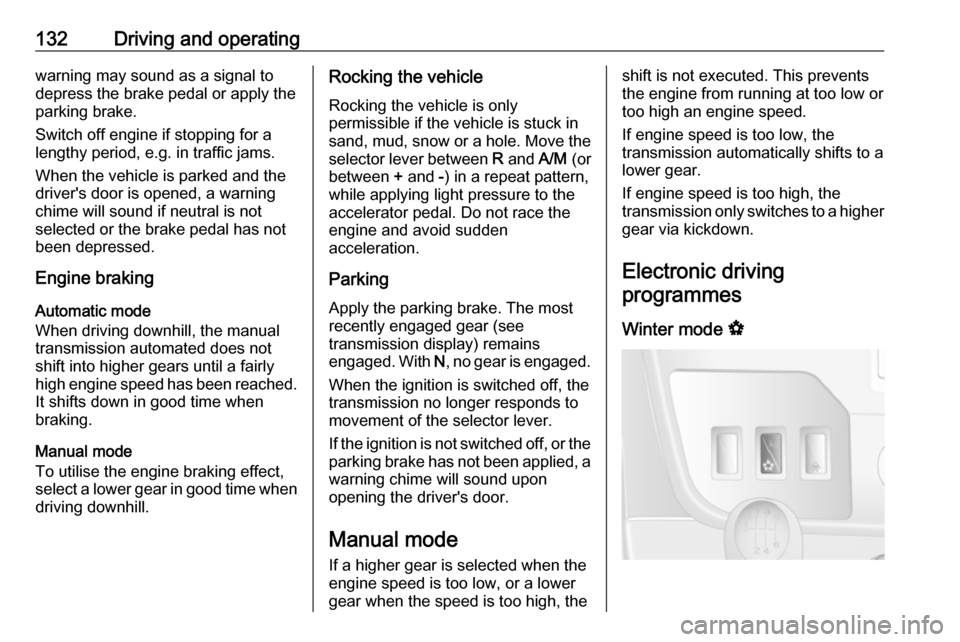
Winter mode V
Page 137 of 233
Driving and operating1359Warning
If there is a fault in the ABS, the
wheels may be liable to lock due
to braking that is heavier than
normal. The advantages of ABS are no longer available. During
hard braking, the vehicle can no longer be steered and may
swerve.
If control indicators u, A , R and
C illuminate, the ABS and ESP are
deactivated and the message
BRAKING FAULT is shown in the
DIC. Seek the assistance of a
workshop.
Have the cause of the fault remedied by a workshop.
Parking brake9 Warning
Always apply parking brake firmly
without operating the release
button, and apply as firmly as
possible on a downhill or uphill
slope.
To release the parking brake, pull
the lever up slightly, press the
release button and fully lower the
lever.
To reduce the operating forces of
the parking brake, depress the
brake pedal at the same time.
Control indicator R 3 85.
Parking 3 121.
Retractable parking brake
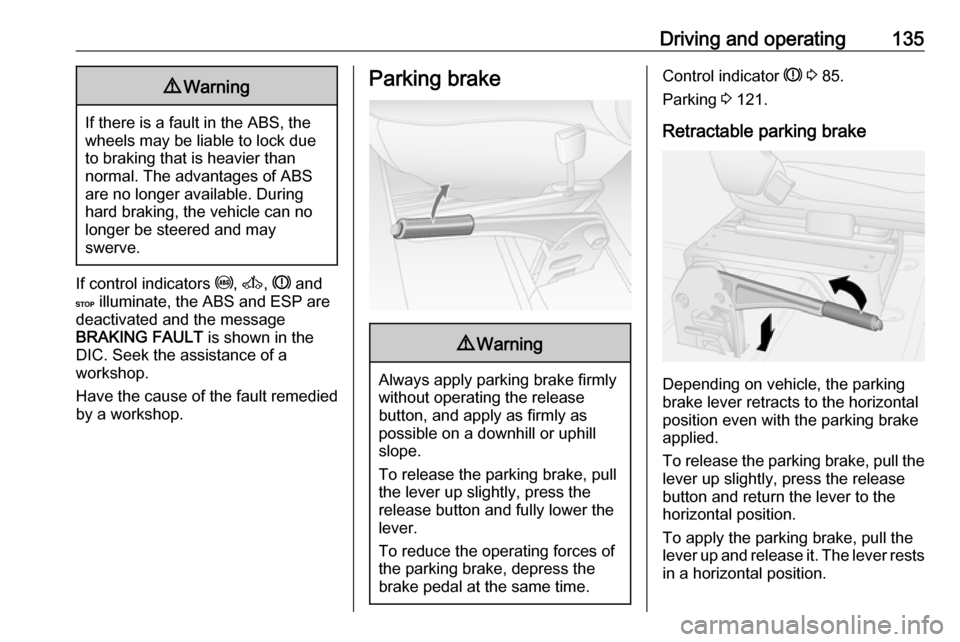
Depending on vehicle, the parking
brake lever retracts to the horizontal
position even with the parking brake
applied.
To release the parking brake, pull the lever up slightly, press the release
button and return the lever to the
horizontal position.
To apply the parking brake, pull the
lever up and release it. The lever rests
in a horizontal position.
Page 148 of 233
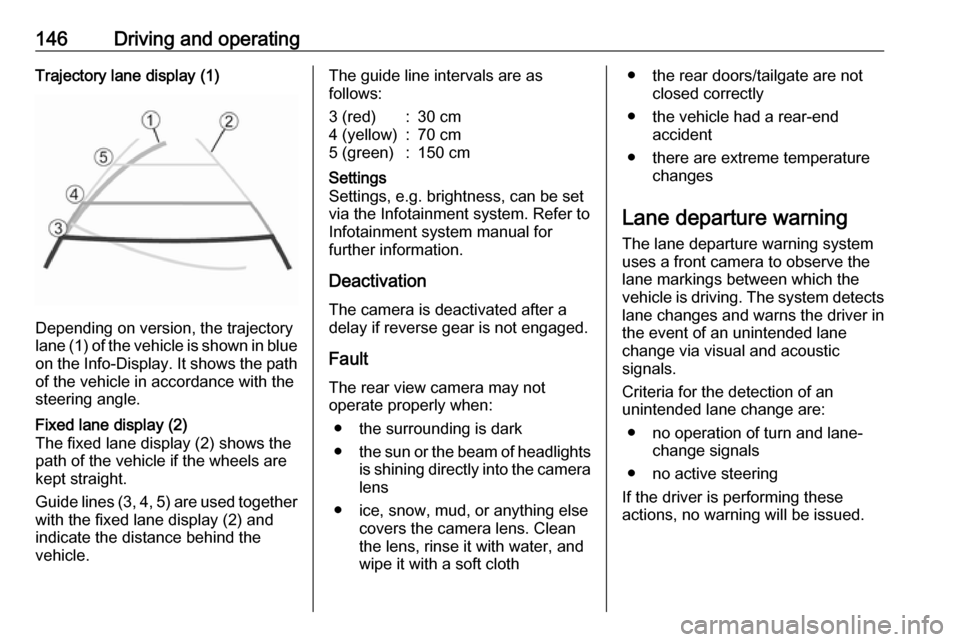
146Driving and operatingTrajectory lane display (1)
Depending on version, the trajectory
lane (1) of the vehicle is shown in blue
on the Info-Display. It shows the path of the vehicle in accordance with the
steering angle.
Fixed lane display (2)
The fixed lane display (2) shows the
path of the vehicle if the wheels are
kept straight.
Guide lines (3, 4, 5) are used together
with the fixed lane display (2) and
indicate the distance behind the
vehicle.The guide line intervals are as
follows:3 (red):30 cm4 (yellow):70 cm5 (green):150 cmSettings
Settings, e.g. brightness, can be set
via the Infotainment system. Refer to
Infotainment system manual for
further information.
Deactivation
The camera is deactivated after a
delay if reverse gear is not engaged.
Fault
The rear view camera may not operate properly when:
● the surrounding is dark
● the sun or the beam of headlights
is shining directly into the camera lens
● ice, snow, mud, or anything else covers the camera lens. Clean
the lens, rinse it with water, and
wipe it with a soft cloth
● the rear doors/tailgate are not closed correctly
● the vehicle had a rear-end accident
● there are extreme temperature changes
Lane departure warning
The lane departure warning system
uses a front camera to observe the
lane markings between which the
vehicle is driving. The system detects
lane changes and warns the driver in
the event of an unintended lane
change via visual and acoustic
signals.
Criteria for the detection of an
unintended lane change are:
● no operation of turn and lane- change signals
● no active steering
If the driver is performing these
actions, no warning will be issued.
Page 149 of 233
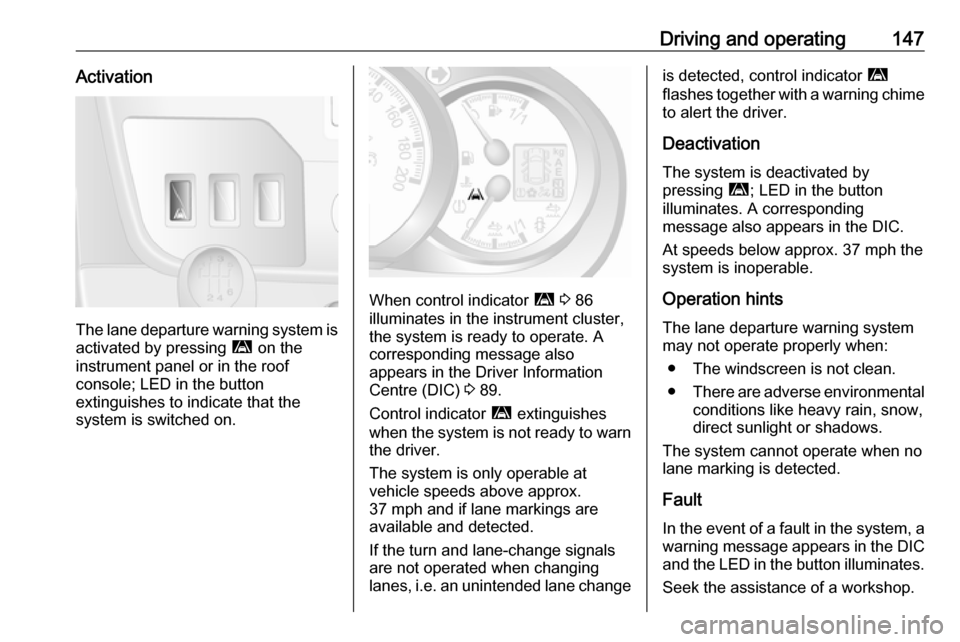
Driving and operating147Activation
The lane departure warning system isactivated by pressing ì on the
instrument panel or in the roof
console; LED in the button
extinguishes to indicate that the
system is switched on.
When control indicator ì 3 86
illuminates in the instrument cluster,
the system is ready to operate. A
corresponding message also
appears in the Driver Information
Centre (DIC) 3 89.
Control indicator ì extinguishes
when the system is not ready to warn the driver.
The system is only operable at
vehicle speeds above approx.
37 mph and if lane markings are
available and detected.
If the turn and lane-change signals
are not operated when changing
lanes, i.e. an unintended lane change
is detected, control indicator ì
flashes together with a warning chime
to alert the driver.
Deactivation The system is deactivated by
pressing ì; LED in the button
illuminates. A corresponding
message also appears in the DIC.
At speeds below approx. 37 mph the
system is inoperable.
Operation hints The lane departure warning system
may not operate properly when:
● The windscreen is not clean.
● There are adverse environmental
conditions like heavy rain, snow,
direct sunlight or shadows.
The system cannot operate when no
lane marking is detected.
Fault
In the event of a fault in the system, a warning message appears in the DIC
and the LED in the button illuminates.
Seek the assistance of a workshop.