ignition VAUXHALL MOVANO_B 2020 User Guide
[x] Cancel search | Manufacturer: VAUXHALL, Model Year: 2020, Model line: MOVANO_B, Model: VAUXHALL MOVANO_B 2020Pages: 351, PDF Size: 9.32 MB
Page 40 of 351
38Keys, doors and windowsExterior mirrors
Convex shape
The convex exterior mirror contains
an aspherical area and reduces blind spots. The shape of the mirror makes
objects appear smaller, which will
affect the ability to estimate
distances.
Manual adjustment
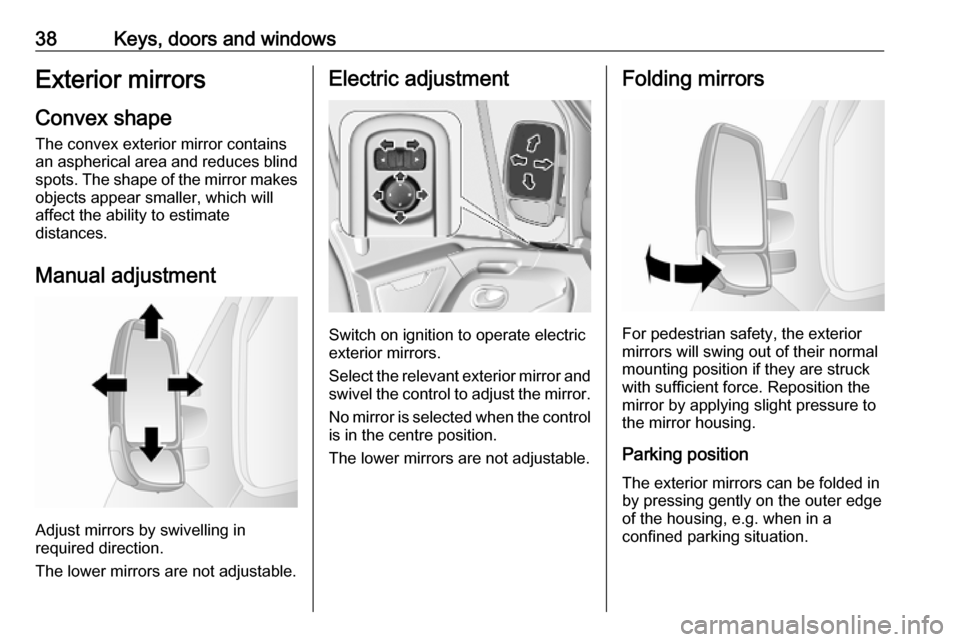
Adjust mirrors by swivelling in
required direction.
The lower mirrors are not adjustable.
Electric adjustment
Switch on ignition to operate electric
exterior mirrors.
Select the relevant exterior mirror and swivel the control to adjust the mirror.
No mirror is selected when the control
is in the centre position.
The lower mirrors are not adjustable.
Folding mirrors
For pedestrian safety, the exterior
mirrors will swing out of their normal
mounting position if they are struck
with sufficient force. Reposition the mirror by applying slight pressure tothe mirror housing.
Parking position
The exterior mirrors can be folded in
by pressing gently on the outer edge
of the housing, e.g. when in a
confined parking situation.
Page 43 of 351
Keys, doors and windows41Manual windows
The door windows can be opened or
closed with the window cranks.
Power windows9 Warning
Take care when operating the
power windows. Risk of injury,
particularly to children.
Keep a close watch on the
windows when closing them.
Ensure that nothing becomes
trapped in them as they move.
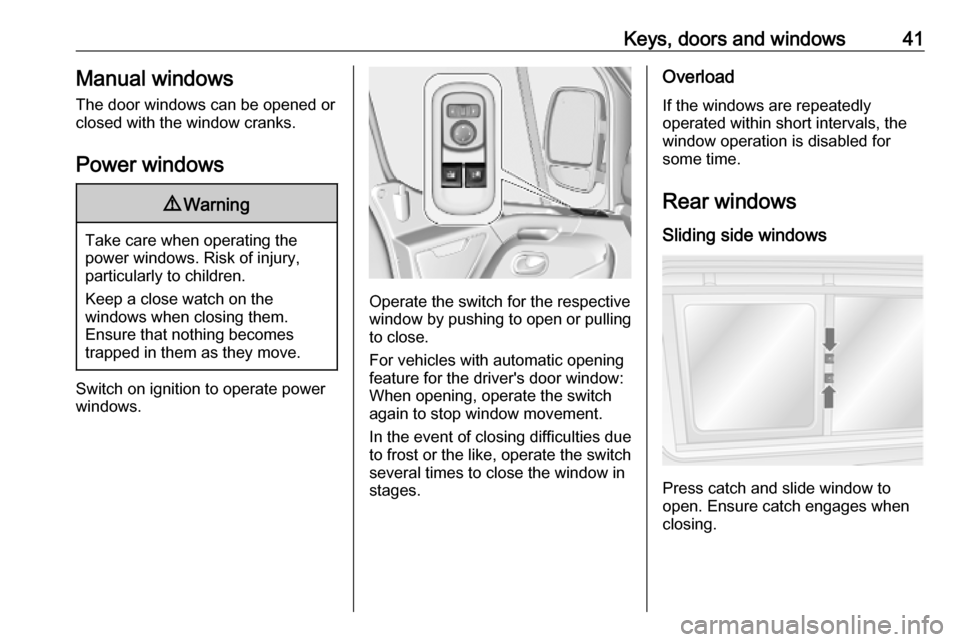
Switch on ignition to operate power
windows.
Operate the switch for the respective
window by pushing to open or pulling to close.
For vehicles with automatic opening
feature for the driver's door window:
When opening, operate the switch
again to stop window movement.
In the event of closing difficulties due
to frost or the like, operate the switch
several times to close the window in
stages.
Overload
If the windows are repeatedly
operated within short intervals, the
window operation is disabled for
some time.
Rear windows
Sliding side windows
Press catch and slide window to
open. Ensure catch engages when
closing.
Page 64 of 351
62Seats, restraintsAdditionally there is a warning label
on the side of the instrument panel,
visible when the front passenger door is open.
The front airbag system is triggered in
the event of an accident of a certain
severity. The ignition must be
switched on.
The inflated airbags cushion the
impact, thereby reducing the risk of
injury to the upper body and head of
the front seat occupants
considerably.9 Warning
Optimum protection is only
provided when the seat is in the
proper position.
Seat position 3 45.
Keep the area in which the airbag
inflates clear of obstructions.
Fasten the seat belt correctly and
engage securely. Only then is the
airbag able to protect.
Side airbag system
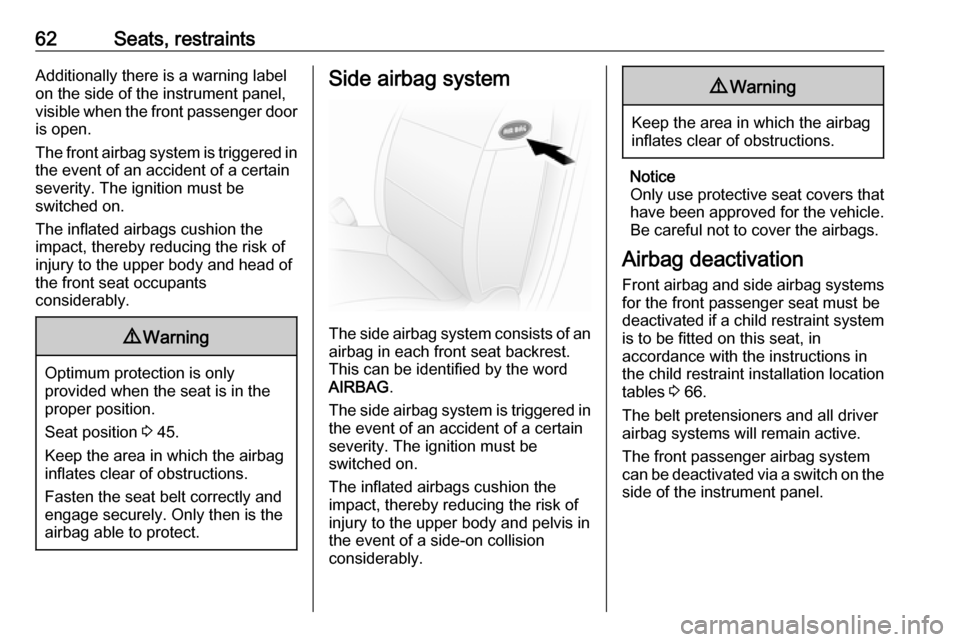
The side airbag system consists of an
airbag in each front seat backrest.
This can be identified by the word
AIRBAG .
The side airbag system is triggered in the event of an accident of a certain
severity. The ignition must be
switched on.
The inflated airbags cushion the
impact, thereby reducing the risk of
injury to the upper body and pelvis in
the event of a side-on collision
considerably.
9 Warning
Keep the area in which the airbag
inflates clear of obstructions.
Notice
Only use protective seat covers that have been approved for the vehicle.Be careful not to cover the airbags.
Airbag deactivation
Front airbag and side airbag systems for the front passenger seat must be
deactivated if a child restraint system
is to be fitted on this seat, in
accordance with the instructions in
the child restraint installation location
tables 3 66.
The belt pretensioners and all driver
airbag systems will remain active.
The front passenger airbag system
can be deactivated via a switch on the
side of the instrument panel.
Page 65 of 351
Seats, restraints63
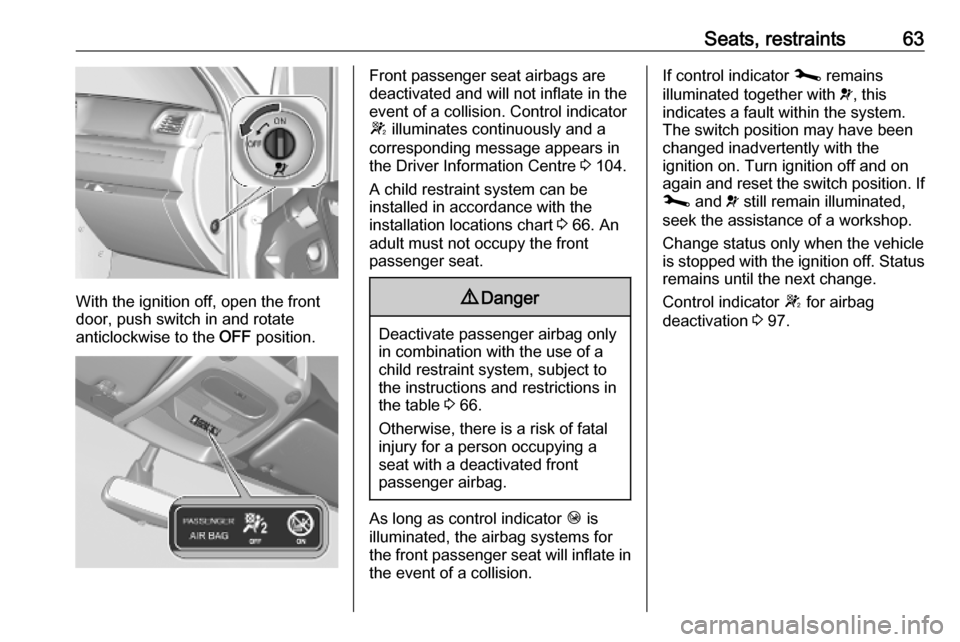
With the ignition off, open the front
door, push switch in and rotate
anticlockwise to the OFF position.
Front passenger seat airbags are
deactivated and will not inflate in the event of a collision. Control indicator
W illuminates continuously and a
corresponding message appears in
the Driver Information Centre 3 104.
A child restraint system can be
installed in accordance with the
installation locations chart 3 66. An
adult must not occupy the front
passenger seat.9 Danger
Deactivate passenger airbag only
in combination with the use of a
child restraint system, subject to
the instructions and restrictions in
the table 3 66.
Otherwise, there is a risk of fatal
injury for a person occupying a
seat with a deactivated front
passenger airbag.
As long as control indicator Ó is
illuminated, the airbag systems for the front passenger seat will inflate in the event of a collision.
If control indicator j remains
illuminated together with v, this
indicates a fault within the system.
The switch position may have been
changed inadvertently with the
ignition on. Turn ignition off and on
again and reset the switch position. If
j and v still remain illuminated,
seek the assistance of a workshop.
Change status only when the vehicle is stopped with the ignition off. Status remains until the next change.
Control indicator W for airbag
deactivation 3 97.
Page 86 of 351
84Instruments and controlsControlsSteering wheel adjustment
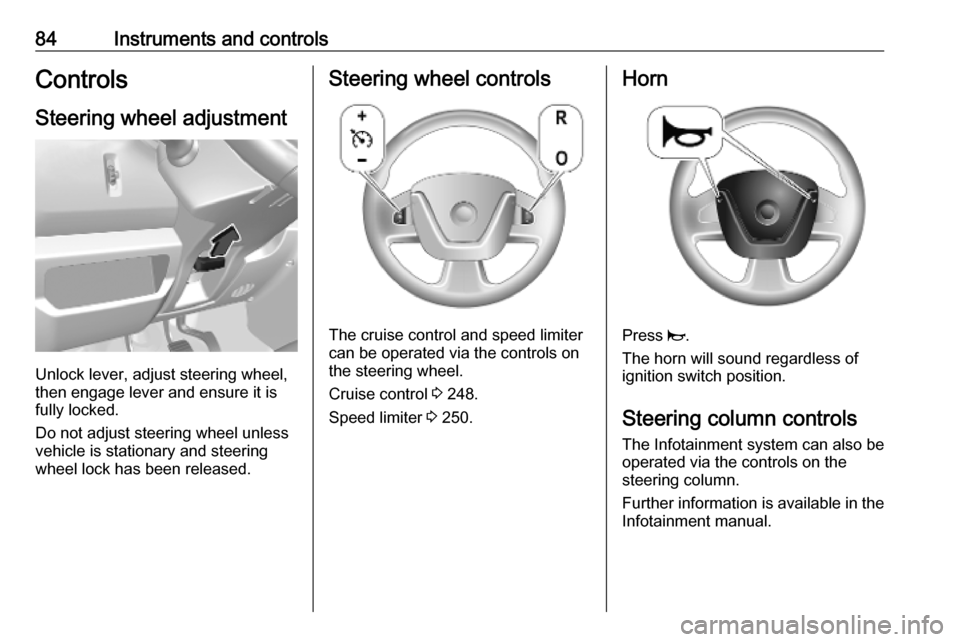
Unlock lever, adjust steering wheel,
then engage lever and ensure it is
fully locked.
Do not adjust steering wheel unless
vehicle is stationary and steering
wheel lock has been released.
Steering wheel controls
The cruise control and speed limiter
can be operated via the controls on
the steering wheel.
Cruise control 3 248.
Speed limiter 3 250.
Horn
Press j.
The horn will sound regardless of
ignition switch position.
Steering column controls The Infotainment system can also be
operated via the controls on the
steering column.
Further information is available in the
Infotainment manual.
Page 90 of 351
88Instruments and controls
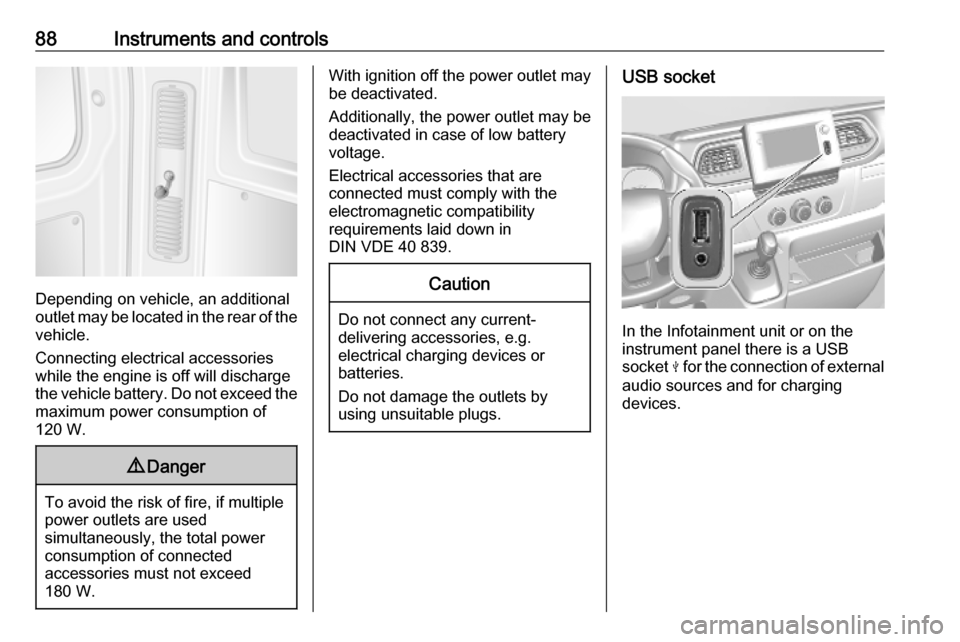
Depending on vehicle, an additional
outlet may be located in the rear of the
vehicle.
Connecting electrical accessories
while the engine is off will discharge
the vehicle battery. Do not exceed the
maximum power consumption of
120 W.
9 Danger
To avoid the risk of fire, if multiple
power outlets are used
simultaneously, the total power
consumption of connected
accessories must not exceed
180 W.
With ignition off the power outlet may
be deactivated.
Additionally, the power outlet may be
deactivated in case of low battery
voltage.
Electrical accessories that are
connected must comply with the
electromagnetic compatibility
requirements laid down in
DIN VDE 40 839.Caution
Do not connect any current- delivering accessories, e.g.
electrical charging devices or
batteries.
Do not damage the outlets by
using unsuitable plugs.
USB socket
In the Infotainment unit or on the
instrument panel there is a USB
socket M for the connection of external
audio sources and for charging
devices.
Page 91 of 351
Instruments and controls89
Notice
The sockets must always be kept
clean and dry.
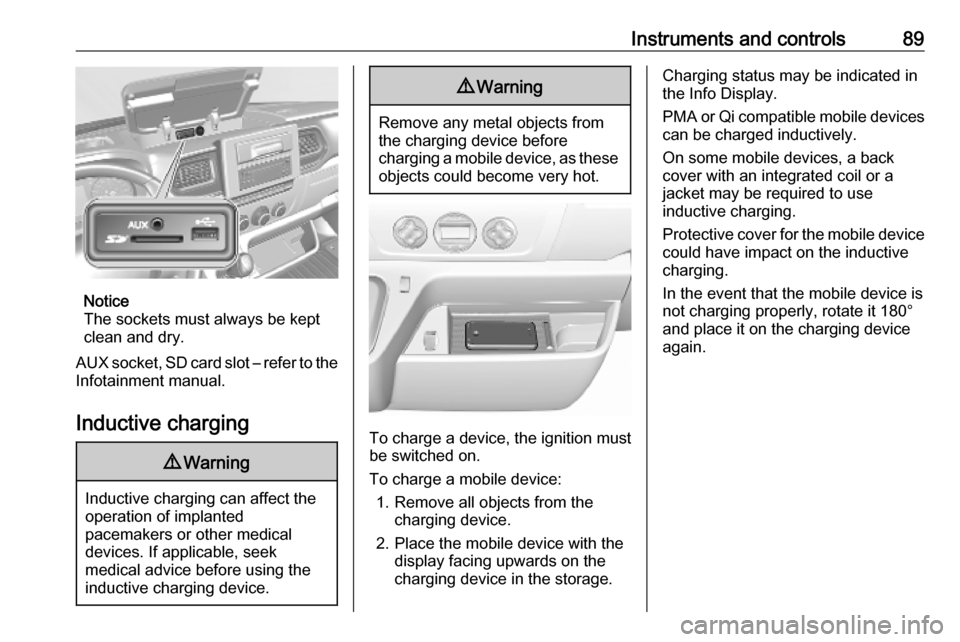
AUX socket, SD card slot – refer to the Infotainment manual.
Inductive charging
9 Warning
Inductive charging can affect the
operation of implanted
pacemakers or other medical
devices. If applicable, seek
medical advice before using the
inductive charging device.
9 Warning
Remove any metal objects from
the charging device before
charging a mobile device, as these objects could become very hot.
To charge a device, the ignition must
be switched on.
To charge a mobile device: 1. Remove all objects from the charging device.
2. Place the mobile device with the display facing upwards on the
charging device in the storage.
Charging status may be indicated in
the Info Display.
PMA or Qi compatible mobile devices can be charged inductively.
On some mobile devices, a back
cover with an integrated coil or a
jacket may be required to use
inductive charging.
Protective cover for the mobile device
could have impact on the inductive
charging.
In the event that the mobile device is
not charging properly, rotate it 180°
and place it on the charging device
again.
Page 92 of 351
90Instruments and controlsCigarette lighter
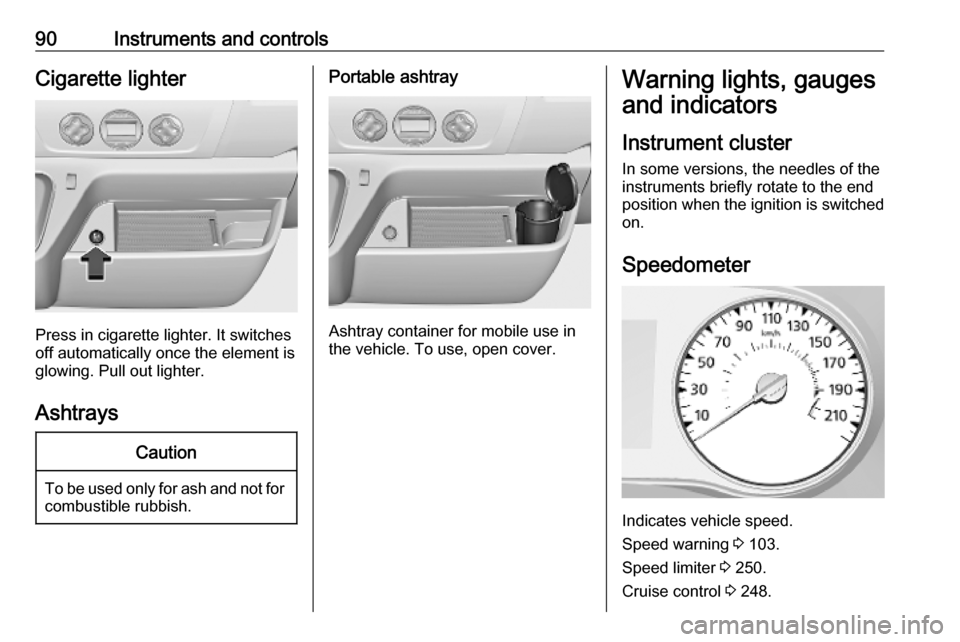
Press in cigarette lighter. It switches
off automatically once the element is
glowing. Pull out lighter.
Ashtrays
Caution
To be used only for ash and not for combustible rubbish.
Portable ashtray
Ashtray container for mobile use in
the vehicle. To use, open cover.
Warning lights, gauges
and indicators
Instrument cluster
In some versions, the needles of the
instruments briefly rotate to the end
position when the ignition is switched
on.
Speedometer
Indicates vehicle speed.
Speed warning 3 103.
Speed limiter 3 250.
Cruise control 3 248.
Page 95 of 351
Instruments and controls93Caution
If engine coolant temperature is
too high, stop vehicle, switch off
engine. Danger to engine. Check
coolant level.
For physical reasons, the coolant temperature gauge shows the coolant temperature only if the coolant level is adequate.
Service display
Select the service page in the Driver
Information Centre, when the ignition
is switched on without running
engine. Press and hold one of the
buttons on end of wiper lever for
approx. 5 seconds 3 107. The
distance and time to the next service are displayed. Pressing then lower
botton, shows the information for the
next engine oil change.
When the ignition is switched on, the
remaining distance or time before the next service is due may be shown
briefly in the Driver Information
Centre. Based on driving conditions,
the interval at which a service will be
indicated can vary considerably.
When the remaining distance before
the next service is less than
930 miles or 1 month, a message
appears in the Driver Information
Centre.
When the distance reaches 0 miles or the service date is due, control
indicator j illuminates and a
message appears in the Driver
Information Centre.
The vehicle needs a service. Seek the
assistance of a workshop.
Resetting the service displayAfter a service or an engine oil
change, the values must be reset:
select the relevant information in the
Driver Information Centre, then press
and hold one of the buttons on end of
wiper lever for approx. 10 seconds
until the distance is displayed
continuously.
Trip computer 3 107.
Driver Information Centre 3 104.
Service information 3 310.Transmission display
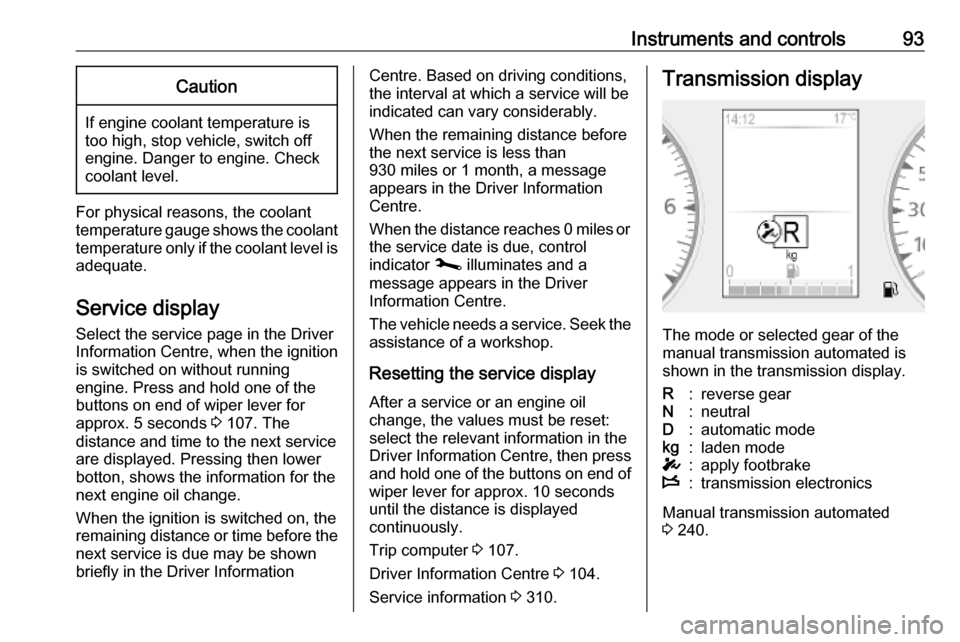
The mode or selected gear of the
manual transmission automated is shown in the transmission display.
R:reverse gearN:neutralD:automatic modekg:laden modeT:apply footbrakeW:transmission electronics
Manual transmission automated
3 240.
Page 96 of 351

94Instruments and controlsControl indicatorsThe control indicators described are
not present in all vehicles. The
description applies to all instrument
versions. Depending on the
equipment, the position of the control indicators may vary. When the
ignition is switched on, most control
indicators will illuminate briefly as a functionality test.
The control indicator colours mean:red:danger, important reminderyellow:warning, information, faultgreen:confirmation of activationblue:confirmation of activationwhite:confirmation of activation