ignition VAUXHALL MOVANO_B 2020 Owner's Guide
[x] Cancel search | Manufacturer: VAUXHALL, Model Year: 2020, Model line: MOVANO_B, Model: VAUXHALL MOVANO_B 2020Pages: 351, PDF Size: 9.32 MB
Page 112 of 351
110LightingAutomatic headlight activation
During poor lighting conditions the
headlights are switched on.
Additionally, headlights are switched
on if the windscreen wiper has been
activated for several wipes.
High beam
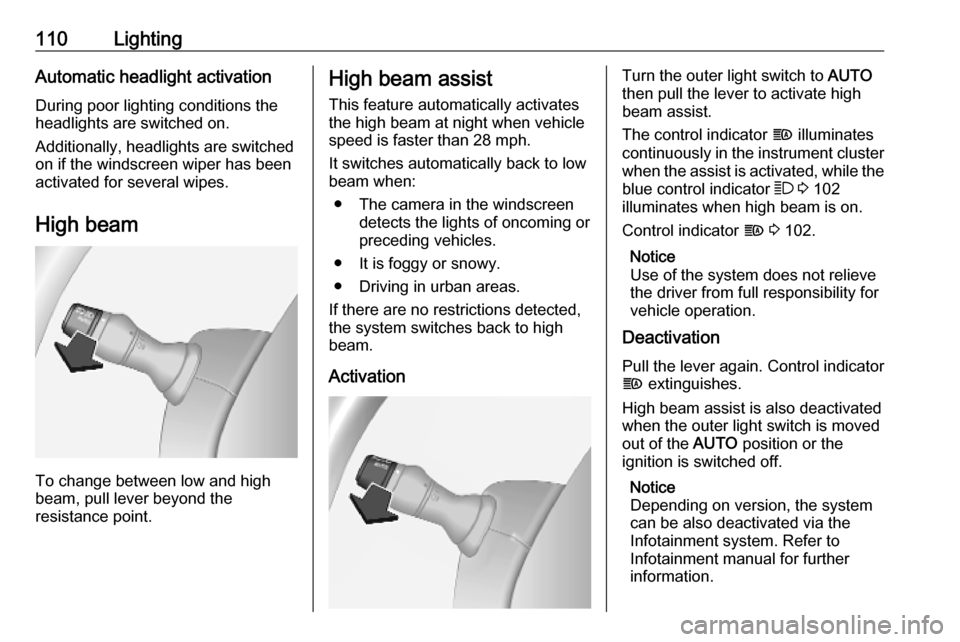
To change between low and high
beam, pull lever beyond the
resistance point.
High beam assist
This feature automatically activates
the high beam at night when vehicle
speed is faster than 28 mph.
It switches automatically back to low
beam when:
● The camera in the windscreen detects the lights of oncoming or
preceding vehicles.
● It is foggy or snowy.
● Driving in urban areas.
If there are no restrictions detected, the system switches back to high
beam.
ActivationTurn the outer light switch to AUTO
then pull the lever to activate high
beam assist.
The control indicator f illuminates
continuously in the instrument cluster when the assist is activated, while the
blue control indicator 7 3 102
illuminates when high beam is on.
Control indicator f 3 102.
Notice
Use of the system does not relieve
the driver from full responsibility for
vehicle operation.
Deactivation
Pull the lever again. Control indicator
f extinguishes.
High beam assist is also deactivated when the outer light switch is moved
out of the AUTO position or the
ignition is switched off.
Notice
Depending on version, the system
can be also deactivated via the
Infotainment system. Refer to
Infotainment manual for further
information.
Page 114 of 351
112LightingDaytime running lights
Daytime running lights increase
visibility of the vehicle during daylight.
The lights operate automatically
when the ignition is switched on.
If the vehicle is equipped with the
automatic light control function, the
system switches between daytime running lights and headlights
automatically depending on the
lighting conditions.
Automatic light control 3 109.
Hazard warning flashers
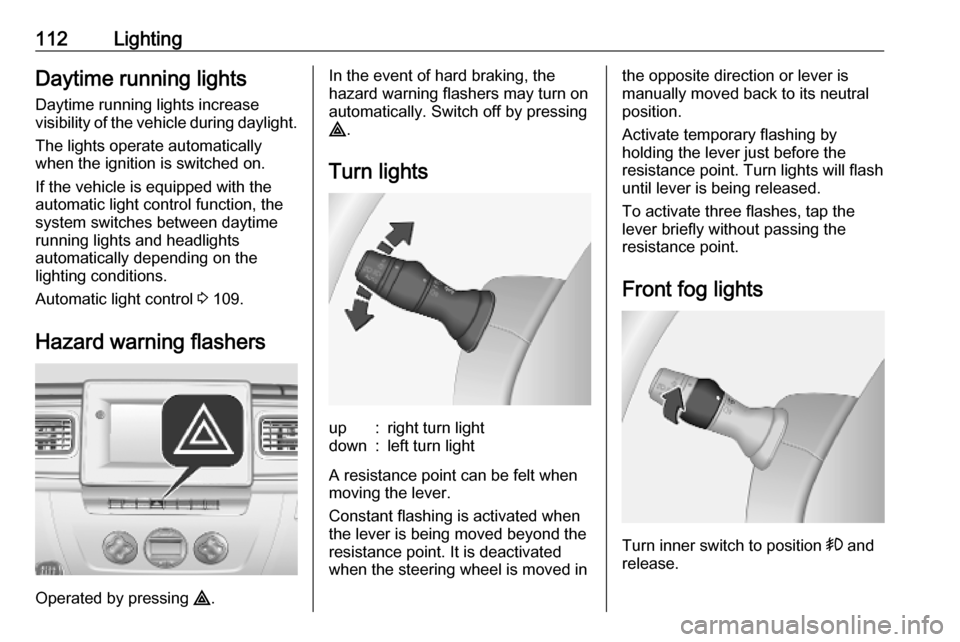
Operated by pressing ¨.
In the event of hard braking, the
hazard warning flashers may turn on automatically. Switch off by pressing
¨ .
Turn lightsup:right turn lightdown:left turn light
A resistance point can be felt when
moving the lever.
Constant flashing is activated when
the lever is being moved beyond the
resistance point. It is deactivated
when the steering wheel is moved in
the opposite direction or lever is
manually moved back to its neutral
position.
Activate temporary flashing by
holding the lever just before the
resistance point. Turn lights will flash
until lever is being released.
To activate three flashes, tap the
lever briefly without passing the
resistance point.
Front fog lights
Turn inner switch to position > and
release.
Page 115 of 351
Lighting113Front fog lights operate with engine
running and headlights switched on.
Rear fog light
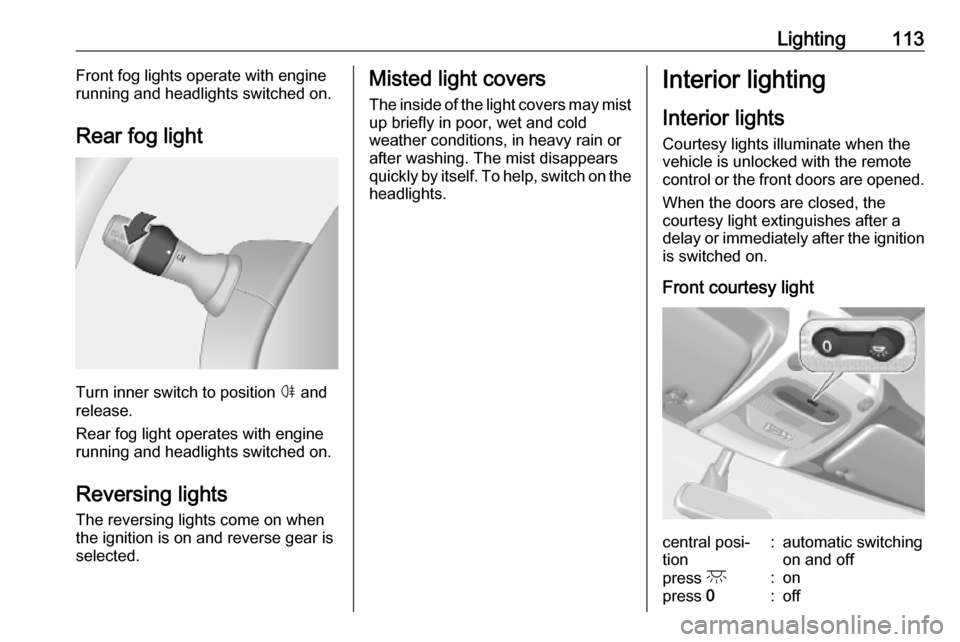
Turn inner switch to position ø
and
release.
Rear fog light operates with engine
running and headlights switched on.
Reversing lights
The reversing lights come on when
the ignition is on and reverse gear is
selected.
Misted light covers
The inside of the light covers may mist up briefly in poor, wet and cold
weather conditions, in heavy rain or
after washing. The mist disappears
quickly by itself. To help, switch on the
headlights.Interior lighting
Interior lights
Courtesy lights illuminate when the vehicle is unlocked with the remote
control or the front doors are opened.
When the doors are closed, the
courtesy light extinguishes after a
delay or immediately after the ignition
is switched on.
Front courtesy lightcentral posi‐
tion:automatic switching
on and offpress c:onpress 0:off
Page 116 of 351
114LightingRear courtesy lights
Combi, Bus
Low level and overhead courtesy
lights are located in the rear
passenger compartment.
Press the button to switch the lights
on or off.
Reading lights 3 115.
Load compartment lighting Load compartment lighting can be setto illuminate when the side and rear
doors are opened, or switched on
constantly.
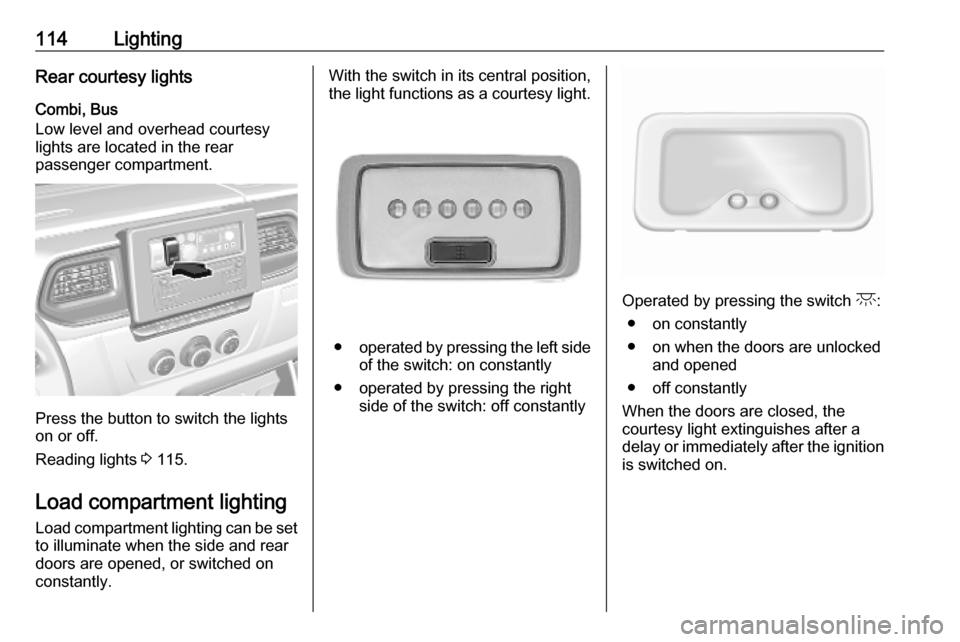
With the switch in its central position,
the light functions as a courtesy light.
● operated by pressing the left side
of the switch: on constantly
● operated by pressing the right side of the switch: off constantly
Operated by pressing the switch c:
● on constantly
● on when the doors are unlocked and opened
● off constantly
When the doors are closed, the courtesy light extinguishes after a
delay or immediately after the ignition
is switched on.
Page 117 of 351
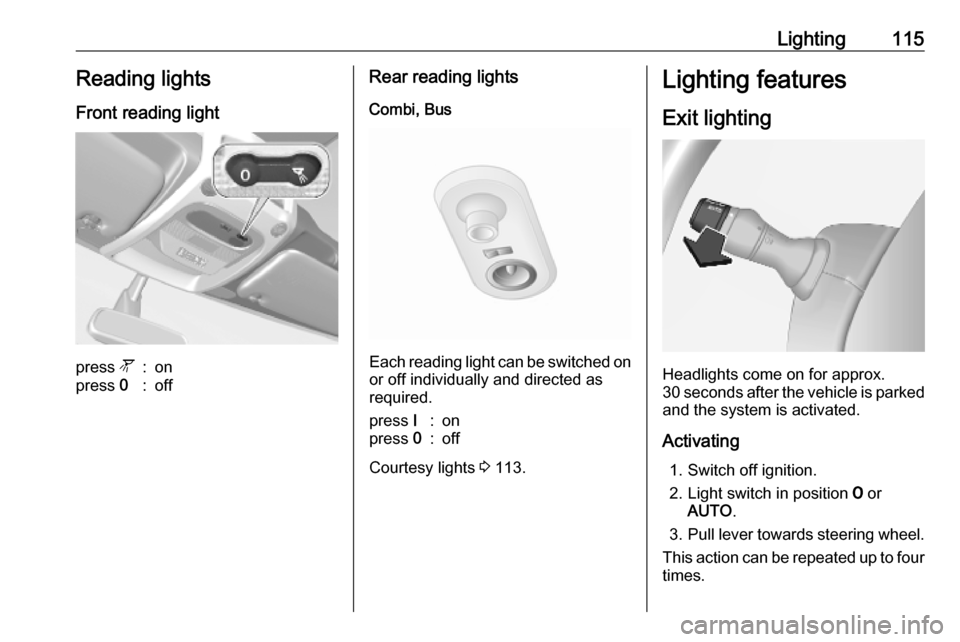
Lighting115Reading lightsFront reading lightpress l:onpress 0:offRear reading lights
Combi, Bus
Each reading light can be switched on
or off individually and directed as
required.
press I:onpress 0:off
Courtesy lights 3 113.
Lighting features
Exit lighting
Headlights come on for approx.
30 seconds after the vehicle is parked
and the system is activated.
Activating 1. Switch off ignition.
2. Light switch in position 7 or
AUTO .
3. Pull lever towards steering wheel.
This action can be repeated up to four
times.
Page 118 of 351

116LightingThe headlights are turned off
immediately by turning the light switch
to any position and returning to 7 or
AUTO .
Battery discharge protection
To prevent discharge of the vehicle
battery when the ignition is switched off, some interior lights may be
switched off automatically after some
time.
Page 130 of 351

128Infotainment systemNotice
If equipped, the voice recognition
button 5 may be located on the
steering column controls.
Usage
Infotainment controls The Infotainment system is operated
via buttons, rotary knobs and/or
display menus.
Inputs are made via:
● the central control unit in the instrument panel 3 121, or
● the controls on the steering column 3 121
● the voice recognition system (if available) 3 190
● the touchscreen (NAVI 50 IntelliLink,
NAVI 80 IntelliLink) 3 135
Notice
Only the most direct ways for menu
operation are described in the
subsequent chapters. In some
cases, there may be other options.Switching the Infotainment
system on or off
Press X to switch the Infotainment
system on.
The previously used audio source is active.
Press X (or, depending on
Infotainment system, press and hold)
to switch the Infotainment system off.
Notice
The clock and/or outside
temperature may be displayed when
the Infotainment system is switched
off (depending on version).NAVI 50 IntelliLink:
The Infotainment system
automatically switches on/off when
the ignition is switched on/off. Press
X instead, if required.
Press and hold X for 5 seconds to
restart the system.NAVI 80 IntelliLink:
The Infotainment system switches on automatically when the ignition is
switched on (depending on version).
Press X instead, if required.The following options may be
displayed (depending on version):
● Change settings (to authorise or
reject data sharing)
The system displays a screen to
confirm the authorisation of data
sharing after touching Change
settings .
Notice
When data sharing is switched off, certain features may not operate
correctly.
● Language (to change the system
language)
● Done (to continue to the Home
page)
● Help (to see more detailed
information)
The Infotainment system
automatically switches off when the
ignition is switched off and the driver's door is opened. Press X instead, if
required.
Automatic switch-off
With the ignition off, if the
Infotainment system is switched on
with X, it will switch-off automatically
Page 168 of 351
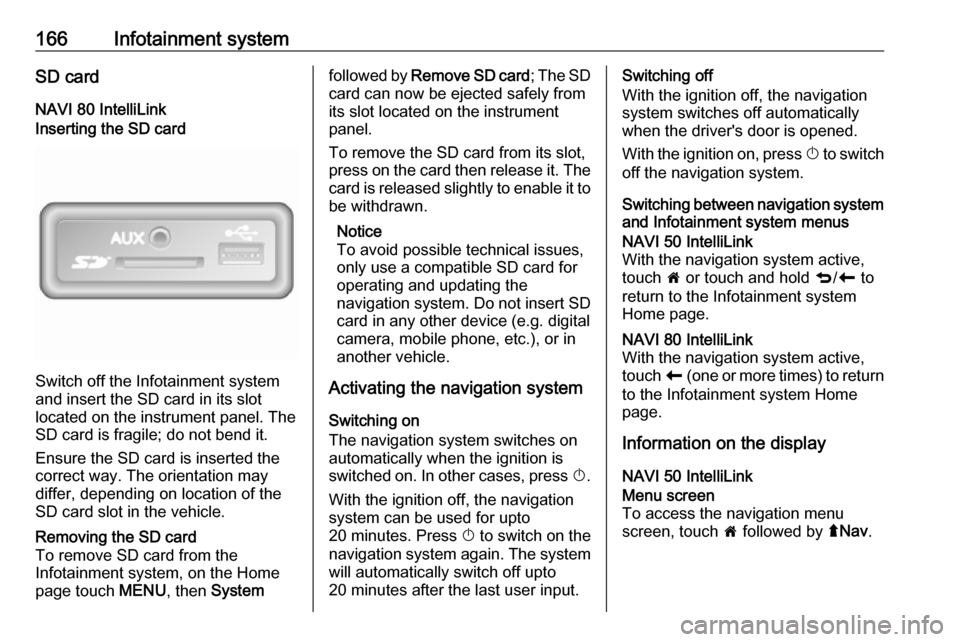
166Infotainment systemSD cardNAVI 80 IntelliLinkInserting the SD card
Switch off the Infotainment system
and insert the SD card in its slot
located on the instrument panel. The
SD card is fragile; do not bend it.
Ensure the SD card is inserted the
correct way. The orientation may
differ, depending on location of the
SD card slot in the vehicle.
Removing the SD card
To remove SD card from the
Infotainment system, on the Home
page touch MENU, then Systemfollowed by Remove SD card ; The SD
card can now be ejected safely from its slot located on the instrument
panel.
To remove the SD card from its slot,
press on the card then release it. The
card is released slightly to enable it to be withdrawn.
Notice
To avoid possible technical issues,
only use a compatible SD card for
operating and updating the
navigation system. Do not insert SD
card in any other device (e.g. digital
camera, mobile phone, etc.), or in
another vehicle.
Activating the navigation system
Switching on
The navigation system switches on
automatically when the ignition is
switched on. In other cases, press X.
With the ignition off, the navigation
system can be used for upto
20 minutes. Press X to switch on the
navigation system again. The system
will automatically switch off upto
20 minutes after the last user input.Switching off
With the ignition off, the navigation system switches off automatically
when the driver's door is opened.
With the ignition on, press X to switch
off the navigation system.
Switching between navigation system and Infotainment system menusNAVI 50 IntelliLink
With the navigation system active,
touch 7 or touch and hold q/r to
return to the Infotainment system
Home page.NAVI 80 IntelliLink
With the navigation system active,
touch r (one or more times) to return
to the Infotainment system Home page.
Information on the display
NAVI 50 IntelliLink
Menu screen
To access the navigation menu
screen, touch 7 followed by ýNav .
Page 197 of 351

Infotainment system195When the ignition is switched on, the
handsfree phone system searches for
paired phones in the vicinity.
Bluetooth must be activated on the
mobile phone for the phone to be recognised by the handsfree phone
system. Searching continues until a
paired phone is found. A display message indicates that the phone is
connected.
Notice
When a Bluetooth connection is
active, using the handsfree phone
system will discharge the mobile
phone battery more rapidly.
Automatic connection
For your phone to connect
automatically when the system is
switched on, it may be necessary to
activate the automatic Bluetooth
connection function on your mobile
phone; refer to the mobile phone
operating instructions.
Notice
Depending on Infotainment system, when reconnecting to a paired
phone, or when two paired phones
are within range of the handsfreephone system, either the priority
phone (if defined) or the last
connected phone is connected
automatically, even if this phone is
outside the vehicle but still within
range of the handsfree phone
system.
During automatic connection, if a call
is already in progress, the
conversation will automatically switch to the vehicle's microphone and
loudspeakers.
If connection fails: ● check the phone is switched on
● check the phone battery is not flat
● check if the phone has already been paired
The Bluetooth function on the mobile
phone and on the handsfree phone
system must be active and the mobile
phone must be configured to accept
the system connection request.Manual connection
Radio 15 USB
To change the phone connected to
the handsfree phone system, press
TEL and select the Select Device
menu. The device list shows the
phones already paired.
Select the desired phone from the list and confirm by pressing OK. A
display message confirms phone
connection.
NAVI 50 IntelliLink
To change the phone connected to the handsfree phone system, touch
7 followed by ÿSettings then
Connectivity (or select Phone from
the Home page).
Then select View Bluetooth device
list . The device list shows the phones
already paired.
Select the desired phone from the list and confirm by touching OK.
Depending on version, J appears
alongside the selected phone, to
indicate connection.
Page 198 of 351

196Infotainment systemNAVI 80 IntelliLink
To change the phone connected to
the handsfree phone system, from
the Home page, touch MENU then
g Phone followed by Settings.
Then select Manage devices . The
device list shows the phones already
paired. Select the desired phone from
the list.
Disconnecting a phoneIf the mobile phone is switched off, thephone is automatically disconnected
from the handsfree phone system.
During disconnection, if a call is
already in progress, the conversation
will automatically switch to the mobile
phone.
Radio 15 USB
To disconnect a phone from the
Infotainment system, press TEL (or
the SETUP ) and select Bluetooth
connection . Select the desired device
from the device list then select
Disconnect the device by turning and
pressing OK. A display message
confirms phone disconnection.NAVI 50 IntelliLink
Depending on version, to disconnect
a phone from the Infotainment
system, touch 7 followed by
ÿ Settings then Connectivity (or
select yPhone from the Home page).
Then select View Bluetooth device
list . Select the connected phone
shown in the displayed list to
disconnect; I appears alongside the
phone, to indicate disconnection.
NAVI 80 IntelliLink
To disconnect a phone from the
Infotainment system, from the Home
page, touch MENU then gPhone
followed by Settings.
Then select Manage devices . Select
the connected phone in the displayed list to disconnect.
Defining the priority phone
Radio 15 USB
The priority phone is the last
connected phone.When the ignition is switched on, the
handsfree phone system searches first for the priority paired phone.
Searching continues until a paired
phone is found.
Bluetooth connection Bluetooth is a radio standard for the
wireless connection of, e.g., a
telephone with other devices.
Information such as a mobile phone
contact list and call lists can be
transferred. The functionality can be
restricted depending on the phone
model.
Prerequisites
The following prerequisites must be
met, in order to control a Bluetooth-
enabled mobile phone via the
Infotainment system:
● The Bluetooth function of the Infotainment system must be
activated.
● The Bluetooth function of the Bluetooth-enabled mobile phone
must be activated (see mobile
phone operating instructions).