lock VAUXHALL ZAFIRA 2014 Owner's Guide
[x] Cancel search | Manufacturer: VAUXHALL, Model Year: 2014, Model line: ZAFIRA, Model: VAUXHALL ZAFIRA 2014Pages: 217, PDF Size: 7.85 MB
Page 73 of 217
Storage71
belts unhooked from the vehicle floor.Secure released seat belt hooks to
belt holder magnets 3 55.
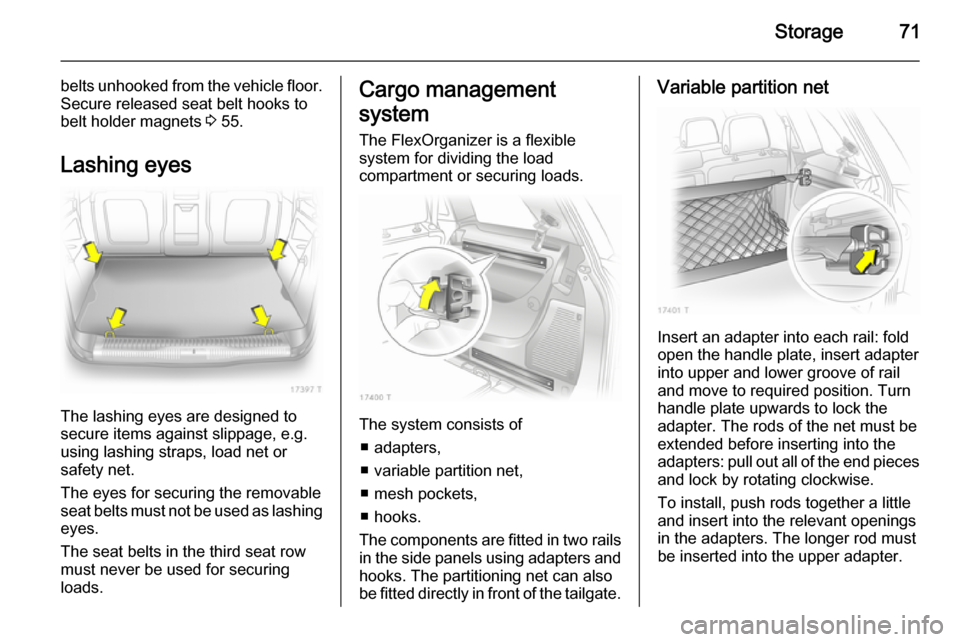
Lashing eyes
The lashing eyes are designed to
secure items against slippage, e.g.
using lashing straps, load net or
safety net.
The eyes for securing the removable
seat belts must not be used as lashing
eyes.
The seat belts in the third seat row
must never be used for securing
loads.
Cargo management
system The FlexOrganizer is a flexible
system for dividing the load
compartment or securing loads.
The system consists of
■ adapters,
■ variable partition net,
■ mesh pockets,
■ hooks.
The components are fitted in two rails
in the side panels using adapters and hooks. The partitioning net can alsobe fitted directly in front of the tailgate.
Variable partition net
Insert an adapter into each rail: fold
open the handle plate, insert adapter
into upper and lower groove of rail
and move to required position. Turn
handle plate upwards to lock the
adapter. The rods of the net must be
extended before inserting into the
adapters: pull out all of the end pieces and lock by rotating clockwise.
To install, push rods together a little
and insert into the relevant openings
in the adapters. The longer rod must
be inserted into the upper adapter.
Page 74 of 217
72Storage
To remove, press the net rod together
and remove from the adapters. Fold
open the adapter handle plate,
disengage from lower groove and
then from upper groove.
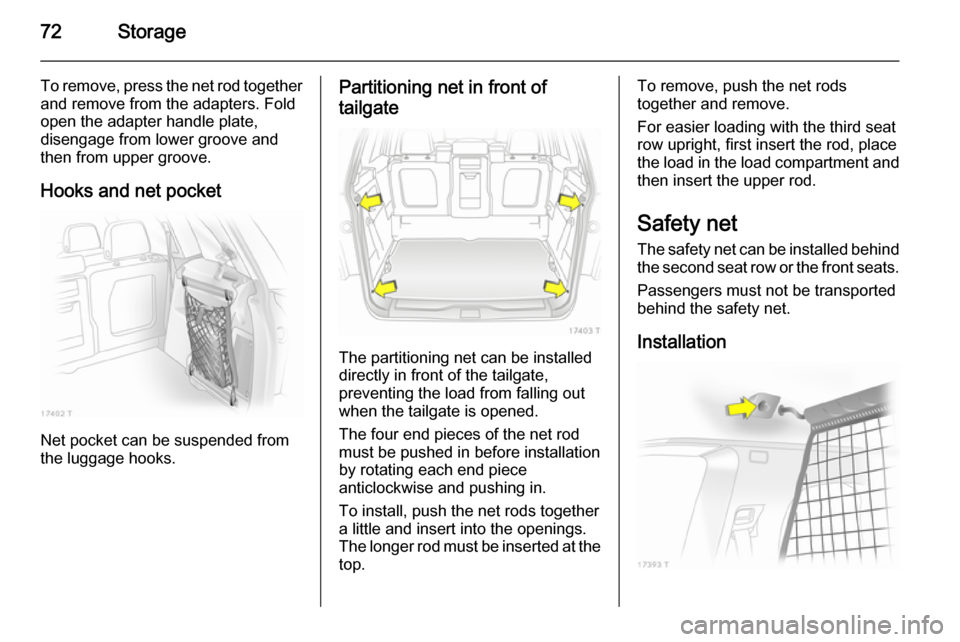
Hooks and net pocket
Net pocket can be suspended from
the luggage hooks.
Partitioning net in front of
tailgate
The partitioning net can be installed
directly in front of the tailgate,
preventing the load from falling out
when the tailgate is opened.
The four end pieces of the net rod
must be pushed in before installation by rotating each end piece
anticlockwise and pushing in.
To install, push the net rods together
a little and insert into the openings.
The longer rod must be inserted at the
top.
To remove, push the net rods
together and remove.
For easier loading with the third seat
row upright, first insert the rod, place the load in the load compartment and then insert the upper rod.
Safety net The safety net can be installed behind the second seat row or the front seats.
Passengers must not be transported
behind the safety net.
Installation
Page 79 of 217
Instruments and controls77Instruments and
controlsControls ....................................... 77
Warning lights, gauges and indi‐ cators ........................................... 83
Information displays .....................93
Vehicle messages ...................... 100
Trip computer ............................. 102Controls
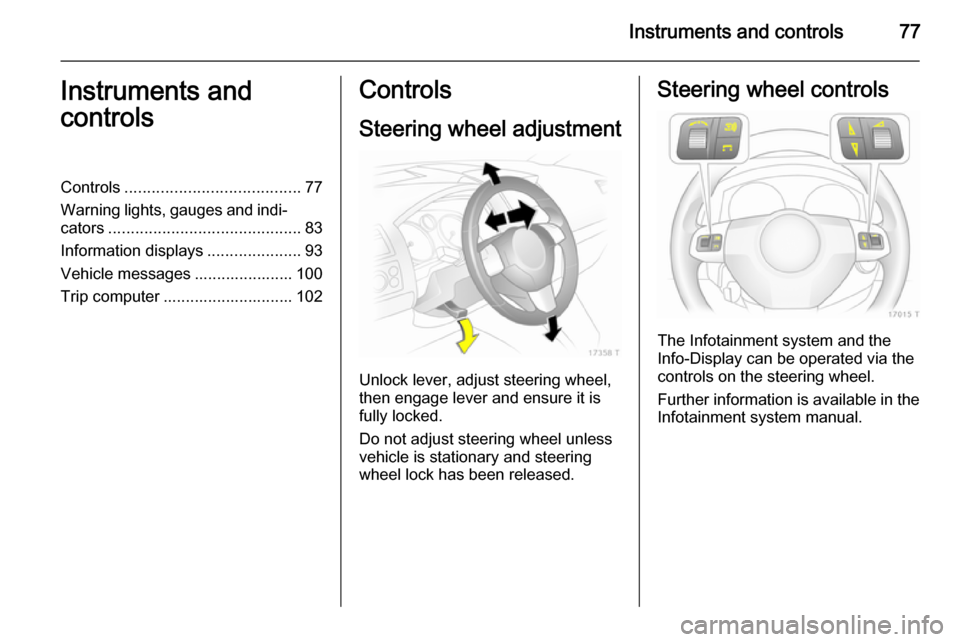
Steering wheel adjustment
Unlock lever, adjust steering wheel,
then engage lever and ensure it is fully locked.
Do not adjust steering wheel unless
vehicle is stationary and steering
wheel lock has been released.
Steering wheel controls
The Infotainment system and the
Info-Display can be operated via the
controls on the steering wheel.
Further information is available in the
Infotainment system manual.
Page 82 of 217
80Instruments and controls
Do not use if the rear window is
frozen.
Switch off in car washes.
The rear screen wiper comes on automatically when the windscreen
wiper is switched on and reverse gear
is engaged.
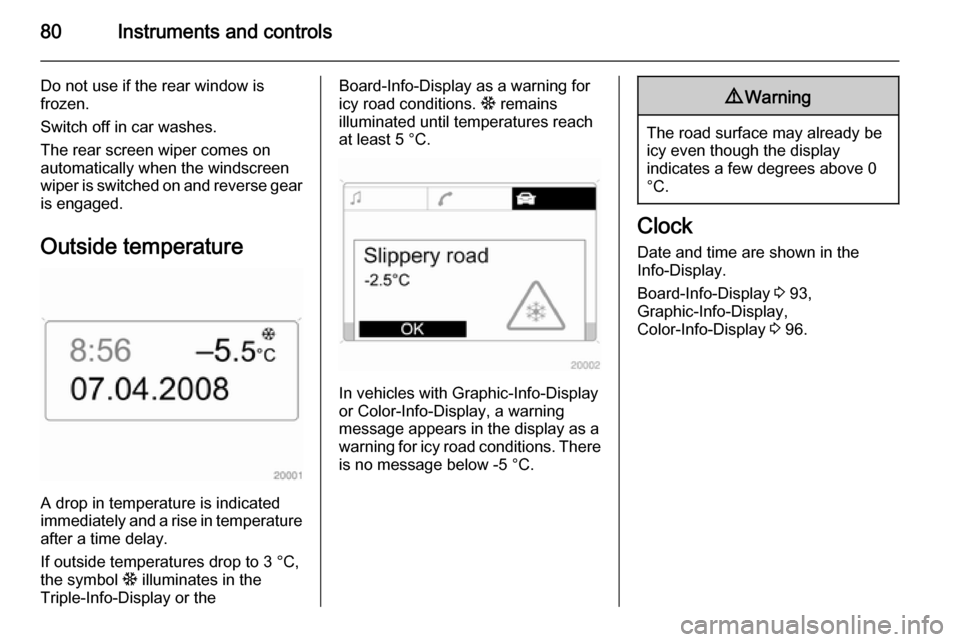
Outside temperature
A drop in temperature is indicated
immediately and a rise in temperature
after a time delay.
If outside temperatures drop to 3 °C, the symbol : illuminates in the
Triple-Info-Display or the
Board-Info-Display as a warning for
icy road conditions. : remains
illuminated until temperatures reach
at least 5 °C.
In vehicles with Graphic-Info-Display
or Color-Info-Display, a warning
message appears in the display as a warning for icy road conditions. There is no message below -5 °C.
9 Warning
The road surface may already be
icy even though the display
indicates a few degrees above 0
°C.
Clock
Date and time are shown in the
Info-Display.
Board-Info-Display 3 93,
Graphic-Info-Display,
Color-Info-Display 3 96.
Page 90 of 217

88Instruments and controls
Illuminates when the engine isrunning
Fault in the emission control system.
The permitted emission limits may be
exceeded. Immediately seek the
assistance of a workshop.
Flashes when the engine is
running
Fault that could lead to catalytic
converter damage. Ease up on the
accelerator until the flashing stops.
Seek the assistance of a workshop
immediately.
Service vehicle soon A illuminates or flashes yellow.
Illuminates when the engine is running
Fault in engine or transmission
electronics 3 132, 3 136. The
electronics switch to an emergency running programme. Fuel
consumption may be increased and
the vehicle handling may be impaired.If the fault persists after restarting the vehicle, consult a workshop.
Illuminates together with InSP4
in the service display
Seek the assistance of a workshop for
draining the diesel fuel filter 3 101.
Flashes with switched on
ignition
Fault in the immobiliser system. The
engine cannot be started 3 37.
Switch off the ignition and repeat the
start attempt.
If the control indicator continues
flashing, attempt to start the engine
using the spare key and seek the
assistance of a workshop.
Brake and clutch system R illuminates or flashes red.
Illuminated Illuminates when the parking brake is
released if the brake and clutch fluid
level is too low 3 155.9 Warning
Stop. Do not continue your
journey. Consult a workshop.
Illuminates after the ignition is
switched on if the parking brake is
applied 3 139.
Flashes
On vehicles with manual transmission
automated, flashes for a few seconds
when the ignition is switched off if the parking brake is not applied.
On vehicles with manual transmission
automated, flashes when the driver's
door is opened if no gear is engaged
and the parking brake is not applied.
Antilock brake system
(ABS) u illuminates red.
Illuminates for a few seconds after the ignition is turned on. The system is
ready for operation when the control indicator goes out.
Page 91 of 217

Instruments and controls89
If the control indicator does not go outafter a few seconds, or if it illuminates while driving, there is a fault in the
ABS. The brake system remains
operational but without ABS
regulation.
Antilock Brake System 3 138.
Upshift
[ illuminates green when upshifting
is recommended for fuel saving
reasons.
Sport mode1 illuminates yellow.
The symbol is illuminated when Sport
mode is on 3 131, 3 135.
Winter mode T illuminates yellow.
The symbol is illuminated when
Winter mode is on 3 131, 3 135.
Ultrasonic parking assist
r illuminates or flashes yellow.Illuminates
Fault in system. Have the cause of the
fault remedied by a workshop.
Flashes
Fault due to sensors that are dirty or
covered by ice or snow.
or
Interference due to external sources of ultrasound. Once the source of
interference is removed, the system
will operate normally.
Ultrasonic parking sensors 3 142.
Electronic Stability
Program v flashes or illuminates yellow.
Illuminates for a few seconds when
the ignition is switched on.
Flashes whilst driving
The system is actively engaged.
Engine output may be reduced and
the vehicle may be braked
automatically to a small degree
3 139.Illuminates whilst driving
The system is switched off or a fault
is present. Continued driving is
possible. Driving stability, however,
may deteriorate depending on road
surface conditions.
Have the cause of the fault remedied
by a workshop.
ESP® Plus
3 139.
Engine coolant
temperature W illuminates red.
Illuminates when the engine is running
Stop, switch off engine.Caution
Coolant temperature too high.
Check coolant level. 3 154.
If there is sufficient coolant, consult a workshop.
Page 92 of 217

90Instruments and controlsPreheating and diesel
particle filter ! illuminates or flashes yellow.
Illuminates Preheating activated. Only activates
when outside temperature is low.
Flashes Control indicator ! flashes if the
diesel particle filter requires cleaning
and previous driving conditions did
not permit automatic cleaning.
Continue driving and if possible do
not allow engine speed to drop below
2000 rpm.
The control indicator ! goes off as
soon as the self-cleaning operation is complete.
Diesel particle filter 3 127.
Deflation detection system
and tyre pressure
monitoring system
w illuminates or flashes red or yellow.Control indicator illuminates red
Tyre pressure loss. Stop immediately
and check tyre pressure. A maximum speed of 50 mph is permitted for run-
flat tyres 3 172.
Control indicator illuminates
yellow
Fault in system or tyre without
pressure sensor mounted (e.g. spare
wheel). Consult a workshop.
Flashes
Flashes three times to indicate system initialisation.
Deflation detection system 3 175,
tyre pressure monitoring system
3 174.
Interactive driving system, continuous damping
control, sport mode IDS+ illuminates yellow.
Illuminates for approximately
10 seconds after the driver's door is
opened. Illumination whilst drivingindicates a fault in the system. The
system switches to the harder chassis setting for reasons of safety. Have the
cause of the fault remedied by a workshop.
IDS Plus
3 140, Continuous damping
control 3 141, Sport mode 3 140.
Engine oil pressure I illuminates red.
Illuminates when the ignition is
switched on and goes out shortly after
the engine starts.
Illuminates when the engine isrunningCaution
Engine lubrication may be
interrupted. This may result in
damage to the engine and/or
locking of the drive wheels.
1. Depress clutch.
2. Select neutral gear, set selector lever to N.
Page 93 of 217
Instruments and controls91
3. Move out of the flow of traffic asquickly as possible without
impeding other vehicles.
4. Switch off ignition.9 Warning
When the engine is off,
considerably more force is needed
to brake and steer.
Do not remove key until vehicle is stationary, otherwise the steering
wheel lock could engage
unexpectedly.
Check oil level before seeking the
assistance of a workshop 3 153.
Low engine oil level
S illuminates yellow.
Engine oil level is checked
automatically.
Illuminates when the engine is
running
Low engine oil level. Check engine oil
level and top up as necessary
3 153.
Low fuel Y illuminates or flashes yellow.
Illuminates Level in fuel tank too low.
Flashes
Fuel used up. Refuel immediately.
Never run the tank dry.
Catalytic converter 3 128.
Bleeding the diesel fuel system
3 157.
Open&Start system
0 illuminates or flashes yellow.
Flashes The electronic key is no more within
the reception range of the vehicle interior. The engine cannot bestarted. Hold the Start/Stop button
depressed a bit longer to switch off
the ignition.
or
Failure of the electronic key.
Operation is yet only possible via
emergency operation.
Illuminates
Fault in system. Try to operate with
the spare key, the remote control or
through emergency operation. Hold
the Start/Stop button depressed a bit
longer to switch off the ignition. Seek the assistance of a workshop.
or
The steering wheel lock is still
engaged. Move the steering wheel
slightly and press the Start/Stop
button.
Open&Start system 3 28.
Apply footbrake
j illuminates yellow.
Page 96 of 217
94Instruments and controls
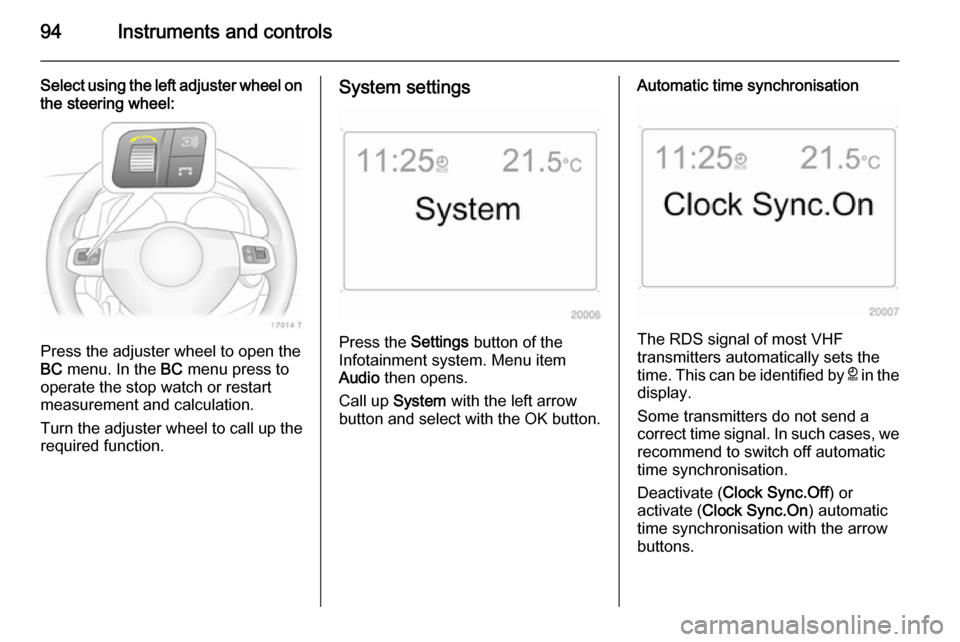
Select using the left adjuster wheel onthe steering wheel:
Press the adjuster wheel to open the
BC menu. In the BC menu press to
operate the stop watch or restart
measurement and calculation.
Turn the adjuster wheel to call up the required function.
System settings
Press the Settings button of the
Infotainment system. Menu item
Audio then opens.
Call up System with the left arrow
button and select with the OK button.
Automatic time synchronisation
The RDS signal of most VHF
transmitters automatically sets the
time. This can be identified by } in the
display.
Some transmitters do not send a
correct time signal. In such cases, we recommend to switch off automatic
time synchronisation.
Deactivate ( Clock Sync.Off ) or
activate ( Clock Sync.On ) automatic
time synchronisation with the arrow
buttons.
Page 100 of 217

98Instruments and controls
Setting date and time
Select menu item Time, Date from the
Settings menu.
Select the required menu items and
make settings.
Changing the time setting will also
change the time setting of the
navigation system.
Automatic time synchronisation
The RDS signal of most VHF
transmitters automatically sets the time.
Some transmitters do not send a
correct time signal. In such cases, we recommend to switch off automatic
time synchronisation.
The function is activated by ticking the
field in front of Synchron. clock
automatical. in the Time, Date menu.
Language selection
The display language for some
functions can be selected.
Select menu item Language from the
Settings menu.
Select the desired language.
Selection is indicated by a 6 in front
of the menu item.
In systems with voice output, when
the language setting of the display is
changed the system will ask whether
the announcement language should
also be changed - see Infotainment
system manual.