light VOLKSWAGEN BEETLE CONVERTIBLE 2013 3.G User Guide
[x] Cancel search | Manufacturer: VOLKSWAGEN, Model Year: 2013, Model line: BEETLE CONVERTIBLE, Model: VOLKSWAGEN BEETLE CONVERTIBLE 2013 3.GPages: 281, PDF Size: 5.27 MB
Page 20 of 281

▪ Odometer -- mi (km)
▪ Average speed --- mph (km/h)
▪ --- mph (km/h) (digital speed display)
▪ Oil temperature -- °F (°C)
▪ Coolant temperature -- °F (°C)
▪ Speed warning at --- mph (km/h)
Audio ⇒ Booklet Radio or ⇒ Booklet Navigation system
Navigation ⇒ Booklet Navigation system
Vehicle status
Settings
▪ Language
▪ MFI data
– Travel time
– Curr. consump. (current fuel consumption)
– Avg. consump. (average fuel consumption)
– Route
– Odometer
– Average speed
– Digital speed (digital speed display)
– Oil temp.
– Coolant temp.
– Speed warning
– Back
▪ Time
– Hours
– Minutes
– 24 hr. mode
– Daylight save
– Back
▪ Units
– Temperature
– Consum./distance
– Back
▪ Service
– Info
– Reset
– Back
▪ Factory setting
Page 32 of 281

Wheelbase 99.9 in. (2537 mm)
Minimum turning circle diameter (wall to wall)2 35.4 ft (10.8 m)
Track2, front 61.8 – 62.2 in. (1570 – 1580 mm)
Track2, rear 60.4 – 61.2 in. (1536 – 1556 mm)
Ground clearance (unloaded) about 5.3 in. (136 mm)3
NOTICE
x Please be careful when parking your vehicle in areas with parking barriers or curbs. These
vary in height and could damage your bumper and related parts if the front of your vehicle hits
a barrier or curb that is too high while you are getting into or out of a parking spot.
x Always be careful when you enter a driveway or drive up or down steep ramps or over
curbs or other obstacles. Parts of the vehicle close to the ground may be damaged (such as
bumper covers, spoilers, and parts of the engine, suspension, and exhaust systems).
2 Slight differences to these figures are possible, depending on wheel and
tire size fitted and the level selected.
3 Varies depending on your vehicle's equipment (engine, tires, wheels, tire
inflation pressure, driving situation and other factors).
Page 35 of 281
Canadian customers can contact an authorized Volkswagen dealer or Volkswagen Service Facility or
call the Volkswagen Canada Customer CARE Center at 1-800-822-8987.
NOTICE
The remote control vehicle keys contain electrical components. Protect them from damage,
moisture and rough handling.
Do not press the buttons on the remote control vehicle key unless you actually want to use the
function in question. Since terrain and conditions vary, pressing a button on the remote control vehicle
key when it is not necessary may unlock the vehicle or set off the panic alarm, even if you think you
are out of range.
Remote control vehicle key functions can be temporarily disrupted by interference from transmit-
ters near the vehicle that use the same frequency range (such as radio equipment or cellular phones).
Things between the remote control vehicle key and vehicle, bad weather, as well as a weak
battery can reduce the operating range.
If the remote control vehicle key buttons 50 or the power locking buttons 51 are pushed repeat-
edly in quick succession, the power locking system is switched off for a brief period to help keep it
from being overloaded. The vehicle is then unlocked for about 30 seconds. Unless a door or the
luggage compartment lid is opened in this span of time, the vehicle is automatically locked afterwards.
Indicator light in the remote control vehicle key
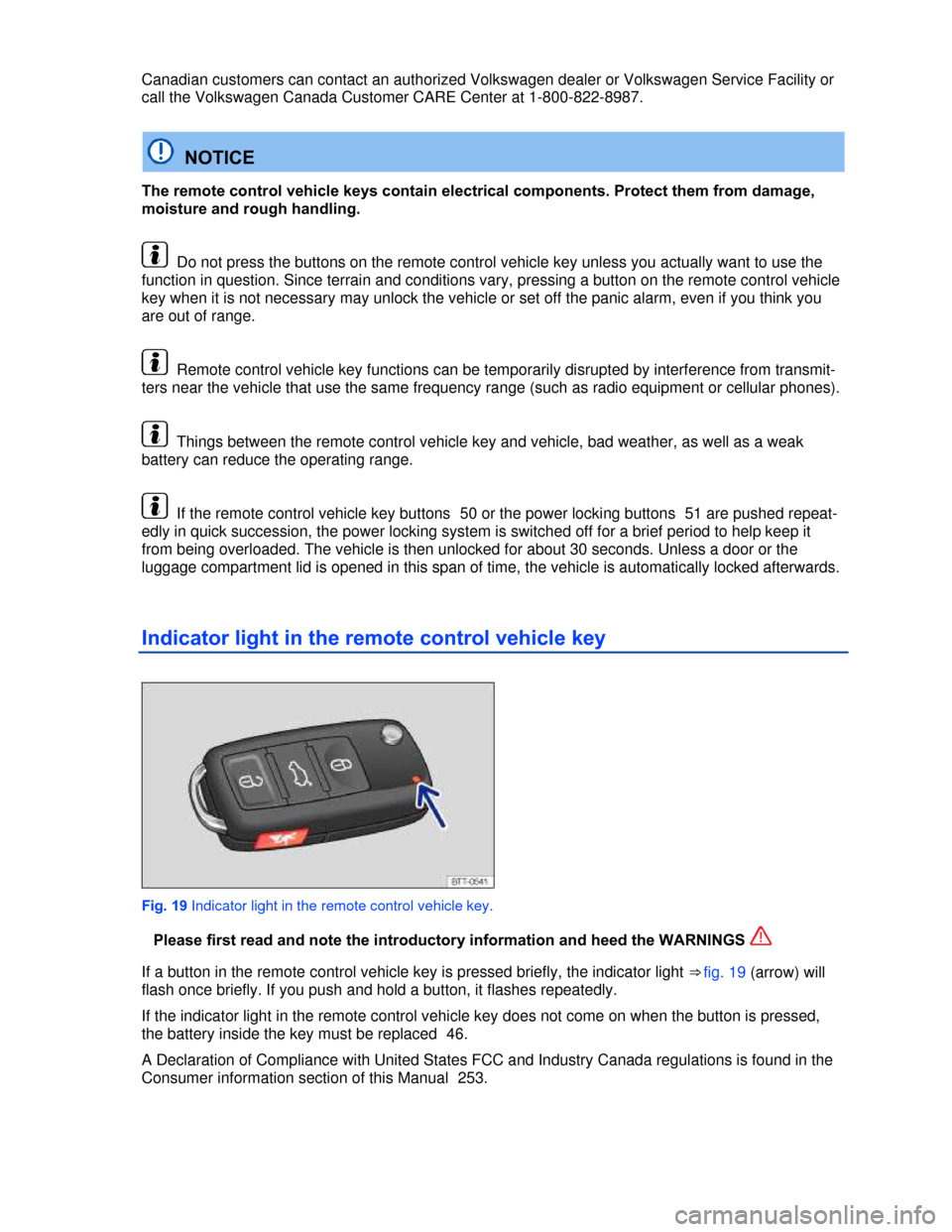
Fig. 19 Indicator light in the remote control vehicle key.
Please first read and note the introductory information and heed the WARNINGS
If a button in the remote control vehicle key is pressed briefly, the indicator light ⇒ fig. 19 (arrow) will
flash once briefly. If you push and hold a button, it flashes repeatedly.
If the indicator light in the remote control vehicle key does not come on when the button is pressed,
the battery inside the key must be replaced 46.
A Declaration of Compliance with United States FCC and Industry Canada regulations is found in the
Consumer information section of this Manual 253.
Page 39 of 281

Description of the power locking system
Please first read and note the introductory information and heed the WARNINGS
The power locking system lets you unlock and lock all doors, the luggage compartment lid, and the
fuel filler flap:
x From the outside with the vehicle key
x From the outside with Keyless Access
x From the inside with the power locking button
Special functions of the power locking system can be activated or deactivated by an authorized
Volkswagen dealer or authorized Volkswagen Service Facility.
The doors and the luggage compartment lid can be locked manually if the remote control vehicle key
or the power locking system is not working
Automatic locking (Auto Close)
The vehicle locks automatically when it reaches a speed of about 10 mph (15 km/h). When the vehicle
is locked, the indicator light W comes on in the power locking button ⇒ fig. 23.
Automatic unlocking (Auto Open)
The vehicle unlocks automatically when the vehicle key is taken out of the ignition. On vehicles with
Keyless Access, Auto Open is triggered by opening the driver door. Auto Open works only if the vehi-
cle has been automatically locked with the Auto Close feature. The indicator light W goes out in the
power locking button when the doors unlock ⇒ fig. 23.
Locking the vehicle after airbag inflation
If the airbags are activated during a collision, the entire vehicle is unlocked. Depending on the severity
of the damage, the vehicle can be locked after a collision when the airbags have deployed as follows:
Function Action
Locking the vehicle with the
power locking button:
– Switch the ignition off.
– Open and close a door once.
– Press the power locking button 1
Locking the vehicle with the
remote control vehicle key:
– Switch the ignition off.
OR: Remove the vehicle key from the ignition.
– Open a door once.
– Lock the vehicle with the remote control vehicle key.
Indicator light in the driver door
After the vehicle is locked: Meaning
The red LED light flashes for about 2 seconds in short
intervals, then slower.
The vehicle is locked.
Red LED light lights up continuously for about
30 seconds.
Locking system malfunction. See an
authorized Volkswagen dealer or an
authorized Volkswagen Service Facility.
If the vehicle key buttons 42 or the power locking buttons 51 are pushed repeatedly in quick
succession, the power locking system is switched off for a brief period to help keep it from being
Page 41 of 281
Unlocking or locking the vehicle from the inside
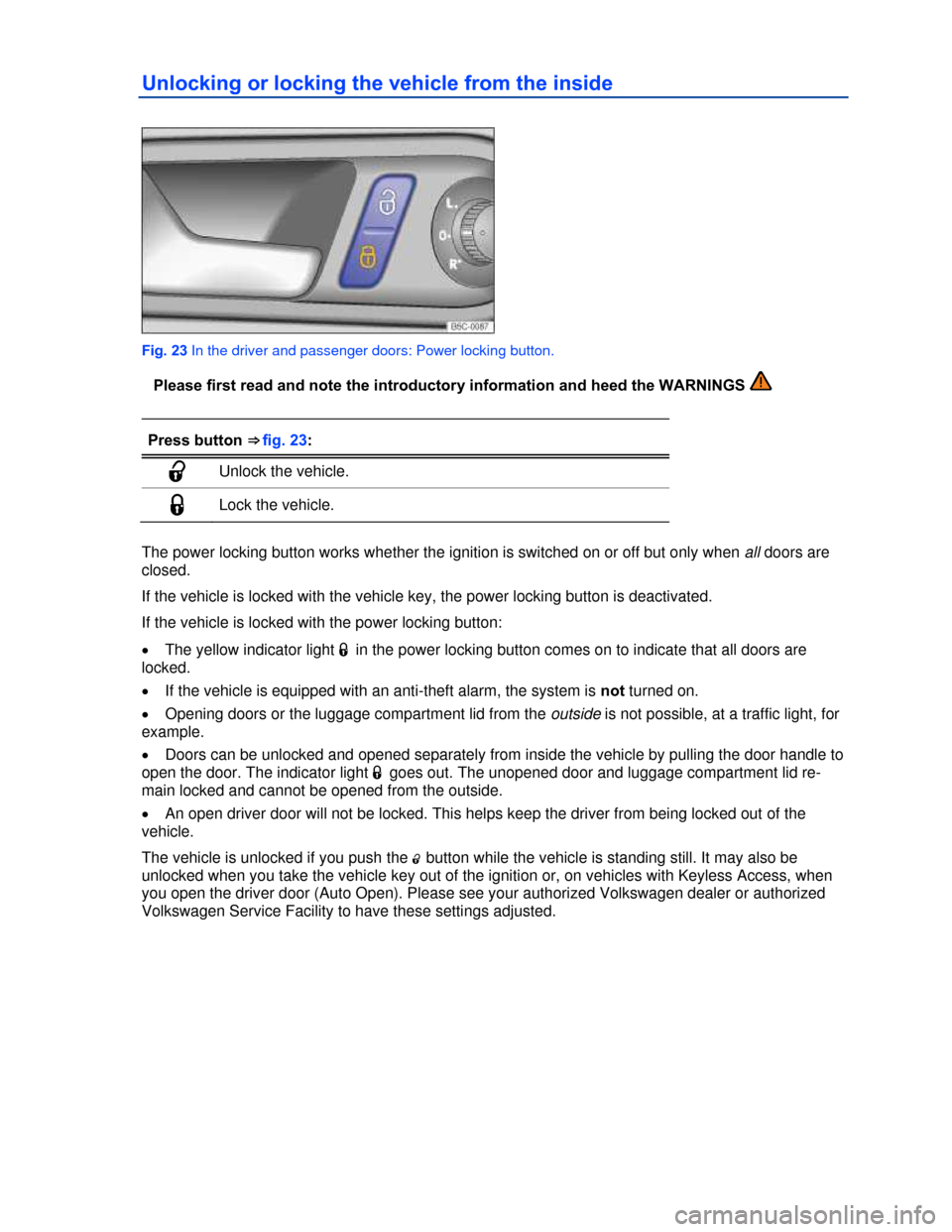
Fig. 23 In the driver and passenger doors: Power locking button.
Please first read and note the introductory information and heed the WARNINGS
Press button ⇒ fig. 23:
0 Unlock the vehicle.
1 Lock the vehicle.
The power locking button works whether the ignition is switched on or off but only when all doors are
closed.
If the vehicle is locked with the vehicle key, the power locking button is deactivated.
If the vehicle is locked with the power locking button:
x The yellow indicator light 1 in the power locking button comes on to indicate that all doors are
locked.
x If the vehicle is equipped with an anti-theft alarm, the system is not turned on.
x Opening doors or the luggage compartment lid from the outside is not possible, at a traffic light, for
example.
x Doors can be unlocked and opened separately from inside the vehicle by pulling the door handle to
open the door. The indicator light 1 goes out. The unopened door and luggage compartment lid re-
main locked and cannot be opened from the outside.
x An open driver door will not be locked. This helps keep the driver from being locked out of the
vehicle.
The vehicle is unlocked if you push the 0 button while the vehicle is standing still. It may also be
unlocked when you take the vehicle key out of the ignition or, on vehicles with Keyless Access, when
you open the driver door (Auto Open). Please see your authorized Volkswagen dealer or authorized
Volkswagen Service Facility to have these settings adjusted.
Page 48 of 281
x If the vehicle must be pushed, do not push against the rear spoiler. The rear spoiler and the
luggage compartment lid could be damaged.
Warning light
Page 53 of 281
One-touch opening and closing
The one-touch feature automatically opens/closes a power window all the way. The window switch
does not have to be held down/up.
For one-touch opening: Press the switch for the window down briefly as far as it goes.
For one-touch closing: Pull the switch for the window up briefly as far as it goes.
Stopping automatic movement: Pull/press the switch again.
Reactivating the one-touch feature
If the vehicle battery is disconnected or dead and the windows are not completely closed, the one-
touch feature will not work and must be reactivated:
x Switch on the ignition.
x Close all windows and doors.
x Pull the -switch up and hold it for at least 2 seconds in this position.
x Release the - switch, pull up and hold again. The one-touch feature is now reactivated.
The one-touch feature can be reactivated for one or more windows at the same time.
Convenience closing
The convenience closing feature lets you close the windows from outside the vehicle as follows:
x Manual locking: lock the vehicle with the vehicle key bit in the driver door and keep the key turned
in the locking position to close all windows
x Vehicles with Keyless Access: hold your finger on the lock sensor surface on the outside of the
door handle for a few seconds until the windows close
WARNING
Improper use of power windows can result in serious personal injury.
x Never let anyone get in the way of a power window when closing it.
x When locking the vehicle from the outside, make sure that no one, especially children,
remains in the vehicle when the convertible top is closed. The windows will not open in case
of an emergency.
x Always take the key with you when you leave the vehicle. You can still use the power win-
dows for several minutes after the ignition is switched off as long as the driver or passenger
door has not been opened.
NOTICE
The windows must go down slightly when you unlock the vehicle. Otherwise the windows and
seals could be damaged when opening the doors.
If the power windows malfunction, the one-touch feature, as well as pinch protection may not
work properly. See an authorized Volkswagen dealer or authorized Volkswagen Service Facility right
away.
If convenience closing of the power windows from the outside requires removing the cover cap of
the lock cylinder on the driver door, the cover cap must be reinstalled after the vehicle is locked 266.
Page 55 of 281
NOTICE
Objects with sharp edges or that cause scratches or dirty components can damage the con-
vertible top or the rear window.
x Never remove snow and ice with sharp objects or objects that can cause scratches.
x Only open and close the convertible top when it is clean.
NOTICE
If the convertible top is opened frequently when it is damp or it is left open for several weeks at
a time, it may develop creases and pressure marks and could be damaged.
x Do not leave the convertible top open for long periods of time.
x Only open the convertible top when it is completely dry.
When parking the vehicle with the convertible top open, the vehicle interior is not protected
against unauthorized access.
x Always close the convertible top and lock the doors and luggage compartment before leaving the
vehicle.
x Always store objects left in the vehicle in the locked luggage compartment.
The convertible top will only open or close when the luggage compartment lid is completely
closed. Do not open the luggage compartment lid when the convertible top is opening or closing.
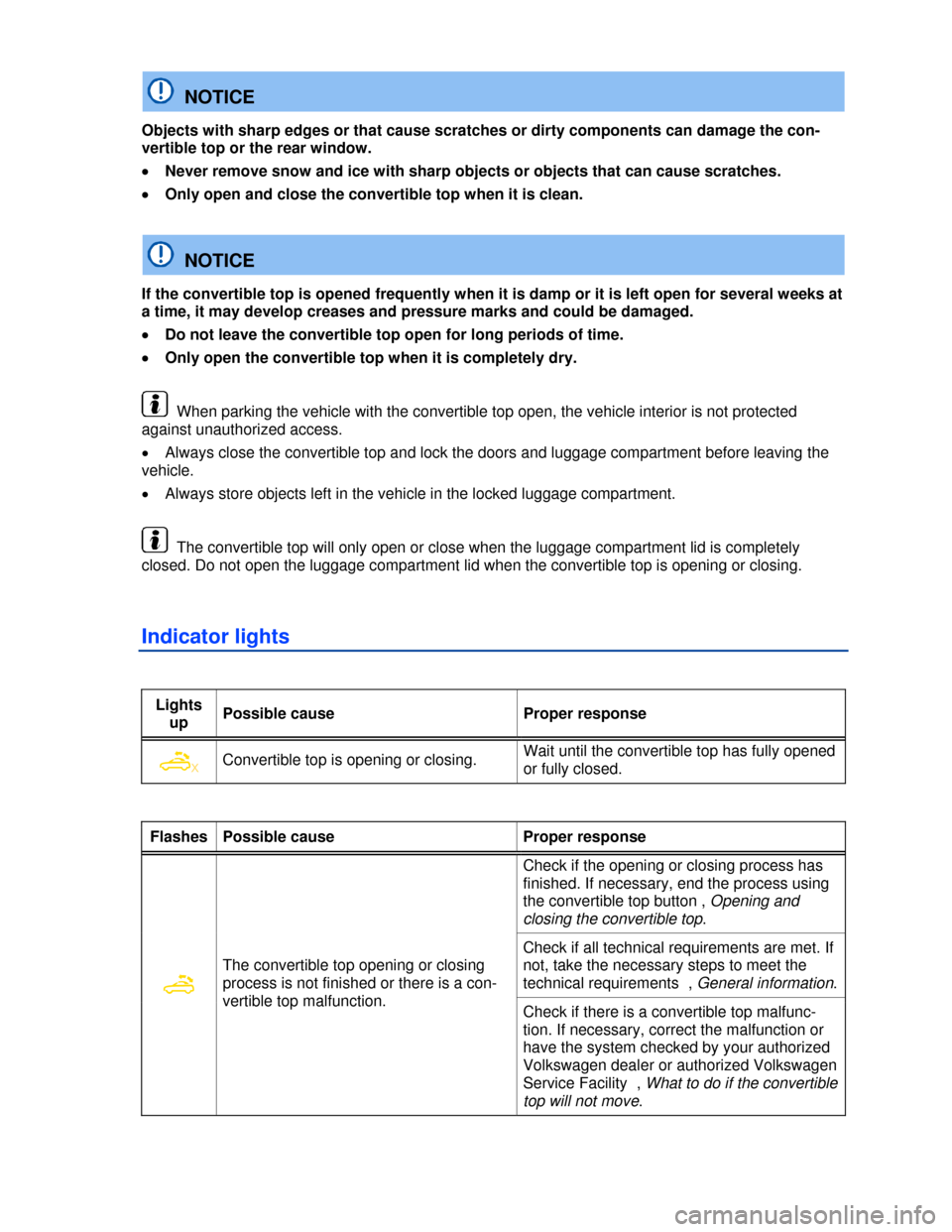
Indicator lights
Lights
up Possible cause Proper response
X Convertible top is opening or closing. Wait until the convertible top has fully opened
or fully closed.
Flashes Possible cause Proper response
The convertible top opening or closing
process is not finished or there is a con-
vertible top malfunction.
Check if the opening or closing process has
finished. If necessary, end the process using
the convertible top button , Opening and
closing the convertible top.
Check if all technical requirements are met. If
not, take the necessary steps to meet the
technical requirements , General information.
Check if there is a convertible top malfunc-
tion. If necessary, correct the malfunction or
have the system checked by your authorized
Volkswagen dealer or authorized Volkswagen
Service Facility , What to do if the convertible
top will not move.
Page 56 of 281

Messages in the instrument cluster display
When the ignition is switched on, the indicator lights come on briefly for a function check. They go out
after a few seconds.
Display text Proper response
Speed too high!
Reduce your speed. You can only operate the convertible top at speeds
up to about 30 mph (50 km/h) . If the convertible top has already begun
opening or closing, it will stop if you drive faster. You can only continue
opening or closing the convertible top once the vehicle speed drops
below about 30 mph (50 km/h).
Decrease speed!
Reduce your speed. At 28 mph (45 km/h), the system warns the driver
not to exceed the maximum speed for opening or closing. If the opening
or closing process has already started, it will not stop.
Convert. top:
Release cover!
Convertible top cover (boot) is still installed. Roof operation is not possi-
ble. Remove the convertible top cover.
Error:
Convertible top
Service!
See an authorized Volkswagen dealer or authorized Volkswagen Service
Facility. You cannot operate the convertible top if a system component
malfunctions. Use the emergency procedure to close the open converti-
ble top if necessary
Error:
Open convertible
top!
Open the convertible top
Error:
Close convertible
top!
Have the system checked by an authorized Volkswagen dealer or an
authorized Volkswagen Service Facility. There is a malfunction in a
control module. It is not possible to open or close the convertible top.
Use the emergency procedure to close the convertible top .
Low voltage:
Please start en-
gine!
The vehicle battery is drained to the point that it cannot provide the
power needed to completely open or close the convertible top. Start the
engine by jump-starting if necessary. Open or close the convertible top
while the engine is running. Volkswagen recommends taking a longer
drive afterward to help recharge the vehicle battery.
Convertible
top open
This message and a chime confirm that the convertible top is completely
open or closed.
Convertible
top closed
Convertible top
not functional.
Owner's manual!
Outside temperature too low. You can still close the convertible top, if
necessary.
Have the system checked by an authorized Volkswagen dealer or an
authorized Volkswagen Service Facility. There is a malfunction in a
control module. It is not possible to open or close the convertible top.
Use the emergency procedure to close an open convertible top if neces-
sary .
Continue
convertible
top operation
The opening or closing process was interrupted. Press the button
⇒ fig. 30 (A) again until the opening or closing process has finished.
Convertible
top operation
This text message indicates the convertible top is currently opening or
closing. Press and hold the button ⇒ fig. 30 (A) again until the opening or
closing process has finished.
Page 57 of 281

The instrument cluster displays and their arrangement may vary depending on the vehicle model
and engine. For displays without warning and information messages, malfunctions are only signaled
with indicator lights.
General information
Checklist
Perform the following preliminary requirements each time before opening or closing the con-
vertible top:
1. Park the vehicle a safe distance from moving traffic.
2. Park the vehicle so that it is as level as possible. The vehicle must not be on a hoist, it must not
have one side parked on a curb, and it must not be raised on a vehicle jack.
3. Remove all objects from the convertible top.
4. Remove all objects from the area of the convertible top compartment.
5. Remove ice and snow from the convertible top before opening.
6. Do not operate the convertible top in temperatures below 15 °F (-10 °C).
7. Allow the convertible top to dry completely before opening.
Checklist
The following technical requirements must be met to open or close the convertible top:
¥ The ignition must be switched on
¥ The vehicle speed must be no more than 30 mph (50 km/h).
¥ The outside temperature must be above 15 °F (-10 °C).
¥ The battery must have enough charge.
If any changes have been made in the operation of the convertible top compared with its original
factory condition, Volkswagen strongly urges you to take the vehicle to an authorized Volkswagen
dealer or other authorized Volkswagen Service Facility to have the top restored to its original condi-
tion. Mechanical changes and changes to the vehicle software must be entered in the
⇒ Booklet Warranty and Maintenance.
WARNING
Disregarding the safety-related checklist may lead to accidents and serious personal injuries.
x Always review and follow the checklist. Follow accepted safety practices and use common
sense.