Load VOLKSWAGEN E-GOLF 2019 Owners Manual
[x] Cancel search | Manufacturer: VOLKSWAGEN, Model Year: 2019, Model line: E-GOLF, Model: VOLKSWAGEN E-GOLF 2019Pages: 394, PDF Size: 3.86 MB
Page 33 of 394

Remote Vehicle Access:
Feature Description
Destinations
Only applica-
ble for vehi-
cles
equipped
with a facto-
ry-installed
navigation
system.
Points of Interest (POIs) or other destinations can be im-
ported remotely into the factory-installed navigation system
(if equipped) from a computer or the Volkswagen Car-Net
iPhone® or Android® app (text and data rates apply). These
destinations can be called up and used by the navigation
system.
Destination
Download
Only applica-
ble for vehi-
cles
equipped
with a facto-
ry-installed
navigation
system.
Press the button in the 3-button module: The vehicle will
connect directly to the Volkswagen Car-Net Response
Center where a Volkswagen Car-Net Customer Specialist
will assist with destinations. The address of a dealer’s loca-
tion can also be sent by the Customer Specialist to your
factory-installed navigation system (if equipped).
Remote Sta-
tus Check
Current information about the vehicle can be viewed
through a computer or your Volkswagen Car-Net iPhone®
or Android® app (text and data rates apply). You can find
out if the doors, luggage compartment and electric motor
hood are open or closed, whether the car lights are on or
off, the high-voltage battery charge level, when the vehicle
needs to be serviced next and more.
Diagnostics & Maintenance:
Feature Description
Page 43 of 394
Canadian customers can contact an authorized Volkswagen dealer or Volkswagen Service Facility or call the Volkswagen Canada Customer CARE Center at 1-800-822-8987.
NOTICE
The remote control vehicle keys contain electrical components. Protect them from damage, moisture and rough handling.
Do not press the buttons on the remote control vehicle key unless you actually want to use the function in question. Since terrain and conditions vary, pressing a button on the remote control vehicle key when it is not necessary may unlock the vehicle or set off the panic alarm, even if you think you are out of range.
Remote control vehicle key functions can be temporarily disrupted by interference from transmit-ters near the vehicle that use the same frequency range (such as radio equipment or mobile phones).
Things between the remote control vehicle key and vehicle, bad weather, as well as a weak battery can reduce the operating range.
If the remote control vehicle key buttons ⇒ Unlocking or locking the vehicle from the outside or
the power locking buttons ⇒ Unlocking or locking the vehicle from the inside are pushed repeatedly in quick succession, the power locking system is switched off for a brief period to help keep it from being overloaded. The vehicle is then unlocked for about 30 seconds. Unless a door or the rear hatch is opened in this span of time, the vehicle is automatically locked afterwards.
Indicator light in the remote control vehicle key
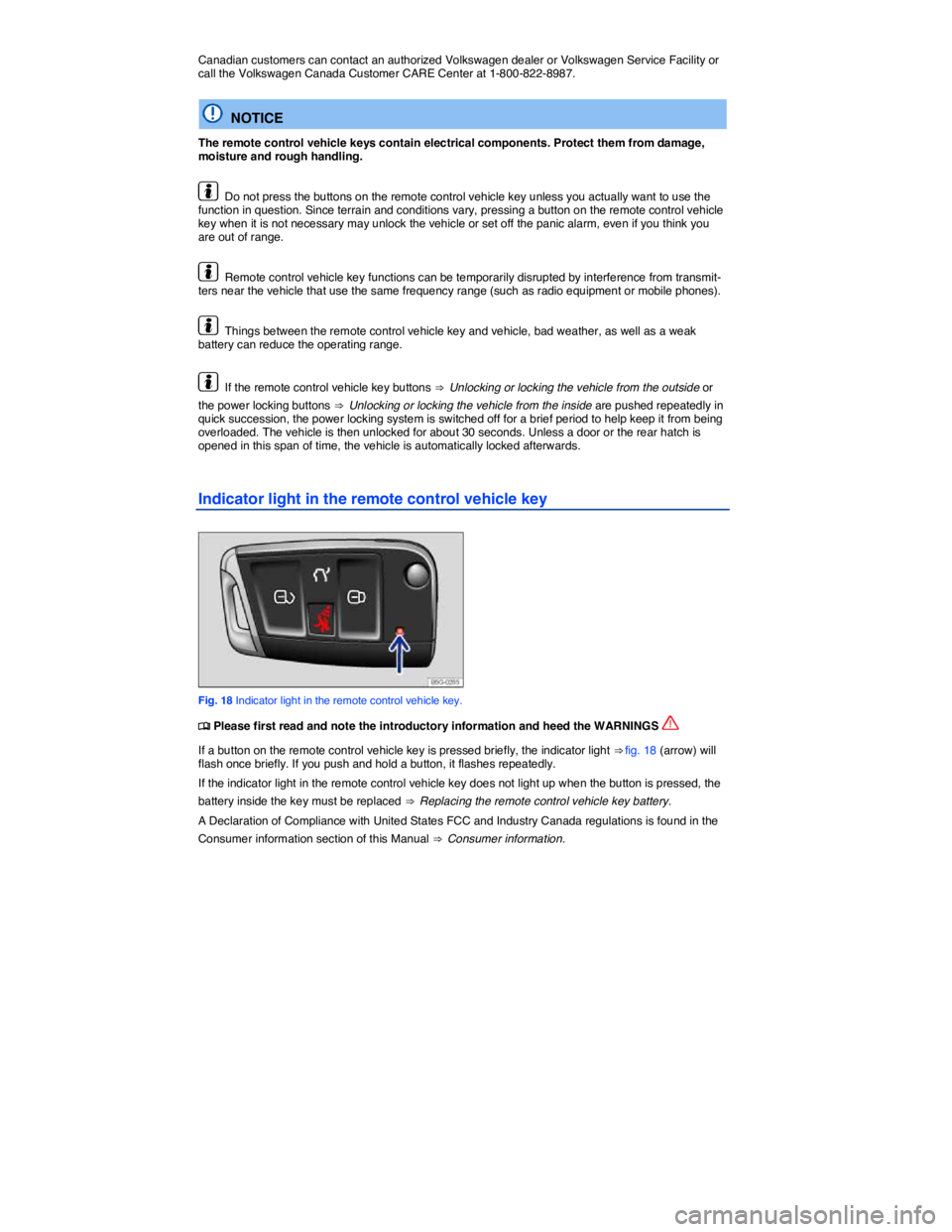
Fig. 18 Indicator light in the remote control vehicle key.
Page 59 of 394
NOTICE
Before opening or closing the rear hatch, make sure there is enough room to do so, for exam-ple, when the vehicle is in a garage.
NOTICE
Never use the gas strut to hold or clamp a load in place. This can damage the rear hatch and make it impossible to close.
Display
Page 90 of 394
WARNING
Damage to safety belts reduces their overall effectiveness and increases the risk of serious personal injury and death whenever the vehicle is being used.
x Never let safety belts become damaged by being caught in the door or seat hardware.
x Torn or frayed safety belts can tear, and damaged safety belt hardware can break in an accident.
x Inspect belts regularly for damage. If webbing, bindings, buckles, or retractors are dam-aged, have the belts replaced immediately with the correct replacement belts approved by Volkswagen for your vehicle, model, and model year.
x Safety belts that were subject to stress in an accident and stretched must be replaced with a correct, new safety belt, preferably by an authorized Volkswagen dealer or authorized Volkswagen Service Facility.
x Replacement after a crash may be necessary even if a safety belt shows no visible dam-age. Anchorages that have been loaded must also be inspected.
x Damaged safety belts must be replaced; they cannot be repaired.
x Never try to repair a damaged safety belt yourself. Never remove or modify the safety belts in any way.
x Have safety belts, bindings, retractors and buckles replaced by an authorized Volkswagen dealer or authorized Volkswagen Service Facility.
x Always keep the belts clean. Dirty belts may not work correctly and can impair the func-tion of the inertia reel.
Warning light
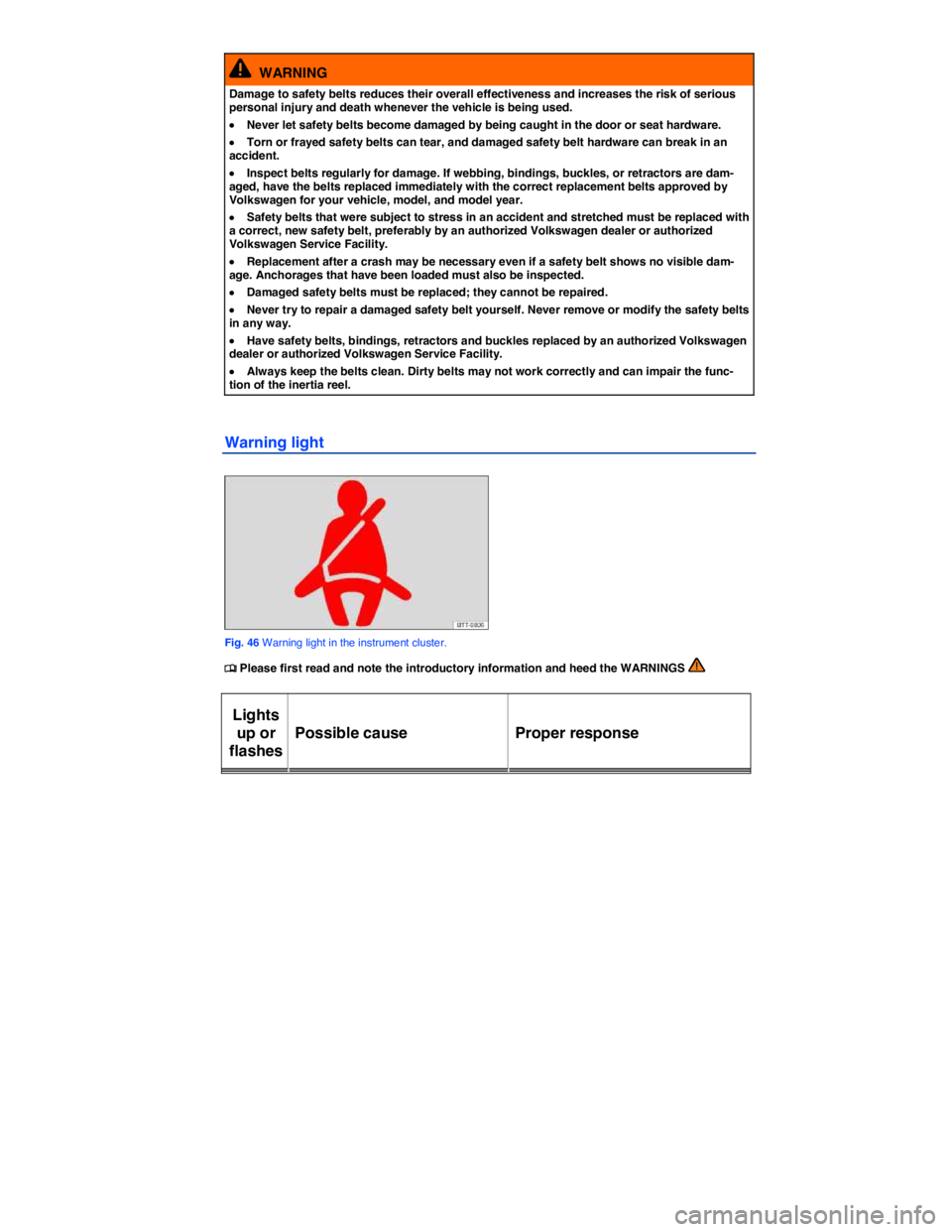
Fig. 46 Warning light in the instrument cluster.
Page 103 of 394

Safety belt retractor, pretensioner, load limiter
Page 132 of 394
WARNING
Heavy loads will influence the way your vehicle handles and increase stopping distances. Heavy loads that are not properly stowed or secured can cause loss of control and serious injury.
x Secure the load properly to keep it from shifting.
x Always remember when transporting heavy objects that a change in the center of gravity also changes the way your vehicle handles:
– Always distribute the load as evenly as possible.
– Secure heavy objects properly as far forward in the luggage compartment as possible.
– Always tie down heavy items securely with suitable straps using the tie-downs in the luggage compartment.
x Securely latch the rear seat backrest in the upright position.
x Never exceed the Gross Axle Weight Rating or the Gross Vehicle Weight Rating on the safety compliance sticker on the left door jamb. Exceeding permissible weight can cause the vehicle to skid and handle differently.
x Always adapt your speed and driving to the heavier load and the weight distribution in the vehicle. Take road, weather, traffic, and visibility conditions into account as well.
x Always accelerate gently and avoid sudden braking and driving maneuvers.
x Always brake earlier than you would if you were not driving a loaded vehicle.
Stowing luggage
Page 133 of 394

Driving with an open rear hatch can lead to serious personal injury. If you have to drive with an open rear hatch, make sure that all objects and the hatch itself are properly secured and take appropriate measures to keep toxic exhaust fumes from entering the vehicle.
WARNING
Driving with an unlatched or open rear hatch can lead to serious personal injury.
x Never transport objects larger than those that fit completely in the luggage compartment, because the rear hatch cannot be fully closed properly.
x After closing the rear hatch, always pull up on it to make sure that it is properly closed and cannot open suddenly when the vehicle is moving.
x Always stow all objects securely in the luggage compartment. Loose objects can fall out of the luggage compartment and injure others on the road behind you.
x Drive carefully; anticipate what other drivers will do.
x Avoid abrupt or sudden acceleration, steering, or braking, because the unlatched rear hatch can move suddenly.
x Always mark objects sticking out from the luggage compartment clearly for others to see. Obey all applicable legal requirements.
x Never use the rear hatch to “clamp” or “hold” objects that stick out of the luggage com-partment.
x Always remove any luggage rack or other rack mounted on the rear hatch (along with any luggage on the rack) before driving with an open rear hatch.
NOTICE
The open rear hatch changes the vehicle length and height.
Driving a loaded vehicle
Page 134 of 394

WARNING
Heavy loads can change the way your vehicle handles and increase stopping distances. Heavy loads that are not properly stowed or secured can shift suddenly, causing loss of con-trol and serious injury.
x Secure the load properly to keep it from shifting.
x Always remember when transporting heavy objects that they change the vehicle's center of gravity and also the way it handles.
– Always distribute the load as evenly as possible.
– Secure heavy objects as far forward in the luggage compartment as possible.
– Secure luggage in the luggage compartment using suitable straps and the tie downs ⇒
Tie-downs. Also see ⇒ Luggage compartment.
x Always tie down heavy items securely with suitable straps.
x Securely latch the rear seat backrest in the upright position.
x Never exceed the Gross Axle Weight Rating or the Gross Vehicle Weight Rating on the safety compliance sticker on the left door jamb. Exceeding permissible weight can cause the vehicle to skid and handle differently.
x Always adapt speed and driving to the heavier load and the weight distribution in the ve-hicle. Take road, weather, traffic, and visibility conditions into account as well.
x Always accelerate gently and avoid sudden braking and driving maneuvers.
x Always brake earlier than you would if you were not driving a loaded vehicle.
Weights and axle weights
Page 135 of 394

WARNING
Exceeding maximum permissible weight ratings can result in vehicle damage, accidents, and serious personal injury.
x Never let the actual weights at the front and rear axles exceed the permissible Gross Axle Weight Rating. Also, never let the total of these actual weights exceed the Gross Vehicle Weight Rating.
x Always remember that the vehicle's handling and braking will be affected by extra load and the distribution of this load. Adjust your speed accordingly.
NOTICE
x Always distribute the load evenly and as low as possible in the vehicle. The vehicle capacity weight figures apply when the load is distributed evenly in the vehicle (passengers and lug-gage).
x When transporting a heavy load in the luggage compartment, carry the load as close to the rear axle (as far forward) as possible so that the vehicle's handling and braking are affected as little as possible.
Page 137 of 394

WARNING
Unsecured or incorrectly stowed items can fly through the vehicle, causing serious personal injury during hard braking or sharp steering or in an accident. Loose items can also be struck and thrown through the passenger compartment by the front airbags if they inflate. To help reduce the risk of serious personal injury:
x Always stow all objects securely in the vehicle. Always put luggage and heavy items in the luggage compartment.
x Always secure objects in the passenger compartment properly with suitable straps so that they cannot move into the deployment zone of a side or front airbag during sudden braking, in a sudden maneuver, or in a collision.
x Always keep storage compartments closed while driving.
x Never stow hard, heavy, or sharp objects in the vehicle's open storage compartments, on the luggage compartment cover, or on the top of the instrument panel.
x Always remove hard, heavy, or sharp objects from clothing and bags in the vehicle interi-or and stow them securely in the luggage compartment.
WARNING
Transporting heavy objects causes the handling characteristics of the vehicle to change and increases braking distances. Heavy loads which are not properly stowed or secured in the vehicle can lead to a loss of vehicle control and cause serious personal injury.
x Transporting heavy items causes the handling characteristics of the vehicle to change by shifting the vehicle's center of gravity.
x Always distribute luggage evenly and as low as possible within the vehicle. The vehicle capacity weight figures apply when the load is distributed evenly in the vehicle (passengers and luggage).
x Always stow luggage and heavy items in the luggage compartment as far forward of the rear axle as possible and secure them with appropriate straps to the tie-downs provided.
x Never exceed the vehicle's Gross Vehicle Weight Rating or Gross Axle Weight Ratings, which are printed on the Safety Compliance Certification Label located on the door jamb of the driver door. Exceeding the permissible weight can cause the vehicle to skid and behave differently.
x Always adapt your speed and driving style to accommodate your payload and its weight distribution within your vehicle.
x Be especially cautious and gentle when stepping on the accelerator pedal and avoid sud-den braking and other maneuvers.
x Brake earlier than you would if you were not driving a loaded vehicle.
NOTICE
The defroster heating wires or antenna in the rear window can be damaged by objects that rub against them.