Fig. 12 VOLKSWAGEN GOLF 2011 Owner´s Manual
[x] Cancel search | Manufacturer: VOLKSWAGEN, Model Year: 2011, Model line: GOLF, Model: VOLKSWAGEN GOLF 2011Pages: 138, PDF Size: 49.24 MB
Page 105 of 138
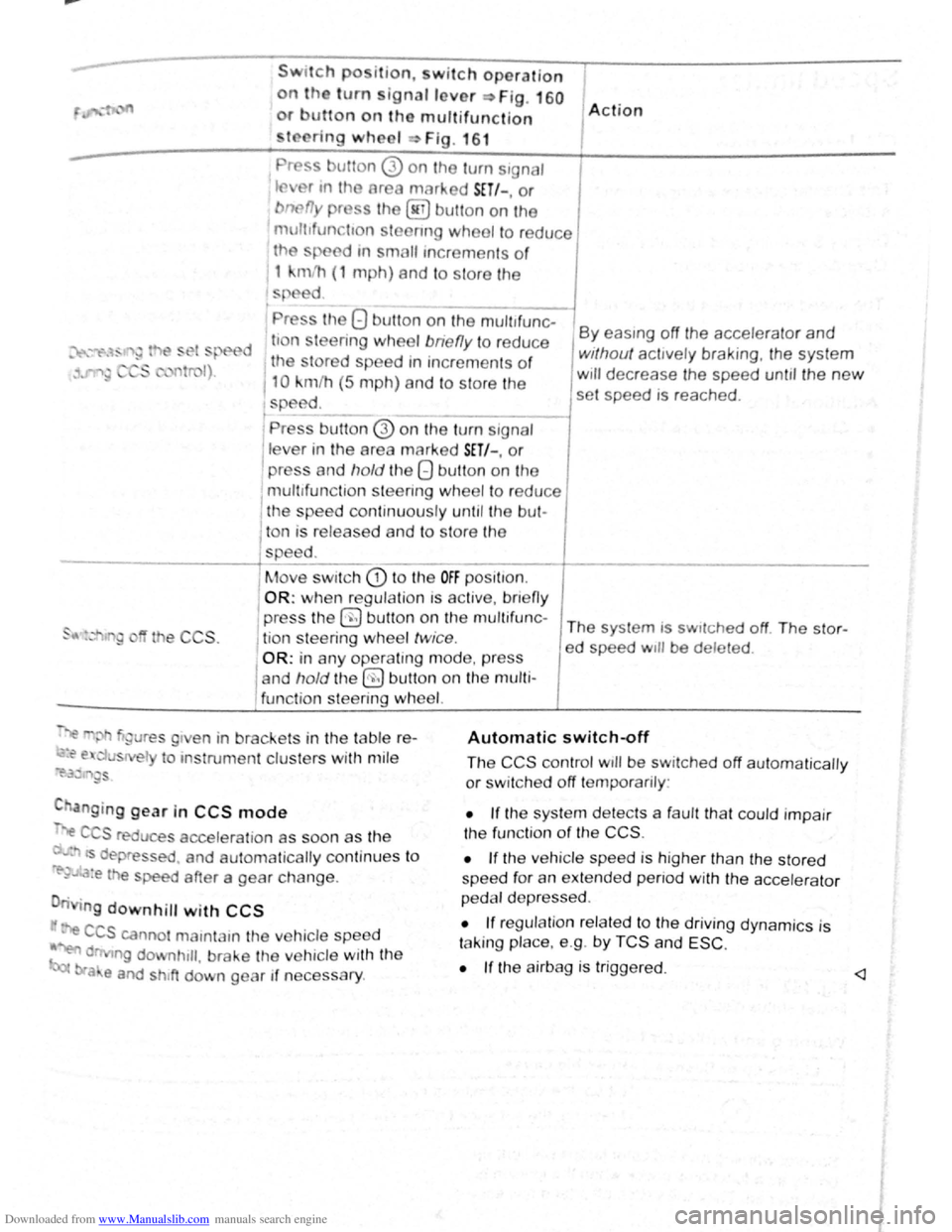
Downloaded from www.Manualslib.com manuals search engine Swttch po ition, w itch operation
on the turn ignallover ~Fig. 160
or utton on tho multifunction
to ring wheel Fig . 16 1
Pr ss utton 0 on the turn s1gnaJ
tflv r tn tho area marked SET/-, or
bnefly pr ss the @ button on the
mult1fun tton stoenng wheel to reduce
th
sp ed tn small tncrements o f
1 kmlh (1 mph) and to s tore the
s ed
' Pr ss the 8 button on the mult~~
d ti n leering wheel bne fly to redu ce
1 the tored speed tn increments of
110 km/h (5 m ph) and to store the
speed. t -------l Pre s button @ on the tu m signal
lev r in the area marked SET/-. or
I press and hold the 8 button on the
mult tfunc tion st
eering wheel to re du ce 1 the spee d con tin uously un til the bul-
1 A ction
By eas1ng off the accelerator and
without acttvely braking, the system
w111 decrease the speed unt1l the new
set speed is reached .
l ton is released and to s tore the
-----------+spee d. ____ _
I
Move swi tch CD t o the OFF posi t1on.
OR: when regula tio n IS ac tiv e, bnefl y
the CCS .
press the 0 b utt on on t he mu ltif u n c-The system is sw1tched off The stor-
j tio n s teering wheel twice . ed speed w1ll be deleted .
OR: in any operating mode , p res s
and
hold t he §) butt on on the multi
func tion steering
wh eel.
~"' gure s g1 en in brackets in th e table r e-
~~ e. u s el to ms trume nt clus ters with mil e
~i'.3~ '"~gs
C anging gear in CCS mode
".e C S reduce s accelera tio n as soon as th e
· ts dep ressed . and automa tically continu es t o
re-~..~:a:e the speed after a gear change .
n g
downhill with CCS
· e CCS canno t mamtam the ve hicle speed
~ d ng downhtll , brake the ve hicle with the
bra e and shtft down gear if neces sary .
Automatic switch~ff
The CCS control wtll be switched off automaticall y
or sw it c h e d off temporarily :
• If the sys te m d etects a fau lt th at co uld impair
th e fun ctio n
of th e CCS .
•
If th e ve hicle spee d is h igher than the stor ed
spee d for an exte nd ed p enod with the acc ele ra to r
p e dal d ep re ss ed .
• If reg ulation re la te d to the driv ing dyn ami cs is
t a kin g place. e.g . by
TCS and ESC .
•
If the a irbag is trigge red. <1
Page 106 of 138
Downloaded from www.Manualslib.com manuals search engine Speed lirniter
~~~~n~t~ro~d~t~tc~t~io~r~,-----------------------------------------------
hi , h:.1~t r ntains inf nn3tion on th e fo llo wing
subjt 't ~:
lmd indi 1t r I mp . . . . . . . 222
d
limit er . . . . . . . . . . . . . . . 223
h s~ d limit r hel~ t11e driv er n ot to excee d an
individua l ~t r d ~ d wh en driving forwards at
~ t ds f 3~pr im ate ly 30 km /h (20 m ph) and
~1b -
Addition3l Information and w arnings:
• IKm in g g r page 169
• ruls Co ntro l Syst em (CCS) ==-page 218
• dnptive Cruise Con trol (ACC ) ~page 226
• Ac -s ri s, m odifications , re pairs and re newa l
f parts ~ pRge 320
Display & warning and indicator lamp
®
©
' B~K Oot06
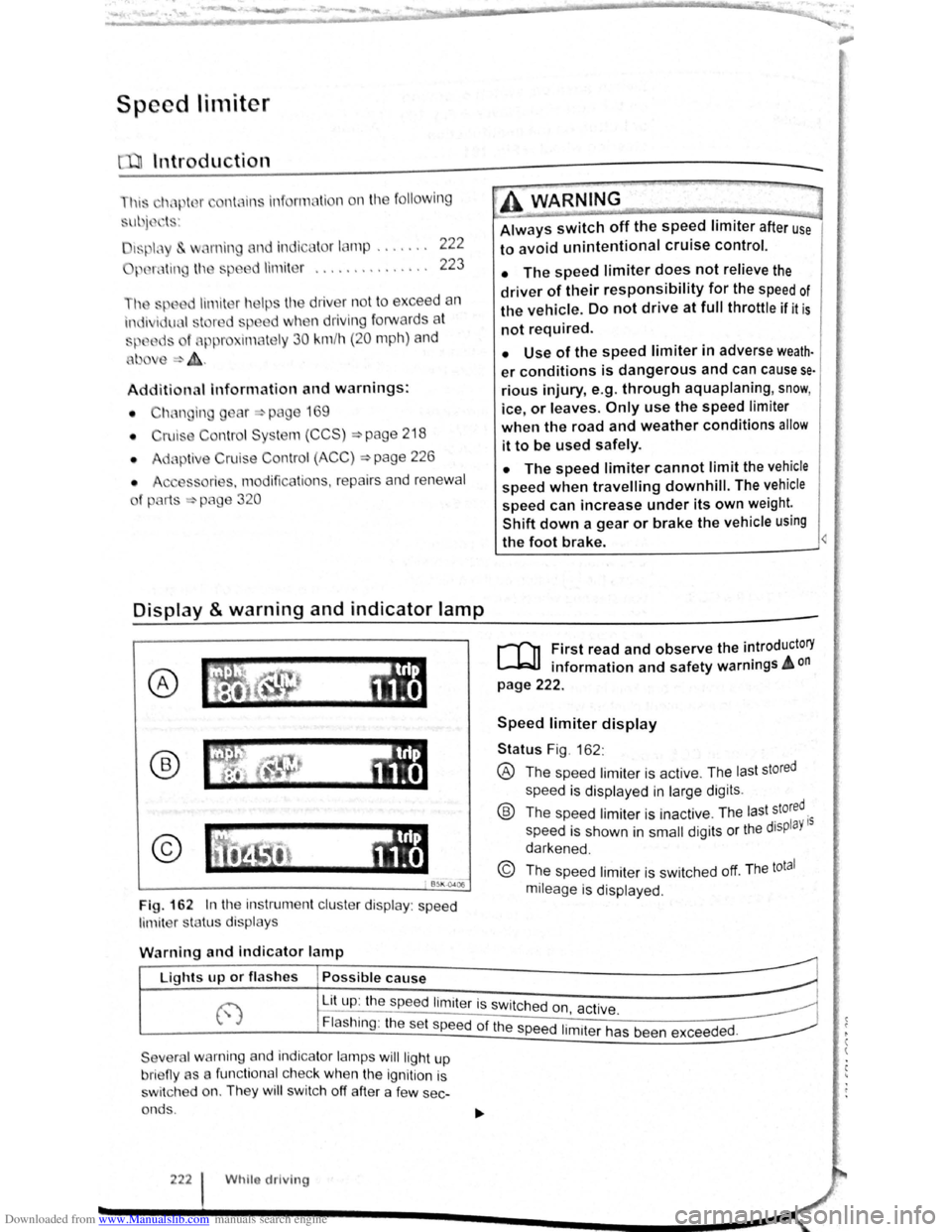
Fig. 162 In th e instrument clu ste r display : speed
limit er sta tus disp lays
·~ ~ ' -
~~~_W_A_R_N_IN_G ________ ~~----~
Always switch off the speed limiter after use
to avoid unintentional cruise control.
• The speed limiter does not relieve the
driver of their responsibility for the speed of
the vehicle. Do not drive at full throttle if it is
not required.
• Use of the speed limiter in adverse weath·
er conditions is dangerous and can cause se
rious injury, e.g. through aquaplaning, snow,
ice, or leaves. Only use the speed limiter
when the road and weather conditions allow
it to be used safely.
• The speed limiter cannot limit the vehicle
speed when travelling downhill. The vehicle
speed can increase under its own weight.
Shift down a gear or brake the vehicle using
the foot brake.
r-f'n First read and observe the introductory
L-JcJ.I information and safety warnings A on
page 222.
Speed limiter display
Status Fig . 162 :
® The spee d limiter is active . The las t stored
speed is displayed in large dig its .
® Th e speed limiter is ina ctive . Th e last stored.
speed is shown in
small digits or the displaY 15
darkened .
© The speed limiter is sw itched off. The total
mileage is displayed .
W
arning and indicator lamp
r~~~fucl,~~~~~---------------------~ Lights up or fl as hes Possible cause
j-~~----~~==~==~~---------------~ ~ L_it;u~p~:~th~e~sp~e:e:d~l:im:i:te:r~is~sw~itc~h~e~d~o~n~~~·~~---------------~ t.,.; :1 , ac 1ve. ~
Flashing : the set speed of the speed 1. .
t h d d
Severa l warning and indicator lamps will ligh t up
bri eny as a func tiona l c h ec k
when the ignition is
s wi tc h ed on. They
wi ll swi tc h off after a few sec
onds .
222 Whilo driving
1m1 er as been excee e .
Page 107 of 138
Downloaded from www.Manualslib.com manuals search engine ~
A WARNING ...
~re to observe illuminated w~rning lan1ps
d text messages can lead to your vehicle
an tt· d breaking down in tra 1C, a n can cause acci-
dent and serious injury.
• Never ignore any Illuminated w arning
lamps or text messages,
CD I'. [
Failure to observe illuminated indicator lamps
and text messages can lead to your vehicle be-
ing damaged.
Operating the speed limiter
B~l\·04 16
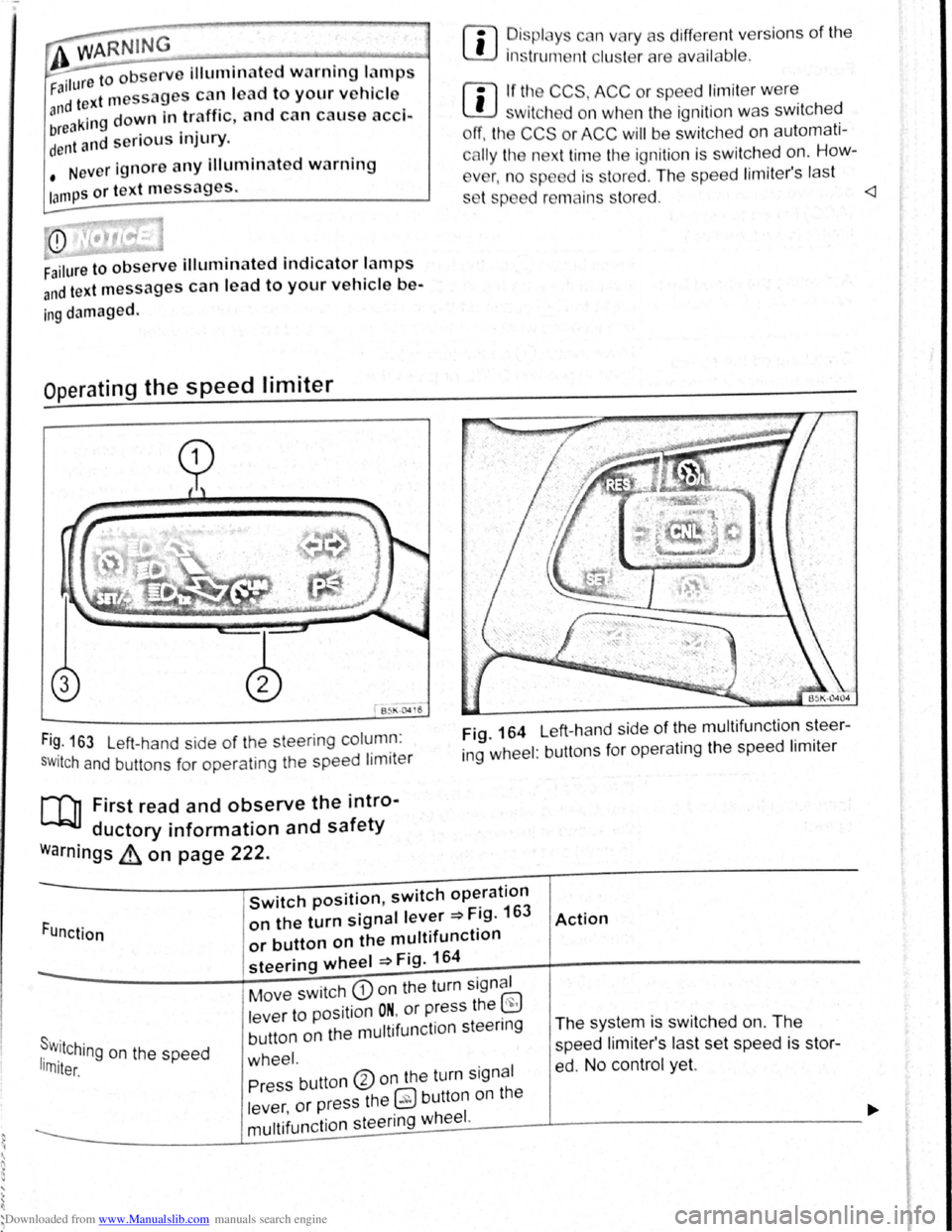
Fi~. 163 Left-hand side of the steering column :
SWitch and buttons for operating the speed limiter
[Q] First read and observe the intro-
ductory information and safety
warnings ~ on page 222.
rn
• ~is plc y c n vary as different vers ions of the
1ns trum nt clu t rare availab le .
rn
• If tl~ CCS, ACC or spe ed limit er w ere
w1tch d on wh n the ignition was switched
ff, the CCS or ACC will be switched on automati
c
lly the n xt time the ignition is switched on. How-
v
r, n o sp d is stored . The speed lim iter's last
s t p d r mains s tored.
ing wheel : buttons for operating the speed limiter
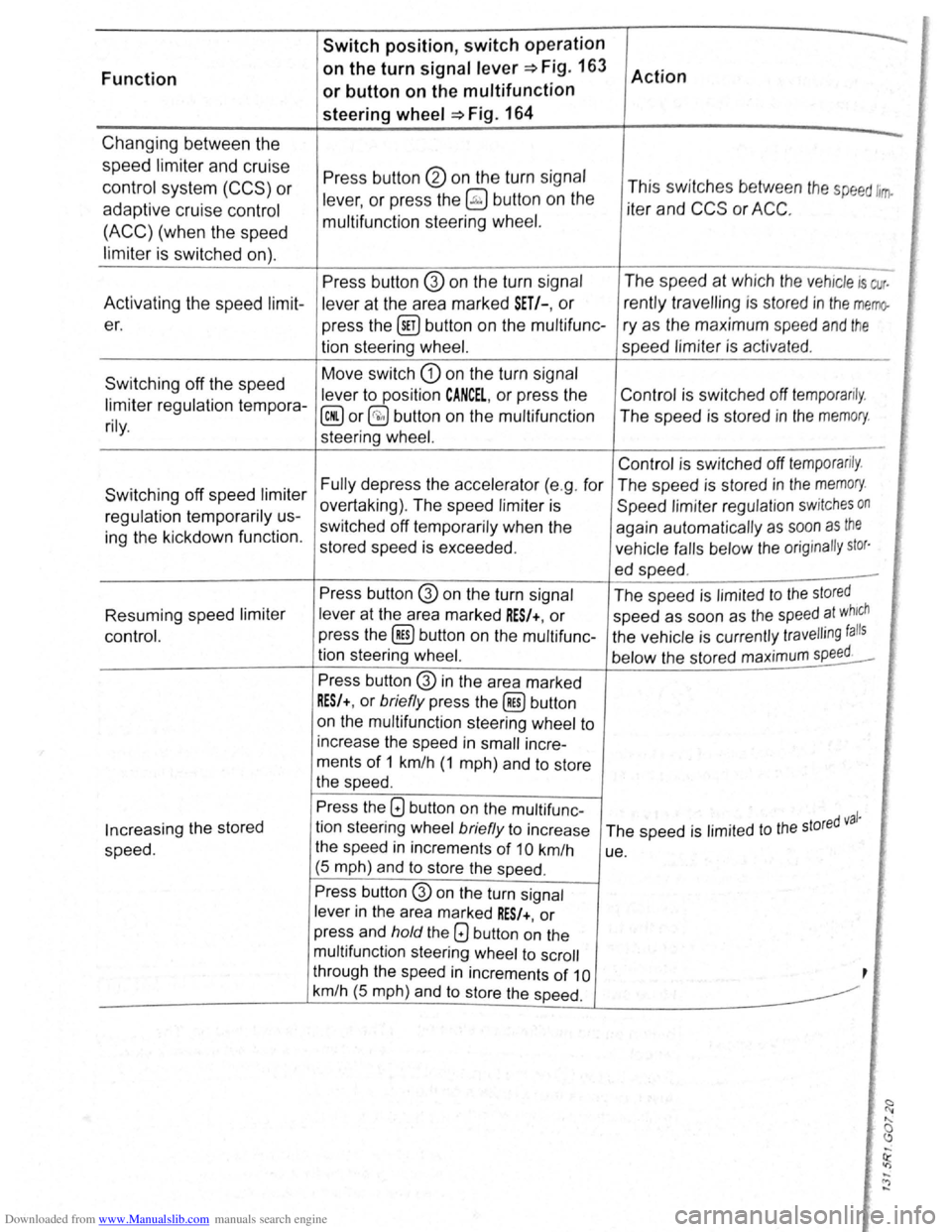
Function
Switch position, switch operation
on the turn signal lever ~Fig. 163
or button on the multifunction
steering wheel ~Fig. 164
Action
s . r w.11Ching on the speed 1rn1ter.
Move switch CD on the turn signal
lever to position
ON. or press the ~
button on the multifunction steenng
wheel.
The system is switched on. The
speed li miter's las t set speed is st or
ed. No control yet. Press button ®on the turn signal
lever ,
or press the 0 button on the
----------------~m~u~lti~fu~n~c~ti~o~n~s~te~e~r~in~g~w~he~e~I~·------J----------------------------~
Page 108 of 138
Downloaded from www.Manualslib.com manuals search engine Switch position, switch operation
Function on
the turn
signal lever~ Fig. 163
Action
or button on the multifunction
steering
wheel ~Fig. 164
Changing between the -
speed limiter and cruise Press button @ on the turn signal control system (CCS) or lever, or press the ~ button on the This
switches between the speed ltrrfo
adaptive cruise control iter and CCS or ACC.
(ACC) (when the speed multifunction
steering wheel.
limiter
is switched on).
Press button @ on the turn signal The
speed at which the vehicle is cur.
Activating the speed
limit-
lever at the area marked SET/-, or rently travelling is stored in the memo-
er.
press the @!) button on the multifunc- ry as the maximum speed and the
tion steering wheel. speed limiter is activat ed.
Switching off the speed Move
switch
G) on the turn signal
lever to position
CANCEL, or press the Control
is switched off temporarily. limiter regulation tempora-@ or§;) button on the multifunction The speed is stored in the memory. rily. steering wheel. ,' [ '
Control is switched off temporarily .
Switching off speed limiter Fully depress the accelerator (e.g . for The speed is stored in the memory.
overtaking) . The speed limiter is
Speed limiter regulation switches on regulation temporarily us-
switched off temporarily when the
again automatically as soon as the ing the kickdown function.
stored speed is exceeded . vehicle falls below the orig inally stor·
ed speed . -
Press button @ on the turn signal
The speed is limited to the stored
[i' Resuming speed limiter lever at the area marked RES/+, or speed as soon as the speed at which
control. press
the (ill) button on the multifunc- the vehicle is currently travelling falls
tion steering wheel.
below the stored maximum speed. I'
Press button @ in the area marked
RES/+, or briefly press the (ill) button
on the multifunction steering wheel to
increase the speed in
small incre-
ments
of 1 km/h (1 mph) and to store
the speed .
Press the G) button on the multifunc -d val· Increasing the stored tion
steering wheel briefly to increase
The speed is limited to the store
speed. the
speed in increments of 10 km/h
ue.
(5 mph) and
to store the speed .
Press button G) on the turn signal
lever
in the area marked RES/+, or
press and
hold the Q button on the
multifunction steering wheel to scroll
through the speed
in increments of 10 ,
km/h (5 mph) and to store the speed.
-<")
-
Page 111 of 138
Downloaded from www.Manualslib.com manuals search engine .... ... ' 1)
' ) ....
m The ACC restricts the speed to 160 km/h
W (100 mph). 0
Repair wor k on the radar sensor will require
• ecial knowled ge and tools. Volkswagen rec
~~mends using a Volkswagen dealership for
m If the ACC is active, unfamiliar noises may be
W heard during the automatic braking proce-
this purpose.
dure. Th ese are caused by the braking system.
W this chapte r, do not use the ACC and have
the system checkd by a qualified workshop . V olks
wagen recommends using a Vol kswagen dealer
ship for this purpose .
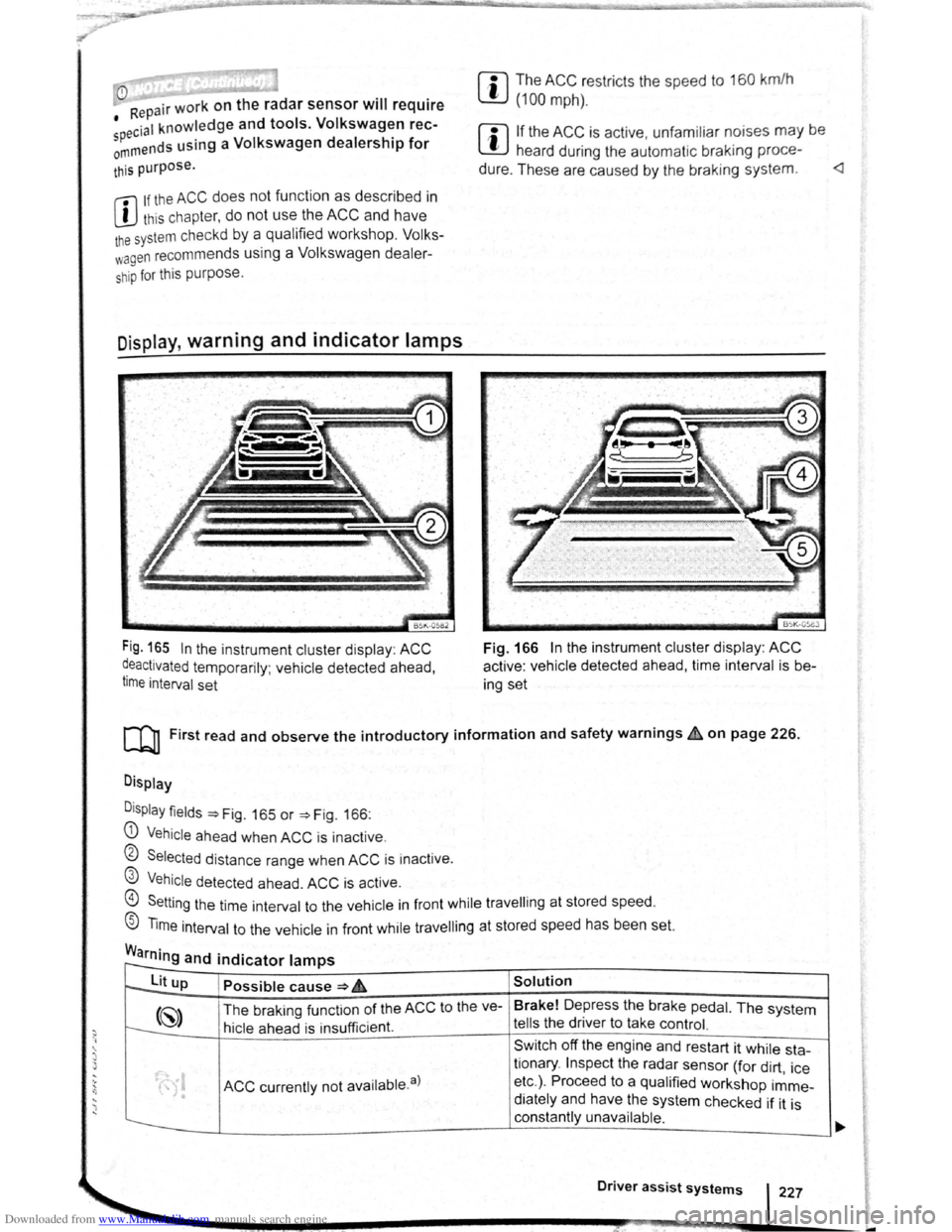
Display, warning and indicator lamps
Fig. 165 In the instrument cluster disp lay : ACC
~eactivated temporarily ; vehicle detected ahead,
t1me interval set
BSK-05eJ
Fig. 166 In the instrument cluster display : ACC
active : vehicle detected ahead, time interval is b e
ing set
[Q] First read and observe the introductory information and safety warnings~ on page 226.
Display
D
isplay fields ~Fig. 165 or ~Fig. 166:
G) Vehicle ahea d when ACC is inact ive .
0 Selected distance range when ACC is inactive .
@ Vehicle detected ahead. ACC is active.
@) Setting the time int erval to the vehicle in front while travell ing at stored speed.
® Time interval to the vehicle in front while travell ing at stored speed has been set.
Warning and indicator lamps r--
to--lit up Possible cause ~ 6 Solution
(~) The braking funct ion of the ACC to the ve- Brake!
Depress the brake pedal. The system
t---:. hicle ahead is insu fficient. tells the driver to take control.
Sw itch off the engine and restart it while sta-
ACC currently not availab le. a)
tionary . Inspect the radar sensor (for dirt , ice
• etc.) . Proceed to a qualified workshop imme-
• diately and have the system checked if it is
constantly unavailable .
Driver assist systems 227
-
Page 112 of 138
Downloaded from www.Manualslib.com manuals search engine Lit up Possible cause => & Solution
ACC is active . No vehicle has been detec----..
~8 ted ahead . The set speed is kept con-
stant.
When displayed in white: ACC active. Ve---
hicle detected ahead. ACC regulates the
~
speed and the distance from the vehicle
ahead .
-When displayed in grey: ACC not active .
System switched on, does not regulate :
-
(") ACC is active .
a) D isplayed in col our on an ins trum ent clust er w ith colo ur display .
Several warning and indicator lamps will light up
bri efly as a functional check when the ignition is
switched on. They will switch oft after a few sec
onds.
~..,.-"~
A WAR_NING
Failure to observe illuminated warning lamps
and text messages can lead to your vehicle
breaking down in traffic, and can cause acci
dent and serious injury.
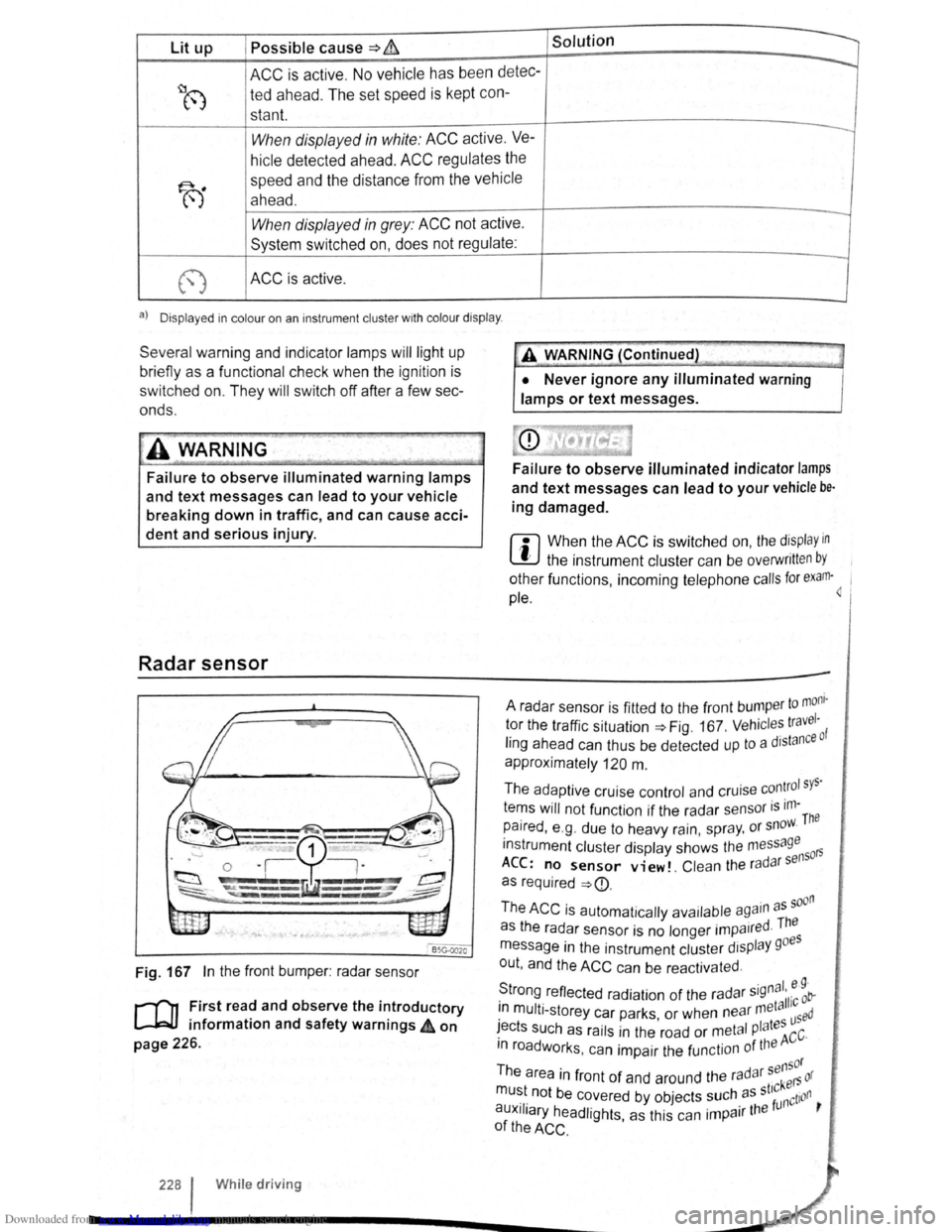
Radar sensor
Fig. 167 In the front bumper : radar sensor
r-('n First read and observe the introductory
L-J=JJ information and safety warnings 4 on
page 226.
228 I Whi le driving
•• --;;>
A V'{ARNING (Continued) ~J
• Never ignore any illuminated warning
lamps or text messages.
Failure to observe illuminated indicator lamps
and text messages can lead to your vehicle be·
ing damaged.
r::l When the ACC is switched on, the display in
~ the instrument cluster can be overwritt en by
other functions , incoming telephone calls for exam·~ 1
pie.
to mom · A radar sensor is fitted to the front bump er 1 tor the traffic situation=> Fig. 167 . Vehicl es travc: ·o f
ling ahead can thus be detected up to a dJstan
approximately
120 m .
The adaptive cruise control and cruise
con~rol sys·
tems will not function if the radar sensor is ,m-The
paired , e .g . due to heavy rain, spr ay, or snow.
instrument cluster display shows the me
ssage 50rs
ACC: no sensor view!. Clean the ra d ar s en
as required
=>
· d The as the radar sensor is no longer impa1re ·
message in the instrument cluster display goes
out , and the
ACC can be reactivated .
S ·gnal. e 9 · trong reflected radiation of the radar 5
' 11·c ob-. meta 1 1n mult i-storey car parks or when near used · ' I tes ~ects such as rails in the road or metal P a ACC·
m roadworks . can impair the function of the
sensor
The area in front of and around the radar kers or
mu~t. not be c~vered by objects ~uch. as st'~nction ,
auxJIJary headlights, as this can 1mpa1r the
of the ACC .
Page 113 of 138
Downloaded from www.Manualslib.com manuals search engine . ,~~t ral dification s to the vehicle , e .g .
~ :·.
9 t o e i le or making alteration s to the
~.': d tri , can impair the function of the ACC.
~ ·· ra~ od ifict ton s s hould therefore only be
t y a qualified workshop . Vo lkswage n
e s using a Vo lkswagen dealership for
, ec y erformed repair s to the front end of the
·~"· •e can a lter t h e posit ion of the radar sensor ~I
. e re r e im pair the funct ion of the ACC . R e-
.. ~i , should there fore only be carried out by a
,__a11 ed wo shop . Volk swagen recommends us-
1 sv agen dealersh ip for this purpose .
Switch off the ACC if you suspect that the radar
sensor has been damaged or its position has
been altered. This can help to prevent further
damage. Have the radar sensor realigned.
• The radar sensor could be moved if it is hit,
for example in parking manoeuvres. Readjust
ing the sensor could impair the performance of
the system or cause it to be switched off .
• Repair work on the radar sensor will require
special knowledge and tools. Volkswagen rec
ommends using a Volkswagen dealership for
this purpose.
• Remove snow with a brush, and remove ice
preferably with a solvent-free de-icer spray. <1
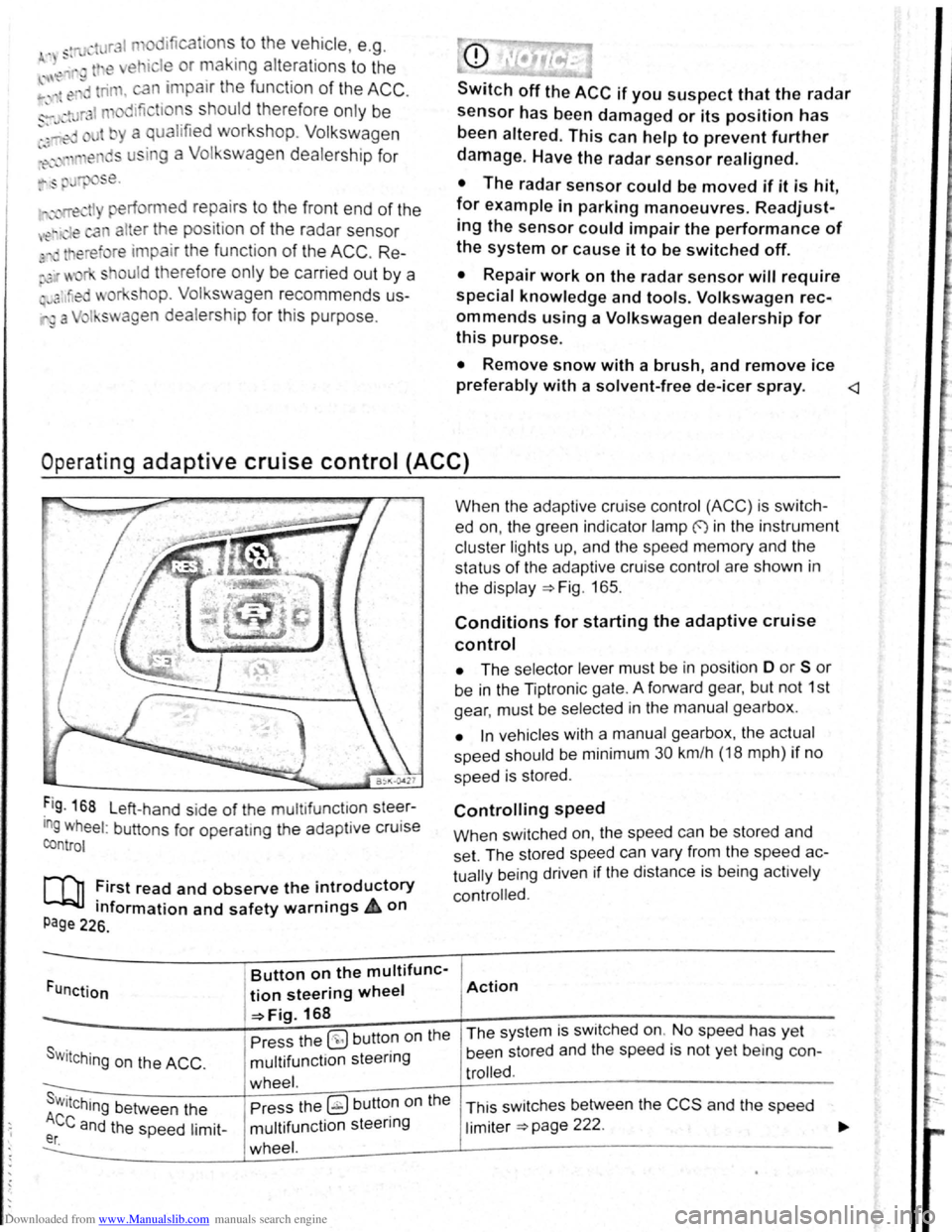
Operat ing adaptive cruise control (ACC)
Fig . 168 L eft-hand side of the mu ltifunctlon steer
ing wheel: buttons for operatmg the adaptive cruise
control
[Q] :irst read and observe the i~troductory
tnformation and safety warnrngs 4 on
Page 226.
Funct ion
Button on the multifunc-
tion steering wheel
-=>Fig. 168
Pre ss the
(9 but ton on the
S w i
tching on the ACC . multifunction steering
wheel. s . Press the ~ button on the Wttching between the
Ace and the speed limit-multifunction steering er. wheel.
When the adapt ive cruise control (ACC) is switch
ed on, the green indicator lamp f) in the instrument
c
luste r lights up, and the speed memory and the
status
of the adaptive cruise contro l are shown in
the disp la y ~Fig. 165.
Conditions for starting the adaptive cruise
control
• The selector lever must be in position D or S or
be in the Tiptron ic gate. A forward gear, but not 1st
gear , must be selected
in the manu al gearbox .
• In vehicles with a manual gearbox , the actual
speed should be minimum 30 km /h (18 mph) if no
speed is stored .
Controlling speed
When switched on, the speed can be stored and
set. The stored speed can vary from the speed
ac
tually
being driven if the distance is b ein g act ively
controlled.
Action
The system is switched on. No speed has yet
been stored and the speed is not yet being con-
trolled.
This sw itches between the CCS and the speed
limiter ~page 222 .
Page 114 of 138
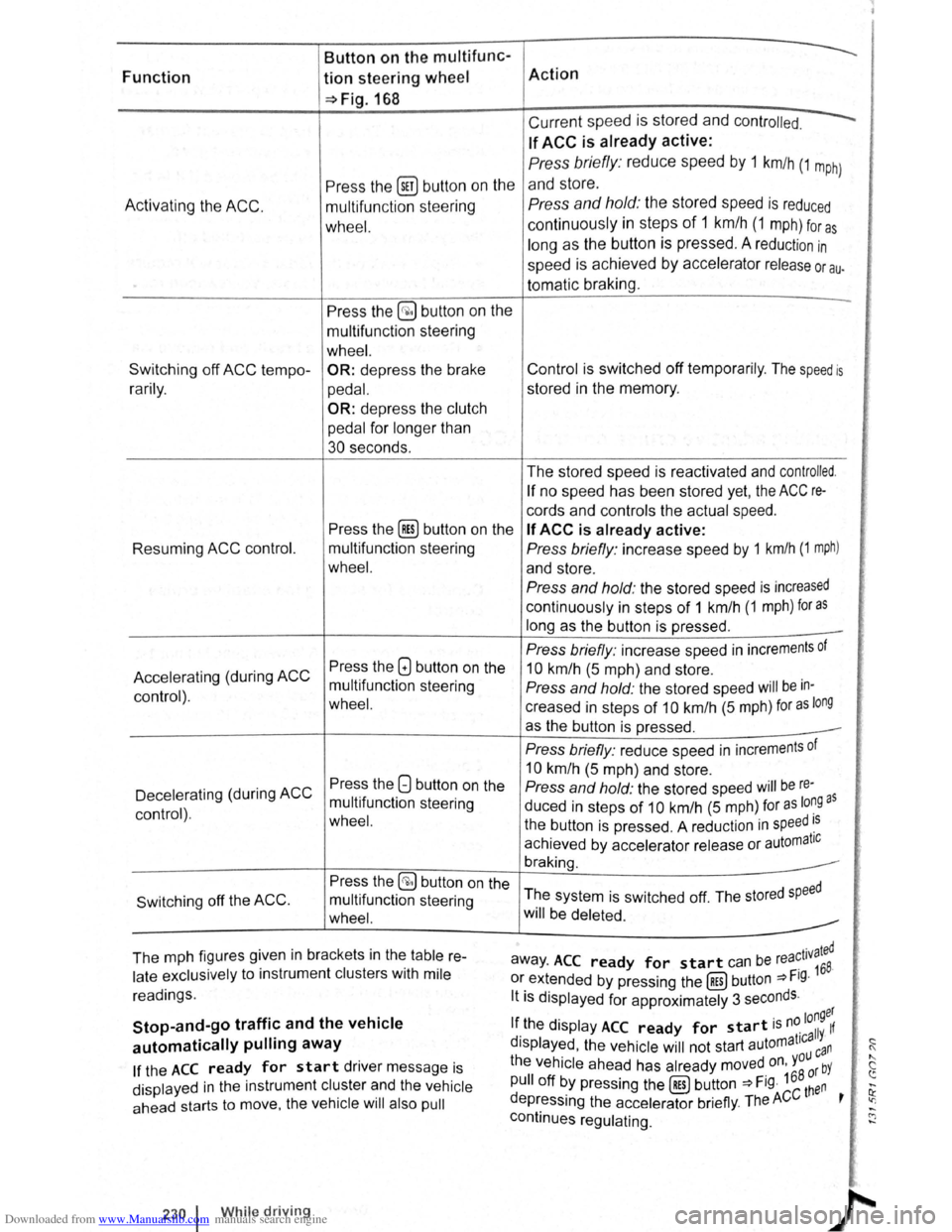
Downloaded from www.Manualslib.com manuals search engine Button on the multifunc-
Function tion steering wheel Action
~Fig.168
Current speed is stored and contr olled.
If ACC is already active:
Press the (ill) butt on on the
Press briefly : reduce speed by 1 km/h (1 m ph)
and store.
A c
tivating the ACC. multifun ction stee ring Press and hold: the stored speed is reduced
wh eel. continuously in steps of 1 km /h (1 m ph) for a s
long as the button is pressed . A reduction in
speed is achieved by accelerator release or au.
tomatic braking.
Press the
§;) button on the -
multifunction stee ring
wheel. .'i
Switching off ACC tempo -OR: depress the brake Control is switched off temporarily . The speed is i:::
r a rily . ped al. stored in the memory. 0
:!
OR: depress the clutch
pedal
for longer than <'
30 seconds.
The stored speed is reactivated and
controlled.
If no speed has been stored yet, the ACC re-tr
cords and controls the actual speed. i)
Press the [Res) button on the If ACC is already active: i!:
Resuming ACC control. multifunction steering Press briefly : increase speed by 1 km/h (1 mph) ~· !'·
wheel. and store . [~
Press and hold: the stored speed is increased
continuously in steps of 1 km /h (1 mph) for as
long as the button is pressed . -
Press briefly: increase speed in increments of
l'•
Press the GJ button on the
Accelerating (during ACC 10 km/h (5 m ph) and store .
mult ifunction steering
Press and hold: the stored speed will be in-
control) .
wheel. creased in steps of 10 km/h (5 mph) for as long
as the button is pressed .
Press briefly: reduce speed in increments of ~i
Press the 8 button on the
10 km/h (5 m ph) and store .
Decelerating (during
ACC Press and hold: the stored speed will be re-)
multifunction steering
duced in steps of 10 km/h (5 m ph) for as lo~Q as control) . wheel. the button is pressed . A reduct ion in speed ~s
achieved by accelerator release or automatiC ~f
braking.
Press the
§;) button on the
The system is switched off. The stored
speed Switching off the ACC . multifunction steering
wheel. will be deleted.
The mph figures given in brackets in the
table re-r ated away . ACC ready for start can be rea~ 1v
168.
late exclusively to instrument clusters with mile or extended by pressing the (RES) button ~Fig. :;
readings. lt is displayed for approximately 3 seconds .
,,
Stop-and-go traffic and the vehicle longer
If the display ACC ready for start is n~ 11 If
automatically pulling away d ' t1ca Y· ~ !Splayed , the vehicle will not start automa ca n (
If the ACC ready for start driver message is the vehicle ahead
has already moved on, you bY " c
pull off by pressing the (RES) button ~Fig. 168 ~~n ~
displayed in the instrument cluster and the vehicle ......
ahead starts to move, the vehicle will also pull depressing the accelerator briefly. The ACC t ' ~ .....
continues regulating. C"J ......
~·
f);
230 1 While drivin g
Page 115 of 138
Downloaded from www.Manualslib.com manuals search engine ,,nti pttllinfl W• y I not wnllniJI for tdl vo h l-
fltllOI · and cOtllltJJ(' ciOS ·
. g th o clist::tnco lo vo l sett Ill
P d -d O I nclt nt dl st:1n
lhe s t t o n of 5 I v front can b -
vo hl cl In
lnfot in-
n,ent sy stem ,.-;. Pt g 3 1 .
w et road con d ill n , y u llo uld alw y s s t a
:~rger distn nce lh c n wl 1 n drivl11g In dry road con-
ditions.
lt1e following di sta nc s c n b pre-s I cle d :
• very sm 11
• Small
• Medium
• Large
• V ery large
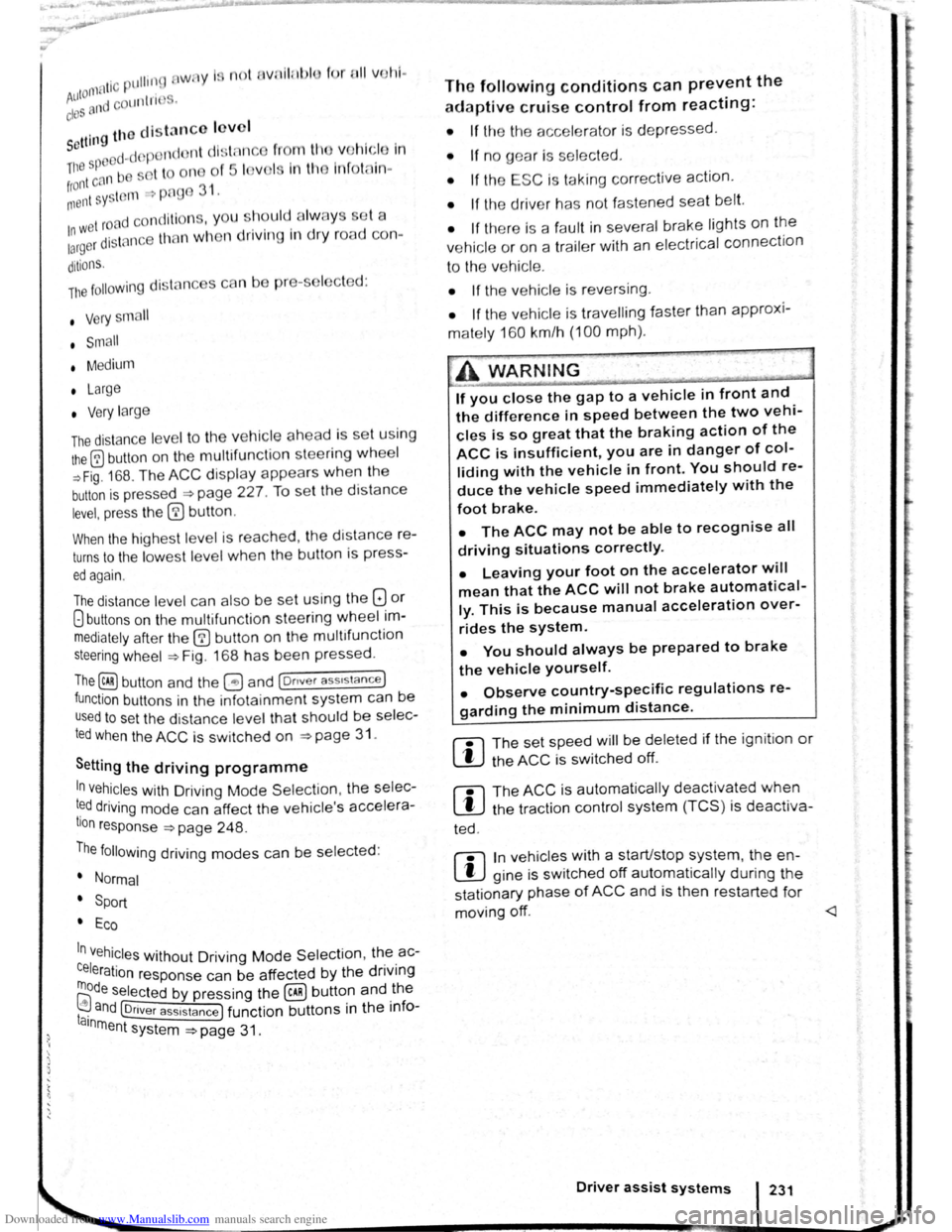
The dis ta nce le ve l to the ve hi cle ahead is se t u sing
the© button on the multifun ction stee ring wheel
~Fig. 168 . The ACC disp la y appears whe n the
button is pressed ~page 227. To se t th e dis ta nce
level, press the (1) button .
When the hig hes t lev el is reached, the distance re
turns to the low est level when th e butt on is press
ed again.
The distance level can also be set usi ng the Q or
8 buttons on the mult ifun ction stee ring wheel im
mediately after the (1) button on the mult ifunction
steering whee l ~Fig. 168 has been pressed .
The~ button and the G and (Dnver ass1stance )
function buttons in the infotainment system can be
used to set the dista nce level that should be selec
ted when the ACC is sw itched on ~page 31 .
Setting the driving programme
In vehicles with Driving Mode Selection , the selec
t~d driving mode can affect the vehicle 's accelera
tion response ~page 248.
The following driving modes can be selected :
• Normal
• Sport
• Eco
In v h' . e lcles Without Driving Mode Selection , the ac-
Celeration response can be affected by the driving
rnode s I IT.Dl ~a e ected by pressing the ~ butto.n and _ the
I . nd @nver assistance ) function buttons 1n the 1nfoa1nrne t n system ~page 31 .
The following conditions can prevent the
adaptive cruise control from reacting:
• If the the acce le rator is depressed.
• If no g ear is selected .
• If the ESC is taking corre ctive action .
• If the driv er h as no t f astened seat belt.
• If there is a fau lt in seve ral brake lights on the
v e hicle or on a traile r with an electrical
connection
to the vehic le .
• If the vehicle is reve rsing .
• If the vehicle is travelling faster than approxi
mately 160 km/h (100 mph).
A WARNING
If you close the gap to a vehicle in front and
the difference in speed between the two vehi
cles is so great that the braking action of the
ACC is insufficient, you are in danger of col
liding with the vehicle in front. You should re
duce the vehicle speed immediately with the
foot brake.
• The ACC may not be able to recognise all
driving situations correctly.
• Leaving your foot on the accelerator will
mean that the ACC will not brake automatical
ly. This is because manual acceleration over
rides the system.
• You should always be prepared to brake
the vehicle yourself.
• Observe country-specific regulations re
garding the minimum distance.
rn
The set speed will be deleted if the ig nition or
the ACC is switched off.
rn
The ACC is automatically deactivated when
the tract ion control system (T CS ) is deactiva-
ted .
rn
In vehicles with a start/stop system, the e n
g ine is switched off automatical ly during the
stat ionary phase of ACC and is then restarted for
moving off.
Page 116 of 138
Downloaded from www.Manualslib.com manuals search engine Switch off the adaptive cruise control (ACC) temporarily in the following
situations
J""'("'n First read and observe the Introductory
L-.kJ.l ir"'formation and safety warnings & on
page 226.
The adapttve cruise contro l (ACC) should be
s it c hed off in the following situations due t o sys
tem limitations -~:
• When turning off roads. driving around round
abouts, narrow curves. joining motorways, exiting
from motorways or driving through road works, to
prevent th e vehicle from unnecessarily accelerat
ing to the set speed in these situations
• When driving through a tunnel as this situation
could impair the system function.
• On roads with more than one lane, if other vehi
cles are driving more s lowly in the fast la ne . The
slower vehicles in the other lane would be o ve rtak
en from the right side in this case.
• In heavy rain, snow or spray as vehicles tra ve l
ling
ahead cannot be monitored sufficiently or
maybe cannot be monitored a t all.
Special driving situations
A WARNING
Failure to switch off the ACC in the above
mentioned situations can cause acciden ts
and result in serious injuries.
• Switch off the ACC in critical driving situa.
tions.
r:1 Failure to switch off the adaptive cru ise con
~ trol in the above-mentioned situations can
cause a violation of legal requirements. <
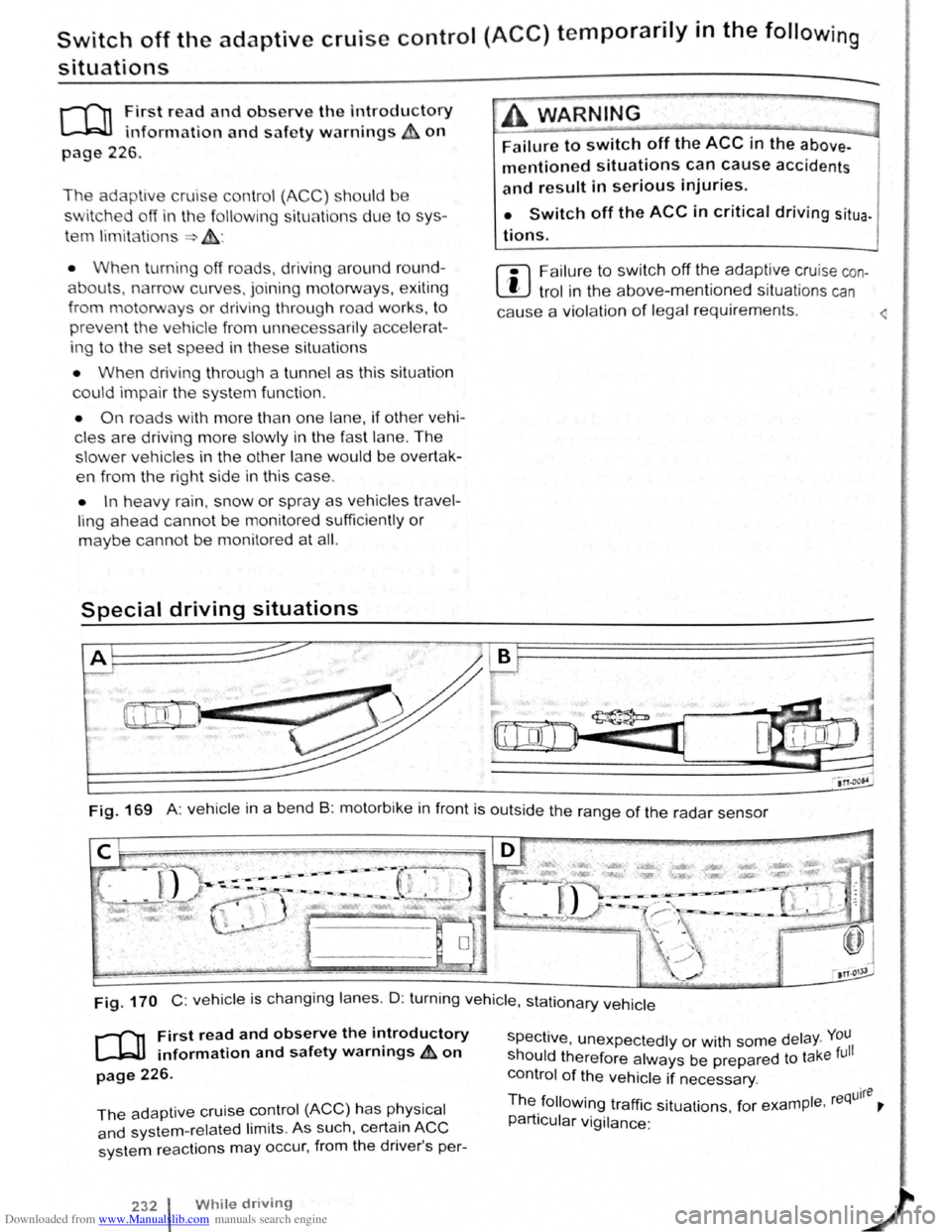
Fig. 169 A: vehicle in a bend B: motorbike in front is outside the range of the radar sensor
0
Fig. 170 C: veh icle is changing lanes . D : turn ing vehi cle , stationary vehicle
r-('n First read and observe the introductory
~ information and safety warnings~ on
page 226.
The adaptive cruise control (ACC) has physical
and system-rel ated limits . As such, certain ACC
system reactions may occur, from the driver's per-
232 While driving
spective , unexpectedly or with some delay. You
should therefore always be prepared to take full
control of the vehicle if necessary .
Th . quire e followmg traffic situations for example , re ~
particular vigilance: '