warning light VOLKSWAGEN GOLF PLUS 2007 Owners Manual
[x] Cancel search | Manufacturer: VOLKSWAGEN, Model Year: 2007, Model line: GOLF PLUS, Model: VOLKSWAGEN GOLF PLUS 2007Pages: 541, PDF Size: 98.86 MB
Page 14 of 541
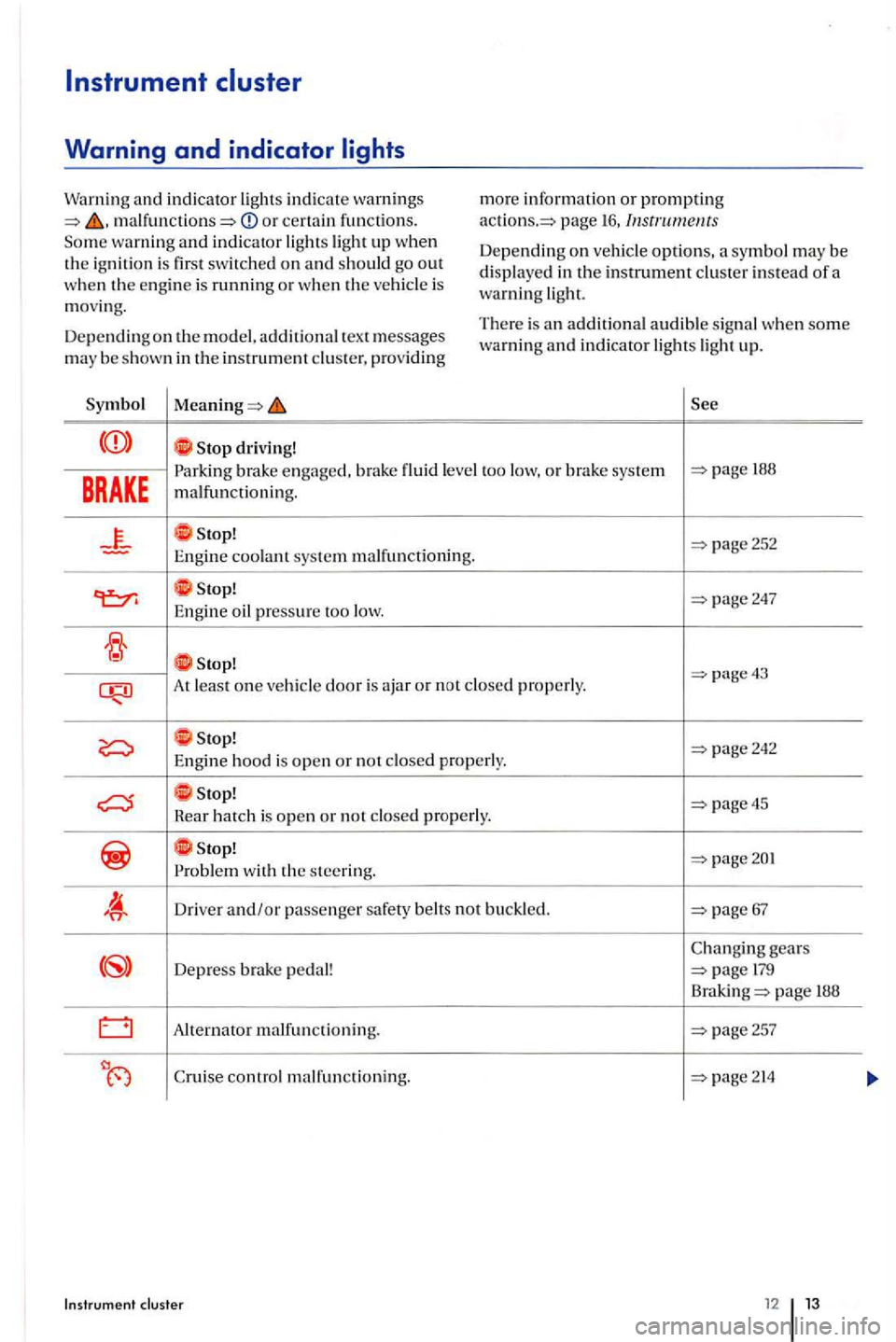
or certain fun ctions. warning and indicator
is
m ov ing.
D ep e
nding on the model. additional tex t m essages may be s hown in the in strument pro vidin g
driving! m
ore
information or promp tin g page 16,
Dep ending o n options, symb o l m ay be
displayed in the instrument instead of a warning
There is an addit io nal audible s ignal when some warning and indicator lights ligh t up.
BRAKE
engaged, brak e flui d level too low, or brake sys te m 188
malfunctioning.
At least o n e properly.
properly.
stop! page45 Hear hatch is open or n ot
wit h the ste ering.
D rive r and/or passenger safety belt s not buckled.
gears
D epress pedal! page
Alte rnator malfunctioning. page257
Cruise control m alfun ctionin g.
Page 16 of 541
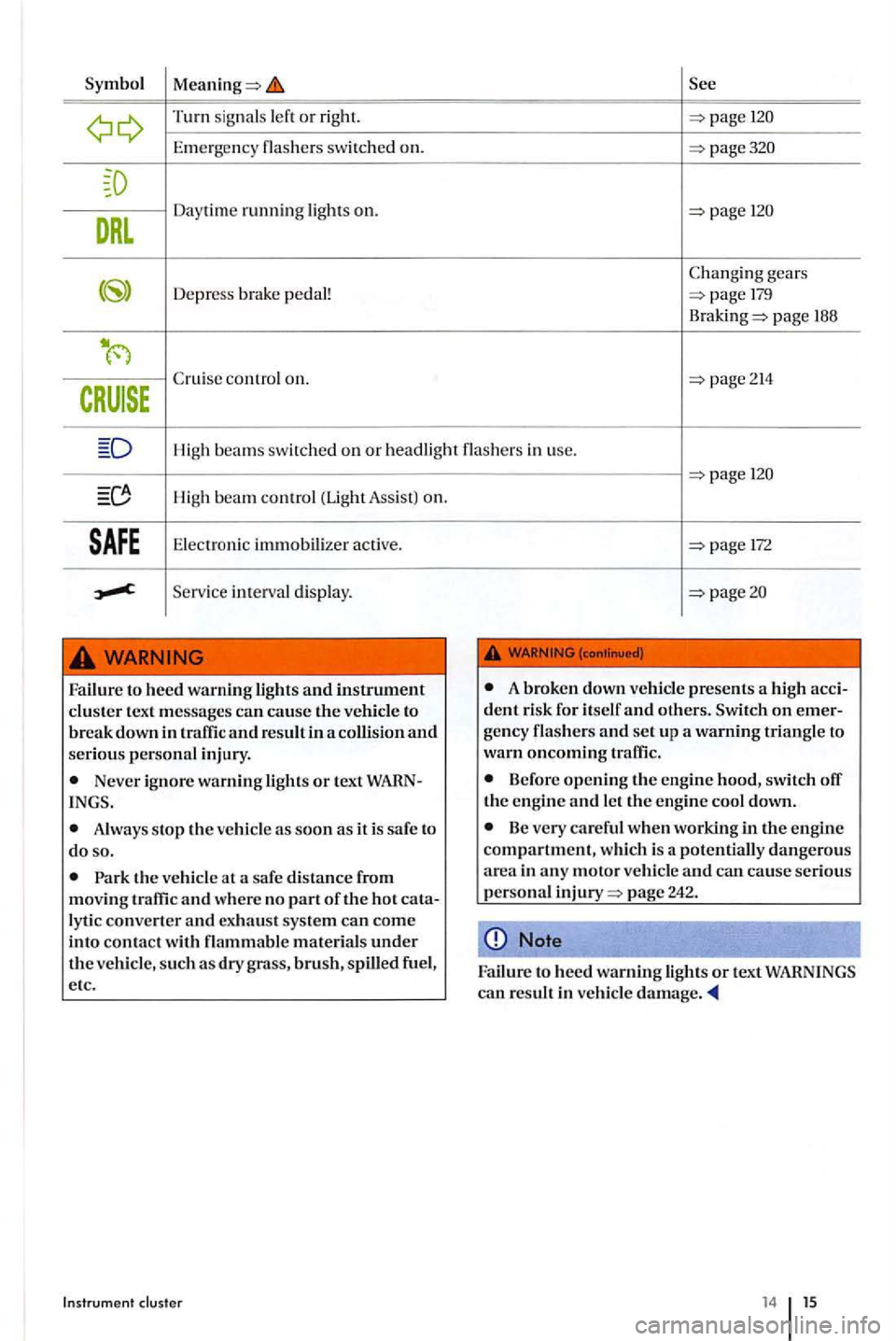
Turn signal s or right.
Emerg ency sw itch ed on.
gear s
Depr ess brake pedal!
page 188
High beams swi tched on or headli ght in use .
High be a m control (Light Assis t) on.
Elec tron ic immobili zer active.
Serv ic e int erva l di splay.
to heed warning ligh ts and instrument cluster text messages can cause the vehicle to break down in traffic and result in a collision and serious personal injury.
Never ignore warning lights or text WARN
Always stop th e vehicle as soon as it is safe to do so.
the vehicle at a safe distance from moving traffic and where no part of the hot cata
lyti c converter and exhau st sys tem can come into contact w ith brush, spilled fuel,
e tc .
Instrument
172
A broken down vehicle presents a high accident risk for itself and others. on emerge ncy flashers and set up
Before opening the engine hood, switch the en gine and let the engine cool down.
Be very careful when working in the engine compartment, which is
14 15
Page 19 of 541
playe d m ay be slightly hi gher the
is from { to +122
cated in the instrument clu ste r pag e 19.
lec tor leve r po sition may be s hown in th e disp la y
in addition th e respective gear bein g use d.
Gear re commendation (manual transmission)
While the vehicle is movin g, a fuel eco nomy gear
recomme ndation is ind icate d in the in strument
clu ste r p age 179.
Secondary speed display (mph or km/h)
While drivin g, in addition to the speedomete r play, th e vehicl e speed can b e shown in measurem ent unit {mph or km /h ) in the ment clu ste r d is play. T o do thi s, se lec t th e
Seco ndary sp ee d menu item in pagc21.
For vehicles wit ho ut a m enu displa y in the ment cluste r:
th e engine.
button three tim es. The odometer
in dica to r in th e in strument clu ste r di sp lay flas h es .
the (o.o SET) bu tton once. Instead of th e odom eter reading. or
Thi s th e secondary sp ee d di splay. To d eac tiva te. follow th e same pro cedure.
overview
Failur e to hee d warnin g light s and instrument cluster text messages can cause the ve hicl e to break down in traffic and res ult in a colli sion and
se riou s personal injury .
Never ignore warning lights or tex t INGS.
Always stop the vehicle as soo n as it is safe to do so.
A broken down veh icle presents high dent risk for itself and Sw itch on gency flash e rs and se t up a w arnin g tr iangle to warn oncoming
Park the vehicle at and where no ly ti c co nverte r and exhaust sys te m can come into contact witl1 flammable materials under
th e vehicl e, s u ch as dry brus h, spilled fuel ,
e tc.
yo u usc the temperature disp lay to
t ell yo u about frost condition s, remember that road s can even icc ov er at temperatures above
+39 {+4 {ice warning) is not
Neve r rel y exclusively on the o utside ature disp lay.
Note
Failure to heed warning lights or tex t WARNINGS
ca n res ult in vehicle damage.
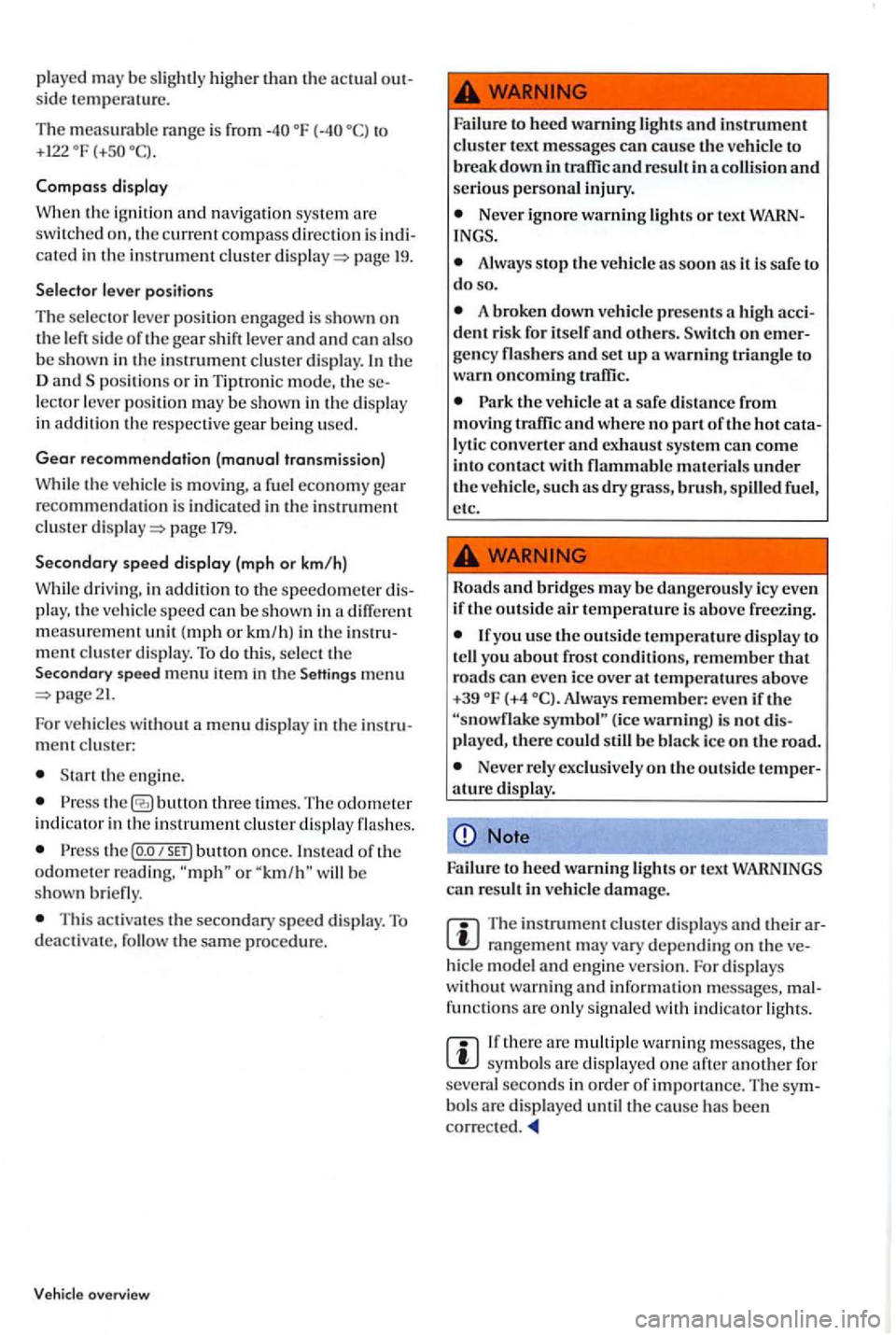
The in strument cluste r disp lays and their rangement may vary dep e nding on th e hide model and e ng in e ve rs ion. For disp lay s
witho ut wa rnin g and in formation messages, fun ction s are only s igna le d w ith indicator lights .
there arc multipl e wa rnin g m ess age s, the sy mbo ls are dis p layed one aft er anothe r for
seve ra l se conds in orde r of importan ce. The bol s are di splay ed un til the cause has been correc ted.
Page 22 of 541
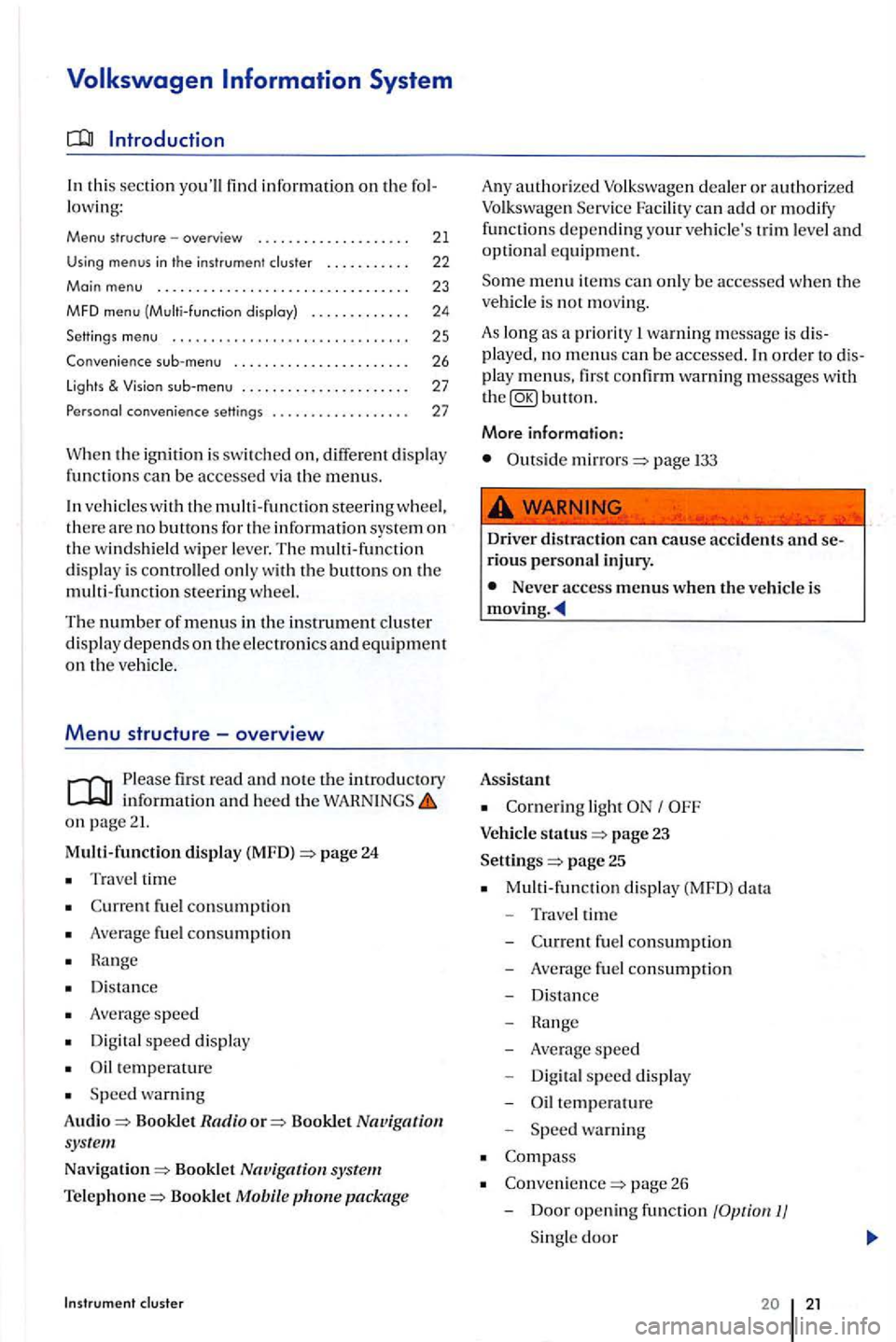
th is sec tion you'll find information on the fo l
l owi ng:
Menu structure -overview . . . . . . . . . . . . . . . . . . . . 21
Using menus in th e instrument cluster . . . . . . . . . . . 22
Main menu ... .... ....................•.....
MFD menu (Multi -function disploy)
Settings
menu ........... ......... .•..•.....
Convenience menu ....... ............... .
lights &
co nvenience settings ................. .
23
24
25
26
27
27
W he n the ig nition is sw itch ed on, different disp lay functions can be accessed via the m enus.
ve hicl es with the m ulti -fun ctio n steerin g w heel, the re are no buttons fo r the information sys te m on the w indshi eld wiper l ever. The multi-functi on
d is pl ay is controlled onl y w ith the buttons on the
multi -fun ction steerin g wheel.
The number of menus in the in strument clu ste r
d is p lay dep ends on the e lec tronic s and equipment on the ve hicl e.
Menu structure -overview
Please firs t read and note the in tr od uctory informati on and heed the on page 21.
Multi-function display (MFD) =>page 24
Trave l time
fu el con sumptio n
Average fuel consumptio n
H a nge
D is tan
ce
A ve rage speed
Digit al speed displ ay
temperature
S peed wa rnin g
Audio
=> Bookl et Radio o r=> Booklet Nav igation sys te m
Nav igation=> Booklet
package
A ny authorize d can ad d o r m odify
functions d ep endin g your ve hicle's trim le ve l and optional e qui pm ent.
m enu item s can onl y be ac cessed whe n the
ve hicl e is not movi ng.
As lon g as a priority warning m essage is dis
pla yed, no m enus can be accessed. order to dis
pla y m enus, first co nfirm warning messages with button.
More information:
Outside mirrors=> page
Driver distract ion can cause ac cid ents and serious personal inju ry.
Never access menus when the ve hicl e is
Assistant
light
status page 23
Settings
=> page 25
M ulti-fun cti on displ ay (MFD) data
- Traveltime
-
-Average s p eed
- Digita l s p
eed display
- Oil te m pe
rature
Spee d warning
page 26
- D
oor opening function
Page 24 of 541
Return ing to th e main menu
key
s on the steerin g wheel. Keep the switch depressed in order to increase or crease values more qui ckly as needed. menu in order to leave the sub-menu. Se lect or confirm the selection w ith the Foropemtion Keep rocker switch depressed.
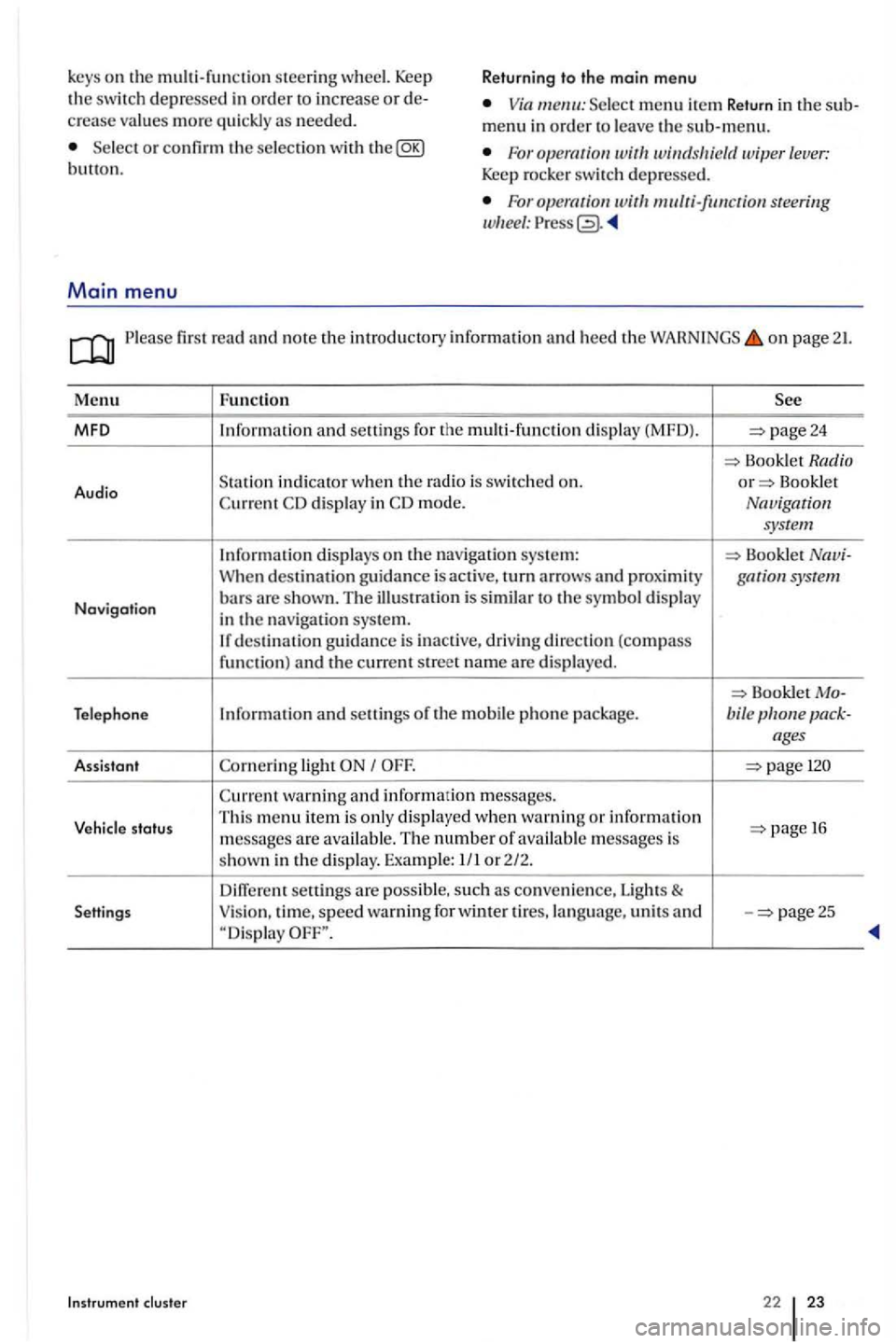
Main menu
For steering
first read and note the introd uctory inform ation and heed the on page 21.
Menu Fun ction
MFO and seuings for the multi-functio n dis play (MFD). page24
Book let Radio
Audio S
tatio n indicator when th e Bookle t display in mode. Navigation
system
Information displays on the nav igatio n sys te m : Booklet When destination guidance is acti ve, turn arrows and gar system
Navigation bars are s hown. T he ill us tration is similar to the symbol display
in the navigat ion syste m. destinatio n gu idance is inactive , driving direction (compass funct ion) and the current street name are displayed.
Bookle t Telephone Information and seuings of the mobile phone package. bile
light
warning and information m essages.
Vehicle status Thi
s m enu item i s only displa yed when warnin g or information 1 6
m essages are available. The number o f available mess ages is
s hown in the display. Examp le: 1/ 1 or 2/2.
seuings are possibl e, such as conve nie nce, Lights & Settings Vision
, time, speed warning for winter ti res, la ng uage, units and -page25
Instrument cluste r 22 23
Page 26 of 541
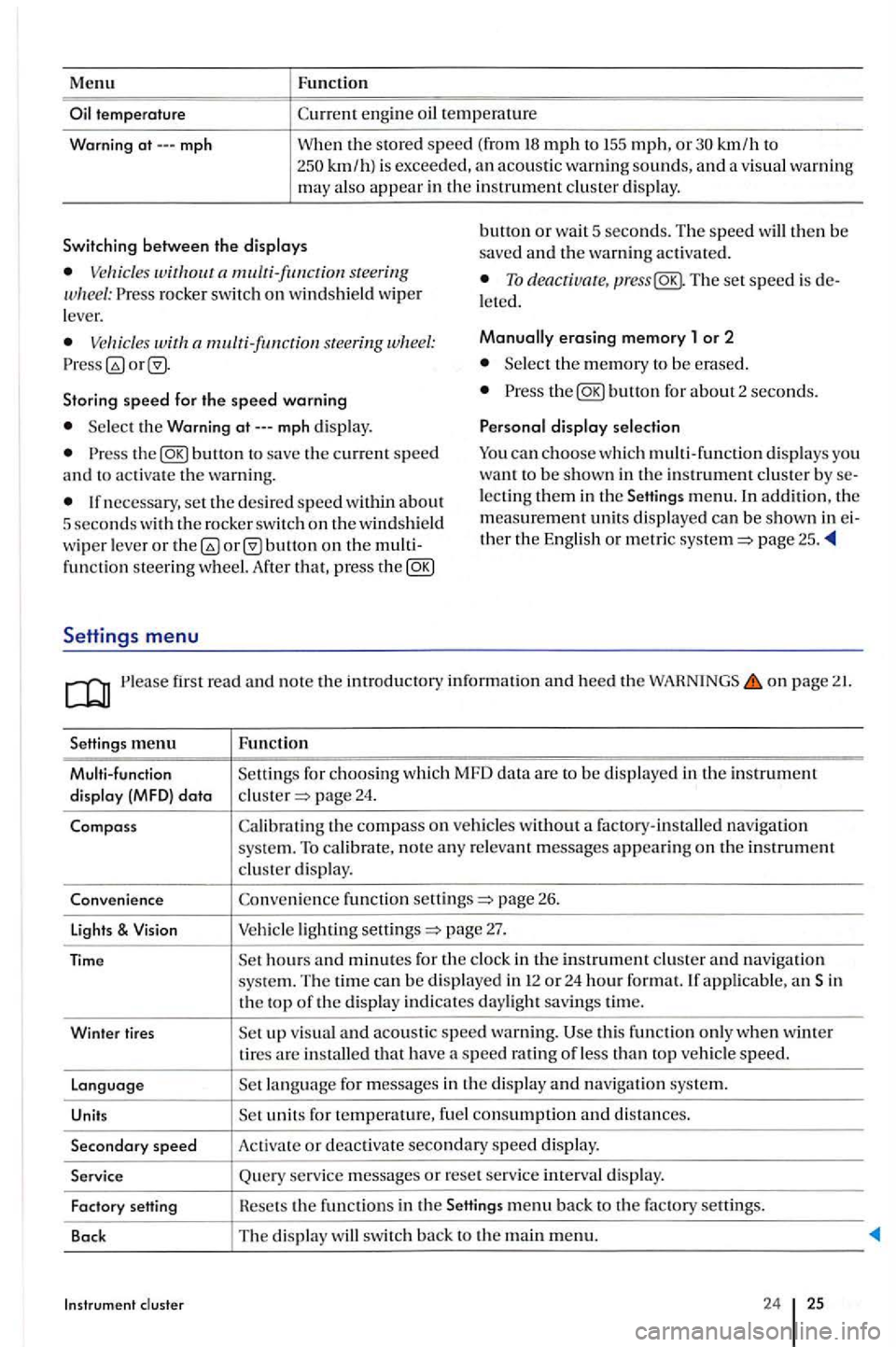
Menu
mph
Function
km/h to km/ h) is exceeded, an acoustic warn ing sounds, and a visua l wa rnin g may also appear in the in strument cluster display.
Switching between th e displays bunon or wa it 5 seconds. The speed will then be
saved and the warning activated.
rocker switch on windshield wip er
l ever. To deacriua re, The set speed is l eted.
s tee rin g Manually erasing memory 1 or 2
Select the m emory to be e rase d.
Storing
speed for the speed warning the
Select the Warning
the
lecting them in the men u. In addition. the
m eas ure m ent units di splayed can be shown in th er the English or metric page 25 .
fun ctio n steering wheel. After that, pres s the
Settings menu
first read and no te the introductory informatio n and heed the WAHNINGS on page
menu Functio n
Multi-function Setting s for c
hoosing whic h MFD data are to be dis play ed in th e in strumen t
di sp lay (MFD) data page 24.
Compass th e compass on ve hicles without a factory-installed navigation system. To calibrate, note any r e levant messages appe a rin g on the in strument cluste r display.
Conveni ence fun ction sellings
page 27.
applicabl e, an Sin
th e top of the d is pla y indicates daylight savings tim e.
Winter tires
visua l and acou st ic speed warning. thi s func tion only when w inter tires are in stalled that have a speed ratin g o f le ss than veh icle speed.
Languag e
units for temperature, fuel consumption and di sta nces.
Secondary speed Activat e or deactiva te secondary speed display.
Service Query se rvice messages or reset se rv ice interva l display.
Fact ory Hesets the funct ions in the
24 25
Page 44 of 541
Doors
Introduction
In thi s sec tion you'll find information on the fol
l owi ng:
Warning . . . . . . . . . . . . . . . . . . . . . . . . . . . . . . . 43
. . . . . . . . . .. . . . . . . .. . . . . . . . . . . 44
More information :
key page 34
page 38
E m erge ncy clos ing and 322
A
door that i s not closed properly suddenly when t h e ve hicle is moving and cause se
v ere injuries .
Make sure that th e door is safe ly and co m
p letel y la tc hed w he n closed. The closed door must be flush with the surrounding auto body parts.
or close doors only if n o one is in the way.
fir st read and note the introdu ctory information heed the on page 43.
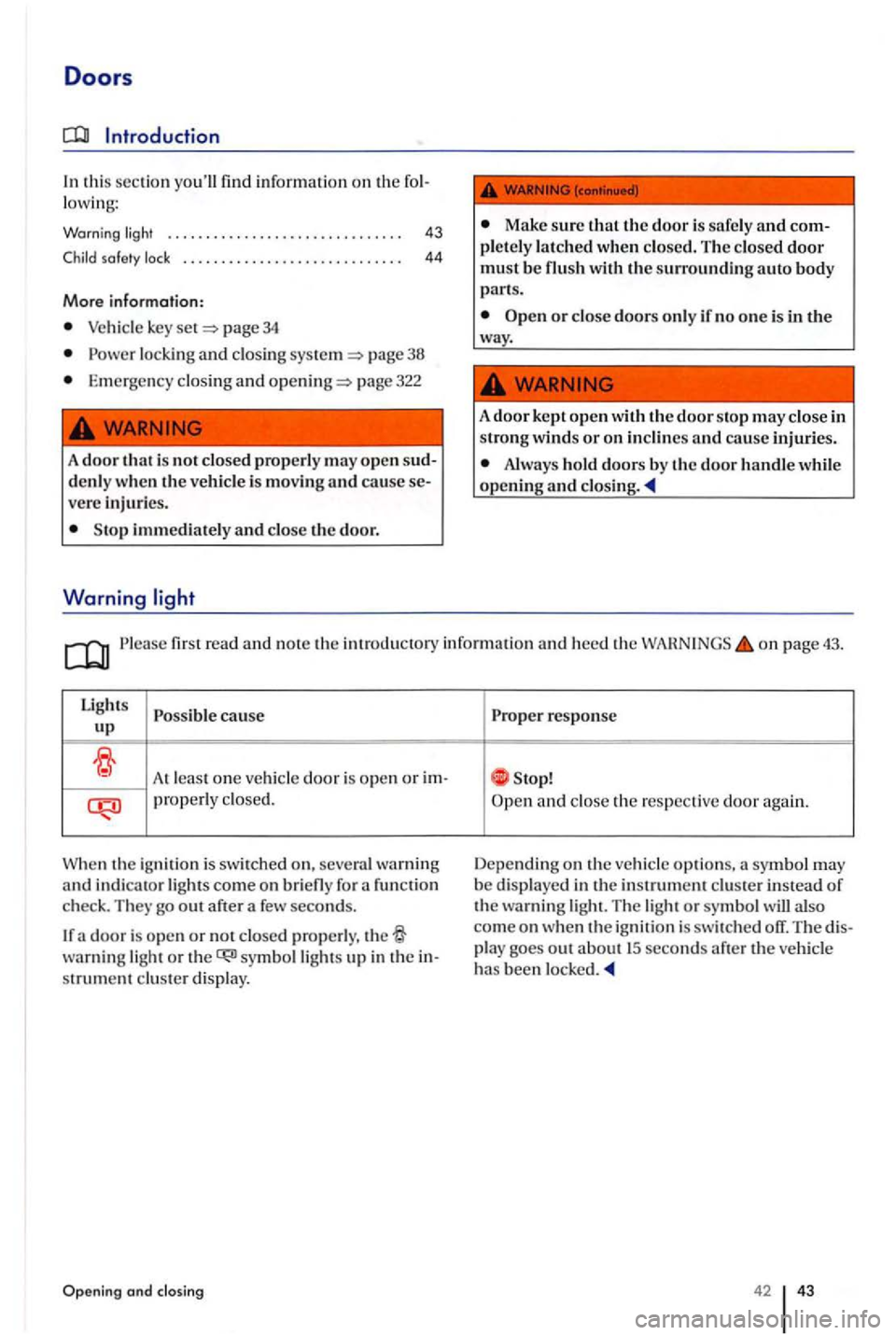
Lig hts
cause up
At least one ve hicl e door is open or prope rl y closed.
Whe n th e ignit i
on is switched on, severa l warning and indicato r light s come on briefly for function
check. They
warning light or strument cluste r display.
Opening and
response
a nd clo se the respective door aga in.
Depending on the vehicle options,
42 43
Page 46 of 541
Rear hatch
this sectio n you'll find information on the following:
Warning light .............................. .
th e rear hatch .......•......... ......
Closing the rear hatch
More information:
Powe r loc kin g system page 38
page 137
Emergency closing and page 322
46
46
47
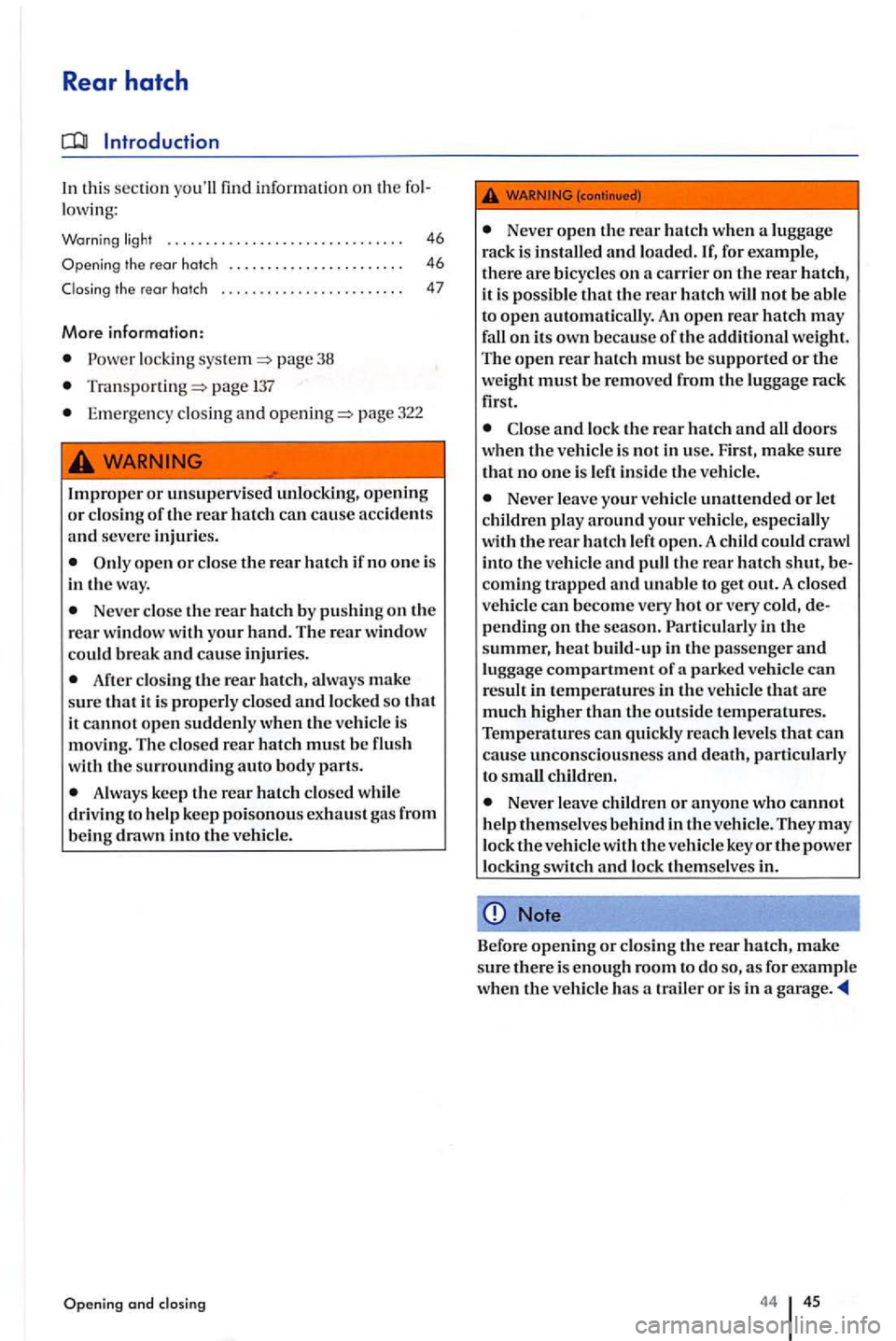
Improper or unsupervised unlocking, opening or closing of the rear hatch can cause accidents and severe injuries.
Never close the rear hatch by pushin g on the rear window with your hand. The rear window
could break and cause injuries.
After closing the rear hatch, always make sure that it is properly closed and locked so that it cannot open suddenly when the vehicle is moving. The closed rear hatch must be flu sh
with the surrounding auto body parts.
A lways keep the rear hatch closed while
driving to help keep poisonous exhaust gas from being drawn into the vehicle.
and closing
Never open the rear hatch when a luggage
rack is installed and load ed. for example,
there are bicycle s on a carrier on the rear it is possible that the rear hatch will not be able
to open automatically. An open rear hatch may fall on its own b eca use of the additional weight. The open rear hatch must be supported or the weight must be removed from the lu ggage rack
first.
Never leave your vehicle unattended or let
children play around your vehicle, especially
with the rear hatch left open. A child could crawl
into the vehicle and pull the rear hatch shut, becoming trapped and unable to get out. A closed vehicle can become very hot or very cold, depending on the season. in the summer, heat build-up in the passenger and luggage compartment of parked ve hicle can result in temperatures in the vehicle that are much higher than the outside temperatures. Temperatures can quickly reach levels that can cause unconsciousn ess and death, particularly
to small children.
Never leave children or anyone who cannot help themselves behind in the vehicle. They may lock the vehicle with the vehicle key or the power locking switch and lock themselves in.
Note
Before opening or closing the rear hatch, make sure there is enough room to do as for example when the vehicle has a trailer or is in a garage.
44 45
Page 47 of 541
Warning
Please fir st r ead and note th e introductory in rormatio n and heed the o n page 45.
Lights
Possible cause
u p
the ignition is sw itch ed on, several warning and indica to r ligh ts come o n brierly ror a ru nctio n
c h ec k. They go out a
the rear h a tc h is not clo se d prope rly . wa rnin g light in the i nstrumen t clu ste r o r the hicl e symbol in th e MFD comes o n showin g the ope n r ear hat ch .
D ep en d in g o n the ve hi
cle opti ons, a symbol m ay
b e di splayed in th e in strument clu ster in ste ad or
t h e warnin g lig h t. The ligh t o r symbol
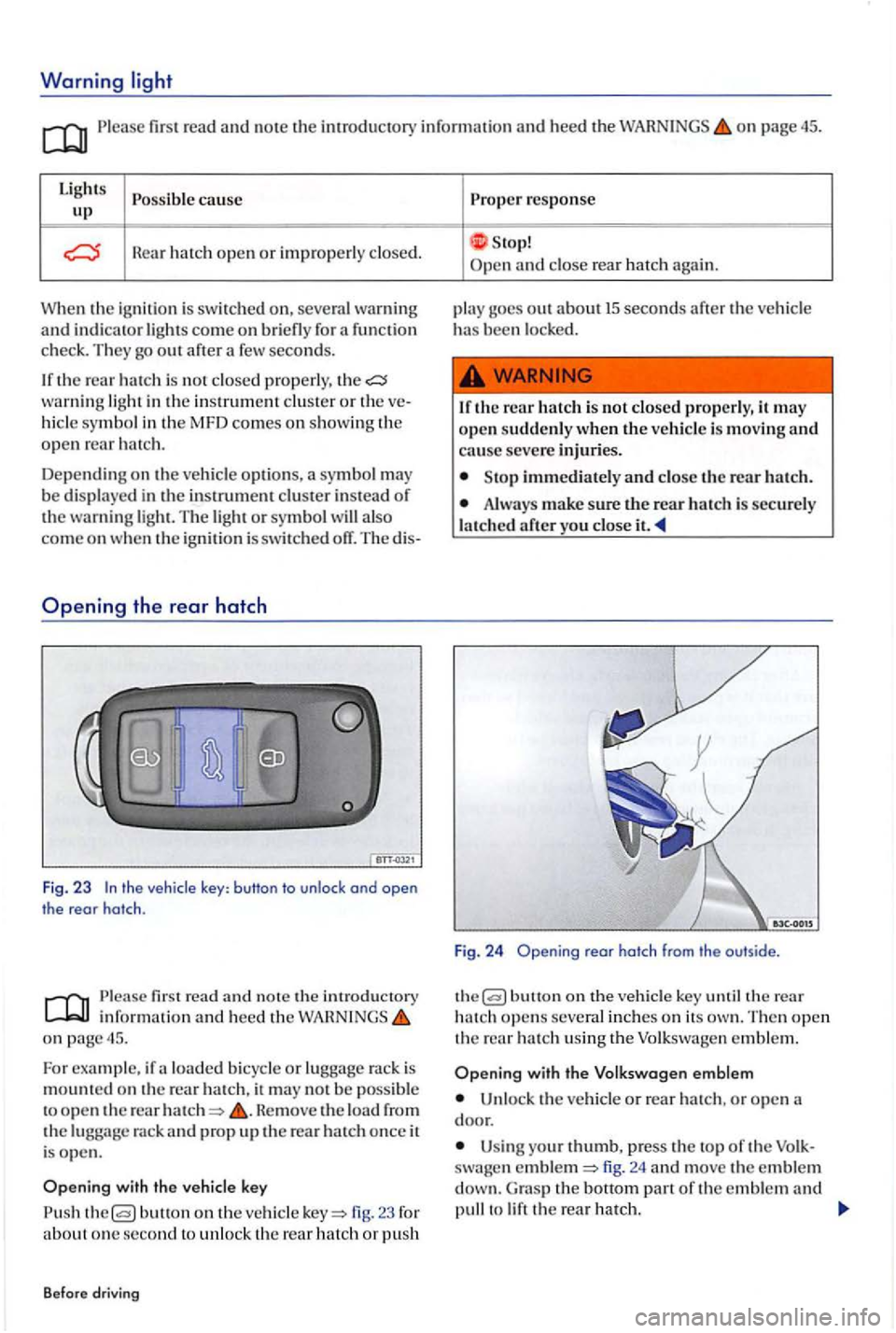
the vehicle key: button to unlock ond open
the rear hatch .
first read a nd n ote th e introducto ry inrorm atio n and heed t he o n page 45.
Fo r example, ir a lo ad ed b icy cle or lu gg age rac k is
m oun te d on the rear ha tc h , it m ay no t b e poss ible
t o o pe n th e rear He move the load rrom the rack and prop u p the rear ha tc h once it
i s ope n .
butto n on th e ve hicle 23 ror about o ne se cond to unl o ck th e re ar hatch or p ush
B efore dr
iving
Prope r response
S top! and close rea r hatc h again.
p la y goes o
ut ab o ut 15 seconds arte r the ve hicl e has been l ocke d.
1 r th e r
ear hatch i s not closed p ro perly, it m ay
o pe n sudde nly w hen the vehicle is movin g and cause seve re injuri es .
Sto p immedi ately and close t h e rear h atc h .
Alwa ys make sure the rear h atc h is sec u re ly
l a tc h ed
butt o n on the ve hicl e key th e rear hatch open s several in ch e s o n its The n open th e rear h a tc h usin g th e Volkswa gen e m ble m .
with the V olk swagen emblem
Un loc k th e ve h icl e or rear hatch , o r o pen
U sin g your thumb, p ress the to p or th e swa gen fig. 24 and move the e mble m G ra s p the bott o m part or th e e mble m and to
Page 59 of 541
Prope r sea ting posit ion
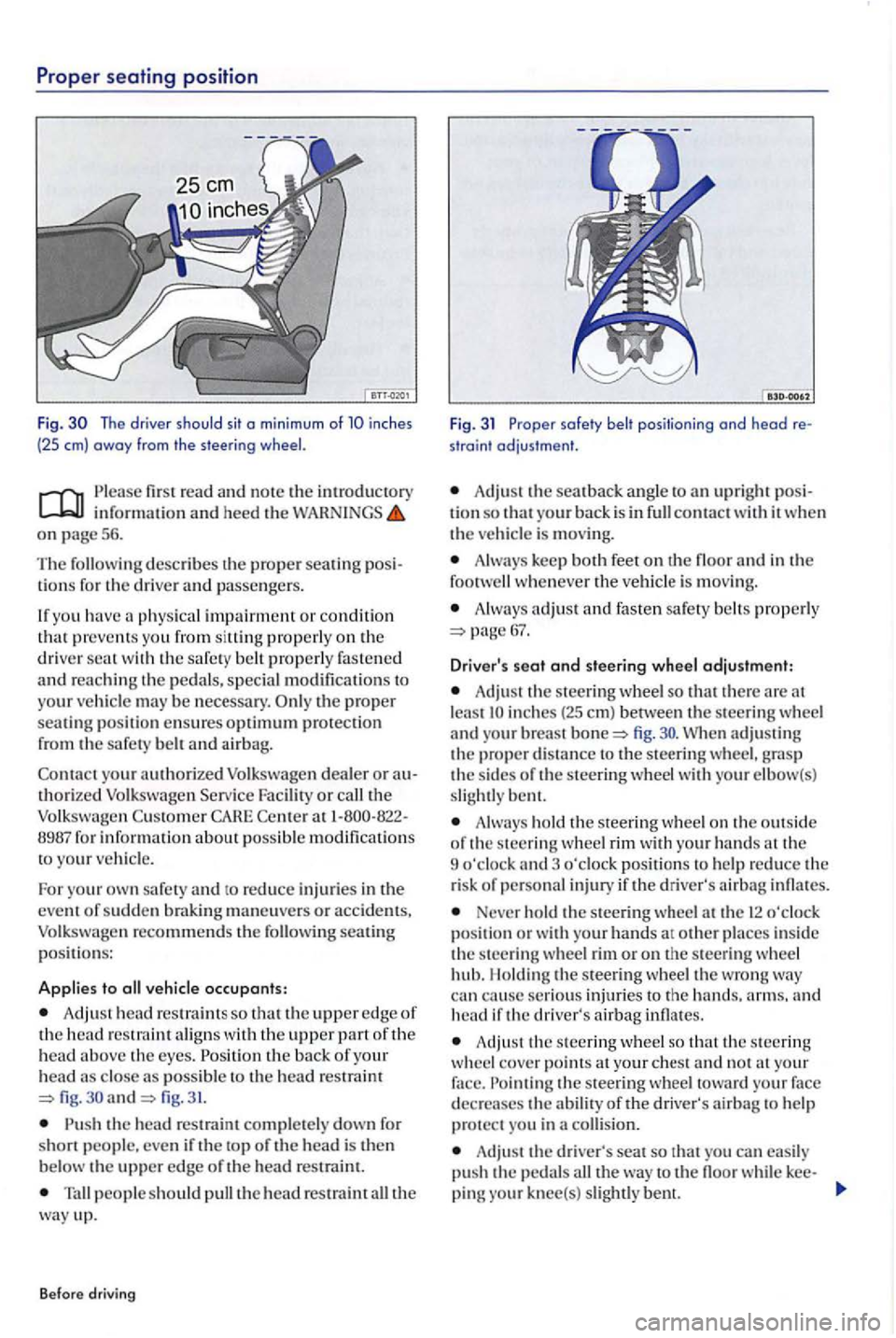
Fig. The driver should sit o min imum of inches
(25 em) away from the steering
first read and note the introductory information an d heed the WARNINGS on page 5 6.
Th e
describes th e proper sea tin g lio ns for the driver and passengers .
If yo u hav e
physical impairment or condition that preve nts you from siltin g properly on the driver wit h the safe ty belt properly fastened and re a ching th e pedals, special modificatio ns to
your ve hicle may be necessary. p roper seating positi on ensures optimum protection from the safety belt and airbag.
Con t
act yo ur authorized Volkswagen dealer o r authorized Volk swage n Serv ice Facility or the Volkswagen Custo m er CAHE Cente r 1-800-822-
8987 fo r informati on about poss ible modification s
t o your ve hicl e.
F o r yo u r
own safety and to reduce inj urie s in the
event of sudde n brakin g maneuve rs or accid ents, Volkswagen recommends the seating p o siti ons:
Applies to vehicle occupants:
Adj ust head re straint s so that the upper edge of the head restraint aligns with the upper part of the head above th e eyes . the ba ck of your head close as poss ible fig. and fig. 31.
the head re straint completely down fo r
short people. eve n if the top of th e head is the n
b elow the uppe r edge o f the head re strai nt.
people s ho uld pull the head restraint the way up.
Before driving
Fig. 31 Proper safety belt positioning ond head re
straint adjustment.
Adjust the sea t back ang le to upri ght posi
tion so that your back is in conta ct w ith it w he n the vehicle is moving.
Alw ays keep both feet on th e floor a nd in the
foot whenever the vehicl e is mov in g.
A lway s adjust a nd fasten safety belt s pro perly
A dju st the steering wheel so that the re are lea st fig .
Always ho ld th e s teering wheel o n the out sid e
o f th e s teerin g wheel rim with your hands the
9 o'cloc k and 3 o'cloc k pos ition s to help re duce the
r is k of personal injury if the driver' s airb ag infl ates.
Never ho ld the steering wheel a t th e 12 o'clock position or w ith your hands at ot her places in side the steerin g wheel rim or o n the steerin g whee l
hub. l lo ldin g the steerin g w hee l the wro ng can cause se rious injurie s to the arms. and head if the driver's airbag infl ates.
Adju st the s teerin g wheel so that the s teerin g
w heel cove r points the ste erin g wh ee l toward your face
d ecrea ses the abilit y of the driver's airba g to help protect you in a collision.
Adju st the driver's seat so that you can easily
pu sh the pedal s the way to th e floo r while kee-
pin g knee(s) slightl y bent.