lock VOLKSWAGEN JETTA 1998 Service Manual
[x] Cancel search | Manufacturer: VOLKSWAGEN, Model Year: 1998, Model line: JETTA, Model: VOLKSWAGEN JETTA 1998Pages: 339, PDF Size: 2.35 MB
Page 284 of 339
Downloaded from www.Manualslib.com manuals search engine 01-276
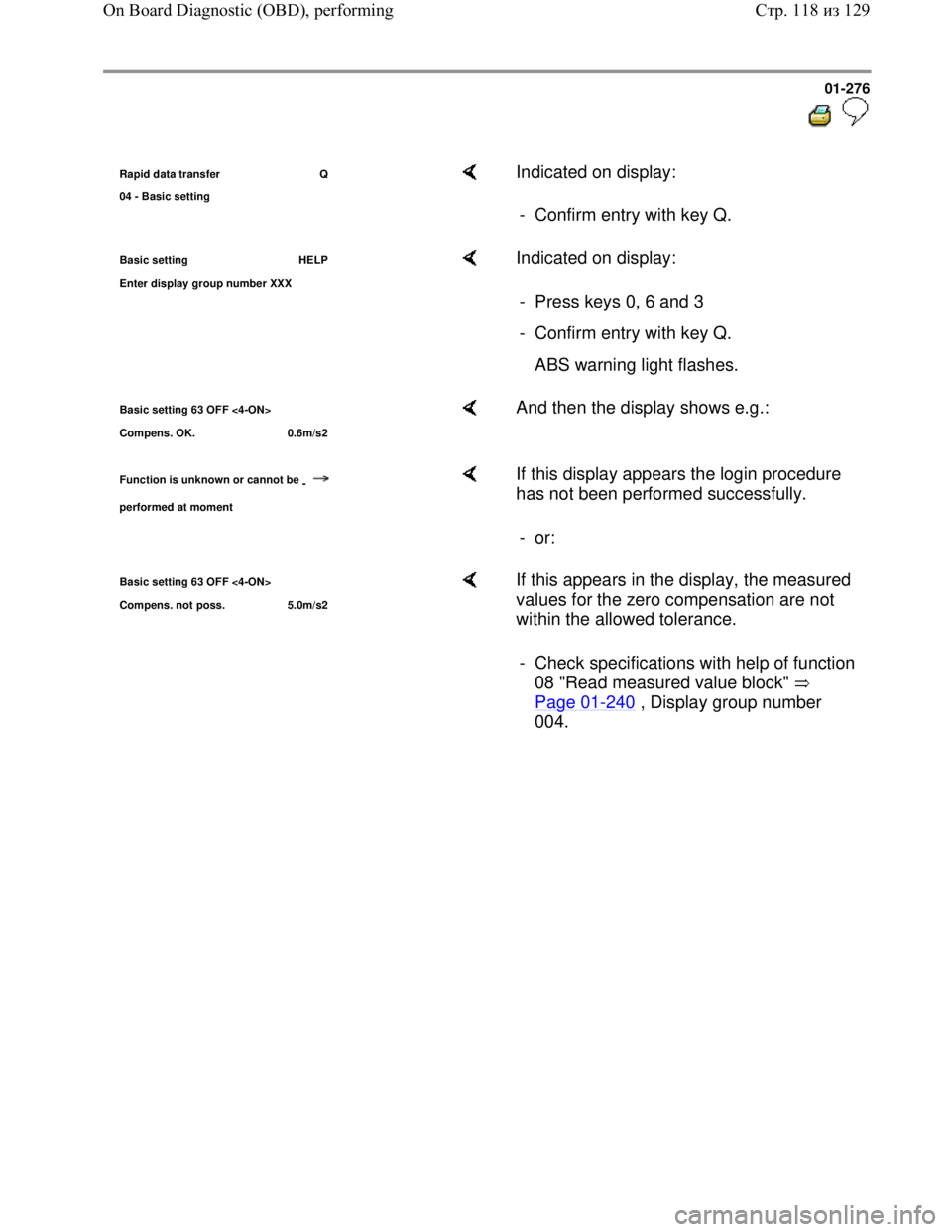
Rapid data transfer Q
04 - Basic settin
g
Indicated on display:
- Confirm entry with key Q.
Basic setting HELP
Enter dis
play group number XXX
Indicated on display:
- Press keys 0, 6 and 3
- Confirm entry with key Q.
ABS warning light flashes.
Basic setting 63 OFF <4-ON>
Compens. OK. 0.6m/s2 And then the display shows e.g.:
Function is unknown or cannot be
-
performed at moment
If this display appears the login procedure
has not been performed successfully.
- or:
Basic setting 63 OFF <4-ON>
Com
pens. not poss. 5.0m/s2
If this appears in the display, the measured
values for the zero compensation are not
within the allowed tolerance.
- Check specifications with help of function
08 "Read measured value block"
Page 01
-240 , Display group number
004.
Стр. 118из 129 On Board Diagnostic (OBD), performing
Page 286 of 339
Downloaded from www.Manualslib.com manuals search engine 01-278
Display group number 66: zero compensation
for Sender 1 for brake booster -G201-
Note:
All functions which could previously be
performed with V.A.G 1551 can now also be
carried out with the tester VAS 5051.
Brake pedal not depressed.
- Connect V.A.G 1551 scan tool and select
(address word 03) brake electronics control
module with ignition switched on; Page 01
-
163 .
- Check measured values with help of function 08
"Read measured value block" Page 01
-240 ,
Display group number 005.
First perform function 11 "Login procedure"
successfully using V.A.G 1551 scan tool
Page 01
-287
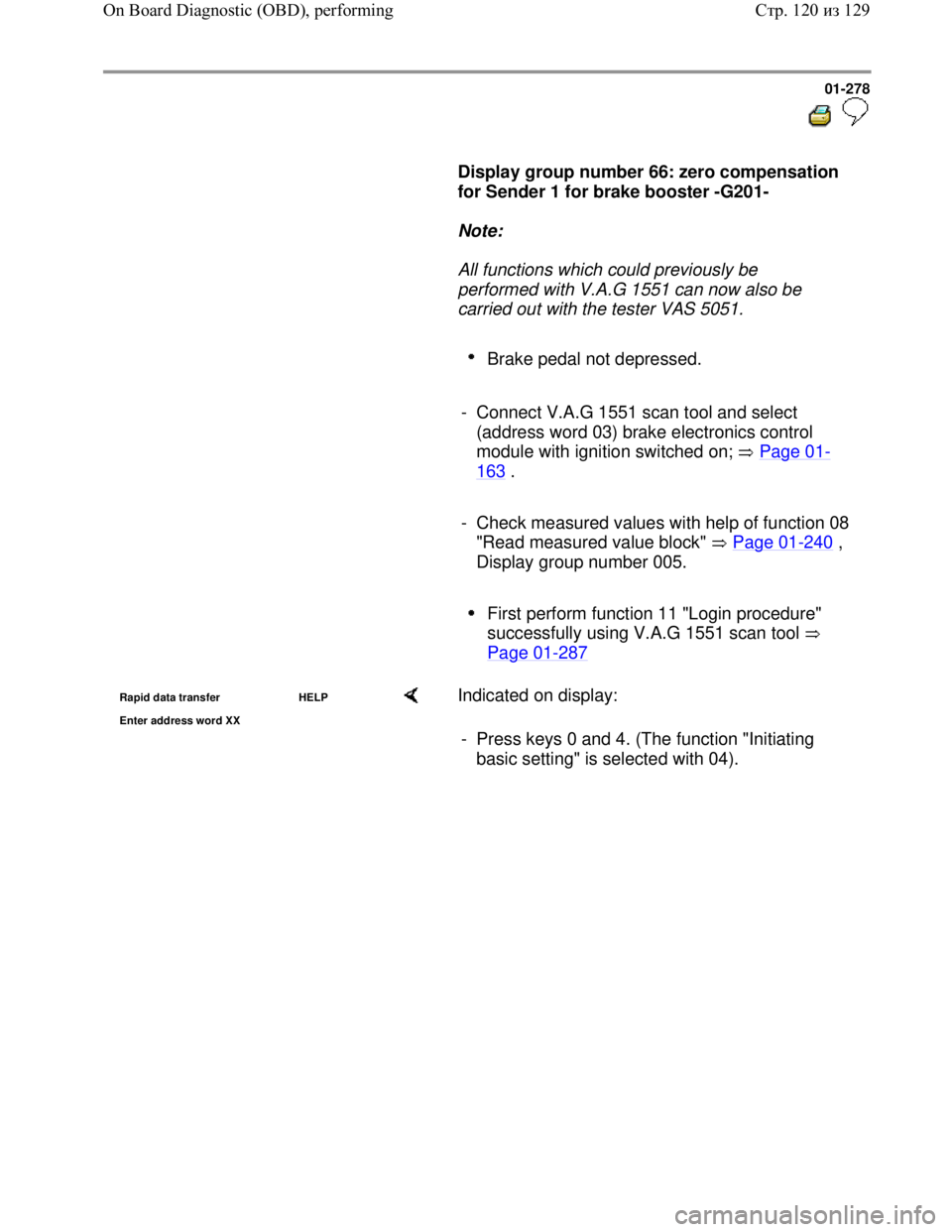
Rapid data transfer HELP
Enter address word XX Indicated on display:
- Press keys 0 and 4. (The function "Initiating
basic setting" is selected with 04).
Стр. 120из 129 On Board Diagnostic (OBD), performing
Page 287 of 339
Downloaded from www.Manualslib.com manuals search engine 01-279
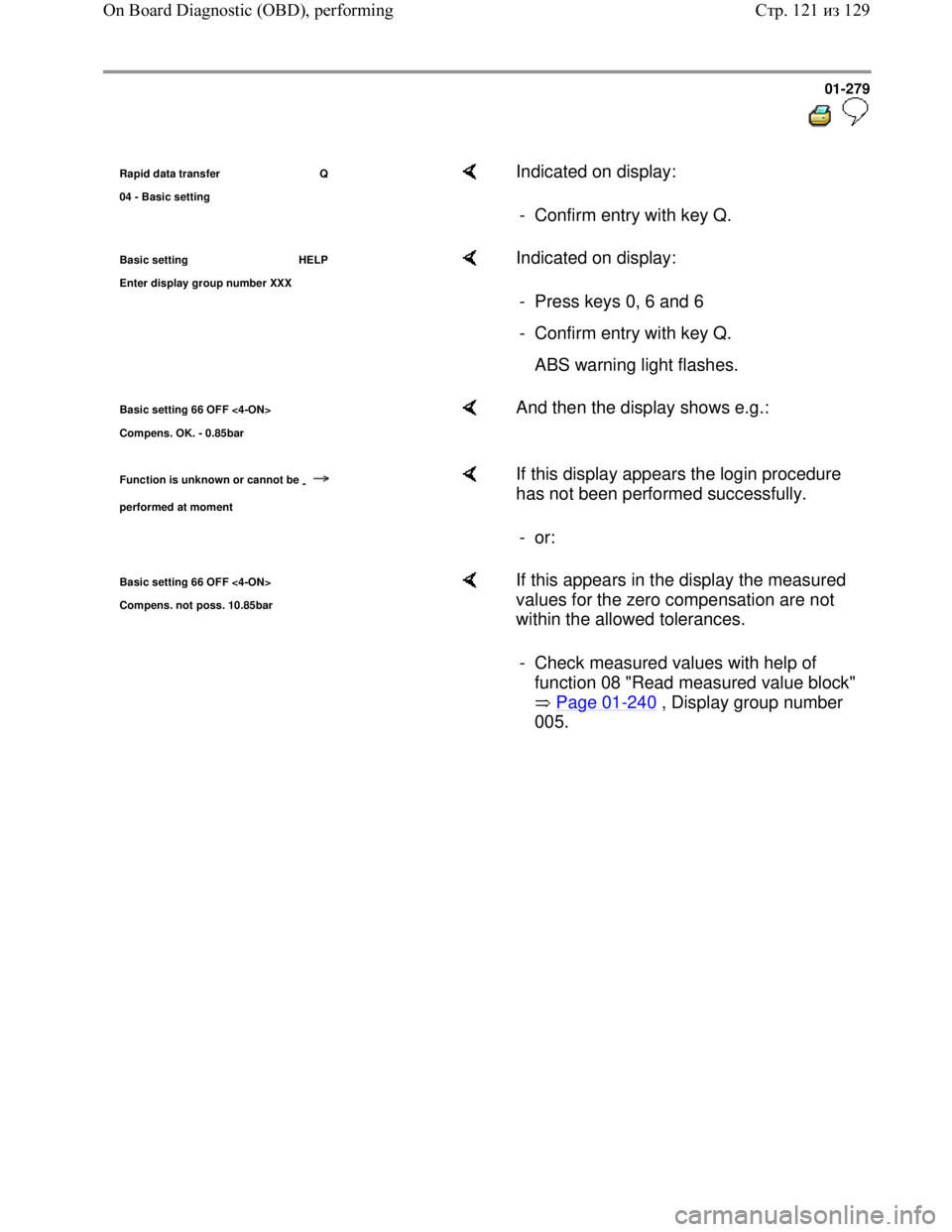
Rapid data transfer Q
04 - Basic settin
g
Indicated on display:
- Confirm entry with key Q.
Basic setting HELP
Enter dis
play group number XXX
Indicated on display:
- Press keys 0, 6 and 6
- Confirm entry with key Q.
ABS warning light flashes.
Basic setting 66 OFF <4-ON>
Compens. OK. - 0.85bar And then the display shows e.g.:
Function is unknown or cannot be
-
performed at moment
If this display appears the login procedure
has not been performed successfully.
- or:
Basic setting 66 OFF <4-ON>
Com
pens. not poss. 10.85bar
If this appears in the display the measured
values for the zero compensation are not
within the allowed tolerances.
- Check measured values with help of
function 08 "Read measured value block"
Page 01
-240 , Display group number
005.
Стр. 121из 129 On Board Diagnostic (OBD), performing
Page 289 of 339
Downloaded from www.Manualslib.com manuals search engine 01-281
Display group number 69: zero compensation
of longitudinal acceleration sensor -G251-
Note:
All functions which could previously be
performed with V.A.G 1551 can now also be
carried out with the tester VAS 5051.
Position vehicle on a flat level surface.
- Connect V.A.G 1551 scan tool and select
(address word 03) brake electronics control
module with ignition switched on; Page 01
-
163 .
- Check measured values with help of function 08
"Read measured value block" Page 01
-240 ,
Display group number 006.
First perform function 11 "Login procedure"
successfully using V.A.G 1551 scan tool
Page 01
-287
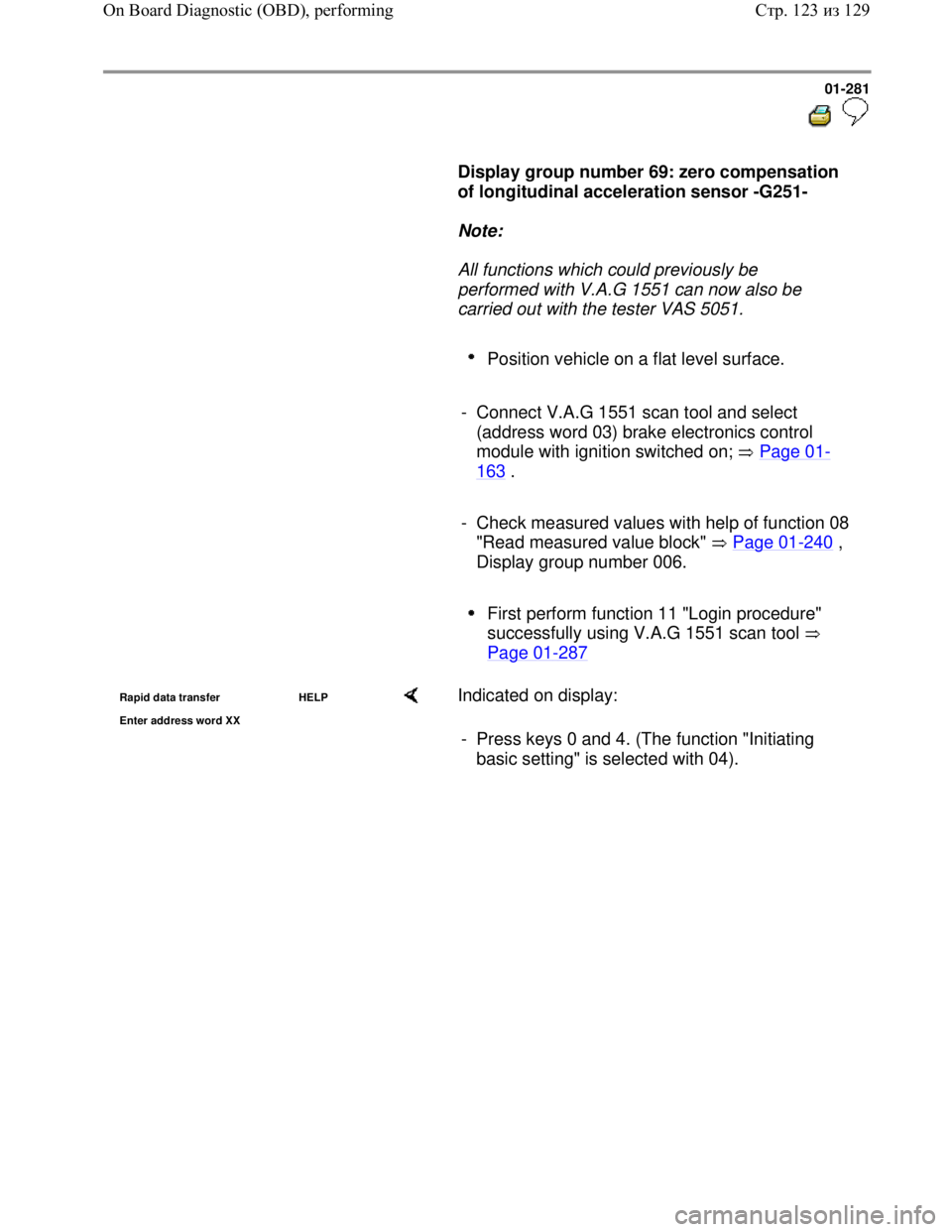
Rapid data transfer HELP
Enter address word XX Indicated on display:
- Press keys 0 and 4. (The function "Initiating
basic setting" is selected with 04).
Стр. 123из 129 On Board Diagnostic (OBD), performing
Page 290 of 339
Downloaded from www.Manualslib.com manuals search engine 01-282
Rapid data transfer Q
04 - Basic settin
g
Indicated on display:
- Confirm entry with key Q.
Basic setting HELP
Enter dis
play group number XXX
Indicated on display:
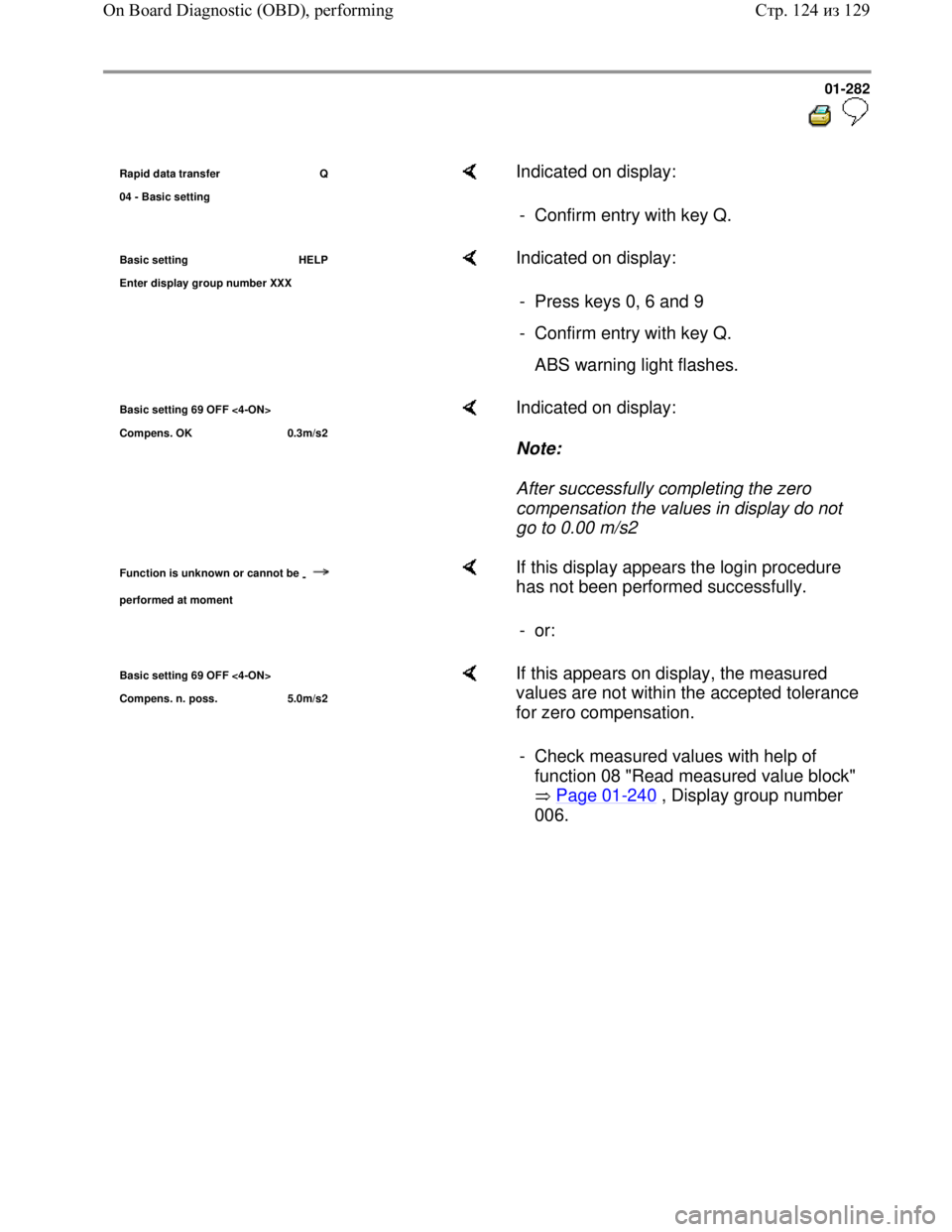
- Press keys 0, 6 and 9
- Confirm entry with key Q.
ABS warning light flashes.
Basic setting 69 OFF <4-ON>
Compens. OK 0.3m/s2 Indicated on display:
Note:
After successfully completing the zero
compensation the values in display do not
go to 0.00 m/s2
Function is unknown or cannot be
-
performed at moment
If this display appears the login procedure
has not been performed successfully.
- or:
Basic setting 69 OFF <4-ON>
Compens. n. poss. 5.0m/s2 If this appears on display, the measured
values are not within the accepted tolerance
for zero compensation.
- Check measured values with help of
function 08 "Read measured value block"
Page 01
-240 , Display group number
006.
Стр. 124из 129 On Board Diagnostic (OBD), performing
Page 309 of 339
Downloaded from www.Manualslib.com manuals search engine 01-301
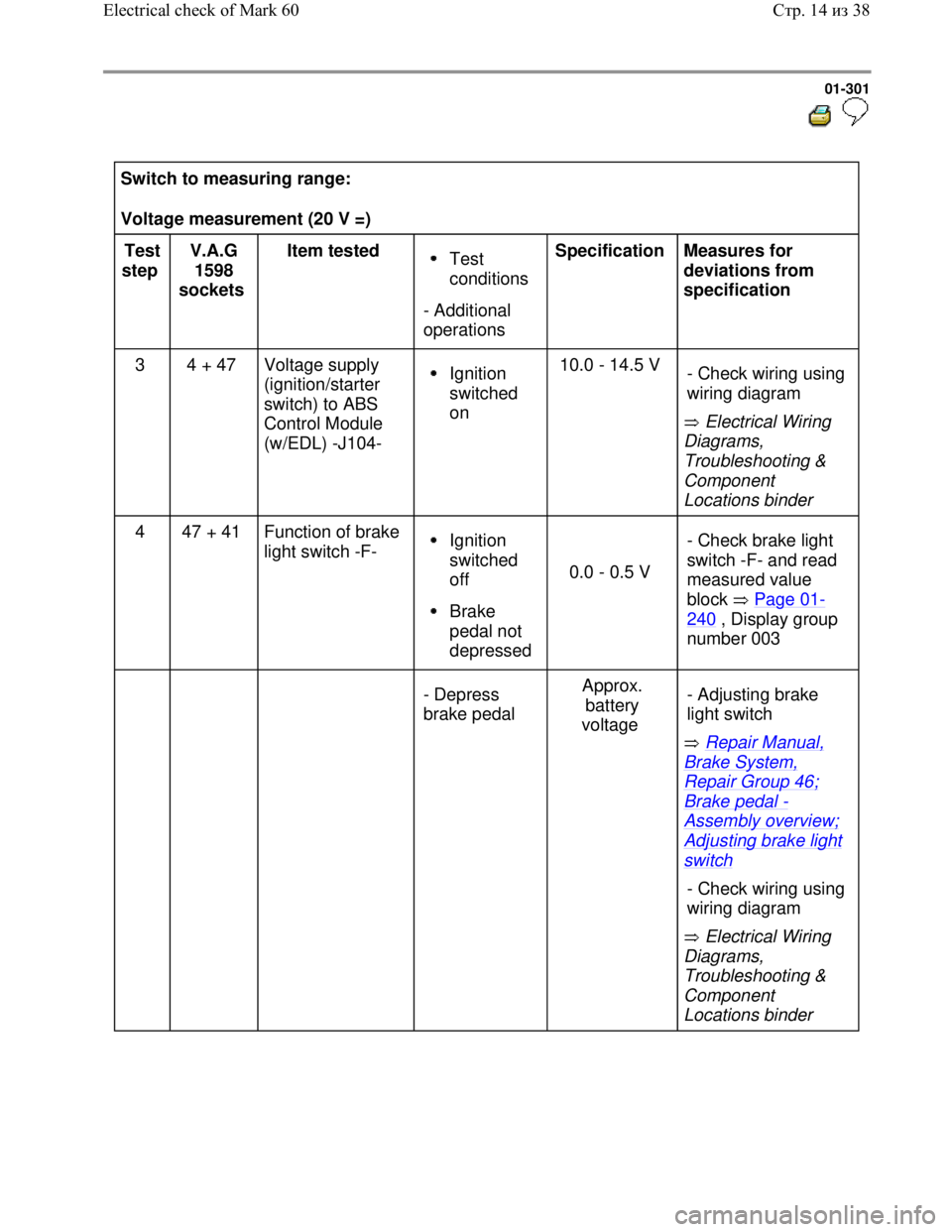
Switch to measuring range:
Voltage measurement (20 V =)
Test
step V.A.G
1598
sockets Item tested
Test
conditions
- Additional
operations Specification
Measures for
deviations from
specification
3 4 + 47 Voltage supply
(ignition/starter
switch) to ABS
Control Module
(w/EDL) -J104-
Ignition
switched
on 10.0 - 14.5 V
Electrical Wiring
Diagrams,
Troubleshooting &
Component
Locations binder - Check wiring using
wiring diagram
4 47 + 41 Function of brake
light switch -F- Ignition
switched
off
Brake
pedal not
depressed
0.0 - 0.5 V - Check brake light
switch -F- and read
measured value
block Page 01-
240 , Display group
number 003
- Depress
brake pedal Approx.
battery
voltage
Repair Manual,
Brake System,
Repair Group 46;
Brake pedal -
Assembly overview;
Adjusting brake light
switch
Electrical Wiring
Diagrams,
Troubleshooting &
Component
Locations binder - Adjusting brake
light switch
- Check wiring using
wiring diagram
Стр. 14из 38 Electrical check of Mark 60
Page 314 of 339
Downloaded from www.Manualslib.com manuals search engine 01-306
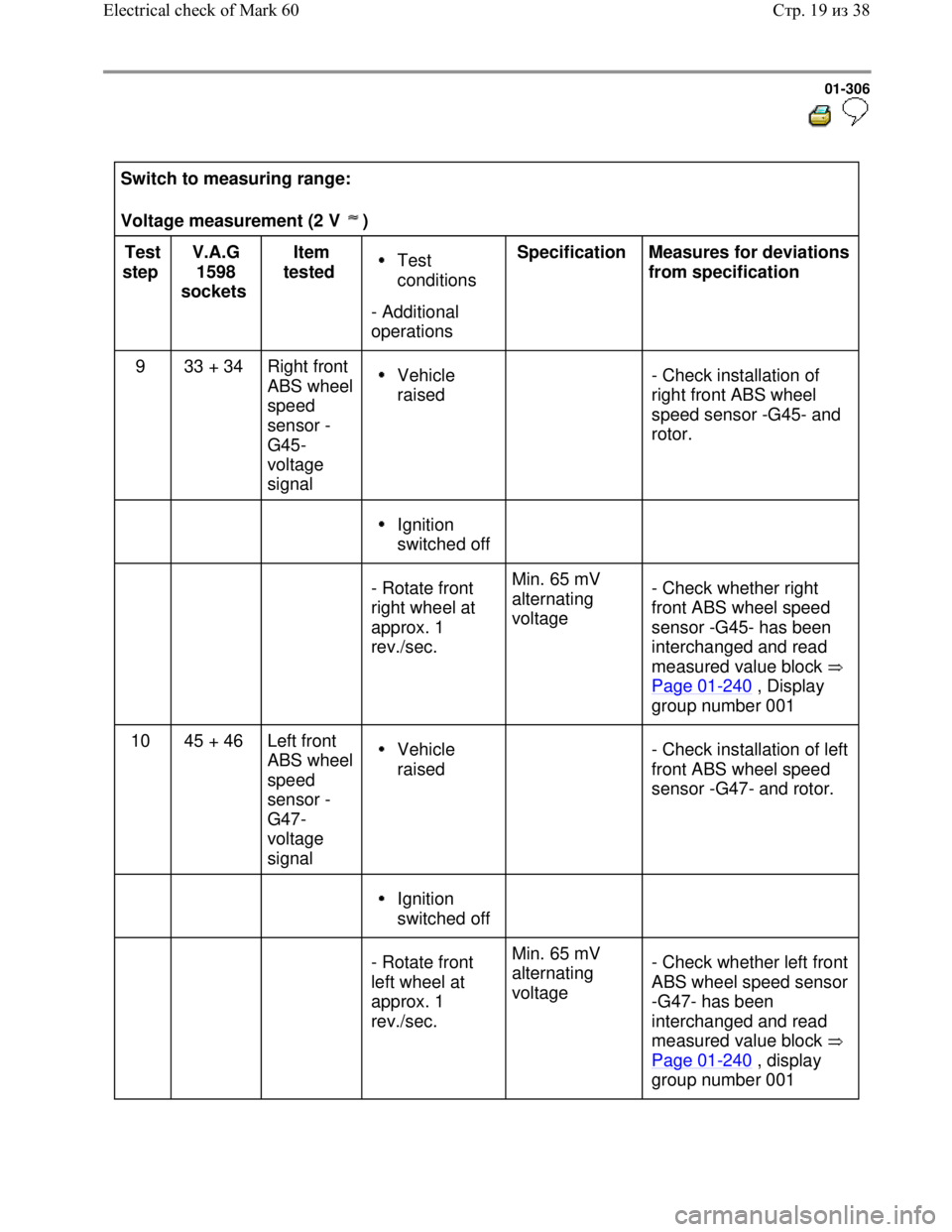
Switch to measuring range:
Voltage measurement (2 V )
Test
step V.A.G
1598
sockets Item
tested Test
conditions
- Additional
operations Specification
Measures for deviations
from specification
9 33 + 34 Right front
ABS wheel
speed
sensor -
G45-
voltage
signal
Vehicle
raised
- Check installation of
right front ABS wheel
speed sensor -G45- and
rotor.
Ignition
switched off
- Rotate front
right wheel at
approx. 1
rev./sec. Min. 65 mV
alternating
voltage - Check whether right
front ABS wheel speed
sensor -G45- has been
interchanged and read
measured value block
Page 01
-240 , Display
group number 001
10 45 + 46 Left front
ABS wheel
speed
sensor -
G47-
voltage
signal Vehicle
raised
- Check installation of left
front ABS wheel speed
sensor -G47- and rotor.
Ignition
switched off
- Rotate front
left wheel at
approx. 1
rev./sec. Min. 65 mV
alternating
voltage - Check whether left front
ABS wheel speed sensor
-G47- has been
interchanged and read
measured value block
Page 01
-240 , display
group number 001
Стр. 19из 38 Electrical check of Mark 60
Page 315 of 339
Downloaded from www.Manualslib.com manuals search engine 01-307
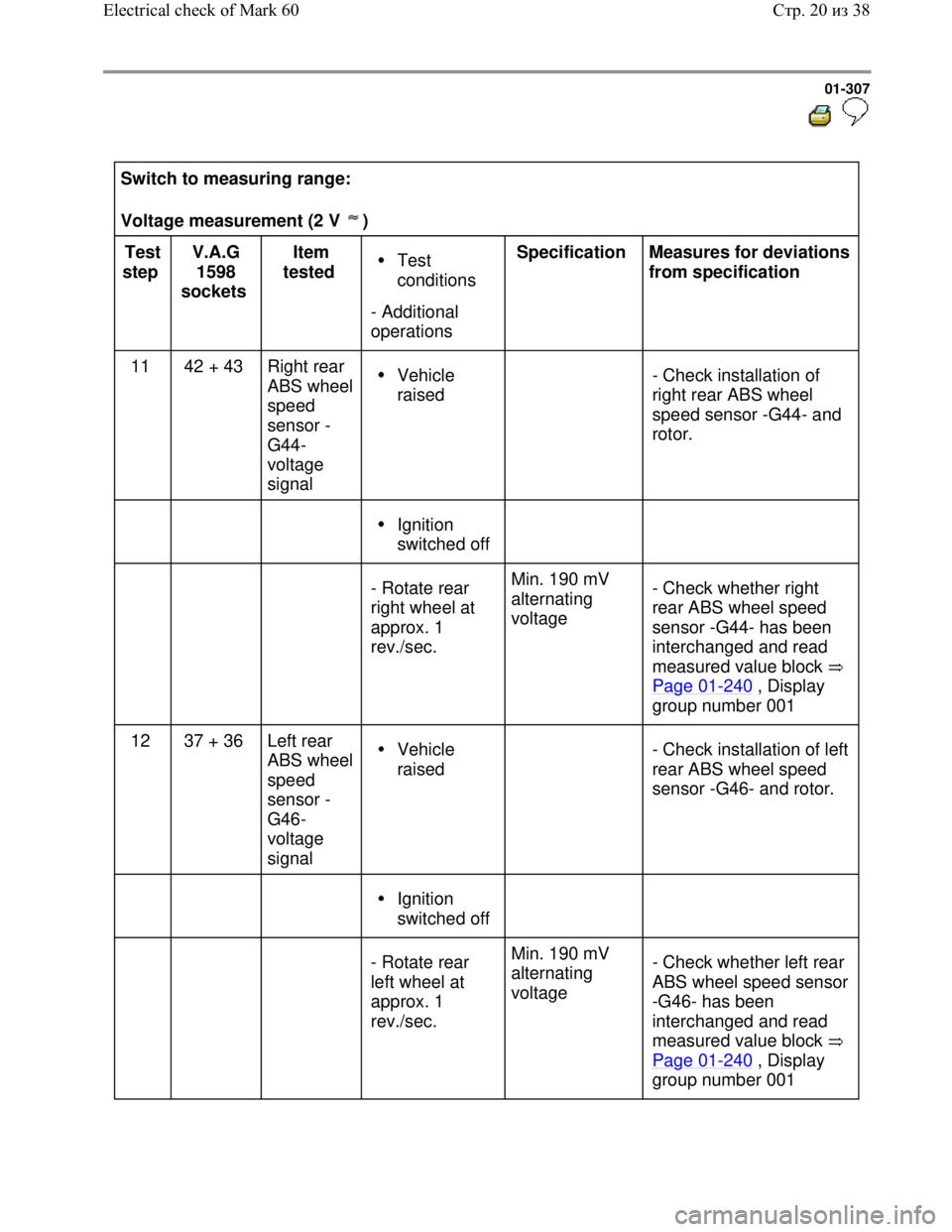
Switch to measuring range:
Voltage measurement (2 V )
Test
step V.A.G
1598
sockets Item
tested Test
conditions
- Additional
operations Specification
Measures for deviations
from specification
11 42 + 43 Right rear
ABS wheel
speed
sensor -
G44-
voltage
signal
Vehicle
raised
- Check installation of
right rear ABS wheel
speed sensor -G44- and
rotor.
Ignition
switched off
- Rotate rear
right wheel at
approx. 1
rev./sec. Min. 190 mV
alternating
voltage - Check whether right
rear ABS wheel speed
sensor -G44- has been
interchanged and read
measured value block
Page 01
-240 , Display
group number 001
12 37 + 36 Left rear
ABS wheel
speed
sensor -
G46-
voltage
signal Vehicle
raised
- Check installation of left
rear ABS wheel speed
sensor -G46- and rotor.
Ignition
switched off
- Rotate rear
left wheel at
approx. 1
rev./sec. Min. 190 mV
alternating
voltage - Check whether left rear
ABS wheel speed sensor
-G46- has been
interchanged and read
measured value block
Page 01
-240 , Display
group number 001
Стр. 20из 38 Electrical check of Mark 60
Page 334 of 339
Downloaded from www.Manualslib.com manuals search engine 01-326
Definitions
These explanations refer only to this assembly
group: ABS On Board Diagnostic (OBD). These
definitions are not necessarily generally valid.
ABS
Anti-locking brake system. Further information
on the ABS can be found in the relevant self-
study programs.
Display group number Read measured
value block
ASR
Traction Control System
Data bus
Transportation of data. To do this the electrical
signals are brought into a certain format (BUS).
Further information can be found in Self-study
programs. Also called CAN Bus.
Data bus low (high)
The voltage used to transport the data is low
(high). Further information can be found in Self-
study programs.
Speed sensor
Sends speed signals to control module.
Стр. 1из 6 Definitions
Page 335 of 339
Downloaded from www.Manualslib.com manuals search engine 01-327
EBD
Electronic brake pressure distribution
EDL
Electronic differential lock
On Board Diagnostic (OBD)
The capability of the control module:
Recognize Diagnostic Trouble Codes
(DTCs)
React to DTCs
Store DTCs
and make them available in the Measured
value block. Further information on this can be
found in Self-study programs and test unit
instruction manual.
Performing On Board Diagnostic (OBD)
Connecting the Scan Tool to be able to check
the DTC memory. Further information on this
can be found in Self-study programs and test
unit instruction manual.
Performing electrical check
A targeted check of the electronic components
by performing certain measurements.
Стр. 2из 6 Definitions