wheel VOLKSWAGEN POLO 2015 Owner´s Manual
[x] Cancel search | Manufacturer: VOLKSWAGEN, Model Year: 2015, Model line: POLO, Model: VOLKSWAGEN POLO 2015Pages: 100, PDF Size: 4.14 MB
Page 9 of 100
Downloaded from www.Manualslib.com manuals search engine 12/29/2015Bedienungsanleitung < Service & Zubehör < Volkswagen Deutschland
6/32
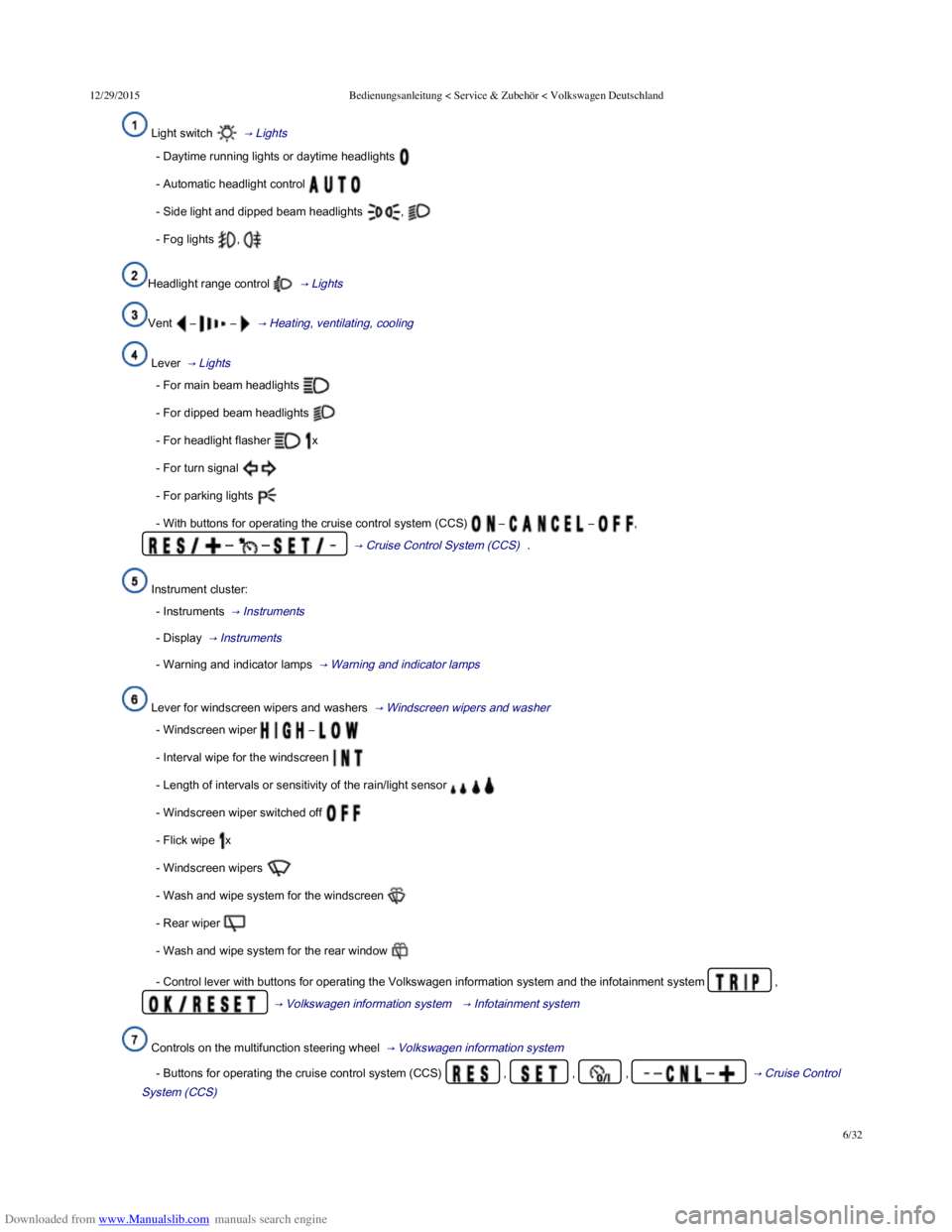
Light switch → Lights
- Daytime running lights or daytime headlights
- Automatic headlight control
- Side light and dipped beam headlights ,
- Fog lights ,
Headlight range control → Lights
Vent – – → Heating, ventilating, cooling
Lever → Lights
- For main beam headlights
- For dipped beam headlights
- For headlight flasher x
- For turn signal
- For parking lights
- With buttons for operating the cruise control system (CCS) – – ,
– – → Cruise Control System (CCS) .
Instrument cluster:
- Instruments → Instruments
- Display → Instruments
- Warning and indicator lamps → Warning and indicator lamps
Lever for windscreen wipers and washers → Windscreen wipers and washer
- Windscreen wiper –
- Interval wipe for the windscreen
- Length of intervals or sensitivity of the rain/light sensor
- Windscreen wiper switched off
- Flick wipe x
- Windscreen wipers
- Wash and wipe system for the windscreen
- Rear wiper
- Wash and wipe system for the rear window
- Control lever with buttons for operating the Volkswagen information system and the infotainment system ,
→ Volkswagen information system → Infotainment system
Controls on the multifunction steering wheel → Volkswagen information system
- Buttons for operating the cruise control system (CCS) , , , – – → Cruise Control
System (CCS)
Page 25 of 100
Downloaded from www.Manualslib.com manuals search engine 12/29/2015Bedienungsanleitung < Service & Zubehör < Volkswagen Deutschland
22/32
→ Selection menu
→ Driving data
→ menu
When the ignition is switched on, the various display functions can be accessed via the selection menu, e.g. the driving data display
(multifunction display (MFD)).
There are no buttons on the windscreen wiper lever in vehicles equipped with a multifunction steering wheel. The multifunction display is
controlled using the buttons on the multifunction steering wheel only.
The scope of the menus and information shown on the instrument cluster display depends on the vehicle electronics and the vehicle equipment
level.
Qualified workshops can program and modify other functions depending on the vehicle equipment level. Volkswagen recommends using a
Volkswagen dealership for this purpose.
Some menu options can only be called up when the vehicle is stationary.
If any priority 1 warning reports are being displayed, you will be unable to access any menus or information displays. A few warning messages
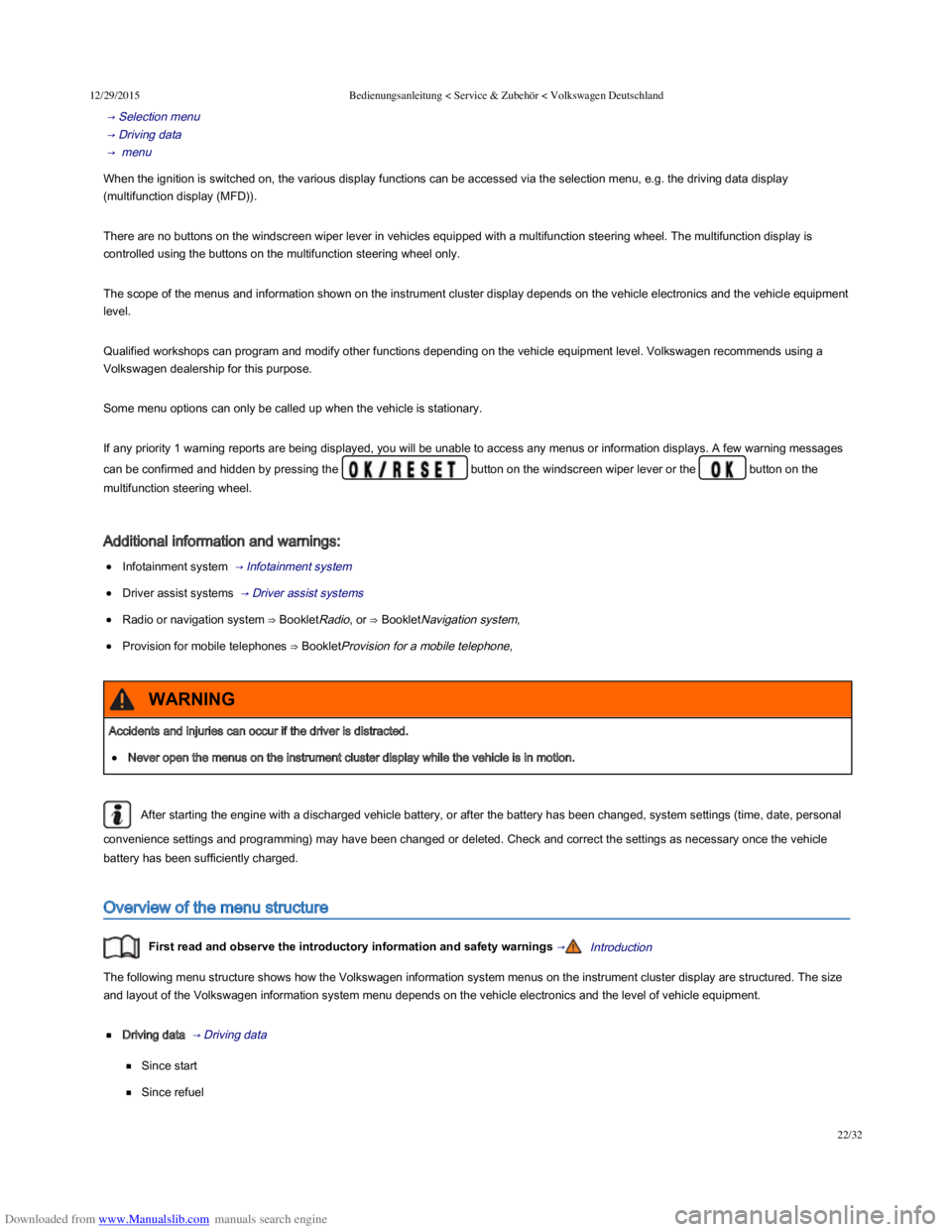
can be confirmed and hidden by pressing the button on the windscreen wiper lever or the button on the
multifunction steering wheel.
Additional information and warnings:
Infotainment system → Infotainment system
Driver assist systems → Driver assist systems
Radio or navigation system ⇒ BookletRadio, or ⇒ BookletNavigation system,
Provision for mobile telephones ⇒ BookletProvision for a mobile telephone,
After starting the engine with a discharged vehicle battery, or after the battery has been changed, system settings (time, date, personal
convenience settings and programming) may have been changed or deleted. Check and correct the settings as necessary once the vehicle
battery has been sufficiently charged.
Overview of the menu structure
First read and observe the introductory information and safety warnings →Introduction
The following menu structure shows how the Volkswagen information system menus on the instrument cluster display are structured. The size
and layout of the Volkswagen information system menu depends on the vehicle electronics and the level of vehicle equipment.
Driving data → Driving data
Since start
Since refuel
Accidents and injuries can occur if the driver is distracted.
Never open the menus on the instrument cluster display while the vehicle is in motion.
WARNING
Page 26 of 100
Downloaded from www.Manualslib.com manuals search engine 12/29/2015Bedienungsanleitung < Service & Zubehör < Volkswagen Deutschland
23/32
Long-term
Speed warning function
Digital speed
Range
Convenience consumers
Driver assist systems → Selection menu
Front Assist on/off
Adaptive Cruise Control (ACC)
Navigation ⇒ BookletNavigation system,
Audio ⇒ BookletRadio, or ⇒ BookletNavigation system,
Telephone ⇒ BookletProvision for mobile telephone, , ⇒ BookletNavigation system, / ⇒ BookletRadio/navigation system,
Vehicle status → Selection menu
Using the selection menu in the instrument cluster
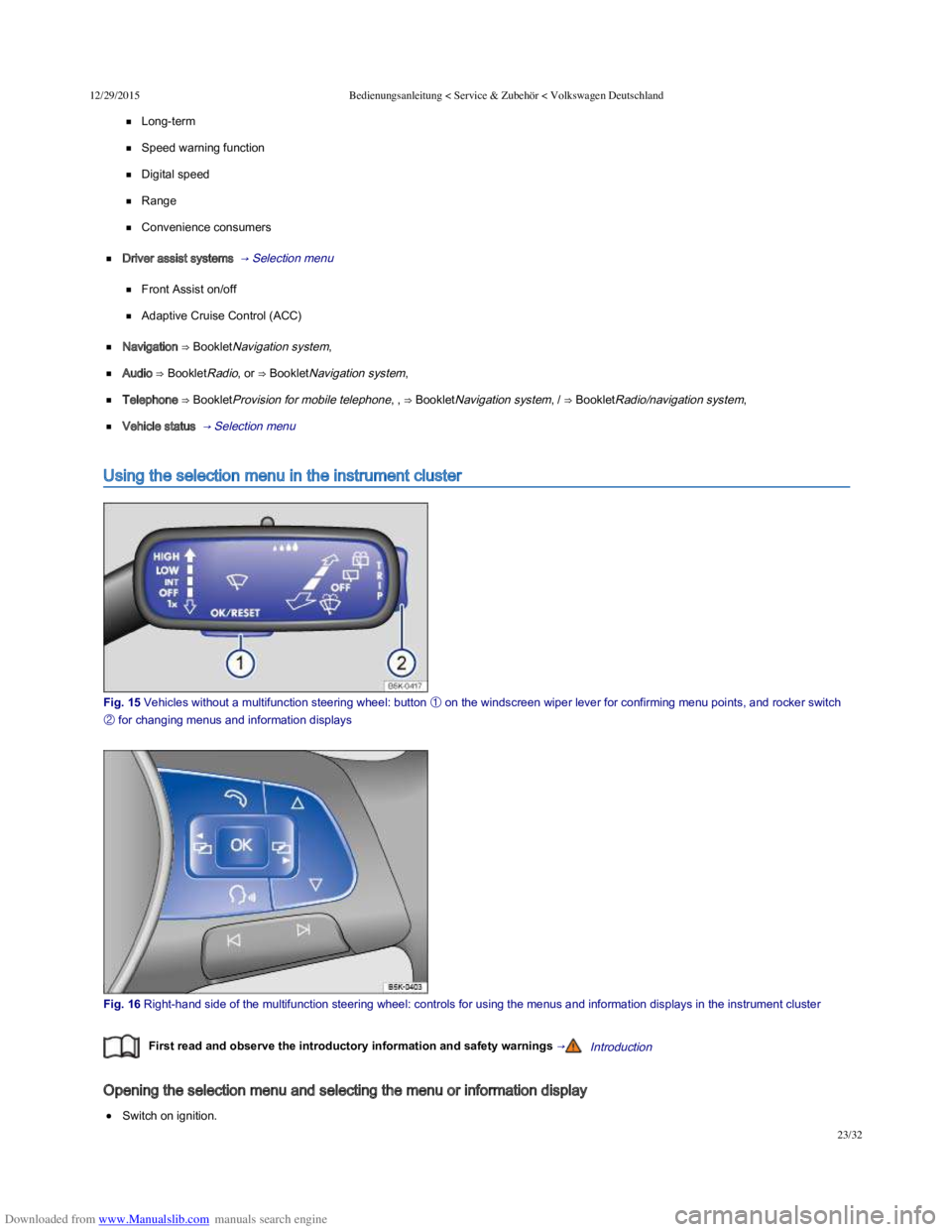
Fig. 15 Vehicles without a multifunction steering wheel: button
Page 27 of 100
Downloaded from www.Manualslib.com manuals search engine 12/29/2015Bedienungsanleitung < Service & Zubehör < Volkswagen Deutschland
24/32
If a message or vehicle pictogram is displayed, press button → Fig. 15 ① on the windscreen wiper level or the button on the
multifunction steering wheel → Fig. 16 . You may need to press the button several times.
Operation using the windscreen wiper lever: to display the selection menu → Selection menu or to return to the selection menu from
another menu or information display, press and hold the rocker switch → Fig. 15 ② until the selection menu is displayed. To browse
through the selection menu, press the rocker switch up or down.
Operation using the multifunction steering wheel: to display and browse through the selection menu, press or → Fig. 16 .
To open the menu or information display shown in the selection menu, press → Fig. 15 ① on the windscreen wiper lever, press the
button on the multifunction steering wheel → Fig. 16 , or wait until the menu or information display opens automatically after a few
seconds.
Adjusting settings in menus
In the displayed menu, press the rocker switch → Fig. 15 ② on the windscreen wiper lever up or down, or press the arrow buttons
or on the multifunction steering wheel → Fig. 16 until the required menu option is selected. A frame appears around the selected
option.
Press button → Fig. 15 ① on the windscreen wiper lever or press the button on the multifunction steering wheel → Fig. 16 to
make the required change. A tick indicates that the particular system or function is active.
Returning to the selection menu
Using the menu: in the menu, select the Back menu option to leave the menu.
Using the multifunction steering wheel: press the or button → Fig. 16 .
If warning messages about malfunctions are displayed when the ignition is switched on, it may not be possible to adjust some settings
as described, or the information display may appear differently. If this is the case, take the vehicle to a qualified workshop to have the
malfunction rectified.
Selection menu
First read and observe the introductory information and safety warnings →Introduction
MenuFunctionSee
Driving data
Information and settings for the multifunction display (MFD). → Driving data ,
→ Menu and system
settings (SETUP)
Display of current warning or information messages and other system components
depending on the equipment level.
Assist systemsInformation and settings for the driver assist systems.
→ Assist systems menu ,
→ Menu and system
settings (SETUP)
Navigation
Information displays from active navigation system:
⇒ BookletNavigation
system,
Turning arrows and proximity bars are displayed if you use active route guidance. The
design is similar to the symbols used in the infotainment system.
The direction of travel (compass function) and the name of the road being used are
displayed if the route guidance option is not active.
Audio
Station display in radio mode.⇒ BookletRadio, /
⇒ BookletNavigation
system,
Display of station list in radio mode.
Track display in media mode.
Page 28 of 100

Downloaded from www.Manualslib.com manuals search engine 12/29/2015Bedienungsanleitung < Service & Zubehör < Volkswagen Deutschland
25/32
Telephone
Display telephone information.
⇒ BookletProvision for a
mobile telephone,
⇒ BookletNavigation
system, /
⇒ BookletRadio/navigation
system,
Using the telephone.
Vehicle status /
Vehicle
Display and storage of current warning or information texts. → Instruments ,
→ Menu and system
settings (SETUP) The menu option only appears if warning and information texts are available.
Driving data
First read and observe the introductory information and safety warnings →Introduction
The multifunction display (MFD) shows a variety of travel and fuel consumption data. MFA is called up from the selection menu → Using the
selection menu in the instrument cluster .
Switching between displays
Vehicles without a multifunction steering wheel: press the rocker switch on the windscreen wiper lever → Fig. 15 .
Vehicles with a multifunction steering wheel: press the or button → Fig. 16 .
Driving data recorder
The MFD is fitted with 3 automatic recorders:
Since start
Since refuel
Long-term
The currently selected memory is shown in the display.
Press the button on the windscreen wiper lever or press the button on the multifunction steering wheel to
switch between recorders when the ignition is switched on and the recorder is displayed.
DisplayFunction
Since start
Display and storage of gathered driving and consumption values from the time the ignition is switched on until it
is switched off.
If the journey is continued within approximately 2 hours of the ignition being switched off, the new values are
also taken into account. The memory will automatically be deleted if the journey is interrupted for more than 2
hours.
Since refuelDisplay and storage of the collected driving and consumption values. The memory is deleted automatically
when the vehicle is refuelled.
Long-term
The memory collects journey data for any number of individual journeys up to a total of 19 hours and
59 minutes or 99 hours and 59 minutes journey time or 1,999.9 km or 9,999.9 km distance travelled. If one of
these maximum limitsa) is exceeded, the memory is automatically deleted and reset to 0.
Deleting the driving data recorder manually
Page 29 of 100
Downloaded from www.Manualslib.com manuals search engine 12/29/2015Bedienungsanleitung < Service & Zubehör < Volkswagen Deutschland
26/32
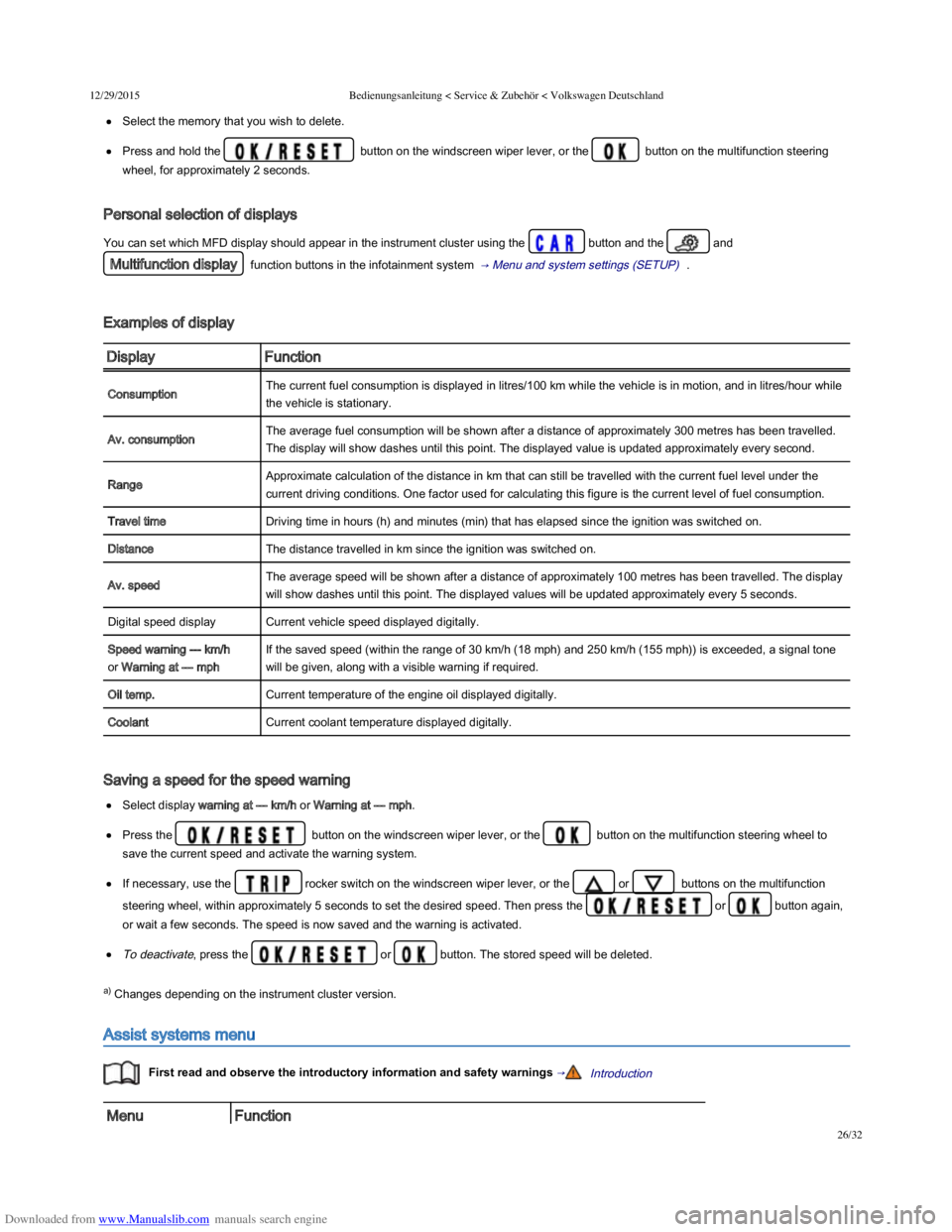
Select the memory that you wish to delete.
Press and hold the button on the windscreen wiper lever, or the button on the multifunction steering
wheel, for approximately 2 seconds.
Personal selection of displays
You can set which MFD display should appear in the instrument cluster using the button and the and
Multifunction display function buttons in the infotainment system → Menu and system settings (SETUP) .
Examples of display
DisplayFunction
ConsumptionThe current fuel consumption is displayed in litres/100 km while the vehicle is in motion, and in litres/hour while
the vehicle is stationary.
Av. consumptionThe average fuel consumption will be shown after a distance of approximately 300 metres has been travelled.
The display will show dashes until this point. The displayed value is updated approximately every second.
RangeApproximate calculation of the distance in km that can still be travelled with the current fuel level under the
current driving conditions. One factor used for calculating this figure is the current level of fuel consumption.
Travel timeDriving time in hours (h) and minutes (min) that has elapsed since the ignition was switched on.
DistanceThe distance travelled in km since the ignition was switched on.
Av. speedThe average speed will be shown after a distance of approximately 100 metres has been travelled. The display
will show dashes until this point. The displayed values will be updated approximately every 5 seconds.
Digital speed displayCurrent vehicle speed displayed digitally.
Speed warning --- km/h
or Warning at --- mph
If the saved speed (within the range of 30 km/h (18 mph) and 250 km/h (155 mph)) is exceeded, a signal tone
will be given, along with a visible warning if required.
Oil temp.Current temperature of the engine oil displayed digitally.
CoolantCurrent coolant temperature displayed digitally.
Saving a speed for the speed warning
Select display warning at --- km/h or Warning at --- mph.
Press the button on the windscreen wiper lever, or the button on the multifunction steering wheel to
save the current speed and activate the warning system.
If necessary, use the rocker switch on the windscreen wiper lever, or the or buttons on the multifunction
steering wheel, within approximately 5 seconds to set the desired speed. Then press the or button again,
or wait a few seconds. The speed is now saved and the warning is activated.
To deactivate, press the or button. The stored speed will be deleted.
a) Changes depending on the instrument cluster version.
Assist systems menu
First read and observe the introductory information and safety warnings →Introduction
MenuFunction
Page 30 of 100
Downloaded from www.Manualslib.com manuals search engine 12/29/2015Bedienungsanleitung < Service & Zubehör < Volkswagen Deutschland
27/32
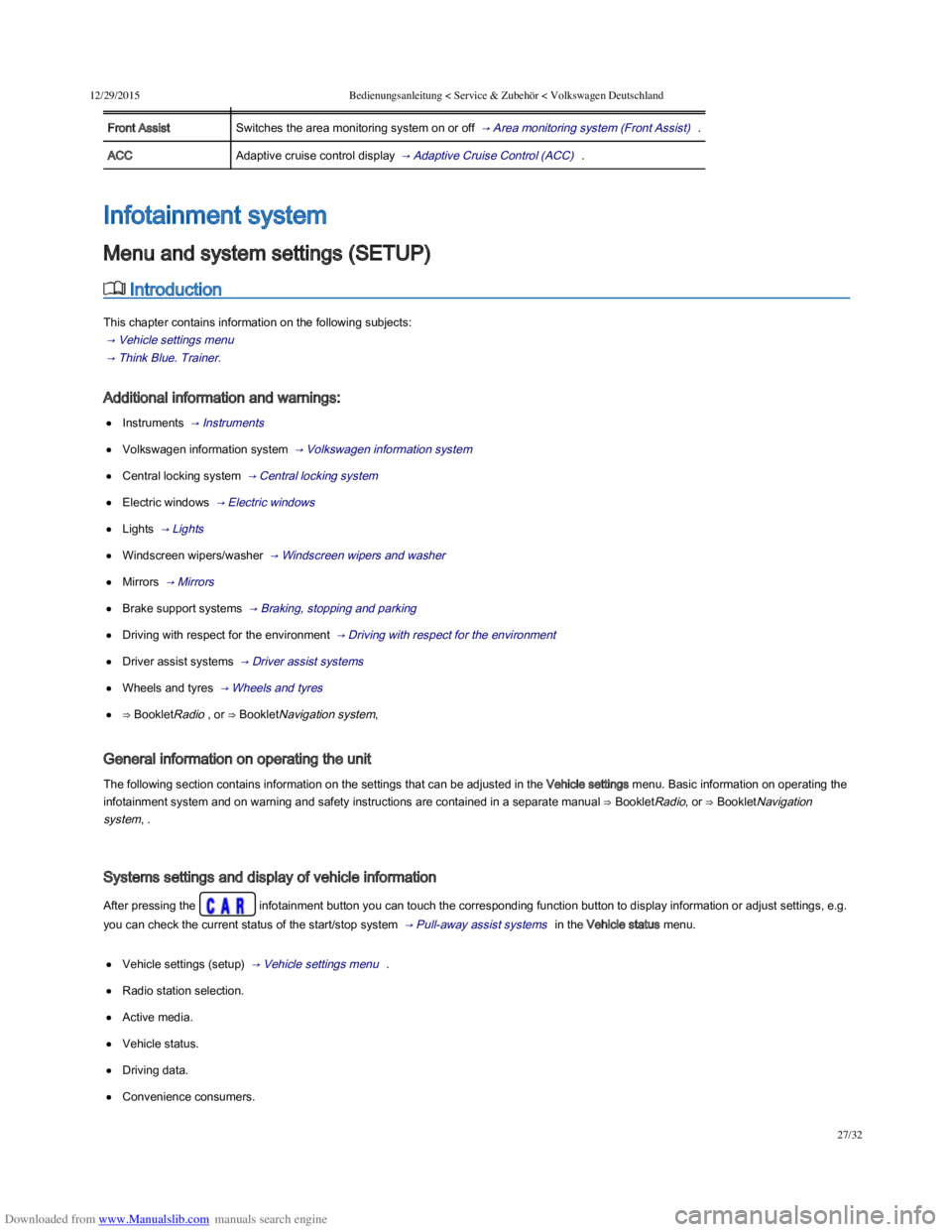
MenuFunction
Front AssistSwitches the area monitoring system on or off → Area monitoring system (Front Assist) .
ACCAdaptive cruise control display → Adaptive Cruise Control (ACC) .
Introduction
This chapter contains information on the following subjects:
→ Vehicle settings menu
→ Think Blue. Trainer.
Additional information and warnings:
Instruments → Instruments
Volkswagen information system → Volkswagen information system
Central locking system → Central locking system
Electric windows → Electric windows
Lights → Lights
Windscreen wipers/washer → Windscreen wipers and washer
Mirrors → Mirrors
Brake support systems → Braking, stopping and parking
Driving with respect for the environment → Driving with respect for the environment
Driver assist systems → Driver assist systems
Wheels and tyres → Wheels and tyres
⇒ BookletRadio , or ⇒ BookletNavigation system,
General information on operating the unit
The following section contains information on the settings that can be adjusted in the Vehicle settings menu. Basic information on operating the
infotainment system and on warning and safety instructions are contained in a separate manual ⇒ BookletRadio, or ⇒ BookletNavigation
system, .
Systems settings and display of vehicle information
After pressing the infotainment button you can touch the corresponding function button to display information or adjust settings, e.g.
you can check the current status of the start/stop system → Pull-away assist systems in the Vehicle status menu.
Vehicle settings (setup) → Vehicle settings menu .
Radio station selection.
Active media.
Vehicle status.
Driving data.
Convenience consumers.
Infotainment system
Menu and system settings (SETUP)
Page 31 of 100
Downloaded from www.Manualslib.com manuals search engine 12/29/2015Bedienungsanleitung < Service & Zubehör < Volkswagen Deutschland
28/32
After starting the engine with a discharged vehicle battery, or after the battery has been changed, system settings (time, date, personal
convenience settings and programming) may have been changed or deleted. Check and correct the settings as necessary once the vehicle
battery has been sufficiently charged.
Vehicle settings menu
First read and observe the introductory information and safety warnings →Introduction
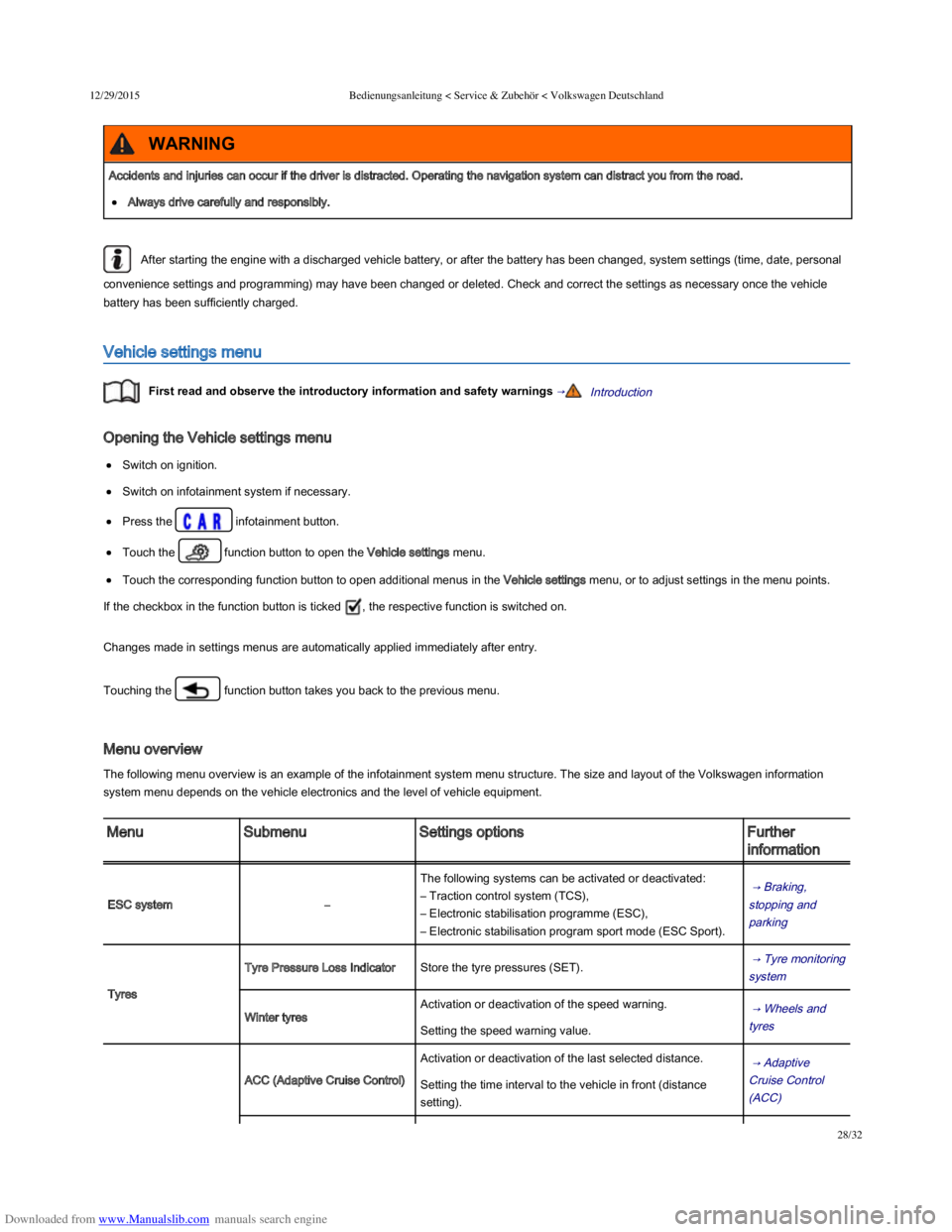
Opening the Vehicle settings menu
Switch on ignition.
Switch on infotainment system if necessary.
Press the infotainment button.
Touch the function button to open the Vehicle settings menu.
Touch the corresponding function button to open additional menus in the Vehicle settings menu, or to adjust settings in the menu points.
If the checkbox in the function button is ticked , the respective function is switched on.
Changes made in settings menus are automatically applied immediately after entry.
Touching the function button takes you back to the previous menu.
Menu overview
The following menu overview is an example of the infotainment system menu structure. The size and layout of the Volkswagen information
system menu depends on the vehicle electronics and the level of vehicle equipment.
MenuSubmenuSettings optionsFurther
information
ESC system–
The following systems can be activated or deactivated:
– Traction control system (TCS),
– Electronic stabilisation programme (ESC),
– Electronic stabilisation program sport mode (ESC Sport).
→ Braking,
stopping and
parking
Tyres
Tyre Pressure Loss IndicatorStore the tyre pressures (SET). → Tyre monitoring
system
Winter tyres
Activation or deactivation of the speed warning. → Wheels and
tyres Setting the speed warning value.
ACC (Adaptive Cruise Control)
Activation or deactivation of the last selected distance. → Adaptive
Cruise Control
(ACC)
Setting the time interval to the vehicle in front (distance
setting).
Accidents and injuries can occur if the driver is distracted. Operating the navigation system can distract you from the road.
Always drive carefully and responsibly.
WARNING
Page 36 of 100
Downloaded from www.Manualslib.com manuals search engine 12/29/2015Bedienungsanleitung < Service & Zubehör < Volkswagen Deutschland
1/136
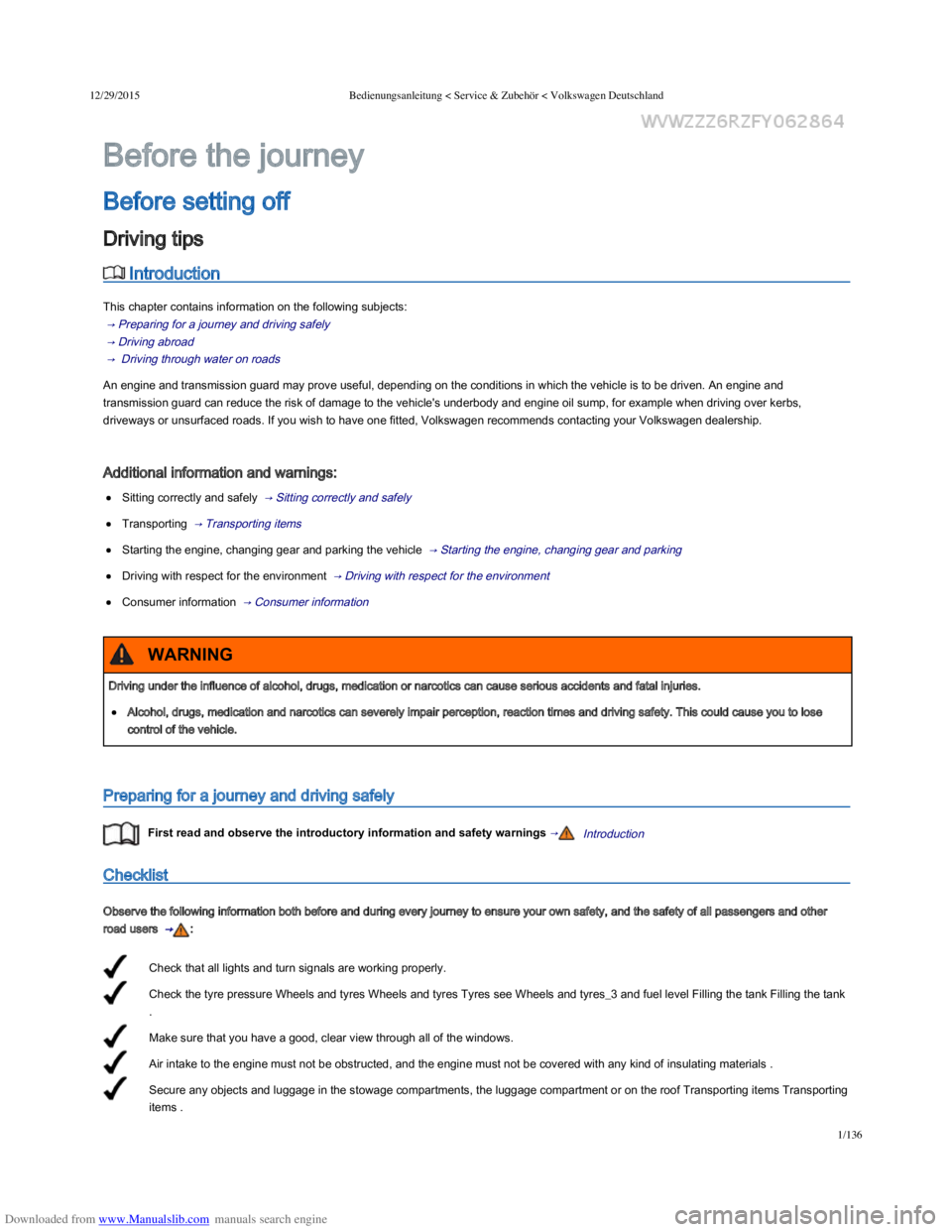
Check that all lights and turn signals are working properly.
Check the tyre pressure Wheels and tyres Wheels and tyres Tyres see Wheels and tyres_3 and fuel level Filling the tank Filling the tank
.
Make sure that you have a good, clear view through all of the windows.
Air intake to the engine must not be obstructed, and the engine must not be covered with any kind of insulating materials .
Secure any objects and luggage in the stowage compartments, the luggage compartment or on the roof Transporting items Transporting
items .
Introduction
This chapter contains information on the following subjects:
→ Preparing for a journey and driving safely
→ Driving abroad
→ Driving through water on roads
An engine and transmission guard may prove useful, depending on the conditions in which the vehicle is to be driven. An engine and
transmission guard can reduce the risk of damage to the vehicle's underbody and engine oil sump, for example when driving over kerbs,
driveways or unsurfaced roads. If you wish to have one fitted, Volkswagen recommends contacting your Volkswagen dealership.
Additional information and warnings:
Sitting correctly and safely → Sitting correctly and safely
Transporting → Transporting items
Starting the engine, changing gear and parking the vehicle → Starting the engine, changing gear and parking
Driving with respect for the environment → Driving with respect for the environment
Consumer information → Consumer information
Preparing for a journey and driving safely
First read and observe the introductory information and safety warnings →Introduction
Checklist
Observe the following information both before and during every journey to ensure your own safety, and the safety of all passengers and other
road users → :
Before the journey
Before setting off
Driving tips
Driving under the influence of alcohol, drugs, medication or narcotics can cause serious accidents and fatal injuries.
Alcohol, drugs, medication and narcotics can severely impair perception, reaction times and driving safety. This could cause you to lose
control of the vehicle.
WARNING
Page 39 of 100
Downloaded from www.Manualslib.com manuals search engine 12/29/2015Bedienungsanleitung < Service & Zubehör < Volkswagen Deutschland
4/136
→ Performance figures
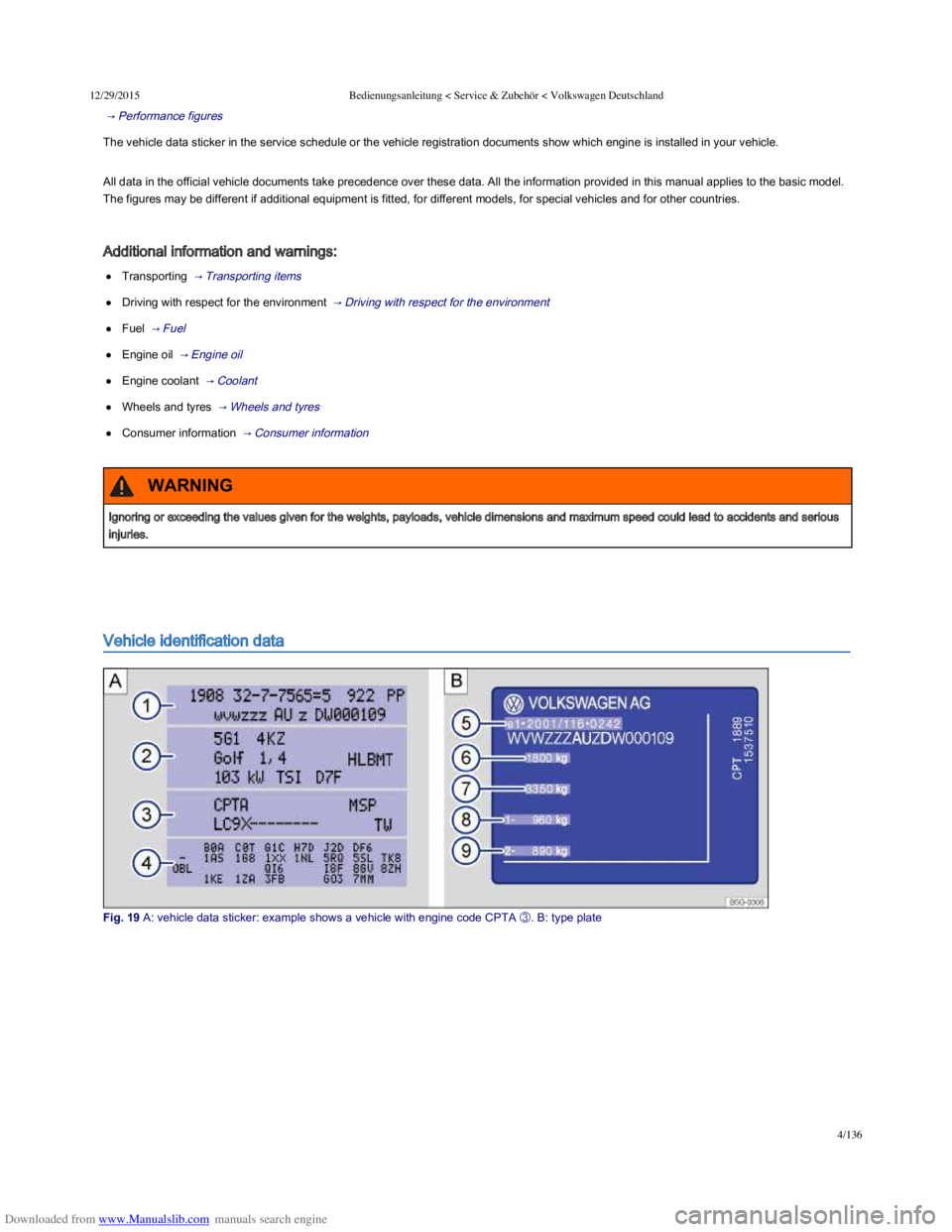
The vehicle data sticker in the service schedule or the vehicle registration documents show which engine is installed in your vehicle.
All data in the official vehicle documents take precedence over these data. All the information provided in this manual applies to the basic model.
The figures may be different if additional equipment is fitted, for different models, for special vehicles and for other countries.
Additional information and warnings:
Transporting → Transporting items
Driving with respect for the environment → Driving with respect for the environment
Fuel → Fuel
Engine oil → Engine oil
Engine coolant → Coolant
Wheels and tyres → Wheels and tyres
Consumer information → Consumer information
Vehicle identification data
Fig. 19 A: vehicle data sticker: example shows a vehicle with engine code CPTA