indicator VOLKSWAGEN T-ROC 2019 Owner's Guide
[x] Cancel search | Manufacturer: VOLKSWAGEN, Model Year: 2019, Model line: T-ROC, Model: VOLKSWAGEN T-ROC 2019Pages: 502, PDF Size: 8.58 MB
Page 167 of 502

Switching on: press the button Fig. 93
The auxiliary heater is switched on when the LED on the remote control is lit up green.
Switching off: press the button Fig. 93
The auxiliary heater is switched off when the LED on the remote control is lit up red.
LED in the remote control
The LED Fig. 93
Lit up
greenThe auxiliary heater is switched on.redThe auxiliary heater is switched off.
Flashing irregularly
greenAuxiliary heater disabled: the fuel tank is nearly empty, the 12-volt vehicle battery voltage is
too low or a malfunction has occurred. Refuel and drive long enough to recharge the 12-volt vehicle
battery or visit a qualified workshop.
Flashing regularly
red or greenSwitch-on or switch-off signal has not been received. Move closer to the vehicle.
Lit up or flashing
orangeThe button cell (battery) in the remote control is weak. Replace the button cell.
Range
The remote control has a range of a few hundred metres when the button cell is fully charged.
Maintain a distanced of at least 2 metres between the remote control and the vehicle.
Avoid any obstacles between the remote control and the vehicle.
Hold the remote control with the aerial Fig. 93pointing vertically upwards.
Do not cover the aerial.
Adverse weather or a weak battery cell will significantly reduce the range.
Renewing the button cell in the remote control
The button cell in the remote control must be replaced if the indicator lamp does not light up.
Insert a suitable object, e.g. a screwdriver, in the recess on the side in the direction of the arrow
Fig. 93
Use the object to lever off the battery cover.
Slide the battery cover forwards slightly in the direction of the arrow.
Page 170 of 502

NOTICE
Free access to the pedals must be ensured at all times. For example, a larger brake pedal travel will
be necessary in order to stop the vehicle if a brake circuit fails. The brake pedal will have to be
depressed further and harder than normal.
Gear-change indicator
Fig. 96 On the instrument cluster display: gear-change indicator.
Key to Fig. 96
Currently selected gear.
Recommended gear.
Depending on the vehicle's equipment level, the instrument cluster display may indicate a gear
which should be selected to reduce fuel consumption while the vehicle is in motion.
Vehicles with DSG dual clutch gearbox: the selector lever must be in the Tiptronic position for
this Changing gear using Tiptronic
No recommended gear is indicated if the most suitable gear is already selected. The currently
selected gear is displayed.
Information on cleaning the particulate filter
The engine management system recognises when the particulate filter is becoming saturated and
supports regeneration of the filter by recommending the most suitable gear when driving. Compared
with normal driving, this may mean driving with an increased engine speed Particulate filter
CAUTION
The gear-change indicator is designed only to assist the driver and cannot replace the driver's own
judgement.
The driver has full responsibility for selecting the correct gear in all situations, e.g. when overtaking
or when driving up and down hills.
Driving in the correct gear can help to reduce fuel consumption.
Page 171 of 502
The gear-change indicator display goes out when the clutch is depressed in vehicles with a manual
gearbox or when Tiptronic position is deselected in vehicles with a DSG
Page 172 of 502

file Driving profile selection and 4MOTION Active Control
Avoid driving at full throttle
Never drive the vehicle at its top speed. The drag coefficient increases at excessively high speeds.
This in turn increases the force needed to move the vehicle.
Reduce idling
Pull away immediately with low engine speeds. If you are stopped for a long period, do not allow the
engine to idle but switch it off, e.g. when in a traffic jam or at a railway crossing.
In vehicles with an activated start/stop system, the engine can switch off automatically when the
vehicle is stopping and when the vehicle is stationary Start/stop system
Refuel moderately
A full fuel tank increases the weight of the vehicle. A fuel tank that is half or two thirds of the way
full is sufficient for journeys in urban traffic in particular.
Avoid short journeys
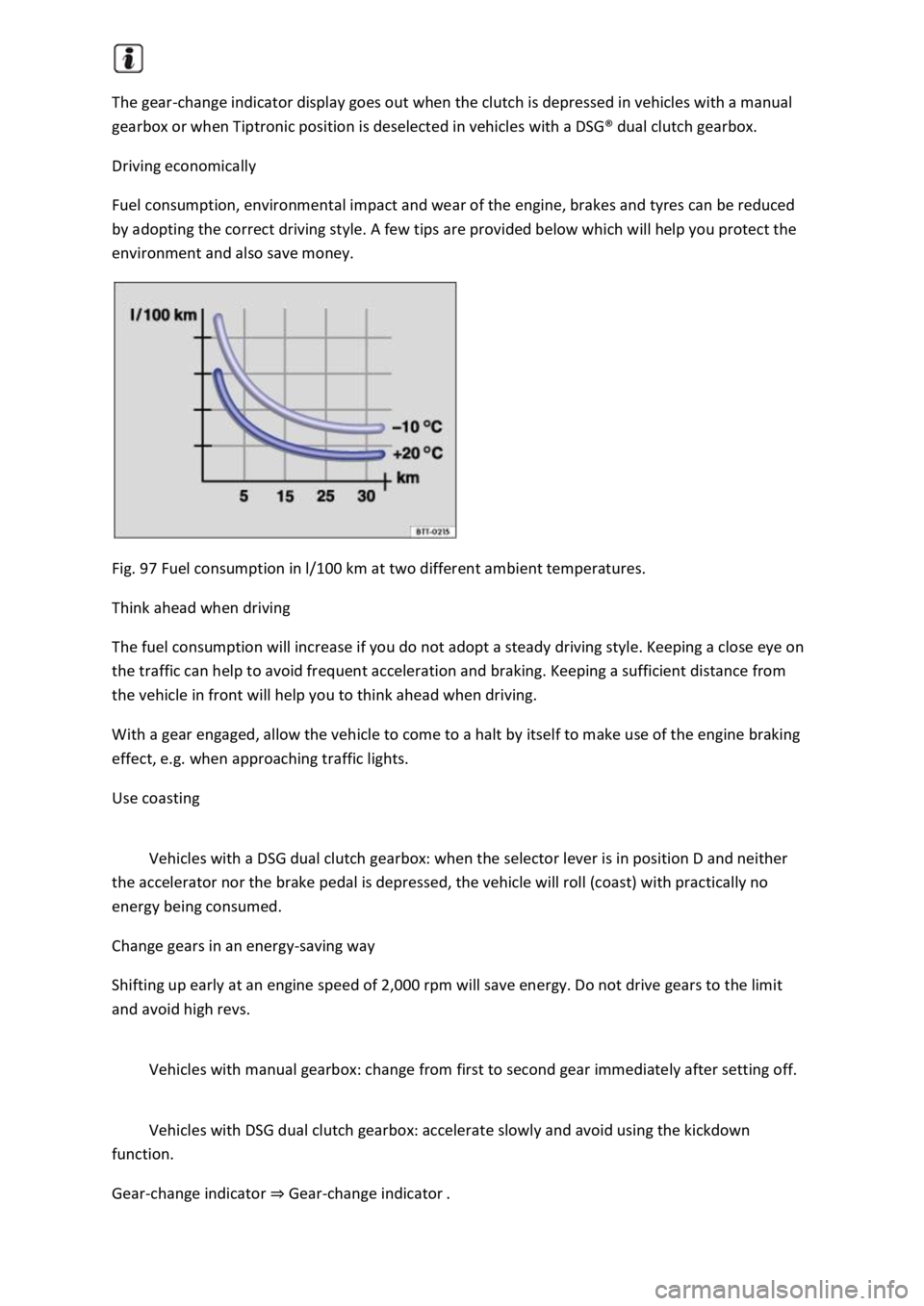
A cold engine has very high fuel consumption. The optimum operating temperature is reached only
after driving a few kilometres. The fuel consumption is above average at very low ambient
temperatures, e.g. in winter Fig. 97
Carry out regular maintenance
Regular maintenance is an essential prerequisite for economical driving and increases the service life
of the vehicle.
Observe the tyre pressures
Low tyre pressures does not just mean greater wear, but also increase the rolling resistance of the
tyres and thus the fuel consumption. Use optimised rolling resistance tyres.
Adjust the tyre pressure according to the load. Observe the information on the tyre pressure sticker
Useful information about wheels and tyres
Tyre Pressure Loss Indicator or Tyre Pressure Monitoring System Tyre monitoring system
Use low viscosity engine oils
Fully synthetic engine oils with a low viscosity decrease frictional resistance in the engine and are
distributed better and more quickly, especially during cold starts.
Do not drive with unnecessary loads in the vehicle
You can reduce fuel consumption by clearing out the luggage compartment before setting off, for
example by removing empty drink crates or unused child seats.
To keep the vehicle's air resistance as low as possible, remove any add-on parts and equipment such
as ski racks, bicycle racks and roof carriers once you have finished using them.
Save electrical energy
Page 174 of 502

driving minutes Since start.
Acceleration and braking:
At a constant speed, two arcs appear in the central area. The arcs move up and down during
acceleration and braking.
Progress display:
The efficiency of the driving style is indicated by the blue bars. The white bar stores a blue bar
approximately every five seconds.
The larger the bar, the more efficient the driving style has been.
Driving tips:
Think ahead when driving.
Gear-change indicator.
Adapt your speed.
Economical driving style.
Fuel consumption:
The display shows the average fuel consumption Since start in l/100 km. A blue border symbolises an
efficient and constant driving style. A grey border indicates an inefficient driving style.
Touch the display to open the statistics of the last 30 driving minutes Since start.
Tips for saving energy:
Touch the Think Blue. function button to access additional tips.
Opening the Think Blue. Trainer.
Press the button or function button on the Infotainment system according to the equipment
level.
Touch the function buttons Vehicle, Selection, Think Blue. Trainer..
WARNING
Page 180 of 502

instructions should be followed Safety
If the vehicle is going to be sold in another country or used in another country for an extended
period, the legal requirements applicable in that country must be observed.
In some cases, certain equipment will have to be fitted or removed and functions deactivated. The
scope of services and service types could also be affected. This is particularly important if the vehicle
is driven in another climate region for a long period of time.
Because different frequency bands are used in different countries, the factory-fitted Infotainment
system may not work in other countries.
NOTICE
Volkswagen is not responsible for any vehicle damage caused by low-quality fuel, inadequate
servicing work or non-availability of Genuine Parts.
Volkswagen cannot be held responsible if the vehicle does not comply with or only partly complies
with the relevant legal requirements in other countries and continents.
Troubleshooting
Unusual braking behaviour
The warning lamp lights up red.
A text message may also be displayed.
The vehicle does not brake in the usual way or the braking distance is longer than normal.
There is a malfunction in the brake system.
Go to the nearest qualified workshop without delay.
Drive at low speed and be prepared for longer braking distances and the need to apply increased
pedal pressure.
Brake pad wear indicator
The indicator lamp lights up yellow.
Front brake pads are worn.
Go to a qualified workshop immediately.
All brake pads should be checked and renewed as necessary.
Page 181 of 502
pping the engine
Ignition lock
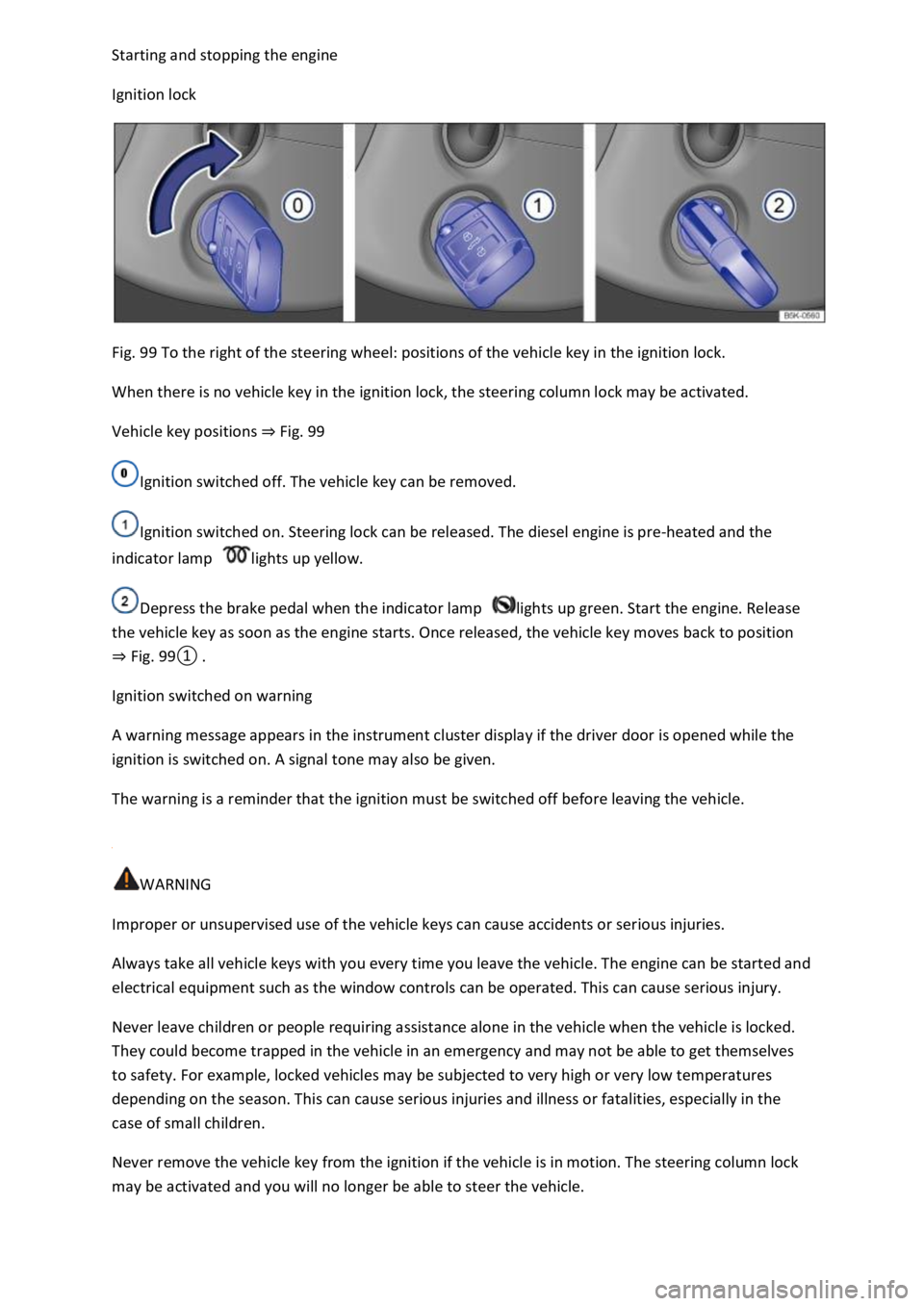
Fig. 99 To the right of the steering wheel: positions of the vehicle key in the ignition lock.
When there is no vehicle key in the ignition lock, the steering column lock may be activated.
Vehicle key positions Fig. 99
Ignition switched off. The vehicle key can be removed.
Ignition switched on. Steering lock can be released. The diesel engine is pre-heated and the
indicator lamp lights up yellow.
Depress the brake pedal when the indicator lamp lights up green. Start the engine. Release
the vehicle key as soon as the engine starts. Once released, the vehicle key moves back to position
Fig.
0
Ignition switched on warning
A warning message appears in the instrument cluster display if the driver door is opened while the
ignition is switched on. A signal tone may also be given.
The warning is a reminder that the ignition must be switched off before leaving the vehicle.
WARNING
Improper or unsupervised use of the vehicle keys can cause accidents or serious injuries.
Always take all vehicle keys with you every time you leave the vehicle. The engine can be started and
electrical equipment such as the window controls can be operated. This can cause serious injury.
Never leave children or people requiring assistance alone in the vehicle when the vehicle is locked.
They could become trapped in the vehicle in an emergency and may not be able to get themselves
to safety. For example, locked vehicles may be subjected to very high or very low temperatures
depending on the season. This can cause serious injuries and illness or fatalities, especially in the
case of small children.
Never remove the vehicle key from the ignition if the vehicle is in motion. The steering column lock
may be activated and you will no longer be able to steer the vehicle.
Page 184 of 502

Fig.
0
switched on.
Vehicles with a starter button: press the starter button once. The ignition is switched on.
Vehicles with a diesel engine: during the diesel engine preheating phase, the indicator lamp
lights up in the instrument cluster.
Depress and hold the brake pedal until the electronic parking brake has been switched off.
Vehicles with manual gearbox: fully depress the clutch pedal and hold it until the engine has
been started. Move the gear lever to neutral position.
Vehicles with DSG dual clutch gearbox: move the selector lever to position P or N.
Vehicles with ignition lock: turn the vehicle key to position Fig.
0do not depress the
accelerator.
Release the vehicle key once the engine has started.
Vehicles with a starter button: press the starter button Starter buttondo not depress the
accelerator. There must be a valid vehicle key in the vehicle before the engine can be started.
If the engine does not start immediately, switch off the starter and try again after about a minute.
Vehicles with starter button: perform an emergency start if necessary No valid vehicle key
recognised
Vehicles with starter button: the starter button is deactivated if the vehicle was locked with the
vehicle key. If you are in the vehicle and need to start the engine, unlock the vehicle first or perform
an emergency start No valid vehicle key recognised
Switch off the electronic parking brake if you wish to pull away.
WARNING
The risk of serious injury can be reduced with the engine running or when starting the engine.
Never start or run the engine in unventilated or enclosed spaces. The exhaust fumes contain carbon
monoxide, an odourless and colourless toxic gas. Carbon monoxide can cause people to lose
consciousness. It can also cause death.
Never start or run the engine if oil, fuel or any other highly flammable fluids are under or near the
vehicle, or are leaking out of the vehicle, e.g. as the result of damage.
Page 188 of 502
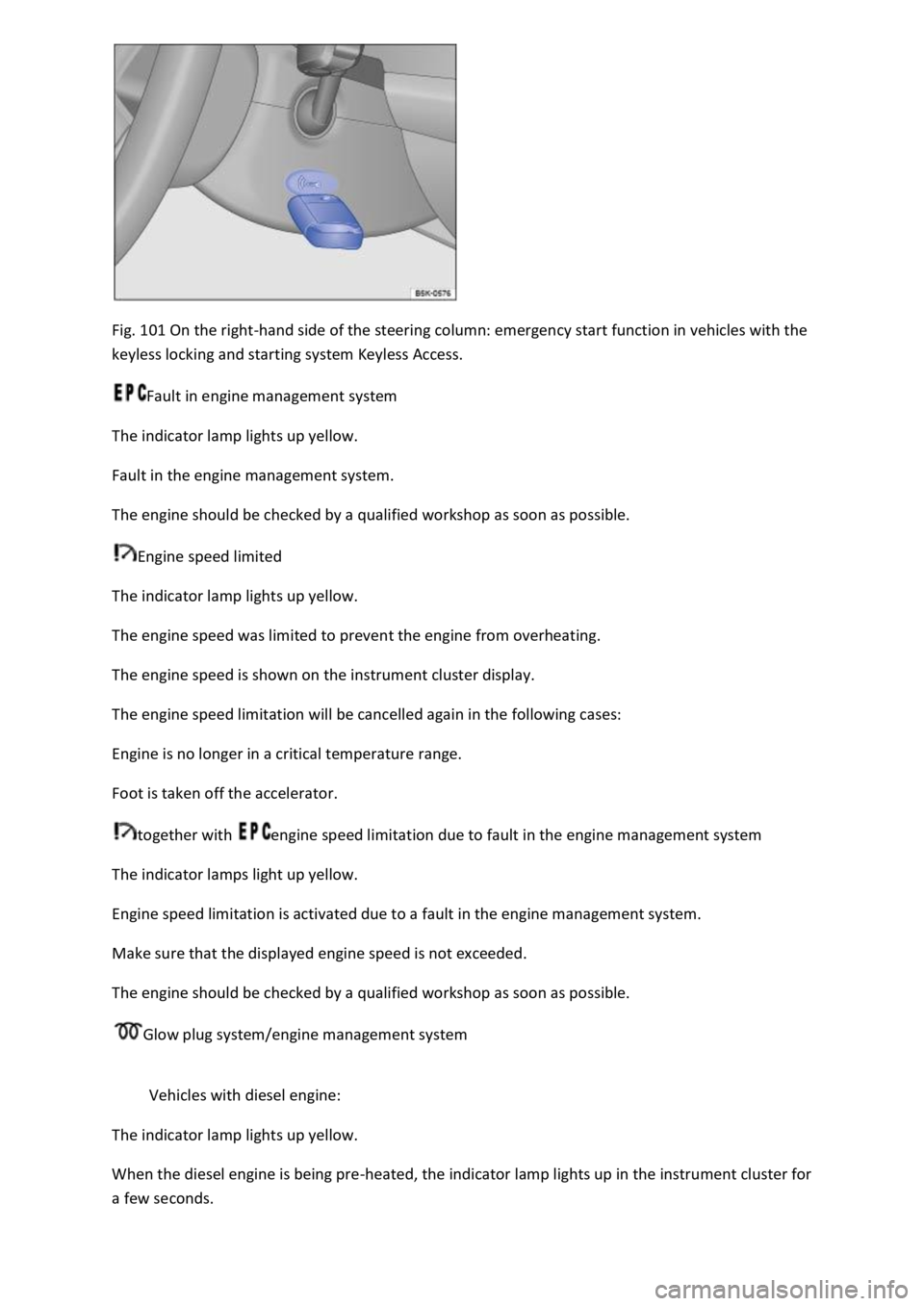
Fig. 101 On the right-hand side of the steering column: emergency start function in vehicles with the
keyless locking and starting system Keyless Access.
Fault in engine management system
The indicator lamp lights up yellow.
Fault in the engine management system.
The engine should be checked by a qualified workshop as soon as possible.
Engine speed limited
The indicator lamp lights up yellow.
The engine speed was limited to prevent the engine from overheating.
The engine speed is shown on the instrument cluster display.
The engine speed limitation will be cancelled again in the following cases:
Engine is no longer in a critical temperature range.
Foot is taken off the accelerator.
together with engine speed limitation due to fault in the engine management system
The indicator lamps light up yellow.
Engine speed limitation is activated due to a fault in the engine management system.
Make sure that the displayed engine speed is not exceeded.
The engine should be checked by a qualified workshop as soon as possible.
Glow plug system/engine management system
Vehicles with diesel engine:
The indicator lamp lights up yellow.
When the diesel engine is being pre-heated, the indicator lamp lights up in the instrument cluster for
a few seconds.
Page 190 of 502
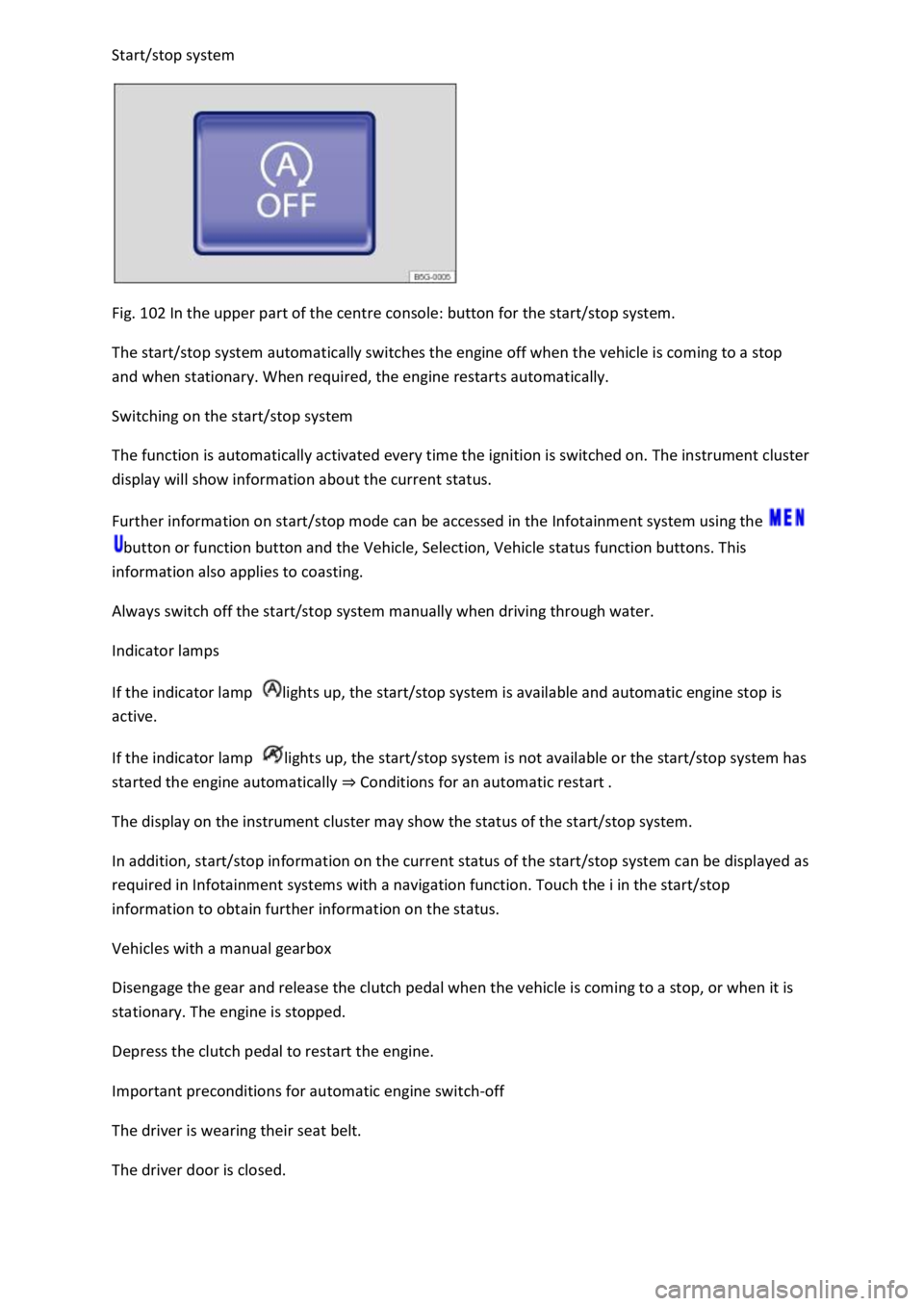
Fig. 102 In the upper part of the centre console: button for the start/stop system.
The start/stop system automatically switches the engine off when the vehicle is coming to a stop
and when stationary. When required, the engine restarts automatically.
Switching on the start/stop system
The function is automatically activated every time the ignition is switched on. The instrument cluster
display will show information about the current status.
Further information on start/stop mode can be accessed in the Infotainment system using the
button or function button and the Vehicle, Selection, Vehicle status function buttons. This
information also applies to coasting.
Always switch off the start/stop system manually when driving through water.
Indicator lamps
If the indicator lamp lights up, the start/stop system is available and automatic engine stop is
active.
If the indicator lamp lights up, the start/stop system is not available or the start/stop system has
started the engine automatically Conditions for an automatic restart
The display on the instrument cluster may show the status of the start/stop system.
In addition, start/stop information on the current status of the start/stop system can be displayed as
required in Infotainment systems with a navigation function. Touch the i in the start/stop
information to obtain further information on the status.
Vehicles with a manual gearbox
Disengage the gear and release the clutch pedal when the vehicle is coming to a stop, or when it is
stationary. The engine is stopped.
Depress the clutch pedal to restart the engine.
Important preconditions for automatic engine switch-off
The driver is wearing their seat belt.
The driver door is closed.