light VOLKSWAGEN T-ROC 2021 Owner´s Manual
[x] Cancel search | Manufacturer: VOLKSWAGEN, Model Year: 2021, Model line: T-ROC, Model: VOLKSWAGEN T-ROC 2021Pages: 502, PDF Size: 9.42 MB
Page 24 of 502
Within around five seconds, set the speed with the rocker switch on the wiper lever or the
or buttons on the multifunction steering wheel. Then press the or button or
wait a few seconds. The speed is now saved and the warning is activated.
To deactivate, press the or button again. The stored speed will be deleted.
The speed warning can be adjusted within a range of 30 km/h (18 mph) to 250 km/h (155 mph).
Some settings can be saved in the user accounts for personalisation and therefore change
automatically when the user account is changed ⇒ Personalisation .
1) Varies depending on the instrument cluster version.
2) Not available in all countries.
Warning and information messages
First read and observe the introductoryinformation and safety warnings⇒Introduction
The system runs a check on certain components and functions in the vehicle when the ignition is
switched on or while the vehicle is in motion. Malfunctions are indicated by red and yellow warning
symbols with information messages on the instrument cluster display ⇒ Symbols in instrument
cluster . An acoustic warning is also given in certain cases. The appearance of the information
messages and symbols can vary depending on the version of the instrument cluster.
In addition, a list of current malfunctions can be opened manually. To open the list, select the
Vehicle status or Vehicle menu ⇒ Instrument cluster menus .
Priority 1 warning (red)The symbol flashes or lights up (sometimes together with a signal tone).
Do not drive on! Danger. Check the fault and correct the cause. Seek expert assistance if
necessary.Priority 2 warning (yellow)The symbol flashes or lights up (sometimes together with a
signal tone). Malfunctions and insufficient service fluids can damage the vehicle and cause it to
break down. Check the fault as soon as possible. Seek expert assistance if necessary.Information
messageInformation about various vehicle procedures and conditions.
With some equipment levels, some settings and displays may also appear in the Infotainment
system.
If several warnings are present, the symbols will appear for several seconds, one after another. The
symbols will continue to appear until the faults are rectified.
If warning messages about malfunctions are displayed when the ignition is switched on, it may not
be possible to adjust some settings as described, or the information display may appear differently.
If this is the case, take the vehicle to a qualified workshop to have the malfunctions rectified.
Page 28 of 502

Display of road signs
After validation and evaluation of the information from the camera, the Infotainment system and
the current vehicle data, the activated Dynamic Road Sign Display shows up to three valid road signs
⇒ Fig. 14 with the accompanying additional signs:
1st position:The road sign that currently applies for the driver is shown on the left-hand side of the
display, e.g. a speed limit of 130 km/h (80 mph) ⇒ Fig. 14 .2nd position:Road signs that do not
always apply (e.g. 100 km/h (60 mph) in wet) are shown in second place.Additional sign:if the
windscreen wiper is active while the vehicle is in motion, the now valid road sign with the additional
In wet sign, for example, will be moved left to the first position.3rd position:Further road signs that
do not always apply will be displayed in the third position, e.g. overtaking not permitted at certain
times ⇒ Fig. 14 .
Speed warning
If the Dynamic Road Sign Display detects that an applicable speed limit has been exceeded, it can
issue an acoustic warning signal and display a message on the instrument cluster display.
The speed warning can be set or completely deactivated in the vehicle settings in the Infotainment
system ⇒ Vehicle settings menu . The settings can be adjusted in increments of 5 km/h (3 mph)
within a range between 0 km/h (mph) and 15 km/h (9 mph) above the permitted maximum speed.
Trailer mode
In vehicles with a factory-fitted towing bracket and a trailer with an electrical connection to the
vehicle, the display of road signs that may apply to the vehicle when towing a trailer, e.g. applicable
speed limits and no-overtaking signs, can be activated or deactivated in the vehicle settings in the
Infotainment system ⇒ Vehicle settings menu .
In trailer mode, the speed warning function display can be adjusted to the type of trailer or to legal
requirements. The settings can be adjusted in increments of 10 km/h (5 mph) within a range
between 60 km/h (40 mph) and 130 km/h (80 mph). If a higher speed is set than is permitted for
driving with a trailer in the country in which you are currently travelling, Dynamic Road Sign Display
automatically issues a warning at the usual speed limit, e.g. at 80 km/h (50 mph) in Germany.
If the speed warning for the trailer is deactivated, Dynamic Road Sign Display issues warnings as if
the vehicle was being driven without a trailer.
Function limitations
Dynamic Road Sign Display is subject to system-related limitations. The following conditions can
restrict the function of Dynamic Road Sign Display, or prevent it from working altogether:
Poor visibility, e.g. snow, rain, fog or heavy spray.
Glare, e.g. due to oncoming traffic or sunlight.
High speeds.
Covered or dirty camera.
Road signs that are located outside of the camera's field of view.
Page 29 of 502

Partially or fully hidden traffic signs, e.g. by trees, snow, dirt or other vehicles.
Road signs that do not correspond to the standard design.
Damaged or bent traffic signs.
Variable road signs on gantries (changeable road sign display using LEDs or other light sources).
Out-of-date map material in the Infotainment system.
Stickers on vehicles that show road signs, e.g. speed restrictions on trucks.
WARNING
The intelligent technology used by the Dynamic Road Sign Display cannot overcome the laws of
physics, and functions only within the limits of the system. Do not let the extra convenience afforded
by the Dynamic Road Sign Display system tempt you into taking any risks when driving. The system is
not a substitute for the full concentration of the driver.
Always adapt your speed and driving style to suit visibility, weather, road and traffic conditions.
Poor visibility, darkness, snow, rain and fog can cause road signs not to be displayed or to be
incorrectly displayed by the system.
If the camera's field of view is dirty, covered or damaged, the function of the Dynamic Road Sign
Display system may be impaired.
WARNING
Driving recommendations and traffic symbols displayed by the Dynamic Road Sign Display system
may differ from the current traffic situation.
Not all road signs can be recognised by the system and displayed correctly.
Road signs on the road and traffic regulations have priority over the recommendations and displays
provided by the Dynamic Road Sign Display system.
NOTICE
Availability of the Dynamic Road Sign Display function is limited in waypoint mode (waypoint
navigation) of the Infotainment system.
Some settings can be saved in the user accounts of the personalisation function and can therefore
change automatically when the user account is changed ⇒ Personalisation .
Page 32 of 502
When the vehicle is in motion, use the lap timer only in driving situations which are easy to control.
Fuel gauge
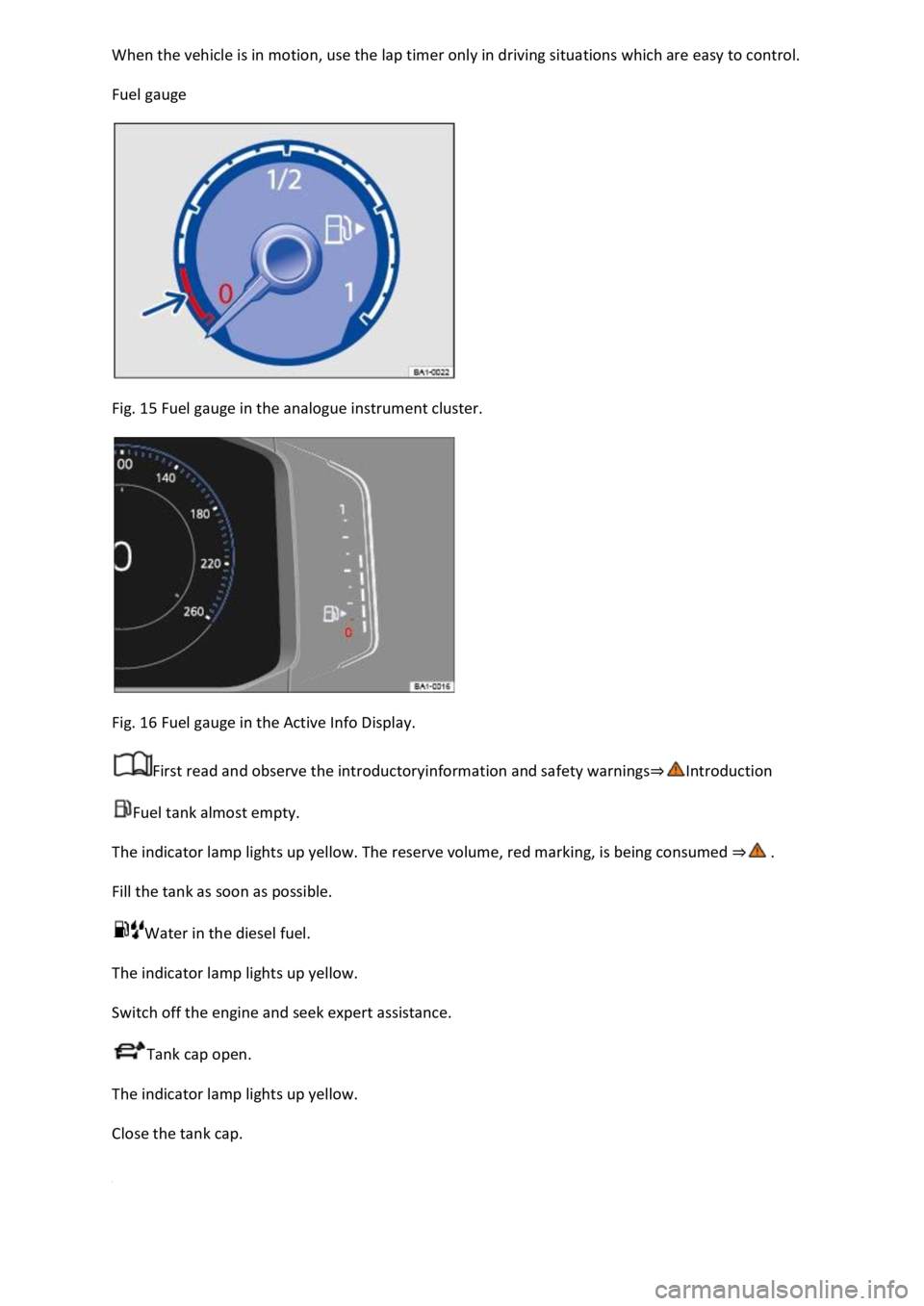
Fig. 15 Fuel gauge in the analogue instrument cluster.
Fig. 16 Fuel gauge in the Active Info Display.
First read and observe the introductoryinformation and safety warnings⇒Introduction
Fuel tank almost empty.
The indicator lamp lights up yellow. The reserve volume, red marking, is being consumed ⇒ .
Fill the tank as soon as possible.
Water in the diesel fuel.
The indicator lamp lights up yellow.
Switch off the engine and seek expert assistance.
Tank cap open.
The indicator lamp lights up yellow.
Close the tank cap.
Page 34 of 502
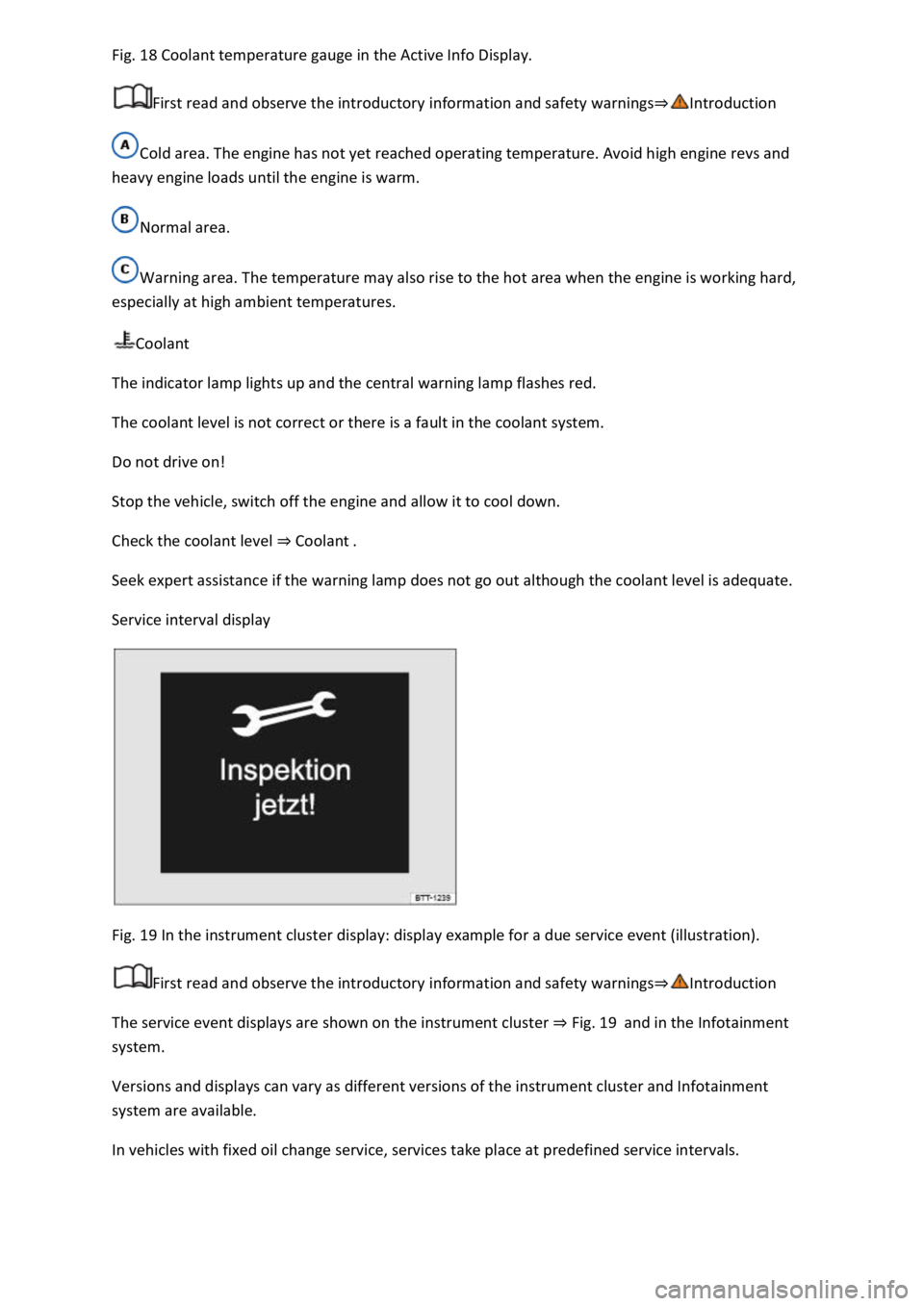
Fig. 18 Coolant temperature gauge in the Active Info Display.
First read and observe the introductory information and safety warnings⇒Introduction
Cold area. The engine has not yet reached operating temperature. Avoid high engine revs and
heavy engine loads until the engine is warm.
Normal area.
Warning area. The temperature may also rise to the hot area when the engine is working hard,
especially at high ambient temperatures.
Coolant
The indicator lamp lights up and the central warning lamp flashes red.
The coolant level is not correct or there is a fault in the coolant system.
Do not drive on!
Stop the vehicle, switch off the engine and allow it to cool down.
Check the coolant level ⇒ Coolant .
Seek expert assistance if the warning lamp does not go out although the coolant level is adequate.
Service interval display
Fig. 19 In the instrument cluster display: display example for a due service event (illustration).
First read and observe the introductory information and safety warnings⇒Introduction
The service event displays are shown on the instrument cluster ⇒ Fig. 19 and in the Infotainment
system.
Versions and displays can vary as different versions of the instrument cluster and Infotainment
system are available.
In vehicles with fixed oil change service, services take place at predefined service intervals.
Page 45 of 502
Opening the lap timer
Press the MENU button or function button, depending on the version of the Infotainment system.
Touch the Vehicle function button.
Touch the Selection function button.
Touch the Sport function button. The performance monitor is displayed.
Touch one of the arrow buttons ⇒ Fig. 23 ② in the performance monitor to change to the lap
timer.
You can change between the lap timer and performance monitor at any time using the arrow
buttons ⇒ Fig. 23 ② and ⇒ Fig. 24 .
Measuring lap times
The stopwatch measures the lap time in two areas:
The red needle and the numerical value in the centre show the running time in seconds. The smaller
display in the inner area shows minutes and hours.
The display on the right side shows the current lap time with an accuracy of 1/100 seconds. There is
no difference between the stopwatch and lap times if there are not yet any laps with split times
stored in the lap timer.
WARNING
Avoid operating the lap timer when the vehicle is in motion if possible.
Make lap timer settings and access statistics only when the vehicle is stationary.
When the vehicle is in motion, use the lap timer only in driving situations which are easy to control.
Personalisation
First read and observe the introductoryinformation and safety warnings⇒Introduction
The personalisation function allows personalised vehicle settings, such as air conditioning system,
instrument cluster or lighting settings, to be saved in a user account. Four user accounts are
available. Users are identified by the vehicle keys upon unlocking the vehicle. A user account is
assigned to each vehicle key.
Changes to the settings will be assigned to the active user account and saved upon locking the
vehicle or changing the user account.
Welcome and user account selection
When personalisation is activated, the name of the current user account appears on the instrument
cluster display for approximately ten seconds after you switch on the ignition.
During this time, you can select a user account using the buttons on the wiper lever or multifunction
steering wheel ⇒ Infotainment system controls and displays .
Page 46 of 502

When you select a user account, the saved vehicle settings are activated.
User management and settings
When the ignition is switched on, you can use the Personalisation menu in the Infotainment system
for user management and to make settings. The menu can be accessed via the vehicle settings in the
Infotainment system.
Changing the user account
You can select the user account either via the Personalisation menu or via the Vehicle status menu.
Manually assigning vehicle keys to user accounts
You can assign a vehicle key to the currently active user account. For this purpose, select Manual key
assignment.
Automatically assigning vehicle keys to user accounts
If you have selected Automatic key assignment, the following vehicle key is assigned to the user
account upon changing the user account:
Vehicles without Keyless Access: vehicle key used to unlock the vehicle.
Vehicles with Keyless Access: vehicle key that is identified first by the personalisation function
when you open the driver door.
Personalised vehicle settings
Opening and closing (single door unlocking, window convenience opening etc.)
Light and vision (daytime running lights, cornering light, lane change flash etc.)
Settings for air conditioning system
Active driver assist systems
Driving profile selection
Multifunction display and instrument cluster (selection of displays)
Infotainment system (display brightness and station sorting)
A new vehicle key will be assigned to the current user account. To assign the vehicle key to a
different user account, select the required user account and manually assign it to the vehicle key.
Safety
Page 47 of 502

General notes
Checklist
Observe the following information both before and during every journey to ensure your own safety,
and the safety of all passengers and other road users ⇒ :
Check that all lights and turn signals are working properly.
Check the tyre pressure and fuel level Tyre pressure, Fuel gauge.
Check the washer fluid level Washer fluid.
Make sure that you have a good, clear view through all of the windows Caring for and cleaning the
vehicle exterior.
Secure any objects and luggage in the stowage compartments, the luggage compartment or on the
roof Transporting items.
Ensure that you are able to operate the pedals freely at all times.
Secure any children travelling in the vehicle in a restraint system suitable for their weight and size
Safe transport of children.
Adjust the front seats, head restraints and mirrors properly to match the size of the occupants
Sitting position, Mirrors.
Wear shoes that provide proper support for your feet when using the pedals.
The floor mat in the footwell on the driver side must leave the pedal area free and must be securely
fastened.
Page 48 of 502

Assume a correct sitting position before setting off and maintain this position while driving. This also
applies to all passengers Sitting position.
Fasten your seat belt correctly before setting off and keep it properly fastened throughout the
journey. This also applies to all passengers Seat belts.
Each vehicle occupant must sit in a seat of their own and must have their own seat belt.
Never drive if your driving ability is impaired, e.g. by medication, alcohol or drugs.
Do not allow yourself to be distracted from the traffic, e.g. by passengers, telephone calls, opening
menus and making adjustments to settings.
Always adapt your speed and driving style to suit visibility, weather, road and traffic conditions.
Observe traffic regulations and speed limits.
Take regular breaks when travelling long distances – at least every two hours.
Secure animals in the vehicle using a system that is suitable for their weight and size.
Checklist
In some countries, special safety standards and emissions-related legislation apply that may differ
from the build status of the vehicle. Volkswagen recommends that you visit your Volkswagen
dealership before travelling abroad to find out about any legal requirements and the following issues
at your destination:
Does the vehicle need any technical modifications for driving abroad, e.g. masking or switching the
headlights over?
Are the necessary tools, diagnosis equipment and spare parts available for service and repair work?
Page 50 of 502

Vehicle lighting Lights necessary for traffic safety:
Turn signals
Side lights, dipped beam headlights and main beam headlights
Tail light clusters
Brake lights
Rear fog light
Number plate light
Information on changing bulbs ⇒ Changing bulbs .
DANGER
Please observe important safety information about the front passenger front airbag ⇒ Fitting and
using child seats .
WARNING
Driving under the influence of alcohol, drugs, medication or narcotics could cause accidents and fatal
injuries.
Alcohol, drugs, medication and narcotics can severely impair senses, reaction times and driving
safety. This could cause you to lose control of the vehicle.
WARNING
Always observe current traffic regulations and speed limits, and think ahead when driving. The
correct interpretation of the driving situation can make the difference between reaching your
destination safely and having an accident with serious injuries.
NOTICE
Volkswagen is not responsible for any vehicle damage caused by low-quality fuel, inadequate
servicing work or non-availability of Genuine Parts.
Observe the instructions and information for vehicles with an N1 approval ⇒ Information about
vehicles with N1 approval (light commercial vehicle) .