buttons VOLKSWAGEN T-ROC 2021 Owner´s Manual
[x] Cancel search | Manufacturer: VOLKSWAGEN, Model Year: 2021, Model line: T-ROC, Model: VOLKSWAGEN T-ROC 2021Pages: 502, PDF Size: 9.42 MB
Page 132 of 502
When reverse gear is engaged, the cornering light on both sides of the vehicle switches on to
provide better illumination of the surrounding area when manoeuvring.
Switching the fog lights on and off
Switching on the front fog lights : pull the light switch ⇒ Fig. 79 out to the first position. The
indicator lamp in the light switch lights up green.
Switching on the rear fog light : pull the light switch all the way out. The indicator lamp in the
instrument cluster lights up yellow.
To switch the fog lights off, press in the light switch or turn it to position .
When the automatic headlights are switched on and the front or rear fog lights are switched
on, the dipped beam headlights will also be switched on irrespective of the current light conditions
outside.
In vehicles with a factory-fitted towing bracket: the vehicle's rear fog light is not switched on if a
trailer with rear fog light is electrically connected to the vehicle ⇒ Trailer towing .
Light functions
Side lights
If the side lights are switched on, both headlights light up with the side lights, parts of the tail
light clusters, the number plate lighting and the buttons in the centre console and the dash panel.
The daytime running lights also switch on when the ignition is switched on.
If the vehicle is not locked from outside when the ignition is switched off, the continuous parking
light on both sides of the vehicle switches on automatically after around 10 minutes to reduce 12-
volt vehicle battery discharge ⇒ Switching the parking lights on and off .
Automatic headlights
If the automatic headlights are switched on, the vehicle lighting and the instrument and
switch lighting will switch on and off according to the light conditions. When the lights are switched
on, the indicator lamp lights up yellow.
The automatic headlights are merely an aid and will not always be able to detect all driving
situations.
In vehicles with a corresponding equipment level, the switch-on time of the automatic headlights
can be adjusted in the Infotainment system in the Vehicle settings menu ⇒ Infotainment system
controls and displays .
Cornering light
A cornering light is switched on when turning slowly or travelling around very tight bends.
Signal tones if lights are not switched off
Page 139 of 502
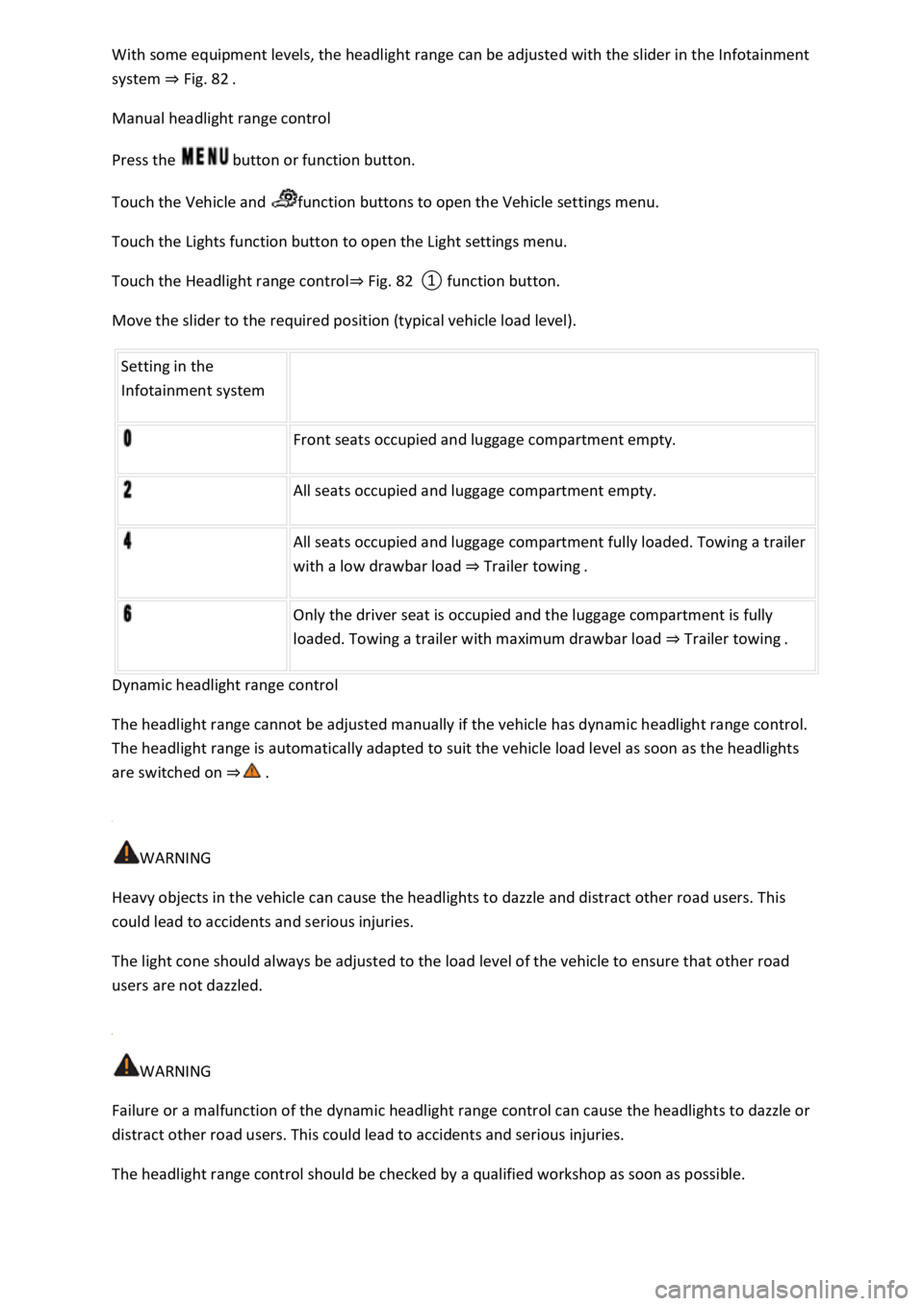
With some equipment levels, the headlight range can be adjusted with the slider in the Infotainment
system ⇒ Fig. 82 .
Manual headlight range control
Press the button or function button.
Touch the Vehicle and function buttons to open the Vehicle settings menu.
Touch the Lights function button to open the Light settings menu.
Touch the Headlight range control⇒ Fig. 82 ① function button.
Move the slider to the required position (typical vehicle load level).
Setting in the
Infotainment system
Front seats occupied and luggage compartment empty.
All seats occupied and luggage compartment empty.
All seats occupied and luggage compartment fully loaded. Towing a trailer
with a low drawbar load ⇒ Trailer towing .
Only the driver seat is occupied and the luggage compartment is fully
loaded. Towing a trailer with maximum drawbar load ⇒ Trailer towing .
Dynamic headlight range control
The headlight range cannot be adjusted manually if the vehicle has dynamic headlight range control.
The headlight range is automatically adapted to suit the vehicle load level as soon as the headlights
are switched on ⇒ .
WARNING
Heavy objects in the vehicle can cause the headlights to dazzle and distract other road users. This
could lead to accidents and serious injuries.
The light cone should always be adjusted to the load level of the vehicle to ensure that other road
users are not dazzled.
WARNING
Failure or a malfunction of the dynamic headlight range control can cause the headlights to dazzle or
distract other road users. This could lead to accidents and serious injuries.
The headlight range control should be checked by a qualified workshop as soon as possible.
Page 152 of 502

When the glass roof is fully tilted, the sun blind is automatically moved to a ventilation position. The
sun blind remains in the ventilation position even after the glass roof is closed.
Opening and closing the sun blind
The buttons ⇒ Fig. 90 ① or ② have two positions. In the first position, the sun blind can be
completely or partially opened or closed.
In the second position, the sun blind automatically moves to the final position when the button is
pressed briefly. Press the button again to stop the one-touch function.
Opening the sun blind: push button ① to position one. One-touch function: push button ① briefly
to position two.
Closing the sun blind: push button ② to position one. One-touch function: push button ② briefly
to position two.
Stopping the one-touch function when opening or closing the blind: push button ① or ② again.
The sun blind can still be opened or closed for several minutes after the ignition has been switched
off, provided that the driver door and front passenger door are not opened.
Roll-back function of the sun blind
The roll-back function can reduce the risk of crush injury when closing the sun blind ⇒ . The glass
roof or sun blind will open again immediately if the sun blind is unable to close because it is stiff or
obstructed.
Check to see why the sun blind has not closed.
Try to close the sun blind again.
The sun blind will open again immediately if it is still unable to close because it is stiff or obstructed.
After opening, the sun blind can be closed again within a short period of time without the roll-back
function.
If the sun blind still cannot be closed, close it without the roll-back function.
Closing the sun blind without the roll-back function
Within approximately five seconds of the roll-back function being activated, press and hold button
⇒ Fig. 90 ② until the sun blind has closed completely.
The sun blind will now close without the roll-back function.
Please go to a qualified workshop if the sun blind still cannot be closed.
WARNING
Closing the sun blind without the roll-back function can cause serious injuries.
Always close the sun blind carefully.
Page 153 of 502
Ensure that there is no one in the path of the sun blind, especially if it is closed when the roll-back
function is not active.
The roll-back function does not prevent fingers or other body parts from being pressed against the
roof frame and being injured.
When the glass roof is open, the electric sun blind can be closed only up to the front edge of the
glass roof.
Heating and air conditioning system
Heating, ventilating, cooling
Introduction
This chapter contains information on the followingsubjects:
⇒ Front controls
⇒ Air recirculation mode
⇒ Seat heating
⇒ Steering wheel heating
⇒ Troubleshooting
The following systems may be installed in the vehicle
Both the manual air conditioning system and Climatronic heat, cool and dehumidify the air. It works
most effectively when the windows and the glass roof are closed. If heat has built up in the vehicle
interior, ventilating the vehicle can speed up the cooling process.
Display of activated functions
Lit up LEDs on rotary knobs and buttons indicate that the function is switched on.
WARNING
Poor visibility through the windows increases the risk of collisions and accidents, which can cause
serious injuries.
Keep all windows free from ice, snow and condensation to maintain good visibility.
Adjust the heating, air conditioning system and rear window heating so that condensation does not
form on the windows.
Only set off once all windows are clear.
Use air recirculation mode for a short period only. If the cooling system is switched off, condensation
can form on the windows very quickly in air recirculation mode and reduce visibility considerably.
Page 155 of 502
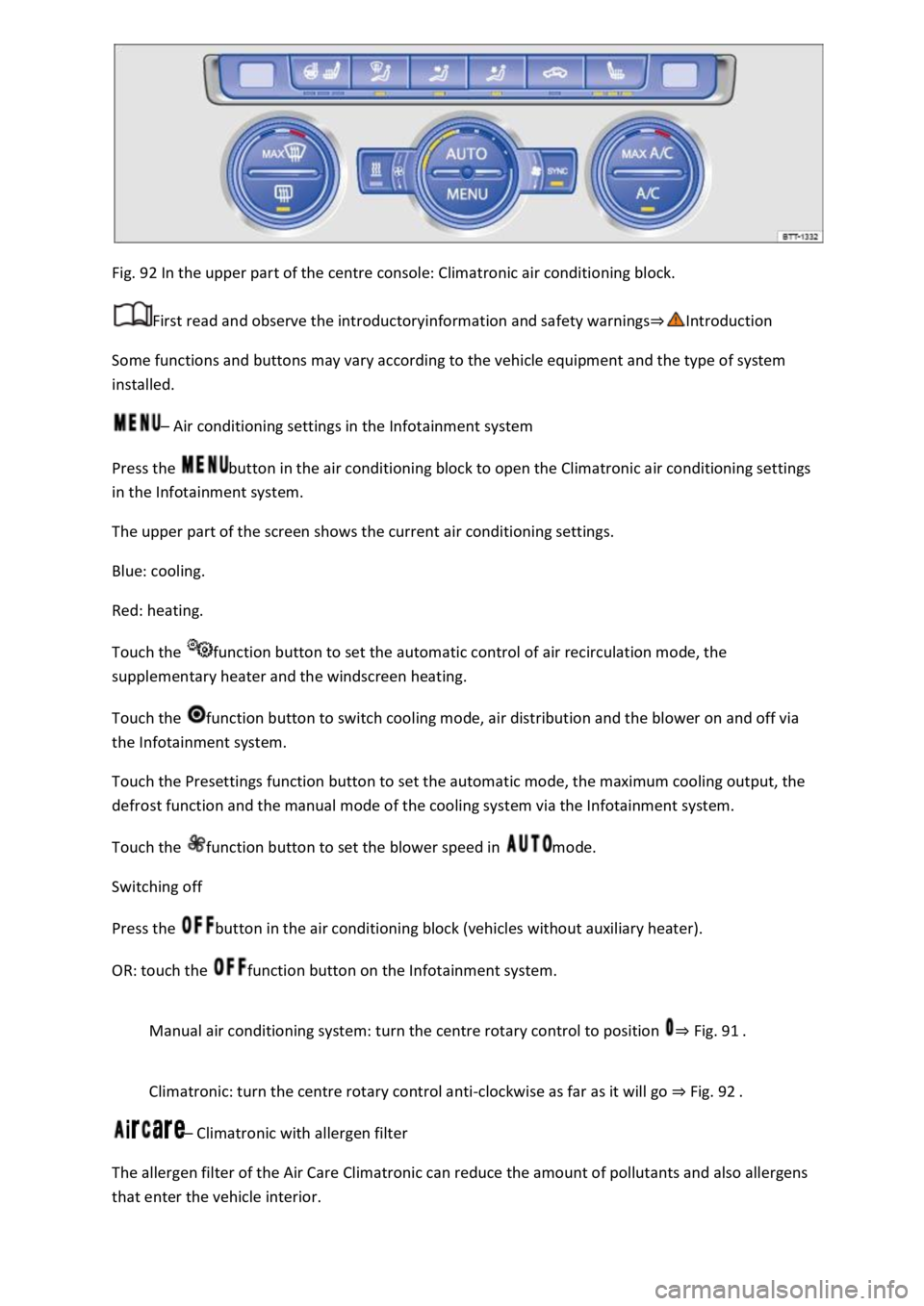
Fig. 92 In the upper part of the centre console: Climatronic air conditioning block.
First read and observe the introductoryinformation and safety warnings⇒Introduction
Some functions and buttons may vary according to the vehicle equipment and the type of system
installed.
– Air conditioning settings in the Infotainment system
Press the button in the air conditioning block to open the Climatronic air conditioning settings
in the Infotainment system.
The upper part of the screen shows the current air conditioning settings.
Blue: cooling.
Red: heating.
Touch the function button to set the automatic control of air recirculation mode, the
supplementary heater and the windscreen heating.
Touch the function button to switch cooling mode, air distribution and the blower on and off via
the Infotainment system.
Touch the Presettings function button to set the automatic mode, the maximum cooling output, the
defrost function and the manual mode of the cooling system via the Infotainment system.
Touch the function button to set the blower speed in mode.
Switching off
Press the button in the air conditioning block (vehicles without auxiliary heater).
OR: touch the function button on the Infotainment system.
Manual air conditioning system: turn the centre rotary control to position ⇒ Fig. 91 .
Climatronic: turn the centre rotary control anti-clockwise as far as it will go ⇒ Fig. 92 .
– Climatronic with allergen filter
The allergen filter of the Air Care Climatronic can reduce the amount of pollutants and also allergens
that enter the vehicle interior.
Page 156 of 502
Press the button in the air conditioning block.
Touch the Air Care function button.
Touch the Active function button to switch the Air Care function on or off.
– Synchronising the temperature settings
Press the button to adopt the temperature settings of the driver side for the front passenger
side.
– Automatic mode
The automatic mode ensures constant temperatures in the vehicle interior. The air temperature, air
quantity and air distribution are regulated automatically. Automatic mode switches off if ventilation
is adjusted manually.
– Cooling mode
Press the button in the air conditioning block to switch cooling mode on or off.
In cooling mode, the air is dehumidified.
– Maximum cooling
Manual air conditioning system: turn the left rotary control to position . Air
recirculation mode is switched on automatically.
Climatronic: press the button. Air recirculation mode is switched on automatically
and the air distribution is set to the position.
/ – Temperature
Manual air conditioning system: turn the left rotary control ⇒ Fig. 91 .
Climatronic: turn the outer rotary controls ⇒ Fig. 92 to adjust the temperatures for the driver
and front passenger sides.
The set temperatures are displayed above the rotary controls for Climatronic.
– Seat and steering wheel heating
Press the buttons or to switch the seat heating on and off ⇒ Seat heating .
To operate the seat heating and steering wheel heating at the same time with the button, link
the two functions via the air conditioning settings in the Infotainment system ⇒ Switching the
steering wheel heating on or off together with the seat heating (only for Climatronic) .
/ – Auxiliary heater
Page 161 of 502
To save fuel, switch the seat heating off as quickly as possible.
Steering wheel heating
First read and observe the introductoryinformation and safety warnings⇒Introduction
The steering wheel heating works when the engine is running.
Switching the steering wheel heating on and off via the Infotainment system
Manual air conditioning system: press the button on the Infotainment system and
touch the Vehicle and function buttons.
Climatronic: open the air conditioning settings in the Infotainment system.
Touch the function button to switch the steering wheel heating on and off.
Switching the steering wheel heating on or off together with the seat heating (only for Climatronic)
Open the air conditioning settings in the Infotainment system.
Touch the function button.
Touch the Link seat/steering wheel heating function button to link the steering wheel heating with
the seat heating.
Press the button to switch the steering wheel heating on or off together with the seat heating.
Selecting a temperature setting (only for Climatronic)
Open the air conditioning settings in the Infotainment system.
Touch the function button.
Touch the Setting function button to select a temperature setting.
Three temperature settings are available. The selected setting is saved when the ignition is switched
off. The temperature setting for the steering wheel heating is unrelated to the temperature setting
for the seat heating.
Switch-off conditions
The steering wheel heating will be switched off automatically if one of the following conditions is
met:
Seat heating for the driver seat is switched off (if Link seat/steering wheel heating is active).
Power consumption is too high.
There is a fault in the steering wheel heating system.
Troubleshooting
First read and observe the introductoryinformation and safety warnings⇒Introduction
Page 165 of 502
Operating noises can be heard if the auxiliary heater is switched on.
The 12-volt vehicle battery will discharge if the auxiliary heating or ventilation is run several times
over an extended period. Drive the vehicle for an appropriate distance in between in order to
recharge the 12-volt vehicle battery.
The fuel gauge indication may not be accurate (just above the reserve quantity) when the vehicle is
parked on a slope; this may restrict the function of the auxiliary heater.
The auxiliary heater may switch on automatically when the engine is started at temperatures below
+5°C (+41°F) in order to provide additional hea ng power. The supplementary heating function will
switch off again automatically after a short time.
Programming the auxiliary heater and ventilation
First read and observe the introductoryinformation and safety warnings⇒Introduction
Opening the Auxiliary heater menu
The auxiliary heater is programmed in the Infotainment system.
Manual air conditioning system
Press the button on the Infotainment system.
Touch the Vehicle and function buttons.
Climatronic
Open the air conditioning settings in the Infotainment system.
Touch the function button.
Changing operating mode
Open the Auxiliary heater menu.
Press the Heating or Ventilation function buttons to change mode.
At high outside temperatures, the auxiliary ventilation system directs fresh air into the vehicle and
prevents the accumulation of heat.
Programming the auxiliary heater
Activation is always for one heating or ventilation operation only. The departure time must be
activated again for every start.
Page 174 of 502
Touch the display to open the statistics of the last 30 driving minutes Since start.
Acceleration and braking:
At a constant speed, two arcs appear in the central area. The arcs move up and down during
acceleration and braking.
Progress display:
The efficiency of the driving style is indicated by the blue bars. The white bar stores a blue bar
approximately every five seconds.
The larger the bar, the more efficient the driving style has been.
Driving tips:
Think ahead when driving.
Gear-change indicator.
Adapt your speed.
Economical driving style.
Fuel consumption:
The display shows the average fuel consumption Since start in l/100 km. A blue border symbolises an
efficient and constant driving style. A grey border indicates an inefficient driving style.
Touch the display to open the statistics of the last 30 driving minutes Since start.
Tips for saving energy:
Touch the Think Blue. function button to access additional tips.
Opening the Think Blue. Trainer.
Press the button or function button on the Infotainment system according to the equipment
level.
Touch the function buttons Vehicle, Selection, Think Blue. Trainer..
WARNING
Page 190 of 502
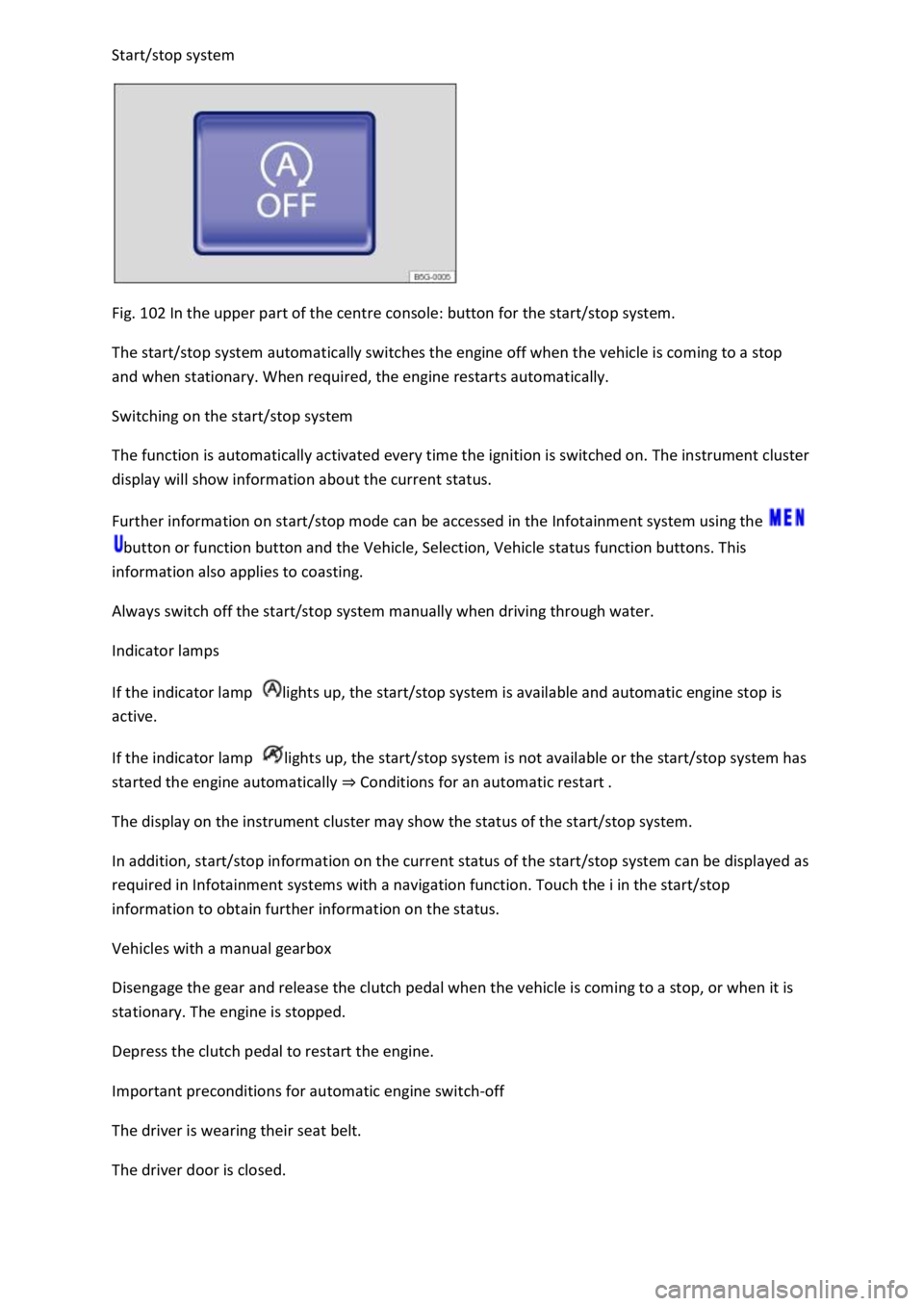
Start/stop system
Fig. 102 In the upper part of the centre console: button for the start/stop system.
The start/stop system automatically switches the engine off when the vehicle is coming to a stop
and when stationary. When required, the engine restarts automatically.
Switching on the start/stop system
The function is automatically activated every time the ignition is switched on. The instrument cluster
display will show information about the current status.
Further information on start/stop mode can be accessed in the Infotainment system using the
button or function button and the Vehicle, Selection, Vehicle status function buttons. This
information also applies to coasting.
Always switch off the start/stop system manually when driving through water.
Indicator lamps
If the indicator lamp lights up, the start/stop system is available and automatic engine stop is
active.
If the indicator lamp lights up, the start/stop system is not available or the start/stop system has
started the engine automatically ⇒ Conditions for an automatic restart .
The display on the instrument cluster may show the status of the start/stop system.
In addition, start/stop information on the current status of the start/stop system can be displayed as
required in Infotainment systems with a navigation function. Touch the i in the start/stop
information to obtain further information on the status.
Vehicles with a manual gearbox
Disengage the gear and release the clutch pedal when the vehicle is coming to a stop, or when it is
stationary. The engine is stopped.
Depress the clutch pedal to restart the engine.
Important preconditions for automatic engine switch-off
The driver is wearing their seat belt.
The driver door is closed.