speed limit VOLKSWAGEN T-ROC 2021 Owner´s Manual
[x] Cancel search | Manufacturer: VOLKSWAGEN, Model Year: 2021, Model line: T-ROC, Model: VOLKSWAGEN T-ROC 2021Pages: 502, PDF Size: 9.42 MB
Page 252 of 502

Poor road conditions.
Driving through road works.
In urban areas.
WARNING
The intelligent technology of Traffic Jam Assist cannot overcome the laws of physics, and functions
only within the limits of the system. Always take care when using Traffic Jam Assist as you could
otherwise cause accidents or injuries. The system is not a substitute for the full concentration of the
driver.
Adapt your speed and distance from the vehicles ahead to suit visibility, weather, road and traffic
conditions.
Do not use Traffic Jam Assist in urban traffic.
Do not use Traffic Jam Assist in poor visibility, on steep or winding roads, or on slippery road
surfaces e.g. on snow, ice, wet roads, loose chippings or flooded roads.
Never use Traffic Jam Assist offroad or on unsurfaced roads. Traffic Jam Assist is designed solely for
use on surfaced roads.
Traffic Jam Assist does not react to persons, animals or vehicles crossing or approaching in the same
lane.
If the speed reduction achieved by Traffic Jam Assist is insufficient, brake the vehicle immediately by
depressing the foot brake.
If the vehicle starts to roll unintentionally after the driver has been prompted to take control of the
vehicle, brake the vehicle immediately using the foot brake.
If a driver intervention prompt appears on the instrument cluster display, take control of the vehicle
immediately.
Your hands should always be on the steering wheel so that you can steer at any time. The driver is
always responsible for staying in lane.
The driver must be prepared to take control of the vehicle (by accelerating or braking) at all times.
If Traffic Jam Assist does not function as described in this chapter, do not use the system and go to a
qualified workshop.
If there is a fault in the system, visit a qualified workshop and have the system checked.
Semi-automatic vehicle control in a medical emergency (Emergency Assist)
Page 253 of 502

Emergency Assist detects a lack of activity on the part of the driver and can keep the vehicle in lane
automatically, or brake the vehicle to a standstill if required. The system can therefore actively help
to prevent an accident.
Emergency Assist is an extension of the lane keeping system (Lane Assist), and combines these
functions with the Adaptive Cruise Control (ACC). Please therefore read both these chapters and
observe the information about the system limits and warnings.
Description
If there is no driver activity, Emergency Assist prompts the driver to take control of the vehicle again
by visual and acoustic warnings and by braking jolts.
If the driver remains inactive, the system automatically controls the accelerator, brake and steering
to slow the vehicle down and keep it in lane ⇒ . If there is sufficient stopping distance, the system
decelerates the vehicle to a complete stop and switches on the electronic parking brake
automatically ⇒ Operating the electronic parking brake .
When Emergency Assist is actively controlling the vehicle, the hazard warning lights are switched on
and the vehicle performs slight snaking movements within its lane to warn other road users.
The hazard warning lights can be deactivated by pressing the accelerator or brake, by making a
steering intervention or, depending on the situation, by pressing the button for the hazard warning
lights.
When Emergency Assist has been triggered, the system is not available again until the ignition has
been switched off and then back on.
Prerequisites
The lane keeping system and ACC are switched on.
The selector lever is in position D/S or in the Tiptronic gate.
The system has detected a lane marking on both the right and left sides of the vehicle ⇒ Fig. 123 .
Switching Emergency Assist on and off
Emergency Assist is activated automatically when the lane keeping system ⇒ Driving with the lane
keeping system is switched on.
WARNING
The intelligent technology used in Emergency Assist cannot overcome the laws of physics, and
functions only within the limits of the system. The driver is always responsible for controlling the
vehicle.
Adapt your speed and distance from the vehicles ahead to suit visibility, weather, road and traffic
conditions.
Your hands should always be on the steering wheel so that you can steer at any time.
Emergency Assist cannot always prevent accidents and serious injuries on its own.
Page 254 of 502
If the radar sensor for the Adaptive Cruise Control (ACC) or the camera for the lane keeping system
is covered or moved, Emergency Assist may make unwanted braking or steering manoeuvres.
Emergency Assist does not react to persons, animals or vehicles crossing or approaching in the same
lane.
WARNING
If Emergency Assist is triggered unnecessarily, this can result in accidents and serious injuries.
If there is a malfunction in the Emergency Assist system, switch off the lane keeping system (Lane
Assist) ⇒ Driving with the lane keeping system . This will also switch off Emergency Assist.
Go to a qualified workshop and have the system checked. Volkswagen recommends using a
Volkswagen dealership for this purpose.
Blind Spot Monitor
Introduction
This chapter contains information on the followingsubjects:
⇒ Driving with the Blind Spot Monitor
⇒ Troubleshooting
Radar sensors monitor the area behind the vehicle. The system measures the distance and
difference in speed in relation to other vehicles and uses visual signals in the exterior mirrors to
inform the driver.
System limits
Use the Blind Spot Monitor only on surfaced roads.
The Blind Spot Monitor may not always interpret the traffic correctly in the following situations:
In tight bends.
When driving in the middle of two lanes.
When road lanes are of varying width.
At road crests.
In poor weather conditions.
Where there are special roadside structures, e.g. high or offset crash barriers.
WARNING
The intelligent technology used in the Blind Spot Monitor cannot overcome the laws of physics, and
functions only within the limits of the system. Never let the extra convenience afforded by the Blind
Page 263 of 502

Rear view camera system (Rear View) ⇒ Rear view camera system (Rear View) .
Park Assist ⇒ Park Assist .
The available systems vary according to the vehicle equipment level.
Limits of the parking systems
The sensors or cameras may not always be able to detect objects such as thin rails, fences, posts,
trees, very low or high obstacles and open or opening boot lids.
In some cases, dirt and ice on the sensors or cameras could be registered as an obstacle.
Limits of the rear view camera system
The rear view camera system shows only two-dimensional images on the screen. The lack of depth
of field means that potholes and protruding objects on the ground may only be detected with
difficulty, or may not be detected at all.
The system displays the orientation lines irrespective of the area surrounding the vehicle. There is no
automatic obstacle detection. Drivers must judge for themselves whether the vehicle will fit into the
parking space.
WARNING
The intelligent technology used in the parking systems cannot overcome the laws of physics, and
functions only within the limits of the system. Never let the extra convenience afforded by the
parking systems tempt you into taking any risks when driving. The parking systems cannot replace
the full concentration of the driver.
Always adapt your speed and driving style to suit visibility, weather, road and traffic conditions.
Unintentional vehicle movements can cause serious injury.
Keep looking in the direction in which you are parking and at the relevant area surrounding the
vehicle.
Do not allow the displays in the instrument cluster and the images shown in the Infotainment
system to distract you from the traffic.
Always monitor the area around the vehicle as the parking systems will not always detect infants,
animals and objects.
The parking systems have blind spots in which obstacles and people are not registered.
External sources of sound and certain surfaces on objects and clothing may influence the signals of
the sensors. In certain circumstances, the systems will be unable to detect or properly detect people
and objects.
Certain objects, for example narrow posts or railings, may be difficult or impossible to see on the
screen because of its resolution or poor light conditions.
Page 271 of 502

NOTICE
Park Assist uses parked vehicles, the kerbs and other objects as guidance. Make sure that the tyres
and wheel rims are not damaged when parking the vehicle. If necessary, stop the parking procedure
in good time to prevent damage to the vehicle.
Prerequisites
First read and observe the introductoryinformation and safety warnings⇒Introduction
The following prerequisites must be met for driving into and out of parking spaces:
The traction control system (TCS) must be switched on ⇒ Brake support systems .
Distance: maintain a distance of 0.5 – 2.0 metres when driving past the parking space.
The parking space must have at least the dimensions required by Park Assist.
Speed when driving past the parking space (for parking spaces parallel to the road): not above
40 km/h (25 mph).
Speed when driving past the parking space (for parking spaces perpendicular to the road): not above
20 km/h (12 mph).
Maximum speed: 7 km/h (4 mph). An automatic braking intervention can take place when driving
into a parking space.
No trailer is connected electrically with the factory-fitted towing bracket ⇒ Notes on towing a
trailer .
The parking manoeuvre can be continued after the automatic brake intervention.
The automatic braking intervention takes place a maximum of once per parking manoeuvre. The
parking manoeuvre will be cancelled if a speed of approximately 7 km/h (4 mph) is exceeded again.
WARNING
Do not let the automatic braking intervention triggered by Park Assist tempt you to take any risks
while driving. The system is not a substitute for the full concentration of the driver.
Park Assist has system-related limitations. In some situations, automatic braking intervention may
function only in a limited way or not at all.
You should always be prepared to brake the vehicle yourself.
The automatic braking intervention is ended after approximately 1.5 seconds. Depress the brake
pedal of the vehicle yourself following the automatic braking intervention.
Looking for a parking space
Page 277 of 502

Rear Traffic Alert monitors the traffic crossing behind the vehicle when reversing out of a parking
space or manoeuvring. Rear Traffic Alert functions using radar sensors in the rear bumper.
Key to ⇒ Fig. 134 :
Critical situation. Do not drive on!Possible critical situation.
Detection of a critical situation can also take place acoustically:
A warning signal will sound and a text message will be displayed in the instrument cluster for
vehicles without Park Distance Control.
In vehicles with Park Distance Control, an acoustic signal will sound with the continuous tone of Park
Distance Control. If the Park Distance Control is deactivated, no warning can be given to the driver
and the Rear Traffic Alert system will also be switched off temporarily.
If there is a system fault in the scanned area, the indicator lamp will light up yellow on the
instrument cluster display.
Automatic braking intervention to minimise damage
If Rear Traffic Alert detects an approaching road user and the driver has not pressed the brake, the
system can brake automatically.
Automatic braking intervention is activated when reversing at speeds of between 1–12 km/h (1–
7 mph). The vehicle is held stationary for up to two seconds after vehicle standstill has been
detected.
After automatic braking intervention is activated to prevent damage to the vehicle, the system
requires approximately ten seconds before it can activate another automatic braking intervention.
Automatic braking intervention can be interrupted by pressing the accelerator or brake pedal
sharply and taking control of the vehicle.
Automatic deactivation
Rear Traffic Alert is deactivated automatically and cannot be switched on if the factory-fitted towing
bracket is electrically connected to a trailer or similar ⇒ Notes on towing a trailer . Once a trailer is
electrically connected to the vehicle and the driver pulls away, a text message appears in the
instrument cluster display to inform the driver that Rear Traffic Alert has been deactivated. Rear
Traffic Alert will be automatically activated again when the trailer has been unhitched from the
vehicle. This applies if the functions were previously activated. Rear Traffic Alert must be switched
off manually for trailer towing if a non-factory-fitted towing bracket is used.
WARNING
The intelligent Rear Traffic Alert technology cannot overcome the laws of physics, and functions only
within the limits of the system. Do not let the assistance function of Rear Traffic Alert tempt you to
take any safety risks while driving. The system is not a substitute for the full concentration of the
driver.
Page 279 of 502

Electronic differential lock (EDL and XDS)
EDL brakes a spinning wheel automatically and distributes the drive force to the other drive wheels.
The EDL switches off automatically under unusually heavy loads to prevent the brake from
overheating. The EDL switches back on again automatically as soon as the brake has cooled down.
XDS improves traction in order to keep the vehicle on its intended course.
Automatic Post-Collision Braking System
In the event of a collision, the Automatic Post-Collision Braking System can help the driver to reduce
the risk of skidding, and the danger of secondary collisions, through automatic braking.
The Automatic Post-Collision Braking System functions only for collisions that are detected as a
collision by the airbag control unit.
The vehicle is braked automatically if the required systems have not been damaged in the collision
and have remained functional.
The following actions override automatic braking in the event of a collision:
When the driver depresses the accelerator.
When the brake pressure transmitted through the depressed brake pedal is greater than the brake
pressure provided by the system.
WARNING
The intelligent technology used in brake support systems cannot overcome the laws of physics, and
functions only within the limits of the systems. Driving fast on icy, slippery or wet roads can lead to a
loss of control of the vehicle and could cause serious injury to the driver and passengers.
Always adapt your speed and driving style to suit visibility, weather, road and traffic conditions. Do
not let the extra safety afforded by the brake support systems ABS, BAS, EDL, TCS and ESC tempt you
into taking any risks when driving.
The brake support systems cannot overcome the laws of physics. Slippery and wet roads will remain
dangerous, even when the ESC and other systems are active.
Driving too fast on wet roads can cause the wheels to lose contact with the road surface and
aquaplane. The vehicle cannot be braked, steered or controlled once it has lost contact with the
road surface.
Brake support systems cannot prevent an accident if, for example, you are driving too close to the
vehicle in front or are driving too fast for the individual situation.
Although the brake support systems are very effective and can help to control the vehicle in difficult
driving situations, please always remember that the driving stability of the vehicle depends on the
tyre grip.
Page 294 of 502
Protect your login data for the Car-Net portal, your computer and mobile device against misuse.
WARNING
Applications and Volkswagen Car-Net services which are unsuitable or faulty or that are used
incorrectly can cause damage to the vehicle, accidents or serious injury.
Never make changes to applications or Volkswagen Car-Net services.
NOTICE
Volkswagen is not responsible for damage to the vehicle caused by poor quality or faulty third-party
applications, insufficient programming of applications, insufficient network strength, loss of data
during transmission or through misuse of your computers, tablets or mobile devices.
Legal requirements
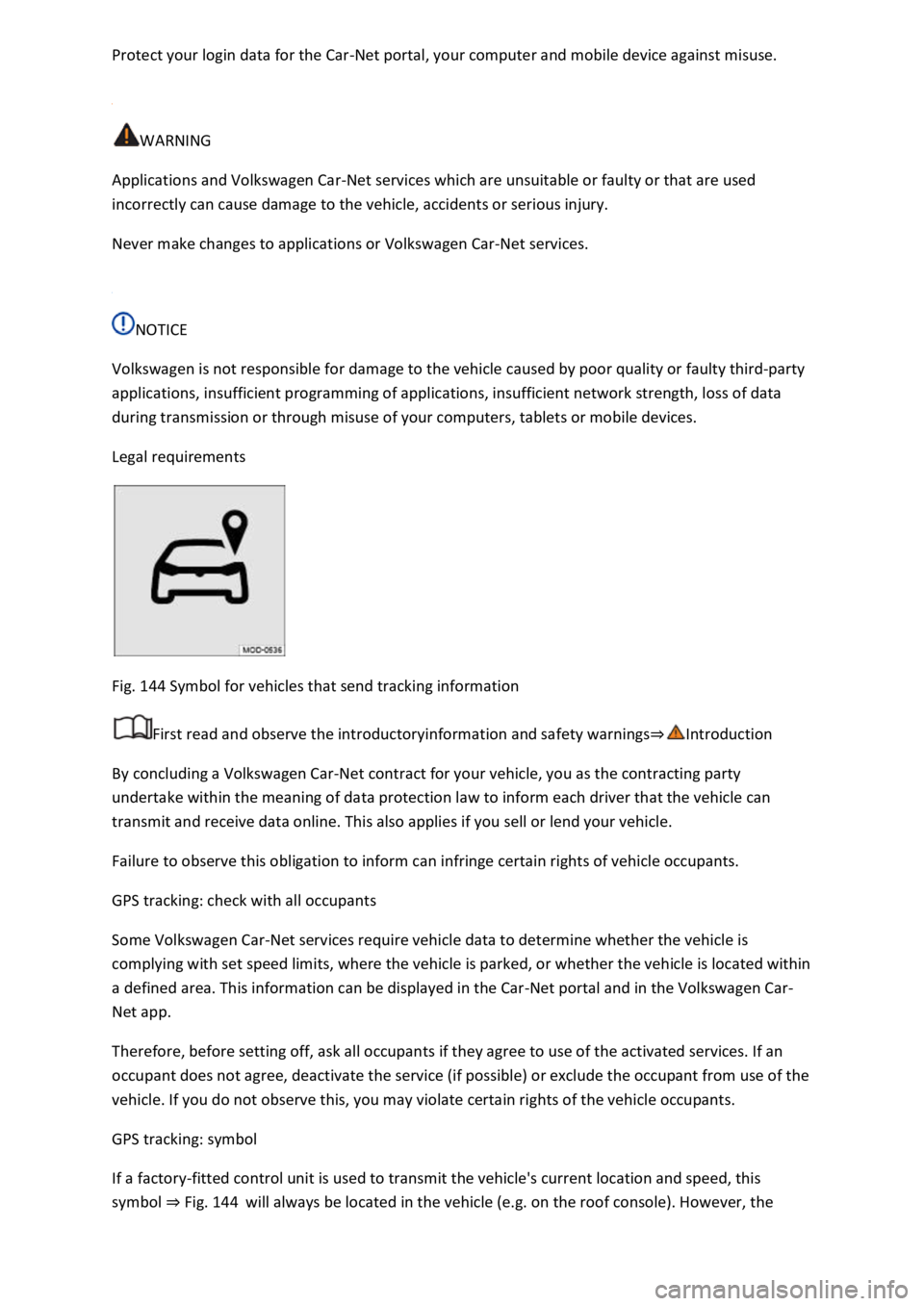
Fig. 144 Symbol for vehicles that send tracking information
First read and observe the introductoryinformation and safety warnings⇒Introduction
By concluding a Volkswagen Car-Net contract for your vehicle, you as the contracting party
undertake within the meaning of data protection law to inform each driver that the vehicle can
transmit and receive data online. This also applies if you sell or lend your vehicle.
Failure to observe this obligation to inform can infringe certain rights of vehicle occupants.
GPS tracking: check with all occupants
Some Volkswagen Car-Net services require vehicle data to determine whether the vehicle is
complying with set speed limits, where the vehicle is parked, or whether the vehicle is located within
a defined area. This information can be displayed in the Car-Net portal and in the Volkswagen Car-
Net app.
Therefore, before setting off, ask all occupants if they agree to use of the activated services. If an
occupant does not agree, deactivate the service (if possible) or exclude the occupant from use of the
vehicle. If you do not observe this, you may violate certain rights of the vehicle occupants.
GPS tracking: symbol
If a factory-fitted control unit is used to transmit the vehicle's current location and speed, this
symbol ⇒ Fig. 144 will always be located in the vehicle (e.g. on the roof console). However, the
Page 308 of 502

DANGER
It is dangerous to transport people in a trailer and it may also be illegal.
WARNING
Improper use of the towing bracket can lead to a loss of vehicle control, accidents and serious
injuries.
Only use the towing bracket if it is fitted properly and is not damaged.
Do not carry out any alterations or repairs to the towing bracket.
Wherever possible, swivel in or remove the ball head when a trailer is not being used in order to
reduce the risk of injury in rear-end collisions, and the risk of injury to pedestrians and cyclists when
the vehicle is parked.
Never install a weight-distributing or load-balancing towing bracket to the vehicle. The vehicle is not
designed for these kinds of towing brackets. The towing bracket can fail, causing the trailer to tear
loose from the vehicle.
WARNING
Towing a trailer and transporting heavy or bulky items can change the vehicle handling and increase
the braking distance. This can lead to accidents.
Always secure loads properly using suitable and undamaged lashing, retaining or securing straps.
Always adapt your speed and driving style to suit visibility, weather, road and traffic conditions.
Reduce your speed, particularly when going downhill.
Trailers with a high centre of gravity are more likely to tip over than trailers with a low centre of
gravity.
Always drive carefully and think ahead. Accelerate very carefully and gently. Avoid abrupt and
sudden driving and braking manoeuvres.
Take special care when overtaking. Reduce your speed immediately if the trailer shows even the
slightest sign of snaking.
Never drive faster than 80 km/h (50 mph) when towing a trailer, also 100 km/h (60 mph) in
exceptional cases. This also applies to countries where higher speeds are permitted. Keep to
country-specific speed limits, which may be lower for vehicles with trailers than for vehicles without
trailers.
Never try to stop a trailer from snaking by increasing your speed.
Never install a weight-distributing or load-balancing towing bracket on the vehicle.
Page 411 of 502
peed index ⇒ .
Speed limitation
Winter tyres have a speed limit depending on the speed index ⇒ Tyre lettering and tyre type .
Speed warning settings can be made and adjusted in the Infotainment system using the
button and the and Tyres function buttons.
If you use V-rated winter tyres, the speed limits and required tyre pressure are determined by the
engine size. In this case, always ask a Volkswagen dealership about the maximum permitted speed
and required tyre pressure.
All-wheel drive (4MOTION)
Thanks to its all-wheel drive, the vehicle has good traction in winter conditions, even with the
standard tyres. Nevertheless, Volkswagen still recommends that winter tyres or all-year tyres should
be fitted on all four wheels in winter, above all because this will give improved braking efficiency.
Observe information on snow chains⇒ Snow chains .
WARNING
The improved driving characteristics afforded by the winter tyres in winter conditions should not
encourage you to take any risks.
driving style to suit visibility, weather, road and traffic conditions.
The vehicle handling is better if summer tyres are fitted at temperatures above +7°C (+45°F). The
rolling noise is quieter, the tyre wear lower and the energy efficiency higher in this case.
In vehicles with a Tyre Pressure Loss Indicator, the system has to re-synchronise after wheels are
changed ⇒ Tyre monitoring system .
Volkswagen dealerships can provide details on permissible winter tyre sizes.
Snow chains
First read and observe the introductoryinformation and safety warnings⇒Introduction