steering VOLKSWAGEN T-ROC 2021 Owner´s Manual
[x] Cancel search | Manufacturer: VOLKSWAGEN, Model Year: 2021, Model line: T-ROC, Model: VOLKSWAGEN T-ROC 2021Pages: 502, PDF Size: 9.42 MB
Page 214 of 502
The indicator lamp lights up yellow.
Go to a qualified workshop and have the system checked.
Fault in Hill Start Assist
Go to a qualified workshop and have the system checked.
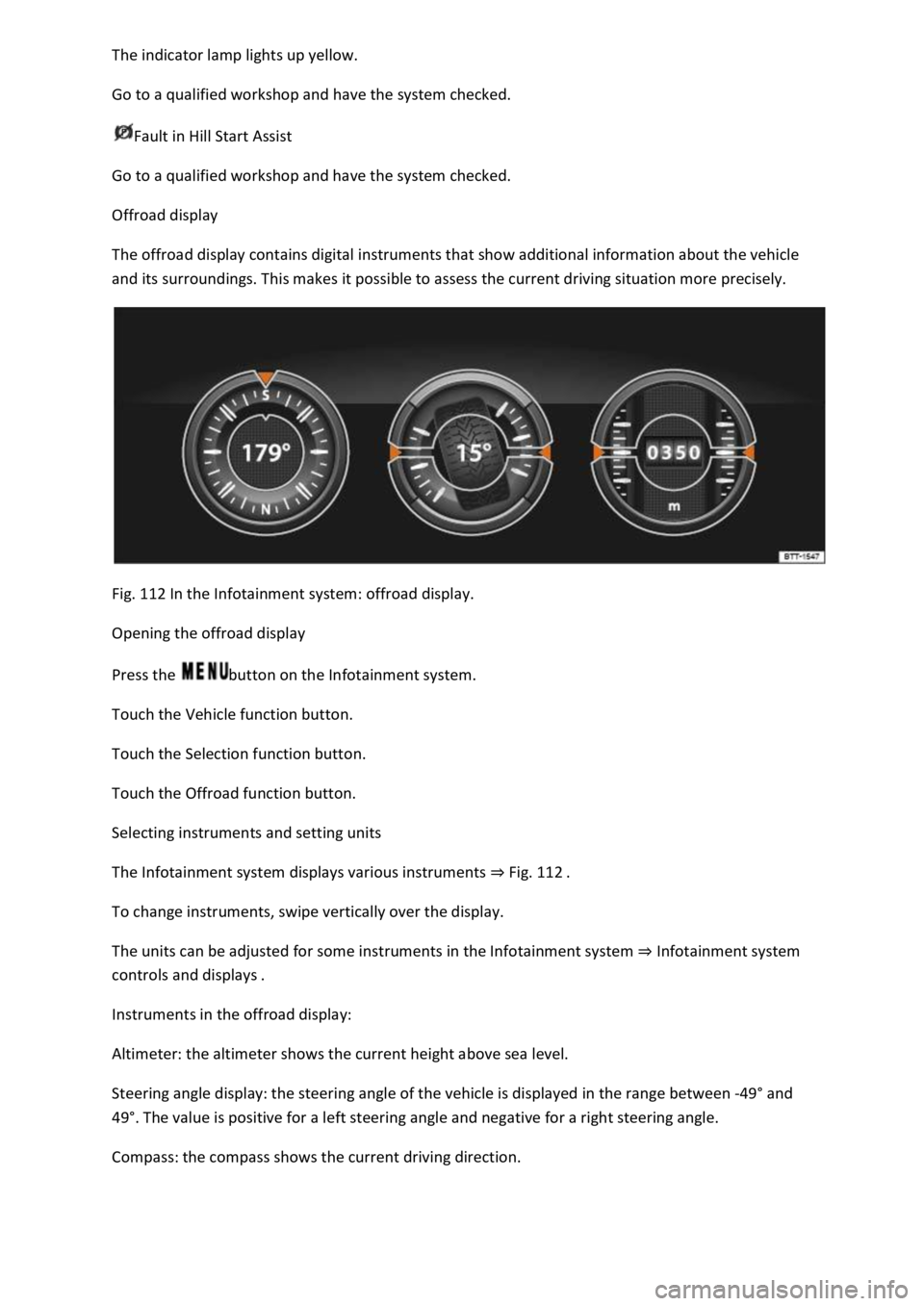
Offroad display
The offroad display contains digital instruments that show additional information about the vehicle
and its surroundings. This makes it possible to assess the current driving situation more precisely.
Fig. 112 In the Infotainment system: offroad display.
Opening the offroad display
Press the button on the Infotainment system.
Touch the Vehicle function button.
Touch the Selection function button.
Touch the Offroad function button.
Selecting instruments and setting units
The Infotainment system displays various instruments ⇒ Fig. 112 .
To change instruments, swipe vertically over the display.
The units can be adjusted for some instruments in the Infotainment system ⇒ Infotainment system
controls and displays .
Instruments in the offroad display:
Altimeter: the altimeter shows the current height above sea level.
Steering angle display: the steering angle of the vehicle is displayed in the range between -49° and
49°. The value is positive for a left steering angle and negative for a right steering angle.
Compass: the compass shows the current driving direction.
Page 215 of 502

Coolant temperature display: the display corresponds to the temperature display on the instrument
cluster ⇒ Coolant temperature display .
Oil temperature display: the display corresponds with the oil temperature display on the instrument
cluster ⇒ Engine oil .
Adapting the display areas to the driving situation
The displayed instruments can be selected according to the driving situation, the ambient conditions
and the offroad conditions:
Sandy terrain: oil, steering angle and coolant temperature display
Inclines: steering angle and coolant temperature display, altimeter
Alpine terrain: steering angle display, altimeter, compass
Offroad driving situations
Introduction
This chapter contains information on the followingsubjects:
⇒ Safety instructions for offroad driving
⇒ Explanation of some technical terms
⇒ Checklist
⇒ General rules and driving tips
⇒ Useful accessories for offroad driving
⇒ Changing gear correctly
⇒ Driving on rough terrain
⇒ Driving through water
⇒ Offroad driving in snow
⇒ Driving on sand and mud
⇒ Driving on steep terrain
⇒ Traversing a slope
⇒ Driving through ditches
⇒ Stuck vehicle
⇒ After offroad driving
You can also drive vehicles with all-wheel drive offroad in addition to on normal roads. It is very
important to read the contents of this section before driving offroad.
The vehicle is not built for expedition-type journeys.
Page 216 of 502

The examples given in this chapter are an aid for safe offroad driving. However, we cannot predict
whether these guidelines will be valid for all situations that could occur.
The many different types of terrain and the associated risks and dangers make it impossible to
describe all possible driving situations. The examples are only general guidelines which are intended
to help you to drive offroad safely. It is crucial that you know what to expect when you drive into
offroad terrain you are unfamiliar with. This will enable you to assess potential dangers in advance.
The driver can use 4MOTION Active Control to activate a variety of vehicle settings in an all-wheel
drive vehicle as required ⇒ Setting a driving profile .
Checklist
Before driving offroad for the first time, take the following steps so you can operate and drive the
vehicle safely offroad:
Observe the basic safety notes Safety instructions for offroad driving.
Familiarise yourself with the vehicle controls.
Check and adjust the seat position Sitting position and fasten the seat belts Seat belts.
Check distance to steering wheel and adjust Steering wheel.
Always wear suitable, well-fitting shoes that provide good grip for your feet when operating the
pedals.
Safety instructions for offroad driving
First read and observe the introductoryinformation and safety warnings⇒Introduction
WARNING
The intelligent vehicle technology cannot overcome the laws of physics, and functions only within
the limits of the system. Despite ABS, instability through locked wheels can occur on adverse terrain
– e.g. if you brake hard when driving on a loose gravel road. The Electronic Stability Control will be
able to stabilise the vehicle only to a limited extent in these circumstances.
WARNING
Driving offroad can be dangerous and could cause accidents, serious injury, damage to the vehicle
and also a vehicle breakdown far from any assistance.
Never select a dangerous route and never take risks that could endanger you and your passengers. If
you cannot drive on or if you are in any doubt about the safety of the route, turn round and choose
another route.
Even terrain that looks harmless can be difficult and dangerous, and could get you and your
passengers into difficulties. We recommend inspecting the terrain on foot beforehand.
Page 218 of 502

WARNING
Always avoid traversing a slope ⇒ Traversing a slope .
Vehicle occupants should never leave the vehicle via the doors facing down the hill when stopped
sideways on a steep hill. The combined centre of gravity of the vehicle and its payload (vehicle
occupants and payload) can shift and cause the vehicle to roll over and roll down the incline. Always
leave the vehicle slowly via the doors which open up the incline ⇒ Traversing a slope .
WARNING
The cruise control system has been designed for use on surfaced roads only. The cruise control
system is not suitable for use offroad and may even be hazardous. If you use the cruise control
system while driving offroad, you may lose control over the vehicle and sustain serious injuries.
Never use the cruise control system when driving offroad.
WARNING
The area monitoring system (Front Assist) was developed for use on surfaced roads only. The area
monitoring system is not suitable for use offroad and may even be hazardous. If you use the area
monitoring system while driving offroad, you may lose control over the vehicle and sustain serious
injuries.
Never use the area monitoring system when driving offroad.
WARNING
Driving the vehicle when the fuel level is too low could lead to your vehicle breaking down offroad,
accidents and serious injuries.
When the fuel level is too low, the fuel supply to the engine could be irregular, especially when
driving up or down hills and inclines.
The steering, all driver assist systems and brake support systems will not function if the engine
sputters or stops completely due to a lack of fuel or irregular fuel supply.
Always fill the tank when it is still 1/4 full. This reduces the risk of running out of fuel and breaking
down.
NOTICE
Page 225 of 502

Always adjust your speed and driving to match vehicle load levels and visibility, terrain and weather
conditions.
Driving on sand and mud
First read and observe the introductoryinformation and safety warnings⇒Introduction
Always drive at a steady speed through sand or mud and, do not carry out any manual gear changes
or stop the vehicle.
Check whether ESC is active. The indicator lamp or in the instrument cluster display must not
light up ⇒ Brake support systems .
Keep the vehicle moving constantly.
Use the Offroad driving profile ⇒ Setting a driving profile .
Select a suitable gear and remain in this gear until you have reached more solid ground ⇒ Changing
gear correctly .
If the tyres have lost their grip, turn the steering wheel to and fro quickly. This can briefly give the
tyres on the front wheels better grip for these ground conditions.
Driving through sand
Do not under any circumstances reduce the tyre pressure to drive through sand ⇒ . If the tyre
pressure has been reduced for driving through sand, the correct tyre pressure must always be
restored before driving on. Driving with reduced tyre pressure can lead to a loss of control over the
vehicle and increase the risk of serious and fatal injuries.
Driving through mud
Do not change speed or direction. The tyres can lose their traction when driving through mud. If the
vehicle slides, steer in the direction needed to get the vehicle under control.
WARNING
Driving through mud and sand can be dangerous. The vehicle can slide uncontrollably. This increases
the risk of injury. Always drive carefully through sand and mud.
Never choose an unsafe route or take a risk which could endanger you or your passengers. If you are
in any doubt about the safety of the route, turn round and choose another way.
WARNING
Incorrect tyre pressure can cause severe or even fatal accidents.
Incorrect tyre pressures will increase the levels of wear on the tyres and will negatively affect the
vehicle's handling.
Page 226 of 502

An incorrect tyre pressure can cause overheating, sudden tyre damage including tyre bursts and
ripping of the tread surface and thus to a loss of control over the vehicle.
Driving on steep terrain
First read and observe the introductoryinformation and safety warnings⇒Introduction
Driving uphill or downhill
Get out of the vehicle and assess the situation before you attempt to drive up or down a hill:
Walk along the section and check the firmness of the ground. Look out for obstacles and other
hidden dangers ⇒ .
Check the section beyond the hill.
You should not follow the route if it is too steep, uneven or if the ground surface is too loose. Select
another route.
Drive slowly and at constant speed straight up or down a slope.
Accelerate only to the speed you need to climb the slope. Too much acceleration can cause the
wheels to spin and lead to a loss of control of the vehicle. Insufficient throttle increases the
probability of stalling the engine.
Never attempt to stop or turn on a slope.
Avoid allowing the engine to stall.
Do not change gear or engage the clutch when climbing a slope.
Use the offroad display ⇒ Offroad display .
If you cannot continue to drive up a hill
Never turn the vehicle around on an uphill gradient.
If the engine has stalled, depress the footbrake and start the engine again.
Select reverse gear and reverse back slowly in a straight line.
Use the foot brake to keep a constant speed until you have reached a safe place.
Driving downhill
Never exceed the tilt angle of the vehicle! If, in an emergency, you have to traverse the slope when
driving down it and the vehicle threatens to tip over, steer into the fall line immediately.
There is an increased risk of rolling over when driving downhill. Concentrate on steering the vehicle
when driving downhill in particular.
Use the offroad display on steep downhill stretches ⇒ Offroad display .
Drive down steep inclines in first gear.
Use the foot brake sparingly in order not to lose control of the vehicle.
Page 227 of 502
If it is possible and safe, drive straight down the slope in the fall line (maximum gradient).
Do not press the clutch and do not select neutral.
WARNING
Never try driving up or down an incline if it is too steep for the vehicle. The vehicle could slide away,
tip over or roll.
The uphill or downhill gradient must be no greater than the maximum permissible gradient for the
vehicle.
Always drive up and down gradients in the fall line.
Never turn the vehicle when driving up or down gradients. The vehicle could tip over or slide away
sideways.
If the engine stops or if you cannot drive on for any reason, stop the vehicle and depress the brake
pedal. Start the engine again. Select reverse gear, release the brake pedal and using the engine
braking effect to carefully reverse in a straight line along the fall line. Keep the vehicle speed low and
constant.
If you are unable to start the engine, keep your foot steady on the brake pedal and allow the vehicle
to roll back down the track you made when driving up the hill. Keep the vehicle speed low and
constant.
Never let the vehicle roll backwards down a slope in neutral. You could lose control over the vehicle.
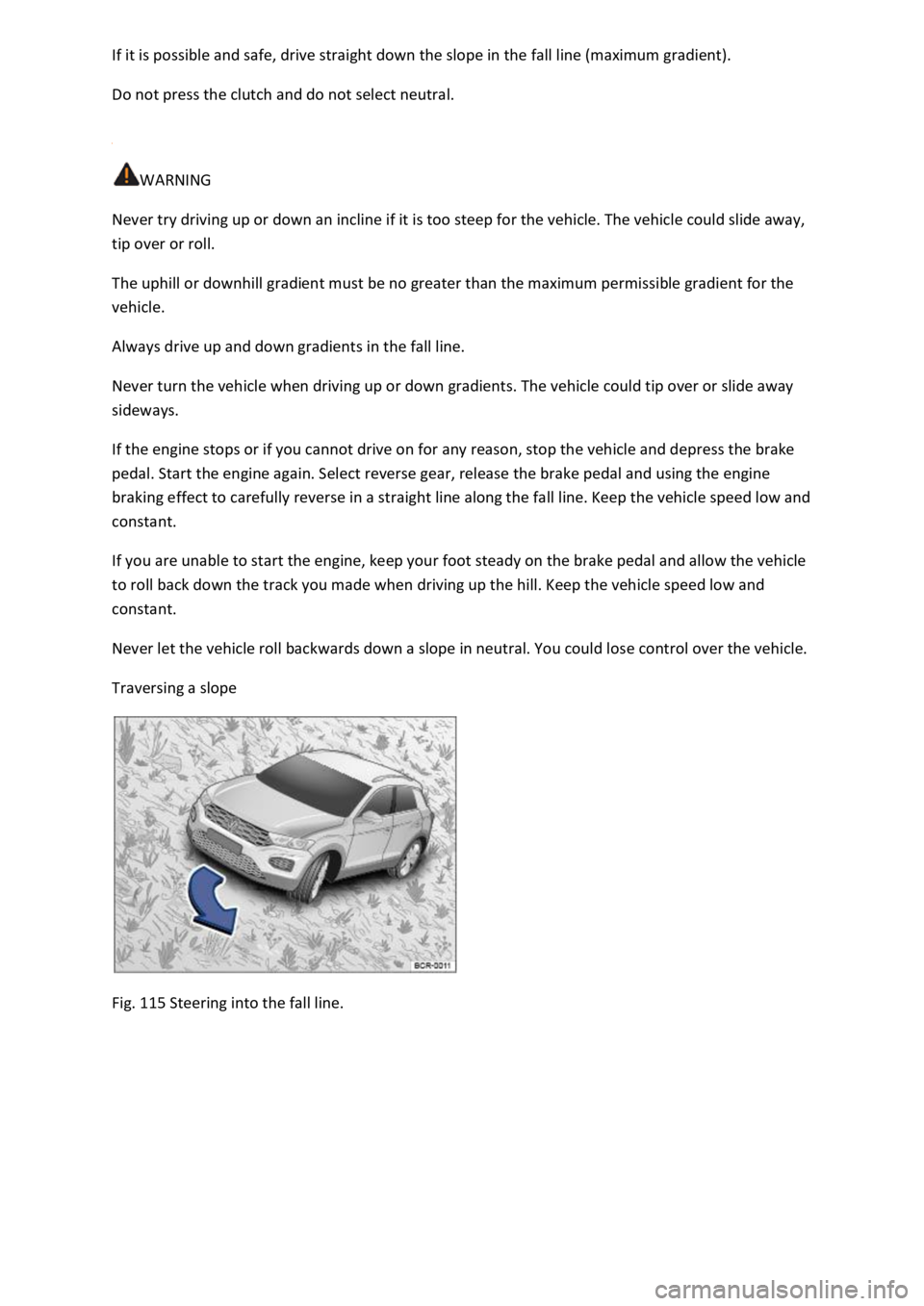
Traversing a slope
Fig. 115 Steering into the fall line.
Page 230 of 502

If you make a mistake when rocking free the vehicle, it can sink deeper and you will need assistance
to free the vehicle.
When you cannot move forwards
Carefully dig out all the wheels and check that no other parts of the vehicle are stuck in the sand.
Select reverse gear.
Reverse in your own tracks with gentle use of the accelerator.
If this does not help, place brushwood, foot mats or sacking directly in front of the wheels to
increase grip ⇒ .
Rocking the vehicle free
Never allow the wheels to spin for long periods as this will cause the vehicle to sink deeper ⇒ .
Switch off TCS ⇒ Brake support systems .
Position the steering wheel so that it is facing straight ahead.
Reverse until the point where the wheels just start to spin.
Immediately select first gear and drive forwards until the wheels start to spin again.
Repeat driving back and forth until you have enough momentum to free yourself.
Switch the TCS on after the rocking free procedure is completed ⇒ Brake support systems .
Use the Offroad driving profile.
WARNING
No one must stand either in front or behind the vehicle, particularly if you are attempting to free a
stuck vehicle.
Spinning wheels can propel stones, brushwood, pieces of wood or other objects that are in front or
behind the wheels at enormous speed and cause potentially fatal injury.
People standing in front of or behind the vehicle could be run over if the stuck vehicle starts to move
suddenly.
After offroad driving
First read and observe the introductoryinformation and safety warnings⇒Introduction
Checklist
Clean the turn signals, lighting system, the number plate and all windows.
Page 232 of 502

⇒ Operating the speed limiter with the multifunction steering wheel
⇒ Troubleshooting
The speed limiter helps you to stop exceeding a stored speed.
Speed range
The speed limiter is available when driving forwards at speeds from approx. 30 km/h (20 mph).
Driving with the speed limiter
You can interrupt the speed limiter at any time by depressing the accelerator all the way down past
the point of resistance. As soon as the stored speed is exceeded, the green indicator lamp will
flash and an acoustic warning may sound. The speed remains stored in the memory.
The speed limiter function switches back on automatically as soon as the speed drops back below
the stored speed.
Displays
When the speed limiter is switched on, the instrument cluster display shows the stored speed and
the status of the speed limiter:
Shown small or grey: speed limiter not active.Shown large or white: speed limiter active.
Driving downhill
Driving downhill may cause the set speed to be exceeded.
Apply the foot brake to slow the vehicle down, and change down a gear as required.
WARNING
Always switch off the speed limiter after use to avoid unintentional speed control.
The speed limiter does not relieve the driver of their responsibility for the speed of the vehicle. Do
not drive at full throttle if this is not required.
Use of the speed limiter in adverse weather conditions is dangerous and can cause serious injury,
e.g. through aquaplaning, snow, ice, or leaves. Use the speed limiter only when the road and
weather conditions allow it to be used safely.
The speed limiter cannot limit the vehicle speed when travelling downhill. The vehicle speed can
increase under its own weight. Select a lower gear or use the foot brake to slow the vehicle down.
Operating the speed limiter with the multifunction steering wheel
Page 233 of 502
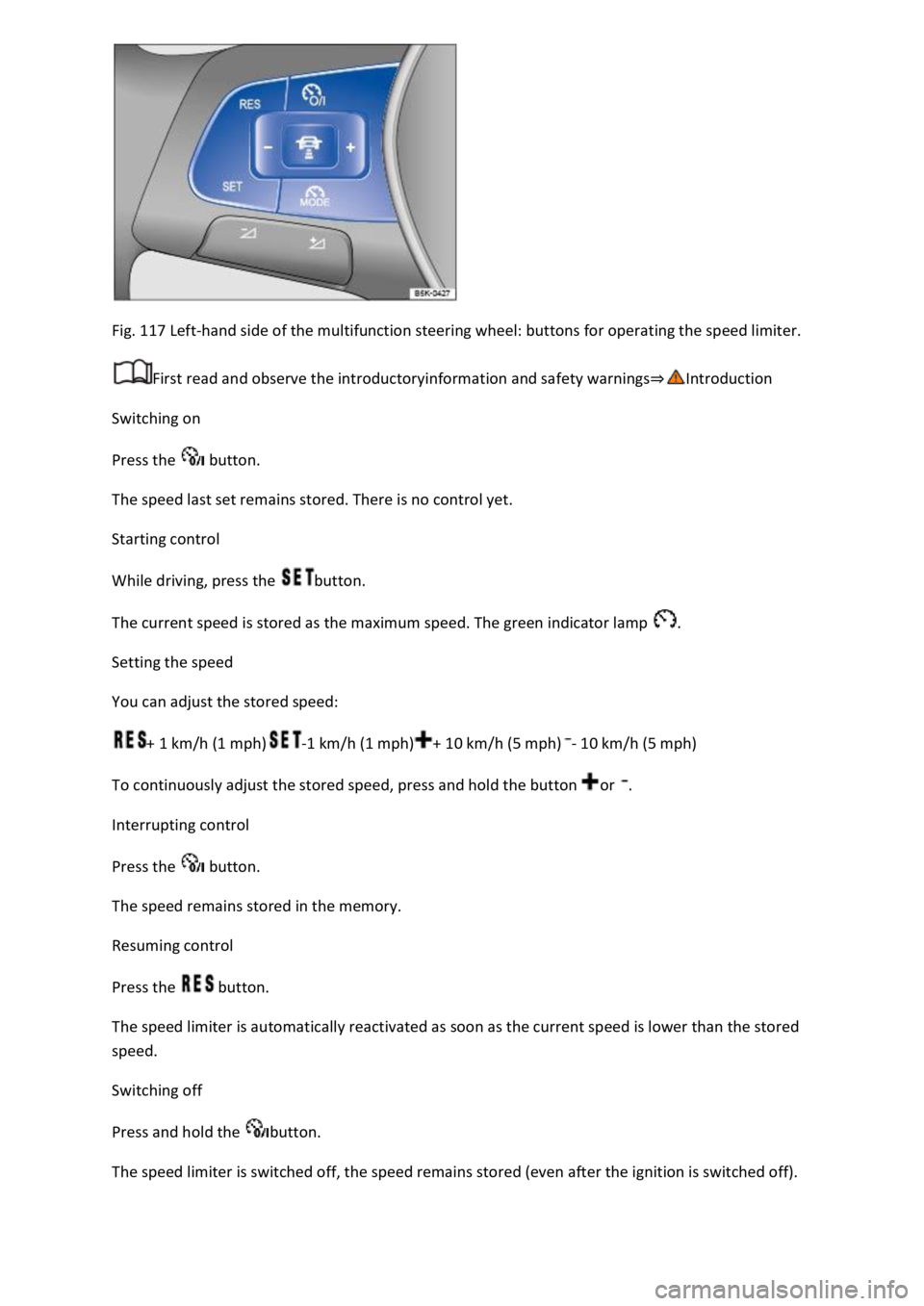
Fig. 117 Left-hand side of the multifunction steering wheel: buttons for operating the speed limiter.
First read and observe the introductoryinformation and safety warnings⇒Introduction
Switching on
Press the button.
The speed last set remains stored. There is no control yet.
Starting control
While driving, press the button.
The current speed is stored as the maximum speed. The green indicator lamp .
Setting the speed
You can adjust the stored speed:
+ 1 km/h (1 mph)-1 km/h (1 mph)+ 10 km/h (5 mph)- 10 km/h (5 mph)
To continuously adjust the stored speed, press and hold the button or .
Interrupting control
Press the button.
The speed remains stored in the memory.
Resuming control
Press the button.
The speed limiter is automatically reactivated as soon as the current speed is lower than the stored
speed.
Switching off
Press and hold the button.
The speed limiter is switched off, the speed remains stored (even after the ignition is switched off).