AUX VOLKSWAGEN TIGUAN 2017 Owner´s Manual
[x] Cancel search | Manufacturer: VOLKSWAGEN, Model Year: 2017, Model line: TIGUAN, Model: VOLKSWAGEN TIGUAN 2017Pages: 341, PDF Size: 9.14 MB
Page 126 of 341
Programming check
If a departure time has been activated, the LED in the immediate heat button will light up on
the Climatronic control panel for approximately ten seconds after the ignition is switched off.
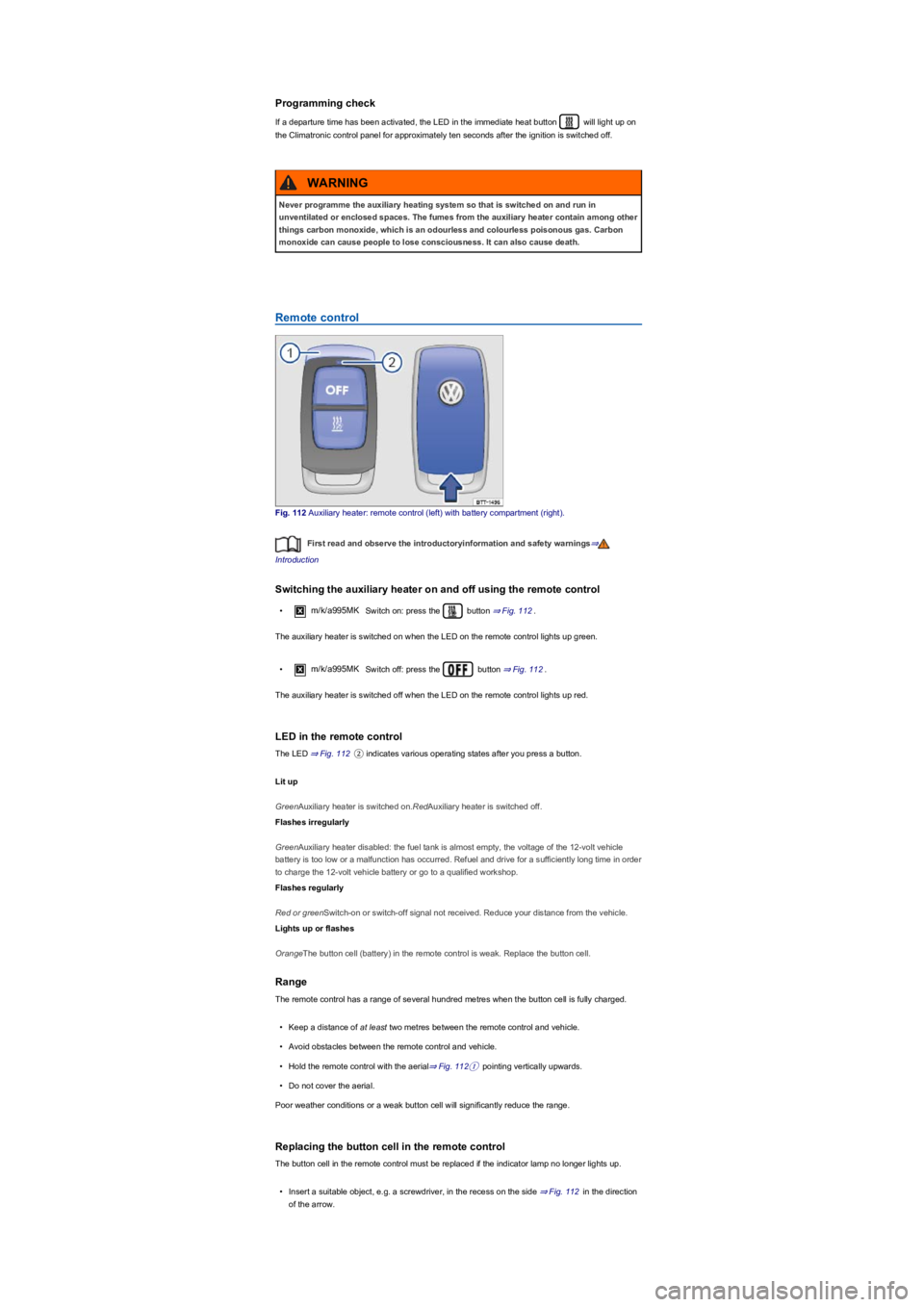
Remote control
Fig. 112 Auxiliary heater: remote control (left) with battery compartment (right).
First read and observe the introductoryinformation and safety warnings⇒
Introduction
Switching the auxiliary heater on and off using the remote control
•m/k/a995MK Switch on: press the button ⇒ Fig. 112.
The auxiliary heater is switched on when the LED on the remote control lights up green.
•m/k/a995MKSwitch off: press the button ⇒ Fig. 112.
The auxiliary heater is switched off when the LED on the remote control lights up red.
LED in the remote control
The LED ⇒ Fig. 112② indicates various operating states after you press a button.
Lit up
GreenAuxiliary heater is switched on.RedAuxiliary heater is switched off.
Flashes irregularly
GreenAuxiliary heater disabled: the fuel tank is almost empty, the voltage of the 12-volt vehicle
battery is too low or a malfunction has occurred. Refuel and drive for a sufficiently long time in order
to charge the 12-volt vehicle battery or go to a qualified workshop.
Flashes regularly
Red or greenSwitch-on or switch-off signal not received. Reduce your distance from the vehicle.
Lights up or flashes
OrangeThe button cell (battery) in the remote control is weak. Replace the button cell.
Range
The remote control has a range of several hundred metres when the button cell is fully charged.
•Keep a distance of at least two metres between the remote control and vehicle.
•Avoid obstacles between the remote control and vehicle.
•Hold the remote control with the aerial⇒ Fig. 112① pointing vertically upwards.
•Do not cover the aerial.
Poor weather conditions or a weak button cell will significantly reduce the range.
Replacing the button cell in the remote control
The button cell in the remote control must be replaced if the indicator lamp no longer lights up.
•Insert a suitable object, e.g. a screwdriver, in the recess on the side ⇒ Fig. 112 in the direction
of the arrow.
Never programme the auxiliary heating system so that is switched on and run in
unventilated or enclosed spaces. The fumes from the auxiliary heater contain among other
things carbon monoxide, which is an odourless and colourless poisonous gas. Carbon
monoxide can cause people to lose consciousness. It can also cause death.
WARNING
Page 181 of 341
System limits
First read and observe the introductoryinformation and safety warnings⇒
Introduction
Front Assist has physical and system-related limitations. From the driver's perspective, some Front
Assist reactions may therefore occur unexpectedly or with a delay in certain circumstances. You
should therefore always be prepared to take full control of the vehicle if necessary.
•In tight bends.
•If the accelerator is fully depressed.
•If Front Assist is switched off or faulty.
•If TCS is switched off manually.
•If ESC is taking corrective action.
•If there is a fault in several brake lights on the vehicle or on a trailer with an electrical
connection to the vehicle ⇒.
•If the radar sensor is dirty or covered.
•If there are metal objects, e.g. tracks in the road or metal plates used in roadworks, or road
signs, above and adjacent to the road.
•If the vehicle is reversing.
•Under hard acceleration.
•In snow or heavy rain.
•In case of narrow vehicles, e.g. motorbikes.
•If vehicles are travelling slightly to the left or right of your vehicle.
•If vehicles are crossing in front of your vehicle.
•If there is oncoming traffic.
•If pedestrians are standing in front of the vehicle, approaching the vehicle, or moving in the
same direction as the vehicle.
•In complex driving situations, e.g. at traffic islands.
•In unclear traffic situations, e.g. vehicles ahead are heavily braking or turning off.
•When loads or attachment parts on other vehicles protrude to the side, rear or above the normal
dimensions of the vehicle.
Switching off Front Assist
•If the vehicle is being towed.
•If the vehicle is on a rolling road test bed.
•If the vehicle is driven in areas other than public roads.
•If the radar sensor is faulty.
•After external force on the radar sensor, e.g. after a rear-end collision.
•In the event of multiple unwanted interventions.
•If the radar sensor is covered temporarily by any auxiliary equipment, e.g. auxiliary headlights.
•If the vehicle is loaded onto a truck, car ferry or motorail train.
The intelligent Pedestrian Monitoring technology cannot overcome the laws of physics,
and functions only within the limits of the system. Never let the extra convenience
afforded by the Pedestrian Monitoring system tempt you into taking any risks when
driving. The driver is always responsible for braking in time.
•If Pedestrian Monitoring issues a warning, brake your vehicle immediately depending
on the traffic situation or avoid the pedestrian.
•The Pedestrian Monitoring system cannot prevent accidents and serious injuries on its
own.
•The Pedestrian Monitoring system can issue unnecessary warnings and carry out
unwanted braking interventions in complex driving situations, e.g. on a twisting main
road.
•The Pedestrian Monitoring system can issue unnecessary warnings and carry out
unwanted braking interventions when its function is impaired, e.g. if the radar sensor is
covered or its position has been changed.
•Be prepared to take over control of the vehicle yourself at all times.
WARNING
Failure to switch off Front Assist in the situations mentioned can result in accidents and
serious injuries.
WARNING
Page 189 of 341
•OR: depending on the vehicle equipment, by means of the button for the driver assist systems
⇒ Button for driver assist systems.
•OR: depending on the vehicle equipment, in the Driver assistance menu in the Infotainment
system ⇒ Operation and display in the Infotainment system.
Function
Rear Traffic Alert monitors the traffic crossing behind the vehicle when reversing out of a parking
space or manoeuvring. Rear Traffic Alert functions using radar sensors in the rear bumper.
Key to ⇒ Fig. 150:
Critical situation. Do not drive on!Possible critical situation.
Detection of a critical situation can also take place acoustically:
•A warning signal will sound and a text message will be displayed in the instrument cluster for
vehicles without Park Distance Control.
•A warning signal will sound with the continuous Park Distance Control tone if Park Distance
Control is installed in the vehicle. If the Park Distance Control is deactivated, no warning can be
given to the driver and the Rear Traffic Alert system will also be switched off temporarily.
If there is a fault in the system's scanned area, the yellow indicator lamp lights up .
Automatic braking intervention to minimise damage
If Rear Traffic Alert detects an approaching road user and the driver has not pressed the brake, the
system can brake automatically.
The Rear Traffic Alert helps the driver to prevent damage by initiating an automatic braking
intervention. Automatic braking intervention takes place when reversing at speeds of between
1-12 km/h (1-7 mph). The vehicle is held stationary for up to two seconds after vehicle standstill has
been detected.
After automatic braking intervention is activated to prevent damage to the vehicle, the system
requires approximately ten seconds before it can activate another automatic braking intervention.
The automatic braking intervention can be interrupted by pressing the accelerator or brake pedal
sharply and taking control of the vehicle.
Troubleshooting
First read and observe the introductoryinformation and safety warnings⇒
Introduction
No sensor visibility, error message, system switches itself off
•Clean the radar sensors or remove stickers or accessories from the radar sensors ⇒ Caring for
and cleaning the vehicle exterior.
•Check whether any damage is visible.
The system is not responding as expected
•The radar sensors are dirty ⇒ Caring for and cleaning the vehicle exterior. The sensor visibility
may be impaired by dirt and snow or also residue from cleaning agents or coatings.
•The prerequisites for system operation must be met ⇒ System limits.
•The radar sensors are covered by water.
•The vehicle is damaged in the area of the radar sensors, e.g. caused by parking collisions.
•The detection ranges of the radar sensors are blocked by add-on parts, e.g. bicycle carriers.
•Changes have been made to the paintwork in the area of the radar sensors or structural
modifications have been made, e.g. on the vehicle front end or the running gear.
•Tinting foils have been retrofitted on the side windows.
The intelligent technology of the lane change system including Rear Traffic Alert cannot
overcome the laws of physics, and functions only within the limits of the system. Do not
let the auxiliary function of the Rear Traffic Alert tempt you to take any risks while driving
– this can cause accidents. The system is not a substitute for the full concentration of the
driver.
•Never use the system with impaired vision or in unpredictable traffic situations, e.g. on
extremely busy roads or across several lanes.
•Always pay attention to the area around the vehicle – cyclists and pedestrians are
often not clearly detected.
•The Rear Traffic Alert will not always independently bring the vehicle to a complete
stop.
WARNING
Page 197 of 341
•Perpendicular parking (mode 1): reverse parking perpendicular to the road.
•Parallel parking (mode 2): reverse parking parallel to the road.
•Trailer support (mode 3): support when hitching a trailer to the vehicle.
•Crossing traffic (mode 4): observing crossing traffic.
System limits
The rear view camera system shows only two-dimensional images on the screen. The lack of depth
of field means that potholes and protruding objects on the ground may only be detected with
difficulty, or may not be detected at all.
The rear view camera system may not always be able to detect objects such as thin rails, fences,
posts, trees etc. This could result in damage to your vehicle.
The system displays the orientation lines irrespective of the area surrounding the vehicle. There is
no automatic obstacle detection. Drivers must judge for themselves whether the vehicle will fit into
the parking space.
Switching on and off
First read and observe the introductoryinformation and safety warnings⇒
Introduction
Switching on the rear view camera system
•Select reverse gear.
•OR: press the button.
Switching off the rear view camera system
Drive forwards at a speed of at least 15 km/h (9 mph).
Display representation
First read and observe the introductoryinformation and safety warnings⇒
Introduction
The image of the rear view camera system is displayed in the Infotainment system.
The functions and displays depend on the vehicle equipment and may differ from each other.
The rear view camera system hides all orientation lines and guiding functions when the factory-
fitted towing bracket is electrically connected to the trailer ⇒ Trailer towing.
Settings
You can make settings by means of the function buttons when the rear view camera system is
switched on. Some setting options depend on the vehicle equipment.
Function buttons and symbols of the rear view camera system:
xClose current display.Switch to perpendicular parking (mode 1) ⇒ Parking perpendicular to
the road (mode 1).Switch to parallel parking (mode 2) ⇒ Parking parallel to the road
(mode 2).Switch to trailer support (mode 3).Switch to crossing traffic (mode 4).Adjust
display: brightness, contrast, colour.Switch to Park Distance Control ⇒ Park Distance
Control.Show Park Distance Control display.Hide Park Distance Control display.
Switch Park Distance Control sound on and off.Turn steering wheel (mode 2).Stop
vehicle (mode 2).
Orientation lines
Green horizontal line: extension of the vehicle.
Red lateral line: a yellow line turns red if a change in the steering input is necessary (mode 2).
Yellow lines: vehicle path depending on the steering angle.
Yellow auxiliary boxes: front and rear limits of the parking space (mode 2).
Green lateral line: turning point when driving into a parking space (mode 2).
Using images from the camera to estimate the distance from obstacles (people, vehicles
etc.) is inaccurate and could cause accidents and severe injuries.
•Camera lenses enlarge and distort the field of vision and make objects appear different
and inaccurate on the screen.
WARNING
Page 198 of 341
Red and green frames: vehicle outline (mode 2).
Trailer support (mode 3)
In vehicles with a factory-fitted towing bracket, the trailer support function can be used when
approaching a trailer drawbar. The powerful zoom level used in this mode means that obstacles
behind the vehicle appear very late.
Auxiliary lines are shown on the Infotainment system.
Red line: position of the towing bracket.
Green lines: distance to towing bracket. The distance intervals are around 0.1 m in each case.
Orange line: predicted path of the towing bracket, depending on the steering angle.
Crossing traffic (mode 4)
This display representation helps the driver to monitor traffic behind the vehicle and can be used in
situations such as driving out of a garage or narrow exits, for example.
Prerequisites
First read and observe the introductoryinformation and safety warnings⇒
Introduction
The following prerequisites must be met for detection of a parking space:
•Do not exceed a speed of approximately 15 km/h (9 mph).
•Width of the parking space: vehicle width + 0.2 m.
•Distance: position the vehicle approximately one metre from the parking space (mode 2 only).
•Length of the parking space: approx. 8 m (mode 2 only).
The following conditions must be met in order to display a correct image:
•The boot lid is closed.
•The surrounding area has a flat surface.
•Vehicle does not have a heavy load at the rear.
Parking perpendicular to the road (mode 1)
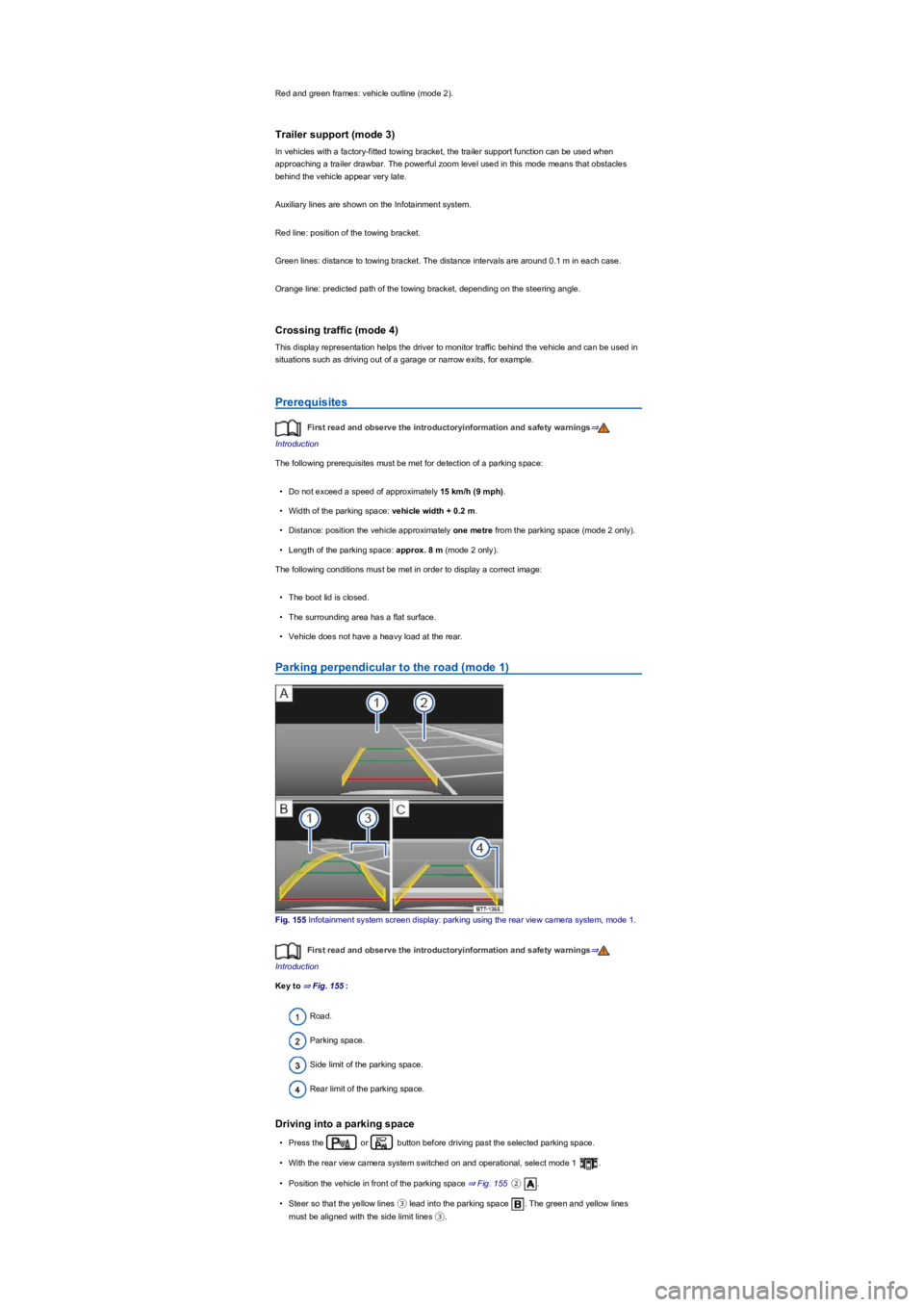
Fig. 155 Infotainment system screen display: parking using the rear view camera system, mode 1.
First read and observe the introductoryinformation and safety warnings⇒
Introduction
Key to ⇒ Fig. 155:
Road.
Parking space.
Side limit of the parking space.
Rear limit of the parking space.
Driving into a parking space
•Press the or button before driving past the selected parking space.
•With the rear view camera system switched on and operational, select mode 1 .
•Position the vehicle in front of the parking space ⇒ Fig. 155②.
•Steer so that the yellow lines ③ lead into the parking space . The green and yellow lines
must be aligned with the side limit lines ③.
Page 199 of 341
•Stop when the red line reaches the rear limit ④.
Parking parallel to the road (mode 2)
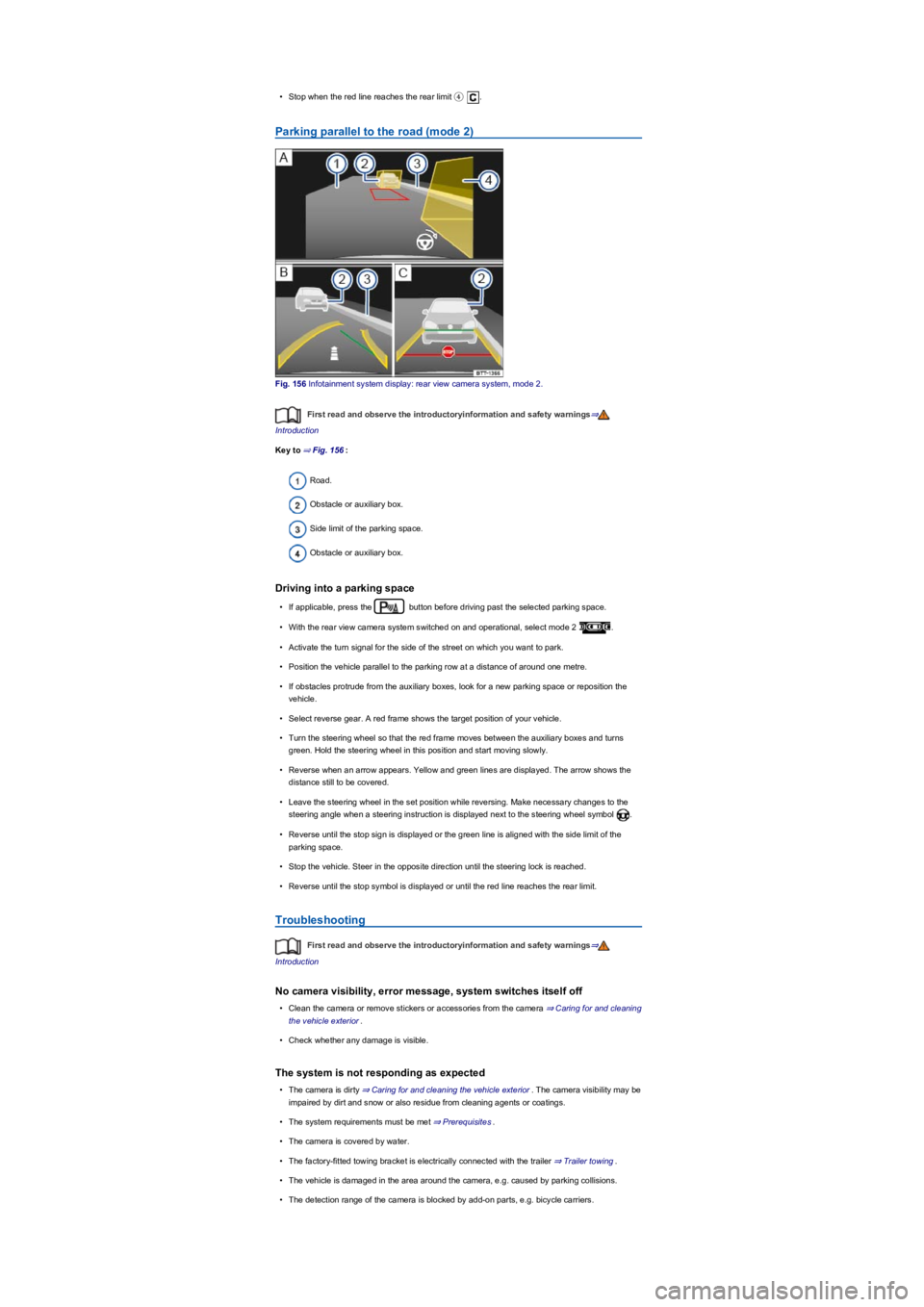
Fig. 156 Infotainment system display: rear view camera system, mode 2.
First read and observe the introductoryinformation and safety warnings⇒
Introduction
Key to ⇒ Fig. 156:
Road.
Obstacle or auxiliary box.
Side limit of the parking space.
Obstacle or auxiliary box.
Driving into a parking space
•If applicable, press the button before driving past the selected parking space.
•With the rear view camera system switched on and operational, select mode 2 .
•Activate the turn signal for the side of the street on which you want to park.
•Position the vehicle parallel to the parking row at a distance of around one metre.
•If obstacles protrude from the auxiliary boxes, look for a new parking space or reposition the
vehicle.
•Select reverse gear. A red frame shows the target position of your vehicle.
•Turn the steering wheel so that the red frame moves between the auxiliary boxes and turns
green. Hold the steering wheel in this position and start moving slowly.
•Reverse when an arrow appears. Yellow and green lines are displayed. The arrow shows the
distance still to be covered.
•Leave the steering wheel in the set position while reversing. Make necessary changes to the
steering angle when a steering instruction is displayed next to the steering wheel symbol .
•Reverse until the stop sign is displayed or the green line is aligned with the side limit of the
parking space.
•Stop the vehicle. Steer in the opposite direction until the steering lock is reached.
•Reverse until the stop symbol is displayed or until the red line reaches the rear limit.
Troubleshooting
First read and observe the introductoryinformation and safety warnings⇒
Introduction
No camera visibility, error message, system switches itself off
•Clean the camera or remove stickers or accessories from the camera ⇒ Caring for and cleaning
the vehicle exterior.
•Check whether any damage is visible.
The system is not responding as expected
•The camera is dirty ⇒ Caring for and cleaning the vehicle exterior. The camera visibility may be
impaired by dirt and snow or also residue from cleaning agents or coatings.
•The system requirements must be met ⇒ Prerequisites.
•The camera is covered by water.
•The factory-fitted towing bracket is electrically connected with the trailer ⇒ Trailer towing.
•The vehicle is damaged in the area around the camera, e.g. caused by parking collisions.
•The detection range of the camera is blocked by add-on parts, e.g. bicycle carriers.
Page 205 of 341
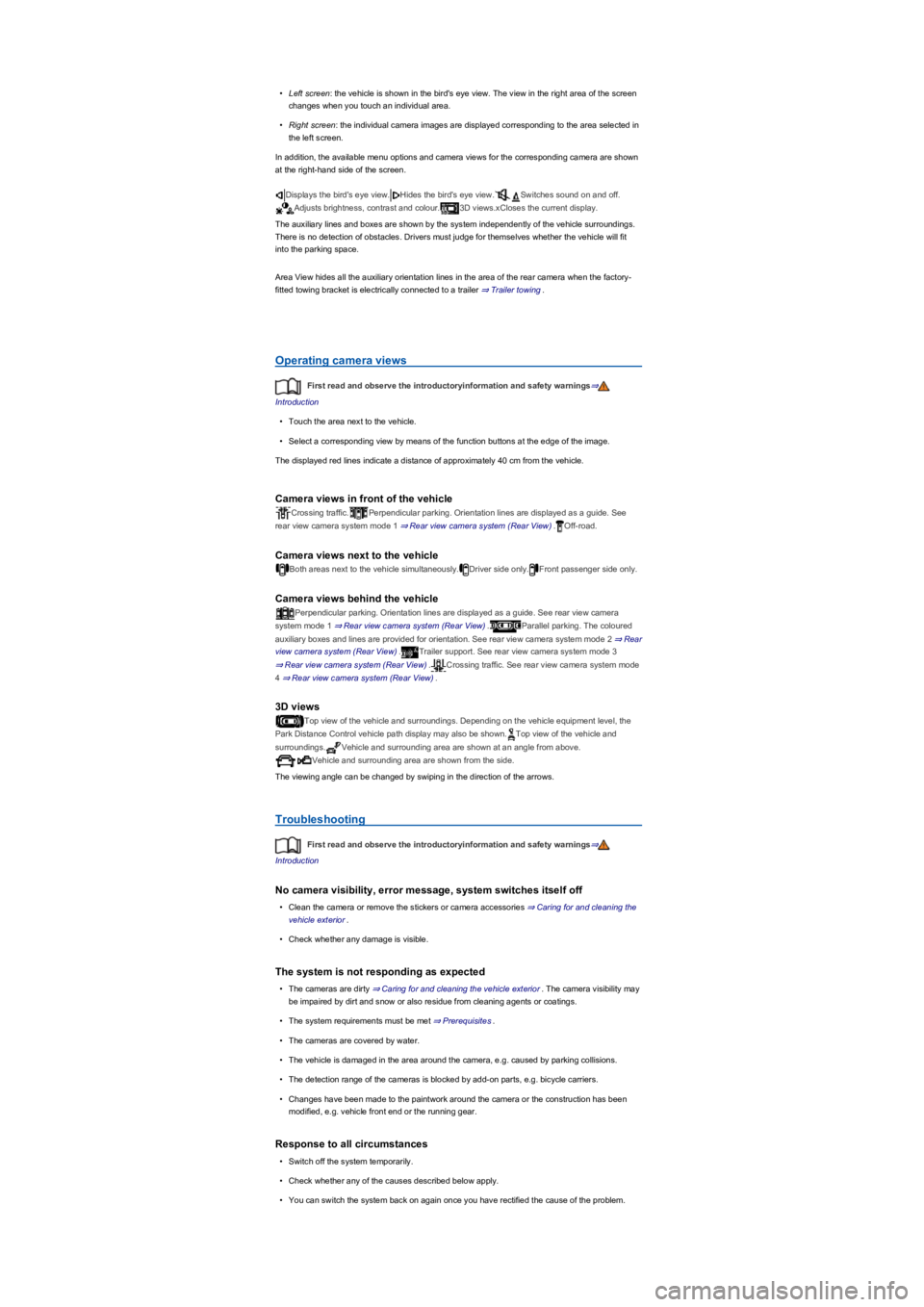
•Left screen: the vehicle is shown in the bird's eye view. The view in the right area of the screen
changes when you touch an individual area.
•Right screen: the individual camera images are displayed corresponding to the area selected in
the left screen.
In addition, the available menu options and camera views for the corresponding camera are shown
at the right-hand side of the screen.
Displays the bird's eye view.Hides the bird's eye view.Switches sound on and off.
Adjusts brightness, contrast and colour.3D views.xCloses the current display.
The auxiliary lines and boxes are shown by the system independently of the vehicle surroundings.
There is no detection of obstacles. Drivers must judge for themselves whether the vehicle will fit
into the parking space.
Area View hides all the auxiliary orientation lines in the area of the rear camera when the factory-
fitted towing bracket is electrically connected to a trailer ⇒ Trailer towing.
Operating camera views
First read and observe the introductoryinformation and safety warnings⇒
Introduction
•Touch the area next to the vehicle.
•Select a corresponding view by means of the function buttons at the edge of the image.
The displayed red lines indicate a distance of approximately 40 cm from the vehicle.
Camera views in front of the vehicle
Crossing traffic.Perpendicular parking. Orientation lines are displayed as a guide. See
rear view camera system mode 1 ⇒ Rear view camera system (Rear View).Off-road.
Camera views next to the vehicle
Both areas next to the vehicle simultaneously.Driver side only.Front passenger side only.
Camera views behind the vehicle
Perpendicular parking. Orientation lines are displayed as a guide. See rear view camera
system mode 1 ⇒ Rear view camera system (Rear View).Parallel parking. The coloured
auxiliary boxes and lines are provided for orientation. See rear view camera system mode 2 ⇒ Rear
view camera system (Rear View).Trailer support. See rear view camera system mode 3
⇒ Rear view camera system (Rear View).Crossing traffic. See rear view camera system mode
4 ⇒ Rear view camera system (Rear View).
3D views
Top view of the vehicle and surroundings. Depending on the vehicle equipment level, the
Park Distance Control vehicle path display may also be shown.Top view of the vehicle and
surroundings.Vehicle and surrounding area are shown at an angle from above.
Vehicle and surrounding area are shown from the side.
The viewing angle can be changed by swiping in the direction of the arrows.
Troubleshooting
First read and observe the introductoryinformation and safety warnings⇒
Introduction
No camera visibility, error message, system switches itself off
•Clean the camera or remove the stickers or camera accessories ⇒ Caring for and cleaning the
vehicle exterior.
•Check whether any damage is visible.
The system is not responding as expected
•The cameras are dirty ⇒ Caring for and cleaning the vehicle exterior. The camera visibility may
be impaired by dirt and snow or also residue from cleaning agents or coatings.
•The system requirements must be met ⇒ Prerequisites.
•The cameras are covered by water.
•The vehicle is damaged in the area around the camera, e.g. caused by parking collisions.
•The detection range of the cameras is blocked by add-on parts, e.g. bicycle carriers.
•Changes have been made to the paintwork around the camera or the construction has been
modified, e.g. vehicle front end or the running gear.
Response to all circumstances
•Switch off the system temporarily.
•Check whether any of the causes described below apply.
•You can switch the system back on again once you have rectified the cause of the problem.
Page 243 of 341
Safety instructions for handling fuel
Fuels can pollute the environment. Any spilt service fluids must be cleaned up and disposed
of properly.
The tank flap cannot be opened manually. Seek expert assistance.
Fuel types and refuelling
Introduction
This chapter contains information on the followingsubjects:
⇒ Petrol
⇒ Diesel
⇒ Refuelling
⇒ Misfuelling prevention device
The tank flap is located at the rear right-hand side of the vehicle ⇒ Side view.
Different engines require different fuels. The factory-fitted sticker on the inside of the tank flap
indicates the required fuel type for your vehicle.
Information on indicator and warning lamps can be found in the troubleshooting section at the end
of the chapter ⇒ Troubleshooting.
Petrol
First read and observe the introductoryinformation and safety warnings⇒
Introduction
Vehicles with a petrol engine must be run on unleaded petrol. Fuels with a maximum ethanol
content of 10% (E10) can be used for refuelling ⇒.
The petrol grades differ with respect to the octane number. The vehicle may be filled with petrol that
has a higher octane number than the engine requires. However, this does not provide any
advantage in terms of fuel consumption or engine output.
The fuel quality affects the running properties, performance and service life of the engine. You
should therefore use fuel that already contains suitable service additives if possible ⇒.
Information on the fuel standards can be found in the chapter on fuel standards ⇒ Fuel standards.
Incorrect handling of fuel can cause explosions, fire, serious burns and other injuries.
•Switch off the auxiliary heater⇒ Auxiliary heater and ventilation, the engine, the
ignition, your mobile phone and other wireless equipment while refuelling.
•Do not get into the vehicle to avoid electrostatic discharge.
•Make sure that the tank cap is closed properly and no fuel can escape.
•Comply with any relevant safety information and legislation concerning the handling of
fuels.
WARNING
Fuel may run out of the fuel canister. This could cause fire and injuries.
•Do not carry fuel canisters in the vehicle.
CAUTION
Incorrect refuelling can lead to damage to the vehicle.
•Only use fuels that have been approved for the vehicle.
•Do not use fuels containing metals and only use approved additives.
•Spilt fuel should be removed from all vehicle components immediately.
NOTICE
Page 262 of 341
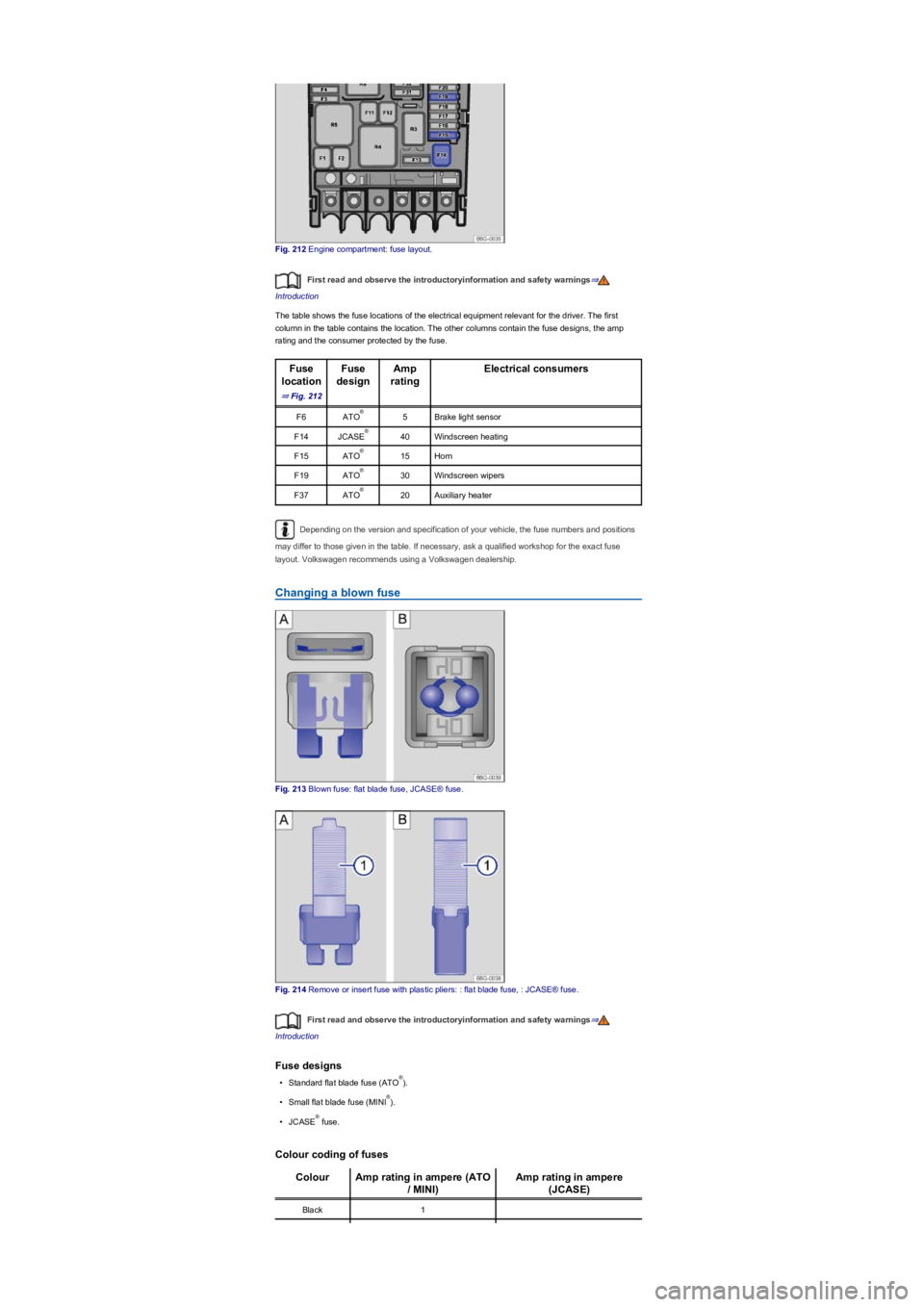
Fig. 212 Engine compartment: fuse layout.
First read and observe the introductoryinformation and safety warnings⇒
Introduction
The table shows the fuse locations of the electrical equipment relevant for the driver. The first
column in the table contains the location. The other columns contain the fuse designs, the amp
rating and the consumer protected by the fuse.
Fuse
location
⇒ Fig. 212
Fuse
design
Amp
rating
Electrical consumers
F6ATO5Brake light sensor
F14JCASE40Windscreen heating
F15ATO15Horn
F19ATO30Windscreen wipers
F37ATO20Auxiliary heater
Depending on the version and specification of your vehicle, the fuse numbers and positions
may differ to those given in the table. If necessary, ask a qualified workshop for the exact fuse
layout. Volkswagen recommends using a Volkswagen dealership.
Changing a blown fuse
Fig. 213 Blown fuse: flat blade fuse, JCASE® fuse.
Fig. 214 Remove or insert fuse with plastic pliers: : flat blade fuse, : JCASE® fuse.
First read and observe the introductoryinformation and safety warnings⇒
Introduction
Fuse designs
•Standard flat blade fuse (ATO).
•Small flat blade fuse (MINI).
•JCASE fuse.
Colour coding of fuses
ColourAmp rating in ampere (ATO
/ MINI)
Amp rating in ampere
(JCASE)
Black1
®
®
®
®
®
®
®
®
Page 287 of 341
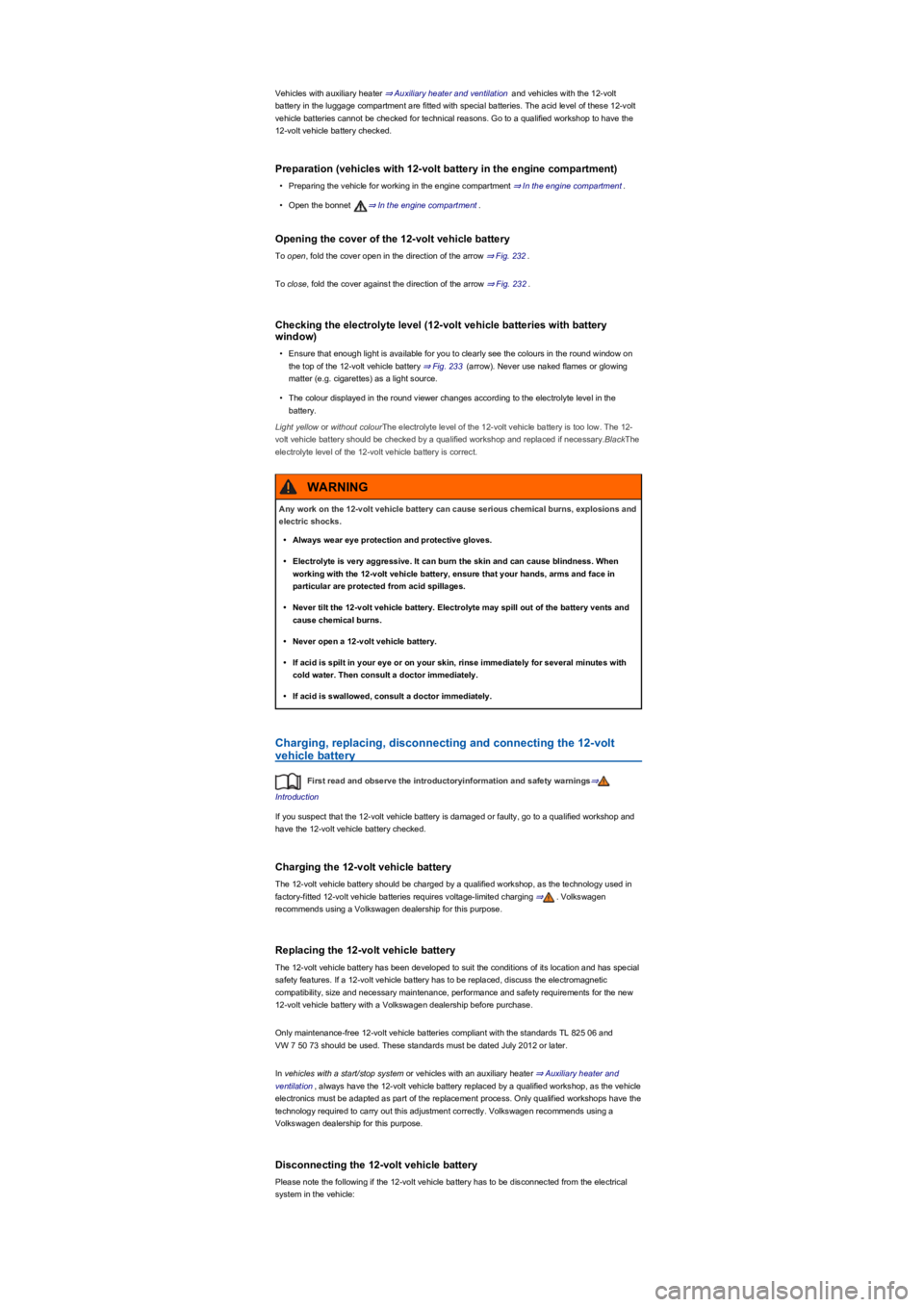
Vehicles with auxiliary heater ⇒ Auxiliary heater and ventilation and vehicles with the 12-volt
battery in the luggage compartment are fitted with special batteries. The acid level of these 12-volt
vehicle batteries cannot be checked for technical reasons. Go to a qualified workshop to have the
12-volt vehicle battery checked.
Preparation (vehicles with 12-volt battery in the engine compartment)
•Preparing the vehicle for working in the engine compartment ⇒ In the engine compartment.
•Open the bonnet ⇒ In the engine compartment.
Opening the cover of the 12-volt vehicle battery
To open, fold the cover open in the direction of the arrow ⇒ Fig. 232.
To close, fold the cover against the direction of the arrow ⇒ Fig. 232.
Checking the electrolyte level (12-volt vehicle batteries with battery
window)
•Ensure that enough light is available for you to clearly see the colours in the round window on
the top of the 12-volt vehicle battery ⇒ Fig. 233 (arrow). Never use naked flames or glowing
matter (e.g. cigarettes) as a light source.
•The colour displayed in the round viewer changes according to the electrolyte level in the
battery.
Light yellow or without colourThe electrolyte level of the 12-volt vehicle battery is too low. The 12-
volt vehicle battery should be checked by a qualified workshop and replaced if necessary.BlackThe
electrolyte level of the 12-volt vehicle battery is correct.
Charging, replacing, disconnecting and connecting the 12-volt
vehicle battery
First read and observe the introductoryinformation and safety warnings⇒
Introduction
If you suspect that the 12-volt vehicle battery is damaged or faulty, go to a qualified workshop and
have the 12-volt vehicle battery checked.
Charging the 12-volt vehicle battery
The 12-volt vehicle battery should be charged by a qualified workshop, as the technology used in
factory-fitted 12-volt vehicle batteries requires voltage-limited charging ⇒. Volkswagen
recommends using a Volkswagen dealership for this purpose.
Replacing the 12-volt vehicle battery
The 12-volt vehicle battery has been developed to suit the conditions of its location and has special
safety features. If a 12-volt vehicle battery has to be replaced, discuss the electromagnetic
compatibility, size and necessary maintenance, performance and safety requirements for the new
12-volt vehicle battery with a Volkswagen dealership before purchase.
Only maintenance-free 12-volt vehicle batteries compliant with the standards TL 825 06 and
VW 7 50 73 should be used. These standards must be dated July 2012 or later.
In vehicles with a start/stop system or vehicles with an auxiliary heater ⇒ Auxiliary heater and
ventilation, always have the 12-volt vehicle battery replaced by a qualified workshop, as the vehicle
electronics must be adapted as part of the replacement process. Only qualified workshops have the
technology required to carry out this adjustment correctly. Volkswagen recommends using a
Volkswagen dealership for this purpose.
Disconnecting the 12-volt vehicle battery
Please note the following if the 12-volt vehicle battery has to be disconnected from the electrical
system in the vehicle:
Any work on the 12-volt vehicle battery can cause serious chemical burns, explosions and
electric shocks.
•Always wear eye protection and protective gloves.
•Electrolyte is very aggressive. It can burn the skin and can cause blindness. When
working with the 12-volt vehicle battery, ensure that your hands, arms and face in
particular are protected from acid spillages.
•Never tilt the 12-volt vehicle battery. Electrolyte may spill out of the battery vents and
cause chemical burns.
•Never open a 12-volt vehicle battery.
•If acid is spilt in your eye or on your skin, rinse immediately for several minutes with
cold water. Then consult a doctor immediately.
•If acid is swallowed, consult a doctor immediately.
WARNING