start stop button VOLKSWAGEN TIGUAN 2017 Owner´s Manual
[x] Cancel search | Manufacturer: VOLKSWAGEN, Model Year: 2017, Model line: TIGUAN, Model: VOLKSWAGEN TIGUAN 2017Pages: 341, PDF Size: 9.14 MB
Page 174 of 341
Speed range
ACC controls the vehicle in the speed range between 30 km/h (20 mph) and 160 km/h (100 mph)
or 210 km/h (130 mph). This speed range may differ in certain markets.
Radar sensor
ACC detects driving situations by means of the radar sensor at the front of the vehicle ⇒ Front
view. The range of the radar sensor is up to approximately 120 m.
Does the vehicle have ACC?
The vehicle is equipped with ACC if you can make settings for ACC in the vehicle settings of the
Infotainment system ⇒ Vehicle settings menu.
If the vehicle has ACC, the cruise control system is not available as an independent system.
Special driving situations
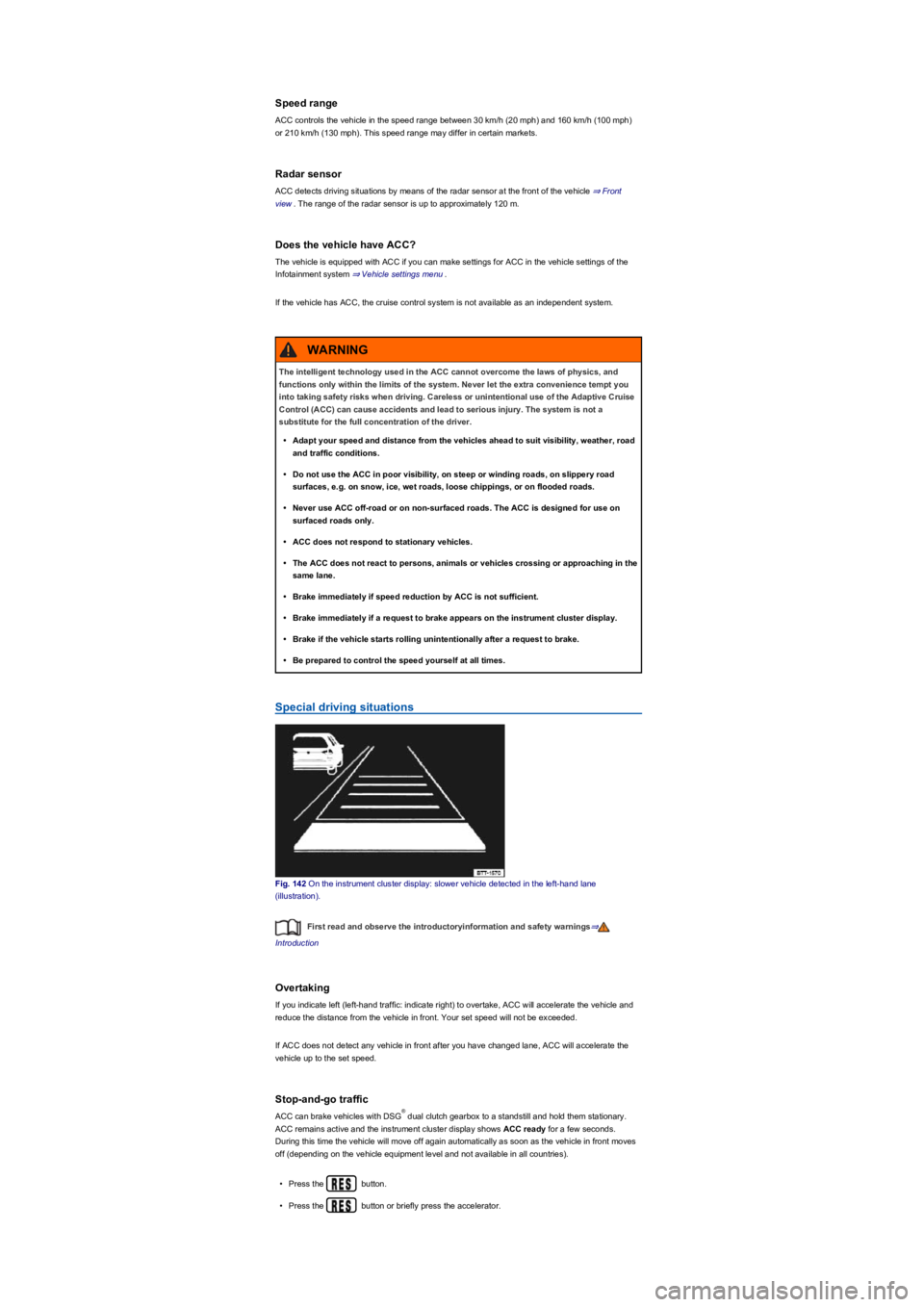
Fig. 142 On the instrument cluster display: slower vehicle detected in the left-hand lane
(illustration).
First read and observe the introductoryinformation and safety warnings⇒
Introduction
Overtaking
If you indicate left (left-hand traffic: indicate right) to overtake, ACC will accelerate the vehicle and
reduce the distance from the vehicle in front. Your set speed will not be exceeded.
If ACC does not detect any vehicle in front after you have changed lane, ACC will accelerate the
vehicle up to the set speed.
Stop-and-go traffic
ACC can brake vehicles with DSG dual clutch gearbox to a standstill and hold them stationary.
ACC remains active and the instrument cluster display shows ACC ready for a few seconds.
During this time the vehicle will move off again automatically as soon as the vehicle in front moves
off (depending on the vehicle equipment level and not available in all countries).
•Press the button.
•Press the button or briefly press the accelerator.
The intelligent technology used in the ACC cannot overcome the laws of physics, and
functions only within the limits of the system. Never let the extra convenience tempt you
into taking safety risks when driving. Careless or unintentional use of the Adaptive Cruise
Control (ACC) can cause accidents and lead to serious injury. The system is not a
substitute for the full concentration of the driver.
•Adapt your speed and distance from the vehicles ahead to suit visibility, weather, road
and traffic conditions.
•Do not use the ACC in poor visibility, on steep or winding roads, on slippery road
surfaces, e.g. on snow, ice, wet roads, loose chippings, or on flooded roads.
•Never use ACC off-road or on non-surfaced roads. The ACC is designed for use on
surfaced roads only.
•ACC does not respond to stationary vehicles.
•The ACC does not react to persons, animals or vehicles crossing or approaching in the
same lane.
•Brake immediately if speed reduction by ACC is not sufficient.
•Brake immediately if a request to brake appears on the instrument cluster display.
•Brake if the vehicle starts rolling unintentionally after a request to brake.
•Be prepared to control the speed yourself at all times.
WARNING
®
Page 192 of 341
Troubleshooting
Warning and indicator lamps on the instrument cluster display
Fault in electronic parking brake. Go to a qualified workshop.
Electronic parking brake does not switch off
The electronic parking brake will not switch itself off if the prerequisites for switching off are not met
or the 12-volt vehicle battery is discharged. Use jump leads ⇒ Jump starting.
Noises of the electronic parking brake
•Noises may be heard when the electronic parking brake is switched on or off.
•If the electronic parking brake has not been used for a long period, the system will carry out
occasional automatic and acoustic checks when the vehicle is parked.
Auto Hold function
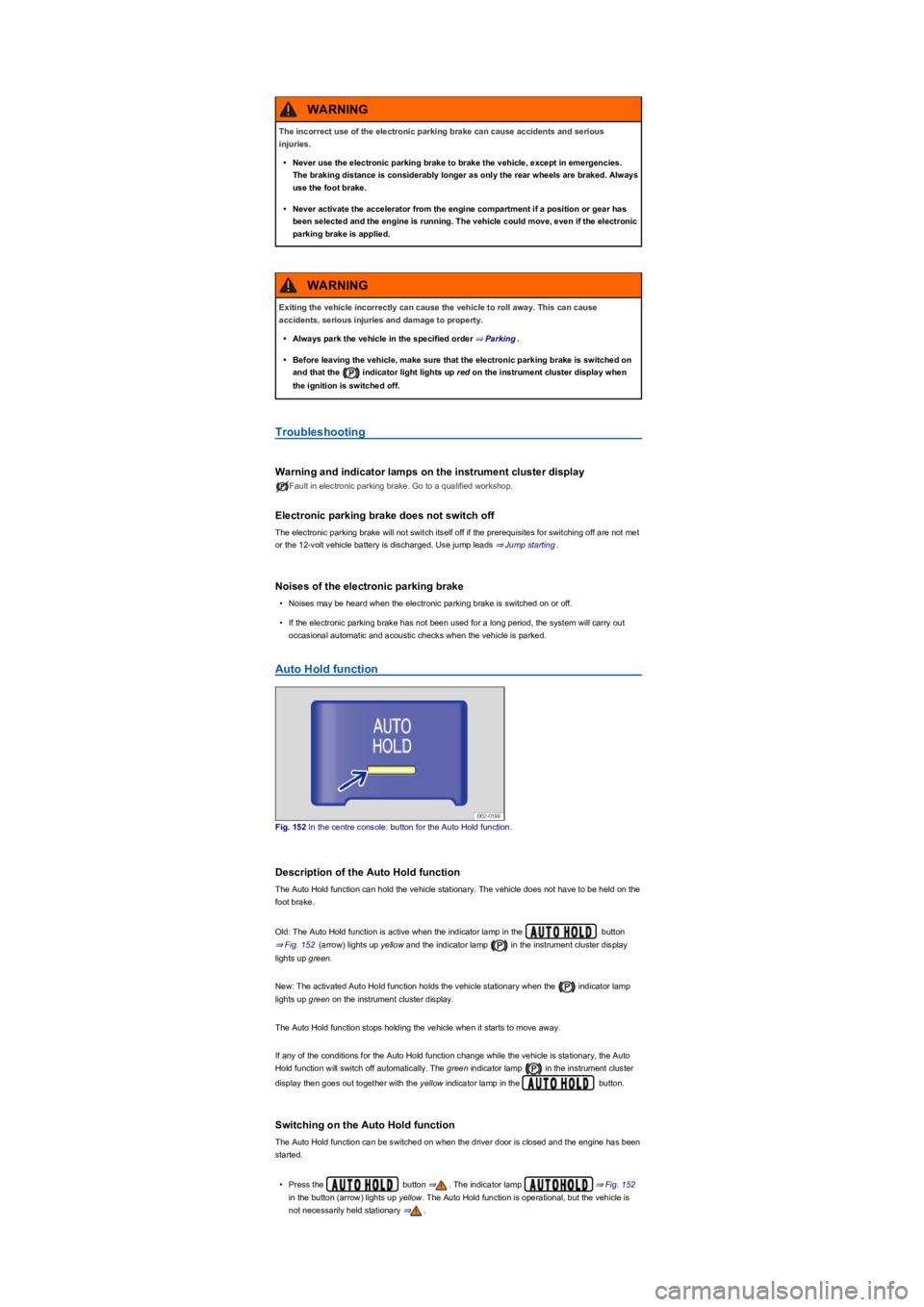
Fig. 152 In the centre console: button for the Auto Hold function.
Description of the Auto Hold function
The Auto Hold function can hold the vehicle stationary. The vehicle does not have to be held on the
foot brake.
Old: The Auto Hold function is active when the indicator lamp in the button
⇒ Fig. 152 (arrow) lights up yellow and the indicator lamp in the instrument cluster display
lights up green.
New: The activated Auto Hold function holds the vehicle stationary when the indicator lamp
lights up green on the instrument cluster display.
The Auto Hold function stops holding the vehicle when it starts to move away.
If any of the conditions for the Auto Hold function change while the vehicle is stationary, the Auto
Hold function will switch off automatically. The green indicator lamp in the instrument cluster
display then goes out together with the yellow indicator lamp in the button.
Switching on the Auto Hold function
The Auto Hold function can be switched on when the driver door is closed and the engine has been
started.
•Press the button ⇒. The indicator lamp ⇒ Fig. 152
in the button (arrow) lights up yellow. The Auto Hold function is operational, but the vehicle is
not necessarily held stationary ⇒.
The incorrect use of the electronic parking brake can cause accidents and serious
injuries.
•Never use the electronic parking brake to brake the vehicle, except in emergencies.
The braking distance is considerably longer as only the rear wheels are braked. Always
use the foot brake.
•Never activate the accelerator from the engine compartment if a position or gear has
been selected and the engine is running. The vehicle could move, even if the electronic
parking brake is applied.
WARNING
Exiting the vehicle incorrectly can cause the vehicle to roll away. This can cause
accidents, serious injuries and damage to property.
•Always park the vehicle in the specified order ⇒ Parking.
•Before leaving the vehicle, make sure that the electronic parking brake is switched on
and that the indicator light lights up red on the instrument cluster display when
the ignition is switched off.
WARNING
Page 199 of 341
•Stop when the red line reaches the rear limit ④.
Parking parallel to the road (mode 2)
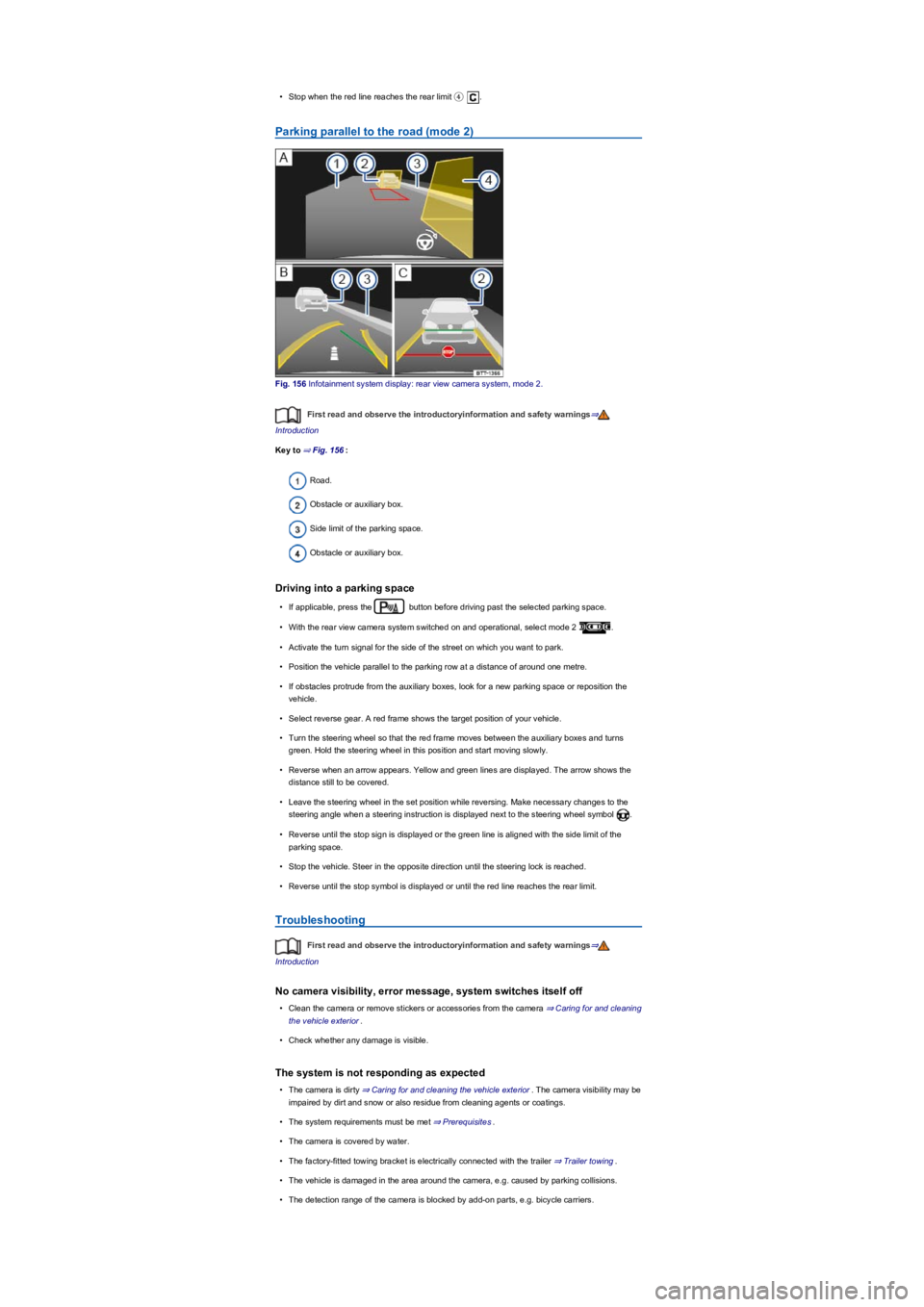
Fig. 156 Infotainment system display: rear view camera system, mode 2.
First read and observe the introductoryinformation and safety warnings⇒
Introduction
Key to ⇒ Fig. 156:
Road.
Obstacle or auxiliary box.
Side limit of the parking space.
Obstacle or auxiliary box.
Driving into a parking space
•If applicable, press the button before driving past the selected parking space.
•With the rear view camera system switched on and operational, select mode 2 .
•Activate the turn signal for the side of the street on which you want to park.
•Position the vehicle parallel to the parking row at a distance of around one metre.
•If obstacles protrude from the auxiliary boxes, look for a new parking space or reposition the
vehicle.
•Select reverse gear. A red frame shows the target position of your vehicle.
•Turn the steering wheel so that the red frame moves between the auxiliary boxes and turns
green. Hold the steering wheel in this position and start moving slowly.
•Reverse when an arrow appears. Yellow and green lines are displayed. The arrow shows the
distance still to be covered.
•Leave the steering wheel in the set position while reversing. Make necessary changes to the
steering angle when a steering instruction is displayed next to the steering wheel symbol .
•Reverse until the stop sign is displayed or the green line is aligned with the side limit of the
parking space.
•Stop the vehicle. Steer in the opposite direction until the steering lock is reached.
•Reverse until the stop symbol is displayed or until the red line reaches the rear limit.
Troubleshooting
First read and observe the introductoryinformation and safety warnings⇒
Introduction
No camera visibility, error message, system switches itself off
•Clean the camera or remove stickers or accessories from the camera ⇒ Caring for and cleaning
the vehicle exterior.
•Check whether any damage is visible.
The system is not responding as expected
•The camera is dirty ⇒ Caring for and cleaning the vehicle exterior. The camera visibility may be
impaired by dirt and snow or also residue from cleaning agents or coatings.
•The system requirements must be met ⇒ Prerequisites.
•The camera is covered by water.
•The factory-fitted towing bracket is electrically connected with the trailer ⇒ Trailer towing.
•The vehicle is damaged in the area around the camera, e.g. caused by parking collisions.
•The detection range of the camera is blocked by add-on parts, e.g. bicycle carriers.
Page 234 of 341
Driving with a trailer not only places an extra load on the vehicle, but also requires increased
concentration on the part of the driver.
Vehicles with start/stop system
If the connected trailer is not recognised, or when using towing brackets that were not retrofitted by
Volkswagen, the start/stop system must be deactivated manually using the button in the
centre console before starting to tow a trailer, and must remain switched off for as long as the trailer
is being towed ⇒.
Always switch off the anti-theft alarm before a trailer is hitched or unhitched or a bicycle
carrier is loaded or unloaded ⇒ Central and manual locking. The tilt sensor could otherwise trigger
an alarm unintentionally.
With a new engine, do not tow a trailer during the first 1,000 km ⇒ Running in the engine.
Some retro-fitted towing brackets may cover the aperture for fitting the towing eye. If so, the
towing eye cannot be used for towing or tow-starting other vehicles. For this reason, the retro-fitted
towing bracket ball head should be stored in the vehicle at all times.
It is dangerous to transport people in a trailer and it may also be illegal.
DANGER
Improper use of the towing bracket can lead to a loss of vehicle control, accidents and
serious injuries.
•Only use the towing bracket if it is fitted properly and is not damaged.
•Do not carry out any alterations or repairs to the towing bracket.
•Wherever possible, swivel in or remove the ball head when a trailer is not being used in
order to reduce the risk of injury in rear-end collisions, and the risk of injury to
pedestrians and cyclists when the vehicle is parked.
•Never install a weight-distributing or load-balancing towing bracket to the vehicle. The
vehicle is not constructed for these kinds of towing brackets. The towing bracket can
fail, causing the trailer to tear loose from the vehicle.
WARNING
Towing a trailer and transporting heavy or bulky items can change the vehicle handling,
increase the braking distance and lead to accidents.
•Always secure loads properly using suitable and undamaged securing straps.
•Always adapt your speed and driving style to suit visibility, weather, road and traffic
conditions. Reduce your speed, particularly when going downhill.
•Trailers with a high centre of gravity are more likely to tip over than trailers with a low
centre of gravity.
•Always drive carefully and think ahead. Accelerate carefully and gently. Avoid abrupt
and sudden driving and braking manoeuvres.
•Take special care when overtaking. Reduce your speed immediately if the trailer shows
even the slightest sign of snaking.
•Never drive faster than 80 km/h (50 mph) when towing a trailer; also 100 km/h (60 mph)
in exceptional cases. This also applies to countries where higher speeds are permitted.
Keep to country-specific speed limits which may be lower for vehicles with trailers than
for vehicles without trailers.
•Never try to stop a trailer from snaking by increasing your speed.
•Never install a weight-distributing or load-balancing towing bracket on the vehicle.
WARNING
The start/stop system must always be switched off manually when towing a trailer using
towing brackets that have not been retrofitted by Volkswagen. Otherwise faults can occur
in the brake system, possibly resulting in accidents and serious injuries.
WARNING
Observe the instructions and information relating to vehicles with N1 approval
⇒ Information about vehicles with N1 approval (light commercial vehicle).
NOTICE
Page 240 of 341
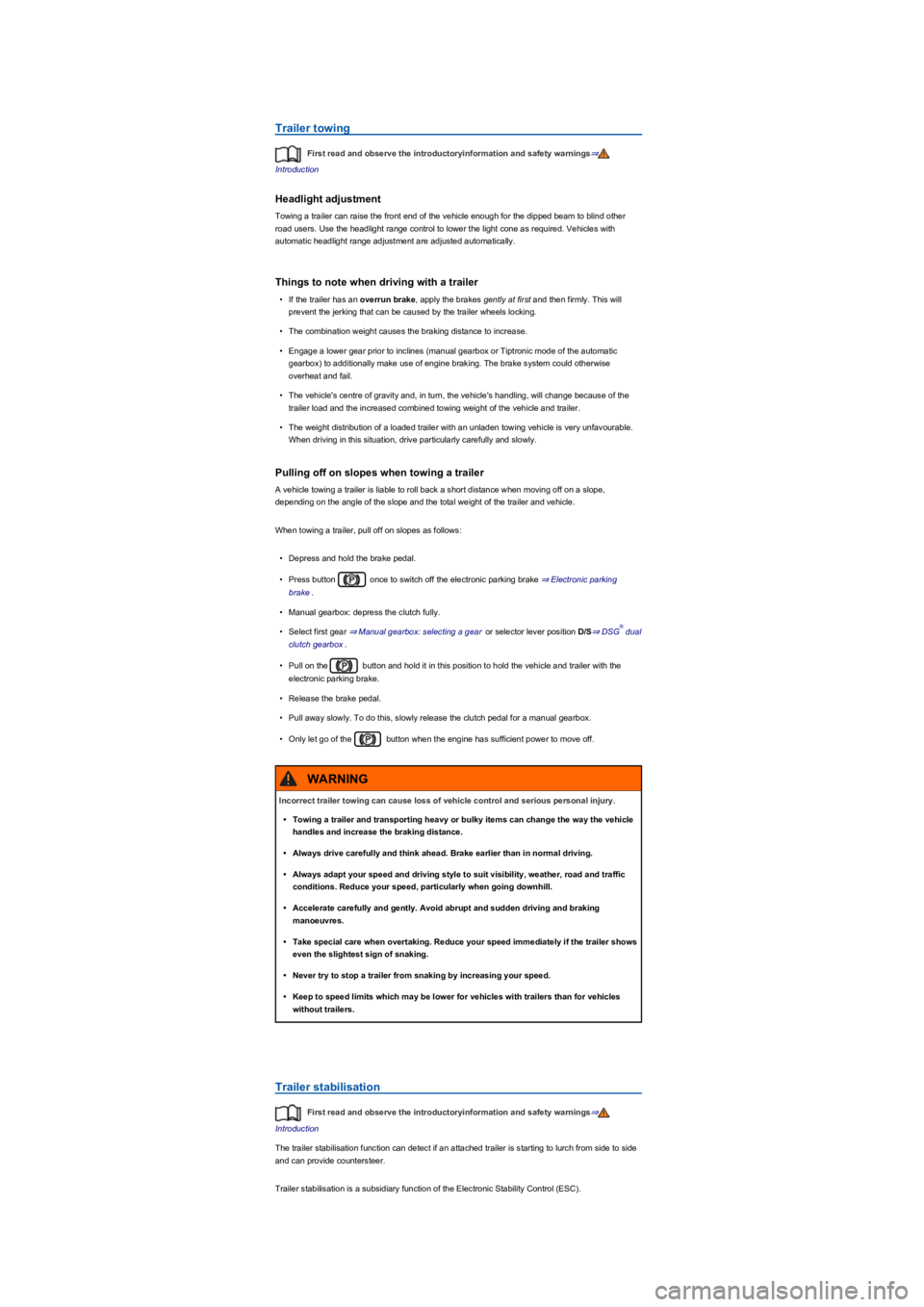
Trailer towing
First read and observe the introductoryinformation and safety warnings⇒
Introduction
Headlight adjustment
Towing a trailer can raise the front end of the vehicle enough for the dipped beam to blind other
road users. Use the headlight range control to lower the light cone as required. Vehicles with
automatic headlight range adjustment are adjusted automatically.
Things to note when driving with a trailer
•If the trailer has an overrun brake, apply the brakes gently at first and then firmly. This will
prevent the jerking that can be caused by the trailer wheels locking.
•The combination weight causes the braking distance to increase.
•Engage a lower gear prior to inclines (manual gearbox or Tiptronic mode of the automatic
gearbox) to additionally make use of engine braking. The brake system could otherwise
overheat and fail.
•The vehicle's centre of gravity and, in turn, the vehicle's handling, will change because of the
trailer load and the increased combined towing weight of the vehicle and trailer.
•The weight distribution of a loaded trailer with an unladen towing vehicle is very unfavourable.
When driving in this situation, drive particularly carefully and slowly.
Pulling off on slopes when towing a trailer
A vehicle towing a trailer is liable to roll back a short distance when moving off on a slope,
depending on the angle of the slope and the total weight of the trailer and vehicle.
When towing a trailer, pull off on slopes as follows:
•Depress and hold the brake pedal.
•Press button once to switch off the electronic parking brake ⇒ Electronic parking
brake.
•Manual gearbox: depress the clutch fully.
•Select first gear ⇒ Manual gearbox: selecting a gear or selector lever position D/S⇒ DSG dual
clutch gearbox.
•Pull on the button and hold it in this position to hold the vehicle and trailer with the
electronic parking brake.
•Release the brake pedal.
•Pull away slowly. To do this, slowly release the clutch pedal for a manual gearbox.
•Only let go of the button when the engine has sufficient power to move off.
Trailer stabilisation
First read and observe the introductoryinformation and safety warnings⇒
Introduction
The trailer stabilisation function can detect if an attached trailer is starting to lurch from side to side
and can provide countersteer.
Trailer stabilisation is a subsidiary function of the Electronic Stability Control (ESC).
®
Incorrect trailer towing can cause loss of vehicle control and serious personal injury.
•Towing a trailer and transporting heavy or bulky items can change the way the vehicle
handles and increase the braking distance.
•Always drive carefully and think ahead. Brake earlier than in normal driving.
•Always adapt your speed and driving style to suit visibility, weather, road and traffic
conditions. Reduce your speed, particularly when going downhill.
•Accelerate carefully and gently. Avoid abrupt and sudden driving and braking
manoeuvres.
•Take special care when overtaking. Reduce your speed immediately if the trailer shows
even the slightest sign of snaking.
•Never try to stop a trailer from snaking by increasing your speed.
•Keep to speed limits which may be lower for vehicles with trailers than for vehicles
without trailers.
WARNING
Page 268 of 341
Notes on tow-starting and towing
First read and observe the introductoryinformation and safety warnings⇒
Introduction
Tow rope, tow bar
It is easier and safer to tow a vehicle with a tow bar. Only use a tow rope if you do not have a tow
bar.
The tow rope should be slightly elastic to reduce the strain on both vehicles. It is advisable to use a
tow rope made of synthetic fibre or similarly elastic material.
Only attach the tow rope or tow bar to the specially provided towing eyes or to the towing bracket.
Vehicles with a factory-fitted towing bracket must only use tow bars that are specially designed
to fit a ball head ⇒ Trailer towing.
Tow-starting
Vehicles should not be tow-started wherever possible. Instead have the vehicle jump-started
⇒ Jump starting or collected by a recovery vehicle.
However, if the vehicle still has to be tow-started:
•Engage second or third gear.
•Keep the clutch pressed down.
•Switch on the ignition and the hazard warning lights.
•Once both vehicles are in motion, release the clutch.
•As soon as the engine starts, press the clutch and put the gear into neutral. This helps to
prevent driving into the towing vehicle.
When should your vehicle not be towed?
•The vehicle gearbox is damaged or does not contain any lubricant.
•The 12-volt vehicle battery is discharged. The steering system is still locked and the electronic
parking brake and electronic steering column lock, if applied, cannot be released.
•The distance to be towed is further than 50 km.
Never tow a vehicle that has no power supply.
•Never remove the vehicle key from the ignition or switch off the ignition using the
starter button during towing. This could cause the mechanical steering column lock
(steering lock) or the electronic steering column lock to engage suddenly. You will no
longer be able to steer the vehicle. This can lead to a loss of control of the vehicle,
accidents and serious injuries.
•If the power supply to the towed vehicle is disconnected, stop towing immediately and
seek expert assistance.
WARNING
If a vehicle is being towed, the vehicle handling and braking effect will change
significantly. Please note the following in order to reduce the risk of an accident or serious
injuries:
•Notes for the driver of the towed vehicle:
- You will need to depress the brake pedal more vigorously than normal as the
brake servo is not working. Always be careful not to drive into the vehicle that is
pulling your vehicle.
- You will need to turn the steering wheel more vigorously as the power-assisted
steering function is not working.
•Notes for the driver of the towing vehicle
- Accelerate carefully and gently.
- Avoid sudden braking and driving manoeuvres.
- Brake earlier than normal by pressing lightly on the brake pedal.
WARNING
•Remove and install the cover and the towing eye carefully so as to avoid damage to the
vehicle, e.g. the paintwork.
•Unburnt fuel can enter the catalytic converter and damage it while the vehicle is being
towed.
NOTICE
Page 291 of 341
•Open the Vehicle settings menu in the Infotainment system.
•Touch the Tyres function button.
•Touch the SET function button.
•When all four tyre pressures correspond to the required values, touch the Confirm function
button.
After an extended driving time with driving at different speeds, the system will automatically learn
the new values and monitor them.
•If the tyre pressures have been changed.
•If one or more wheels have been changed.
•If the wheels have been swapped round, e.g. from front to rear ⇒ Rotating wheels front to rear.
The Tyre Pressure Loss Indicator stops working if there is a fault in the ESC or ABS ⇒ Brake
support systems.
After a warning about the tyre pressure being too low, switch the ignition off and then back
on again. The Tyre Pressure Loss Indicator can only then be re-synchronised.
Tyre Pressure Monitoring System
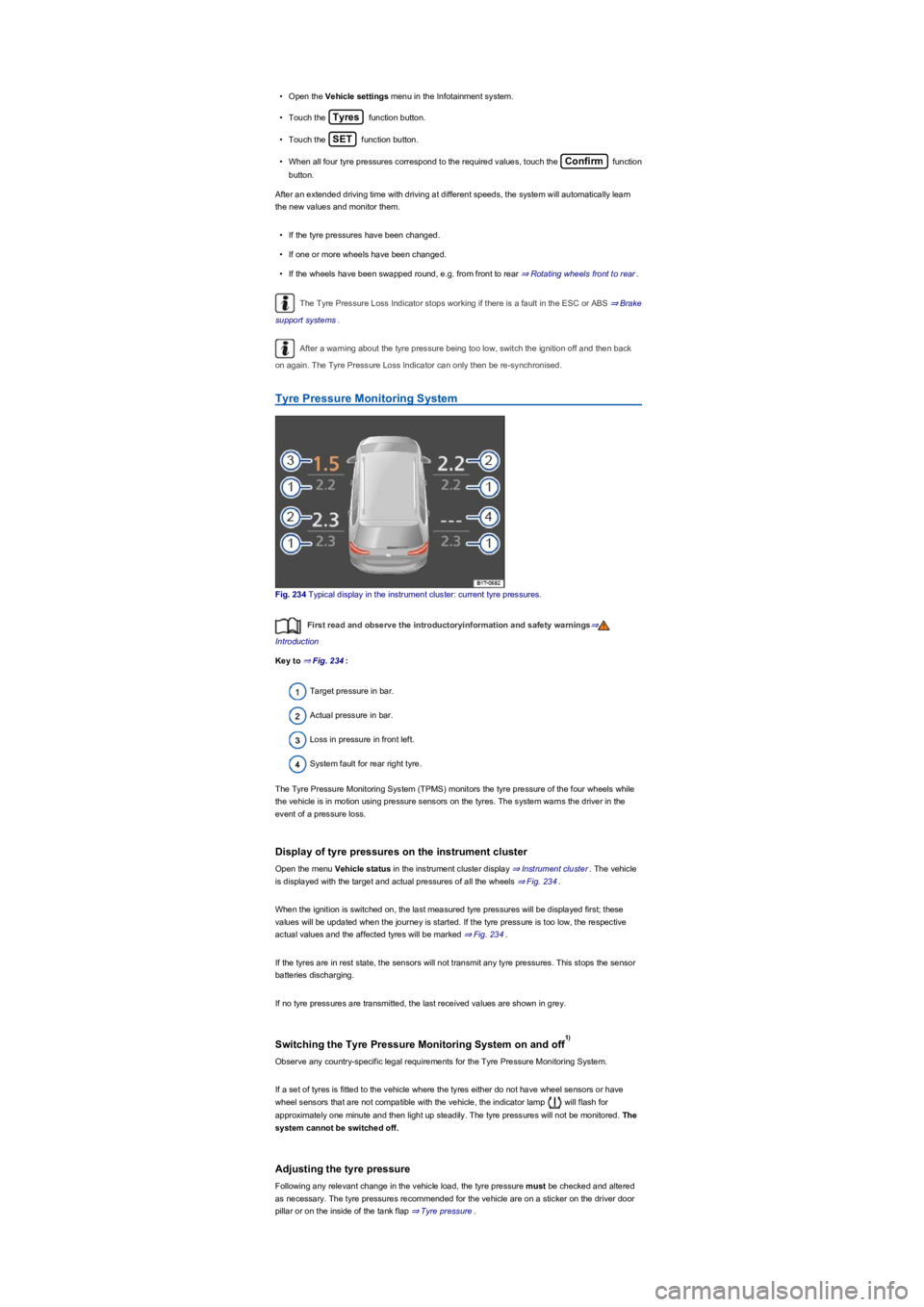
Fig. 234 Typical display in the instrument cluster: current tyre pressures.
First read and observe the introductoryinformation and safety warnings⇒
Introduction
Key to ⇒ Fig. 234:
Target pressure in bar.
Actual pressure in bar.
Loss in pressure in front left.
System fault for rear right tyre.
The Tyre Pressure Monitoring System (TPMS) monitors the tyre pressure of the four wheels while
the vehicle is in motion using pressure sensors on the tyres. The system warns the driver in the
event of a pressure loss.
Display of tyre pressures on the instrument cluster
Open the menu Vehicle status in the instrument cluster display ⇒ Instrument cluster. The vehicle
is displayed with the target and actual pressures of all the wheels ⇒ Fig. 234.
When the ignition is switched on, the last measured tyre pressures will be displayed first; these
values will be updated when the journey is started. If the tyre pressure is too low, the respective
actual values and the affected tyres will be marked ⇒ Fig. 234.
If the tyres are in rest state, the sensors will not transmit any tyre pressures. This stops the sensor
batteries discharging.
If no tyre pressures are transmitted, the last received values are shown in grey.
Switching the Tyre Pressure Monitoring System on and off
Observe any country-specific legal requirements for the Tyre Pressure Monitoring System.
If a set of tyres is fitted to the vehicle where the tyres either do not have wheel sensors or have
wheel sensors that are not compatible with the vehicle, the indicator lamp will flash for
approximately one minute and then light up steadily. The tyre pressures will not be monitored. The
system cannot be switched off.
Adjusting the tyre pressure
Following any relevant change in the vehicle load, the tyre pressure must be checked and altered
as necessary. The tyre pressures recommended for the vehicle are on a sticker on the driver door
pillar or on the inside of the tank flap ⇒ Tyre pressure.
1)