steering wheel VOLKSWAGEN TIGUAN 2017 Owner´s Manual
[x] Cancel search | Manufacturer: VOLKSWAGEN, Model Year: 2017, Model line: TIGUAN, Model: VOLKSWAGEN TIGUAN 2017Pages: 341, PDF Size: 9.14 MB
Page 119 of 341
– Switches Air Care on and off ⇒ Air Care Climatronic.
– Locks the rear temperature selectors ⇒ Rear controls.
– Opens the auxiliary heater menu ⇒ Auxiliary heater and ventilation.
– Switches windscreen heating on and off ⇒ Windscreen heating.
– Switches steering wheel heating on and off ⇒ Steering wheel heating.
– Switches the seat heating on and off ⇒ Seat heating.
– General settings submenu
Automatic air recirculation – Switches automatic air recirculation mode on and off ⇒ Air
recirculation mode.
Automatic auxiliary heater – Allows or prevents auxiliary heating ⇒ Fuel and emission
control.
Automatic windscreen heating – Switches automatic windscreen heating on and off
⇒ Windscreen heating.
– Submenu for air conditioning settings
– Adjusts the blower speed.
– Switches cooling system on and off.
– Air distribution to the upper body via the vents in the dash panel.
– Air distribution to footwell.
– Air distribution to the windscreen.
– Switches air recirculation mode on and off.
Presettings – submenu for presettings
– Switches automatic mode on.
– Switches maximum cooling output on or off.
– Switches the defrost function on or off.
– Display for manual control of the cooling system.
Air conditioning profiles
Air con. profile – Adjusts the blower speed in mode.
Rear controls
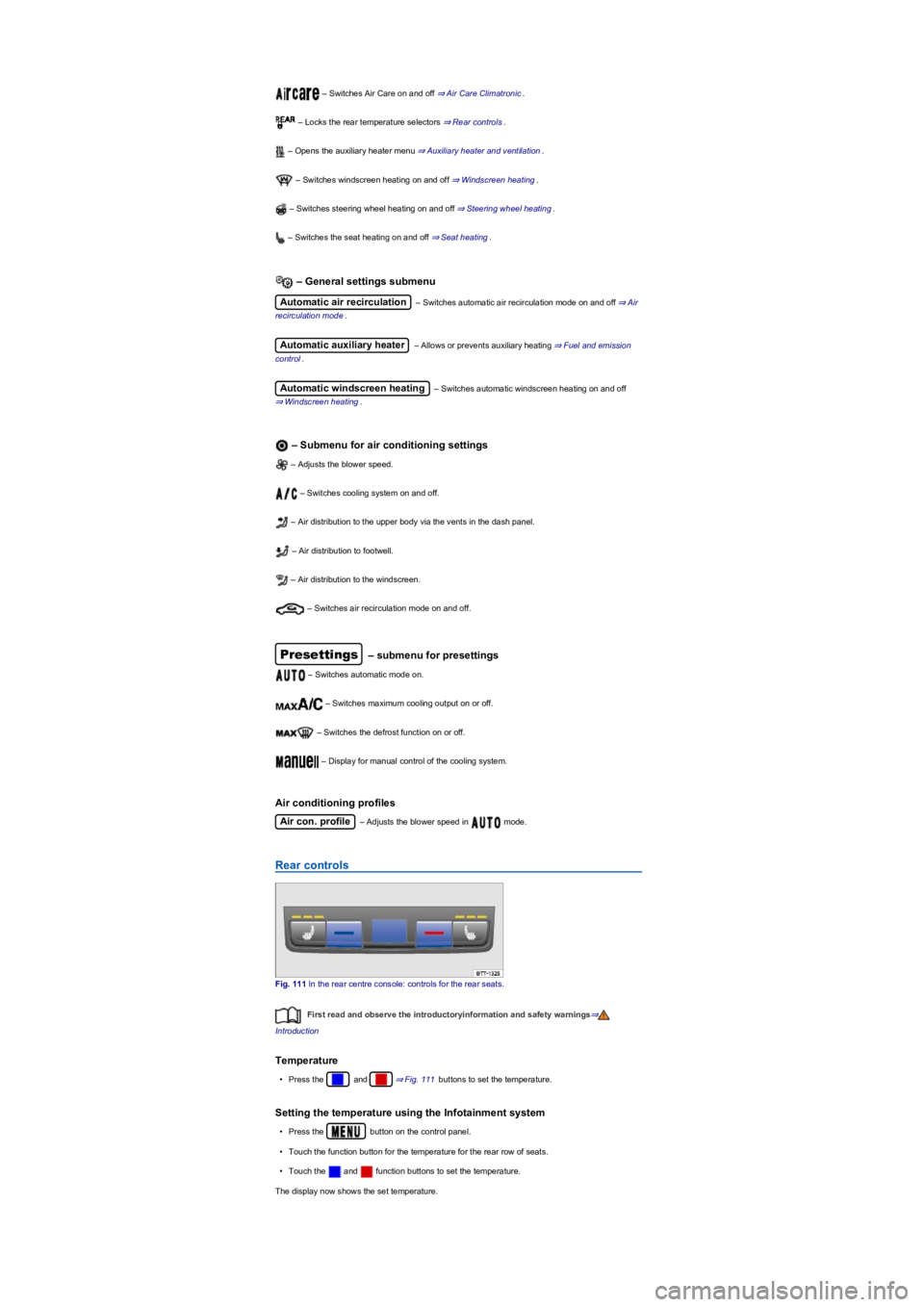
Fig. 111 In the rear centre console: controls for the rear seats.
First read and observe the introductoryinformation and safety warnings⇒
Introduction
Temperature
•Press the and ⇒ Fig. 111 buttons to set the temperature.
Setting the temperature using the Infotainment system
•Press the button on the control panel.
•Touch the function button for the temperature for the rear row of seats.
•Touch the and function buttons to set the temperature.
The display now shows the set temperature.
Page 121 of 341
The seat cushions and backrests can be heated electrically when the ignition is switched on.
Operating the seat heating
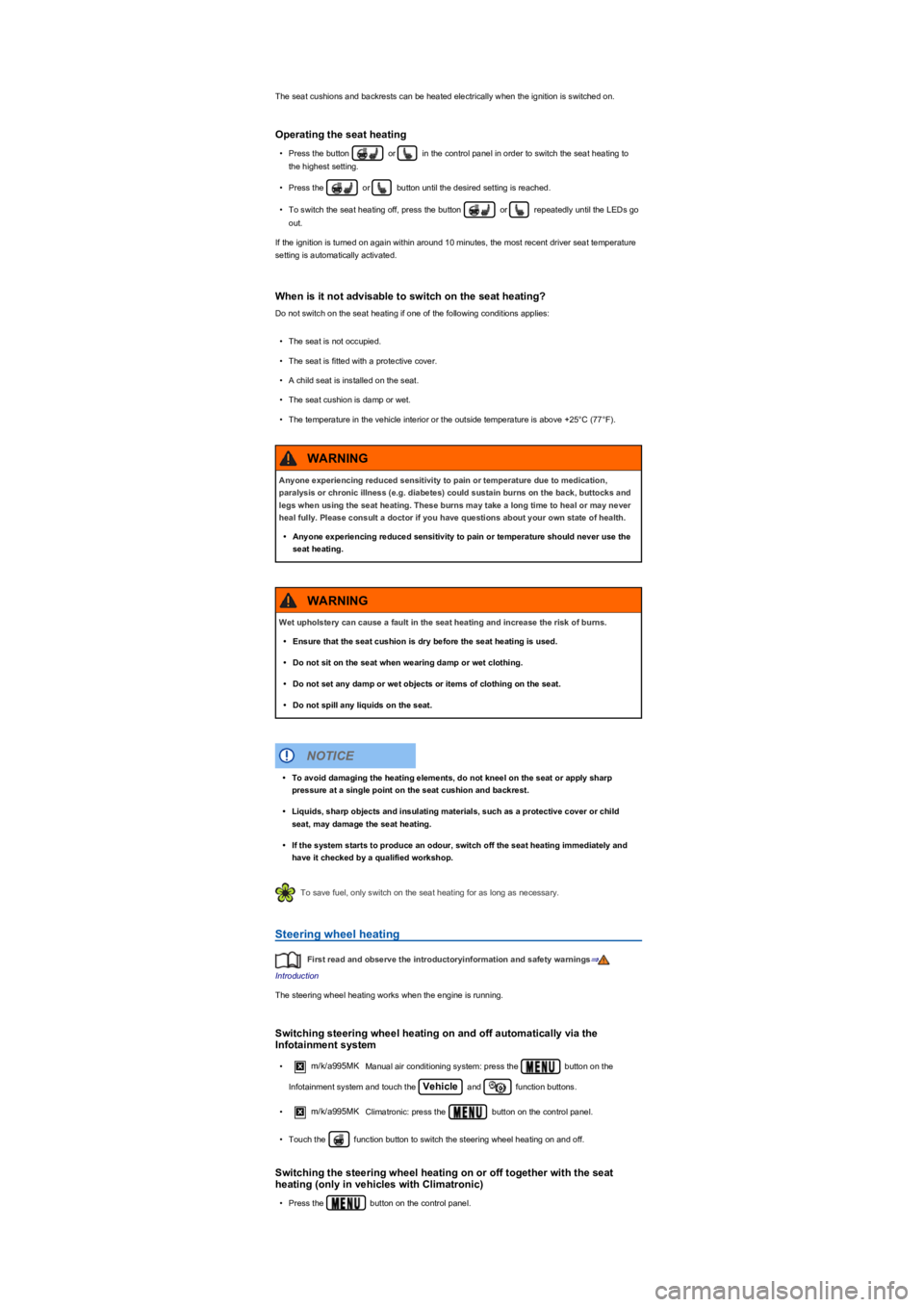
•Press the button or in the control panel in order to switch the seat heating to
the highest setting.
•Press the or button until the desired setting is reached.
•To switch the seat heating off, press the button or repeatedly until the LEDs go
out.
If the ignition is turned on again within around 10 minutes, the most recent driver seat temperature
setting is automatically activated.
When is it not advisable to switch on the seat heating?
Do not switch on the seat heating if one of the following conditions applies:
•The seat is not occupied.
•The seat is fitted with a protective cover.
•A child seat is installed on the seat.
•The seat cushion is damp or wet.
•The temperature in the vehicle interior or the outside temperature is above +25°C (77°F).
To save fuel, only switch on the seat heating for as long as necessary.
Steering wheel heating
First read and observe the introductoryinformation and safety warnings⇒
Introduction
The steering wheel heating works when the engine is running.
Switching steering wheel heating on and off automatically via the
Infotainment system
•m/k/a995MKManual air conditioning system: press the button on the
Infotainment system and touch the Vehicle and function buttons.
•m/k/a995MKClimatronic: press the button on the control panel.
•Touch the function button to switch the steering wheel heating on and off.
Switching the steering wheel heating on or off together with the seat
heating (only in vehicles with Climatronic)
•Press the button on the control panel.
Anyone experiencing reduced sensitivity to pain or temperature due to medication,
paralysis or chronic illness (e.g. diabetes) could sustain burns on the back, buttocks and
legs when using the seat heating. These burns may take a long time to heal or may never
heal fully. Please consult a doctor if you have questions about your own state of health.
•Anyone experiencing reduced sensitivity to pain or temperature should never use the
seat heating.
WARNING
Wet upholstery can cause a fault in the seat heating and increase the risk of burns.
•Ensure that the seat cushion is dry before the seat heating is used.
•Do not sit on the seat when wearing damp or wet clothing.
•Do not set any damp or wet objects or items of clothing on the seat.
•Do not spill any liquids on the seat.
WARNING
•To avoid damaging the heating elements, do not kneel on the seat or apply sharp
pressure at a single point on the seat cushion and backrest.
•Liquids, sharp objects and insulating materials, such as a protective cover or child
seat, may damage the seat heating.
•If the system starts to produce an odour, switch off the seat heating immediately and
have it checked by a qualified workshop.
NOTICE
Page 122 of 341
•Touch the function button.
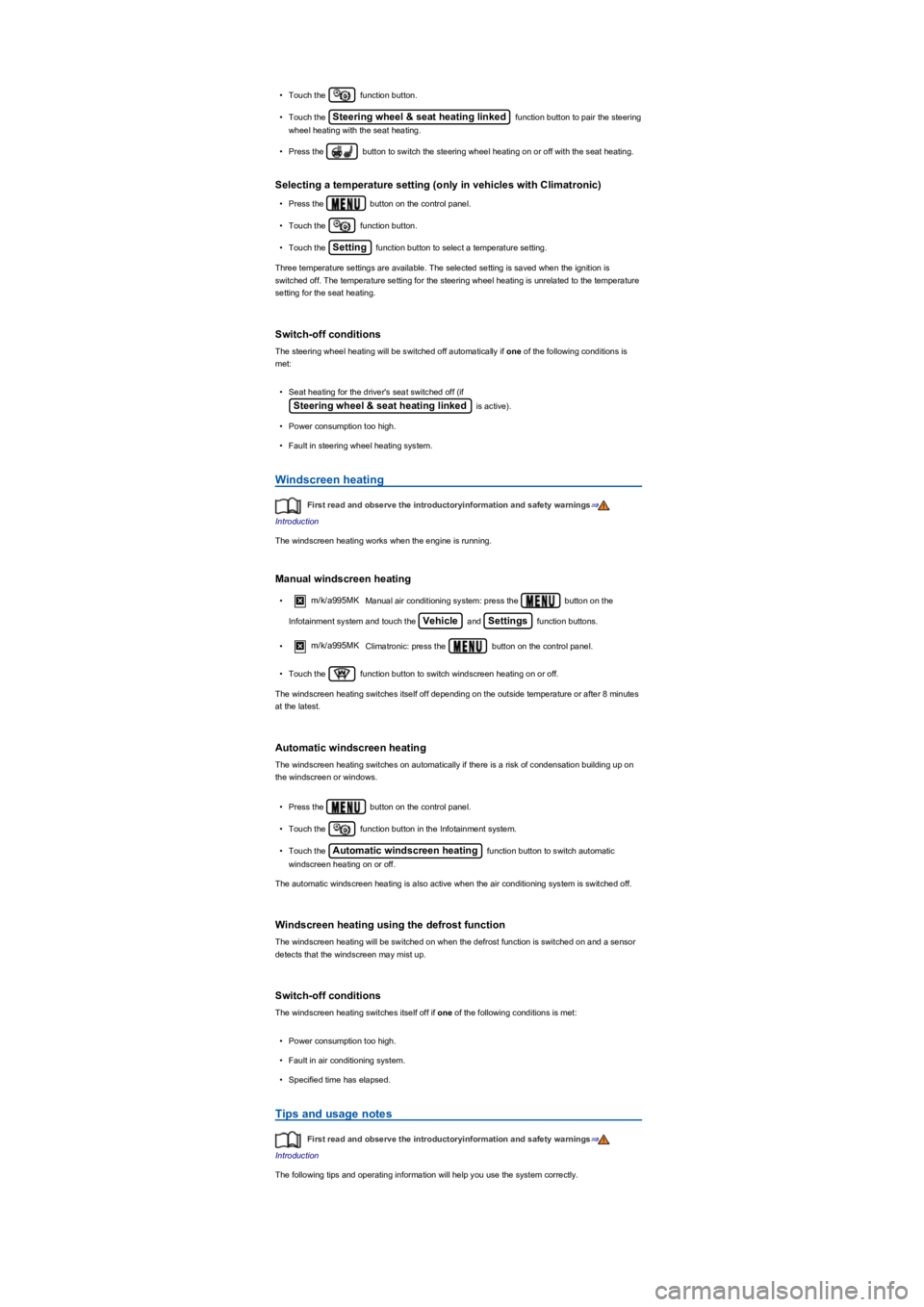
•Touch the Steering wheel & seat heating linked function button to pair the steering
wheel heating with the seat heating.
•Press the button to switch the steering wheel heating on or off with the seat heating.
Selecting a temperature setting (only in vehicles with Climatronic)
•Press the button on the control panel.
•Touch the function button.
•Touch the Setting function button to select a temperature setting.
Three temperature settings are available. The selected setting is saved when the ignition is
switched off. The temperature setting for the steering wheel heating is unrelated to the temperature
setting for the seat heating.
Switch-off conditions
The steering wheel heating will be switched off automatically if one of the following conditions is
met:
•Seat heating for the driver's seat switched off (if
Steering wheel & seat heating linked is active).
•Power consumption too high.
•Fault in steering wheel heating system.
Windscreen heating
First read and observe the introductoryinformation and safety warnings⇒
Introduction
The windscreen heating works when the engine is running.
Manual windscreen heating
•m/k/a995MKManual air conditioning system: press the button on the
Infotainment system and touch the Vehicle and Settings function buttons.
•m/k/a995MKClimatronic: press the button on the control panel.
•Touch the function button to switch windscreen heating on or off.
The windscreen heating switches itself off depending on the outside temperature or after 8 minutes
at the latest.
Automatic windscreen heating
The windscreen heating switches on automatically if there is a risk of condensation building up on
the windscreen or windows.
•Press the button on the control panel.
•Touch the function button in the Infotainment system.
•Touch the Automatic windscreen heating function button to switch automatic
windscreen heating on or off.
The automatic windscreen heating is also active when the air conditioning system is switched off.
Windscreen heating using the defrost function
The windscreen heating will be switched on when the defrost function is switched on and a sensor
detects that the windscreen may mist up.
Switch-off conditions
The windscreen heating switches itself off if one of the following conditions is met:
•Power consumption too high.
•Fault in air conditioning system.
•Specified time has elapsed.
Tips and usage notes
First read and observe the introductoryinformation and safety warnings⇒
Introduction
The following tips and operating information will help you use the system correctly.
Page 137 of 341
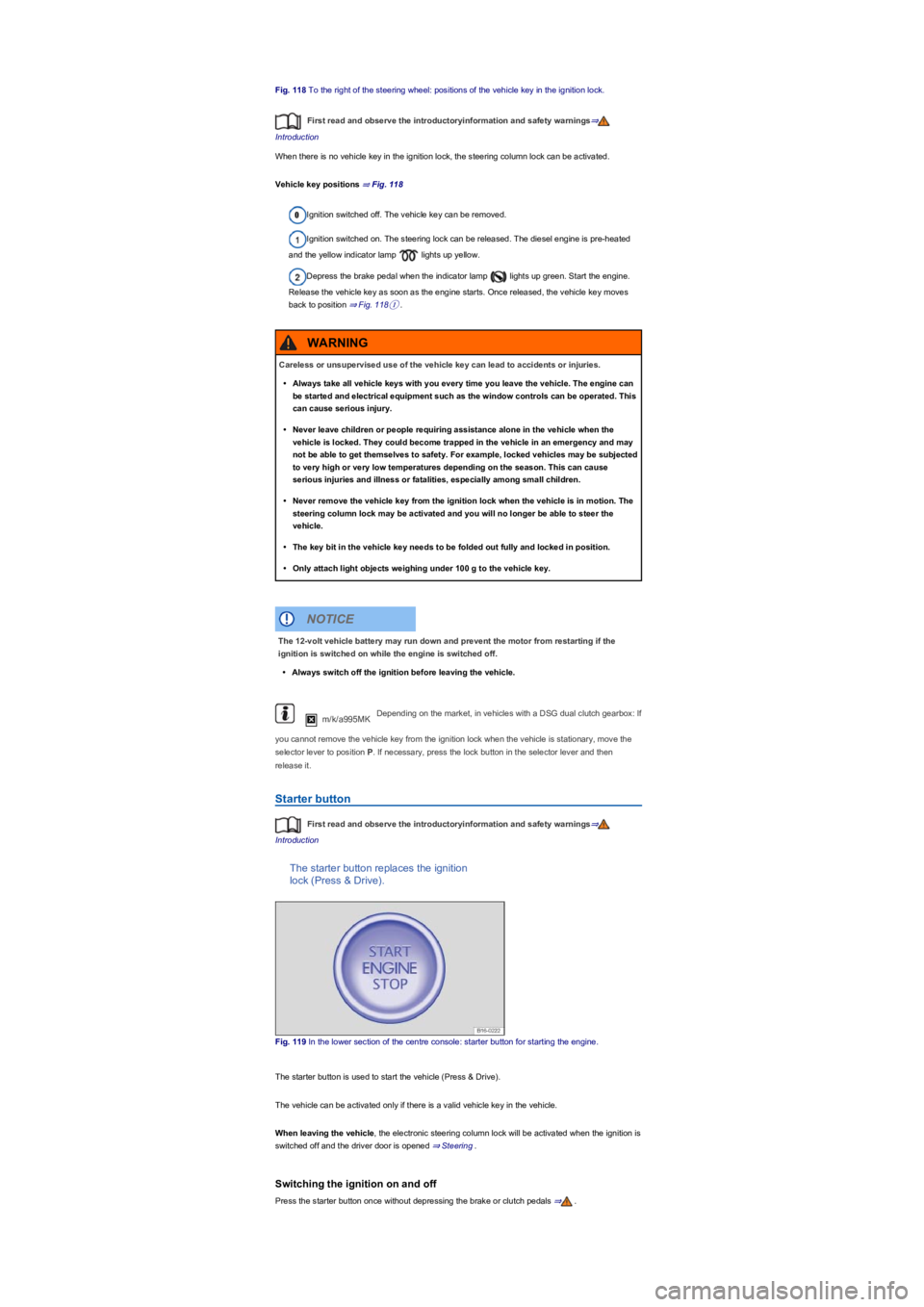
Fig. 118 To the right of the steering wheel: positions of the vehicle key in the ignition lock.
First read and observe the introductoryinformation and safety warnings⇒
Introduction
When there is no vehicle key in the ignition lock, the steering column lock can be activated.
Vehicle key positions ⇒ Fig. 118
Ignition switched off. The vehicle key can be removed.
Ignition switched on. The steering lock can be released. The diesel engine is pre-heated
and the yellow indicator lamp lights up yellow.
Depress the brake pedal when the indicator lamp lights up green. Start the engine.
Release the vehicle key as soon as the engine starts. Once released, the vehicle key moves
back to position ⇒ Fig. 118①.
m/k/a995MKDepending on the market, in vehicles with a DSG dual clutch gearbox: If
you cannot remove the vehicle key from the ignition lock when the vehicle is stationary, move the
selector lever to position P. If necessary, press the lock button in the selector lever and then
release it.
Starter button
First read and observe the introductoryinformation and safety warnings⇒
Introduction
The starter button replaces the ignition
lock (Press & Drive).
Fig. 119 In the lower section of the centre console: starter button for starting the engine.
The starter button is used to start the vehicle (Press & Drive).
The vehicle can be activated only if there is a valid vehicle key in the vehicle.
When leaving the vehicle, the electronic steering column lock will be activated when the ignition is
switched off and the driver door is opened ⇒ Steering.
Switching the ignition on and off
Press the starter button once without depressing the brake or clutch pedals ⇒.
Careless or unsupervised use of the vehicle key can lead to accidents or injuries.
•Always take all vehicle keys with you every time you leave the vehicle. The engine can
be started and electrical equipment such as the window controls can be operated. This
can cause serious injury.
•Never leave children or people requiring assistance alone in the vehicle when the
vehicle is locked. They could become trapped in the vehicle in an emergency and may
not be able to get themselves to safety. For example, locked vehicles may be subjected
to very high or very low temperatures depending on the season. This can cause
serious injuries and illness or fatalities, especially among small children.
•Never remove the vehicle key from the ignition lock when the vehicle is in motion. The
steering column lock may be activated and you will no longer be able to steer the
vehicle.
•The key bit in the vehicle key needs to be folded out fully and locked in position.
•Only attach light objects weighing under 100 g to the vehicle key.
WARNING
The 12-volt vehicle battery may run down and prevent the motor from restarting if the
ignition is switched on while the engine is switched off.
•Always switch off the ignition before leaving the vehicle.
NOTICE
Page 142 of 341
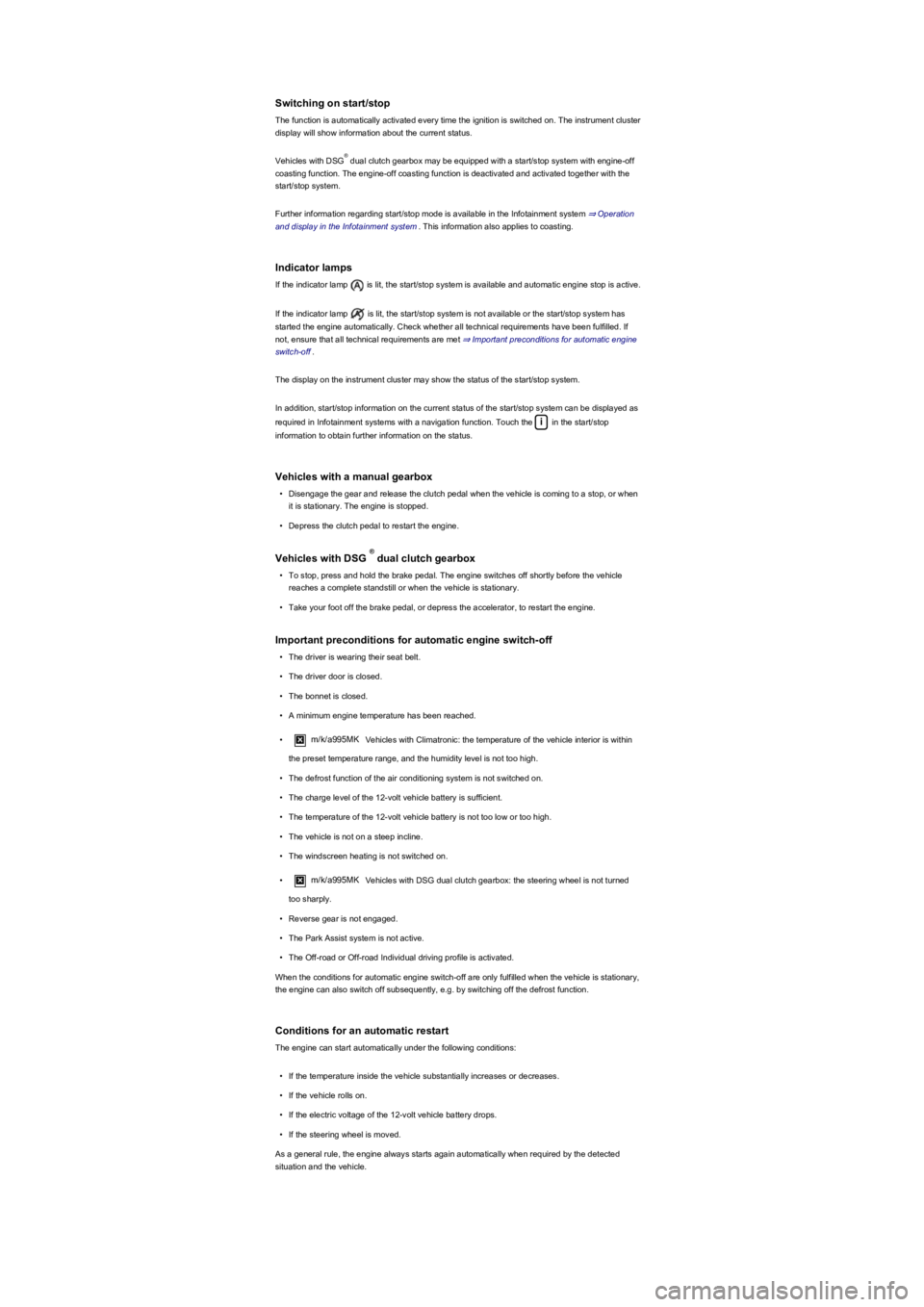
Switching on start/stop
The function is automatically activated every time the ignition is switched on. The instrument cluster
display will show information about the current status.
Vehicles with DSG dual clutch gearbox may be equipped with a start/stop system with engine-off
coasting function. The engine-off coasting function is deactivated and activated together with the
start/stop system.
Further information regarding start/stop mode is available in the Infotainment system ⇒ Operation
and display in the Infotainment system. This information also applies to coasting.
Indicator lamps
If the indicator lamp is lit, the start/stop system is available and automatic engine stop is active.
If the indicator lamp is lit, the start/stop system is not available or the start/stop system has
started the engine automatically. Check whether all technical requirements have been fulfilled. If
not, ensure that all technical requirements are met ⇒ Important preconditions for automatic engine
switch-off.
The display on the instrument cluster may show the status of the start/stop system.
In addition, start/stop information on the current status of the start/stop system can be displayed as
required in Infotainment systems with a navigation function. Touch the i in the start/stop
information to obtain further information on the status.
Vehicles with a manual gearbox
•Disengage the gear and release the clutch pedal when the vehicle is coming to a stop, or when
it is stationary. The engine is stopped.
•Depress the clutch pedal to restart the engine.
Vehicles with DSG dual clutch gearbox
•To stop, press and hold the brake pedal. The engine switches off shortly before the vehicle
reaches a complete standstill or when the vehicle is stationary.
•Take your foot off the brake pedal, or depress the accelerator, to restart the engine.
Important preconditions for automatic engine switch-off
•The driver is wearing their seat belt.
•The driver door is closed.
•The bonnet is closed.
•A minimum engine temperature has been reached.
•m/k/a995MKVehicles with Climatronic: the temperature of the vehicle interior is within
the preset temperature range, and the humidity level is not too high.
•The defrost function of the air conditioning system is not switched on.
•The charge level of the 12-volt vehicle battery is sufficient.
•The temperature of the 12-volt vehicle battery is not too low or too high.
•The vehicle is not on a steep incline.
•The windscreen heating is not switched on.
•m/k/a995MKVehicles with DSG dual clutch gearbox: the steering wheel is not turned
too sharply.
•Reverse gear is not engaged.
•The Park Assist system is not active.
•The Off-road or Off-road Individual driving profile is activated.
When the conditions for automatic engine switch-off are only fulfilled when the vehicle is stationary,
the engine can also switch off subsequently, e.g. by switching off the defrost function.
Conditions for an automatic restart
The engine can start automatically under the following conditions:
•If the temperature inside the vehicle substantially increases or decreases.
•If the vehicle rolls on.
•If the electric voltage of the 12-volt vehicle battery drops.
•If the steering wheel is moved.
As a general rule, the engine always starts again automatically when required by the detected
situation and the vehicle.
®
®
Page 147 of 341
If the selector lever is moved accidentally to N when driving, take your foot off the
accelerator. Wait for the engine revs in the neutral position before selecting a position again.
Changing gear using Tiptronic
Tiptronic allows the gears to be shifted
up and down manually with a DSG
dual clutch gearbox.
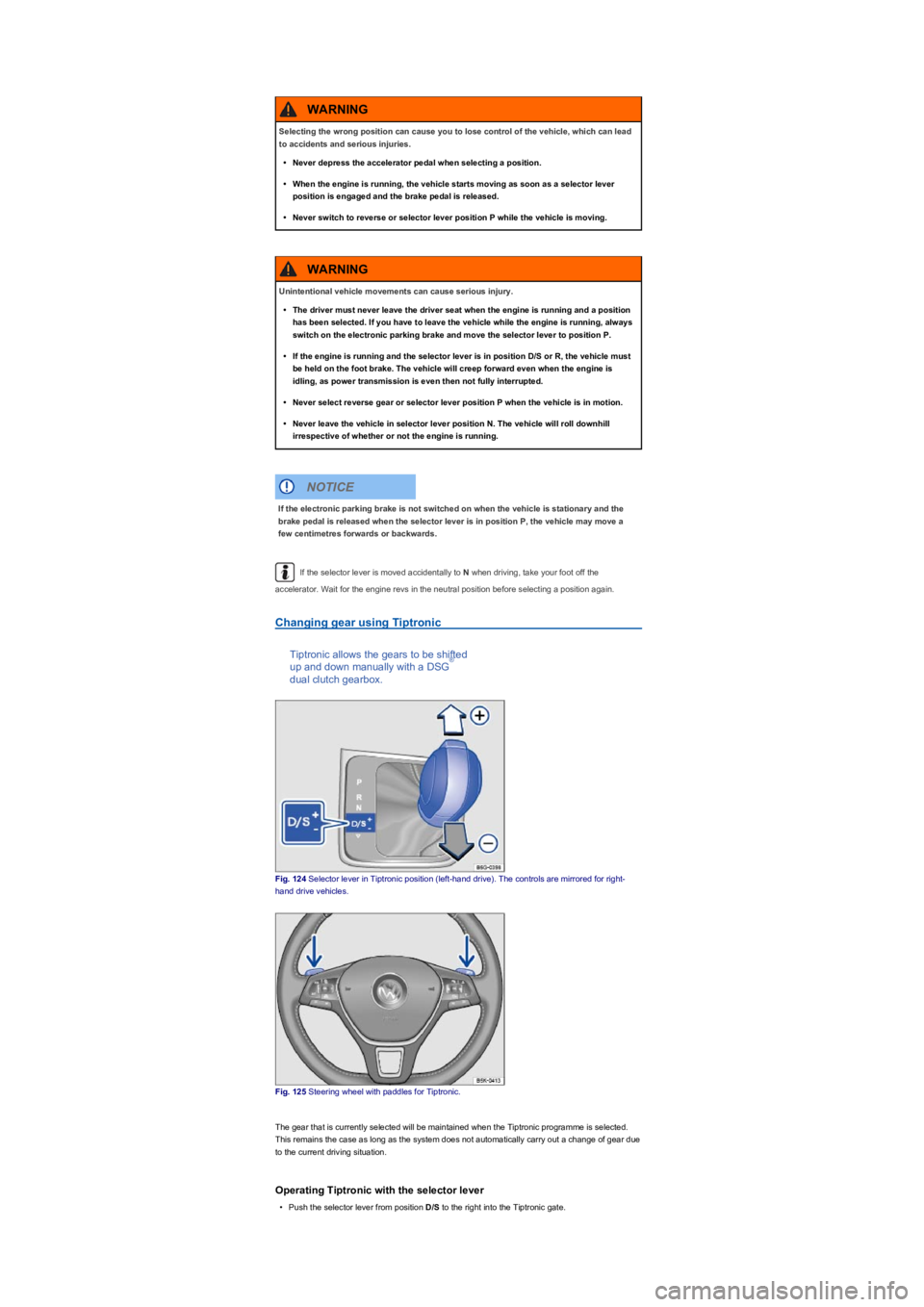
Fig. 124 Selector lever in Tiptronic position (left-hand drive). The controls are mirrored for right-
hand drive vehicles.
Fig. 125 Steering wheel with paddles for Tiptronic.
The gear that is currently selected will be maintained when the Tiptronic programme is selected.
This remains the case as long as the system does not automatically carry out a change of gear due
to the current driving situation.
Operating Tiptronic with the selector lever
•Push the selector lever from position D/S to the right into the Tiptronic gate.
Selecting the wrong position can cause you to lose control of the vehicle, which can lead
to accidents and serious injuries.
•Never depress the accelerator pedal when selecting a position.
•When the engine is running, the vehicle starts moving as soon as a selector lever
position is engaged and the brake pedal is released.
•Never switch to reverse or selector lever position P while the vehicle is moving.
WARNING
Unintentional vehicle movements can cause serious injury.
•The driver must never leave the driver seat when the engine is running and a position
has been selected. If you have to leave the vehicle while the engine is running, always
switch on the electronic parking brake and move the selector lever to position P.
•If the engine is running and the selector lever is in position D/S or R, the vehicle must
be held on the foot brake. The vehicle will creep forward even when the engine is
idling, as power transmission is even then not fully interrupted.
•Never select reverse gear or selector lever position P when the vehicle is in motion.
•Never leave the vehicle in selector lever position N. The vehicle will roll downhill
irrespective of whether or not the engine is running.
WARNING
If the electronic parking brake is not switched on when the vehicle is stationary and the
brake pedal is released when the selector lever is in position P, the vehicle may move a
few centimetres forwards or backwards.
NOTICE
®
Page 148 of 341
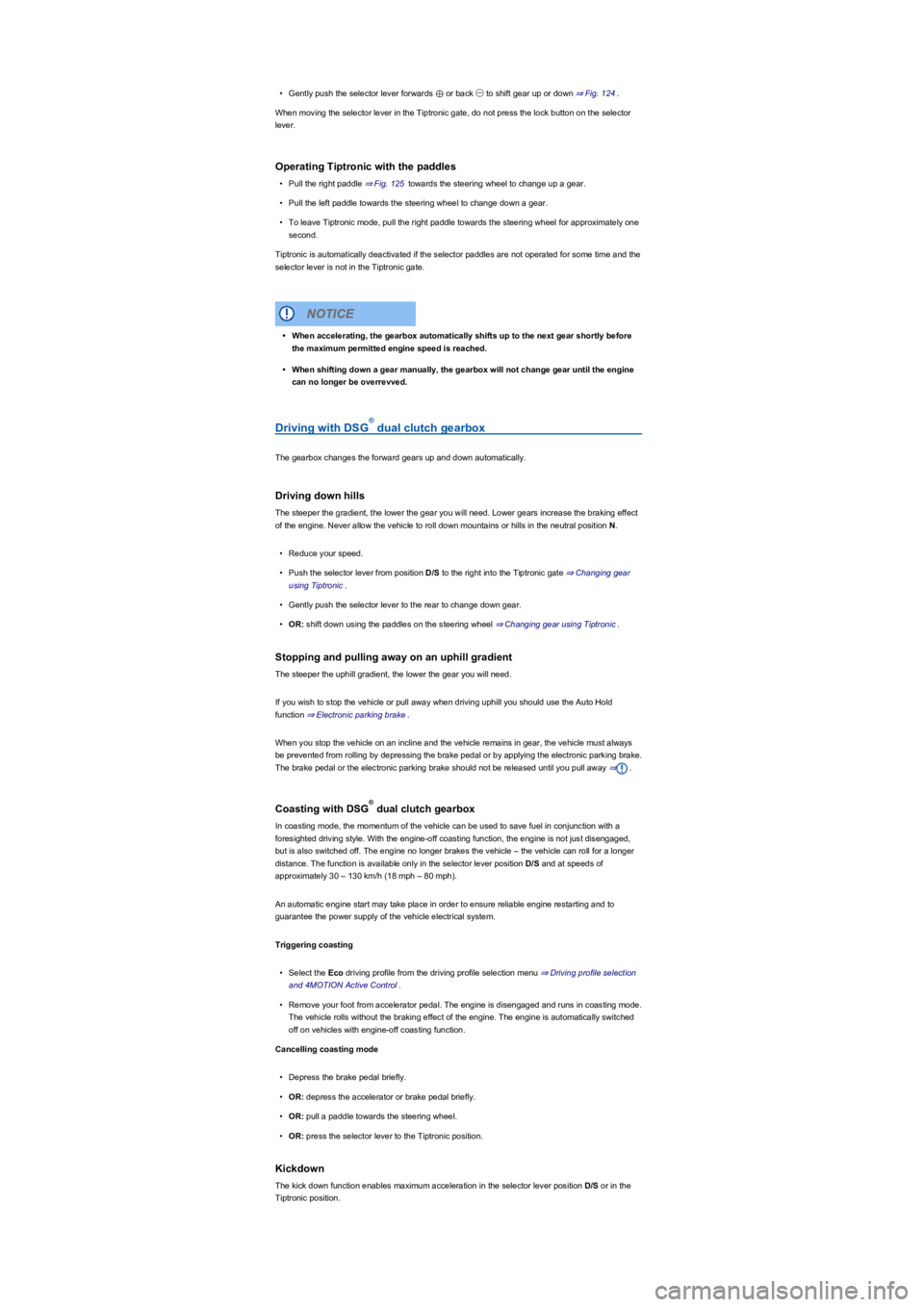
•Gently push the selector lever forwards ⊕ or back ㊀ to shift gear up or down ⇒ Fig. 124.
When moving the selector lever in the Tiptronic gate, do not press the lock button on the selector
lever.
Operating Tiptronic with the paddles
•Pull the right paddle ⇒ Fig. 125 towards the steering wheel to change up a gear.
•Pull the left paddle towards the steering wheel to change down a gear.
•To leave Tiptronic mode, pull the right paddle towards the steering wheel for approximately one
second.
Tiptronic is automatically deactivated if the selector paddles are not operated for some time and the
selector lever is not in the Tiptronic gate.
Driving with DSG dual clutch gearbox
The gearbox changes the forward gears up and down automatically.
Driving down hills
The steeper the gradient, the lower the gear you will need. Lower gears increase the braking effect
of the engine. Never allow the vehicle to roll down mountains or hills in the neutral position N.
•Reduce your speed.
•Push the selector lever from position D/S to the right into the Tiptronic gate ⇒ Changing gear
using Tiptronic.
•Gently push the selector lever to the rear to change down gear.
•OR: shift down using the paddles on the steering wheel ⇒ Changing gear using Tiptronic.
Stopping and pulling away on an uphill gradient
The steeper the uphill gradient, the lower the gear you will need.
If you wish to stop the vehicle or pull away when driving uphill you should use the Auto Hold
function ⇒ Electronic parking brake.
When you stop the vehicle on an incline and the vehicle remains in gear, the vehicle must always
be prevented from rolling by depressing the brake pedal or by applying the electronic parking brake.
The brake pedal or the electronic parking brake should not be released until you pull away ⇒.
Coasting with DSG dual clutch gearbox
In coasting mode, the momentum of the vehicle can be used to save fuel in conjunction with a
foresighted driving style. With the engine-off coasting function, the engine is not just disengaged,
but is also switched off. The engine no longer brakes the vehicle – the vehicle can roll for a longer
distance. The function is available only in the selector lever position D/S and at speeds of
approximately 30 – 130 km/h (18 mph – 80 mph).
An automatic engine start may take place in order to ensure reliable engine restarting and to
guarantee the power supply of the vehicle electrical system.
Triggering coasting
•Select the Eco driving profile from the driving profile selection menu ⇒ Driving profile selection
and 4MOTION Active Control.
•Remove your foot from accelerator pedal. The engine is disengaged and runs in coasting mode.
The vehicle rolls without the braking effect of the engine. The engine is automatically switched
off on vehicles with engine-off coasting function.
Cancelling coasting mode
•Depress the brake pedal briefly.
•OR: depress the accelerator or brake pedal briefly.
•OR: pull a paddle towards the steering wheel.
•OR: press the selector lever to the Tiptronic position.
Kickdown
The kick down function enables maximum acceleration in the selector lever position D/S or in the
Tiptronic position.
•When accelerating, the gearbox automatically shifts up to the next gear shortly before
the maximum permitted engine speed is reached.
•When shifting down a gear manually, the gearbox will not change gear until the engine
can no longer be overrevved.
NOTICE
®
®
Page 153 of 341
Steering
Information on steering
The steering should be locked every time you leave the vehicle to make it more difficult for the
vehicle to be stolen.
Steering
The power steering is not hydraulic. It is an electromechanical system. The advantage of this
steering system is that no hydraulic hoses, hydraulic oil, pumps, filter or other parts are required.
The electromechanical system reduces fuel consumption. A hydraulic system requires constant oil
pressure in the system, whereas an electromechanical steering system only needs an energy
supply while steering.
In vehicles with driving profile selection, the selected driving profile can affect the behaviour of the
power steering ⇒ Driving profile selection and 4MOTION Active Control.
Electronic steering column lock in vehicles with starter button
The steering column will be locked if the driver door is opened and the ignition is switched off. For
this, the vehicle should be stationary and, if necessary, the gear selector lever should be in position
P.
If the ignition is not switched off until after the driver door is opened, the electronic steering column
will only be locked when the vehicle is locked using the vehicle key or the sensor in the door
handle.
Mechanical steering column lock (steering lock) in vehicles with an
ignition lock
The steering column is locked if the vehicle key is removed from the ignition lock when the vehicle
is stationary. Turn the steering wheel slightly until the steering lock clicks into place.
Insert the vehicle key into the ignition lock to unlock the steering lock. Turn the steering wheel
slightly to take the load off the steering lock mechanism. Hold the steering wheel in this position and
turn the ignition on.
Electromechanical steering
The power steering provided by the electromechanical steering system automatically adjusts to the
vehicle speed, steering wheel torque and steering wheel angle. The electromechanical steering
only functions when the engine is running.
You will need considerably more strength than normal to steer the vehicle if the power steering is
reduced or has failed completely.
Counter steering assistance
Counter steering assistance provides the driver with power steering in critical driving situations.
Additional steering power helps the driver when counter steering ⇒.
The intelligent Hill Descent Control technology cannot overcome the laws of physics, and
functions only within the limits of the system. Never allow the extra convenience afforded
by pull-away assist systems to tempt you into taking any risks when driving.
•Unintentional vehicle movements can cause serious injury.
•The Hill Descent Control cannot replace the full concentration of the driver.
•Always adapt your speed and driving style to suit visibility, weather, road and traffic
conditions.
•A Hill Descent Control System may not be able to always hold the vehicle on uphill
gradients or brake it sufficiently on all slopes going downhill (e.g. if the ground is
slippery or icy).
WARNING
Always be prepared to brake the vehicle. Accidents and injuries could occur if this is not
ensured.
•The Hill Descent Control system is only a support function and may not be able to
brake the vehicle sufficiently in all situations when driving downhill.
•The vehicle may accelerate despite the Hill Descent Control system.
WARNING
Page 154 of 341
Progressive steering
Depending on the vehicle equipment level, progressive steering can adjust the force of the steering
movement in a driving situation. Progressive steering only functions when the engine is running.
In urban driving, smaller steering movements are required when parking, manoeuvring, or turning
sharply.
When driving on country roads or on the motorway, the progressive steering provides a more
sporty, direct steering response, and a dynamic feel.
Troubleshooting
Warning and indicator lamps in the instrument cluster
The indicator lamps light up.
Do not drive on! Electromechanical steering not functioning. The steering must be
checked by a qualified workshop as soon as possible.Electromechanical steering function
reduced. The steering must be checked by a qualified workshop as soon as possible. If the yellow
warning lamp remains off after the engine has been restarted and you have driven a short distance,
you do not need to consult a qualified workshop.The 12-volt battery has been disconnected
and reconnected. Drive a short distance at a speed of 15 – 20 km/h (9 – 12 mph).
The indicator lamps flash.
Steering column twisted. Turn the steering wheel back and forth.Steering column not
locked or unlocked. Remove the vehicle key from the ignition lock and switch the ignition back on
again. Follow any messages that are on the instrument cluster display. Do not continue your
journey if the steering column remains locked when the ignition is switched on. Seek expert
assistance.
Driving profile selection and 4MOTION Active
Control
Introduction
This chapter contains information on the followingsubjects:
⇒ Selecting a driving profile (ONROAD)
⇒ Selecting a driving profile (4MOTION Action Control)
⇒ Adjusting the driving profile to suit your requirements
⇒ Troubleshooting
The driving profile selection contains
factory-defined driving profiles which
have different effects on the vehicle
setup. You can also set your own
vehicle setup by means of an individual
driving profile.
Different driving profiles can be selected depending on the vehicle equipment level. The effect on
the vehicle setup in the individual driving profiles depends on the vehicle equipment.
The settings available depend on the type of drive. Vehicles with a front-wheel drive come with
ONROAD driving profiles ⇒ Selecting a driving profile (ONROAD), while vehicles with all-wheel
If the power steering is not working, the steering wheel is difficult to turn, which makes it
difficult to steer the vehicle.
•The power steering only functions when the engine is running.
•Never allow the vehicle to roll if the engine is switched off.
•Never remove the vehicle key from the ignition lock when the vehicle is in motion. The
steering column lock may be activated and it will no longer be possible to steer the
vehicle.
WARNING
In conjunction with the ESC, counter steering assistance provides the driver with
assistance when steering in critical driving situations. The driver must steer the vehicle at
all times. Counter steering assistance does not steer the vehicle.
WARNING
The ignition of the vehicle being towed must be switched on to prevent the steering wheel
from locking, and so that the turn signals, horn, wipers and window washer system can be
used.
NOTICE
Page 158 of 341
•Press the button in the Infotainment system.
•Touch the Vehicle function button.
•Touch the Selection function button.
•Touch the Off-road function button.
Selecting instruments and setting units
The display shows various instruments ⇒ Fig. 130.
To change instruments, swipe vertically over the display.
The units can be adjusted for some instruments in the Infotainment system ⇒ Operation and
display in the Infotainment system.
Instruments in the off-road display (depends on the vehicle's equipment):
•Altitude: The altitude function shows the current height above sea level.
•Steering angle display: the steering angle of the vehicle is displayed in the range between -
49° and 49°. The value is positive for a left steering angle and negative for a right steering
angle.
•Compass: the compass shows the current driving direction.
•Coolant temperature display: the display corresponds to the temperature display on the
instrument cluster ⇒ Coolant temperature display. At high engine loads and with high outside
temperatures, the needle will move clockwise. This is no cause for concern unless the
indicator lamp in the instrument cluster is lit up or flashing.
•Oil temperature display: the needle is in the middle when the engine has reached operating
temperature. If the needle is in the bottom left area, this means that the engine has not yet
reached its operating temperature. At high engine loads and with high outside temperatures, the
needle will move clockwise. This is no cause for concern unless the indicator lamp in
the instrument cluster is lit up or flashing ⇒ Engine oil.
Adapting the display areas to the driving situation
The displayed instruments can be selected depending on the driving situation, the ambient
conditions and the off-road conditions:
•Sandy terrain: oil, steering angle and coolant temperature display
•Inclines: steering angle and coolant temperature display, altimeter
•Alpine terrain: steering angle display, altimeter, compass
Off-road driving situations
Introduction
This chapter contains information on the followingsubjects:
⇒ Safety notes for driving off-road
⇒ Explanation of some technical terms
⇒ Checklist: Before driving off-road
⇒ General rules and driving tips
⇒ Useful accessories for off-road driving
⇒ Changing gear
⇒ Up hill and down dale
⇒ Driving through water
⇒ Off-road driving in snow
⇒ Driving in sand and mud
⇒ Driving in steep terrain
⇒ Traversing a slope
⇒ Driving through ditches
⇒ If your vehicle gets stuck
⇒ After off-road driving
You can also drive four-wheel drive vehicles off-road in addition to normal roads. It is very important
to read the contents of this section before driving off-road.
The vehicle is not built for expeditions.
The examples given in this chapter are an aid for safe off-road driving. However, we cannot predict
whether these guidelines will be valid for all situations that could occur.
The large variety of landscapes and the associated risks and dangers make it impossible to
describe all possible driving situations. The examples are only general guidelines designed to help
you drive off-road safely. It is crucial that you know what to expect when you drive into off-road
terrain you are unfamiliar with. This will enable you to assess potential danger in advance.
Accidents and injuries can occur if the driver is distracted. Operating the Infotainment
system can distract you from the road.
•Always drive carefully and responsibly.
WARNING