instrument cluster VOLKSWAGEN TRANSPORTER 2015 Owner´s Manual
[x] Cancel search | Manufacturer: VOLKSWAGEN, Model Year: 2015, Model line: TRANSPORTER, Model: VOLKSWAGEN TRANSPORTER 2015Pages: 486, PDF Size: 72.17 MB
Page 267 of 486
• Reduce your speed.
• Push the selector lever from position D to the right into the Tiptronic gate 266.
• Gently push the selector lever to the rear to change down gear.
Stopping the vehicle and pulling away when driving uphill
The steeper the incline, the lower the gear that is required.
If you wish to stop the vehicle or pull away when driving uphill, you should use the Hill Hold Assist function 282.
Vehicles without Hill Hold Assist: when the vehi-cle is stopped on an incline and remains in gear, the vehicle must always be prevented from rolling by depressing the brake pedal or by applying the handbrake. The brake pedal or the handbrake should not be released until you start to pull away
Kickdown
The kickdown mechanism enables maximum ac-celeration in the selector lever positions D and S, or in the Tiptronic position.
If the accelerator pedal is depressed fully, the gear-box will automatically shift to a lower gear, depend-ing on the speed and engine revs. This will make use of the full vehicle acceleration &.
The gearbox does not shift up to the next gear until the engine reaches the maximum engine speed for the gear.
Freewheel driving with 7-speed dual clutch gearbox DSG®
In coasting mode, the momentum of the vehicle can be used to save fuel in conjunction with a fore-sighted driving style. The engine is declutched and no longer brakes the vehicle -the vehicle can roll out over a longer distance.
Switch-on condition: the selector lever must be in position D.
Fault in the DSG® dual clutch gearbox
r-f"'n First read and observe the introductory l-J::,JJ information and safety warnings & on page 260.
Emergency programme
There is a fault in the system if all the displays on the instrument cluster for the selector lever posi-tions have a light background. The automatic gear-
Triggering coasting
• Remove foot from accelerator pedal. The en-gine will be disengaged and run in freewheel mode. The vehicle rolls without the braking effect of the engine.
Cancelling coasting mode
• Depress the brake pedal briefly.
Coasting can be switched on and off in the Set-tings menu of the Volkswagen Information sys-tem 24.
A WARNING
Rapid acceleration can cause loss of traction and skidding, particularly on slippery roads. This can cause you to lose control of the ve-hicle, which can lead to accidents and seri-ous injuries.
• Always adjust your driving style in ac-cordance with the flow of traffic.
• Only use kickdown or fast acceleration if visibility, weather, road and traffic conditions permit, and other road users are not put at risk due to the acceleration and the driving style.
• You should never endanger other road users through the acceleration of your vehi-cle or through your driving style.
CD
• If you stop the vehicle on an incline, do not attempt to stop it from rolling back by depress-Ing the accelerator while a position is still se-lected. The automatic gearbox could overheat and be damaged.
• Never allow the vehicle to roll in position N, particularly if the ignition is switched off. The automatic gearbox will not be lubricated and could be damaged. <1
box is running in an emergency programme. The vehicle can still be driven in the emergency pro-gramme, but only at reduced speed and not in all gears.
In vehicles with a DSG® dual clutch gearbox, you may no longer be able to select reverse gear. The gearbox should be checked by a qualified workshop as soon as possible. .,..
Starting the engine, changing gear and parking 267
Page 268 of 486
In all cases the automatic gearbox should be checked by a qualified workshop Immediately.
Overheating of the DSG® dual clutch gearbox
The dual clutch gearbox can overheat when the vehicle pulls off regularly, travels at a crawl for long periods, or in stop and go traffic. Gearbox over-heating is indicated by the warning lamp (j) and in some cases by a text message in the instrument cluster display. A signal tone may also be given. Stop the vehicle and allow the gearbox to cool down
The vehicle will not move forwards or backwards even though a gear has been selected
If the vehicle will not move in the required direc-tion, the system may have selected the position in-correctly. Depress the brake pedal and reselect the position.
Gear-change indicator
r--f"'n First read and observe the Introductory L-lo:.l.l information and safety warnings & on page 260.
Depending on the vehicle equipment level, the in-strument cluster may indicate the gear which you should select in order to reduce fuel consumption while the vehicle is in motion.
Display Meaning
• The current gear is optimal.
f A higher gear is recommended.
! A lower gear is recommended.
In vehicles with a manual gearbox the recommen-ded gear will be indicated in the form of a number and a recommendation to shift up or down into the recommended gear will be displayed in the form of an arrow 263.
In vehicles with a OSG® dual clutch gearbox if the selector lever is in the Tiptronic position, the cur-rent gear will be indicated in the form of a number and a recommendation to shift up or down a gear will be displayed in the form of an arrow 266.
268 While driving
If the vehicle still does not move in the required di-rection, there is a system fault. Seek expert assis-tance and have the system checked.
CD
• If the display Indicates that the gearbox Is overheating for the first time, the vehicle will have to be parked safely or driven faster than 20 kmlh (12 mph).
• Safely park the vehicle immediately and switch the engine off if the text message and signal tone are repeated approximately every 10 seconds. Allow the gearbox to cool down.
• In order to prevent damage to the gearbox, you should not drive on until the acoustic warning stops. You should not pull away or drive the vehicle at very low speeds while the gearbox is overheated.
The exhaust management system detects when a diesel particulate filter is filling up and aids the fil-ter's self-cleaning process by recommending the most suitable gear when driving. This may mean driving with Increased engine speed in exceptional cases 407.
A CAUTION
The gear-change Indicator Is only designed to assist the driver and cannot replace the driver's own judgement.
• The driver has full responsibility for se-lecting the correct gear In all situations (e.g. when overtaking, driving up and down hills and when towing a trailer).
Driving in the correct gear can help to reduce fuel consumption.
m On vehicles with a dual clutch gearbox W DSG®, the information on the gear-change indicator disappears when disengaging from the Tiptronic position.
m On vehicles with a manual gearbox, the dis-W play on the gear-change indicator will disap-pear when the clutch pedal is depressed.
Page 269 of 486
Braking, stopping and parking
COl Introduction
This chapter contains information on the following subjects:
Warning and indicator lamps Handbrake ............................ .
Parking . . . . . . . ............. .
Information on the brakes ................ . Brake support systems .................. .
Switching the TCS on and off ............. .
Brake fluid ............................ .
270 271
272 272
274
276
277
The brake support systems are the anti-lock brake system (ASS), the Brake Assist system (SAS), the electronic differential lock (EDS), the traction control system (TCS) and the Electronic Stability Control (ESC).
Additional information and warnings:
• Towing a trailer 139
• Pull-away assist systems 282
• Wheels and tyres 367
• Accessories, modifications, repairs and renewal of parts 394
A WARNING
Driving with worn brake pads or with a faulty brake system can cause accidents and seri-ous Injuries.
• If the warning lamp 0 lights up either on its own or with a text message In the display of the Instrument cluster, go to a qualified workshop Immediately, have the brake pads checked and any worn brake pads replaced.
A WARNING
Incorrect parking can cause serious Injuries.
• Never remove the vehicle key from the lg-nltlon lock when the vehicle Is In motion. The steering lock may be activated and you will no longer be able to steer or control the vehl-cl e.
A WARNING (Continued)
• Never park the vehicle where parts of the exhaust system can come into contact with inflammable material underneath the vehicle, e.g. undergrowth, leaves, dry grass, spilt fuel.
• Always apply the handbrake when the ve-hicle Is parked.
• Never leave children or people requiring assistance alone In the vehicle. They could release the handbrake, move the selector lev-er or gearshift lever and thus set the vehicle In motion. This can lead to accidents and se-rious injuries.
• Always take all vehicle keys with you ev-ery time you leave the vehicle. The engine can be started and electrical equipment such as the window controls can be used which could cause serious injury.
• Never leave children or people requiring assistance alone in the vehicle. They could become trapped in the vehicle in an emergen-cy and may not be able to get themselves to safety. For example, locked vehicles may be subjected to very high or very low tempera-tures, according to season. This can cause serious Injuries and illness or fatalities, espe-cially for small children.
CD
• To avoid unintentional movement when parking the vehicle, first apply the handbrake and then remove your foot from the brake ped-al.
• Always take care when driving in car parks with protruding kerbstones or bollards. Objects that protrude from the ground can damage the bumper and other components when parking the vehicle. In order to avoid any damage, stop the vehicle before the wheels can touch the bollards or kerbs.
• Drive carefully through dips in the road, over driveways, ramps, kerbstones and other objects. Low-lying vehicle components such as the bumper, spoiler and parts of the running gear, engine or exhaust system could be dam-aged.
Starting the engine, changing gear and parking I 269
Page 271 of 486
A WARNING (Continued)
• If the brake warning lamp ID does not go out, or if it lights up when driving, the brake fluid level in the reservoir is too low or there is a fault in the brake system. Stop the vehi-cle Immediately and seek expert assistance 277, Brake fluid.
• If the brake warning lamp@ lights up to-gether with the ABS indicator lamp S, the control function of the ABS may have failed. This can cause the rear wheels to lock quick-ly when you brake. Locked rear wheels can lead to a loss of control of the vehicle. If pos-sible, reduce your speed and drive carefully at low speed to the nearest qualified work-shop in order to have the brake system tes-ted. Avoid sudden braking and driving ma-noeuvres on the way.
• The ABS Is not functioning correctly if the ABS indicator lampS does not go out or comes on while the vehicle is in motion. The
Handbrake
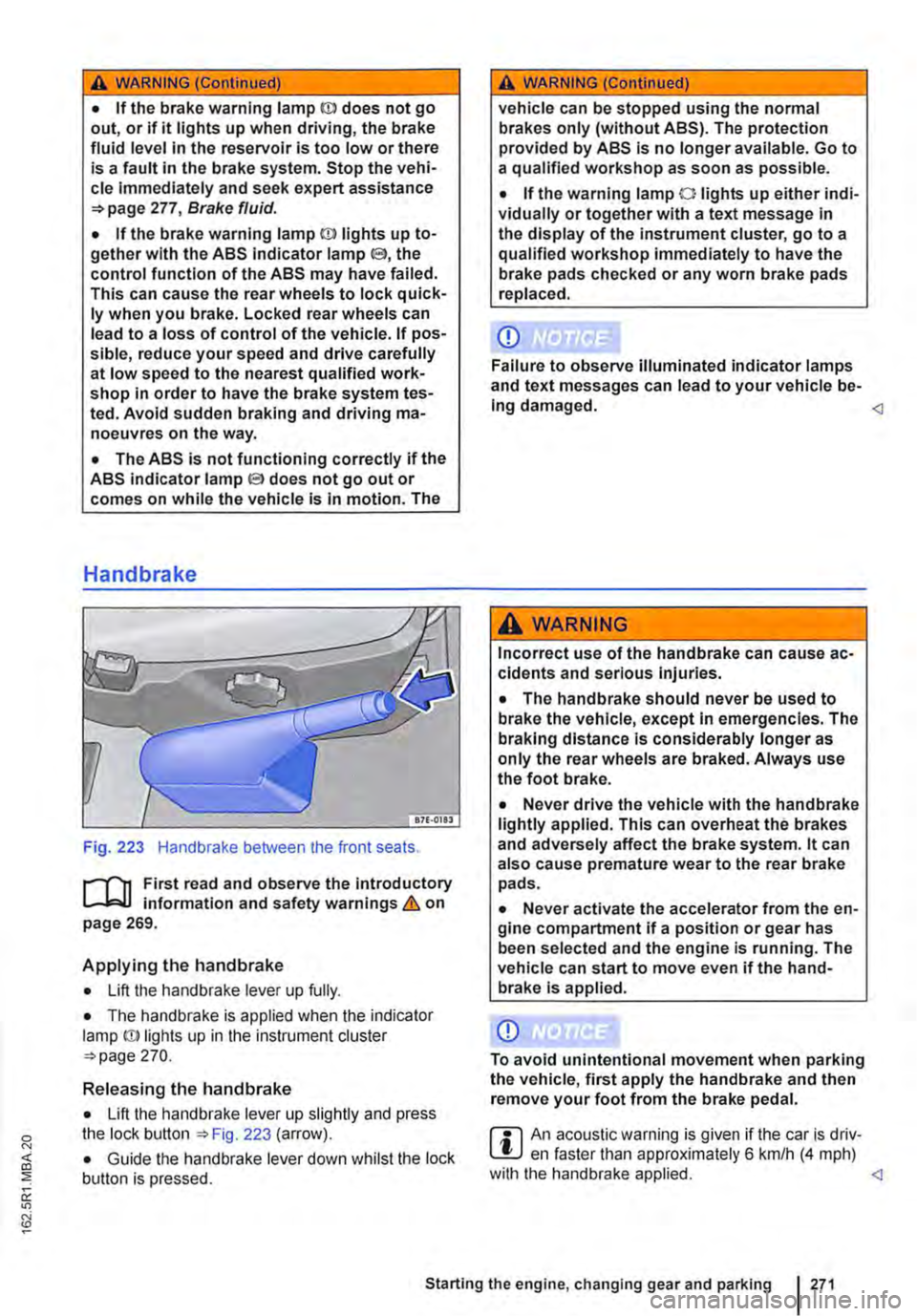
Fig. 223 Handbrake between the front seats.
r--fl1 First read and observe the introductory L-J,::.IJ information and safety warnings & on page 269.
Applying the handbrake
• Lift the handbrake lever up fully.
• The handbrake is applied when the indicator lamp ID lights up in the instrument cluster =-page 270.
Releasing the handbrake
• Lift the handbrake lever up slightly and press the lock button ::.Fig. 223 (arrow).
• Guide the handbrake lever down whilst the lock button is pressed.
A WARNING (Continued)
vehicle can be stopped using the normal brakes only (without ABS). The protection provided by ABS is no longer available. Go to a qualified workshop as soon as possible.
• If the warning lamp 0 lights up either indi-vidually or together with a text message in the display of the instrument cluster, go to a qualified workshop immediately to have the brake pads checked or any worn brake pads replaced.
CD
Failure to observe illuminated indicator lamps and text messages can lead to your vehicle be-Ing damaged.
Incorrect use of the handbrake can cause ac-cidents and serious Injuries.
• The handbrake should never be used to brake the vehicle, except in emergencies. The braking distance is considerably longer as only the rear wheels are braked. Always use the foot brake.
• Never drive the vehicle with the handbrake lightly applied. This can overheat the brakes and adversely affect the brake system. lt can also cause premature wear to the rear brake pads.
• Never activate the accelerator from the en-gine compartment if a position or gear has been selected and the engine is running. The vehicle can start to move even if the hand-brake Is applied.
CD
To avoid unintentional movement when parking the vehicle, first apply the handbrake and then remove your foot from the brake pedal.
r::l An acoustic warning is given if the car is driv-L.!:.J en faster than approximately 6 km/h (4 mph) with the handbrake applied.
Page 285 of 486
The Hill Hold Assist function will be deactivated immediately:
Manual gearbox I DSG® dual clutch gearbox
1. As soon as one of the conditions indicated on page 284, The Hill Hold Assist function is automati-cally activated if the following conditions are met is not fulfilled.
2. If the vehicle does not pull away within 2 seconds.
3. If the engine is not running smoothly or there is an engine fault.
4. If the engine is switched off or has stalled. I If the engine is switched off.
Hill Descent Assist
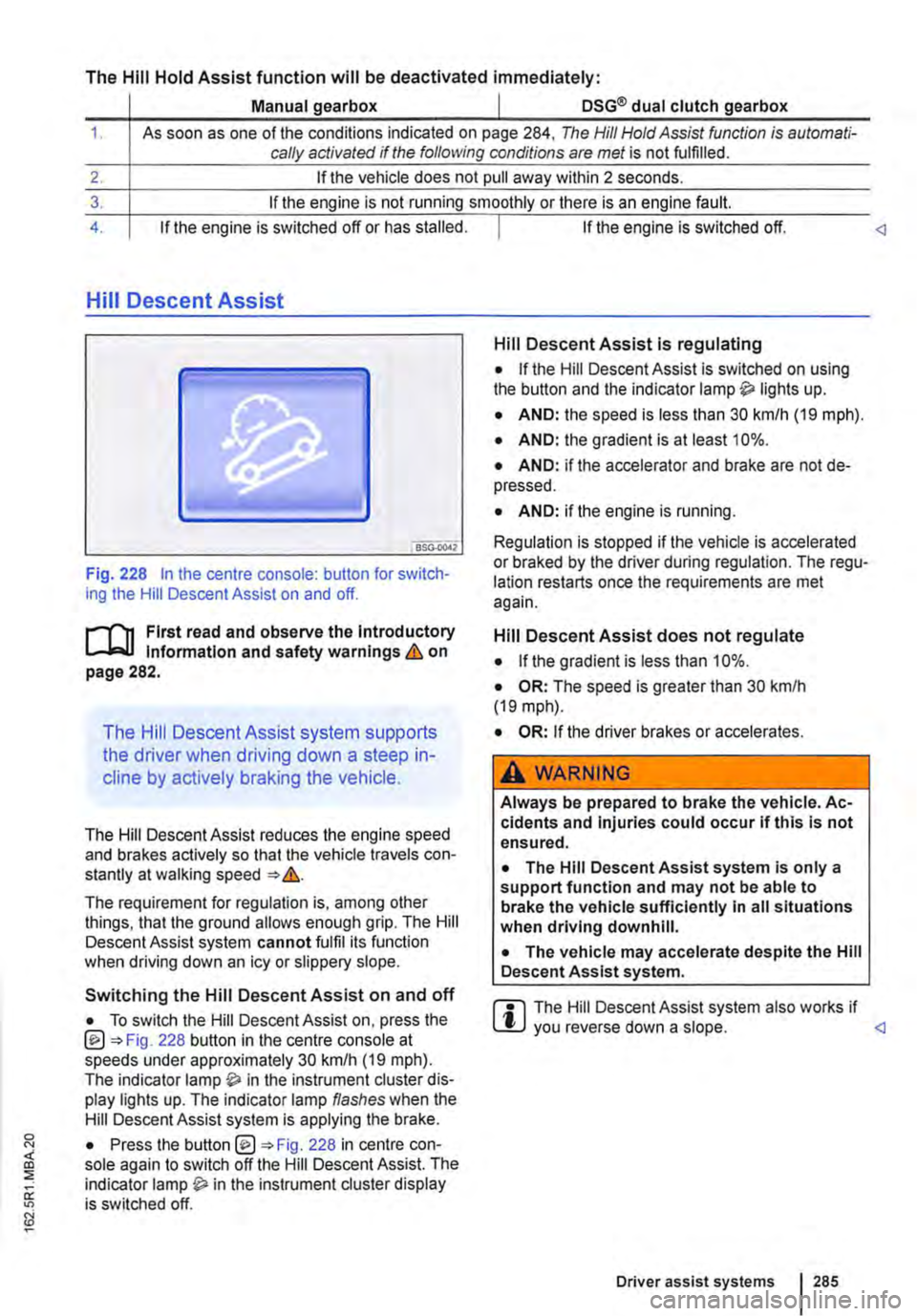
Fig. 228 In the centre console: button for switch-ing the Hill Descent Assist on and off.
l"'""'('n First read and observe the Introductory L-W.I Information and safety warnings & on page 282.
The Hill Descent Assist system supports
the driver when driving down a steep in-
cline by actively braking the vehicle.
The Hill Descent Assist reduces the engine speed and brakes actively so that the vehicle travels con-stantly at walking speed =>&.
The requirement for regulation is, among other things, that the ground allows enough grip. The Hill Descent Assist system cannot fulfil its function when driving down an icy or slippery slope.
Hill Descent Assist is regulating
• If the Hill Descent Assist is switched on using the button and the indicator lamp lights up.
• AND: the speed is less than 30 km/h (19 mph).
• AND: the gradient is at least 10%.
• AND: if the accelerator and brake are not de-pressed.
• AND: if the engine is running.
Regulation is stopped if the vehicle is accelerated or braked by the driver during regulation. The regu-lation restarts once the requirements are met again.
Hill Descent Assist does not regulate
• If the gradient is less than 10%.
• OR: The speed is greater than 30 km/h (19 mph).
• OR: If the driver brakes or accelerates.
A WARNING
Always be prepared to brake the vehicle. Ac-cidents and Injuries could occur if this is not ensured.
• The Hill Descent Assist system is only a support function and may not be able to brake the vehicle sufficiently In all situations when driving downhill.
• The vehicle may accelerate despite the Hill Descent Assist system.
• To switch the Hill Descent Assist on, press the @=>Fig. 228 button in the centre console at speeds under approximately 30 km/h (19 mph). The indicator in the instrument cluster dis-play lights up. The indicator lamp flashes when the Hill Descent Assist system is applying the brake.
r::l The Hill Descent Assist system also works if W you reverse down a slope.
Driver assist systems 285
Page 286 of 486
Rear axle differential lock
OSG-0041
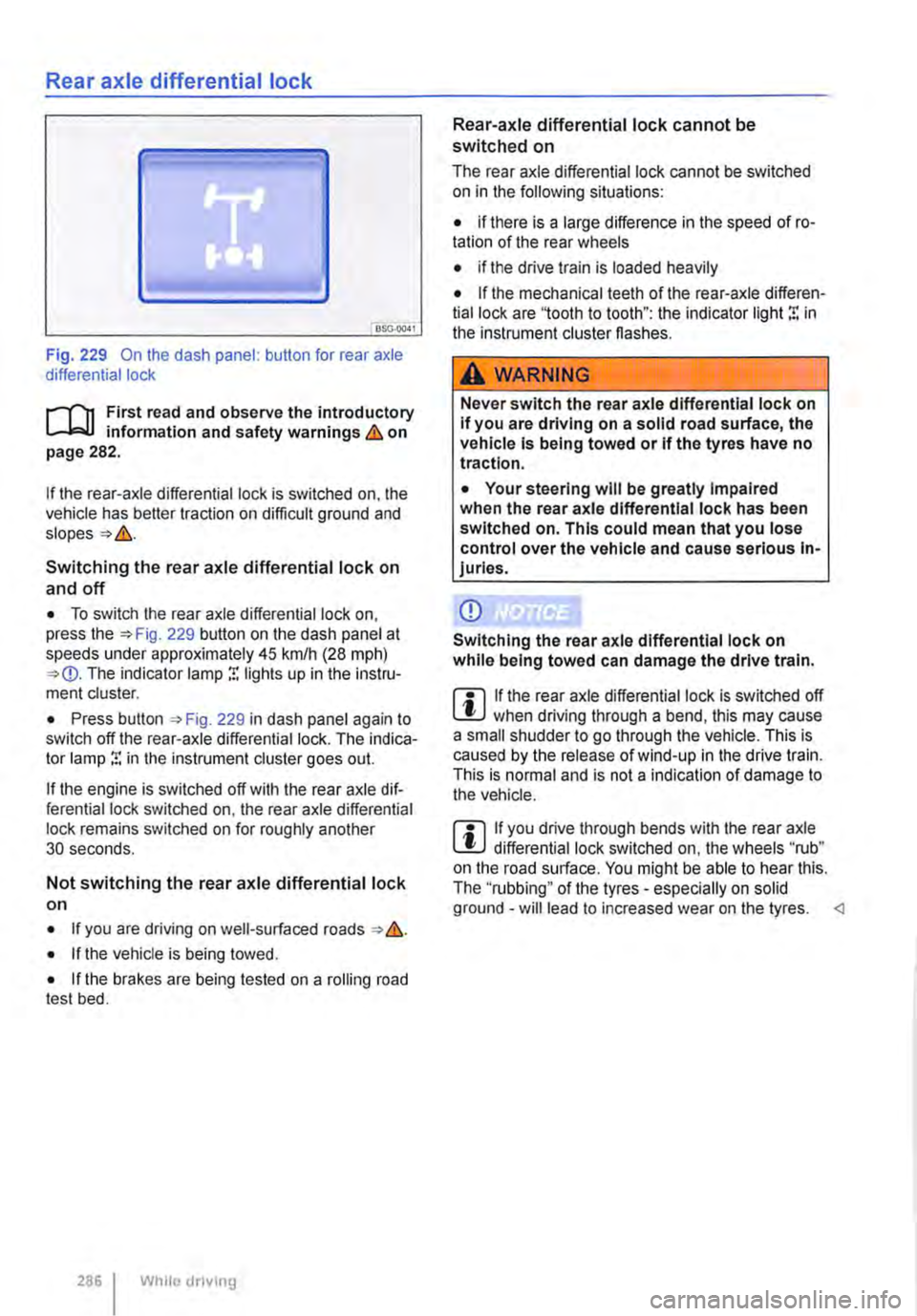
Fig. 229 On the dash panel: button for rear axle differential lock
i""('n First read and observe the introductory information and safety warnings & on page 282.
If the rear-axle differential lock is switched on, the vehicle has better traction on difficult ground and
Switching the rear axle differential lock on
and off
• To switch the rear axle differential lock on, press the 229 button on the dash panel at speeds under approximately 45 krnlh (28 mph) The indicator lamp r. lights up in the instru-ment cluster.
• Press button , Fig. 229 in dash panel again to switch off the rear-axle differential lock. The indica-tor lamp r. in the instrument cluster goes out.
If the engine is switched off with the rear axle dif-ferential lock switched on, the rear axle differential lock remains switched on for roughly another 30 seconds.
Not switching the rear axle differential lock on
• If you are driving on well-surfaced roads &.
• If the vehicle is being towed.
• If the brakes are being tested on a rolling road test bed.
286 I While dnving
Rear-axle differential lock cannot be switched on
The rear axle differential lock cannot be switched on in the following situations:
• if there is a large difference in the speed of ro-tation of the rear wheels
• if the drive train is loaded heavily
• If the mechanical teeth of the rear-axle differen-tial lock are '1ooth to tooth": the indicator light r. in the instrument cluster flashes.
A WARNING
Never switch the rear axle differential lock on If you are driving on a solid road surface, the vehicle is being towed or if the tyres have no traction.
• Your steering will be greatly Impaired when the rear axle differential lock has been switched on. This could mean that you lose control over the vehicle and cause serious In-juries.
CD
Switching the rear axle differential lock on while being towed can damage the drive train.
m If the rear axle differential lock is switched off W when driving through a bend, this may cause a small shudder to go through the vehicle. This is caused by the release of wind-up in the drive train. This is normal and is not a indication of damage to the vehicle.
m If you drive through bends with the rear axle W differential lock switched on, the wheels "rub" on the road surface. You might be able to hear this. The ''rubbing" of the tyres -especially on solid ground -will lead to increased wear on the tyres.
Page 299 of 486
• System version 1 functions at speeds of 30-160 km/h (20 mph -100 mph).
• System version 2 functions at speeds of 30-210 km/h (20 m ph-130 m ph).
In vehicles with a dual clutch gearbox DSG®, the adaptive cruise control (ACC) can brake the vehi-cle until it comes to a complete standstill behind a vehicle in front that is stopping.
Driver prompt to take over control
There are system-specific limits on the adaptive cruise control (ACC) when driving. This means that the driver may have to control the speed and dis-tance between the vehicle and other vehicles in certain circumstances.
The driver is told to take control of the vehicle via a message on the instrument cluster display prompts a braking intervention, and a signal tone =<>page 300.
Additional information and warnings:
• Exterior views =<>page 5
• Volkswagen information system =<>page 24
• Cruise control system (CCS) =<>page 295
• Area monitoring system (Front Assist) =<>page 307
• Accessories, modifications, repairs and renewal of parts =<>page 394
A WARNING
The intelligent technology used in the adap-tive cruise control (ACC) cannot overcome the laws of physics, and functions only within the limits of the system. Careless or uninten-tional use of the adaptive cruise control (ACC) can cause accidents and lead to seri-ous injury. The system Is not a substitute for the full concentration of the driver.
• Adapt your speed and distance from the vehicles ahead to suit visibility, weather, road and traffic conditions.
• Do not use the adaptive cruise control (ACC) in poor visibility, on steep or winding roads, or on slippery road surfaces e.g. on snow, ice, wet roads, loose chippings or floo-ded roads.
A WARNING (Continued)
• Never use the adaptive cruise control (ACC) off-road or on unsurfaced roads. The adaptive cruise control (ACC) is designed for use on surfaced roads only.
• The adaptive cruise control (ACC) does not react to stationary obstacles, e.g. the tail end of a traffic jam, a vehicle that has broken down, or vehicles waiting at traffic lights.
• The adaptive cruise control (ACC) does not react to persons, animals or vehicles crossing or approaching in the same lane.
• If the adaptive cruise control (ACC) speed reduction is insufficient, you should brake the vehicle by depressing the foot brake.
• Brake the vehicle by depressing the brake if the vehicle rolls inadvertently on after the driver has been prompted to take control of the vehicle.
• If the instrument cluster display indicates that the driver should take control of the vehi-cle, you have to regulate the distance your-self.
• The driver must be prepared to take con-trol of the vehicle (by accelerating or braking) at all times.
CD
Switch off the adaptive cruise control (ACC) if you suspect that the radar sensor has been damaged. This can help to prevent secondary damage. Have the radar sensor realigned.
• Repair work on the radar sensor will require special knowledge and tools. Volkswagen rec-ommends using a Volkswagen dealership for this purpose.
m If the adaptive cruise control (ACC) does not L!J function as described in this chapter, do not use it, and have the system checked by a qualified workshop. Volkswagen recommends using a Voikswagen dealership for this purpose.
m The maximum vehicle speed when the adap-L!J live cruise control (ACC) is active is limited to either 160 km/h (1 00 m ph) or 210 km/h (130 m ph). depending on the system version.
m If the adaptive cruise control (ACC) is active, L!J unfamiliar noises may be heard during the automatic braking procedure. These are caused by the braking system.
Page 300 of 486
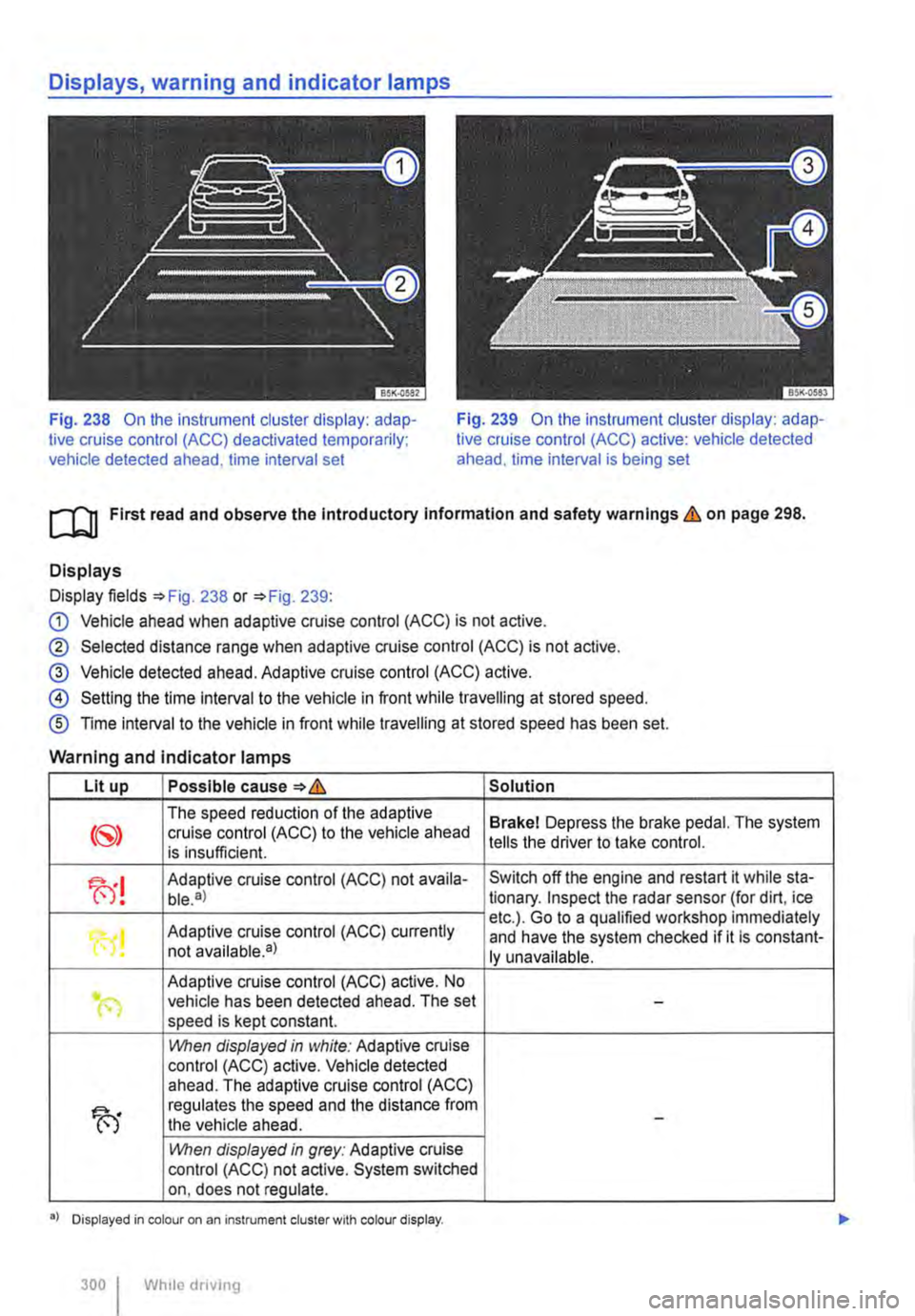
Fig. 238 On the instrument cluster display: adap-tive cruise control (ACC) deactivated temporarily; vehicle detected ahead, time interval set
Fig. 239 On the instrument cluster display: adap-tive cruise control (ACC) active: vehicle detected ahead. time interval is being set
ro First read and observe the Introductory Information and safety warnings & on page 298.
Displays
Display fields =>Fig. 238 or =>Fig. 239:
G) Vehicle ahead when adaptive cruise control (ACC) is not active.
® Selected distance range when adaptive cruise control (ACC) is not active.
@ Vehicle detected ahead. Adaptive cruise control (ACC) active.
@ Setting the time interval to the vehicle in front while travelling at stored speed.
® Time interval to the vehicle in front while travelling at stored speed has been set.
Warning and indicator lamps
Lit up Possible cause=>& Solution
The speed reduction of the adaptive Brakel Depress the brake pedal. The system cruise control (ACC) to the vehicle ahead is insufficient. tells the driver to take control.
fu! Adaptive cruise control (ACC) not availa-Switch off the engine and restart it while sta-ble.a) tionary. Inspect the radar sensor (for dirt, ice
Adaptive cruise control (ACC) currently etc.). Go to a qualified workshop immediately
"0! and have the system checked if it is constant-not available•) ly unavailable.
Adaptive cruise control (ACC) active. No .. (") vehicle has been detected ahead. The set -speed is kept constant.
1!\/hen displayed in white: Adaptive cruise control (ACC) active. Vehicle detected ahead. The adaptive cruise control (ACC)
fu
regulates the speed and the distance from the vehicle ahead. -
1!\/hen displayed in grey: Adaptive cruise control (ACC) not active. System switched on, does not regulate.
•> Displayed in colour on an instrument cluster with colour display.
300 I Whlio drivmg
Page 301 of 486
Several warning and indicator lamps will light up briefly as a functional check when the ignition is switched on. They will go out after a few seconds.
A WARNING
Failure to observe the warning lamps and text messages could lead to accidents and seri-ous Injuries.
Radar sensor
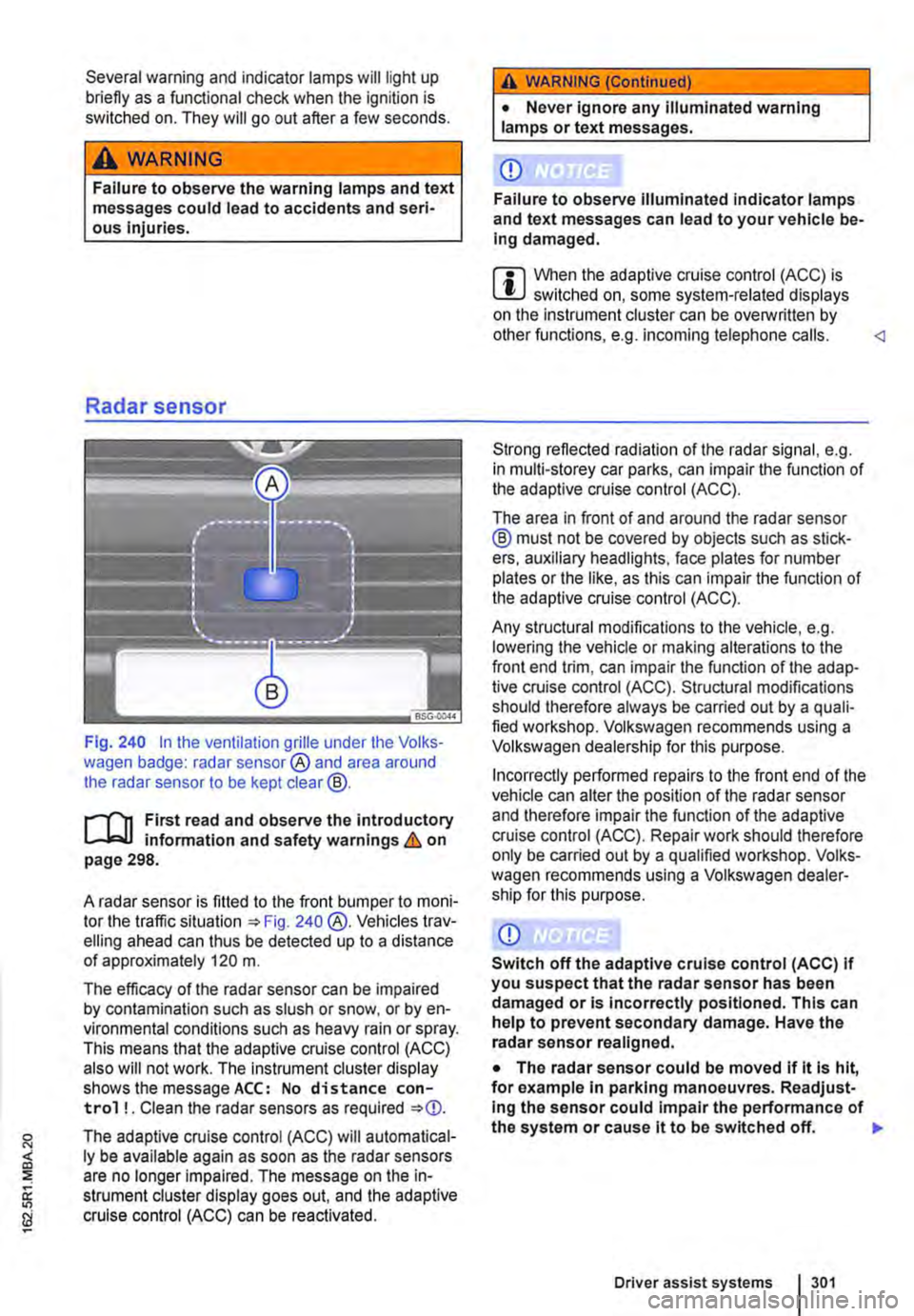
Fig. 240 In the ventilation grille under the Volks-wagen badge: radar sensor® and area around the radar sensor to be kept clear@.
r--('n First read and observe the introductory L-J,:.U information and safety warnings & on page 298.
A radar sensor is fitted to the front bumper to moni-tor the traffic situation 240 @.Vehicles trav-elling ahead can thus be detected up to a distance of approximately 120 m.
The efficacy of the radar sensor can be impaired by contamination such as slush or snow. or by en-vironmental conditions such as heavy rain or spray. This means that the adaptive cruise control (ACC) also will not work. The instrument cluster display shows the message ACC: No distance con-trol ! . Clean the radar sensors as required
The adaptive cruise control (ACC) will automatical-ly be available again as soon as the radar sensors are no longer impaired. The message on the in-strument cluster display goes out. and the adaptive cruise control (ACC) can be reactivated.
A WARNING (Continued)
• Never ignore any illuminated warning lamps or text messages.
CD
Failure to observe illuminated indicator lamps and text messages can lead to your vehicle be-Ing damaged.
m When the adaptive cruise control (ACC) is L!..J switched on, some system-related displays on the instrument cluster can be overwritlen by other functions, e.g. incoming telephone calls.
The area in front of and around the radar sensor ® must not be covered by objects such as stick-ers, auxiliary headlights, face plates for number plates or the like, as this can impair the function of the adaptive cruise control (ACC).
Any structural modifications to the vehicle, e.g. lowering the vehicle or making alterations to the front end trim, can impair the function of the adap-tive cruise control (ACC). Structural modifications should therefore always be carried out by a quali-fied workshop. Volkswagen recommends using a Volkswagen dealership for this purpose.
Incorrectly performed repairs to the front end of the vehicle can alter the position of the radar sensor and therefore impair the function of the adaptive cruise control (ACC). Repair work should therefore only be carried out by a qualified workshop. Volks-wagen recommends using a Volkswagen dealer-ship for this purpose.
CD
Switch off the adaptive cruise control (ACC) If you suspect that the radar sensor has been damaged or is incorrectly positioned. This can help to prevent secondary damage. Have the radar sensor realigned.
• The radar sensor could be moved if it is hit, for example in parking manoeuvres. Readjust-Ing the sensor could impair the performance of the system or cause it to be switched off. 11>
Driver assist systems 301
Page 302 of 486
CD CD
• Remove snow with a brush, and remove Ice • Repair work on the radar sensor will require special knowledge and tools. Volkswagen rec-ommends using a Volkswagen dealership for this purpose.
preferably with a solvent-free de-leer spray.
SSG-0047
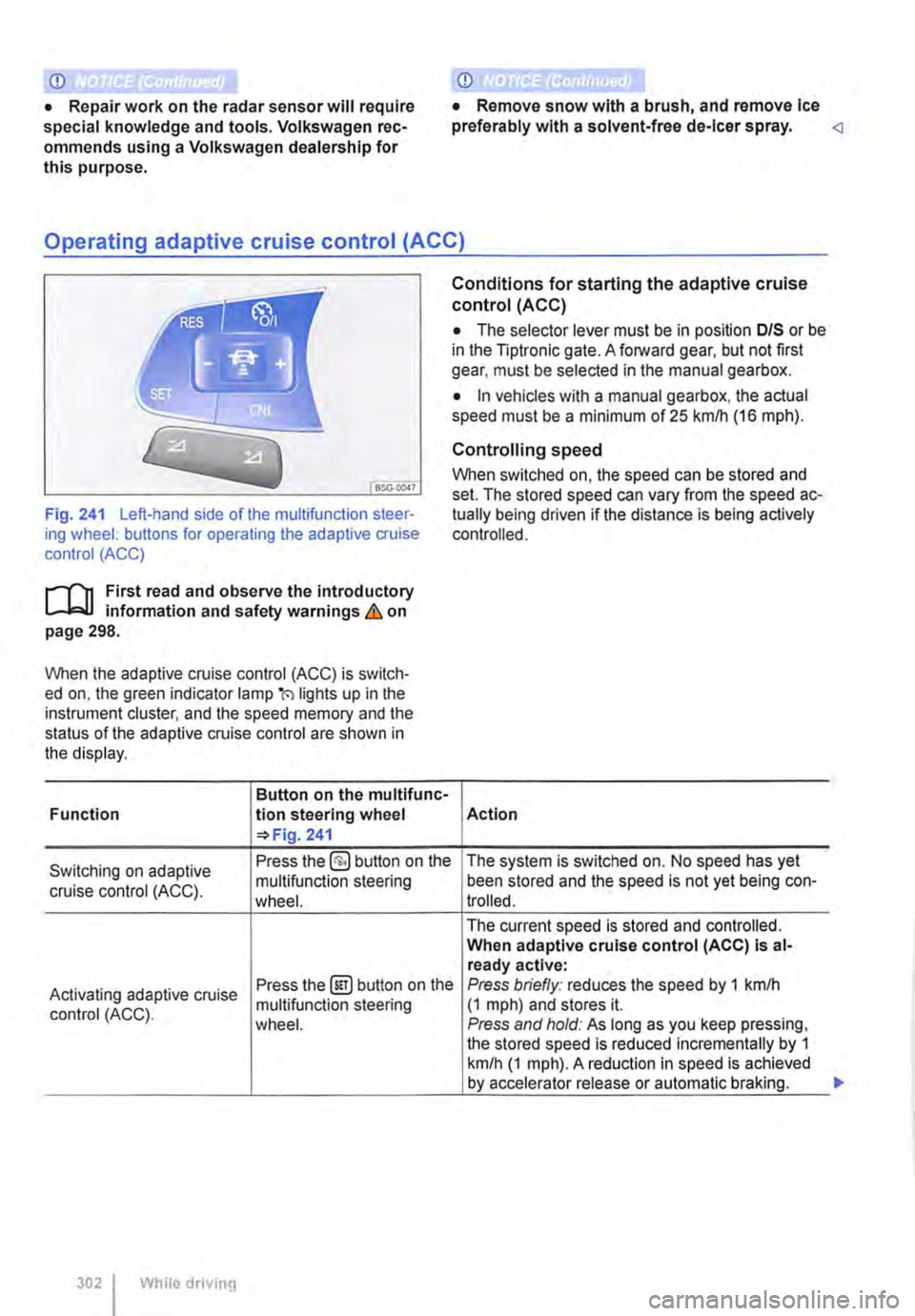
Fig. 241 Left-hand side of the multifunction steer-ing wheel: buttons for operating the adaptive cruise control (ACC)
1"1'11 First read and observe the introductory L-I=J.I information and safety warnings Lb. on page 298.
When the adaptive cruise control (ACC) is switch-ed on, the green indicator lamp(') lights up in the instrument cluster, and the speed memory and the status of the adaptive cruise control are shown in the display.
Button on the multifunc-Function lion steering wheel 241
Conditions for starting the adaptive cruise control (ACC)
• The selector lever must be in position D/S or be in the Tiptronic gate. A forward gear, but not first gear, must be selected in the manual gearbox.
• In vehicles with a manual gearbox, the actual speed must be a minimum of 25 kmlh (16 m ph).
Controlling speed
When switched on, the speed can be stored and set. The stored speed can vary from the speed ac-tually being driven if the distance is being actively controlled.
Action
Switching on adaptive Press the §) button on the The system is switched on. No speed has yet
cruise control (ACC). multifunction steering been stored and the speed is not yet being con-wheel. trolled.
The current speed is stored and controlled. When adaptive cruise control (ACC) Is al-ready active:
Activating adaptive cruise Press the@!) button on the Press briefly: reduces the speed by 1 kmlh
control (ACC). multifunction steering (1 mph) and stores it. wheel. Press and hold: As long as you keep pressing, the stored speed is reduced incrementally by 1 km/h (1 mph). A reduction in speed is achieved by accelerator release or automatic braking.
302 While driving
...