ACC assist VOLKSWAGEN TRANSPORTER 2015 Owner´s Manual
[x] Cancel search | Manufacturer: VOLKSWAGEN, Model Year: 2015, Model line: TRANSPORTER, Model: VOLKSWAGEN TRANSPORTER 2015Pages: 486, PDF Size: 72.17 MB
Page 308 of 486
A WARNING (Continued)
• Front Assist can Issue unnecessary warn-ings and carry out unwanted braking inter-ventions when Its function is Impaired, e.g. if the position of the radar sensor has been soiled or changed.
• The Front Assist does not react to per-sons, animals or vehicles crossing or ap-proaching In the same lane.
• The driver must be prepared to take full control of the vehicle at all times.
m The brake pedal feels "harder" when Front W Assist triggers the brakes.
Displays
A
m Automatic brake intervention by Front Assist W can be stopped by using the accelerator or through steering intervention.
m Deactivate Front Assist if it does not function W as described in this chapter, e.g. if multiple unwanted interventions occur, deactivate Front As-sist and have the system checked by a qualified workshop as soon as possible. Volkswagen recom-mends using a Volkswagen dealership for this pur-pose. <1
BSG 0075
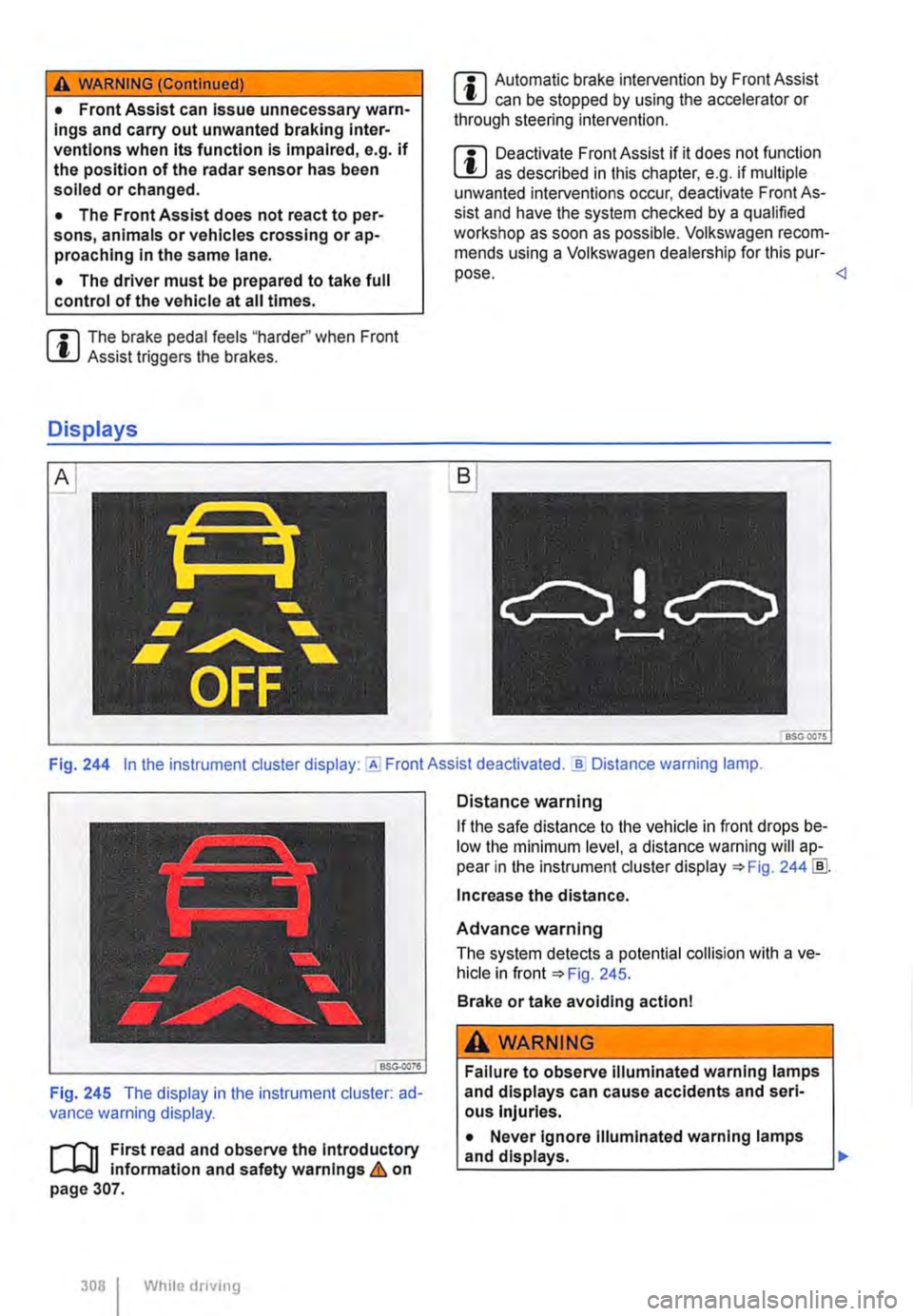
Fig. 244 In the instrument cluster display: Assist deactivated . ..!!. Distance warning lamp.
Fig. 245 The display in the instrument cluster: ad-vance warning display.
,....--m First read and observe the Introductory l.-.J,:.,U information and safety warnings & on page 307.
308 I While dnving
Distance warning
If the safe distance to the vehicle in front drops be-low the minimum level, a distance warning will ap-pear in the instrument cluster display ::.Fig. 244 !ID.
Increase the distance.
Advance warning
The system detects a potential collision with a ve-hicle in front ::.Fig. 245.
Brake or take avoiding action!
A WARNING
Failure to observe illuminated warning lamps and displays can cause accidents and seri-ous Injuries.
• Never ignore Illuminated warning lamps
La_n_d __
Page 310 of 486
Volkswagen recommends that Front Assist is switched on at all times. Exceptions =>page 310, Temporarily switch off the front scan system (Front Assist) in the following situations.
Activating and deactivating the front scan system
The front scan system can be activated and deacti-vated using the Front Assist option in the As-sistant submenu of the Settings menu. A tick indicates that a driver assist system is switched on.
The advance warning and distance warning are deactivated as well when the front scan system is deactivated.
If the front scan system is deactivated, a confirma-tory symbol is shown in the instrument cluster dis-play =>page 308
Activating and deactivating the advanced warning
The advance warning can be activated and deacti-vated using the Front Assist option in the As-sistant submenu of the Settings menu.
Activating or deactivating the distance warning
Depending on the vehicle equipment, the distance warning can be activated and deactivated using the Front Assist option in the Assistant sub-menu of the Settings menu.
Volkswagen recommends that the distance warn-ing is switched on at all times.
following situations
r-T'n First read and observe the introductory l-J,::JJ information and safety warnings & on page 307.
The area monitoring system (Front Assist) should be switched off in the following situations due to system limitations => &:
• If the vehicle is being towed.
• If the vehicle is on a rolling road test bed.
• If the vehide is utilised in a capacity beyond us-age on public roads, e.g. off-road or racing.
• If the radar sensor is faulty.
310 I While drivtng
• On external force on the radar sensor, e.g. after a rear-end collision.
• In the event of multiple unwanted interventions.
• If the radar sensor is covered temporarily by any auxiliary equipment, e.g. auxiliary headlights.
• If the vehicle is being loaded onto a truck, car ferry or motorail train.
A WARNING
Failure to switch off Front Assist in the situa-tions mentioned can cause accidents and se-rious Injuries.
Page 311 of 486
City Emergency Brake function
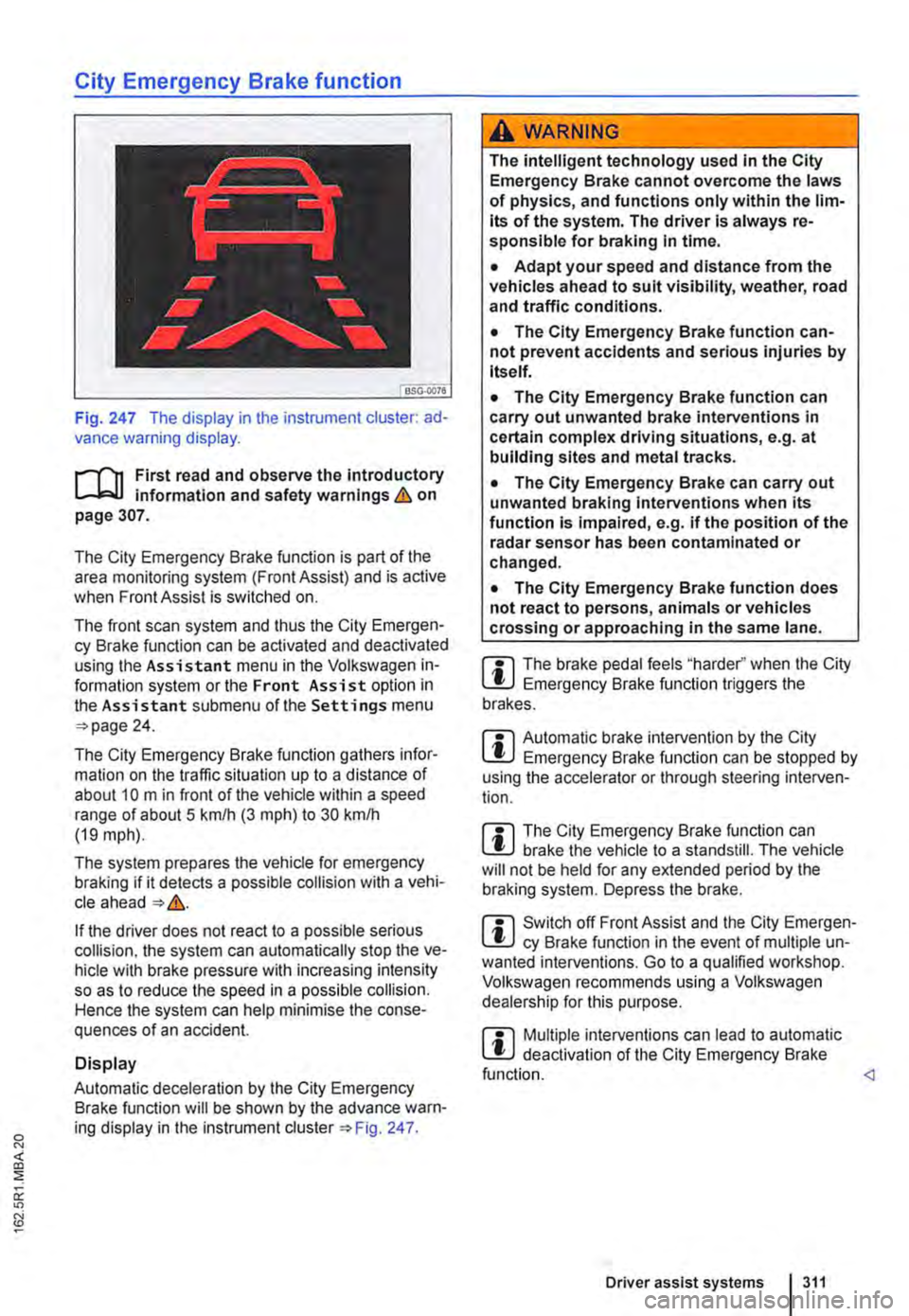
Fig. 247 The display in the instrument cluster: ad-vance warning display.
,...-m First read and observe the introductory information and safety warnings & on page 307.
The City Emergency Brake function is part of the area monitoring system (Front Assist) and is active when Front Assist is switched on.
The front scan system and thus the City Emergen-cy Brake function can be activated and deactivated using the Assistant menu in the Volkswagen in-formation system or the Front Assist option in the Assistant submenu of the Settings menu 24.
The City Emergency Brake function gathers infor-mation on the traffic situation up to a distance of about 10 m in front of the vehicle within a speed range of about 5 km/h (3 m ph) to 30 kmlh (19 mph).
The system prepares the vehicle for emergency braking if it detects a possible collision with a vehi-cle ahead &.
If the driver does not react to a possible serious collision, the system can automatically stop the ve-hicle with brake pressure with increasing intensity so as to reduce the speed in a possible collision. Hence the system can help minimise the conse-quences of an accident.
Display
Automatic deceleration by the City Emergency Brake function will be shown by the advance warn-ing display in the instrument Fig. 247.
A wARNING
The intelligent technology used in the City Emergency Brake cannot overcome the laws of physics, and functions only within the lim-its of the system. The driver is always re-sponsible for braking In time.
• Adapt your speed and distance from the vehicles ahead to suit visibility, weather, road and traffic conditions.
• The City Emergency Brake function can-not prevent accidents and serious injuries by itself.
• The City Emergency Brake function can carry out unwanted brake interventions in certain complex driving situations, e.g. at building sites and metal tracks.
• The City Emergency Brake can carry out unwanted braking interventions when its function is impaired, e.g. if the position of the radar sensor has been contaminated or changed.
• The City Emergency Brake function does not react to persons, animals or vehicles crossing or approaching in the same lane.
m The brake pedal feels "harder" when the City l!J Emergency Brake function triggers the brakes.
m Automatic brake intervention by the City l!J Emergency Brake function can be stopped by using the accelerator or through steering interven-tion.
m The City Emergency Brake function can L!J brake the vehicle to a standstill. The vehicle will not be held for any extended period by the braking system. Depress the brake.
m Switch off Front Assist and the City Emergen-L!J cy Brake function in the event of multiple un-wanted interventions. Go to a qualified workshop. Volkswagen recommends using a Volkswagen dealership for this purpose.
m Multiple interventions can lead to automatic l!J deactivation of the City Emergency Brake function.
Page 312 of 486
System limits
r-('n First read and observe the Introductory L-J,:.U Information and safety warnings & on page 307.
The area monitoring system (Front Assist) has physical and system-related limits. The driver may therefore feel that, in certain circumstances, some Front Assist reactions occur unexpectedly or with a delay. You should therefore always be prepared to take full control of the vehicle if necessary.
The following conditions can prevent Front Assist from reacting, or cause a delay in its reaction:
• In tight bends.
• If the accelerator is fully depressed.
• If Front Assist is switched off or there is a fault.
• If TCS or ESC is switched off manually.
• If the ESC is taking corrective action.
• If there is a fault in several brake lights on the vehicle or on a trailer with an electrical connection to the vehicle.
• If the radar sensor is dirty or covered.
• If the vehicle is reversing.
• Under hard acceleration.
• In snow or heavy rain.
• In case of narrow vehicles, e.g. motorbikes.
• If vehicles are travelling slightly to the left or right of your vehicle.
• If vehicles are crossing in front of your vehicle.
• If there is oncoming traffic.
• In uncertain traffic situations.
• 1/Vhen loads or attachment parts on other vehi-cles protrude to the side, rear or above the normal dimensions of the vehicle.
COJ Introduction
This chapter contains information on the following subjects:
Indicator lamp ... .
Operation ....... .
Driving situations ..........•.............
313
314
315
The lane change assist system (Side As-
sist) provides assistance when checking
for traffic behind the vehicle.
The lane change assist system cannot be switched on if the factory-fitted towing bracket is electrically connected to the trailer. The lane change assist system must be switched off manually for non-fac-tory-fitted towing brackets.
The lane change assist system has been designed for use on surfaced roads only.
Additional information and warnings:
• Exterior views =<>page 5
• Volkswagen information system =<>page 24
• Accessories, modifications, repairs and renewal of parts =<>page 394.
3121 While drivmg
A WARNING
The Intelligent technology of the lane change assist system (Side Assist) cannot change the laws of physics or the system-related ve-hicle limitations. Always take care when us-Ing the lane change assist system as you could otherwise cause accidents or Injuries. The system Is not a substitute for the full concentration of the driver.
• Adapt your speed and distance from the vehicles ahead to suit visibility, weather, road and traffic conditions.
• Your hands should always be on the steer-Ing wheel so that you can steer at any time.
• Pay attention to the visual displays in the exterior mirror housing and in the Instrument cluster display, and respond to the com-mands.
• The lane change assist system may react to special roadside structures, e.g. high or offset crash barriers. This can lead to error warnings. ,..
Page 313 of 486
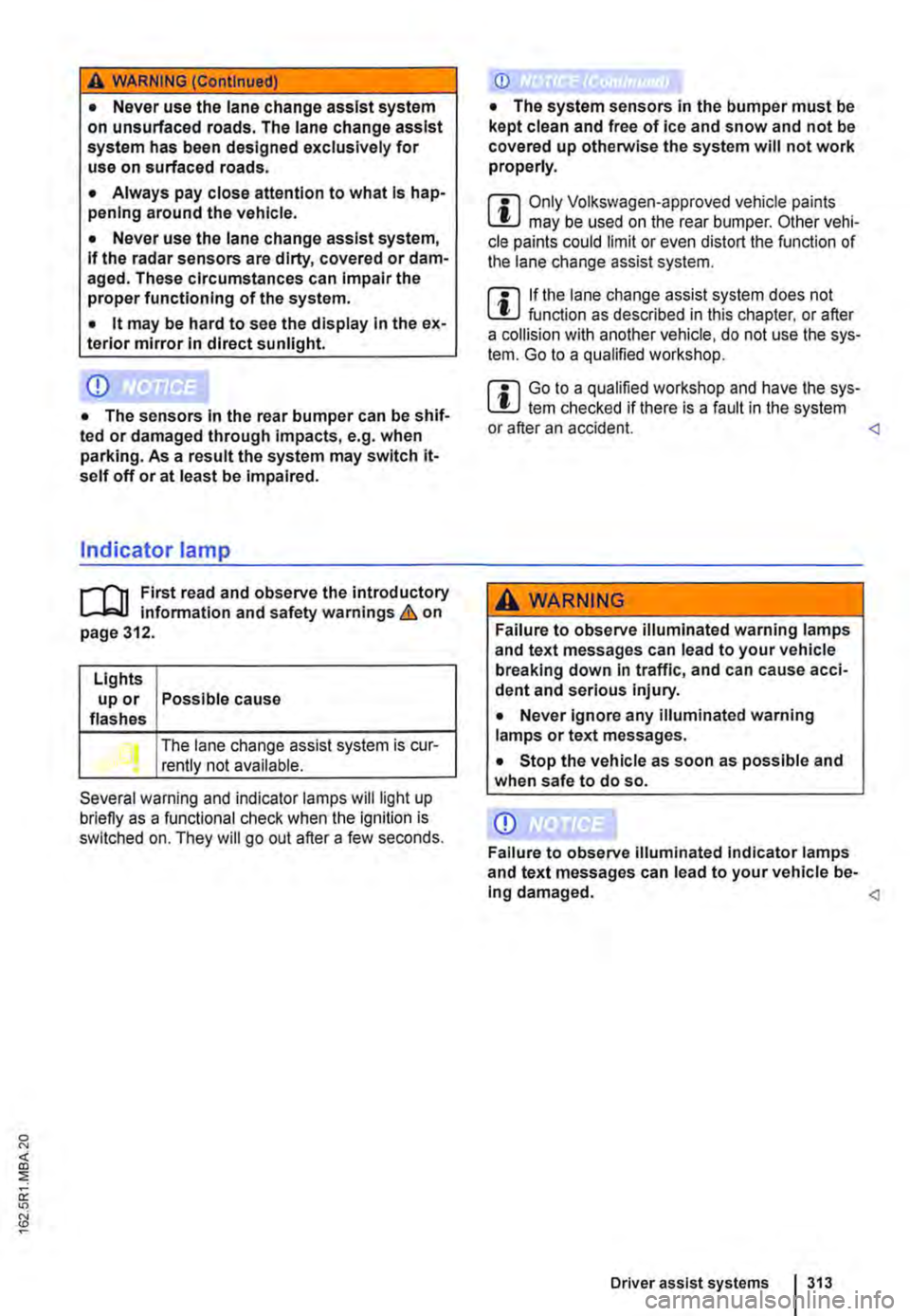
A WARNING (Continued)
• Never use the lane change assist system on unsurfaced roads. The lane change assist system has been designed exclusively for use on surfaced roads.
• Always pay close attention to what Is hap-pening around the vehicle.
• Never use the lane change assist system, If the radar sensors are dirty, covered or dam-aged. These circumstances can Impair the proper functioning of the system.
• lt may be hard to see the display In the ex-terior mirror In direct sunlight.
Indicator lamp
.---T'n First read and observe the introductory L-J,:..IJ Information and safety warnings & on page 312.
Lights up or Possible cause flashes
The lane change assist system is cur-rently not available.
Several warning and indicator lamps will light up briefly as a functional check when the ignition is switched on. They will go out after a few seconds.
m Only Volkswagen-approved vehicle paints L!..J may be used on the rear bumper. Other vehi-cle paints could limit or even distort the function of the lane change assist system.
m If the lane change assist system does not L!..J function as described in this chapter, or after a collision with another vehicle, do not use the sys-tem. Go to a qualified workshop.
m Go to a qualified workshop and have the sys-L!..J tern checked ifthere is a fault in the system or after an accident.
Failure to observe illuminated warning lamps and text messages can lead to your vehicle breaking down in traffic, and can cause acci-dent and serious Injury.
• Never ignore any illuminated warning lamps or text messages.
• Stop the vehicle as soon as possible and when safe to do so.
Page 316 of 486
Additional information and warnings:
• Volkswagen information system =>page 24
• Accessories, modifications, repairs and renewal of parts (information stored in the control units) =>page 394
A WARNING
The Intelligent technology used In the Driver Alert System cannot overcome the laws of physics, and functions only within the limits of the system. Do not let the extra conven-ience afforded by the Driver Alert System tempt you Into taking any risks when driving -this can cause accidents. During a long trip, plan regular and sufficient breaks.
• The driver Is responsible at all times for their fitness to drive.
• Never drive a vehicle when you are tired.
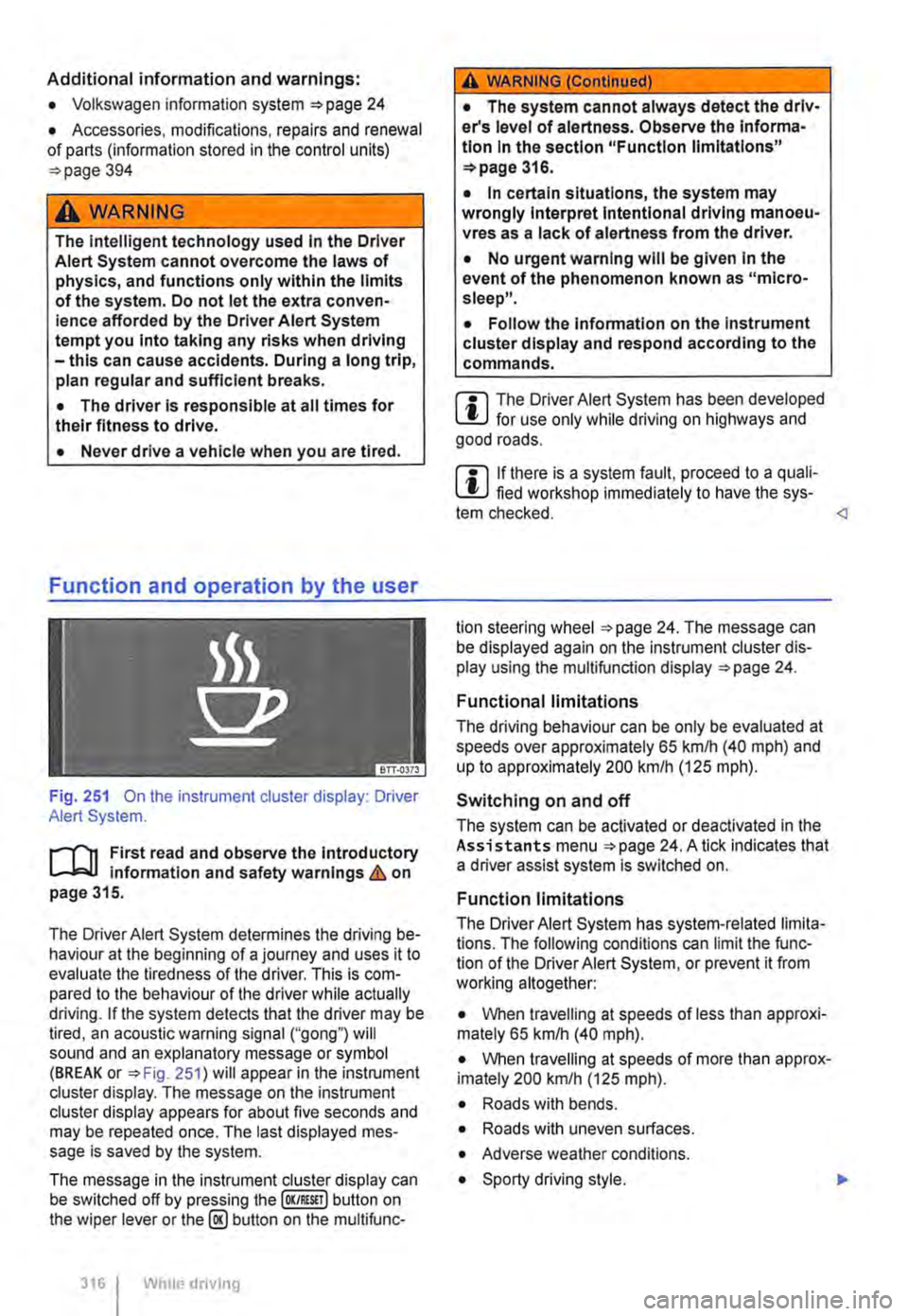
Fig. 251 On the instrument cluster display: Driver Alert System.
r--('n First read and observe the Introductory Information and safety warnings&. on page 315.
The Driver Alert System determines the driving be-haviour at the beginning of a journey and uses it to evaluate the tiredness of the driver. This is com-pared to the behaviour of the driver while actually driving. If the system detects that the driver may be tired, an acoustic warning signal ("gong") will sound and an explanatory message or symbol (BREAK or =>Fig. 251) will appear in the instrument cluster display. The message on the instrument cluster display appears for about five seconds and may be repeated once. The last displayed mes-sage is saved by the system.
The message in the instrument cluster display can be switched off by pressing the (OK/RESIT I button on the wiper lever or the@ button on the multifunc-
316 I Whole driving
A WARNING (Continued)
• The system cannot always detect the driv-er's level of alertness. Observe the Informa-tion In the section "Function limitations" =>page 316.
• In certain situations, the system may wrongly Interpret Intentional driving manoeu-vres as a lack of alertness from the driver.
• No urgent warning will be given In the event of the phenomenon known as "micro-sleep".
• Follow the Information on the Instrument cluster display and respond according to the commands.
m The Driver Alert System has been developed l!..J for use only while driving on highways and good roads.
m If there is a system fault, proceed to a quali-L!..J fied workshop immediately to have the sys-tem checked.
Functional limitations
The driving behaviour can be only be evaluated at speeds over approximately 65 kmlh (40 mph) and up to approximately 200 km/h (125 m ph).
Switching on and off
The system can be activated or deactivated in the Assistants menu =>page 24. A tick indicates that a driver assist system is switched on.
Function limitations
The Driver Alert System has system-related limita-tions. The following conditions can limit the func-tion of the Driver Alert System, or prevent it from working altogether:
• When travelling at speeds of less than approxi-mately 65 km/h (40 mph).
• When travelling at speeds of more than approx-imately 200 km/h (125 mph).
• Roads with bends.
• Roads with uneven surfaces.
• Adverse weather conditions.
• Sporty driving style. .,..
Page 317 of 486
• Towing a heavy/long trailer.
• The driver is distracted.
The Driver Alert System is reset when:
• The ignition is switched off.
• The driver seat belt is unfastened and the driv-er door is open.
• The vehicle is stationary for longer than 15 mi-nutes.
Adaptive chassis control (DCC)
ell! Introduction
This chapter contains information on the following subjects:
Indicator lamp ....
Function and operation .
Additional information and warnings:
317
318
• Accessories, modifications, repairs and renewal of parts (information stored in the control units) 394
Indicator lamp
The Driver Alert System is automatically reset in case of long slow drives (speed less than 65 kmlh (40 mph)). If the speed is increased, the system evaluates the driving behaviour again. <1
A WARNING
Setting the adaptive chassis control while the vehicle Is In motion can distract you from the road and lead to accidents.
m If the adaptive chassis control does not func-L!.J lion as described in this chapter, have the system checked at a qualified workshop. <1
rn First read and observe the Introductory infonmation and safety warnings & on page 317.
Lit up I Possible cause
I Fault in the adaptive chassis control (DCC).
Several warning and indicator lamps will light up briefly as a functional check when the ignition is switched on. They will go out after a few seconds.
A WARNING
Failure to observe Illuminated warning lamps and text messages can lead to your vehicle breaking down In traffic, and can cause acci-dent and serious Injury.
• Never Ignore any Illuminated warning lamps or text messages.
Solution
Go to a qualified workshop and have the system checked.
A WARNING (Continued)
• Stop the vehicle as soon as possible and when safe to do so.
CD
Failure to observe illuminated indicator lamps and text messages can lead to your vehicle be-ing damaged.
Driver assist systems 317
Page 321 of 486
Function and control
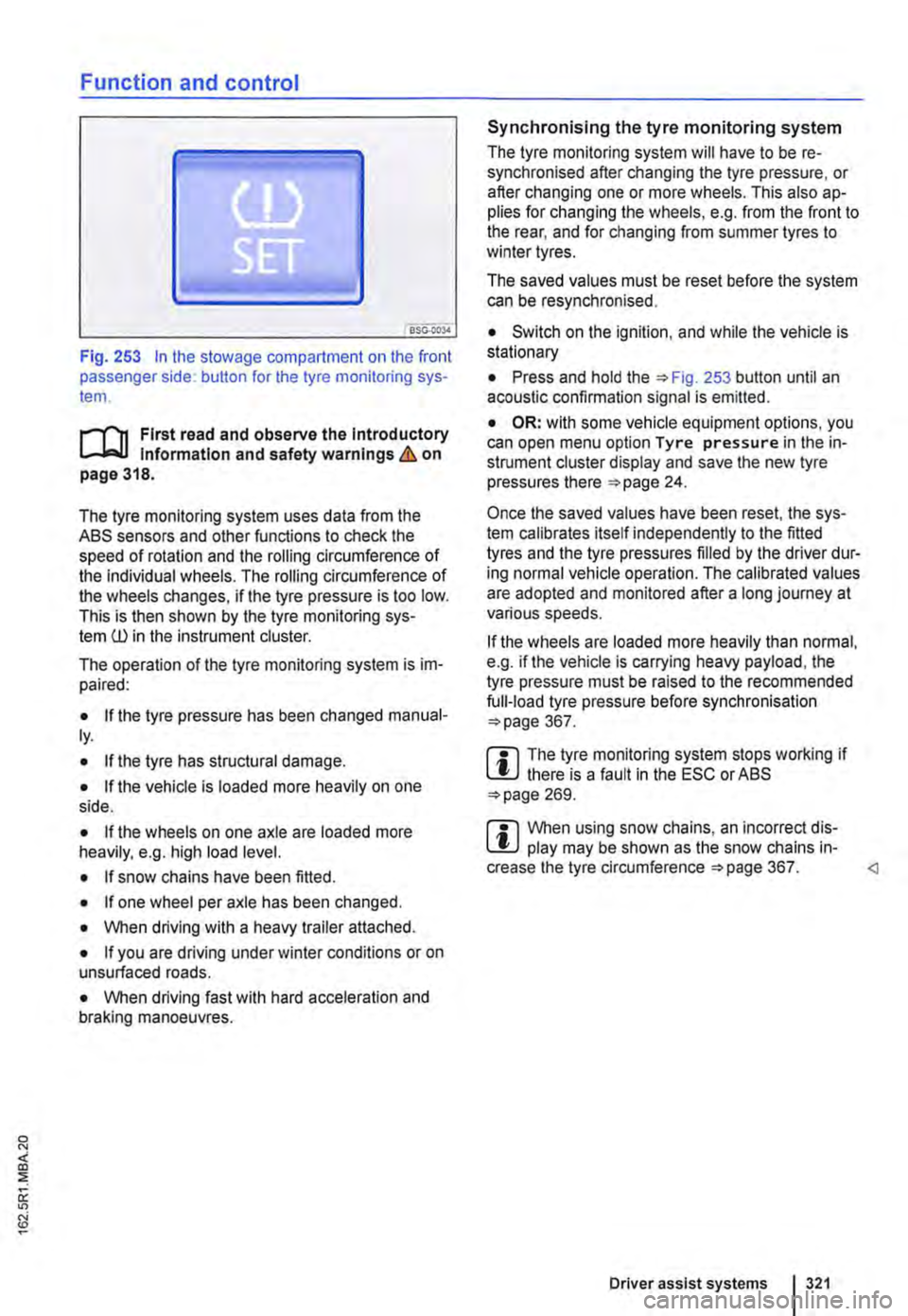
Fig. 253 In the stowage compartment on the front passenger side: button for the tyre monitoring sys-tem.
l"'"""f'n First read and observe the Introductory l.-J,.:,LL Information and safety warnings & on page 318.
The tyre monitoring system uses data from the ASS sensors and other functions to check the speed of rotation and the rolling circumference of the individual wheels. The rolling circumference of the wheels changes, if the tyre pressure is too low. This is then shown by the tyre monitoring sys-tem ill in the instrument cluster.
The operation of the tyre monitoring system is im-paired:
• If the tyre pressure has been changed manual-ly.
• If the tyre has structural damage.
• If the vehicle Is loaded more heavily on one side.
• If the wheels on one axle are loaded more heavily, e.g. high load level.
• If snow chains have been fitted.
• If one wheel per axle has been changed.
• When driving with a heavy trailer attached.
• If you are driving under winter conditions or on unsurfaced roads.
• When driving fast with hard acceleration and braking manoeuvres.
Synchronising the tyre monitoring system
The tyre monitoring system will have to be re-synchronised after changing the tyre pressure, or after changing one or more wheels. This also ap-plies for changing the wheels, e.g. from the front to the rear, and for changing from summer tyres to winter tyres.
The saved values must be reset before the system can be resynchronised.
• Switch on the ignition, and while the vehicle is stationary
• Press and hold the =>Fig. 253 button until an acoustic confirmation signal is emitted.
• OR: with some vehicle equipment options, you can open menu option Tyre pressure in the in-strument cluster display and save the new tyre pressures there =>page 24.
Once the saved values have been reset, the sys-tem calibrates itself independently to the fitted tyres and the tyre pressures filled by the driver dur-ing normal vehicle operation. The calibrated values are adopted and monitored after a long journey at various speeds.
If the wheels are loaded more heavily than normal, e.g. if the vehicle is carrying heavy payload, the tyre pressure must be raised to the recommended full-load tyre pressure before synchronisation =>page 367.
m The tyre monitoring system stops working if l!.J there is a fault in the ESC or ASS =>page 269.
m When using snow chains, an incorrect dis-l!.J play may be shown as the snow chains in-crease the tyre circumference =>page 367.
Page 341 of 486
A WARNING (Continued)
CD
-Please ensure that the spare fuel can is· ter corresponds with the Industry stand· ard, for example AN SI or ASTM F852-86.
• Remove split fuel from all vehicle compo· nents as quickly as possible In order to avoid damage to the wheel housing, tyres and vehicle paint.
• • Filling up with petrol in a vehicle fitted with a diesel engine or refilling with diesel in vehicle equipped with a petrol engine can cause seri· ous ands expensive engine damage and dam· age to the fuel system that is not covered by
Indicator lamps and fuel gauge
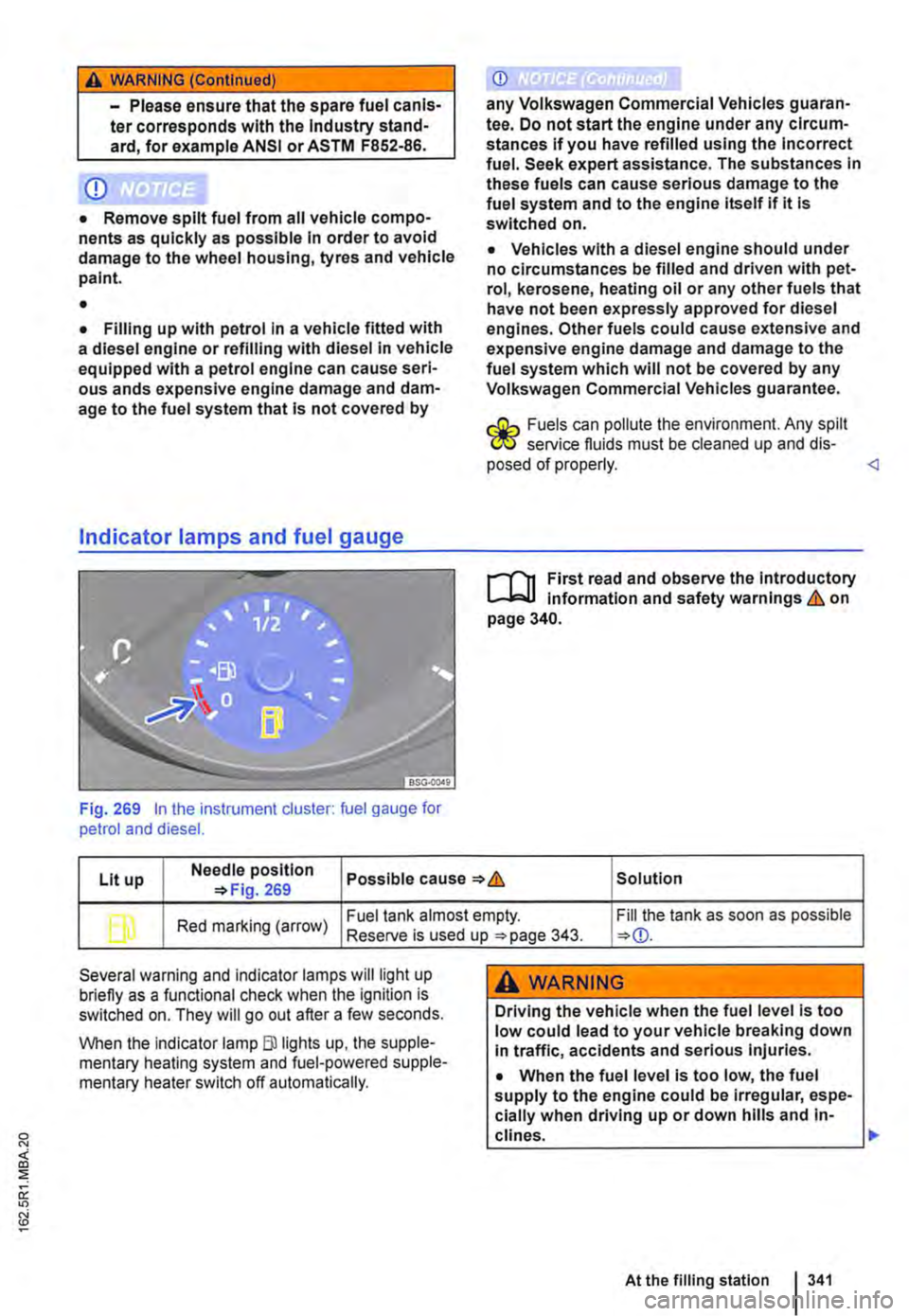
Fig. 269 In the instrument cluster: fuel gauge for petrol and diesel.
CD
any Volkswagen Commercial Vehicles guaran· tee. Do not start the engine under any circum-stances if you have refilled using the Incorrect fuel. Seek expert assistance. The substances In these fuels can cause serious damage to the fuel system and to the engine itself if it Is switched on.
• Vehicles with a diesel engine should under no circumstances be filled and driven with pet· rol, kerosene, heating oil or any other fuels that have not been expressly approved for diesel engines. Other fuels could cause extensive and expensive engine damage and damage to the fuel system which will not be covered by any Volkswagen Commercial Vehicles guarantee.
r.:Gh Fuels can pollute the environment. Any spilt W service fluids must be cleaned up and dis· posed of properly.
Lit up Needle position Possible cause & Solution 269
b Red marking (arrow) Fuel tank almost empty. Fill the tank as soon as possible Reserve is used up 343.
Several warning and indicator lamps will light up briefly as a functional check when the ignition is switched on. They will go out after a few seconds.
When the Indicator lamp Blllghts up, the supple-mentary heating system and fuel-powered supple-mentary heater switch off automatically.
A WARNING
Driving the vehicle when the fuel level is too low could lead to your vehicle breaking down In traffic, accidents and serious injuries.
• When the fuel level is too low, the fuel supply to the engine could be Irregular, espe-cially when driving up or down hills and in-clines. .,..
At the filling station 341
Page 347 of 486
A WARNING (Continued)
• If Ad Blue® gets Into the eyes or onto the skin, Immediately wash the area with lots of water for at least 15 minutes and consult a doctor.
• If Ad Blue® is swallowed, Immediately rinse the mouth out with lots of water for at least 15 minutes. Do not induce vomiting un-less Instructed to do so by a doctor. Seek medical assistance Immediately.
Warning and indicator lamps
CD
Ad Blue® can corrode surfaces such as painted vehicle parts, plastics, clothing and carpets. Remove any spiltAdBiue® as quickly as possi-ble with a damp cloth and plenty of cold water.
• If the Ad Blue® has already formed crystals, use warm water and a sponge to remove.
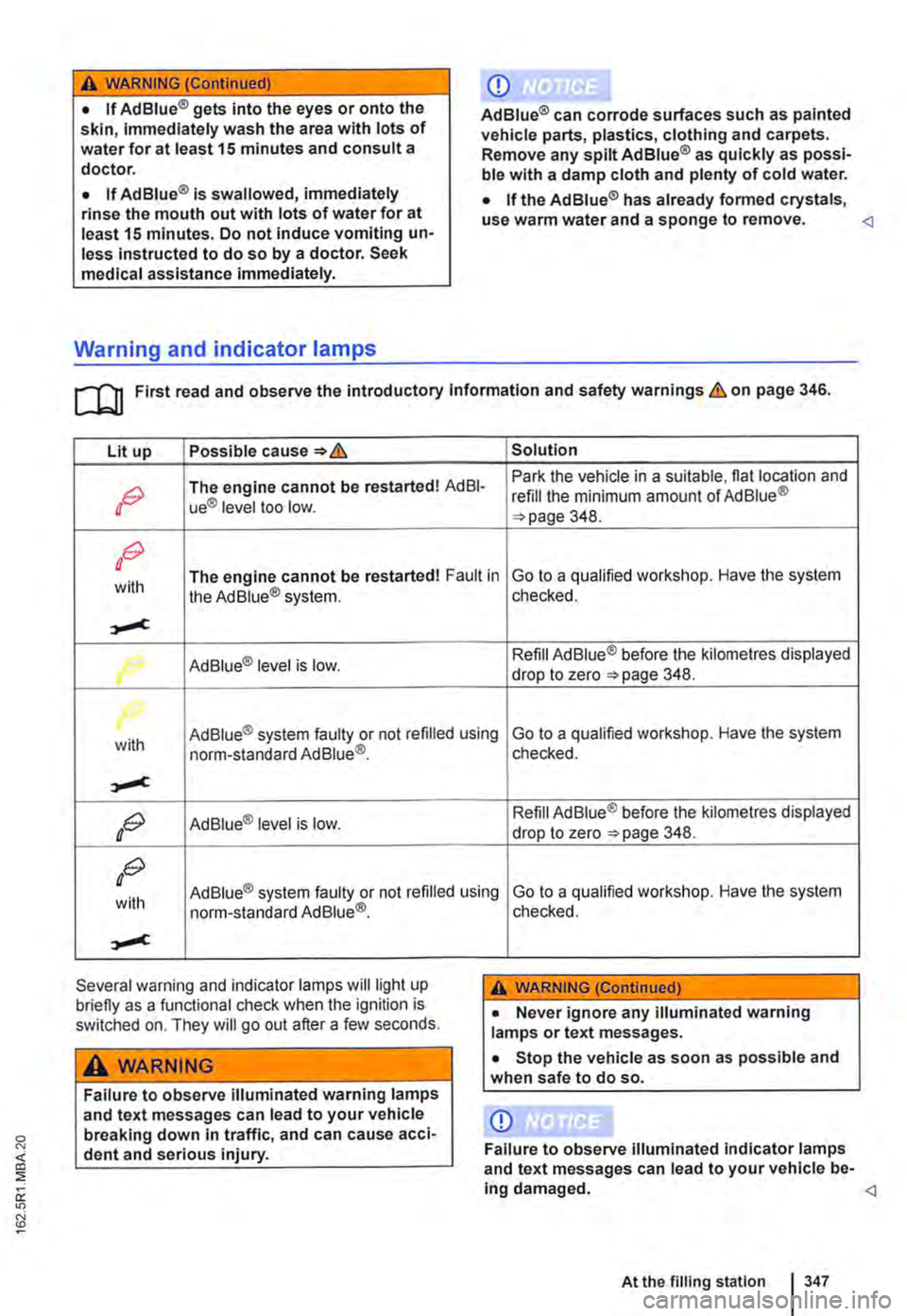
Lit up Possible Solution
OG The engine cannot be restarted! AdBI-Park the vehicle in a suitable. flat location and refill the minimum amount of Ad Blue® ue® level too low. 348.
OG
with The engine cannot be restarted! Fault in the Ad Blue® system. Go to a qualified workshop. Have the system checked.
,.,..,c
Ad Blue® level is low. Refill Ad Blue® before the kilometres displayed
r drop to zero 348.
with Ad Blue® system faulty or not refilled using norm-standard Ad Blue®_ Go to a qualified workshop. Have the system checked.
,.,..,c
OG Ad Blue® level is low. Refill Ad Blue® before the kilometres displayed drop to zero 348.
OG
with Ad Blue® system faulty or not refilled using Go to a qualified workshop. Have the system norm-standard Ad Blue®.
,.,..,c
Several warning and indicator lamps will light up briefly as a functional check when the ignition is switched on. They will go out after a few seconds.
A WARNING
Failure to observe illuminated warning lamps and text messages can lead to your vehicle breaking down in traffic, and can cause acci-dent and serious injury.
checked.
A WARNING (Continued)
• Never ignore any illuminated warning lamps or text messages.
• Stop the vehicle as soon as possible and when safe to do so.
CD
Failure to observe illuminated Indicator lamps and text messages can lead to your vehicle be-Ing damaged.