side mirrors VOLVO S60 2007 Owners Manual
[x] Cancel search | Manufacturer: VOLVO, Model Year: 2007, Model line: S60, Model: VOLVO S60 2007Pages: 200, PDF Size: 4.03 MB
Page 34 of 200
2 0 0 7
VOLVO S60
Instruments and controls
pg. 41 Instruments and controls
Instrument overview 42
Instrument panel44
Indicator and warning symbols45
Switches in the center console50
Steering wheel adjustment52
Lighting panel53
Left-side steering wheel lever55
Right-side steering wheel lever56
Hazard warning flashers, rear window/sideview mirror defroster58
Trip computer59
Cruise control60
Parking brake, auxiliary socket/cigarette lighter62
Power windows63
Rearview mirror/sideview mirrors65
Power moonroof (option)68
pg. 42 Instruments and controls
Instrument overview
ProCarManuals.com
Page 36 of 200
11. Center console switches50
12. Climate control72
13. Audio system212
14. 12 V socket62
15. Hazard warning flashers58
16. Glove compartment89
17. Panel vents73
18. Text window48
19. Temperature gauge44
20. Odometer/Trip odometer/ Cruise control indicator44
21. Speedometer44
22. Turn signal indicators44
23. Tachometer44
24. Ambient temperature/Clock/ Selected gear indicator44
25. Fuel gauge44
26. Indicator and warning symbols45
27. Panel vents73
28. Instrument lighting54
29. Not in use
30. Lighting panel53
31. Reading lights84
32. Interior lighting84
33. Moonroof control68
34. Seat belt reminder12
35. Rearview mirror65
36. Lock button, for all doors100
37. Blocking rear seat power windows64
38. Controls, power windows63
39. Controls, sideview mirrors67
40. Four-C active chassis system121
pg. 44 Instruments and controls
Instrument panel
1. Turn signal indicators - right/left
2. Text window
ProCarManuals.com
Page 49 of 200
Moving the lever up will not deactivate the rain sensor. Doing so will cause the wipers to sweep the windshield until
the lever is released, at which time the wipers return to rain sensor mode.
pg. 57 Instruments and controls
Right-side steering wheel lever
CAUTION!
The rain sensor should be deactivated when washing the vehicle in an automatic car wash, etc. If the rain sensor
function is left on, the wipers will start inadvertently in the car wash and could be damaged.
Continuous wiper function.
Wipers operate at "high" speed.
pg. 58 Instruments and controls
Hazard warning flashers, rear window/sideview mirror defroster
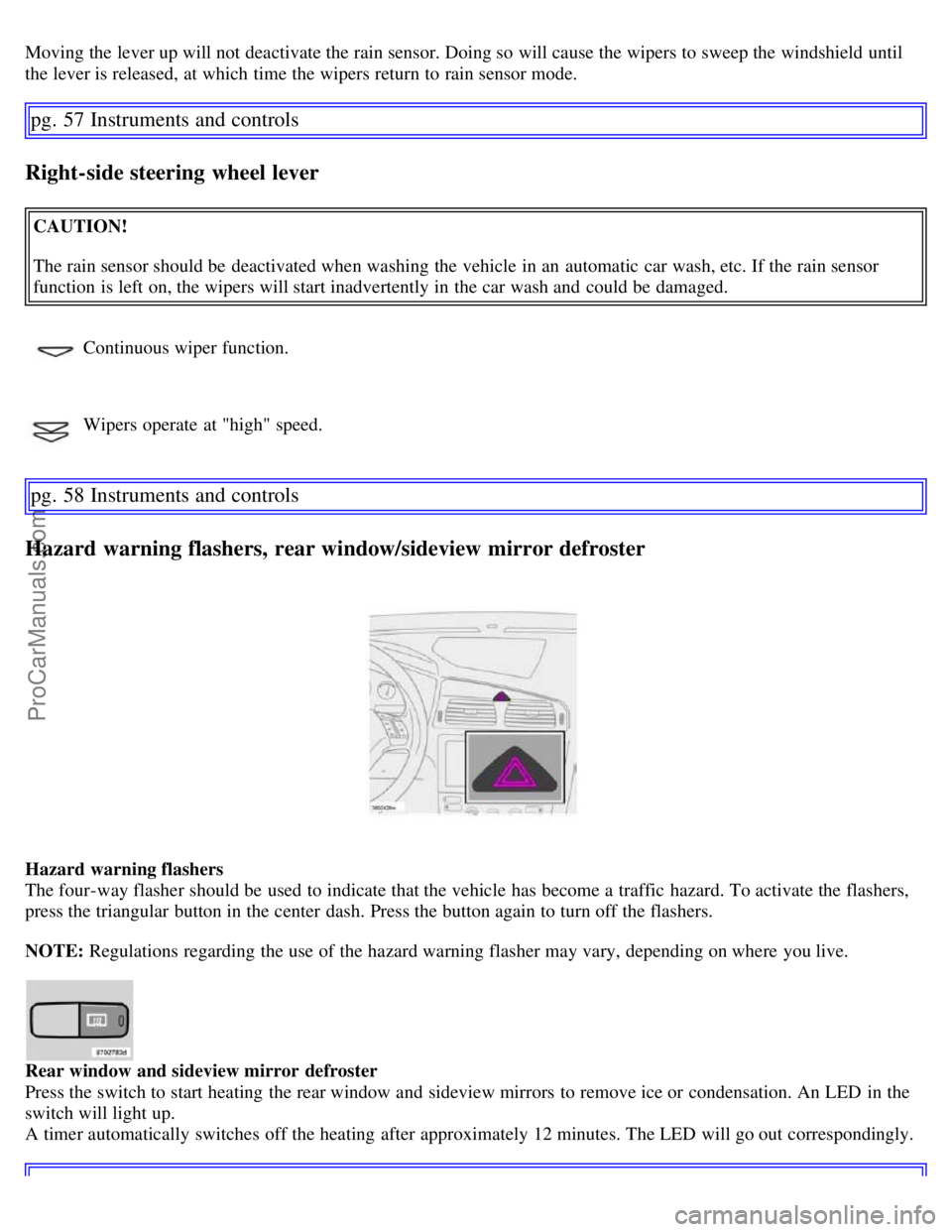
Hazard warning flashers
The four-way flasher should be used to indicate that the vehicle has become a traffic hazard. To activate the flashers,
press the triangular button in the center dash. Press the button again to turn off the flashers.
NOTE: Regulations regarding the use of the hazard warning flasher may vary, depending on where you live.
Rear window and sideview mirror defroster
Press the switch to start heating the rear window and sideview mirrors to remove ice or condensation. An LED in the
switch will light up.
A timer automatically switches off the heating after approximately 12 minutes. The LED will go out correspondingly.
ProCarManuals.com
Page 56 of 200
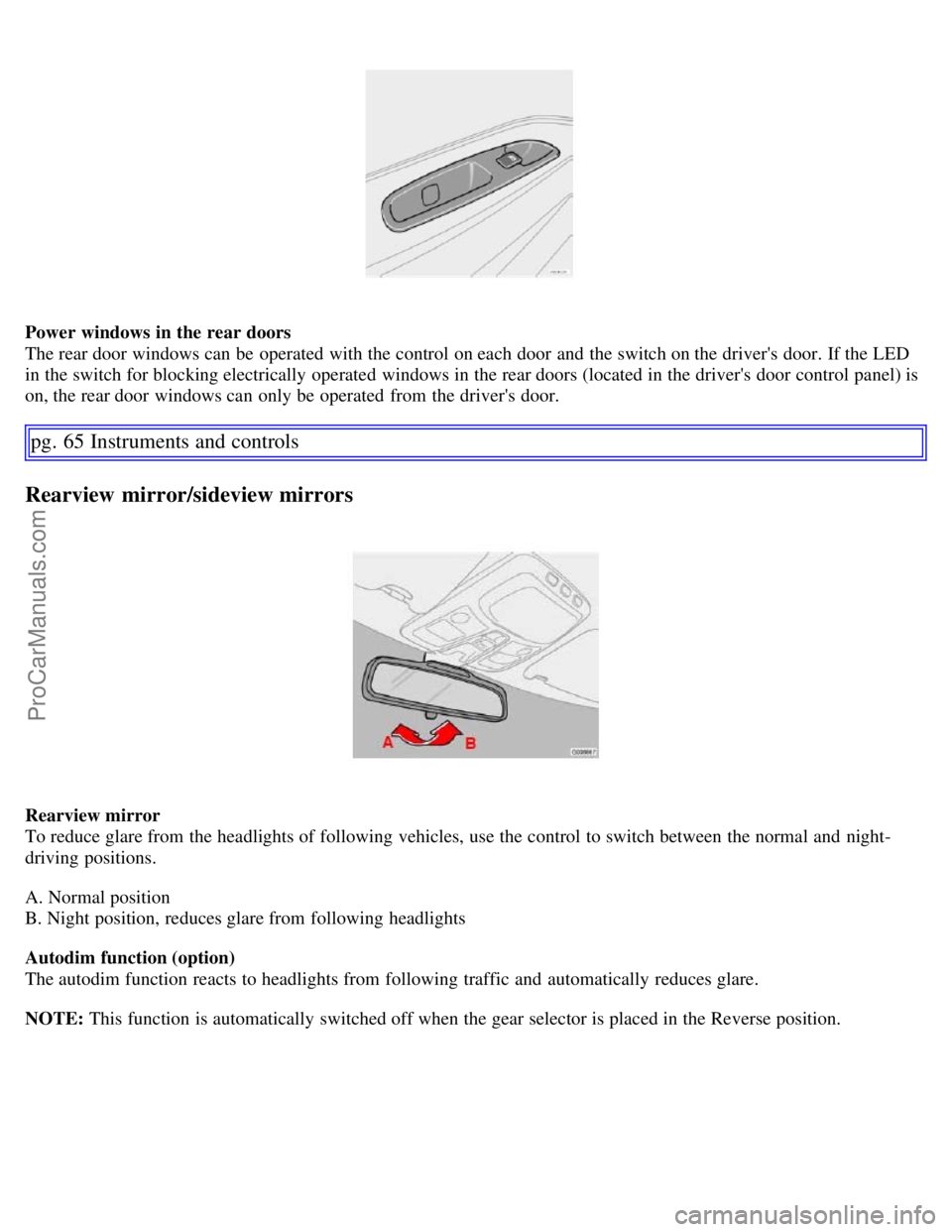
Power windows in the rear doors
The rear door windows can be operated with the control on each door and the switch on the driver's door. If the LED
in the switch for blocking electrically operated windows in the rear doors (located in the driver's door control panel) is
on, the rear door windows can only be operated from the driver's door.
pg. 65 Instruments and controls
Rearview mirror/sideview mirrors
Rearview mirror
To reduce glare from the headlights of following vehicles, use the control to switch between the normal and night-
driving positions.
A. Normal position
B. Night position, reduces glare from following headlights
Autodim function (option)
The autodim function reacts to headlights from following traffic and automatically reduces glare.
NOTE: This function is automatically switched off when the gear selector is placed in the Reverse position.
ProCarManuals.com
Page 57 of 200
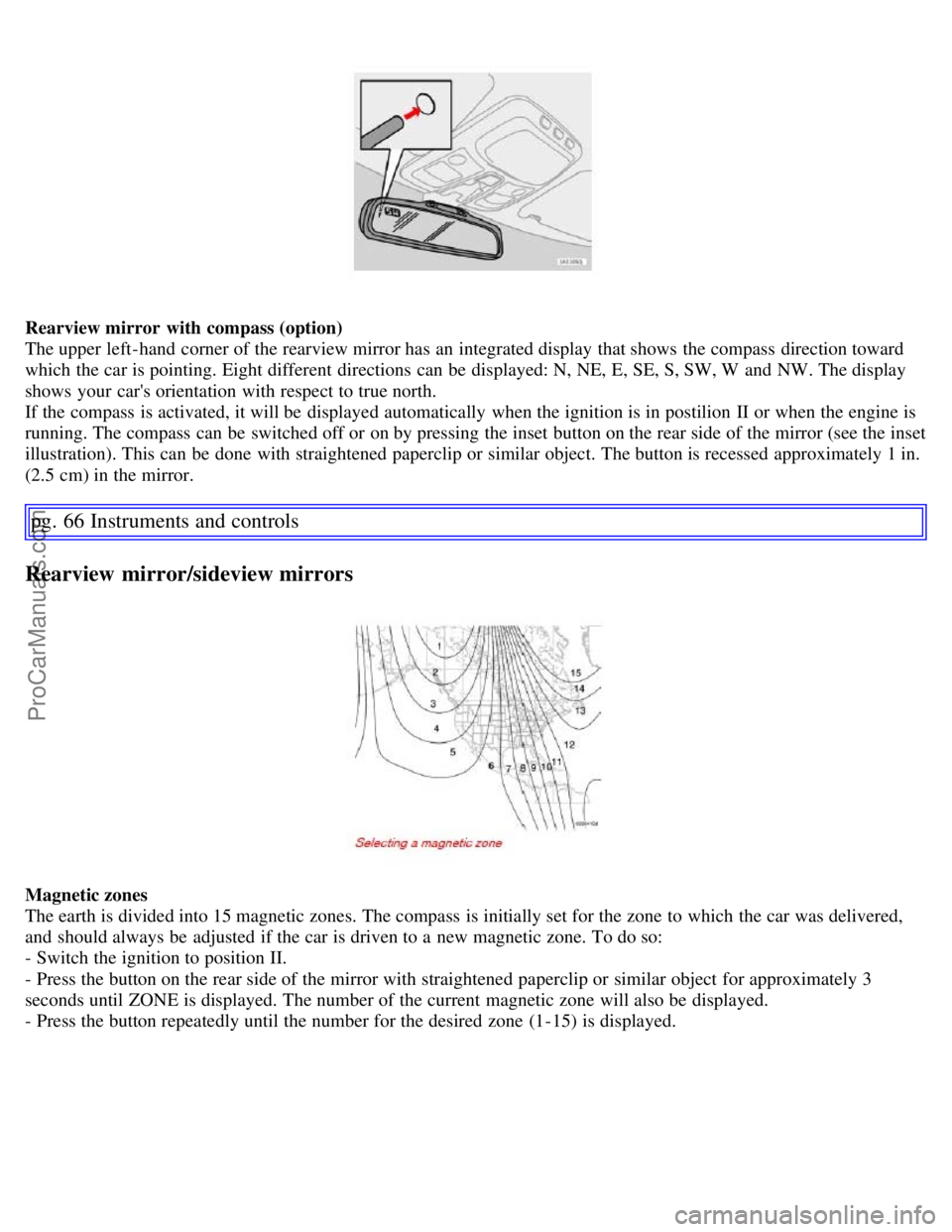
Rearview mirror with compass (option)
The upper left-hand corner of the rearview mirror has an integrated display that shows the compass direction toward
which the car is pointing. Eight different directions can be displayed: N, NE, E, SE, S, SW, W and NW. The display
shows your car's orientation with respect to true north.
If the compass is activated, it will be displayed automatically when the ignition is in postilion II or when the engine is
running. The compass can be switched off or on by pressing the inset button on the rear side of the mirror (see the inset
illustration). This can be done with straightened paperclip or similar object. The button is recessed approximately 1 in.
(2.5 cm) in the mirror.
pg. 66 Instruments and controls
Rearview mirror/sideview mirrors
Magnetic zones
The earth is divided into 15 magnetic zones. The compass is initially set for the zone to which the car was delivered,
and should always be adjusted if the car is driven to a new magnetic zone. To do so:
- Switch the ignition to position II.
- Press the button on the rear side of the mirror with straightened paperclip or similar object for approximately 3
seconds until ZONE is displayed. The number of the current magnetic zone will also be displayed.
- Press the button repeatedly until the number for the desired zone (1-15) is displayed.
ProCarManuals.com
Page 58 of 200
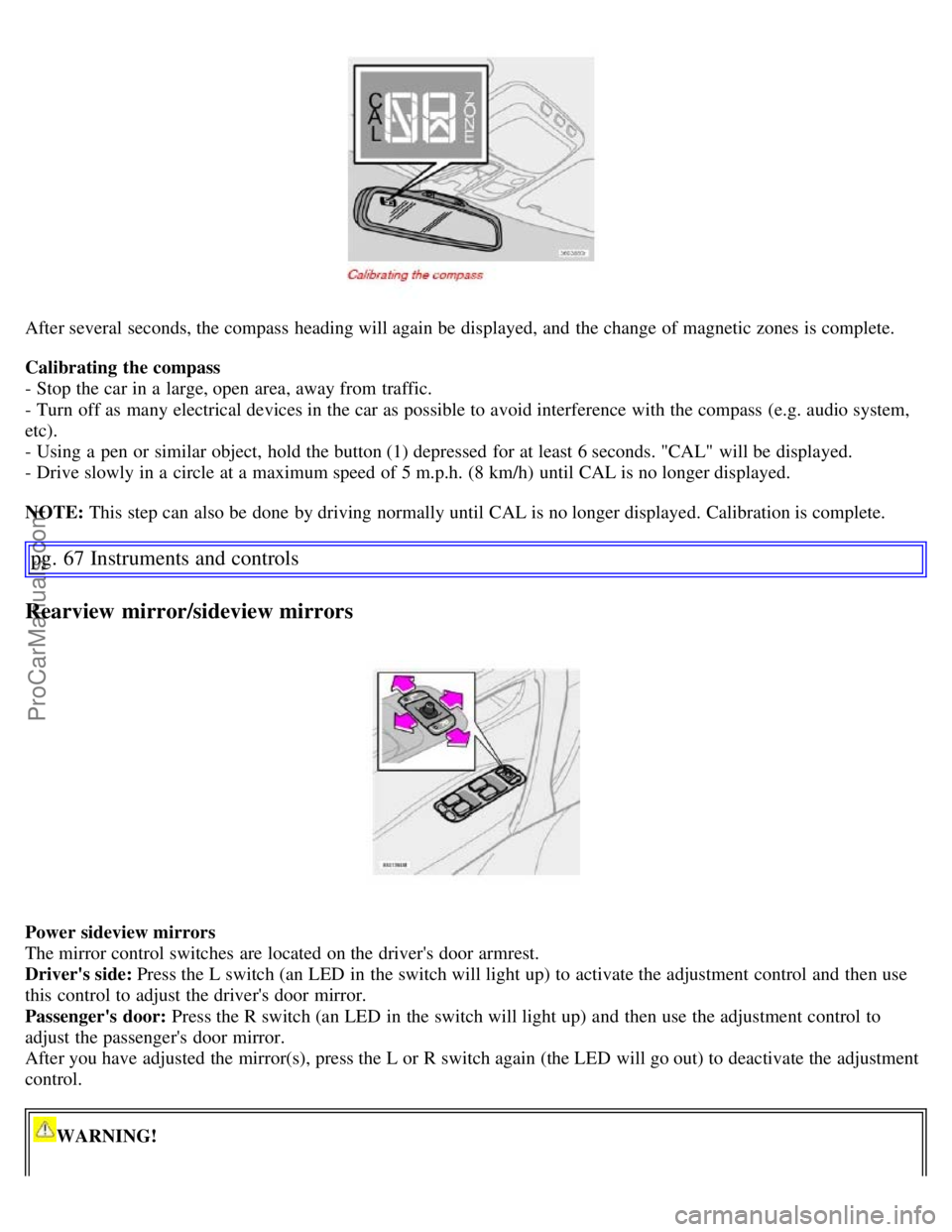
After several seconds, the compass heading will again be displayed, and the change of magnetic zones is complete.
Calibrating the compass
- Stop the car in a large, open area, away from traffic.
- Turn off as many electrical devices in the car as possible to avoid interference with the compass (e.g. audio system,
etc).
- Using a pen or similar object, hold the button (1) depressed for at least 6 seconds. "CAL" will be displayed.
- Drive slowly in a circle at a maximum speed of 5 m.p.h. (8 km/h) until CAL is no longer displayed.
NOTE: This step can also be done by driving normally until CAL is no longer displayed. Calibration is complete.
pg. 67 Instruments and controls
Rearview mirror/sideview mirrors
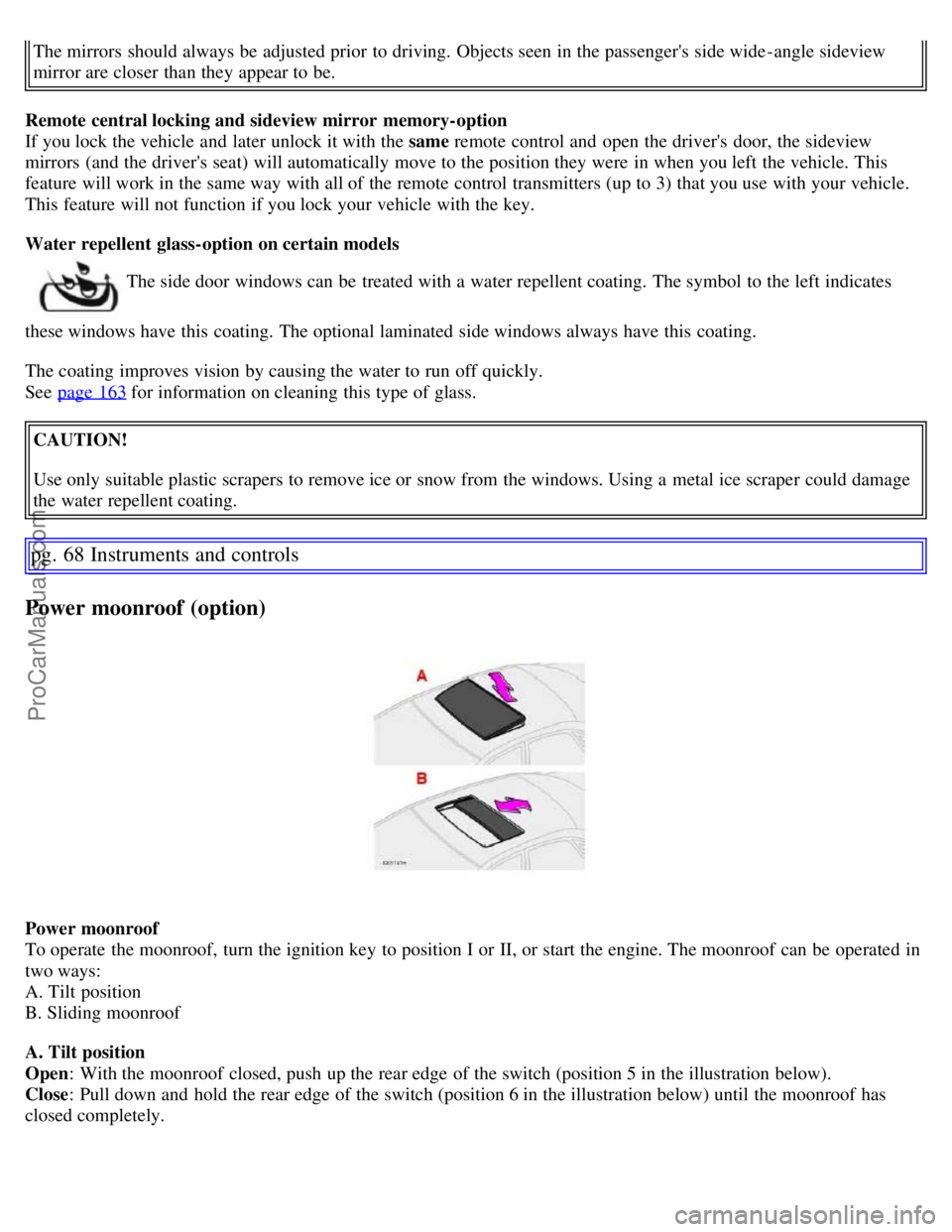
Power sideview mirrors
The mirror control switches are located on the driver's door armrest.
Driver's side: Press the L switch (an LED in the switch will light up) to activate the adjustment control and then use
this control to adjust the driver's door mirror.
Passenger's door: Press the R switch (an LED in the switch will light up) and then use the adjustment control to
adjust the passenger's door mirror.
After you have adjusted the mirror(s), press the L or R switch again (the LED will go out) to deactivate the adjustment
control.
WARNING!
ProCarManuals.com
Page 59 of 200
The mirrors should always be adjusted prior to driving. Objects seen in the passenger's side wide -angle sideview
mirror are closer than they appear to be.
Remote central locking and sideview mirror memory-option
If you lock the vehicle and later unlock it with the same remote control and open the driver's door, the sideview
mirrors (and the driver's seat) will automatically move to the position they were in when you left the vehicle. This
feature will work in the same way with all of the remote control transmitters (up to 3) that you use with your vehicle.
This feature will not function if you lock your vehicle with the key.
Water repellent glass-option on certain models
The side door windows can be treated with a water repellent coating. The symbol to the left indicates
these windows have this coating. The optional laminated side windows always have this coating.
The coating improves vision by causing the water to run off quickly.
See page 163
for information on cleaning this type of glass.
CAUTION!
Use only suitable plastic scrapers to remove ice or snow from the windows. Using a metal ice scraper could damage
the water repellent coating.
pg. 68 Instruments and controls
Power moonroof (option)
Power moonroof
To operate the moonroof, turn the ignition key to position I or II, or start the engine. The moonroof can be operated in
two ways:
A. Tilt position
B. Sliding moonroof
A. Tilt position
Open : With the moonroof closed, push up the rear edge of the switch (position 5 in the illustration below).
Close : Pull down and hold the rear edge of the switch (position 6 in the illustration below) until the moonroof has
closed completely.
ProCarManuals.com
Page 65 of 200
AUTO
This function automatically regulates the Electronic Climate Control system so that the selected temperatures
are maintained. The blower, heating, air distribution (air flow), air conditioning, and optional air quality sensor
are controlled. If you prefer to manually set any of these functions, the remaining functions will still be controlled
automatically. Pressing the AUTO button overrides any settings that were previously made manually.
Rear window and sideview mirror defrosters
This function defrosts/ de -ices the rear window and sideview mirrors. The LED in the switch will light up to indicate
that the heating function is engaged. See page 58
for additional information on this function.
Never use ice scrapers made of metal as they can easily scratch the mirror surface.
Temperature
These controls are used to individually set the temperature for both sides of the passenger compartment. Please note
that the compartment will not be heated or cooled faster by setting the temperature higher or lower than necessary.
Set the control to the temperature you prefer.
Defroster
This function defrosts/ de -ices the windshield and front side windows. The LED in the switch will light up to indicate
that the defrost function is engaged.
Blower speed increases automatically and the air conditioning will switch on (if not already on and if the passenger
compartment blower is not turned off) to dehumidify the air in the passenger compartment.
Recirculation will not function while defrost is engaged.
The climate system will return to its previous settings when the defroster function is switched off.
Blower control
Turn the control clockwise to increase or counterclockwise to decrease the blower speed. Pressing the AUTO switch
will automatically regulate blower speed and override manual adjustment.
Turning the blower control counterclockwise until an orange LED comes on will turn both the blower and the air
conditioning off.
pg. 76 Climate
ProCarManuals.com
Page 138 of 200
After cleaning the engine, the spark plug wells should be inspected for water and blown dry if necessary.
Suitable detergents: Special vehicle washing detergents should be used. A suitable mixture is about 2.5 fl. oz. (8.5 cl)
of detergent to 2.6 US gal. (10 liters) of warm water. After washing with a detergent the vehicle should be well rinsed
with clean water.
Exterior plastic components
Cleaning exterior plastic components should be done with a cleaning agent specially designed for this purpose.
Solvents or stain removers should not be used. Consult your Volvo retailer.
NOTE: When washing the vehicle, remember to remove dirt from the drain holes in the doors and sills.
WARNING!
When the vehicle is driven immediately after being washed, apply the brakes several times in order to remove any
moisture from the brake linings. Engine cleaning agents should not be used when the engine is warm. This
constitutes a fire risk.
pg. 163 Vehicle care
Washing and cleaning the vehicle
Automatic washing - simple and quick
We do NOT recommend washing your vehicle in an automatic wash during the first six months (because the paint
will not have hardened sufficiently).
An automatic wash is a simple and quick way to clean your vehicle, but it is worth remembering that it may not be
as thorough as when you yourself go over the vehicle with sponge and water. Keeping the underbody clean is most
important, especially in the winter. Some automatic washers do not have facilities for washing the underbody.
Before driving into an automatic vehicle wash, make sure that side view mirrors, auxiliary lamps, etc, are secure,
and that any antenna(s) are retracted or removed. Otherwise there is risk of the machine dislodging them.
Exterior lighting
Condensation may form temporarily on the inside of the lenses of exterior lights such as headlights, fog lights, or tail
lights. This is normal and the lights are designed to withstand moisture. Normally, condensation will dissipate after the
lights have been on for a short time.
Polishing and waxing
Normally, polishing is not required during the first year after delivery, however, waxing may be beneficial.
Before applying polish or wax the vehicle must be washed and dried. Tar spots can be removed with kerosene or tar
remover. Difficult spots may require a fine rubbing compound.
After polishing use liquid or paste wax.
Several commercially available products contain both polish and wax.
Waxing alone does not substitute for polishing a dull surface.
A wide range of polymer-based vehicle waxes can be purchased today. These waxes are easy to use and produce a
long-lasting, high-gloss finish that protects the bodywork against oxidation, road dirt and fading.
Do not polish or wax your vehicle in direct sunlight (the surface of the vehicle should not be warmer than 113° F
(45° C).
CAUTION!
ProCarManuals.com
Page 155 of 200
Replacing the battery
- Switch off the ignition and remove the key.
- Wait at least 5 minutes after switching off the ignition before disconnecting the battery so that all information in the
vehicle's electrical system can be stored in the control modules.
- Remove the bolts on the retaining bracket over the battery and lift out the bracket.
- Fold up the plastic cover over the negative (ground) battery terminal. or unscrew the cover over the battery.
- Disconnect the negative cable.
- Lift off the plastic cover if necessary and disconnect the positive cable
- Pull the ventilation hose from the battery.
- Lift out the old battery.
Installing a new battery
- Put a new battery into place.
- Put the lower retaining bracket in place and retighten the bolt.
- Reconnect the positive cable.
- Press the cover for the positive battery terminal into place and fold down the lid of the plastic cover.
- Connect the negative (ground) cable and fold down the plastic cover if applicable.
- Be sure that the ventilation hose is securely connected to the battery and that the other end of the hose is properly
routed through the ventilation opening in the floor of the battery compartment (see the illustration).
- Reinstall the retaining bracket over the battery and retighten the nuts.
WARNING!
Ventilation hose:
The battery generates hydrogen gas, which is flammable and explosive. The battery is fitted with a ventilation
hose which vents hydrogen gas out of the battery compartment through a ventilation opening in the bottom of this
compartment. If the battery must be replaced, it is essential that the ventilation hose is properly connected to the
battery and that it is routed through the ventilation opening provided (see illustration).
Be sure the ventilation hose is free of debris.
Only use replacement batteries equipped with a ventilation hose. Consult your Volvo retailer.
NOTE: After the battery has been disconnected or replaced, lock and unlock the vehicle with the central locking
system's remote control to reactivate such features as the power windows, moonroof, courtesy lighting, etc.
pg. 182 Maintenance and servicing
Replacing bulbs
When replacing bulbs, keep the following points in mind:
Never touch the glass of bulbs with your fingers. Grease and oils from your fingers vaporize in the heat and will
leave a deposit on the reflector, which will damage it.
The optional Active Bi -Xenon headlight bulbs contain trace amounts of mercury. These bulbs should always be
disposed of by an authorized Volvo retailer.
The following bulbs should only be replaced by an authorized Volvo service technician:
- Active Bi -Xenon headlights,
- Courtesy (dome) lighting,
- Reading lights,
- Glove compartment lights
- Turn signals and courtesy lights in the side door mirrors
- High-mounted brake lights
ProCarManuals.com