engine VOLVO S60 2008 User Guide
[x] Cancel search | Manufacturer: VOLVO, Model Year: 2008, Model line: S60, Model: VOLVO S60 2008Pages: 230, PDF Size: 5.33 MB
Page 49 of 230
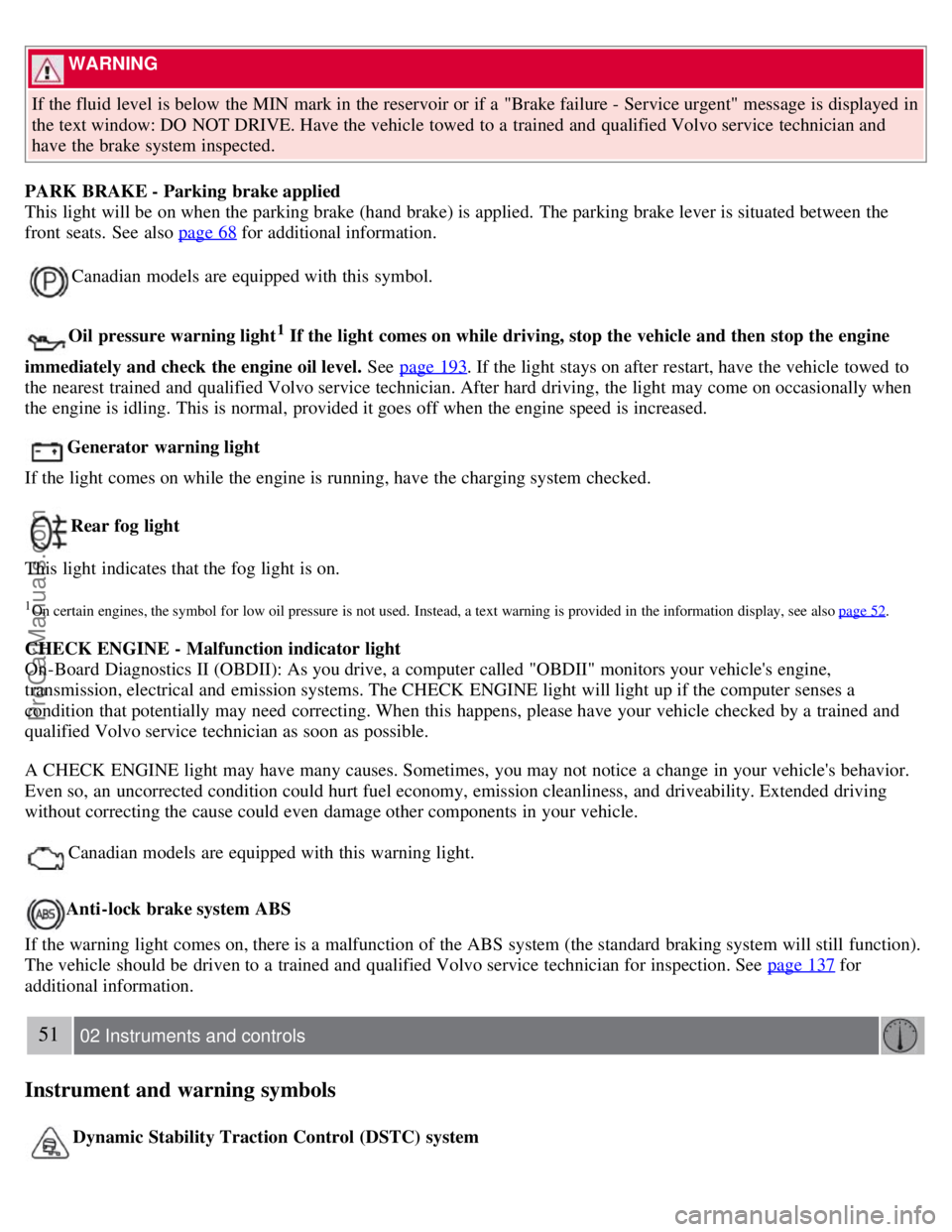
WARNING
If the fluid level is below the MIN mark in the reservoir or if a "Brake failure - Service urgent" message is displayed in
the text window: DO NOT DRIVE. Have the vehicle towed to a trained and qualified Volvo service technician and
have the brake system inspected.
PARK BRAKE - Parking brake applied
This light will be on when the parking brake (hand brake) is applied. The parking brake lever is situated between the
front seats. See also page 68
for additional information.
Canadian models are equipped with this symbol.
Oil pressure warning light1 If the light comes on while driving, stop the vehicle and then stop the engine
immediately and check the engine oil level. See page 193
. If the light stays on after restart, have the vehicle towed to
the nearest trained and qualified Volvo service technician. After hard driving, the light may come on occasionally when
the engine is idling. This is normal, provided it goes off when the engine speed is increased.
Generator warning light
If the light comes on while the engine is running, have the charging system checked.
Rear fog light
This light indicates that the fog light is on.
1On certain engines, the symbol for low oil pressure is not used. Instead, a text warning is provided in the information display, see also page 52.
CHECK ENGINE - Malfunction indicator light
On-Board Diagnostics II (OBDII): As you drive, a computer called "OBDII" monitors your vehicle's engine,
transmission, electrical and emission systems. The CHECK ENGINE light will light up if the computer senses a
condition that potentially may need correcting. When this happens, please have your vehicle checked by a trained and
qualified Volvo service technician as soon as possible.
A CHECK ENGINE light may have many causes. Sometimes, you may not notice a change in your vehicle's behavior.
Even so, an uncorrected condition could hurt fuel economy, emission cleanliness, and driveability. Extended driving
without correcting the cause could even damage other components in your vehicle.
Canadian models are equipped with this warning light.
Anti-lock brake system ABS
If the warning light comes on, there is a malfunction of the ABS system (the standard braking system will still function).
The vehicle should be driven to a trained and qualified Volvo service technician for inspection. See page 137
for
additional information.
51 02 Instruments and controls
Instrument and warning symbols
Dynamic Stability Traction Control (DSTC) system
ProCarManuals.com
Page 51 of 230
54 02 Instruments and controls
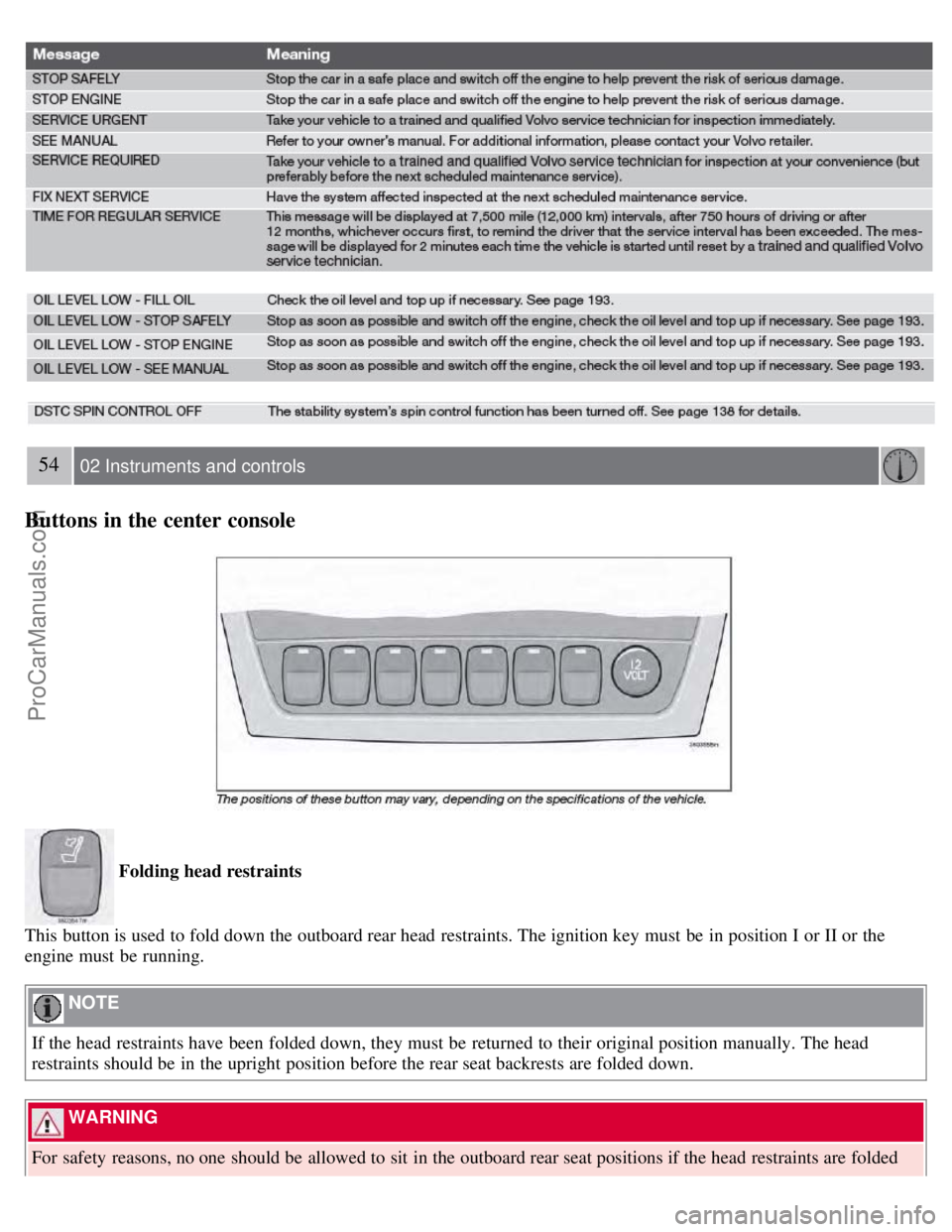
Buttons in the center console
Folding head restraints
This button is used to fold down the outboard rear head restraints. The ignition key must be in position I or II or the
engine must be running.
NOTE
If the head restraints have been folded down, they must be returned to their original position manually. The head
restraints should be in the upright position before the rear seat backrests are folded down.
WARNING
For safety reasons, no one should be allowed to sit in the outboard rear seat positions if the head restraints are folded
ProCarManuals.com
Page 53 of 230
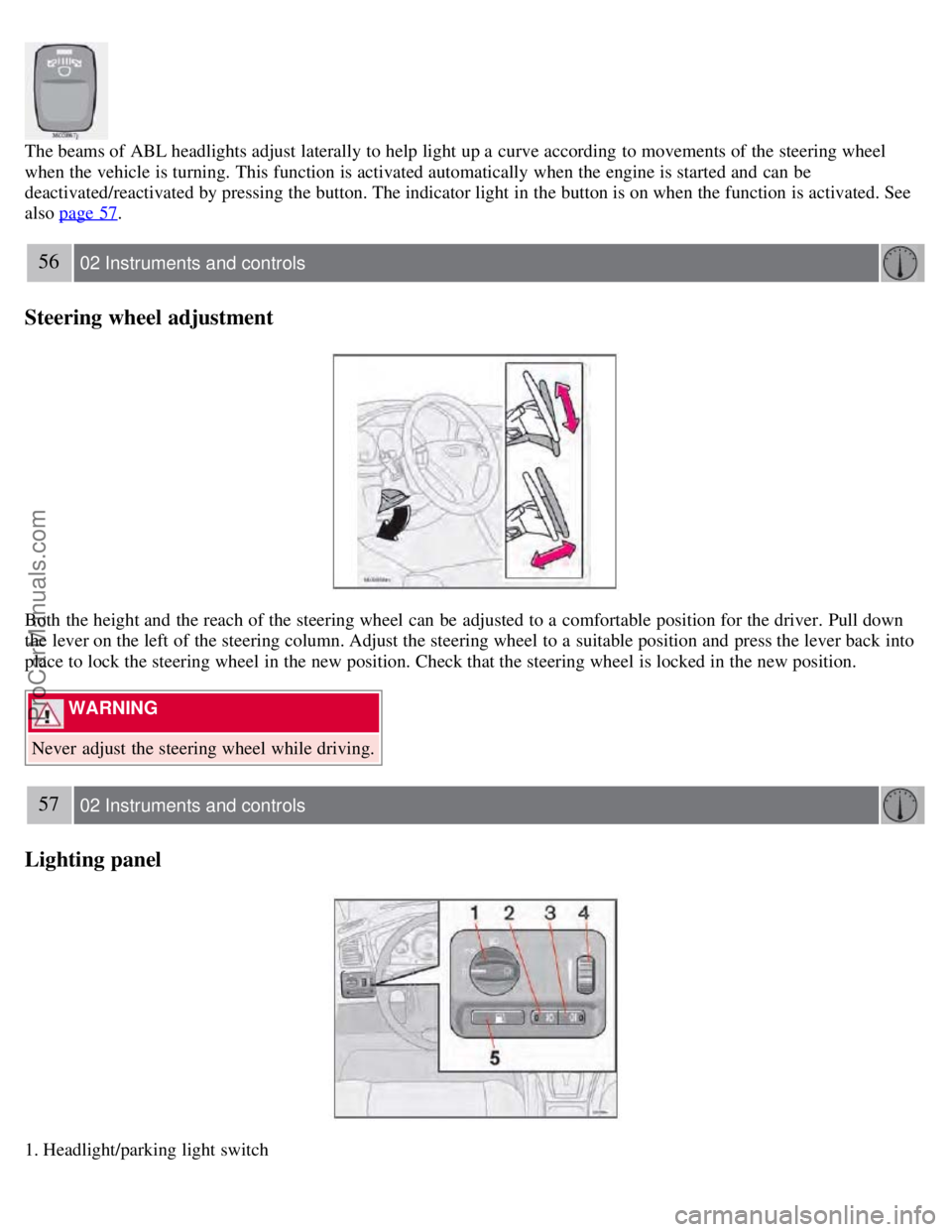
The beams of ABL headlights adjust laterally to help light up a curve according to movements of the steering wheel
when the vehicle is turning. This function is activated automatically when the engine is started and can be
deactivated/reactivated by pressing the button. The indicator light in the button is on when the function is activated. See
also page 57
.
56 02 Instruments and controls
Steering wheel adjustment
Both the height and the reach of the steering wheel can be adjusted to a comfortable position for the driver. Pull down
the lever on the left of the steering column. Adjust the steering wheel to a suitable position and press the lever back into
place to lock the steering wheel in the new position. Check that the steering wheel is locked in the new position.
WARNING
Never adjust the steering wheel while driving.
57 02 Instruments and controls
Lighting panel
1. Headlight/parking light switch
ProCarManuals.com
Page 54 of 230
2. Front fog lights
3. Rear fog light
4. Instrument panel lighting
5. Fuel filler door unlock button
Parking lights
The front and rear parking lights can be turned on even when the ignition is switched off.
Turn switch 1 to position .
The license plate lights also illuminate when the parking lights are switched on.
Headlights
Turn the ignition key to position II.
The low beam headlights (daytime running lights) illuminate automatically, except when the light switch (1) is in
position
1.
See page 60
for information on switching between high and low beams.
NOTE
Active Bi -Xenon® headlights (option): Turn the headlight switch to position 0 to activate a daylight sensor, which
automatically switches the low beams on or off, depending on ambient light conditions. When driving in daylight, the
headlights will switch off and the daytime running lights will come on. In darkness, the daytime running lights will
switch off and the Active Bi -Xenon® headlights will switch on.
1On Canadian models, the daytime running lights will remain on with the light switch in this position.
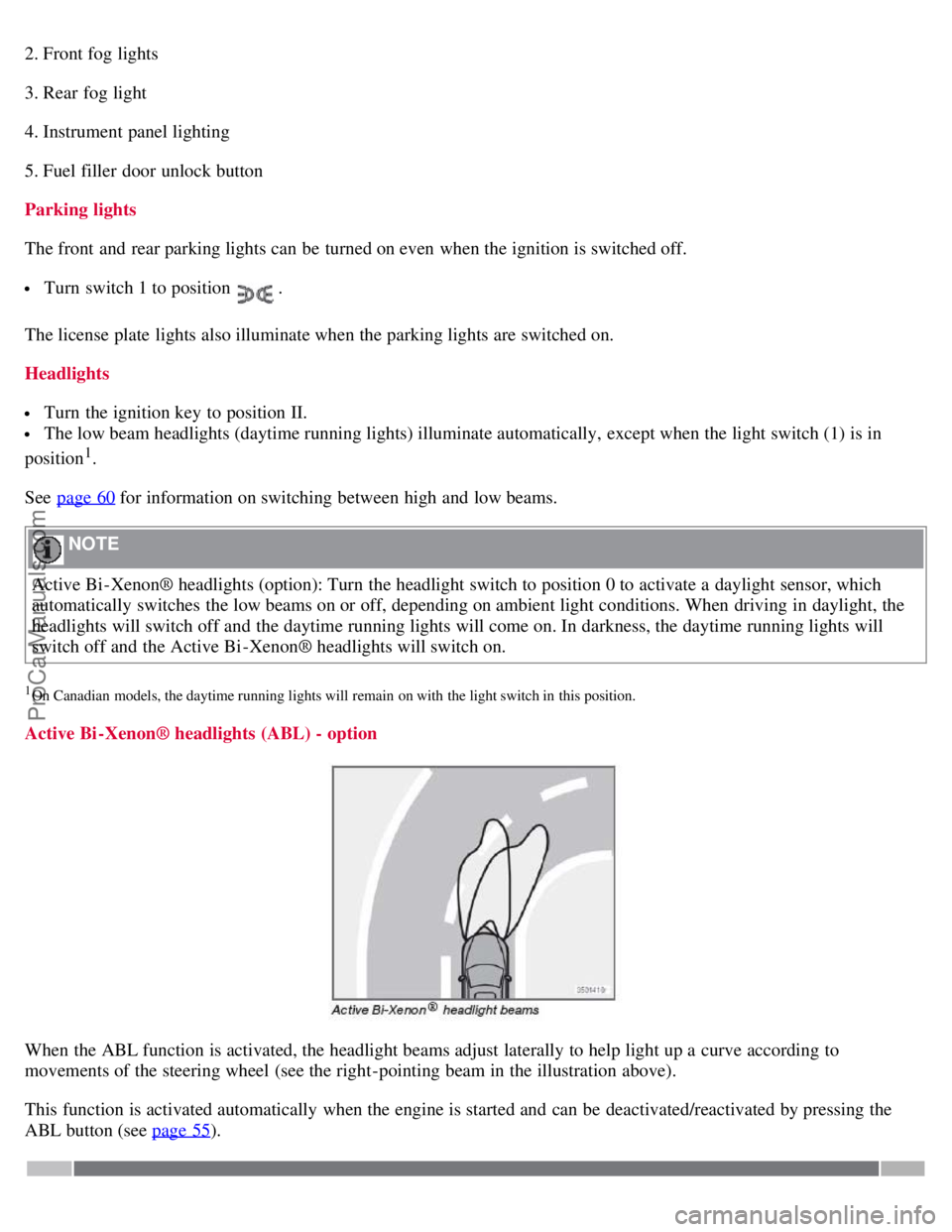
Active Bi -Xenon® headlights (ABL) - option
When the ABL function is activated, the headlight beams adjust laterally to help light up a curve according to
movements of the steering wheel (see the right-pointing beam in the illustration above).
This function is activated automatically when the engine is started and can be deactivated/reactivated by pressing the
ABL button (see page 55
).
ProCarManuals.com
Page 60 of 230
will light up.
A timer automatically switches off the heating after approximately 12 minutes. The LED will go out correspondingly.
If the vehicle's speed is increased by using the accelerator pedal for more than 1 minute.
64 02 Instruments and controls
Trip computer
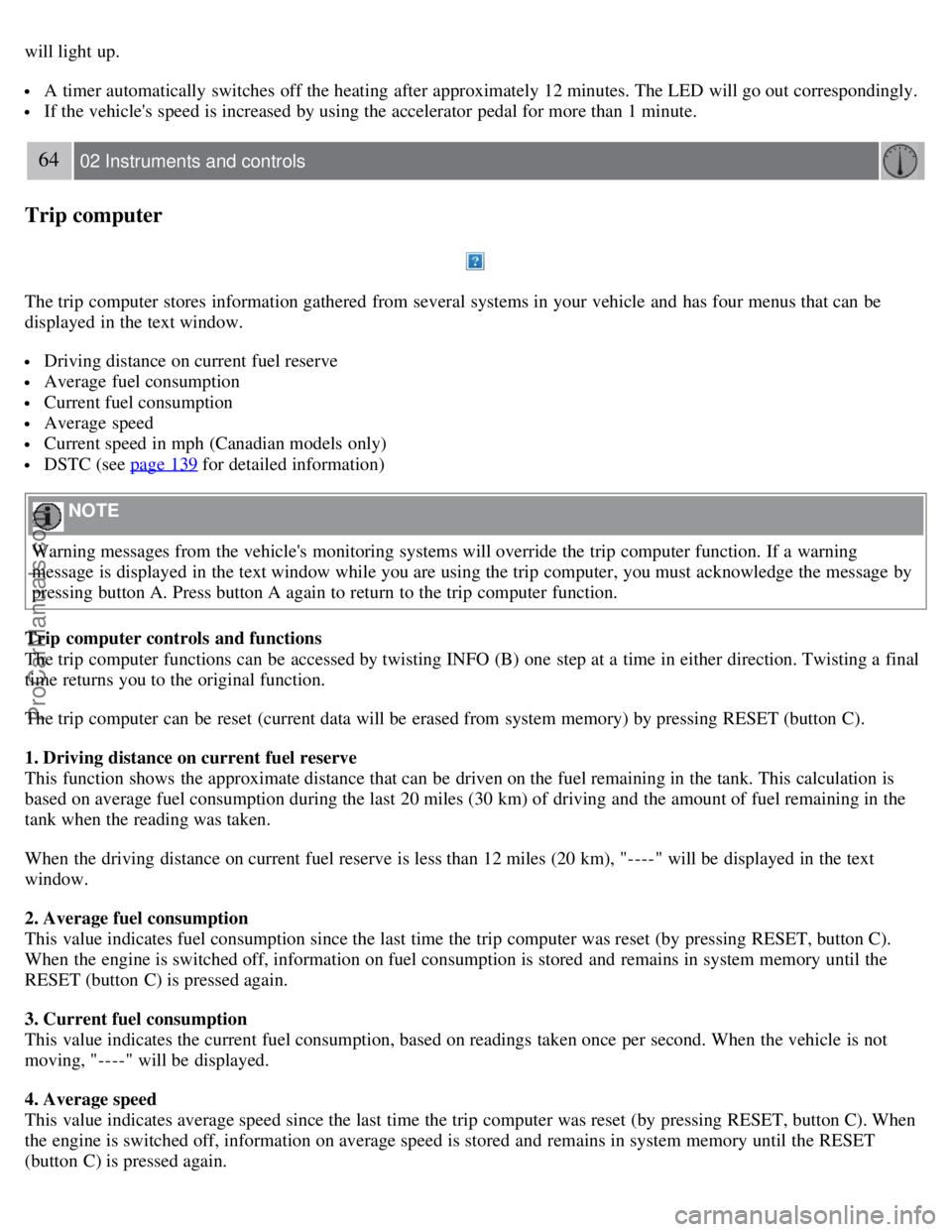
The trip computer stores information gathered from several systems in your vehicle and has four menus that can be
displayed in the text window.
Driving distance on current fuel reserve
Average fuel consumption
Current fuel consumption
Average speed
Current speed in mph (Canadian models only)
DSTC (see page 139 for detailed information)
NOTE
Warning messages from the vehicle's monitoring systems will override the trip computer function. If a warning
message is displayed in the text window while you are using the trip computer, you must acknowledge the message by
pressing button A. Press button A again to return to the trip computer function.
Trip computer controls and functions
The trip computer functions can be accessed by twisting INFO (B) one step at a time in either direction. Twisting a final
time returns you to the original function.
The trip computer can be reset (current data will be erased from system memory) by pressing RESET (button C).
1. Driving distance on current fuel reserve
This function shows the approximate distance that can be driven on the fuel remaining in the tank. This calculation is
based on average fuel consumption during the last 20 miles (30 km) of driving and the amount of fuel remaining in the
tank when the reading was taken.
When the driving distance on current fuel reserve is less than 12 miles (20 km), "----" will be displayed in the text
window.
2. Average fuel consumption
This value indicates fuel consumption since the last time the trip computer was reset (by pressing RESET, button C).
When the engine is switched off, information on fuel consumption is stored and remains in system memory until the
RESET (button C) is pressed again.
3. Current fuel consumption
This value indicates the current fuel consumption, based on readings taken once per second. When the vehicle is not
moving, "----" will be displayed.
4. Average speed
This value indicates average speed since the last time the trip computer was reset (by pressing RESET, button C). When
the engine is switched off, information on average speed is stored and remains in system memory until the RESET
(button C) is pressed again.
ProCarManuals.com
Page 62 of 230
Increasing or decreasing speed
Use + or - in the following ways to increase or decrease the vehicle's speed
Press and hold down + or - until the vehicle reaches the desired speed.
Press + or - for approximately a half second and release the button to increase or decrease vehicle speed by
approximately 1 mph (1.6 km/h).
NOTE
Cruise control will not function at speeds below approximately 20 mph (30 km/h).
67 02 Instruments and controls
Cruise control
Braking
Cruise control is automatically disengaged when the brake pedal is depressed. The currently set speed is stored in
memory.
Pressing resume will return the vehicle to the previously set speed.
Acceleration
Momentary acceleration, such as when passing another vehicle, does not affect cruise control operation. The vehicle will
automatically return to the previously set speed when you release the accelerator pedal.
Disengaging cruise control
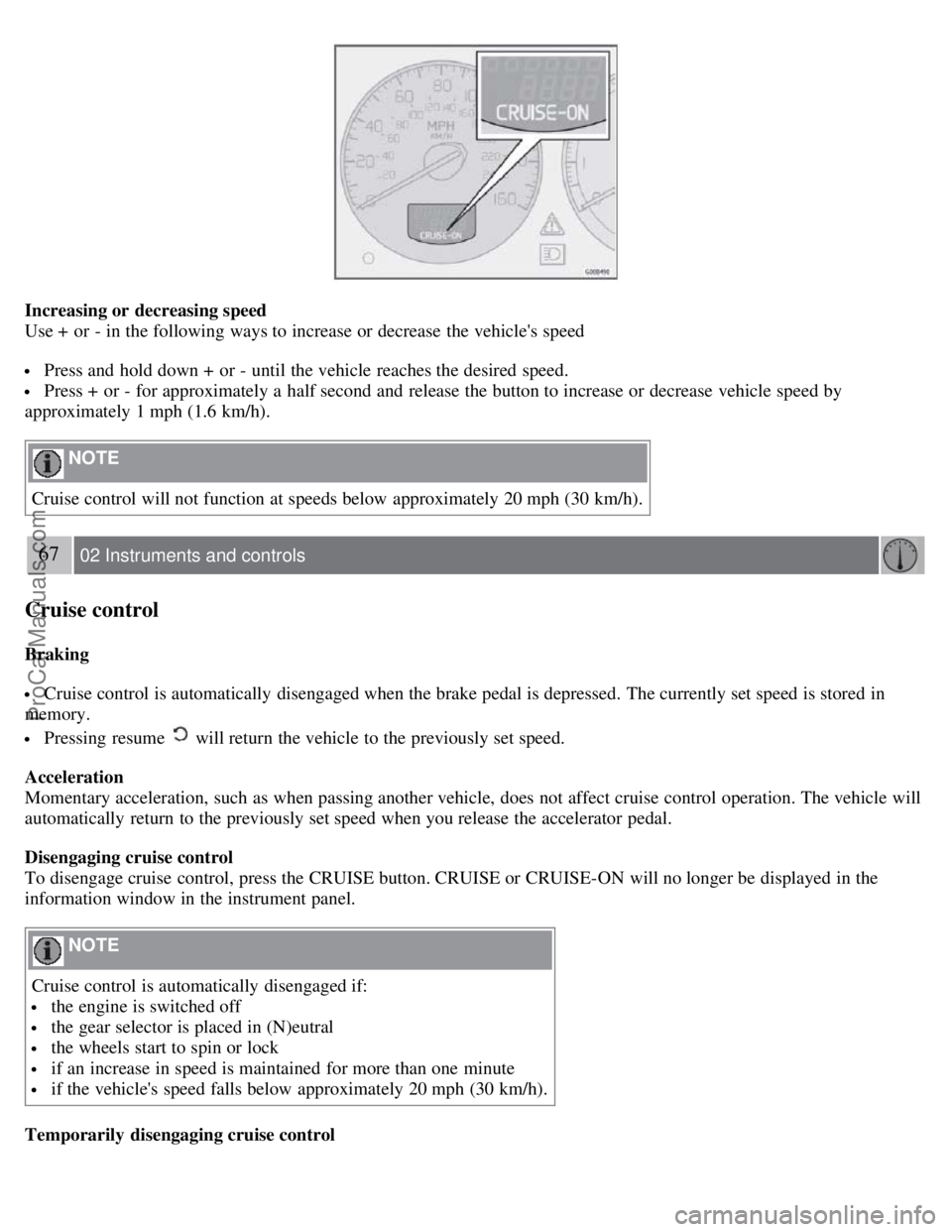
To disengage cruise control, press the CRUISE button. CRUISE or CRUISE-ON will no longer be displayed in the
information window in the instrument panel.
NOTE
Cruise control is automatically disengaged if:
the engine is switched off
the gear selector is placed in (N)eutral
the wheels start to spin or lock
if an increase in speed is maintained for more than one minute
if the vehicle's speed falls below approximately 20 mph (30 km/h).
Temporarily disengaging cruise control
ProCarManuals.com
Page 65 of 230

The power windows are controlled by buttons in the arm rests. The ignition switch must be ON1 (ignition key in position
I, II or the engine running) for the electrically operated windows to function.
To lower: Press down the front edge of the button to the first detent ("stop").
To raise: Lightly pull up the front edge of the button to the first detent ("stop").
1The power windows will also function after the ignition has been switched off as long as neither of the front doors has been opened.
NOTE
To reduce buffeting wind noise if the rear windows are opened, also open the front windows slightly.
Auto up/down function (front doors only)
Either front door window can be opened or closed automatically.
Auto down
Press the front part of the button as far down as possible and release it immediately. To stop the window at any time, pull
the button up.
Auto up
Pull the front part of the button up as far as possible and release it immediately. To stop the window at any time, press
the button down.
NOTE
The electrically operated windows in the front seat have an overload protecting circuit breaker which reverses
movement of the electrically operated windows to their starting points if they are obstructed in any way. Thereafter the
windows will operate normally again.
WARNING
Always remove the ignition key when the vehicle is unattended.
Make sure that the windows are completely unobstructed before they are operated. Never leave children unattended in
the vehicle.
71 02 Instruments and controls
ProCarManuals.com
Page 68 of 230
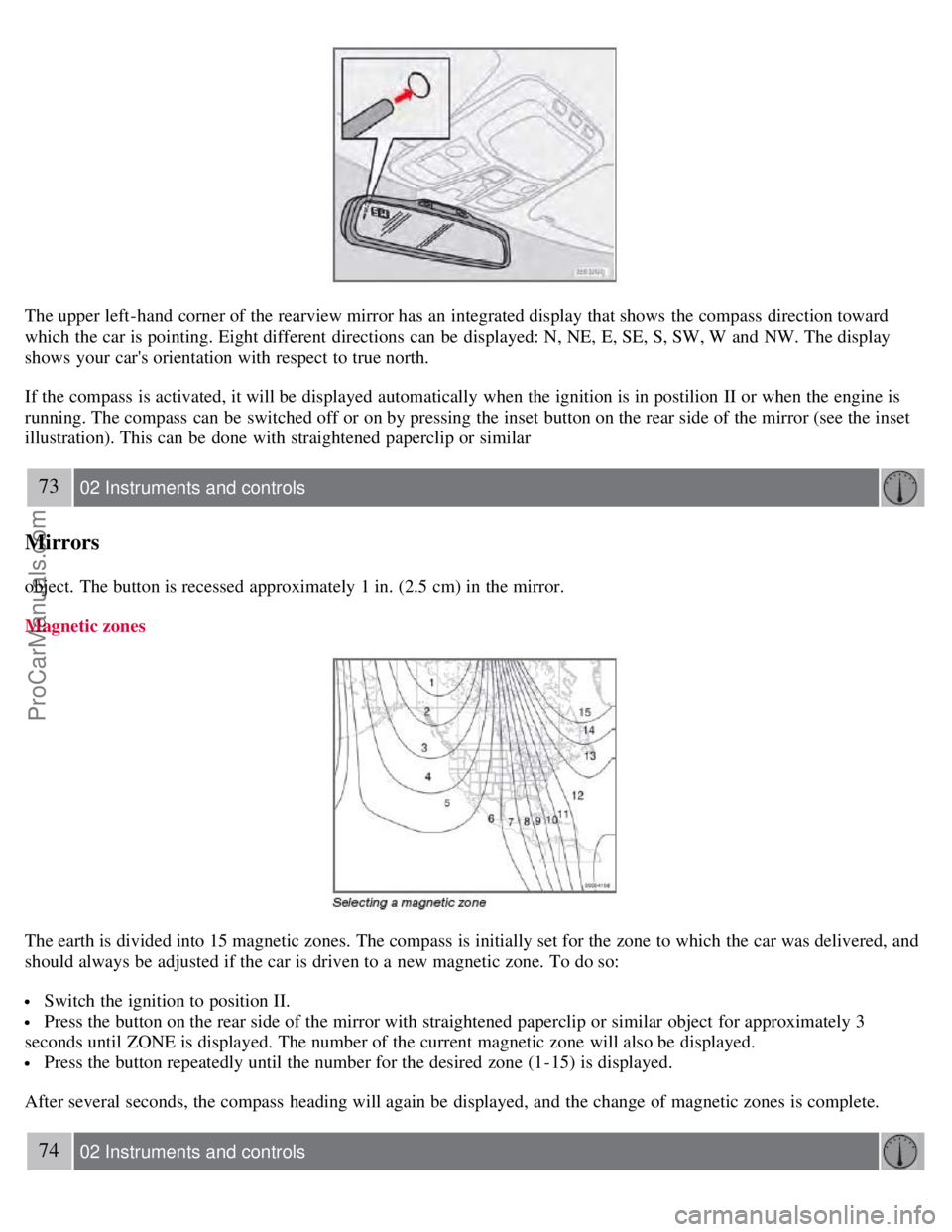
The upper left-hand corner of the rearview mirror has an integrated display that shows the compass direction toward
which the car is pointing. Eight different directions can be displayed: N, NE, E, SE, S, SW, W and NW. The display
shows your car's orientation with respect to true north.
If the compass is activated, it will be displayed automatically when the ignition is in postilion II or when the engine is
running. The compass can be switched off or on by pressing the inset button on the rear side of the mirror (see the inset
illustration). This can be done with straightened paperclip or similar
73 02 Instruments and controls
Mirrors
object. The button is recessed approximately 1 in. (2.5 cm) in the mirror.
Magnetic zones
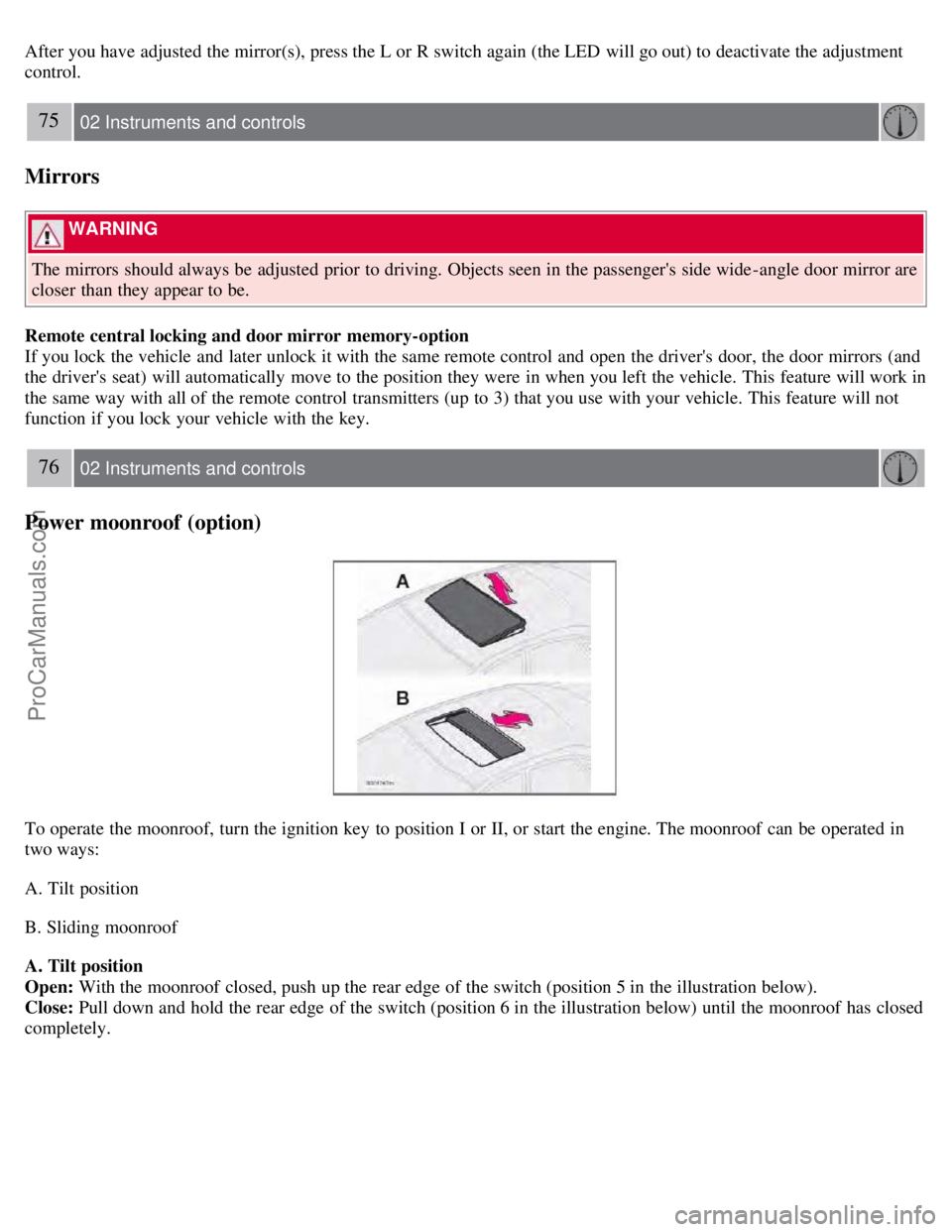
The earth is divided into 15 magnetic zones. The compass is initially set for the zone to which the car was delivered, and
should always be adjusted if the car is driven to a new magnetic zone. To do so:
Switch the ignition to position II.
Press the button on the rear side of the mirror with straightened paperclip or similar object for approximately 3
seconds until ZONE is displayed. The number of the current magnetic zone will also be displayed.
Press the button repeatedly until the number for the desired zone (1-15) is displayed.
After several seconds, the compass heading will again be displayed, and the change of magnetic zones is complete.
74 02 Instruments and controls
ProCarManuals.com
Page 70 of 230
After you have adjusted the mirror(s), press the L or R switch again (the LED will go out) to deactivate the adjustment
control.
75 02 Instruments and controls
Mirrors
WARNING
The mirrors should always be adjusted prior to driving. Objects seen in the passenger's side wide -angle door mirror are
closer than they appear to be.
Remote central locking and door mirror memory-option
If you lock the vehicle and later unlock it with the same remote control and open the driver's door, the door mirrors (and
the driver's seat) will automatically move to the position they were in when you left the vehicle. This feature will work in
the same way with all of the remote control transmitters (up to 3) that you use with your vehicle. This feature will not
function if you lock your vehicle with the key.
76 02 Instruments and controls
Power moonroof (option)
To operate the moonroof, turn the ignition key to position I or II, or start the engine. The moonroof can be operated in
two ways:
A. Tilt position
B. Sliding moonroof
A. Tilt position
Open: With the moonroof closed, push up the rear edge of the switch (position 5 in the illustration below).
Close: Pull down and hold the rear edge of the switch (position 6 in the illustration below) until the moonroof has closed
completely.
ProCarManuals.com
Page 78 of 230
If your vehicle has been parked in the sun in warm weather, opening the windows and moonroof (option) for several
minutes before driving will help release the warm air from the passenger compartment. When the engine is running,
close the windows and moonroof and use the recirculation function for several minutes to enable the air conditioning
to cool the compartment as quickly as possible.
Windows and optional moonroof
The ECC system will function best if the windows and optional moonroof are closed. If you drive with the moonroof
open, we recommend that you manually adjust the temperature and blower control (the LED in the AUTO switch
should be off).
Acceleration
The air conditioning is momentarily disengaged during full-throttle acceleration.
Climate control maintenance
Special tools and equipment are required to maintain and carry out repairs on the climate system. Work of this type
should only be done by a trained and qualified Volvo service technician.
Refrigerant
Volvo cares about the environment. The air conditioning system in your vehicle contains a CFC-free refrigerant -
R134a (HFC134a). This substance will not deplete the ozone layer. The system contains 1.5 lbs (700 g) R134a and
uses PAG oil.
Climate system blower
The climate system blower will be automatically switched off when the engine is not running (even if the ignition key
is in position I or II) to avoid unnecessary battery drain. To activate the blower, turn the control to the desired setting.
Passenger compartment blower
Approximately 50 minutes after the ignition is turned off, the blower may come on automatically, and run for seven
minutes, to remove condensation in the A/C evaporator.
85 03 Climate
Air distribution
Air distribution
ProCarManuals.com