steering wheel VOLVO S60 2008 Owner's Manual
[x] Cancel search | Manufacturer: VOLVO, Model Year: 2008, Model line: S60, Model: VOLVO S60 2008Pages: 230, PDF Size: 5.33 MB
Page 131 of 230
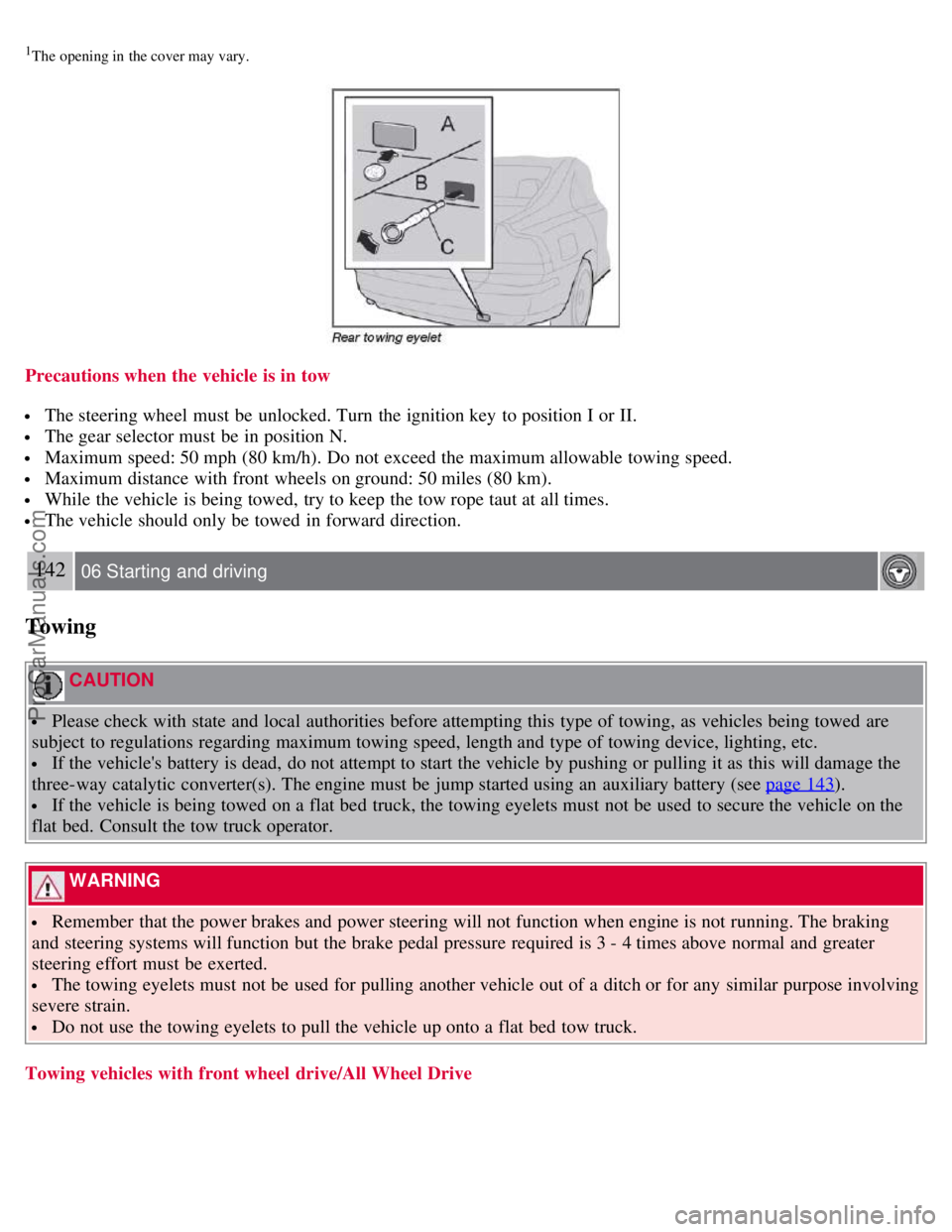
1The opening in the cover may vary.
Precautions when the vehicle is in tow
The steering wheel must be unlocked. Turn the ignition key to position I or II.
The gear selector must be in position N.
Maximum speed: 50 mph (80 km/h). Do not exceed the maximum allowable towing speed.
Maximum distance with front wheels on ground: 50 miles (80 km).
While the vehicle is being towed, try to keep the tow rope taut at all times.
The vehicle should only be towed in forward direction.
142 06 Starting and driving
Towing
CAUTION
Please check with state and local authorities before attempting this type of towing, as vehicles being towed are
subject to regulations regarding maximum towing speed, length and type of towing device, lighting, etc.
If the vehicle's battery is dead, do not attempt to start the vehicle by pushing or pulling it as this will damage the
three-way catalytic converter(s). The engine must be jump started using an auxiliary battery (see page 143
).
If the vehicle is being towed on a flat bed truck, the towing eyelets must not be used to secure the vehicle on the
flat bed. Consult the tow truck operator.
WARNING
Remember that the power brakes and power steering will not function when engine is not running. The braking
and steering systems will function but the brake pedal pressure required is 3 - 4 times above normal and greater
steering effort must be exerted.
The towing eyelets must not be used for pulling another vehicle out of a ditch or for any similar purpose involving
severe strain.
Do not use the towing eyelets to pull the vehicle up onto a flat bed tow truck.
Towing vehicles with front wheel drive/All Wheel Drive
ProCarManuals.com
Page 138 of 230
well as decreasing fuel consumption while the engine is warming up. For winter use, 5W - 30 oil, particularly the
synthetic type1, is recommended. Be sure to use good quality oil but do not use cold-weather oil for hard driving or in
warm weather. See section "Engine oil" for more information.
The load placed on the battery is greater during the winter since the windshield wipers, lighting, etc. are used more
often. Moreover, the capacity of the battery decreases as the temperature drops. In very cold weather, a poorly charged
battery can freeze and be damaged. It is therefore advisable to check the state of charge more frequently and spray an
antirust oil on the battery posts.
Volvo recommends the use of snow tires on all four wheels for winter driving - see section "Wheels and tires."
To prevent the washer fluid reservoir from freezing, add washer solvents containing antifreeze (see page 195 for
the location of the washer fluid reservoir). This is important since dirt is often splashed on the windshield during
winter driving, requiring the frequent use of the washers and wipers. Volvo Washer Solvent should be diluted as
follows:
- Down to 14° F (-10° C): 1 part washer solvent and 4 parts water
- Down to 5° F (-15° C): 1 part washer solvent and 3 parts water
- Down to 0° F (-18° C): 1 part washer solvent and 2 parts water
- Down to -18° F (-28° C): 1 part washer solvent and 1 part water
Use Volvo Teflon Lock Spray in the locks.
1Synthetic oil is not used when the oil is changed at the normal maintenance service intervals.
NOTE
Avoid the use of de -icing sprays as they can cause damage to the locks.
W - Winter/Wet driving mode - enhanced vehicle traction (automatic transmission)
Mode W will only function if the gear selector is in the D position.
Press the button at the base of the gear selector to engage/disengage this driving mode.
An LED in the button will light up to indicate that W is engaged and this will also be displayed in the instrument
panel (see page 48
).
This mode may be selected for starting/moving off on slippery roads.
150 06 Starting and driving
Before a long distance trip
It is always worthwhile to have your vehicle checked by a trained and qualified Volvo service technician before
driving long distances. Your retailer or service technician will also be able to supply you with bulbs, fuses, spark plugs
and wiper blades for your use in the event that problems occur.
As a minimum, the following items should be checked before any long trip:
Check that engine runs smoothly and that fuel consumption is normal.
Check for fuel, oil, and fluid leakage.
Check transmission oil level1.
Check condition of drive belts.
Check state of the battery's charge.
Examine tires carefully (the spare tire as well), and replace those that are worn. Check tire pressures.
The brakes, front wheel alignment, and steering gear should be checked by a trained and qualified Volvo service
technician only.
Check all lights, including high beams.
Reflective warning triangles are legal requirement in some countries.
ProCarManuals.com
Page 158 of 230
attachment. See illustration "Attaching the jack".
Be sure the jack is on a firm, level, non-slippery surface.
Never allow any part of your body to be extended under a vehicle supported by a jack.
Use the jack intended for the vehicle when replacing a wheel. For any other job, use stands to support the side of
the vehicle being worked on.
Apply the parking brake and put the gear selector in the (P) ark position (or reverse on manual transmissions).
Block the wheels standing on the ground, use rigid wooden blocks or large stones.
The jack should be kept well-greased and clean, and should not be damaged.
No objects should be placed between the base of jack and the ground, or between the jack and the attachment bar
on the vehicle.
174 07 Wheels and tires
Tire rotation
Summer and winter tires
When switching between summer and winter tires, mark the tires to indicate where they were mounted on the car,
e.g., LF = left front, RR = right rear
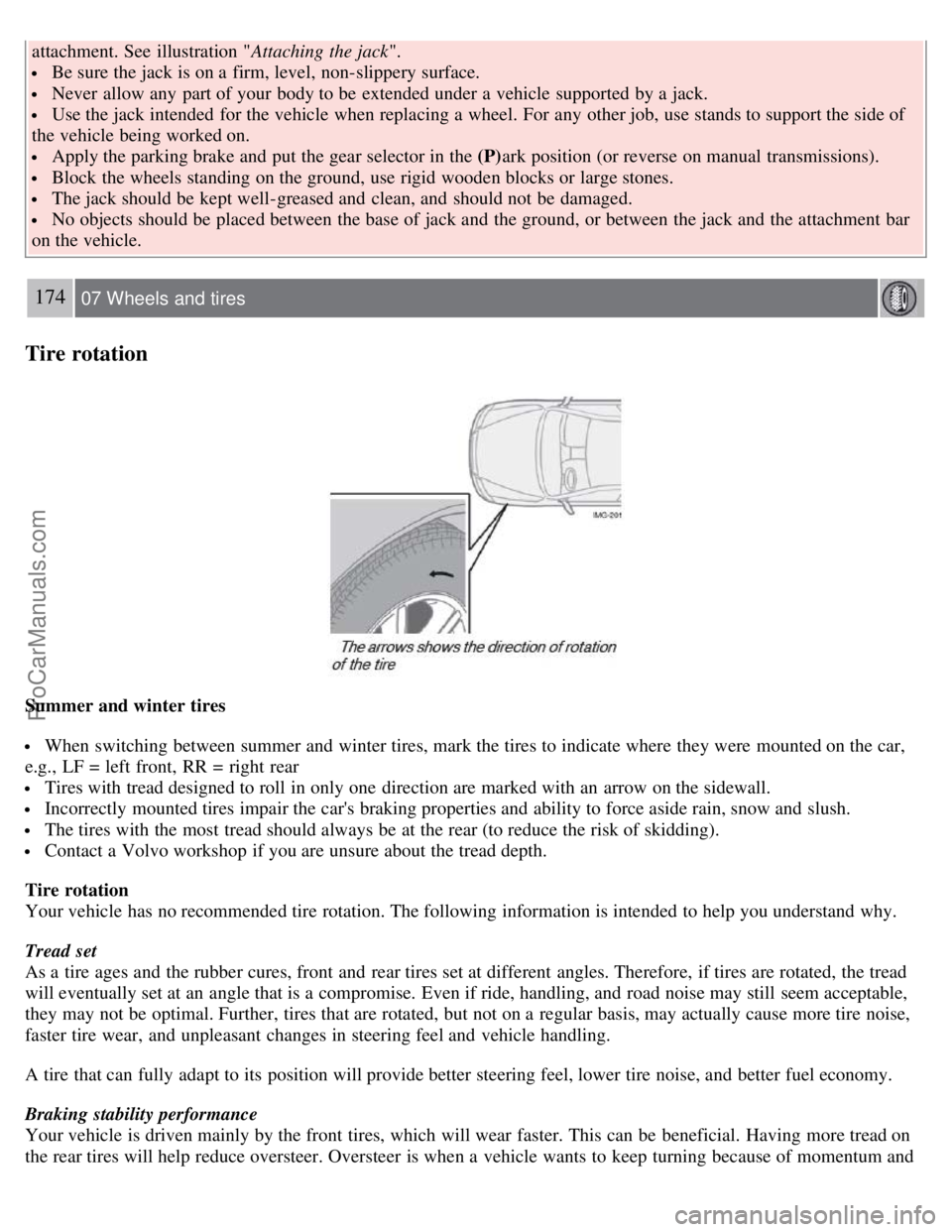
Tires with tread designed to roll in only one direction are marked with an arrow on the sidewall.
Incorrectly mounted tires impair the car's braking properties and ability to force aside rain, snow and slush.
The tires with the most tread should always be at the rear (to reduce the risk of skidding).
Contact a Volvo workshop if you are unsure about the tread depth.
Tire rotation
Your vehicle has no recommended tire rotation. The following information is intended to help you understand why.
Tread set
As a tire ages and the rubber cures, front and rear tires set at different angles. Therefore, if tires are rotated, the tread
will eventually set at an angle that is a compromise. Even if ride, handling, and road noise may still seem acceptable,
they may not be optimal. Further, tires that are rotated, but not on a regular basis, may actually cause more tire noise,
faster tire wear, and unpleasant changes in steering feel and vehicle handling.
A tire that can fully adapt to its position will provide better steering feel, lower tire noise, and better fuel economy.
Braking stability performance
Your vehicle is driven mainly by the front tires, which will wear faster. This can be beneficial. Having more tread on
the rear tires will help reduce oversteer. Oversteer is when a vehicle wants to keep turning because of momentum and
ProCarManuals.com
Page 176 of 230
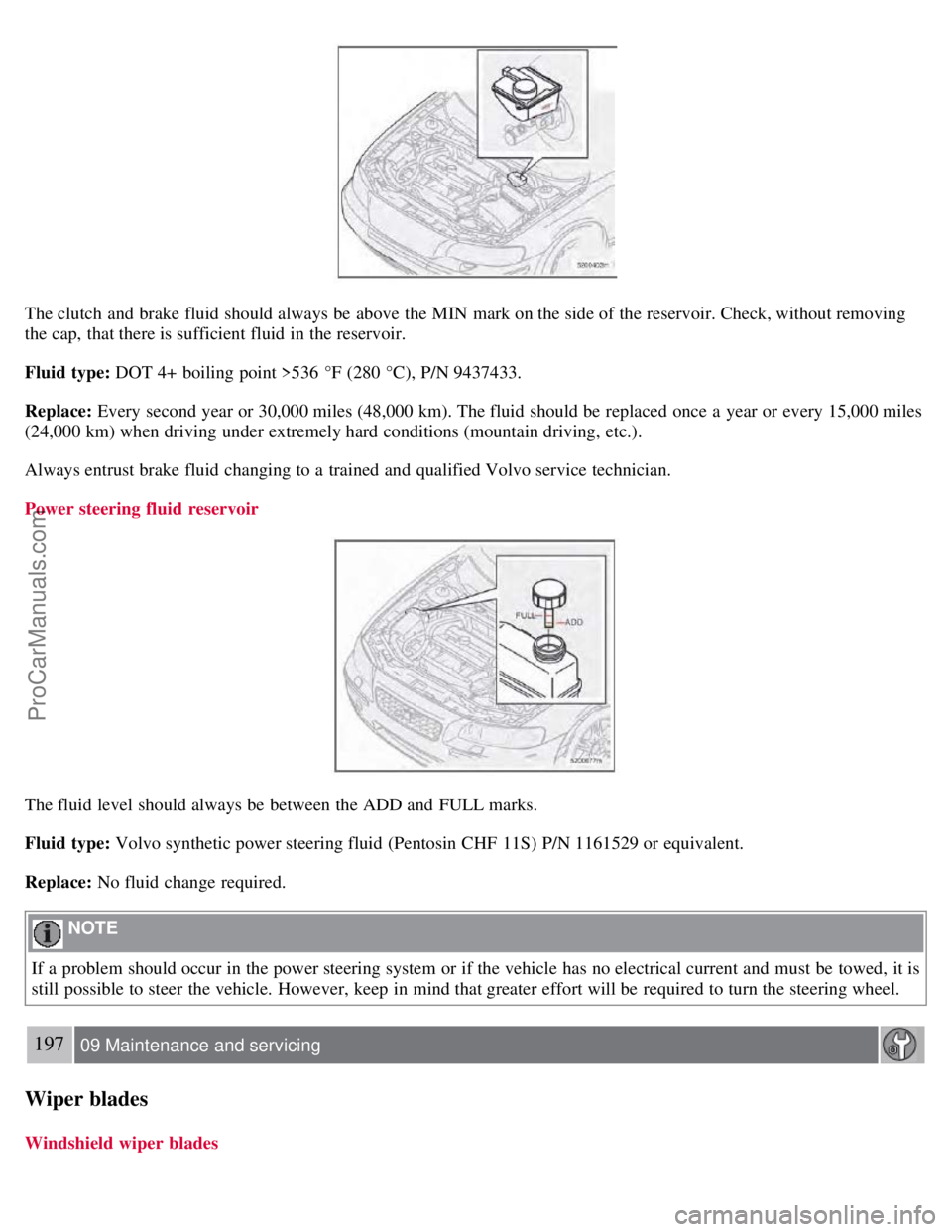
The clutch and brake fluid should always be above the MIN mark on the side of the reservoir. Check, without removing
the cap, that there is sufficient fluid in the reservoir.
Fluid type: DOT 4+ boiling point >536 °F (280 °C), P/N 9437433.
Replace: Every second year or 30,000 miles (48,000 km). The fluid should be replaced once a year or every 15,000 miles
(24,000 km) when driving under extremely hard conditions (mountain driving, etc.).
Always entrust brake fluid changing to a trained and qualified Volvo service technician.
Power steering fluid reservoir
The fluid level should always be between the ADD and FULL marks.
Fluid type: Volvo synthetic power steering fluid (Pentosin CHF 11S) P/N 1161529 or equivalent.
Replace: No fluid change required.
NOTE
If a problem should occur in the power steering system or if the vehicle has no electrical current and must be towed, it is
still possible to steer the vehicle. However, keep in mind that greater effort will be required to turn the steering wheel.
197 09 Maintenance and servicing
Wiper blades
Windshield wiper blades
ProCarManuals.com
Page 192 of 230
Fuses
214 09 Maintenance and servicing
Fuses
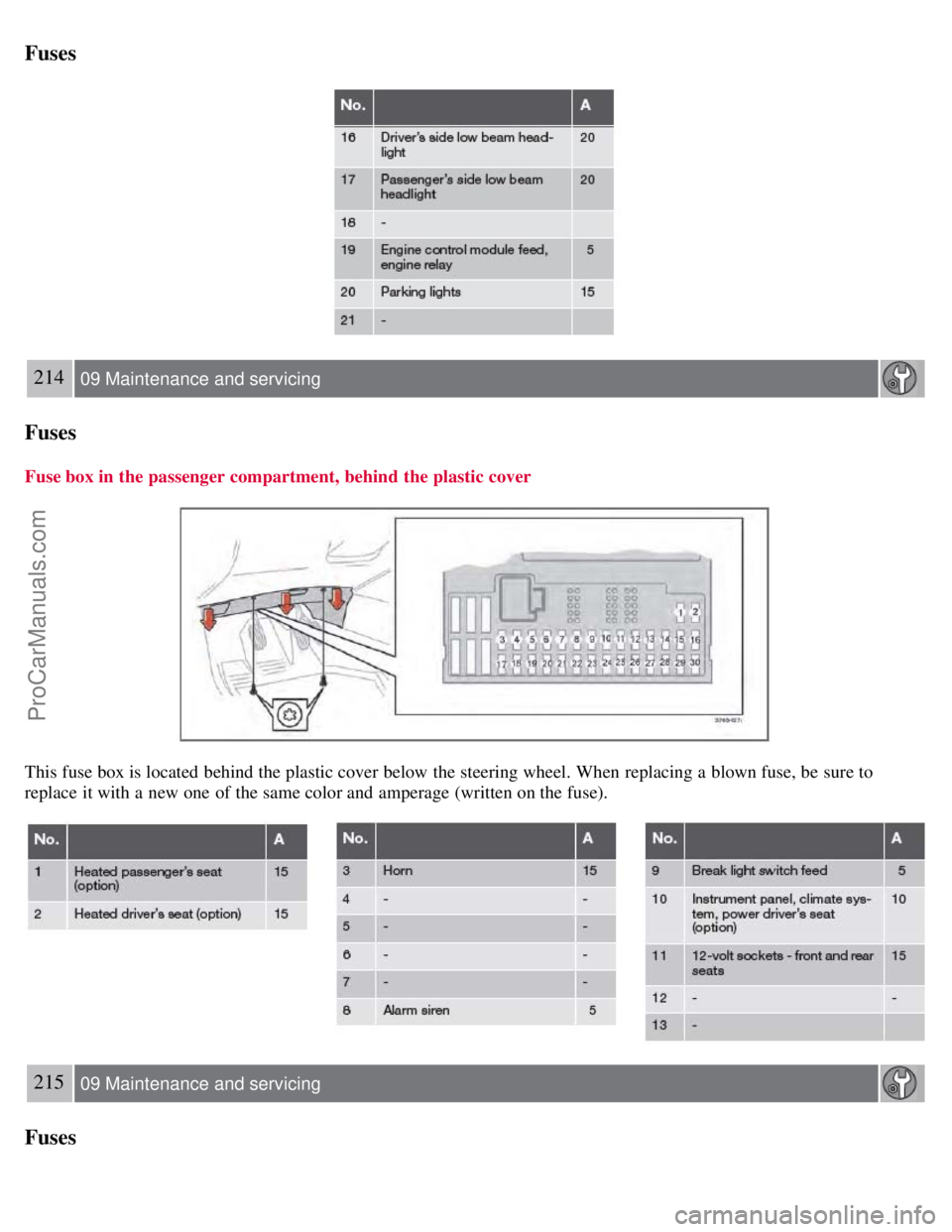
Fuse box in the passenger compartment, behind the plastic cover
This fuse box is located behind the plastic cover below the steering wheel. When replacing a blown fuse, be sure to
replace it with a new one of the same color and amperage (written on the fuse).
215 09 Maintenance and servicing
Fuses
ProCarManuals.com
Page 196 of 230
2 0 0 8
VOLVO S60
220 10 Audio
Introduction 222
Audio system HU -650 - overview223
Audio system HU -850 - overview224
Radio functions HU -650/HU-850225
RBDS functions HU -650/HU-850231
HU -650 - CD player234
HU -850 - internal CD changer235
External CD changer (option)236
Dolby Surround Pro Logic II - HU -850 only237
Audio systems - specifications239
221 10 Audio
222 10 Audio
Introduction
The audio system in your vehicle is operated with the buttons and knobs in the system's front panel. Certain functions,
such as adjusting the volume, changing radio stations or tracks on a CD, etc, can also be controlled with the optional
steering wheel-mounted keypad.
The audio system is available in two versions:
HU-650
Features: AM/FM radio, single-disc CD player, 4x25W output, six
1 speakers.
HU-850
Features: AM/FM radio, integrated 6-disc CD changer, 4x50W or 4x70W output plus 25W Dolby Pro Logic II, eleven
speakers.
ProCarManuals.com
Page 199 of 230
10. CD player
11. AUTO - automatically search for radio stations
12. Navigation buttons (seek/change radio station or CD track)
13. Exit (exit the menu)
14. Scan function (automatically search for radio stations)
15. On/off - press Volume - turn
16. Buttons for selecting stored radio stations/discs in optional CD changer
17. Bass (press to release control and turn to adjust)
18. Treble (press to release control and turn to adjust)
19. Balance (left/right) - press to release control and turn to adjust
20. Fader (front/rear) - press to release control and turn to adjust
21. Source/Menu
Press to open main menu
Turn to select FM, AM, CD, CD changer (option), or AUX (option)
225 10 Audio
Radio functions HU-650/HU-850
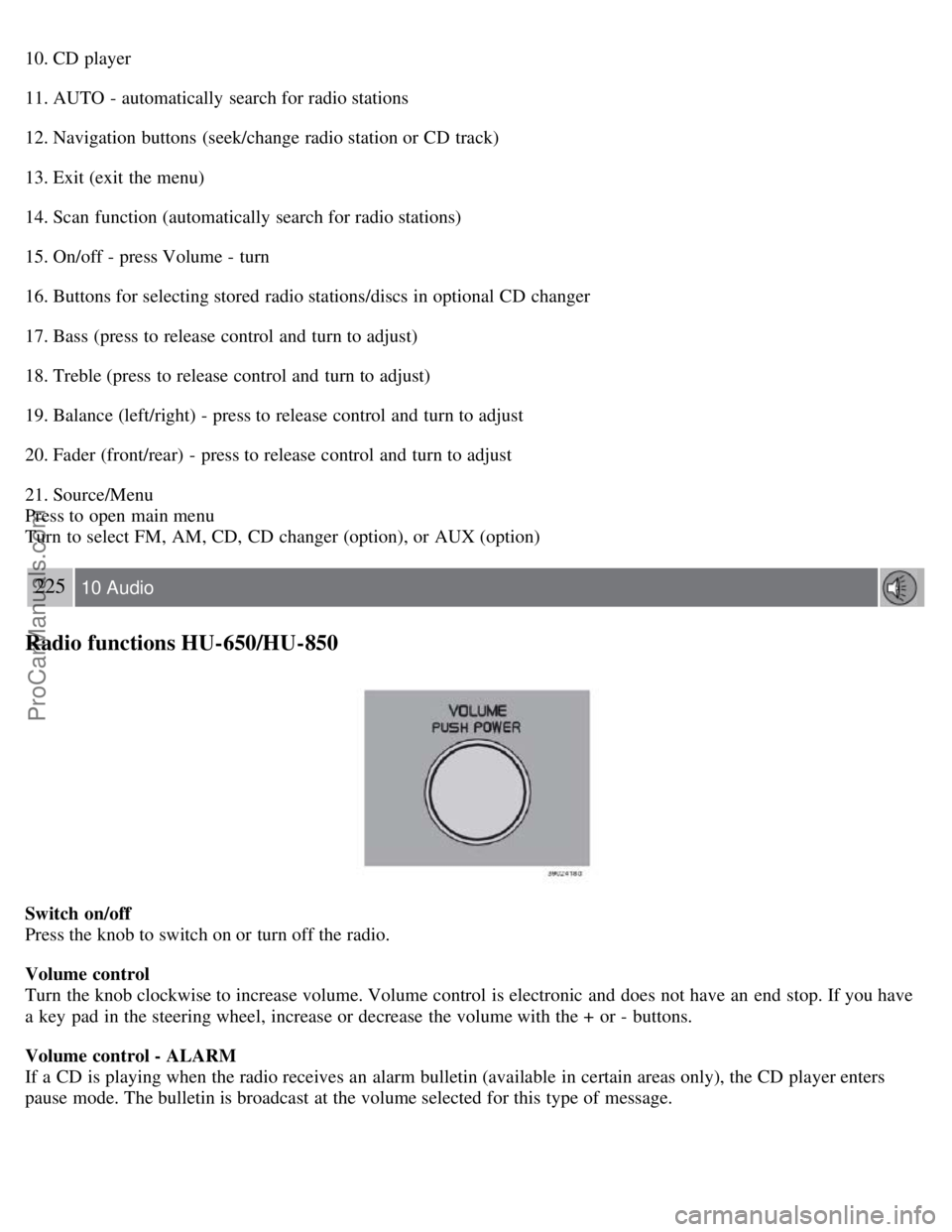
Switch on/off
Press the knob to switch on or turn off the radio.
Volume control
Turn the knob clockwise to increase volume. Volume control is electronic and does not have an end stop. If you have
a key pad in the steering wheel, increase or decrease the volume with the + or - buttons.
Volume control - ALARM
If a CD is playing when the radio receives an alarm bulletin (available in certain areas only), the CD player enters
pause mode. The bulletin is broadcast at the volume selected for this type of message.
ProCarManuals.com
Page 203 of 230
Press and hold it down. MAN will be shown in the display. The radio scans slowly in the selected direction
and will increase the scanning speed after a few seconds. Release the button when the desired frequency appears in the
display.
The frequency can be fine-tuned by short presses on the
keys.
The system will remain in manual search mode for 5 seconds after the button is released, after which it will return to
seek mode.
229 10 Audio
Radio functions HU-650/HU-850
Steering wheel key pad (option)
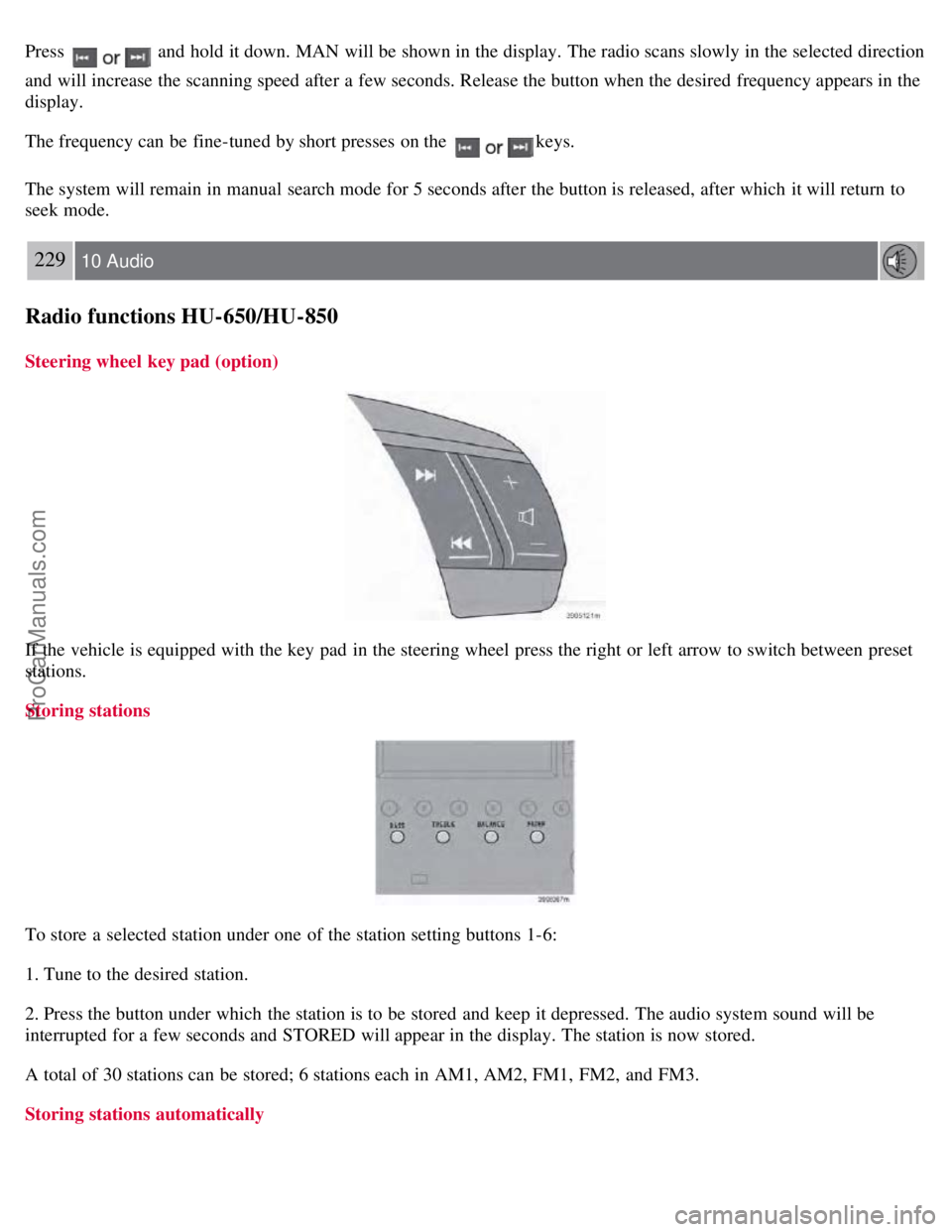
If the vehicle is equipped with the key pad in the steering wheel press the right or left arrow to switch between preset
stations.
Storing stations
To store a selected station under one of the station setting buttons 1-6:
1. Tune to the desired station.
2. Press the button under which the station is to be stored and keep it depressed. The audio system sound will be
interrupted for a few seconds and STORED will appear in the display. The station is now stored.
A total of 30 stations can be stored; 6 stations each in AM1, AM2, FM1, FM2, and FM3.
Storing stations automatically
ProCarManuals.com
Page 204 of 230
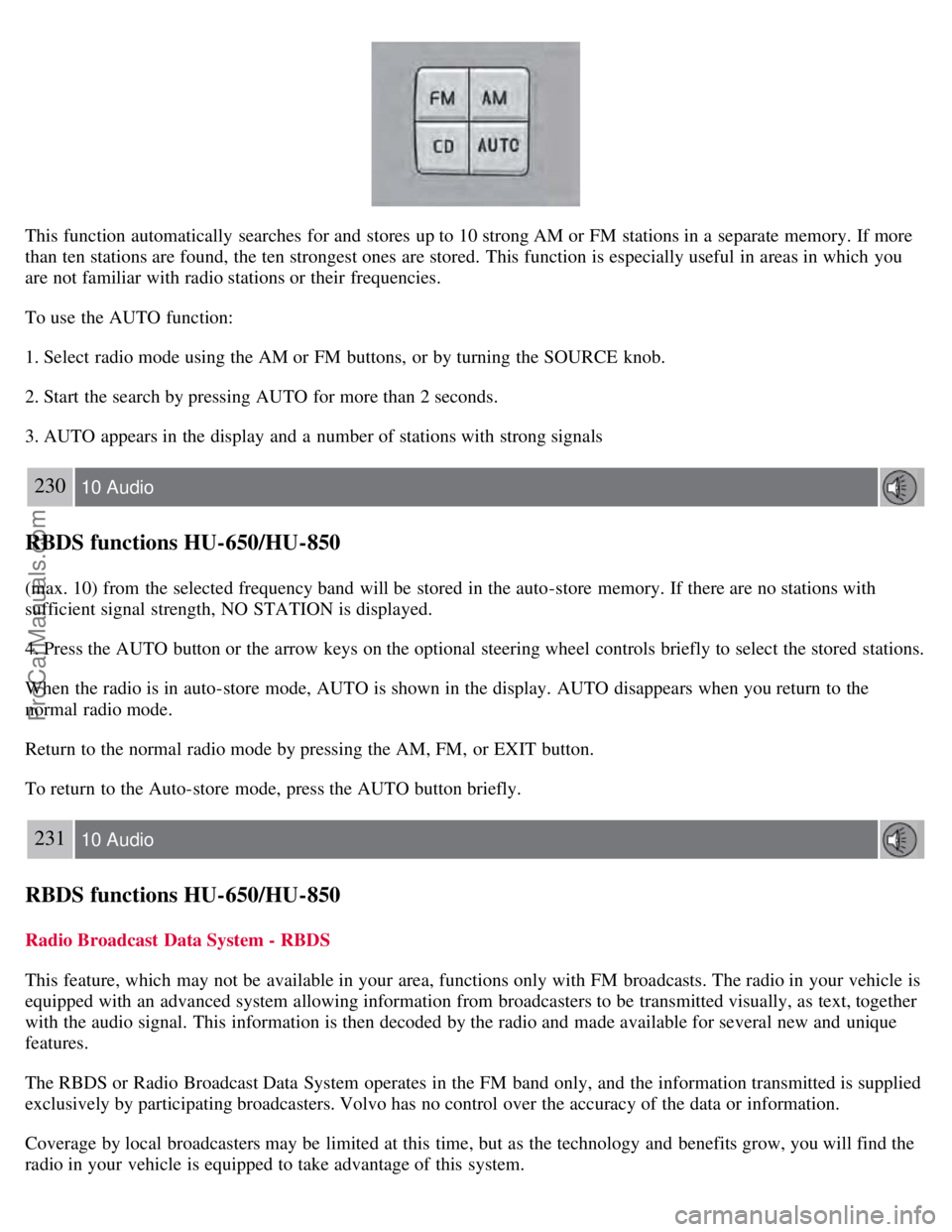
This function automatically searches for and stores up to 10 strong AM or FM stations in a separate memory. If more
than ten stations are found, the ten strongest ones are stored. This function is especially useful in areas in which you
are not familiar with radio stations or their frequencies.
To use the AUTO function:
1. Select radio mode using the AM or FM buttons, or by turning the SOURCE knob.
2. Start the search by pressing AUTO for more than 2 seconds.
3. AUTO appears in the display and a number of stations with strong signals
230 10 Audio
RBDS functions HU-650/HU-850
(max. 10) from the selected frequency band will be stored in the auto-store memory. If there are no stations with
sufficient signal strength, NO STATION is displayed.
4. Press the AUTO button or the arrow keys on the optional steering wheel controls briefly to select the stored stations.
When the radio is in auto-store mode, AUTO is shown in the display. AUTO disappears when you return to the
normal radio mode.
Return to the normal radio mode by pressing the AM, FM, or EXIT button.
To return to the Auto-store mode, press the AUTO button briefly.
231 10 Audio
RBDS functions HU-650/HU-850
Radio Broadcast Data System - RBDS
This feature, which may not be available in your area, functions only with FM broadcasts. The radio in your vehicle is
equipped with an advanced system allowing information from broadcasters to be transmitted visually, as text, together
with the audio signal. This information is then decoded by the radio and made available for several new and unique
features.
The RBDS or Radio Broadcast Data System operates in the FM band only, and the information transmitted is supplied
exclusively by participating broadcasters. Volvo has no control over the accuracy of the data or information.
Coverage by local broadcasters may be limited at this time, but as the technology and benefits grow, you will find the
radio in your vehicle is equipped to take advantage of this system.
ProCarManuals.com
Page 207 of 230
3. Turn the SOURCE knob, select ADVANCED MENU and press SOURCE.
233 10 Audio
RBDS functions HU-650/HU-850
4. Turn the SOURCE knob, select RESET TO DEFAULT and press SOURCE.
5. Press EXIT.
ASC - speed compensated volume
The audio system's volume is adjusted automatically according to the speed of the vehicle. There are three settings
available: low, medium, or high.
To activate ASC:
1. Select radio mode using the FM button, or by turning the SOURCE knob.
2. Press SOURCE.
3. Turn the SOURCE knob, select ADVANCED MENU and press SOURCE.
4. Turn the SOURCE knob, select AUDIO SETTINGS and press SOURCE.
5. Turn the SOURCE knob, select ASC LEVEL (flashing text) and press SOURCE.
6. Turn the SOURCE knob to select LOW, MEDIUM, HIGH, or OFF and press SOURCE.
7. Press EXIT.
NOTE
Please be aware that there are certain RBDS menu selections, for example EON, TP search, News, etc, that may not
be available in North America.
234 10 Audio
HU-650 - CD player
Starting the CD player
Please refer to the illustration on page 223
for the location of the buttons referred to on this page.
1. Insert a disc into the player.
2. Press the CD button or turn the SOURCE knob to CD.
Changing tracks
Briefly press the
keys (or the corresponding keys on the optional steering wheel keypad) to skip to the
previous or next track. The track number is shown in the display.
Fast forward/back
ProCarManuals.com