light VOLVO S60 2008 Owner's Guide
[x] Cancel search | Manufacturer: VOLVO, Model Year: 2008, Model line: S60, Model: VOLVO S60 2008Pages: 230, PDF Size: 5.33 MB
Page 64 of 230
2. Pull the lever up slightly, press the button at the end of the lever and lower the lever completely.
WARNING
Pull up the parking brake lever up firmly to its full extent.
69 02 Instruments and controls
12-volt socket
Auxiliary sockets
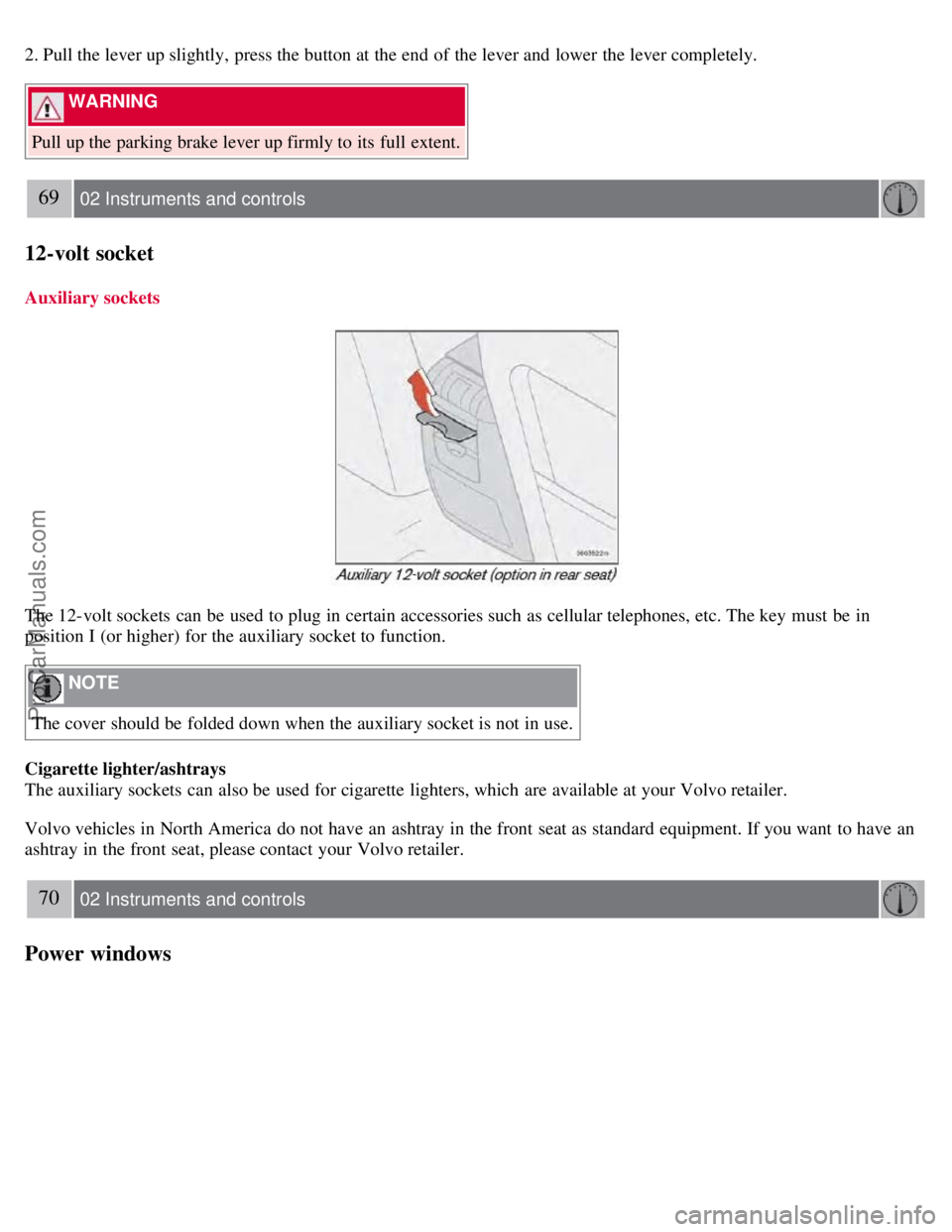
The 12-volt sockets can be used to plug in certain accessories such as cellular telephones, etc. The key must be in
position I (or higher) for the auxiliary socket to function.
NOTE
The cover should be folded down when the auxiliary socket is not in use.
Cigarette lighter/ashtrays
The auxiliary sockets can also be used for cigarette lighters, which are available at your Volvo retailer.
Volvo vehicles in North America do not have an ashtray in the front seat as standard equipment. If you want to have an
ashtray in the front seat, please contact your Volvo retailer.
70 02 Instruments and controls
Power windows
ProCarManuals.com
Page 65 of 230

The power windows are controlled by buttons in the arm rests. The ignition switch must be ON1 (ignition key in position
I, II or the engine running) for the electrically operated windows to function.
To lower: Press down the front edge of the button to the first detent ("stop").
To raise: Lightly pull up the front edge of the button to the first detent ("stop").
1The power windows will also function after the ignition has been switched off as long as neither of the front doors has been opened.
NOTE
To reduce buffeting wind noise if the rear windows are opened, also open the front windows slightly.
Auto up/down function (front doors only)
Either front door window can be opened or closed automatically.
Auto down
Press the front part of the button as far down as possible and release it immediately. To stop the window at any time, pull
the button up.
Auto up
Pull the front part of the button up as far as possible and release it immediately. To stop the window at any time, press
the button down.
NOTE
The electrically operated windows in the front seat have an overload protecting circuit breaker which reverses
movement of the electrically operated windows to their starting points if they are obstructed in any way. Thereafter the
windows will operate normally again.
WARNING
Always remove the ignition key when the vehicle is unattended.
Make sure that the windows are completely unobstructed before they are operated. Never leave children unattended in
the vehicle.
71 02 Instruments and controls
ProCarManuals.com
Page 67 of 230
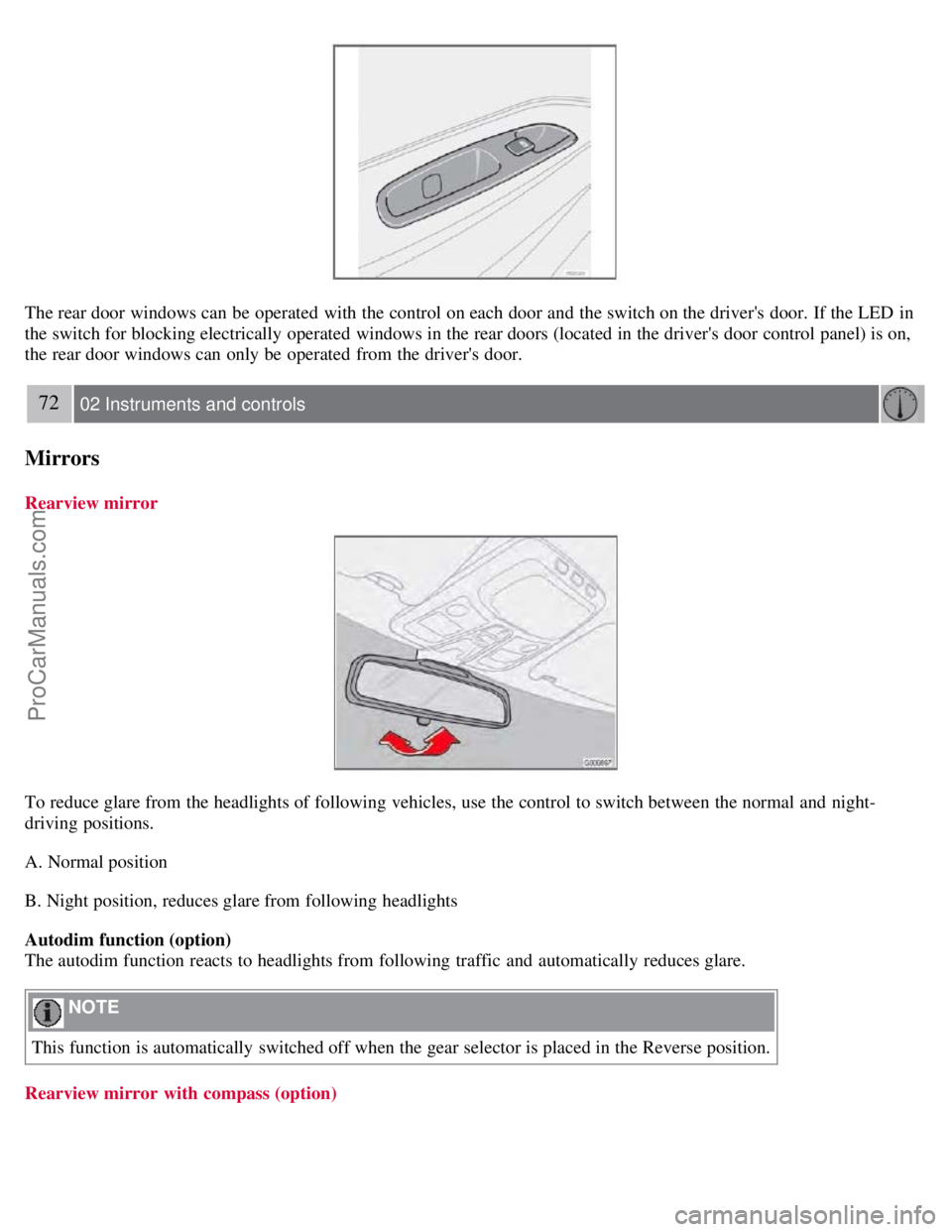
The rear door windows can be operated with the control on each door and the switch on the driver's door. If the LED in
the switch for blocking electrically operated windows in the rear doors (located in the driver's door control panel) is on,
the rear door windows can only be operated from the driver's door.
72 02 Instruments and controls
Mirrors
Rearview mirror
To reduce glare from the headlights of following vehicles, use the control to switch between the normal and night-
driving positions.
A. Normal position
B. Night position, reduces glare from following headlights
Autodim function (option)
The autodim function reacts to headlights from following traffic and automatically reduces glare.
NOTE
This function is automatically switched off when the gear selector is placed in the Reverse position.
Rearview mirror with compass (option)
ProCarManuals.com
Page 69 of 230
Mirrors
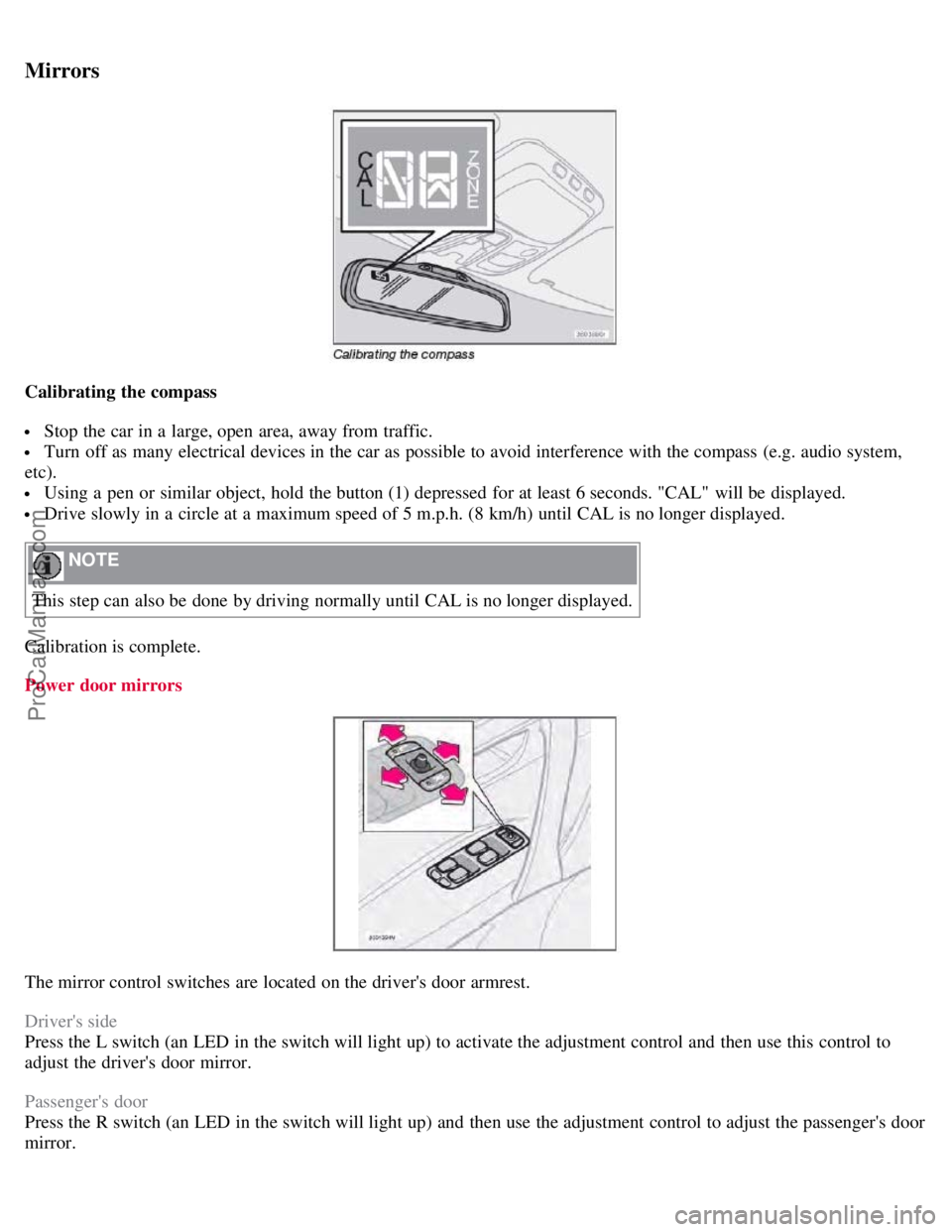
Calibrating the compass
Stop the car in a large, open area, away from traffic.
Turn off as many electrical devices in the car as possible to avoid interference with the compass (e.g. audio system,
etc).
Using a pen or similar object, hold the button (1) depressed for at least 6 seconds. "CAL" will be displayed.
Drive slowly in a circle at a maximum speed of 5 m.p.h. (8 km/h) until CAL is no longer displayed.
NOTE
This step can also be done by driving normally until CAL is no longer displayed.
Calibration is complete.
Power door mirrors
The mirror control switches are located on the driver's door armrest.
Driver's side
Press the L switch (an LED in the switch will light up) to activate the adjustment control and then use this control to
adjust the driver's door mirror.
Passenger's door
Press the R switch (an LED in the switch will light up) and then use the adjustment control to adjust the passenger's door
mirror.
ProCarManuals.com
Page 72 of 230
Sun visor
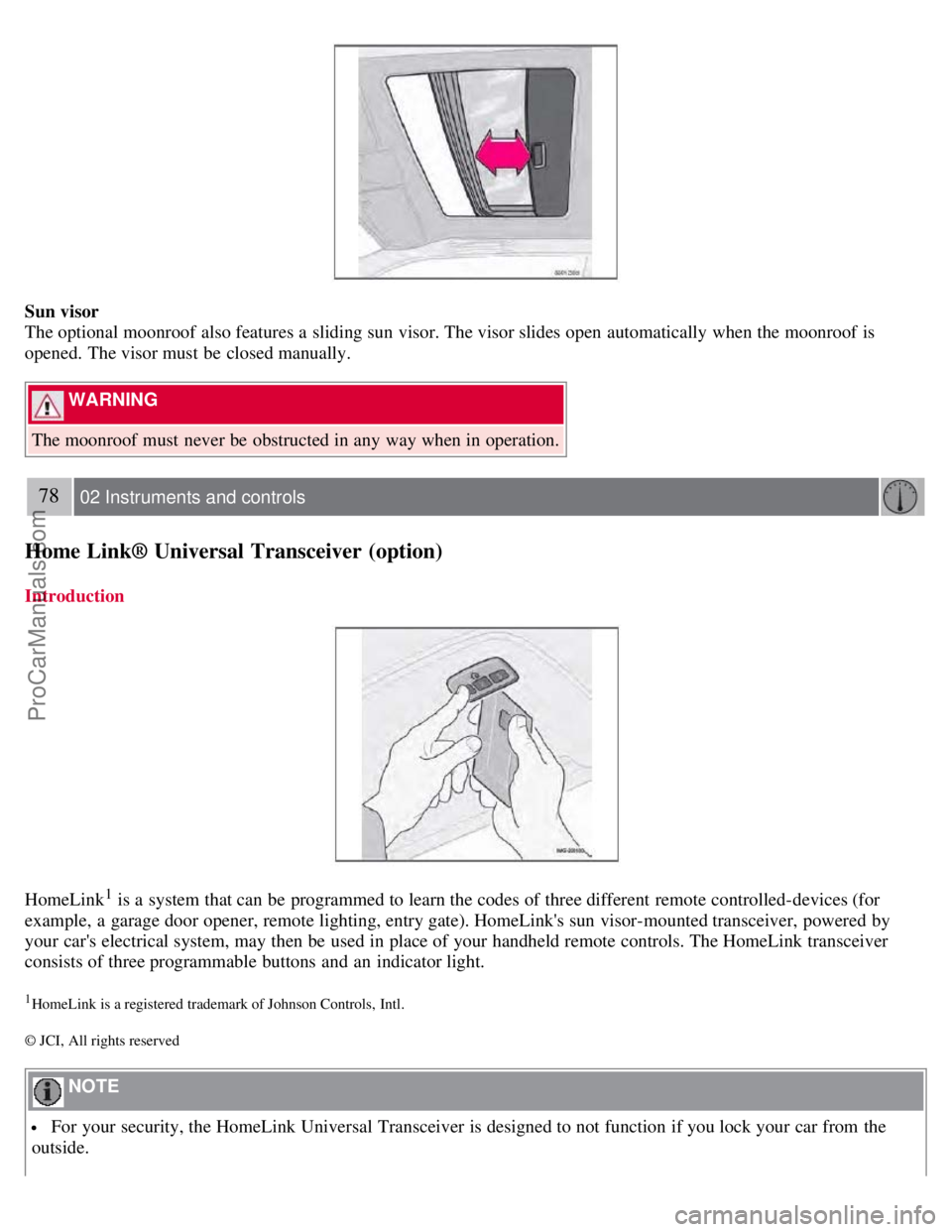
The optional moonroof also features a sliding sun visor. The visor slides open automatically when the moonroof is
opened. The visor must be closed manually.
WARNING
The moonroof must never be obstructed in any way when in operation.
78 02 Instruments and controls
Home Link® Universal Transceiver (option)
Introduction
HomeLink1 is a system that can be programmed to learn the codes of three different remote controlled-devices (for
example, a garage door opener, remote lighting, entry gate). HomeLink's sun visor-mounted transceiver, powered by
your car's electrical system, may then be used in place of your handheld remote controls. The HomeLink transceiver
consists of three programmable buttons and an indicator light.
1HomeLink is a registered trademark of Johnson Controls, Intl.
© JCI, All rights reserved
NOTE
For your security, the HomeLink Universal Transceiver is designed to not function if you lock your car from the
outside.
ProCarManuals.com
Page 73 of 230
Retain the original transmitter(s) for future programming procedures (for example, if you purchase a new vehicle).
For your own security, erase all programmed buttons on the HomeLink Universal Transceiver when you sell your
vehicle.
Metallic sun protection films should not be used on any windows in a vehicle equipped with HomeLink Universal
Transceiver. This could interfere with the transceivers function.
Operating the HomeLink Universal Transceiver
Once programmed, the HomeLink Universal Transceiver can be used in place of your handheld transmitters.
NOTE
The HomeLink universal transceiver will function for 30 minutes after the driver's door has been opened without
switching on the vehicle's ignition.
Press the programmed HomeLink button to activate the garage door, driveway gate, security lightning, home security
system etc.
Your original hand -held transmitters may, of course, be used at any time.
WARNING
If you use HomeLink to open a garage door or gate, be sure no one is near the gate or door while it is in motion.
Do not use the HomeLink Universal Transceiver with any garage door opener that lacks safety "stop" and "reverse"
features as required by federal safety standards. (This includes any garage door opener model manufactured before
April 1, 1982). A garage door opener that cannot "detect" an object, signalling the door to "stop" and "reverse" does
not meet current federal safety standards. Using a garage door opener without these features increases the risk of
serious injury or death. For more information on this matter, call toll-free 1-800-355-3515. (Internet:
www.HomeLink.com
).
Programming the transceiver for the first time (U.S. residents)
1. For first time training, press and hold the two outer HomeLink buttons, releasing only when the HomeLink indicator
light begins to flash after 20 seconds. (Do not perform this step when training the additional HomeLink buttons.)
2. Position the hand -held transmitter 1-3 inches away from the HomeLink surface
79 02 Instruments and controls
Home Link® Universal Transceiver (option)
(located on your sun visor), keeping the HomeLink indicator light in view.
3. Using both hands, simultaneously press and hold both the desired HomeLink button and hand held transmitter button.
DO NOT release until the HomeLink indicator light flashes slowly and then rapidly. When the indicator light flashes
rapidly, both buttons may be released. (The rapid flashing indicates successful training.)
NOTE
Some garage door openers may require you to replace step 3 with the "cycling" procedure noted in the "Programming
the transceiver for the first time (Canadian residents)" section.
4. Press and hold the trained HomeLink button and observe the indicator light.
ProCarManuals.com
Page 74 of 230
If the indicator light is solid/continuous, training is complete and your device should activate when the HomeLink
button is pressed and released.
If the indicator light blinks rapidly for 2 seconds and then turns a solid/continuous light, proceed with the following
training instructions for a rolling code device. A second person may make the following steps quicker and easier. Please
use a ladder or other device. Do not stand on your vehicle to perform the next steps.
5. At the garage door opener receiver (motorhead unit) in the garage, locate the "learn" or "smart" button (usually near
where the hanging antenna wire is attached to the unit). If there is difficulty locating the training button, reference the
garage door opener's manual or contact us toll-free 1-800-355-3515 (Internet: www.HomeLink.com
).
6. Press and release the "learn" or "smart" button (the name and color of the button may vary by manufacturer).
NOTE
Once the button is pressed, there are 30 seconds in which to initiate the next step.
7. Return to the vehicle and firmly press and hold the trained HomeLink button for two seconds and release. Repeat the
"press/hold/release" sequence up to 3 times to complete the training process.
To train additional HomeLink buttons, begin with step two.
Programming the transceiver for the first time (Canadian residents)
1. For first time training, press and hold the two outer HomeLink buttons releasing only when the HomeLink indicator
light begins to flash after 20 seconds. (Do not perform this step when training the additional HomeLink buttons.)
2. Position the hand -held transmitter 1-3 inches (2.5-7.5 cm) away from the HomeLink surface (located on your) keeping
the HomeLink indicator light in view.
3. Using both hands, simultaneously press and hold both the desired HomeLink button and hand held transmitter button.
During programming, your handheld transmitter may automatically stop transmitting. Continue to press and hold the
desired HomeLink button while you press and re-press ("cycle") your handheld transmitter every two seconds until the
frequency signal has been learned. The indicator light will flash slowly and then rapidly after several seconds upon
successful training. DO NOT release until the HomeLink indicator light flashes slowly and then rapidly. When the
indicator light flashes rapidly, both buttons may be released. (The rapid flashing indicates successful training.)
80 02 Instruments and controls
Home Link® Universal Transceiver (option)
4. Press and hold the trained HomeLink button and observe the indicator light.
If the indicator light is solid/continuous, training is complete and your device should activate when the HomeLink
button is pressed and released.
If the indicator light blinks rapidly for 2 seconds and then turns a solid/continuous light, proceed with the following
training instructions for a rolling code device. A second person may make the following steps quicker and easier. Please
use a ladder or other device. Do not stand on your vehicle to perform the next steps.
5. At the garage door opener receiver (motorhead unit) in the garage, locate the "learn" or "smart" button (usually near
where the hanging antenna wire is attached to the unit). If there is difficulty locating the training button reference the
garage door opener's manual or contact us.
6. Press and release the "learn" or "smart" button (the name and color of the button may vary by manufacturer).
NOTE
ProCarManuals.com
Page 75 of 230
Once the button is pressed, there are 30 seconds in which to initiate the next step.
7. Return to the vehicle and firmly press and hold the trained HomeLink button for two seconds and release. Repeat the
"press/hold/release" sequence up to 3 times to complete the training process.
NOTE
During programming, your hand -held transmitter may automatically stop transmitting. Continue to press and hold the
desired HomeLink button while you press and repress ("cycle") your hand -held transmitter every two seconds until the
frequency signal has been learned. The indicator light will flash slowly and then rapidly after several seconds upon
successful training. If necessary, follow steps 5-7 to complete the training for a rolling code device.
To train additional HomeLink buttons, begin with step two.
Rolling Code Programming
Rolling code garage door openers that are "code-protected" and manufactured after 1996 may be determined by the-
following:
Reference the garage door opener owner's manual for verification.
The handheld transmitter appears to program the HomeLink Universal Transceiver but does not activate the garage
door.
Press and hold the trained HomeLink button. The garage door opener has the rolling code feature if the indicator light
flashes rapidly and then turns solid after 2 seconds.
To train a garage door with the rolling code feature, follow these instructions (the aid of a second person may make the
training quicker and easier):
1. Locate the training button on the garage door opener motor head unit. Exact location and color of the button may vary
by garage door opener brand. If there is difficulty locating the training button, reference the garage door opener owner's
manual or please visit our Web site at www.homelink.com
.
2. Press the training button on the garage door opener motor head unit (which activates the "training light").
NOTE
Following step 2, there are 30 seconds in which to initiate step 3.
3. Firmly press and release the programmed HomeLink® button. Press and release the HomeLink button a second time
to complete the training process. (Some garage door openers may require
81 02 Instruments and controls
Home Link® Universal Transceiver (option)
you to do this procedure a third time to complete the training.)
The garage door opener should now recognize the HomeLink Wireless Control System. The remaining two buttons may
now be trained if this has not previously been done. Refer to the Programming portion of this text. The HomeLink
Wireless Control System (once programmed) or the original handheld transmitter may be used to activate the garage
door. In the event that there are still difficulties in programming the HomeLink Wireless Control System, please visit our
Web site, www.homelink.com
.
ProCarManuals.com
Page 76 of 230
Reprogramming a Single HomeLink Button
To program a device to HomeLink using a HomeLink button previously trained, follow these steps:
1. Press and hold the desired HomeLink button. Do NOT release until step 4 has been completed.
2. When the indicator light begins to flash slowly (after 20 seconds), position the handheld transmitter 1 to 3 inches away
from the HomeLink surface.
3. Press and hold the handheld transmitter button. The HomeLink indicator light will flash, first slowly and then rapidly.
4. When the indicator light begins to flash rapidly, release both buttons.
The previous device has now been erased and the new device can be activated by pushing the HomeLink button that has
just been programmed. This procedure will not affect any other programmed HomeLink.
Erasing Channels
Individual buttons cannot be erased. However, to erase all three programmed buttons:
1. Press and hold the two outside buttons until the indicator light begins to flash (after 20 seconds).
2. Release both buttons.
The HomeLink® Wireless Control System is now in the training (learning) mode and can be programmed at any time
following steps 2 through 4 in the Programming section.
Contents | Top of Page
ProCarManuals.com
Page 77 of 230
2 0 0 8
VOLVO S60
82 03 Climate
Climate control systems - general information 84
Air distribution85
Electronic Climate Control, ECC86
83 03 Climate
84 03 Climate
Climate control systems - general information
Condensation on the inside of the windows
The defroster function should be used to remove fog or mist from the inside of the windows. Keeping the windows
clean with a commercially available window washing spray will also help prevent fogging or misting.
Ice and snow
Always keep the air intake grille at the base of the windshield free of snow.
Cabin air filter
Replace the cabin air filter with a new one at the recommended intervals. Please refer to your Warranty and Service
Records Information booklet, or consult a trained and qualified Volvo service technician for these intervals. The filter
should be replaced more often when driving under dirty and dusty conditions. The filter cannot be cleaned and
therefore should always be replaced with a new one.
Sensors
The sunlight sensor on the dashboard and passenger compartment temperature sensor in the ECC control panel should
not be covered in any way as this could cause incorrect information to be sent to the ECC system.
Parking the vehicle in warm weather
ProCarManuals.com