light VOLVO S60 2008 Service Manual
[x] Cancel search | Manufacturer: VOLVO, Model Year: 2008, Model line: S60, Model: VOLVO S60 2008Pages: 230, PDF Size: 5.33 MB
Page 81 of 230
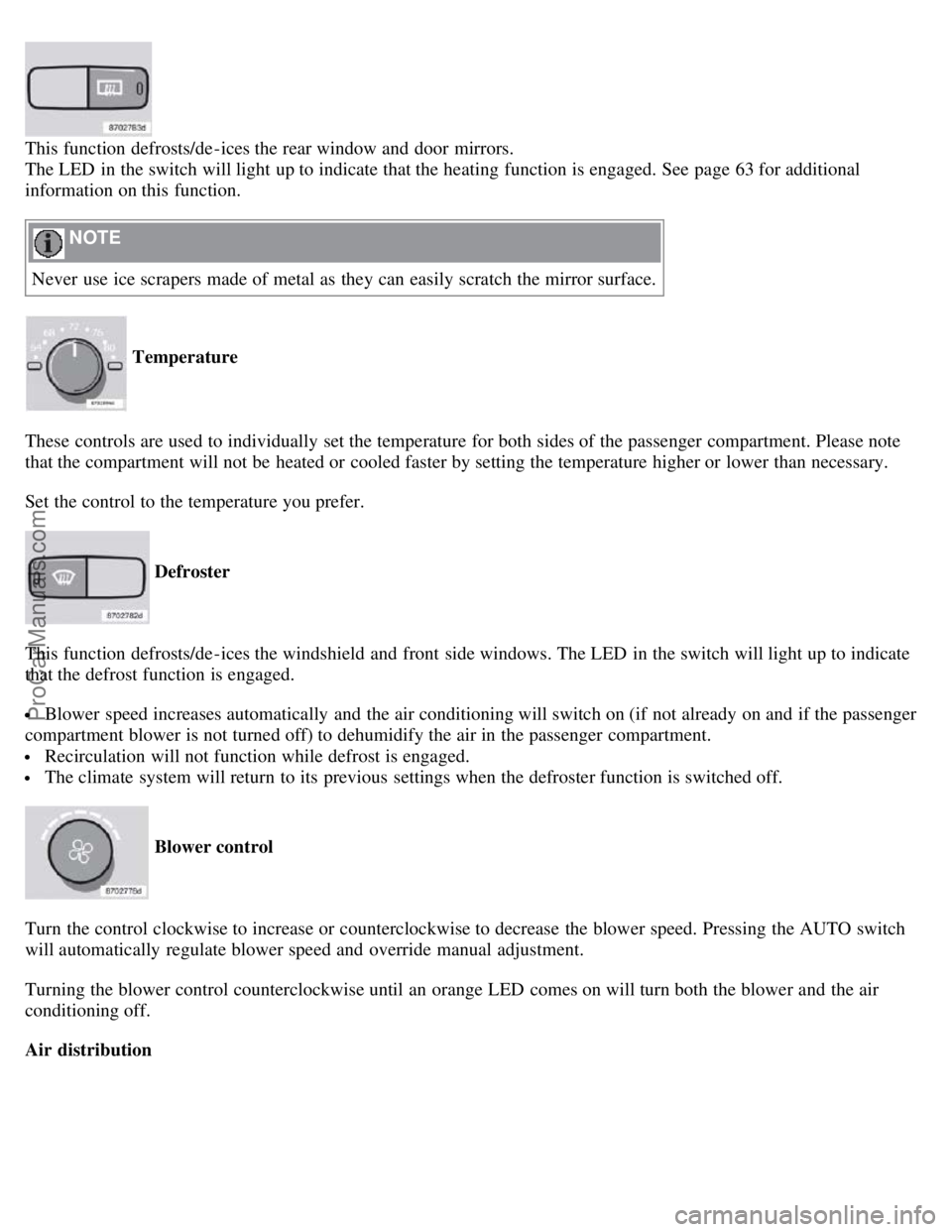
This function defrosts/de-ices the rear window and door mirrors.
The LED in the switch will light up to indicate that the heating function is engaged. See page 63 for additional
information on this function.
NOTE
Never use ice scrapers made of metal as they can easily scratch the mirror surface.
Temperature
These controls are used to individually set the temperature for both sides of the passenger compartment. Please note
that the compartment will not be heated or cooled faster by setting the temperature higher or lower than necessary.
Set the control to the temperature you prefer.
Defroster
This function defrosts/de-ices the windshield and front side windows. The LED in the switch will light up to indicate
that the defrost function is engaged.
Blower speed increases automatically and the air conditioning will switch on (if not already on and if the passenger
compartment blower is not turned off) to dehumidify the air in the passenger compartment.
Recirculation will not function while defrost is engaged.
The climate system will return to its previous settings when the defroster function is switched off.
Blower control
Turn the control clockwise to increase or counterclockwise to decrease the blower speed. Pressing the AUTO switch
will automatically regulate blower speed and override manual adjustment.
Turning the blower control counterclockwise until an orange LED comes on will turn both the blower and the air
conditioning off.
Air distribution
ProCarManuals.com
Page 82 of 230
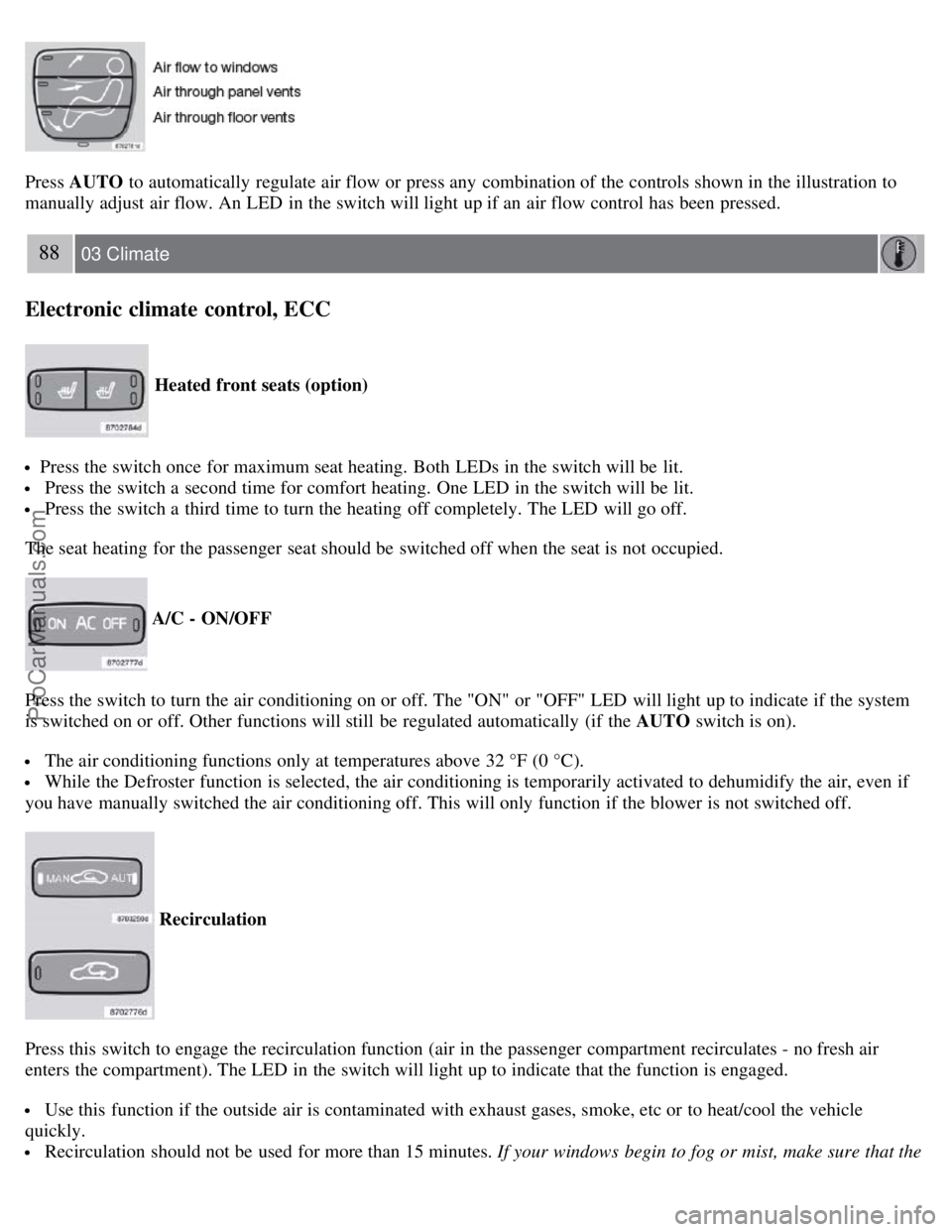
Press AUTO to automatically regulate air flow or press any combination of the controls shown in the illustration to
manually adjust air flow. An LED in the switch will light up if an air flow control has been pressed.
88 03 Climate
Electronic climate control, ECC
Heated front seats (option)
Press the switch once for maximum seat heating. Both LEDs in the switch will be lit.
Press the switch a second time for comfort heating. One LED in the switch will be lit.
Press the switch a third time to turn the heating off completely. The LED will go off.
The seat heating for the passenger seat should be switched off when the seat is not occupied.
A/C - ON/OFF
Press the switch to turn the air conditioning on or off. The "ON" or "OFF" LED will light up to indicate if the system
is switched on or off. Other functions will still be regulated automatically (if the AUTO switch is on).
The air conditioning functions only at temperatures above 32 °F (0 °C).
While the Defroster function is selected, the air conditioning is temporarily activated to dehumidify the air, even if
you have manually switched the air conditioning off. This will only function if the blower is not switched off.
Recirculation
Press this switch to engage the recirculation function (air in the passenger compartment recirculates - no fresh air
enters the compartment). The LED in the switch will light up to indicate that the function is engaged.
Use this function if the outside air is contaminated with exhaust gases, smoke, etc or to heat/cool the vehicle
quickly.
Recirculation should not be used for more than 15 minutes. If your windows begin to fog or mist, make sure that the
ProCarManuals.com
Page 83 of 230
recirculation function is switched off.
Selecting Defroster automatically switches recirculation off.
Timer mode activation: (vehicles with the Interior Air Quality system have no timer mode) Press and hold the
recirculation button for at least 3 seconds to activate a recirculation timer mode. The amber LED in the recirculation
button will flash 5 times to show that the timer mode is being activated. In timer mode, each time the recirculation
button is pressed, the climate control system will recirculate the air in the passenger compartment for 5-12 minutes,
depending on the outside air temperature, and then revert back to fresh air.
Timer mode deactivation: Press and hold the recirculation button for 3 seconds. The amber LED in the recirculation
button will illuminate steadily for 5 seconds to show a return to "normal" mode.
In normal mode, when the recirculation button is pressed, the climate control system will recirculate the air in the
passenger compartment until the recirculation button is pressed again.
Timer mode memory: If the vehicle is turned off while timer mode is active, timer mode will still be active when
the vehicle is restarted.
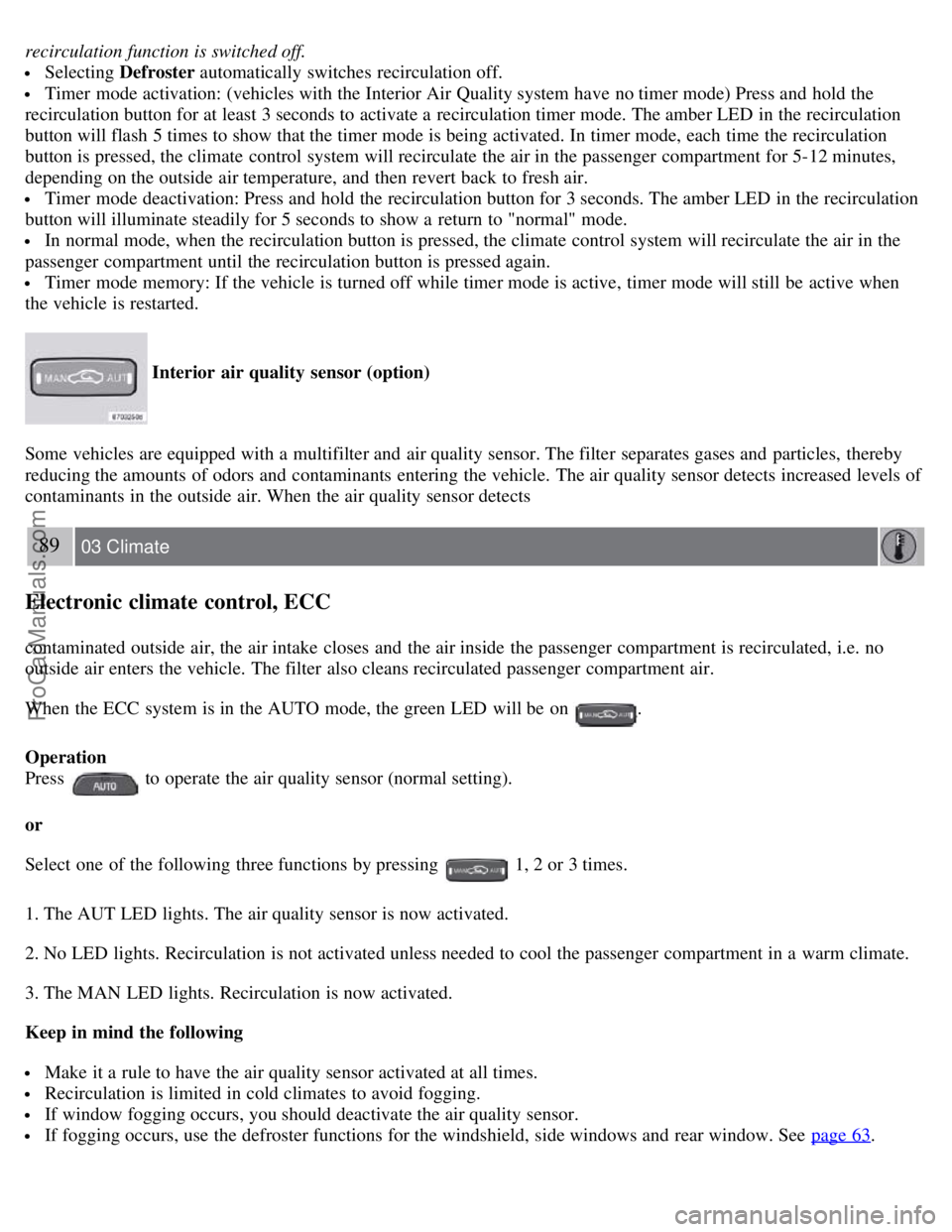
Interior air quality sensor (option)
Some vehicles are equipped with a multifilter and air quality sensor. The filter separates gases and particles, thereby
reducing the amounts of odors and contaminants entering the vehicle. The air quality sensor detects increased levels of
contaminants in the outside air. When the air quality sensor detects
89 03 Climate
Electronic climate control, ECC
contaminated outside air, the air intake closes and the air inside the passenger compartment is recirculated, i.e. no
outside air enters the vehicle. The filter also cleans recirculated passenger compartment air.
When the ECC system is in the AUTO mode, the green LED will be on
.
Operation
Press
to operate the air quality sensor (normal setting).
or
Select one of the following three functions by pressing
1, 2 or 3 times.
1. The AUT LED lights. The air quality sensor is now activated.
2. No LED lights. Recirculation is not activated unless needed to cool the passenger compartment in a warm climate.
3. The MAN LED lights. Recirculation is now activated.
Keep in mind the following
Make it a rule to have the air quality sensor activated at all times.
Recirculation is limited in cold climates to avoid fogging.
If window fogging occurs, you should deactivate the air quality sensor.
If fogging occurs, use the defroster functions for the windshield, side windows and rear window. See page 63.
ProCarManuals.com
Page 85 of 230
2 0 0 8
VOLVO S60
90 04 Interior
Front seats 92
Interior lighting97
Storage compartments99
Rear seat and trunk103
Spare wheel, tools and jack106
91 04 Interior
92 04 Interior
Front seats
Manually adjusted front seats
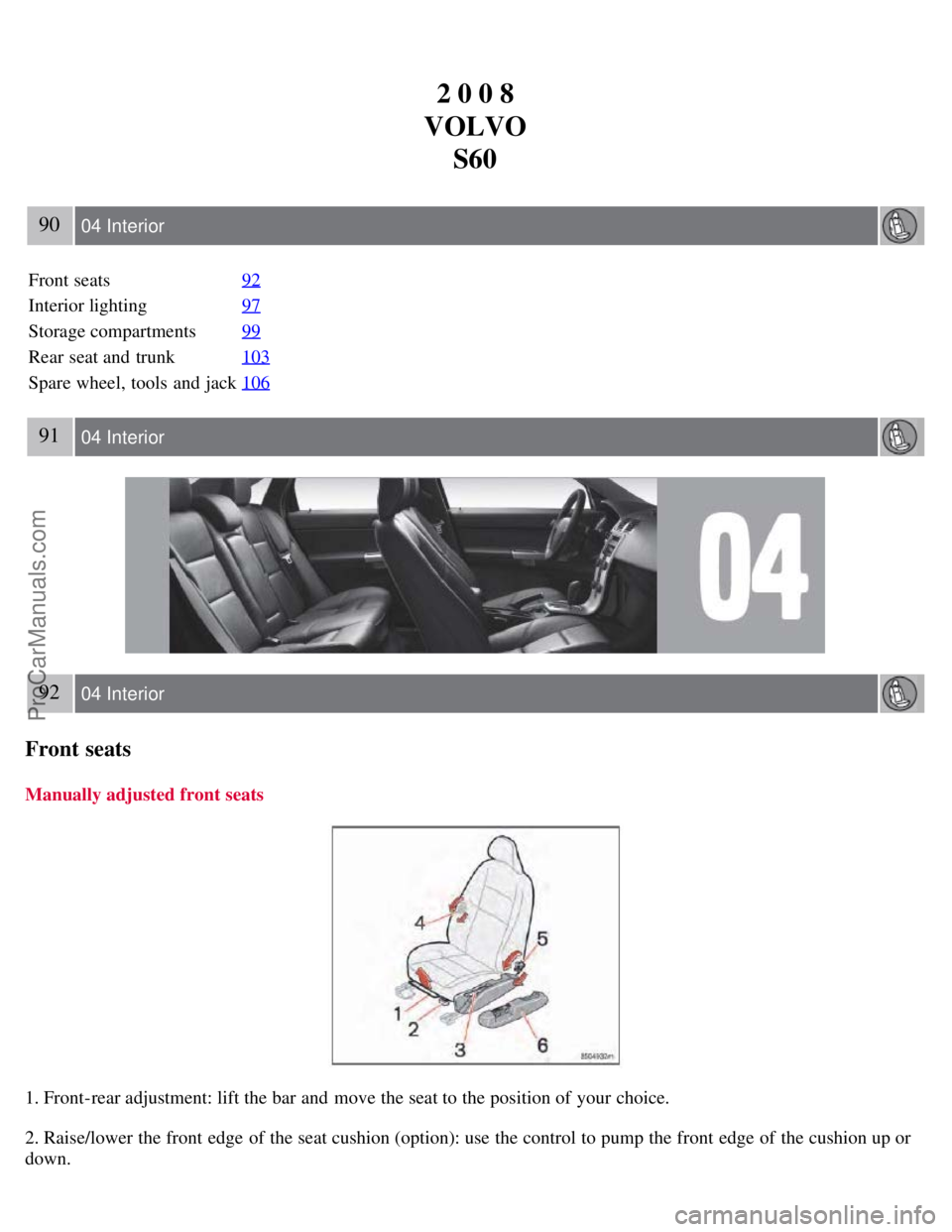
1. Front-rear adjustment: lift the bar and move the seat to the position of your choice.
2. Raise/lower the front edge of the seat cushion (option): use the control to pump the front edge of the cushion up or
down.
ProCarManuals.com
Page 89 of 230
To program (store) a seat position in button 1:
1. Move the seat to the desired position using the seat adjustment controls (see the previous page).
2. Press and hold down the MEM (memory) button.
96 04 Interior
Front seats
3. With the MEM button depressed, press button 1 briefly to store the seat's current position.
To move the seat to the position that it was in when button 1 was programmed:
Press and hold down button 1 until the seat stops moving.
As a safety precaution, the seat will stop automatically if the button is released before the seat has reached the preset
position.
97 04 Interior
Interior lighting
Reading lights and courtesy light
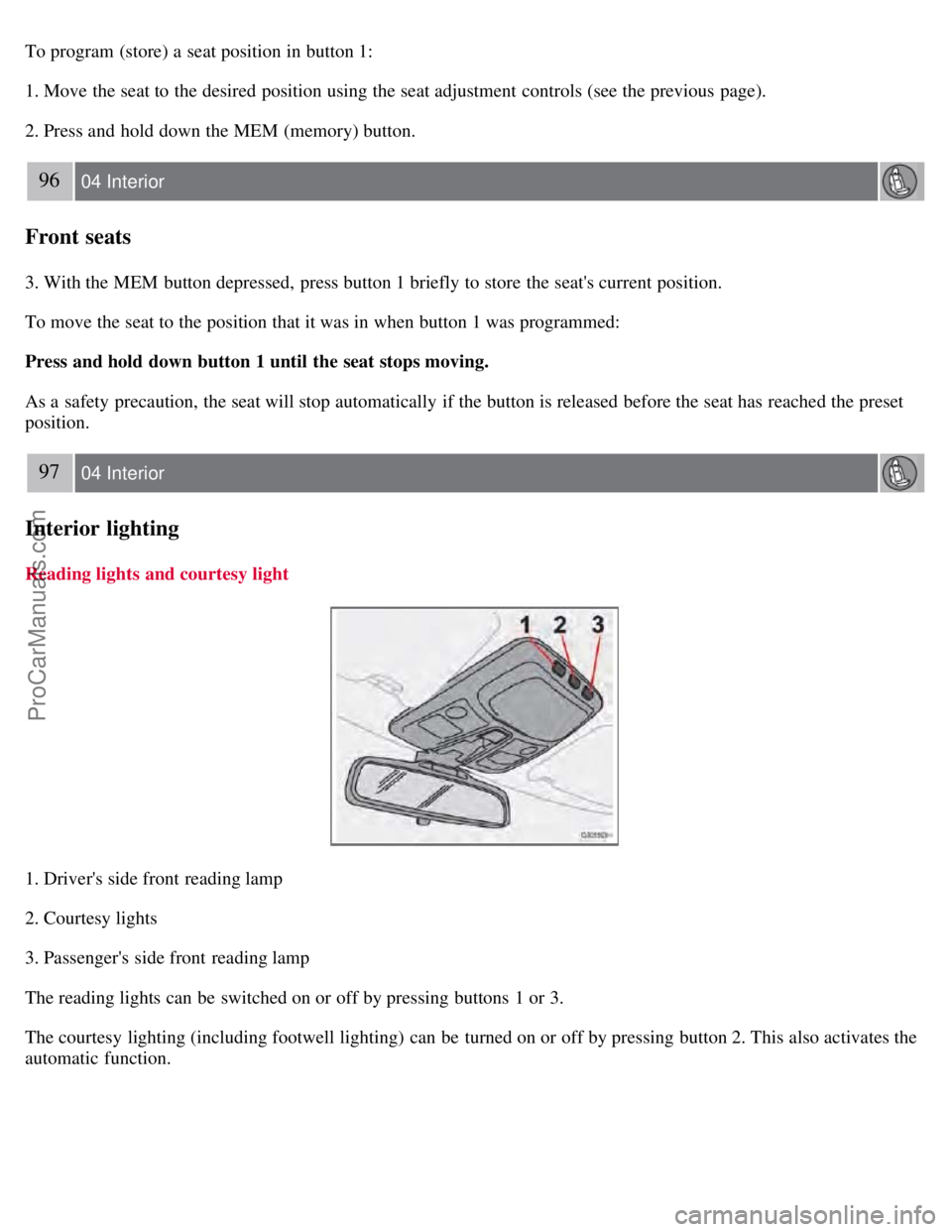
1. Driver's side front reading lamp
2. Courtesy lights
3. Passenger's side front reading lamp
The reading lights can be switched on or off by pressing buttons 1 or 3.
The courtesy lighting (including footwell lighting) can be turned on or off by pressing button 2. This also activates the
automatic function.
ProCarManuals.com
Page 90 of 230
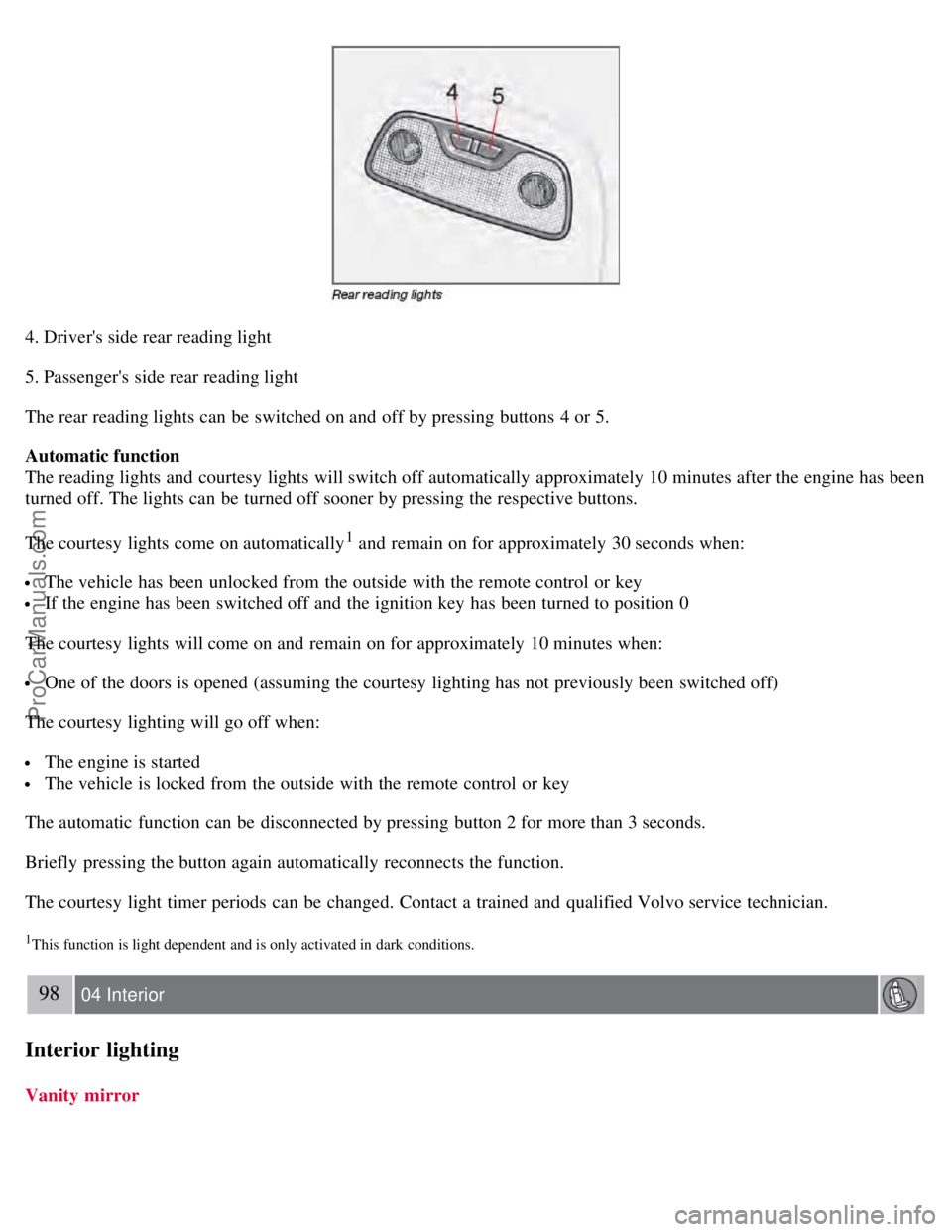
4. Driver's side rear reading light
5. Passenger's side rear reading light
The rear reading lights can be switched on and off by pressing buttons 4 or 5.
Automatic function
The reading lights and courtesy lights will switch off automatically approximately 10 minutes after the engine has been
turned off. The lights can be turned off sooner by pressing the respective buttons.
The courtesy lights come on automatically
1 and remain on for approximately 30 seconds when:
The vehicle has been unlocked from the outside with the remote control or key
If the engine has been switched off and the ignition key has been turned to position 0
The courtesy lights will come on and remain on for approximately 10 minutes when:
One of the doors is opened (assuming the courtesy lighting has not previously been switched off)
The courtesy lighting will go off when:
The engine is started
The vehicle is locked from the outside with the remote control or key
The automatic function can be disconnected by pressing button 2 for more than 3 seconds.
Briefly pressing the button again automatically reconnects the function.
The courtesy light timer periods can be changed. Contact a trained and qualified Volvo service technician.
1This function is light dependent and is only activated in dark conditions.
98 04 Interior
Interior lighting
Vanity mirror
ProCarManuals.com
Page 91 of 230
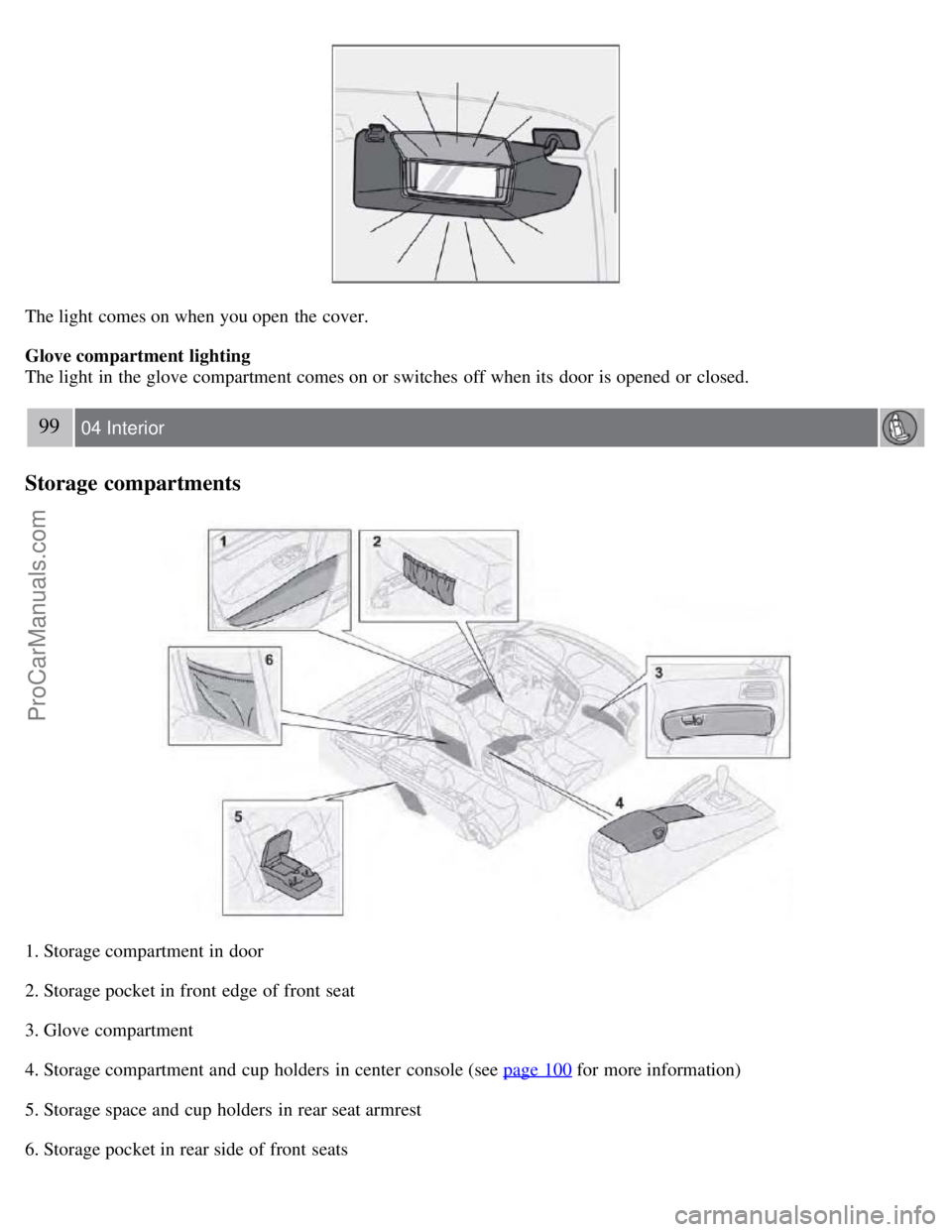
The light comes on when you open the cover.
Glove compartment lighting
The light in the glove compartment comes on or switches off when its door is opened or closed.
99 04 Interior
Storage compartments
1. Storage compartment in door
2. Storage pocket in front edge of front seat
3. Glove compartment
4. Storage compartment and cup holders in center console (see page 100
for more information)
5. Storage space and cup holders in rear seat armrest
6. Storage pocket in rear side of front seats
ProCarManuals.com
Page 94 of 230
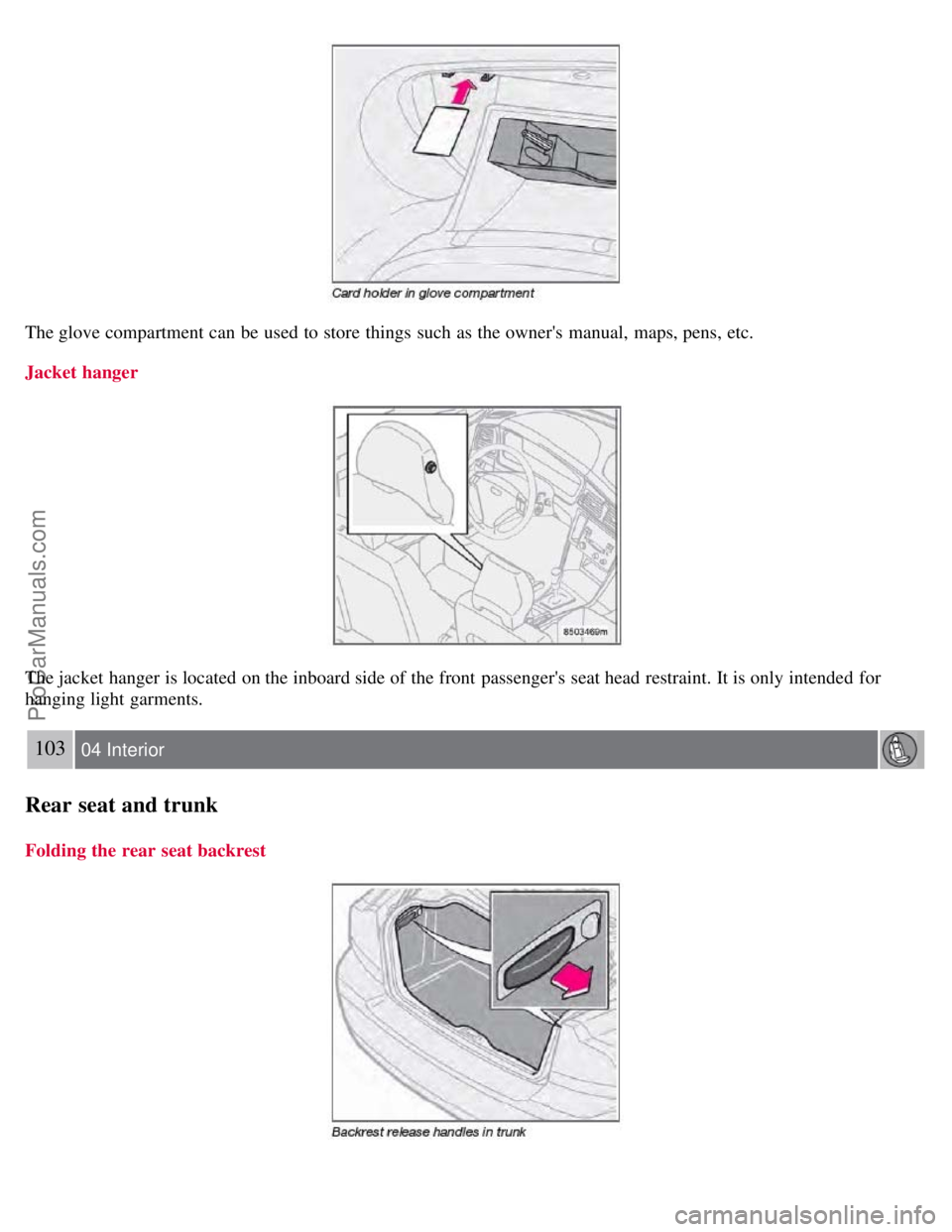
The glove compartment can be used to store things such as the owner's manual, maps, pens, etc.
Jacket hanger
The jacket hanger is located on the inboard side of the front passenger's seat head restraint. It is only intended for
hanging light garments.
103 04 Interior
Rear seat and trunk
Folding the rear seat backrest
ProCarManuals.com
Page 96 of 230
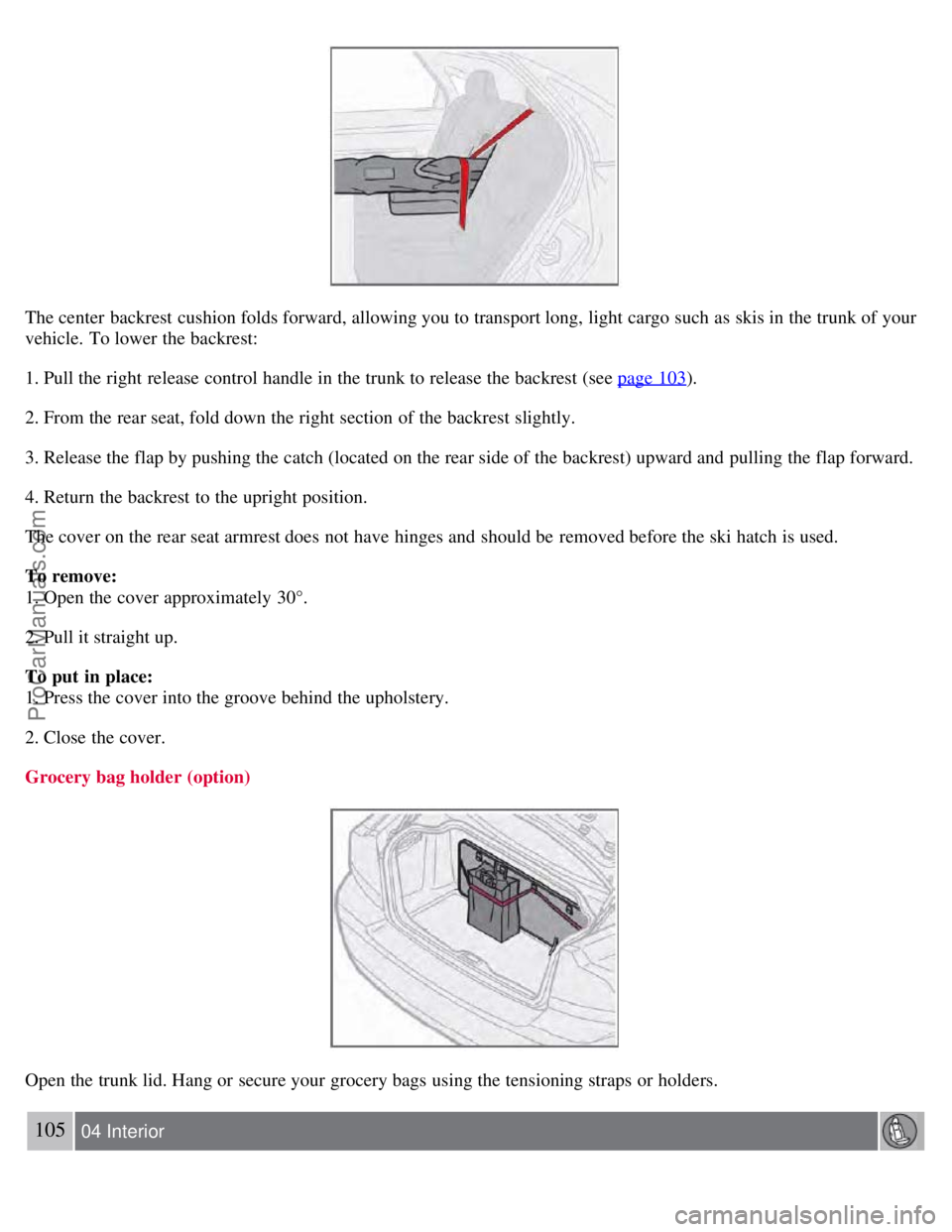
The center backrest cushion folds forward, allowing you to transport long, light cargo such as skis in the trunk of your
vehicle. To lower the backrest:
1. Pull the right release control handle in the trunk to release the backrest (see page 103
).
2. From the rear seat, fold down the right section of the backrest slightly.
3. Release the flap by pushing the catch (located on the rear side of the backrest) upward and pulling the flap forward.
4. Return the backrest to the upright position.
The cover on the rear seat armrest does not have hinges and should be removed before the ski hatch is used.
To remove:
1. Open the cover approximately 30°.
2. Pull it straight up.
To put in place:
1. Press the cover into the groove behind the upholstery.
2. Close the cover.
Grocery bag holder (option)
Open the trunk lid. Hang or secure your grocery bags using the tensioning straps or holders.
105 04 Interior
ProCarManuals.com
Page 98 of 230
WARNING
Make sure that the spare tire, jack and tool bag are properly secured with the securing bracket to help keep these
components in place in the event of a sudden stop.
If the vehicle is equipped with a grocery bag holder:
1. Turn the two clips, which are located at the rear corner of the mat, 90°.
2. Pull the front of the floor mat back towards the trunk lid opening.
3. Lift the mat slightly and turn 90° to lift it out.
4. Lift the mat out of the trunk.
5. Unscrew the spare tire and lift it out.
6. Return and secure everything in reverse order.
See also page 172
for more information on using the jack.
107 04 Interior
This page left intentionally blank.
Contents | Top of Page
ProCarManuals.com