ESP VOLVO S60 2009 Owner´s Manual
[x] Cancel search | Manufacturer: VOLVO, Model Year: 2009, Model line: S60, Model: VOLVO S60 2009Pages: 254, PDF Size: 6.17 MB
Page 191 of 254
09 Maintenance and servicing
Engine oil
09
191
NOTE
Volvo uses different systems to indicate a
low oil level or pressure. Some models have
an oil pressure sensor, in which case a
warning symbol (see page 52) is used to
indicate low oil pressure. Other models have
an oil level sensor, in which case the driver
is alerted by the warning symbol in the cen-
ter of the instrument panel and a text in the
information display. Some models use both
systems. Contact a trained and qualified
Volvo service technician for more informa-
tion.Changing engine oil and oil filterSee the information on oil specifications above
and page 240 for oil volumes. Refer to the
Warranty and Service Records Information
booklet for information on the oil change inter-
vals.
NOTE
•
Volvo does not recommend the use of
oil additives.
•
Synthetic oil is not used when the oil is
changed at the normal maintenance
intervals except at owner request and at
additional charge. Please consult a
trained and qualified Volvo service tech-
nician.
Checking and adding oilThe oil level should be checked every time the
vehicle is refueled. This is especially important
during the period up to the first scheduled
maintenance service.•
The vehicle should be parked on a level
surface when the oil is checked.
•
If the engine is warm, wait for at least
10-15 minutes after the engine has been
switched off before checking the oil.
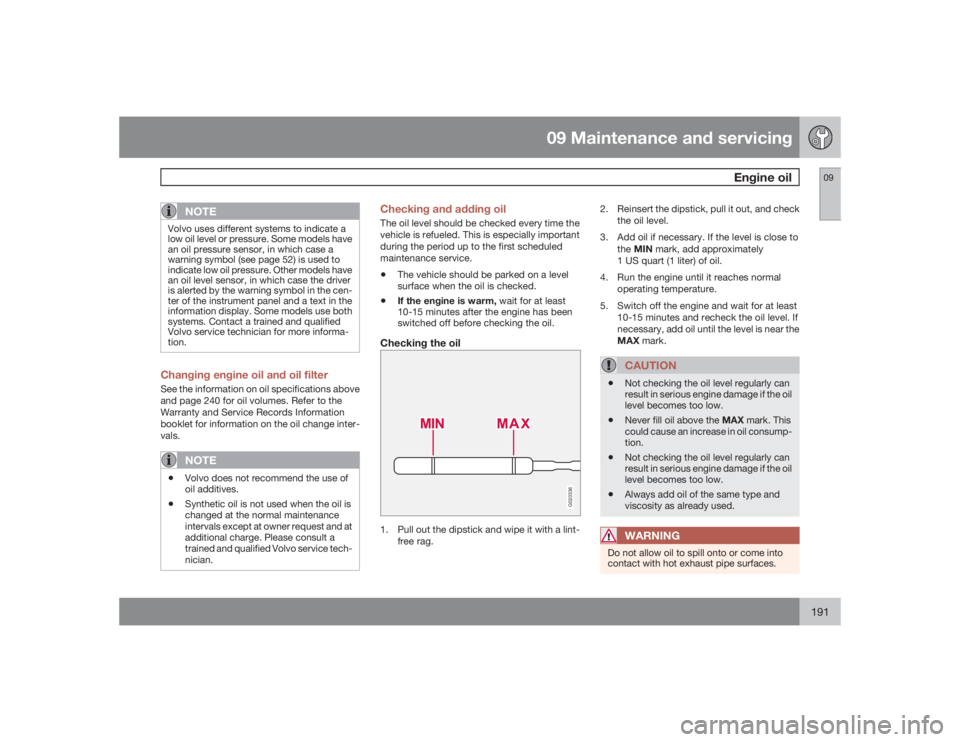
Checking the oil
G020336
1. Pull out the dipstick and wipe it with a lint-
free rag.2. Reinsert the dipstick, pull it out, and check
the oil level.
3. Add oil if necessary. If the level is close to
theMINmark, add approximately
1 US quart (1 liter) of oil.
4. Run the engine until it reaches normal
operating temperature.
5. Switch off the engine and wait for at least
10-15 minutes and recheck the oil level. If
necessary, add oil until the level is near the
MAX mark.
CAUTION
•
Not checking the oil level regularly can
result in serious engine damage if the oil
level becomes too low.
•
Never fill oil above the MAX mark. This
could cause an increase in oil consump-
tion.
•
Not checking the oil level regularly can
result in serious engine damage if the oil
level becomes too low.
•
Always add oil of the same type and
viscosity as already used.WARNING
Do not allow oil to spill onto or come into
contact with hot exhaust pipe surfaces.
Page 222 of 254
10 AudioRadio functions HU-650/HU-850
10222
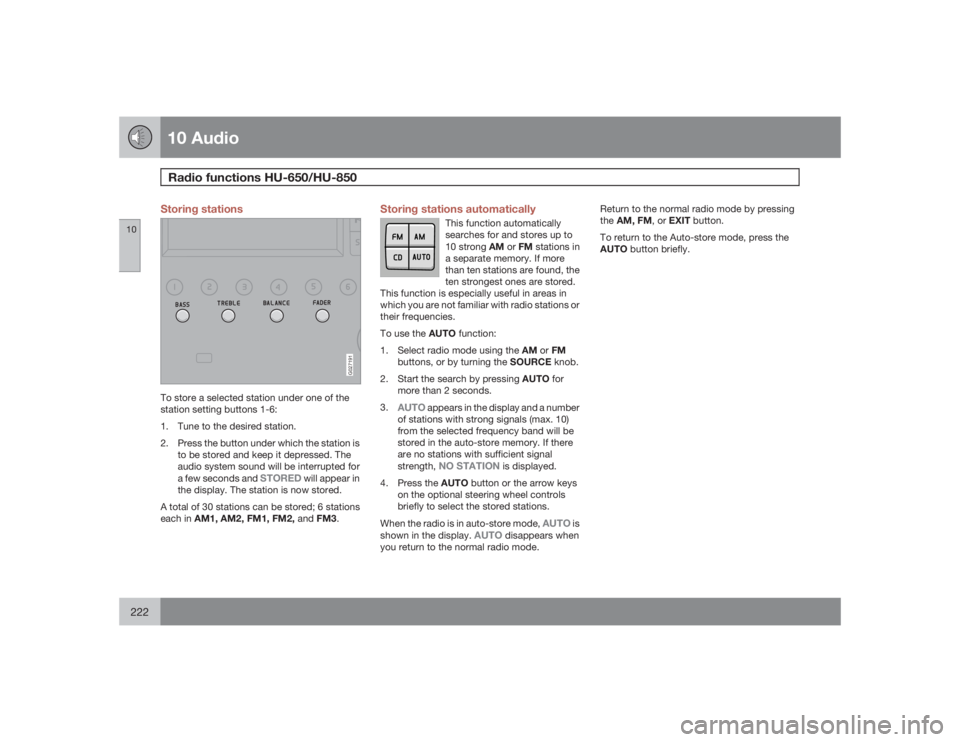
Storing stations
G027191
To store a selected station under one of the
station setting buttons 1-6:
1. Tune to the desired station.
2. Press the button under which the station is
to be stored and keep it depressed. The
audio system sound will be interrupted for
a few seconds and
STORED
will appear in
the display. The station is now stored.
A total of 30 stations can be stored; 6 stations
each in AM1, AM2, FM1, FM2, andFM3.
Storing stations automatically
This function automatically
searches for and stores up to
10 strong AM or FM stations in
a separate memory. If more
than ten stations are found, the
ten strongest ones are stored.
This function is especially useful in areas in
which you are not familiar with radio stations or
their frequencies.
To use the AUTO function:
1.
Select radio mode using the AM or FM
buttons, or by turning the SOURCE knob.
2.
Start the search by pressing AUTO for
more than 2 seconds.
3.
AUTO
appears in the display and a number
of stations with strong signals (max. 10)
from the selected frequency band will be
stored in the auto-store memory. If there
are no stations with sufficient signal
strength,
NO STATION
is displayed.
4.
Press the AUTO button or the arrow keys
on the optional steering wheel controls
briefly to select the stored stations.
When the radio is in auto-store mode,
AUTO
is
shown in the display.
AUTO
disappears when
you return to the normal radio mode.Return to the normal radio mode by pressing
theAM, FM, or EXIT button.
To return to the Auto-store mode, press the
AUTO button briefly.
Page 226 of 254
10 AudioHU-650 - CD player
10226
Starting the CD playerPlease refer to the illustration on page 217 for
the location of the buttons referred to on this
page.
1. Insert a disc into the player.
2.
Press the CD button or turn the SOURCE
knob to CD.Changing tracksBriefly press the
or
keys (or the
corresponding keys on the steering wheel key-
pad) to skip to the previous or next track. The
track number is shown in the display.
Fast forward/backPress and hold down the
or
keys
to search within a track or the entire disc. The
search continues for as long as the buttons are
held in.
NOTE
The corresponding keys on the steering
wheel keypad cannot be used for fast for-
ward/back.Random playThis function plays the tracks on a CD in ran-
dom order (shuffle).1.
Select CD mode and press the RND but-
ton.
RND
is shown in the display as long
as the function is activated.
2.
PressRND again to stop random play.
ScanThis function plays the first 10 seconds of each
track on the CD.
1.
PressSCAN to start the function.
2.
PressSCAN again or EXIT to stop the scan
function and listen to an entire track.CD ejectPress the button (no. 6 in the illustration on
page 218) to eject the disc.
NOTE
•
For reasons of traffic safety, the ejected
CD must be removed within 12 seconds
or it will be automatically drawn back
into the slot and the CD player will
resume playing the most recently
selected track.
•
See page 216 for information on caring
for compact discs.
Page 227 of 254

10 Audio
HU-850 - internal CD changer
10
227
Starting the CD changerThe HU-850 is equipped with an internal, 6-
disc CD changer.
Please refer to the illustration on page 218 for
the location of the buttons referred to on this
page.To load discs into the changer:1.
Press the CD button or turn the SOURCE
knob to CD.
2. Select an empty position by pressing one
of the preset buttons. The display shows
which positions are empty.
LOAD DISC
must be displayed before a disc is inserted
into the player.
3. Insert a disc.
If there are discs in the player when CD mode
is selected, the changer will resume playing the
disc and track that were most recently played.
Selecting a disc position (number)Use the station setting buttons 1-6 to select the
disc to be played. The number of the disc and
the track being played are shown in the display.Changing tracksBriefly press the
or
keys (or the
corresponding keys on the steering wheel key-
pad) to skip to the previous or next track. The
track number is shown in the display.
Fast forward/backPress and hold down the
or
keys
to search within a track or the entire disc. The
search continues for as long as the buttons are
held in.
The corresponding keys on the steering wheel
keypad cannot be used for fast forward/back.
Random playThis function plays the tracks on a CD in ran-
dom order (shuffle).•
SelectCD mode and press the RND but-
ton.
RND
is shown in the display as long
as the function is activated. Random tracks
from randomly selected discs will be
played.
•
PressRND again to stop random play.
ScanThis function plays the first 10 seconds of each
track on the CD.
1.
PressSCAN to start the function.
2.
PressSCAN again or EXIT to stop the scan
function and listen to an entire track.
Scan only works on the selected disc.CD ejectThis function makes it possible to eject a single
disc, or to eject all of the discs in the changer.
•
Press the eject button briefly to eject the
disc that is currently playing.
•
A longer press (more than 2 seconds)
starts the process of ejecting all of the
discs in the changer.NOTE
The
EJECT ALL
function can only be used
while the vehicle is at a standstill and will be
cancelled if the vehicle begins to move.
For reasons of traffic safety, you have
12 seconds in which to remove the ejected
disc. After that, the disc automatically rein-
serts into the player, and the CD player will
resume playing the most recently selected
track.
See page 216 for information on caring for
compact discs.
Page 228 of 254

10 AudioExternal CD changer (option)
10228
G027181
The optional 10-CD changer is mounted in the
cargo compartment.
Please refer to the illustrations on pages 217
and 218 for the location of the buttons referred
to on this page.
Turn the SOURCE knob to select the external
CD changer.To load discs into the changer:1. Slide the cover on the CD change open.
2. Press the eject button on the CD changer.
3. Pull the magazine out of the changer and
insert the disc(s).
4. Press the magazine back into the changer
and slide the cover back into place.If there are discs in the player when CD mode
is selected, the changer will resume playing the
disc and track that were most recently played.
Selecting a disc position (number)Use the station setting buttons 1 – 6 to select
the disc to be played. Continue to press button
6 to select discs 7 – 10.
The number of the disc and the track being
played are shown in the display.Changing tracksBriefly press the
or
keys (or the
corresponding keys on the steering wheel key-
pad) to skip to the previous or next track. The
track number is shown in the display.
Fast forward/backPress and hold down the
or
keys
to search within a track or the entire disc. The
search continues for as long as the buttons are
held in.
The corresponding keys on the steering wheel
keypad cannot be used for fast forward/back.
Random playThis function plays the tracks on a CD in ran-
dom order (shuffle).
1.
SelectCD mode and press the RND but-
ton.
RND
is shown in the display as longas the function is activated. Random tracks
from randomly selected discs will be
played.
2.
PressRND again to stop random play.
ScanThis function plays the first 10 seconds of each
track on the CD.
1.
PressSCAN to start the function.
2.
PressSCAN or EXIT to stop the scan func-
tion and listen to an entire track.
Scan only works on the selected disc.
Page 235 of 254
11 Specifications
Label information
11
235
1. Model plateVehicle Identification Number (VIN). Codes for
color and upholstery, etc.2. Federal Motor Vehicle Safety
Standards (FMVSS) specifications (USA)
and Ministry of Transport (CMVSS)
standards (Canada)Your Volvo is designed to meet all applicable
safety standards, as evidenced by the certifi-
cation label on the facing side of the driver's
door. For further information regarding these
regulations, please consult your Volvo retailer.3. Loads and Tire PressuresThe appearance of the decal will vary, depend-
ing on the market for which the vehicle is
intended.4. Vehicle Identification Number (VIN)The VIN plate is located on the top left surface
of the dashboard. The VIN is also stamped on
the right hand door pillar.
The Vehicle Identification Number (VIN) should
always be quoted in all correspondence con-
cerning your vehicle with the retailer and when
ordering parts.5. Vehicle Emission Control Information/
Vacuum hose routingYour Volvo is designed to meet all applicable
emission standards, as evidenced by the cer-tification label on the underside of the hood.
For further information regarding these regula-
tions, please consult your Volvo retailer.