stop start VOLVO S60 INSCRIPTION 2016 Owner´s Manual
[x] Cancel search | Manufacturer: VOLVO, Model Year: 2016, Model line: S60 INSCRIPTION, Model: VOLVO S60 INSCRIPTION 2016Pages: 344, PDF Size: 7.24 MB
Page 72 of 344
||
03 Instruments and controls
03
70* Option/accessory, for more information, see Introduction.
Ignition mode II–With the remote key fully pressed into the ignition slot 8
, press START/STOP
ENGINE for approximately 2 seconds.
Returning to mode 0To return to mode 0 from mode II or I, press
START/STOP ENGINE briefly.
Starting and stopping the engineSee Starting the engine (p. 211) and Switch- ing off the engine (p. 213) for information onstarting the engine and switching it off.
Emergency towingSee Towing the vehicle (p. 245) for importantinformation about the remote key when thevehicle is being towed.
Related information
•Inserting/removing remote key (p. 68)
Front seats
The front seats can be adjusted in a number of ways to help provide the most comfortableseating position.
WARNING
•Do not adjust the seat while driving. The seat should be adjusted so thatthe brake pedal can be depressedfully. In addition, position the seat asfar rearward as comfort and controlallow.
• Check that the seat is securely lockedinto position after adjusting.
Related information
•
Front seats – power seat (p. 71)
• Rear seats – folding backrest (p. 74)
• Rear seats – head restraints (p. 74)
Front seats – folding backrest*
The front passenger's seat backrest can be folded down to make it easier to transportlong objects.
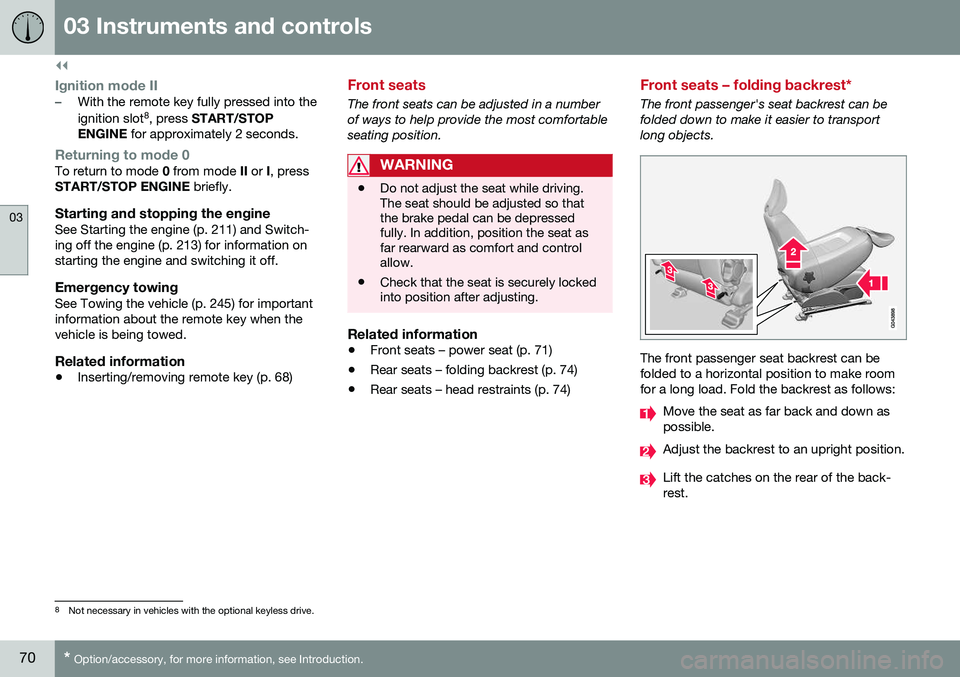
The front passenger seat backrest can be folded to a horizontal position to make roomfor a long load. Fold the backrest as follows:
Move the seat as far back and down as possible.
Adjust the backrest to an upright position.
Lift the catches on the rear of the back- rest.
8
Not necessary in vehicles with the optional keyless drive.
Page 92 of 344
03 Instruments and controls
03
90* Option/accessory, for more information, see Introduction.
Interior rearview mirror
The interior rearview mirror has an auto-dim function that helps reduce glare from follow-ing vehicle's headlights.
Auto-dim functionThe interior rearview mirror’s auto-dim func-tion is controlled by two sensors: one point-ing forward (located on the forward-facingside of the mirror, which monitors the amountof ambient light) and one pointing rearward(located on the side of the mirror facing thedriver at the upper edge, which senses thestrength of following vehicles' headlights),and work together to help eliminate glare.
NOTE
Related information
• Power door mirrors (p. 87)
Digital compass*
The rear-view mirror has an integrated display that shows the compass direction in whichthe vehicle is traveling.
OperationEight different directions are shown with the abbreviations: N (north), NE (north east), E(east), SE (southeast), S (south), SW (south-
west), W (west) and NW (northwest).
CalibrationNorth America is divided into 15 magnetic zones and the compass will need to be cali-brated if the vehicle is driven into a new one(see the magnetic zones on the map in thefollowing section "Selecting a magneticzone"). To do so:
1. Stop the vehicle in a large open area, safely out of traffic and away from steel structures and high-tension electricalwires. 2. Start the vehicle.
NOTE
•
For best calibration results, switch off all electrical equipment in the vehicle(climate system, windshield wipers,audio system, etc.) and make sure thatall doors are closed.
• Calibration may not succeed or beincorrect if the vehicle's electricalequipment is not switched off.
3.
4. Press and hold the button for 3 seconds
until the number of the current magnetic zone is displayed.
5. Press the button repeatedly until the number of the desired magnetic zone (
1-15) is displayed. See the magnetic
zones on the map in the following section "Selecting a magnetic zone").
6. Wait until
C is again displayed in the mir-
ror.
7. Drive slowly in a circle at a speed of no more than 6 mph (10 km/h) until a direc- tion is displayed. This indicates that cali-bration is complete.
8. Drive around in a circle an additional two times to fine-tune the calibration.
Page 99 of 344
03 Instruments and controls
03
}}
97
Information display – messages
The controls on the left steering wheel lever are used to scroll among messages displayedin the instrument panel and to confirm selec-tions. When information, indicator or warning sym- bols illuminate, an explanatory message willbe displayed in the instrument panel. When a warning (p. 64), information (p. 62) or indicator symbol (p. 62) comes on, a corres-ponding message appears in the informationpanel. An error message is stored in a mem-ory list until the fault is rectified. Press OK to acknowledge and scroll among
the messages.
NOTE
If a warning message appears while you are using the trip computer, the messagemust be read and confirmed by pressingOK before the previous activity can be
resumed.
MessageDescription
Stop engineAStop and switch off the engine as soon as possi-ble. Serious risk of dam-age. Contact an author-ized Volvo workshop.
Stop safelyAStop and switch off the engine. Serious risk ofdamage. Contact anauthorized Volvo work-shop.
Service urgentAHave the vehicle checked by an authorized Volvoworkshop immediately.
Service requiredAHave the vehicle checked by an authorized Volvoworkshop as soon as pos-sible.
See man- ualARead the owner's manual.
Book time for mainte-nanceTime to book service at an authorized Volvo retailer.
MessageDescription
Time for regularmainte-nanceTime for regular service at an authorized Volvo work-shop. The timing is deter-mined by the number ofmiles driven, number ofmonths since the lastservice, engine runningtime.
Mainte- nance over-dueIf the service intervals are not followed, the warrantydoes not cover any dam-aged parts. Contact anauthorized Volvo work-shop for service.
Temporarily OFFAA function has been tem- porarily switched off andis reset automatically whiledriving or after startingagain.
Low battery Power savemodeThe audio system is switched off to save cur-rent. Charge the battery.
A There will also be a system-specific part of this message
Page 123 of 344
05 Loading and storage
05
121
Loading – roof load carriers
Using load carriersLoad carriers are available as Volvo accesso- ries. Observe the following points when inuse:
• To avoid damaging your vehicle and to achieve maximum safety when driving,we recommend using the load carriersthat Volvo has developed especially foryour vehicle.
• Volvo-approved removable roof racks aredesigned to carry the maximum allowableroof load for this vehicle: 220 lbs (100 kg).For non-Volvo roof racks, check the man-ufacturer's weight limits for the rack.
• Never exceed the rack manufacturer'sweigh limits and never exceed the maxi-mum rated roof load of 220 lbs (100 kg).
• Avoid single-point loads. Distribute loadsevenly.
• Place heavier cargo at the bottom of theload.
• Secure the cargo correctly with appropri-ate tie-down equipment.
• Check periodically that the load carriersand load are properly secured.
• Remember that the vehicle's center ofgravity and handling change when youcarry a load on the roof. •
The vehicle's wind resistance and fuelconsumption will increase with the size ofthe load.
• Drive smoothly. Avoid rapid starts, fastcornering and hard braking.
Related information
•Loading – general (p. 120)
• Load anchoring eyelets (p. 121)
Load anchoring eyelets
WARNING
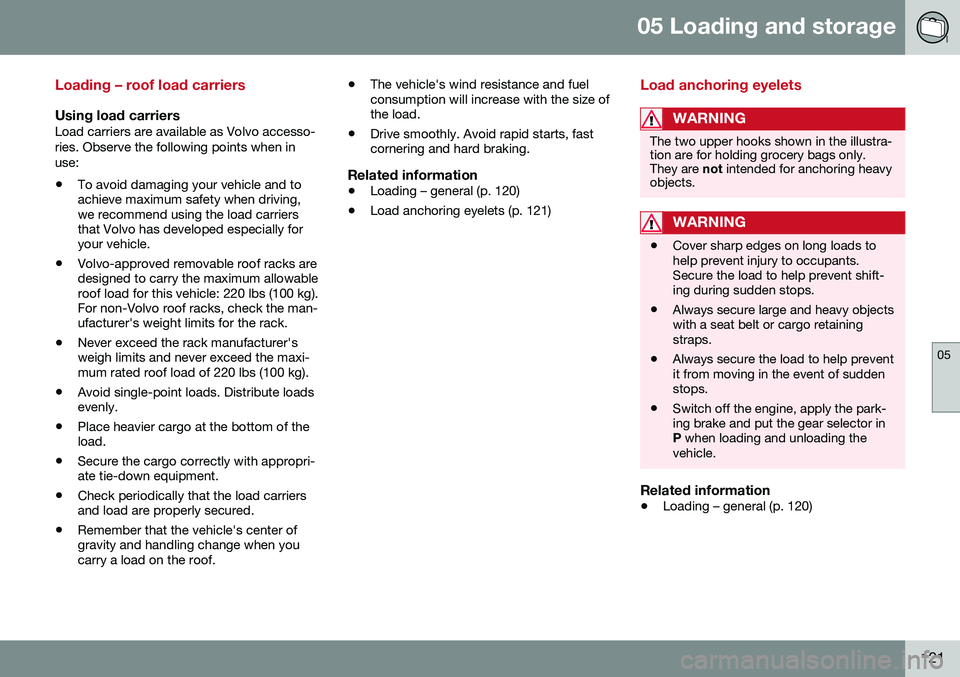
The two upper hooks shown in the illustra- tion are for holding grocery bags only.They are
not intended for anchoring heavy
objects.
WARNING
• Cover sharp edges on long loads to help prevent injury to occupants.Secure the load to help prevent shift-ing during sudden stops.
• Always secure large and heavy objectswith a seat belt or cargo retainingstraps.
• Always secure the load to help preventit from moving in the event of suddenstops.
• Switch off the engine, apply the park-ing brake and put the gear selector inP
when loading and unloading the
vehicle.
Related information
• Loading – general (p. 120)
Page 129 of 344
06 Locks and alarm
06
* Option/accessory, for more information, see Introduction.127
interference that may cause undesired opera- tion. Canada–IC: 3659A-WFS125VOOperation is subject to the following condi- tions: (1) this device may not cause interfer-ence, and (2) this device must accept anyinterference, including interference that maycause undesired operation of the device. For information on starting the vehicle, see Starting the engine (p. 211).
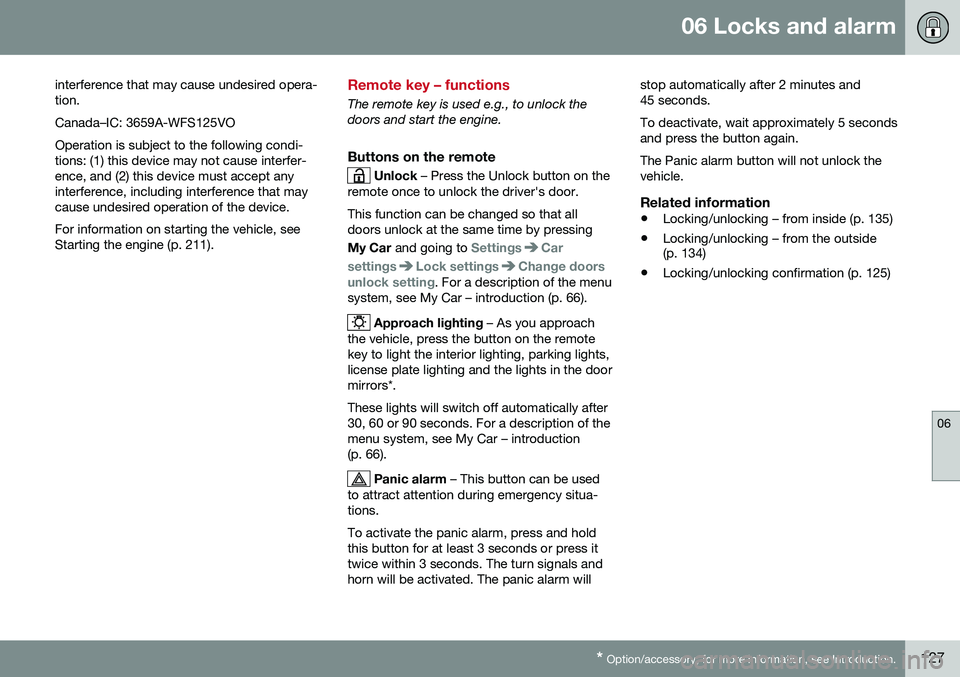
Remote key – functions
The remote key is used e.g., to unlock the doors and start the engine.
Buttons on the remote
Unlock – Press the Unlock button on the
remote once to unlock the driver's door. This function can be changed so that all doors unlock at the same time by pressing My Car and going to
SettingsCar
settings
Lock settingsChange doors
unlock setting. For a description of the menu
system, see My Car – introduction (p. 66).
Approach lighting – As you approach
the vehicle, press the button on the remote key to light the interior lighting, parking lights,license plate lighting and the lights in the doormirrors*. These lights will switch off automatically after 30, 60 or 90 seconds. For a description of themenu system, see My Car – introduction(p. 66).
Panic alarm – This button can be used
to attract attention during emergency situa- tions. To activate the panic alarm, press and hold this button for at least 3 seconds or press ittwice within 3 seconds. The turn signals andhorn will be activated. The panic alarm will stop automatically after 2 minutes and45 seconds. To deactivate, wait approximately 5 seconds and press the button again. The Panic alarm button will not unlock the vehicle.
Related information
•
Locking/unlocking – from inside (p. 135)
• Locking/unlocking – from the outside (p. 134)
• Locking/unlocking confirmation (p. 125)
Page 135 of 344

06 Locks and alarm
06
* Option/accessory, for more information, see Introduction.133
Keyless drive* – messages
If all of the remote keys are removed from the vehicle while the engine is running or if theignition modes (p. 69) is in mode II and all of
the doors are closed, a message will appearin the instrument panel display and an audiblesignal will sound. When at least one remote key has been returned to the car, the message will beerased in the display and the audible signalwill stop when:
• A door has been opened and closed
• The remote key has been inserted in the ignition slot
• The
OK button has been pressed. For the
location of this button, see Informationdisplay – menu controls (p. 96)
CAUTION
• Keyless drive remote keys should never be left in the vehicle. In the eventof a break-in, a remote found in thevehicle could make it possible to startthe engine.
• Electromagnetic fields or metalobstructions can interfere with thekeyless drive system. The remote keyshould never be placed closer thanapproximately 4-6 in. (10-15 cm) tocell phones, metallic objects or e.g.,stored in a metal briefcase.
USA – FCC ID:KR55WK48952, KR55WK48964 NOTEThis device complies with part 15 of the FCC Rules. Operation is subject to the followingtwo conditions: (1) This device may not causeharmful interference, and (2) this device mustaccept interference received, including inter-ference that may cause undesired operation. CAUTIONChanges or modifications not expressly approved by the manufacturer could void theuser's authority to operate the equipment. Siemens VDO5WK48891Tested To Comply With FCC StandardsFor Automobile UseCanada – IC:267T-5WK48952, 267T-5WK48964, 267T-5WK48891 NOTEThis device complies with RSS -210 of Indus- try Canada. Operation is subject to the fol-lowing two conditions: (1) This device maynot cause harmful interference, and (2) thisdevice must accept interference received,including interference that may cause unde-sired operation. CAUTION Changes or modifications not expressly approved by the manufacturer could void theuser's authority to operate the equipment.
Page 140 of 344
06 Locks and alarm
06
138
Alarm signal
An audible (p. 136) signal is given by a battery powered siren. The alarm cycle lasts for30 seconds. The visual alarm signal is given by flashing all turn signals for approximately 5 minutes oruntil the alarm is turned off.
Related information
•Alarm indicator (p. 137)
• Alarm – arming/disarming (p. 137)
• Alarm – turning off (p. 138)
Alarm – turning off
The alarm system provides a warning if an attempt is made to break into the vehicle. If the alarm is sounding, it can be stopped by pressing the Unlock button on the remote keyor by inserting the remote key in the ignitionslot. Two short flashes from the car's turn sig-nals confirm that the alarm has been turnedoff.
Related information
•Alarm indicator (p. 137)
• Alarm – arming/disarming (p. 137)
• Remote key – replacing the battery (p. 129)
Alarm-related functions
The following is general information regarding the alarm system in your vehicle.
Automatic re-arming
Remote key not functioning
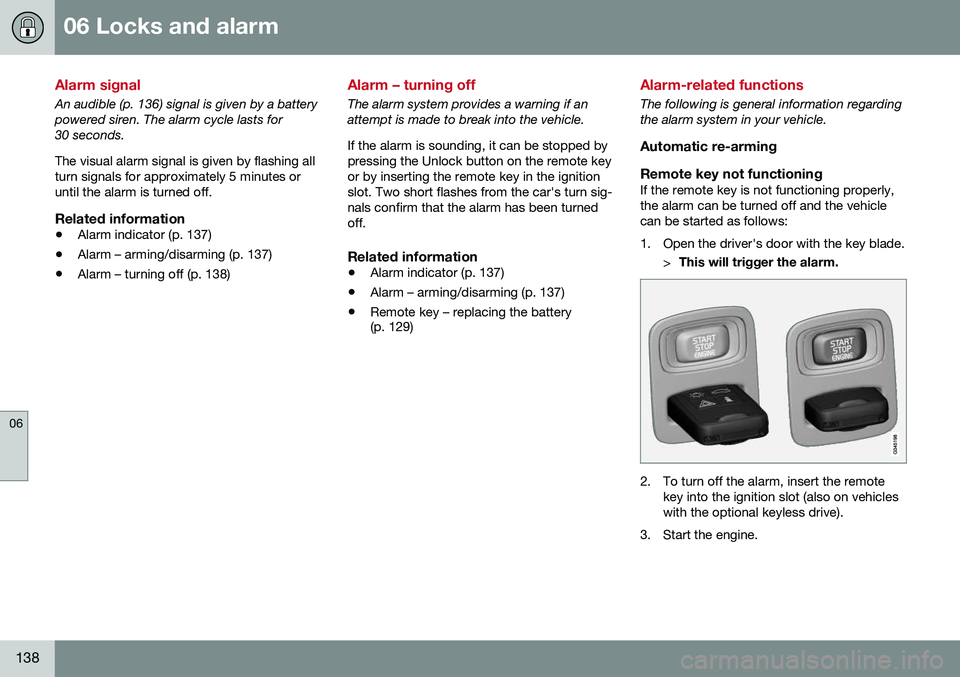
If the remote key is not functioning properly,the alarm can be turned off and the vehiclecan be started as follows:
1. Open the driver's door with the key blade. >This will trigger the alarm.
2. To turn off the alarm, insert the remote
key into the ignition slot (also on vehicles with the optional keyless drive).
3. Start the engine.
Page 145 of 344
07 Driver support
07
}}
143
Stability system – symbols and messages
Symbols and messages in the main
instrument panel
A text message can be erased by pressing briefly the OK button on the turn signal lever.
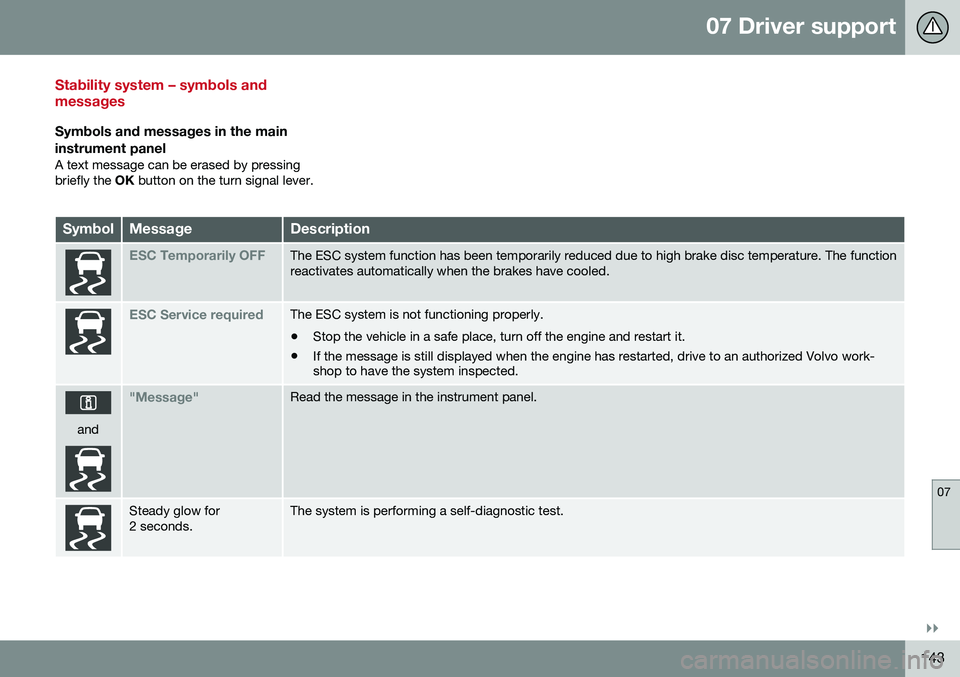
SymbolMessageDescription
ESC Temporarily OFFThe ESC system function has been temporarily reduced due to high brake disc temperature. The function reactivates automatically when the brakes have cooled.
ESC Service requiredThe ESC system is not functioning properly. • Stop the vehicle in a safe place, turn off the engine and restart it.
• If the message is still displayed when the engine has restarted, drive to an authorized Volvo work- shop to have the system inspected.
and
"Message"Read the message in the instrument panel.
Steady glow for 2 seconds.The system is performing a self-diagnostic test.
Page 185 of 344

07 Driver support
07
* Option/accessory, for more information, see Introduction.183
The camera’s limitations
The camera has the same limitations as the human eye. The camera is used by Pedestrian and Cyclist Detection with Full Auto Brake Collision warn-ing – introduction (p. 175), Active High Beams(Active high beams (AHB)* (p. 77)), Road SignInformation (Road Sign Information (RSI)* –introduction (p. 145)) and Driver Alert System(Driver Alert System (p. 188)) with LaneDeparture Warning or Lane Keeping Aid.
NOTE
• To help protect the camera in very hot conditions, it may be temporarilyswitched off for approximately 15minutes after the engine has beenstarted.
• Keep the section of the windshield infront of the camera clean and free ofice, snow, or condensation.
WARNING
•
The camera has the same type of limi- tations as the human eye, i.e., it can-not see as well in heavy snowfall orrain, thick fog or in heavy blowing dustor snow. In such conditions, systemsdepending on the camera may experi-ence greatly reduced functionality ormay be temporarily deactivated.
• Never place any objects, decals, etc.,on the windshield in front of the cam-era. This could reduce or block thecamera’s function, and could causeone or more of the systems that utilizethe camera to stop functioning.
• Strong sunlight, reflections from theroad surface, ice or snow covering theroad, a dirty road surface, or unclearlane marker lines may drasticallyreduce the camera’s capacity todetect the side of a lane, a pedestrian,a cyclist or another vehicle.
Related information
•
Collision warning – introduction (p. 175)
• Collision warning* – function (p. 177)
• Collision warning* – operation (p. 178)
• Collision warning* – Pedestrian detection (p. 180)
• Collision warning* – Cyclist detection(p. 179)
• Collision warning* – limitations (p. 181) •
Collision warning – troubleshooting(p. 184)
• Collision warning – symbols and mes-sages (p. 186)
• Road Sign Information (RSI)* – introduc-tion (p. 145)
• Driver Alert System (p. 188)
• Active high beams (AHB)* (p. 77)
Page 213 of 344
08 Starting and driving
08
}}
* Option/accessory, for more information, see Introduction.211
Starting the engine
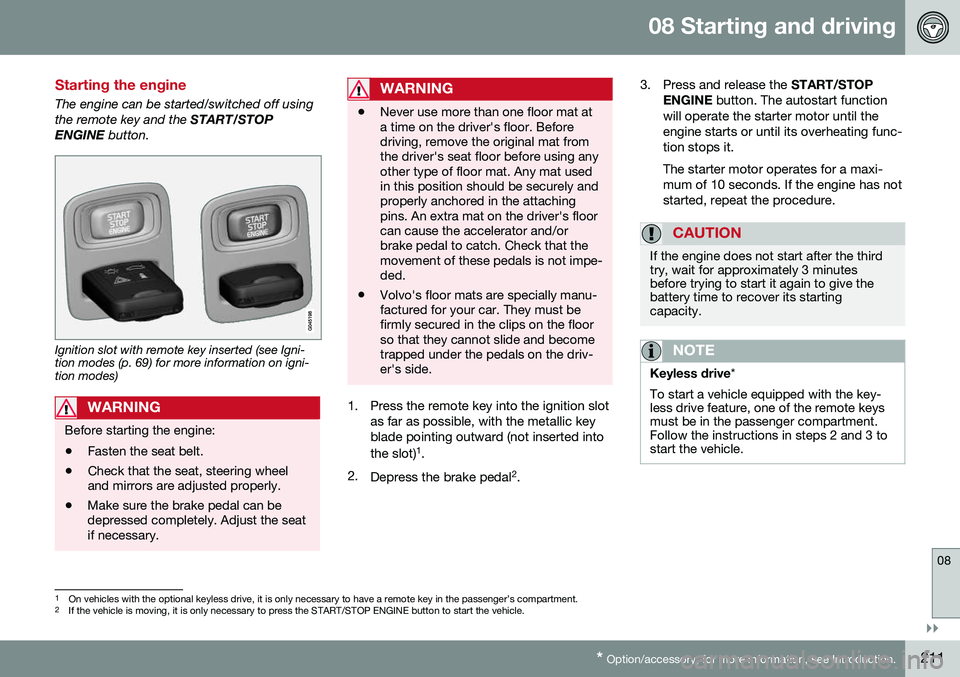
The engine can be started/switched off using the remote key and the START/STOP
ENGINE button.
Ignition slot with remote key inserted (see Igni- tion modes (p. 69) for more information on igni-tion modes)
WARNING
Before starting the engine:
• Fasten the seat belt.
• Check that the seat, steering wheel and mirrors are adjusted properly.
• Make sure the brake pedal can bedepressed completely. Adjust the seatif necessary.
WARNING
•Never use more than one floor mat at a time on the driver's floor. Beforedriving, remove the original mat fromthe driver's seat floor before using anyother type of floor mat. Any mat usedin this position should be securely andproperly anchored in the attachingpins. An extra mat on the driver's floorcan cause the accelerator and/orbrake pedal to catch. Check that themovement of these pedals is not impe-ded.
• Volvo's floor mats are specially manu-factured for your car. They must befirmly secured in the clips on the floorso that they cannot slide and becometrapped under the pedals on the driv-er's side.
1. Press the remote key into the ignition slot
as far as possible, with the metallic key blade pointing outward (not inserted into the slot) 1
.
2. Depress the brake pedal 2
. 3. Press and release the
START/STOP
ENGINE button. The autostart function
will operate the starter motor until the engine starts or until its overheating func-tion stops it. The starter motor operates for a maxi- mum of 10 seconds. If the engine has notstarted, repeat the procedure.
CAUTION
If the engine does not start after the third try, wait for approximately 3 minutesbefore trying to start it again to give thebattery time to recover its startingcapacity.
NOTE
Keyless drive *
To start a vehicle equipped with the key- less drive feature, one of the remote keysmust be in the passenger compartment.Follow the instructions in steps 2 and 3 tostart the vehicle.
1 On vehicles with the optional keyless drive, it is only necessary to have a remote key in the passenger’s compartment.
2 If the vehicle is moving, it is only necessary to press the START/STOP ENGINE button to start the vehicle.