fuel VOLVO S60 TWIN ENGINE 2020 Owners Manual
[x] Cancel search | Manufacturer: VOLVO, Model Year: 2020, Model line: S60 TWIN ENGINE, Model: VOLVO S60 TWIN ENGINE 2020Pages: 657, PDF Size: 13.6 MB
Page 5 of 657
3
Top tether anchors73
Lower child seat attachment points 74
ISOFIX/LATCH lower anchors 75
DISPLAYS AND VOICE CONTROL
Instruments and controls in left- hand drive vehicles78
Instrument panel 80
Instrument panel settings 82
Fuel gauge 83
Hybrid gauge 83
Hybrid battery gauge 84
Trip computer 85
Displaying trip data in the instru-ment panel 87
Resetting the trip odometer 88
Displaying trip statistics in thecenter display 88
Trip statistics settings 89
Date and time 90
Ambient temperature sensor 90
Indicator symbols in the instru-ment panel 91
Warning symbols in the instru-ment panel 94
Instrument panel licenses 95
App menu in instrument panel 101
Handling the App menu in theinstrument panel 102
Messages in the instrument panel 103
Handling messages in the instru- ment panel 104
Handling messages saved fromthe instrument panel 105
Center display overview 107
Handling the center display 109
Activating and deactivating thecenter display 112
Navigating in the center display'sviews 112
Handling tiles in the center display 116
Function view in the center display 119
Moving apps and buttons in thecenter display 121
Symbols in the center display sta-tus bar 121
Using the center display keyboard 123
Changing keyboard language inthe center display 126
Entering characters, letters andwords by hand in the center display 126
Changing the appearance of thecenter display 128
Turning off and adjusting the vol-ume of the center display systemsounds 128
Changing system units of meas-urement 129
Changing system language 129
Page 12 of 657
10
Using the steering wheel paddles*
to shift 409
Shiftlock 410
The kickdown function 411
All Wheel Drive (AWD) 411
Drive systems 412
Starting and stopping the com- bustion engine in Twin Enginevehicles 413
Drive modes 413
Changing drive mode 417
Energy distribution in hybrid mode using map data *418
Leveling control * and suspension
419
Adjusting suspension settingsPolestar Engineered * 420
Economical driving 421
Factors affecting electric motor range 423
Hold and Charge functions 424
Preparing for a long trip 425
Winter driving 425
Driving through standing water 426
Opening/closing the fuel filler door 427
Refueling 428
Fuel 429
Octane rating 430
Emission controls 432
Overheating of engine and trans- mission 433
Battery drain 434
Jump starting using another battery 434
Driving with a trailer 436
Trailer Stability Assist *
438
Checking trailer lights 439
Towing using a towline 440
Attaching and removing the tow-ing eyelet 441
Recovery 442
HomeLink ®
* 442
Programming HomeLink ®
* 443
Using HomeLink ®
* 445
Type approval for HomeLink ®
* 446
Compass *
446
Activating and deactivating the compass * 447
Calibrating the compass *
447
AUDIO, MEDIA AND INTERNET
Audio, media and Internet
450
Sound settings 450
Sound experience *
451
Apps 452
Download apps 453
Updating apps 453
Deleting apps 454
Radio 454
Starting the radio 455
Changing waveband and radio station 456
Searching for a radio station 456
Storing radio channels in the Radio favorites app 457
Radio settings 458
RBDS 458
HD Radio ™
459
Activating and deactivating the HDRadio ™ 460
HD Radio ™ sub-channels
460
HD Radio ™ limitations
461
SiriusXM ®
Satellite radio *
462
Using SiriusXM ®
Satellite radio *
463
Settings for SiriusXM ®
Satellite radio *
464
SiriusXM Travel Link ®
* 466
SiriusXM Travel Link ®
* - Weather
467
Page 13 of 657
11
SiriusXM Travel Link®
* - Notifications
468
SiriusXM Travel Link ®
* - Fuel
469
SiriusXM Travel Link ®
* - Sports
470
Media player 471
Playing media 472
Controlling and changing media 473
Media searches 474
Gracenote ®
475
CD player *
475
Video 476
Playing video 476
Playing DivX ®
476
Video settings 477
Streaming media via Bluetooth ®
477
Connecting a device via Bluetooth ®
477
Playing media via the USB port 478
Connecting a device via the USB port 478
Technical specifications for USB devices 479
Compatible file formats for media 479
Apple ®
CarPlay ®
* 480
Using Apple ®
CarPlay ®
* 481
Settings for Apple ®
CarPlay ®
* 483
Tips for using Apple ®
CarPlay ®
* 483
Android Auto *
484
Using Android Auto *
485
Settings for Android Auto *
486
Tips for using Android Auto *
486
Phone 487
Connecting a phone to the car via Bluetooth for the first time 488
Connecting a phone to the car viaBluetooth automatically 490
Connecting a phone to the car viaBluetooth manually 490
Disconnecting a Bluetooth-con-nected phone 490
Switch between phones con-nected via Bluetooth 491
Disconnecting Bluetooth-con-nected devices 491
Handling phone calls 491
Handling text messages 492
Text message settings 493
Managing the phone book 494
Phone settings 494
Settings for Bluetooth devices 495
Internet-connected vehicle *
496
Connecting the vehicle to theInternet via a Bluetooth-connectedphone 497
Connecting the vehicle to the Internet via a phone (Wi-Fi)
497
Connecting the vehicle to theInternet via vehicle modem (SIM card) 498
Vehicle modem settings 499
Sharing Internet from the vehiclevia Wi-Fi hotspot (tethering) 500
No or poor Internet connection 501
Deleting Wi-Fi networks 501
Wi-Fi technology and security 502
Terms of use and data sharing 502
Activating and deactivating datasharing 503
Data sharing for services 503
Hard disk storage space 504
License agreement for audio andmedia 505
Page 16 of 657
14
Touching up minor paint damage617
Color codes 618
Replacing windshield wiper blades 619
Putting the wiper blades in service position 620
Filling washer fluid 621
SPECIFICATIONS
Type designations624
Dimensions 627
Weights 629
Towing capacity and tongue weight 630
Engine specifications 631
Engine oil specifications 632
Coolant specifications 633
Transmission fluid specifications 633
Brake fluid specifications 633
Fuel tank volume 634
Air conditioning specifications 634
Approved tire pressure 635
INDEX
Index 637
Page 28 of 657

YOUR VOLVO
26
Contacting VolvoUse the following contact information if you would like to get in touch with Volvo in theUnited States or Canada.
In the USA: Volvo Car USA, LLCCustomer Care Center1 Volvo Drive,P.O. Box 914Rockleigh, New Jersey 076471-800-458-1552www.volvocars.com/us In Canada: Volvo Car Canada Ltd.Customer Care Centre9130 Leslie Street, Suite 101Richmond Hill, Ontario L4B 0B91-800-663-8255www.volvocars.com/ca
Volvo ID Volvo ID is a personal ID that gives you access to a range of services using a singleusername and password.
NOTE
The available services can vary over time and depend on equipment level and mar-ket.
Examples of services: Volvo On Call-app - check your vehicle using your phone. You can check fuellevel, find the nearest gas station and lockthe vehicle remotely.
Send to Car – send addresses from onlinemap services directly to the vehicle.
Send a request for service and repairsdirectly from the vehicle. The booking willthen be completed via email.
NOTE
If the username/password for a service (e.g. Volvo On Call) is changed, the changewill also automatically be applied to otherservices.
The creation of a Volvo ID is initiated through the Volvo On Call app or from the vehicle and then completed by email. When a Volvo ID is registered in the vehicle,additional services are available. MultipleVolvo IDs can be used for the same vehicle,and multiple vehicles can be linked to thesame Volvo ID.
Related information
Creating and registering a Volvo ID(p. 27)
Scheduling service and repairs (p. 567)
Page 30 of 657
YOUR VOLVO
28
Drive-E ‒ purer driving pleasure
Volvo is committed to the well-being of its customers. As a natural part of this commit-ment, we care about the environment inwhich we all live. Concern for the environ-ment means an everyday involvement inreducing our environmental impact.
Volvo's environmental activities are based on a holistic view, which means we consider theoverall environmental impact of a productthroughout its complete life cycle. In this con-text, design, production, product use, andrecycling are all important considerations. Inproduction, Volvo has partly or completelyphased out several chemicals including CFCs,lead chromates, asbestos, and cadmium; andreduced the number of chemicals used in ourplants 50% since 1991. Volvo was the first in the world to introduce into production a three-way catalytic converterwith a Lambda sond, now called the heatedoxygen sensor, in 1976. The current version ofthis highly efficient system reduces emissionsof harmful substances (CO, HC, NOx) from theexhaust pipe by approximately 95 - 99% andthe search to eliminate the remaining emis-sions continues. Volvo is the only automobilemanufacturer to offer CFC-free retrofit kits forthe air conditioning system of all models as farback as the 1975 model 240. Advanced elec-tronic engine controls and cleaner fuels arebringing us closer to our goal. In addition to continuous environmental refinement of con-ventional gasoline-powered internal combus-tion engines, Volvo is actively looking atadvanced technology alternative-fuel vehicles. When you drive a Volvo, you become our part- ner in the work to lessen the vehicle's impacton the environment. To reduce your vehicle'senvironmental impact, you can:
Maintain proper air pressure in your tires.Tests have shown decreased fuel econ-omy with improperly inflated tires.
Follow the recommended maintenanceschedule in your Warranty and ServiceRecords Information booklet.
Drive at a constant speed whenever possi-ble.
See a trained and qualified Volvo servicetechnician as soon as possible for inspec-tion if the check engine (malfunction indi-cator) light illuminates, or stays on afterthe vehicle has started.
Properly dispose of any vehicle-relatedwaste such as used motor oil, used batter-ies, brake pads, etc.
When cleaning your vehicle, please usegenuine Volvo car care products. All Volvocar care products are formulated to beenvironmentally friendly.
Twin Engine vehicles
If possible, precondition the vehicle withthe charging cable before driving.
If preconditioning is not possible in coldweather, use the seat and steering wheelheating primarily. Avoid heating the entirepassenger compartment, which reducesthe hybrid battery's charge level.
Choose the
Pure drive mode to help mini-
mize electric power consumption.
In hilly terrain, put the gear selector in mode
B to utilize the electric motor's
braking function when the acceleratorpedal is released. This helps charge thehybrid battery.
Related information
Economical driving (p. 421)
Starting and stopping preconditioning(p. 220)
The Owner's Manual and the environment(p. 23)
Air quality (p. 200)
Page 53 of 657

SAFETY
}}
* Option/accessory.51
and improves the effect of other safety sys- tems such as the airbags. When a critical situation has passed, the seat belt and the electric seat belt tensioner arereset automatically. However, they can also bereset manually.
WARNING
Never attempt to alter or repair the seat belt on your own. Volvo recommends con-tacting an authorized Volvo workshop. If the seat belt has been exposed to extreme forces, e.g. in conjunction with acollision, the entire seat belt must bereplaced. Even if the seat belt appearsundamaged, some of its protective proper-ties may have been lost. Also replace theseat belt if it is worn or damaged. The newseat belt must be type approved andintended for the same seating position asthe replaced seat belt.
Related information
Seat belts (p. 47)
Buckling and unbuckling seat belts (p. 48)
Resetting the electric seat belt tensioners
*
(p. 51)
City Safety
™ (p. 306)
Rear Collision Warning
* (p. 320)
Resetting the electric seat belt tensioners *
The electric seat belt tensioners are designed to be reset automatically, but if the seat beltremains taut it can be reset manually.
1. Stop the vehicle in a safe location.
2. Unbuckle the seat belt and then rebuckle it.
> The seat belt and the electric seat belttensioner will be reset.
WARNING
Never attempt to alter or repair the seat belt on your own. Volvo recommends con-tacting an authorized Volvo workshop. If the seat belt has been exposed to extreme forces, e.g. in conjunction with acollision, the entire seat belt must bereplaced. Even if the seat belt appearsundamaged, some of its protective proper-ties may have been lost. Also replace theseat belt if it is worn or damaged. The newseat belt must be type approved andintended for the same seating position asthe replaced seat belt.
Related information
Seat belt tensioners (p. 50)
Seat belts (p. 47)
Door and seat belt reminders
This system is intended to remind occupants to buckle their seat belts and to alert thedriver if a door, hood or other opening (trunk,sunroof, etc.) is open.
Graphics in the instrument panel
Graphics in the instrument panel with various types of warnings. The warning colors for the doors/trunklid vary depending on the vehicle's speed.
The instrument panel graphic shows the seats where seat belts are buckled and not buckled. The same graphic also indicates if the hood, trunk lid, fuel filler door or any door is open. Confirm the graphic by briefly pressing the O
button on the right-side steering wheel key- pad.
Page 54 of 657
||
SAFETY
52
Seat belt reminder
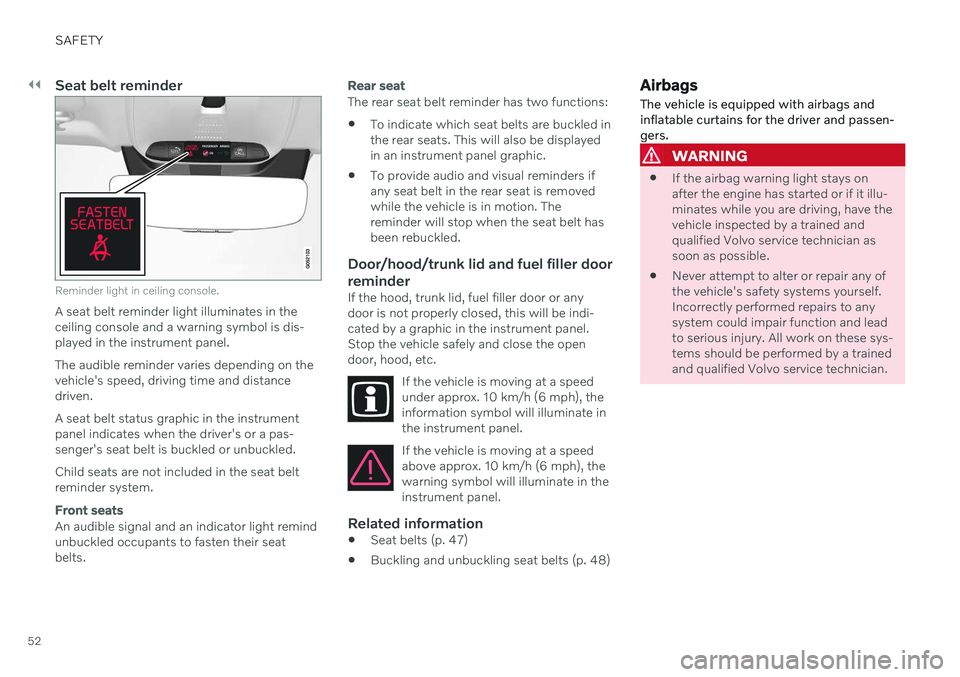
Reminder light in ceiling console.
A seat belt reminder light illuminates in the ceiling console and a warning symbol is dis-played in the instrument panel. The audible reminder varies depending on the vehicle's speed, driving time and distancedriven. A seat belt status graphic in the instrument panel indicates when the driver's or a pas-senger's seat belt is buckled or unbuckled. Child seats are not included in the seat belt reminder system.
Front seats
An audible signal and an indicator light remind unbuckled occupants to fasten their seatbelts.
Rear seat
The rear seat belt reminder has two functions:
To indicate which seat belts are buckled in the rear seats. This will also be displayedin an instrument panel graphic.
To provide audio and visual reminders ifany seat belt in the rear seat is removedwhile the vehicle is in motion. Thereminder will stop when the seat belt hasbeen rebuckled.
Door/hood/trunk lid and fuel filler door
reminder
If the hood, trunk lid, fuel filler door or anydoor is not properly closed, this will be indi-cated by a graphic in the instrument panel.Stop the vehicle safely and close the opendoor, hood, etc.
If the vehicle is moving at a speedunder approx. 10 km/h (6 mph), theinformation symbol will illuminate inthe instrument panel.
If the vehicle is moving at a speed above approx. 10 km/h (6 mph), thewarning symbol will illuminate in theinstrument panel.
Related information
Seat belts (p. 47)
Buckling and unbuckling seat belts (p. 48)
Airbags
The vehicle is equipped with airbags and inflatable curtains for the driver and passen-gers.
WARNING
If the airbag warning light stays on after the engine has started or if it illu-minates while you are driving, have thevehicle inspected by a trained andqualified Volvo service technician assoon as possible.
Never attempt to alter or repair any ofthe vehicle's safety systems yourself.Incorrectly performed repairs to anysystem could impair function and leadto serious injury. All work on these sys-tems should be performed by a trainedand qualified Volvo service technician.
Page 63 of 657
SAFETY
}}
61
WARNING
Volvo recommends contacting an author- ized Volvo workshop for repair. Incorrectlyperformed repairs to the inflatable curtainsystem could impair function and lead toserious injury.
WARNING
Never hang or attach heavy objects in the handle in the ceiling. The hooks are onlyintended for lightweight garments (not forhard objects such as umbrellas). Never screw or mount anything to the vehi- cle's headlining, door pillars or side panels.This could impair the intended protectiveproperties. Volvo recommends only usingVolvo original parts that are approved forplacement in these areas.
WARNING
If objects are loaded higher than the upper edge of the side windows, leave a 10 cm(4 in.) space between the objects and thewindow. Objects placed closer to thiscould impede the function of the inflatablecurtain concealed inside the headlining.
WARNING
The inflatable curtain is a supplement to the seat belt. Always wear your seat belt.
Related information
Airbags (p. 52)
Safety mode Safety mode is a feature that is triggered after a collision if there is potential damage toan important function in the vehicle, such asthe fuel lines, sensors for one of the safetysystems, the brake system, etc.
If the vehicle has been involved in a collision, the text Safety mode See Owner's manualmay appear in the instrument panel along with the warning symbol if the panel is undamagedand the vehicle's electrical system is intact.The message indicates that one or more of thevehicle's functions may be reduced.
WARNING
Never attempt to restart the vehicle if you smell fuel fumes when the message Safety
mode See Owner's manual is displayed
in the instrument panel. Leave the vehicle immediately.
If safety mode has been set, it may be possi- ble to reset the system in order to start andmove the vehicle a short distance, for exam-ple, if it is blocking traffic.
Page 64 of 657

||
SAFETY
62
WARNING
Never attempt to perform repairs or reset electrical components on your own afterthe vehicle has been in safety mode. Thiscould result in injury or prevent the vehiclefrom functioning properly. Volvo recom-mends having the vehicle inspected andreset to normal operating status by an authorized Volvo workshop after
Safety
mode See Owner's manual has been dis-
played.
WARNING
When the vehicle is in safety mode, it should not be towed behind another vehi-cle. It should be towed from the site on atow truck. Volvo recommends towing thevehicle directly to an authorized Volvoworkshop.
Related information
Safety (p. 42)
Starting and moving the vehicle when it is in safety mode (p. 62)
Recovery (p. 442)
Starting and moving the vehicle when it is in safety mode If safety mode has been set, it may be possi- ble to reset the system in order to start andmove the vehicle a short distance, for exam-ple, if it is blocking traffic.
Starting the vehicle when it is in safety mode
1. Check the vehicle for damage, particularly
for fuel leakage. Make sure you do not detect any gasoline fumes. If the damage to the vehicle is minor and there is no fuel leakage/fumes, you mayattempt to start the engine.
WARNING
Never attempt to restart the vehicle if you smell fuel fumes when the message Safety
mode See Owner's manual is displayed
in the instrument panel. Leave the vehicle immediately.
2. Switch off the ignition. 3. Then try to start the vehicle.
> The vehicle's electrical system will per-form a system check and then attempt to reset to normal operating mode. The message
Vehicle start System check,
wait will be displayed on the instru-
ment panel during the check. This may take up to a minute.
4. When
Vehicle start System check, waitis no longer displayed in the instrument panel, try again to start the vehicle.
CAUTION
If the message Safety mode See
Owner's manual is still displayed, the
vehicle should not be driven or towed behind another vehicle. If the vehicle needsto be moved, it must be towed on a towtruck. Even if no damage is apparent, theremay be hidden damage that could makethe vehicle impossible to control.