seats VOLVO S80 1999 User Guide
[x] Cancel search | Manufacturer: VOLVO, Model Year: 1999, Model line: S80, Model: VOLVO S80 1999Pages: 96, PDF Size: 2.27 MB
Page 21 of 96
Parking brake reminder light
This light will be on when the parking brake (hand brake) is applied. The parking brake lever is situated between the
front seats.
Canadian models are equipped with this warning light:
Oil pressure warning light
If the light comes on while driving, stop the car and then stop the engine immediately and check the engine oil
level . See page 111
. If the light stays on after restart, have the car towed to the nearest authorized Volvo retailer. After
hard driving, the light may come on occasionally when the engine is idling. This is normal, provided it goes off when
the engine speed is increased.
Generator warning light
If the light comes on while the engine is running, have the charging system checked.
pg. 25 Indicator and warning lights
Rear fog light
This light indicates that the rear fog light is on.
CHECK
ENGINE
Malfunction indicator lamp
If the light comes on (or stays on after the vehicle has started), the engine diagnostic system has detected a possible
fault in the emission control system. Although driveability may not be affected, see an authorized Volvo retailer as
soon as possible for inspection.
NOTE : If the fuel filler cap is not closed tightly or if the engine is running when the car is refueled, the Malfunction
Indicator Lamp may indicate a fault. However, your vehicle's performance will not be affected. Use only Volvo
original or approved fuel filler caps.
Anti-lock Brake System ABS
If the warning light comes on, there is a malfunction of the ABS system (the standard braking system pwill however
function). The vehicle should be driven to a Volvo retailer for inspection. See page 17 for additional information.
Stability Traction Control (STC) system (option)
An LED in the STC switch in the center console will light up to indicate that the system is activated. See page 18 for
further information.
ProCarManuals.com
Page 26 of 96
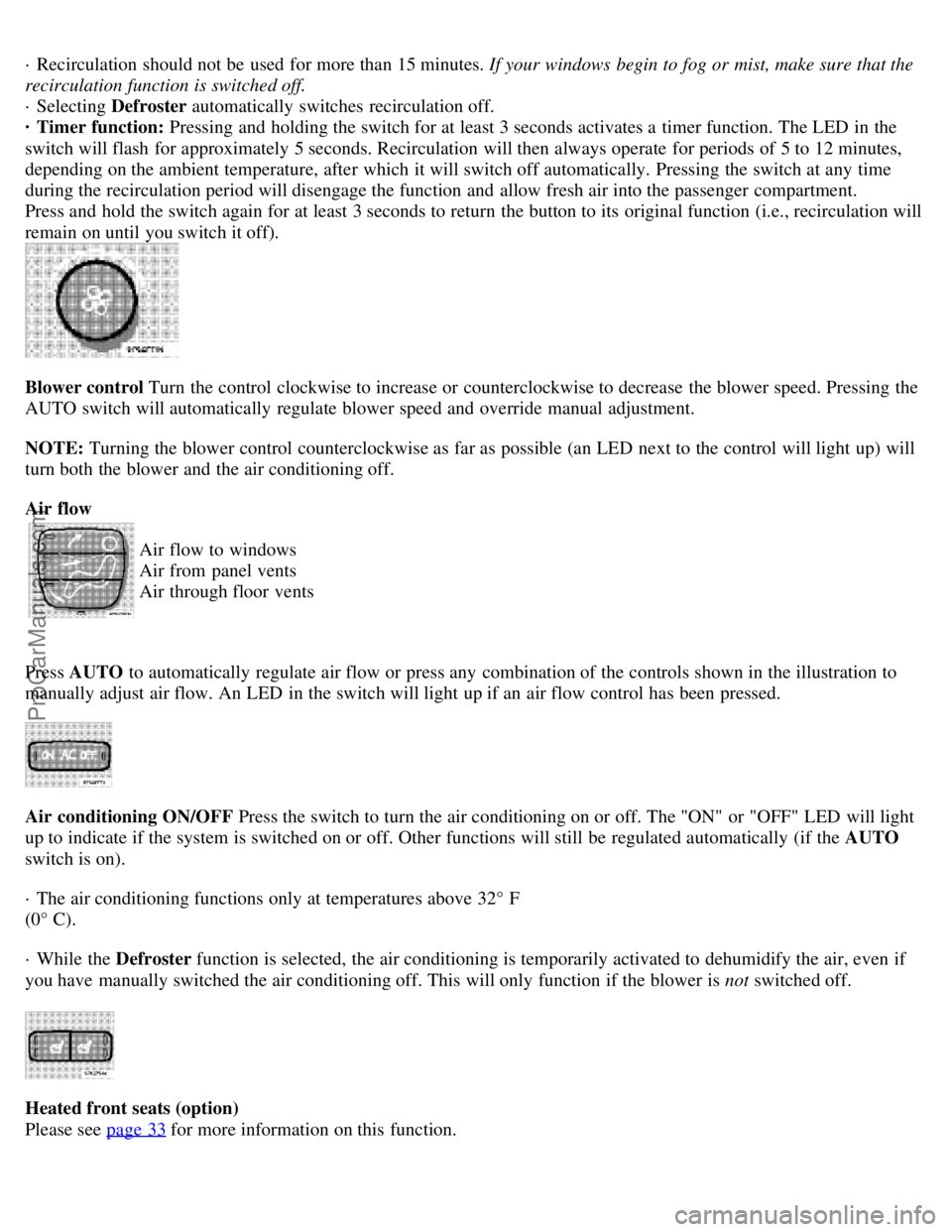
· Recirculation should not be used for more than 15 minutes. If your windows begin to fog or mist, make sure that the
recirculation function is switched off.
· Selecting Defroster automatically switches recirculation off.
· Timer function: Pressing and holding the switch for at least 3 seconds activates a timer function. The LED in the
switch will flash for approximately 5 seconds. Recirculation will then always operate for periods of 5 to 12 minutes,
depending on the ambient temperature, after which it will switch off automatically. Pressing the switch at any time
during the recirculation period will disengage the function and allow fresh air into the passenger compartment.
Press and hold the switch again for at least 3 seconds to return the button to its original function (i.e., recirculation will
remain on until you switch it off).
Blower control Turn the control clockwise to increase or counterclockwise to decrease the blower speed. Pressing the
AUTO switch will automatically regulate blower speed and override manual adjustment.
NOTE: Turning the blower control counterclockwise as far as possible (an LED next to the control will light up) will
turn both the blower and the air conditioning off.
Air flow
Air flow to windows
Air from panel vents
Air through floor vents
Press AUTO to automatically regulate air flow or press any combination of the controls shown in the illustration to
manually adjust air flow. An LED in the switch will light up if an air flow control has been pressed.
Air conditioning ON/OFF Press the switch to turn the air conditioning on or off. The "ON" or "OFF" LED will light
up to indicate if the system is switched on or off. Other functions will still be regulated automatically (if the AUTO
switch is on).
· The air conditioning functions only at temperatures above 32° F
(0° C).
· While the Defroster function is selected, the air conditioning is temporarily activated to dehumidify the air, even if
you have manually switched the air conditioning off. This will only function if the blower is not switched off.
Heated front seats (option)
Please see page 33
for more information on this function.
ProCarManuals.com
Page 28 of 96
1 9 9 9
VOLVO S80
Chapter 4 - Interior
pg. 45 Interior
Front seats46
Interior lighting48
Storage compartments49
Storage compartments in center console50
Spare tire, Cargo net in trunk51
Folding rear seat backrests, Carrying long loads52
pg. 46 Front seats
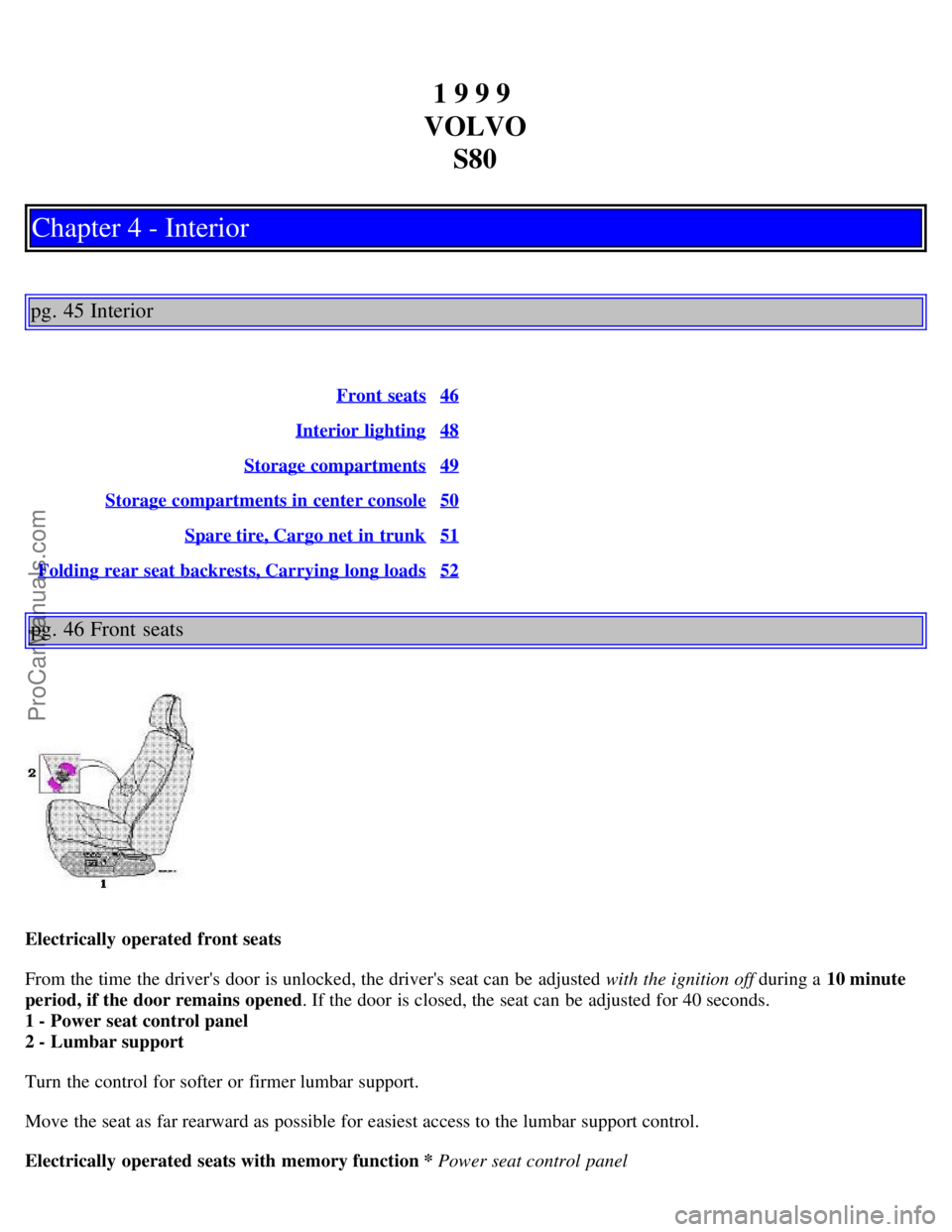
Electrically operated front seats
From the time the driver's door is unlocked, the driver's seat can be adjusted with the ignition off during a 10 minute
period, if the door remains opened . If the door is closed, the seat can be adjusted for 40 seconds.
1 - Power seat control panel
2 - Lumbar support
Turn the control for softer or firmer lumbar support.
Move the seat as far rearward as possible for easiest access to the lumbar support control.
Electrically operated seats with memory function * Power seat control panel
ProCarManuals.com
Page 29 of 96
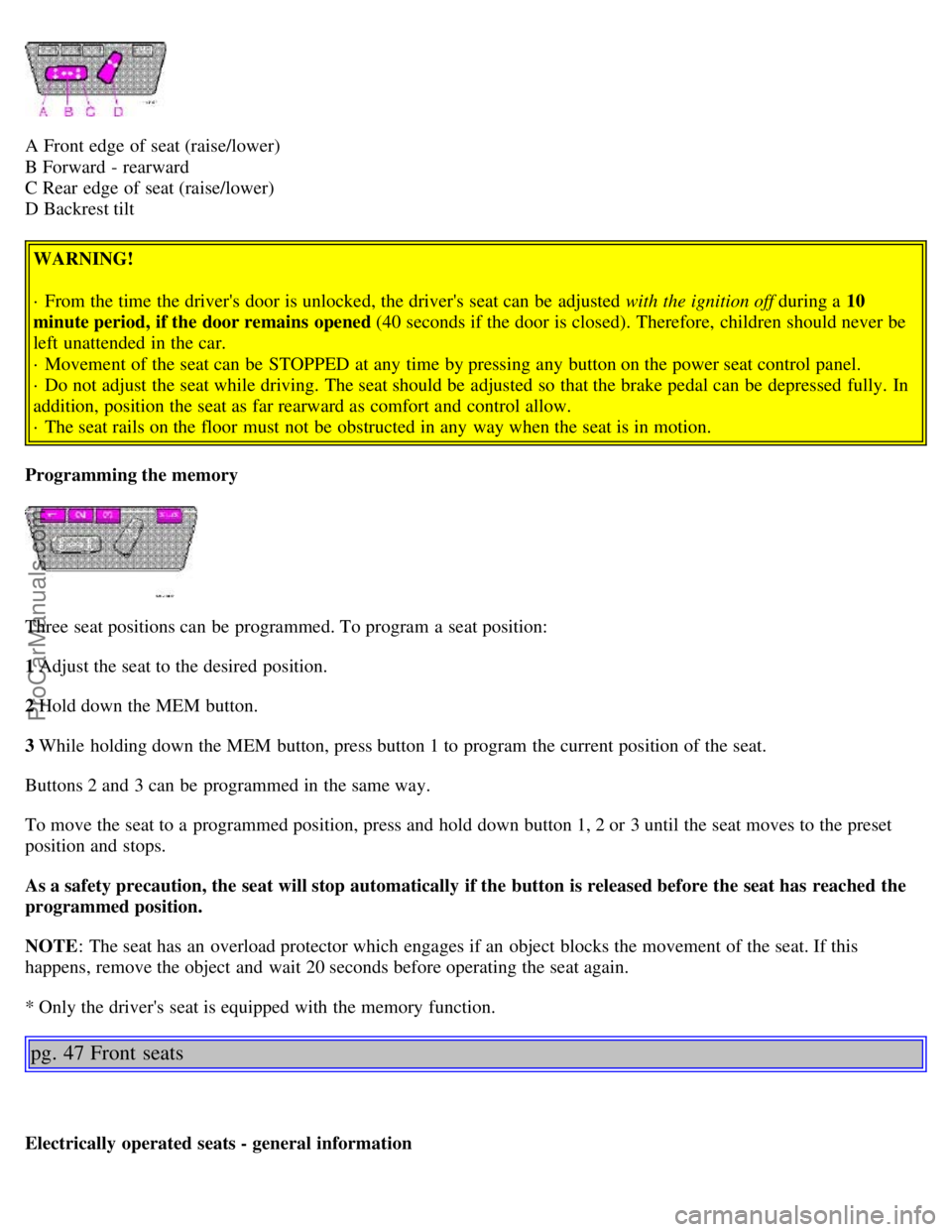
A Front edge of seat (raise/lower)
B Forward - rearward
C Rear edge of seat (raise/lower)
D Backrest tilt WARNING!
· From the time the driver's door is unlocked, the driver's seat can be adjusted with the ignition off during a 10
minute period, if the door remains opened (40 seconds if the door is closed). Therefore, children should never be
left unattended in the car.
· Movement of the seat can be STOPPED at any time by pressing any button on the power seat control panel.
· Do not adjust the seat while driving. The seat should be adjusted so that the brake pedal can be depressed fully. In
addition, position the seat as far rearward as comfort and control allow.
· The seat rails on the floor must not be obstructed in any way when the seat is in motion.
Programming the memory
Three seat positions can be programmed. To program a seat position:
1 Adjust the seat to the desired position.
2 Hold down the MEM button.
3 While holding down the MEM button, press button 1 to program the current position of the seat.
Buttons 2 and 3 can be programmed in the same way.
To move the seat to a programmed position, press and hold down button 1, 2 or 3 until the seat moves to the preset
position and stops.
As a safety precaution, the seat will stop automatically if the button is released before the seat has reached the
programmed position.
NOTE : The seat has an overload protector which engages if an object blocks the movement of the seat. If this
happens, remove the object and wait 20 seconds before operating the seat again.
* Only the driver's seat is equipped with the memory function.
pg. 47 Front seats
Electrically operated seats - general information
ProCarManuals.com
Page 30 of 96
Adjusting the front seats:
Passengers's seat: The passenger's seat can only be adjusted if the ignition key is in position I or II (see page 46).
Driver's seat: The driver's seat can be adjusted if the ignition key is in position I or II (see page 46). However, it can
also be adjusted:
· Within 40 seconds after the ignition has been switched off (even if the key has been removed from the ignition
switch).
· Within 40 seconds after the driver's door has been unlocked with the key or remote control and opened. The key
does not have to be in the ignition switch during this period.
Remote control (central locking system)
If you lock the car and later unlock it with the same remote control and open the driver's door, the driver's seat will
automatically move to the position it was in when you left the car. See page 56 for more information on this function.
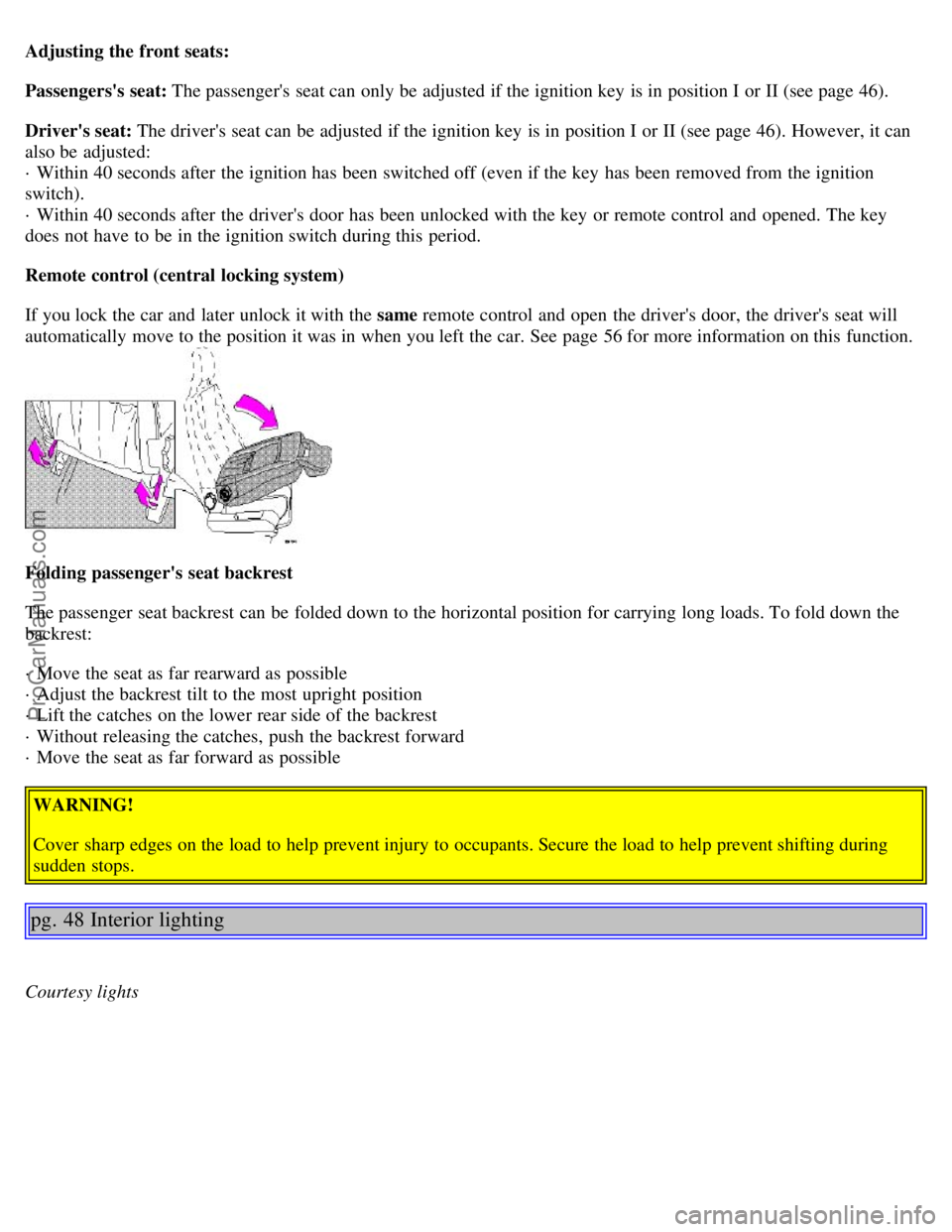
Folding passenger's seat backrest
The passenger seat backrest can be folded down to the horizontal position for carrying long loads. To fold down the
backrest:
· Move the seat as far rearward as possible
· Adjust the backrest tilt to the most upright position
· Lift the catches on the lower rear side of the backrest
· Without releasing the catches, push the backrest forward
· Move the seat as far forward as possible
WARNING!
Cover sharp edges on the load to help prevent injury to occupants. Secure the load to help prevent shifting during
sudden stops.
pg. 48 Interior lighting
Courtesy lights
ProCarManuals.com
Page 64 of 96
21Throttle control module 10A
pg.90 Fuses in the passenger compartment
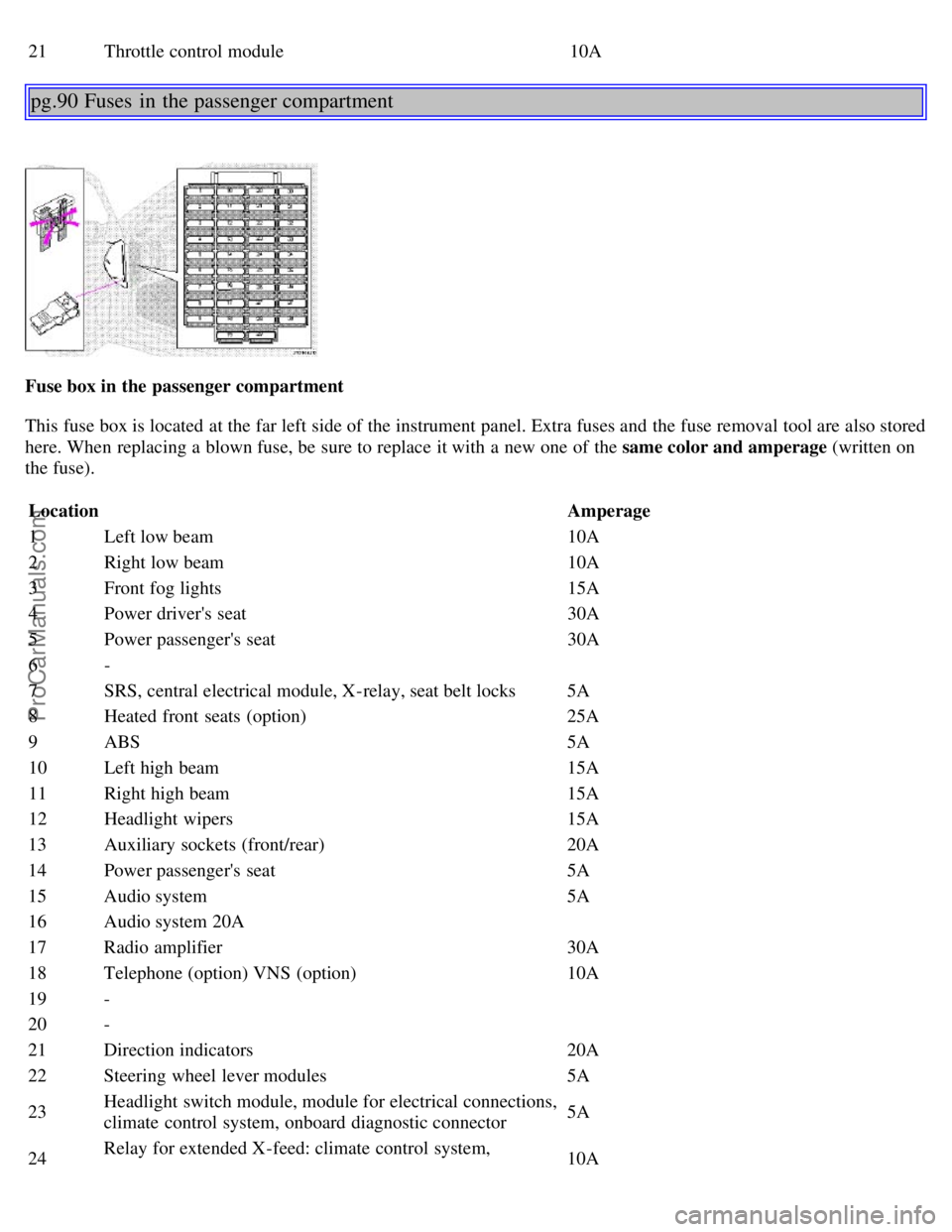
Fuse box in the passenger compartment
This fuse box is located at the far left side of the instrument panel. Extra fuses and the fuse removal tool are also stored
here. When replacing a blown fuse, be sure to replace it with a new one of the same color and amperage (written on
the fuse).
Location Amperage
1 Left low beam 10A
2 Right low beam 10A
3 Front fog lights 15A
4 Power driver's seat 30A
5 Power passenger's seat 30A
6 -
7 SRS, central electrical module, X-relay, seat belt locks 5A
8 Heated front seats (option) 25A
9 ABS 5A
10 Left high beam 15A
11 Right high beam 15A
12 Headlight wipers 15A
13 Auxiliary sockets (front/rear) 20A
14 Power passenger's seat 5A
15 Audio system 5A
16 Audio system 20A
17 Radio amplifier 30A
18 Telephone (option) VNS (option) 10A
19 -
20 -
21 Direction indicators 20A
22 Steering wheel lever modules 5A
23 Headlight switch module, module for electrical connections,
climate control system, onboard diagnostic connector 5A
24 Relay for extended X-feed: climate control system,
10A
ProCarManuals.com
Page 67 of 96
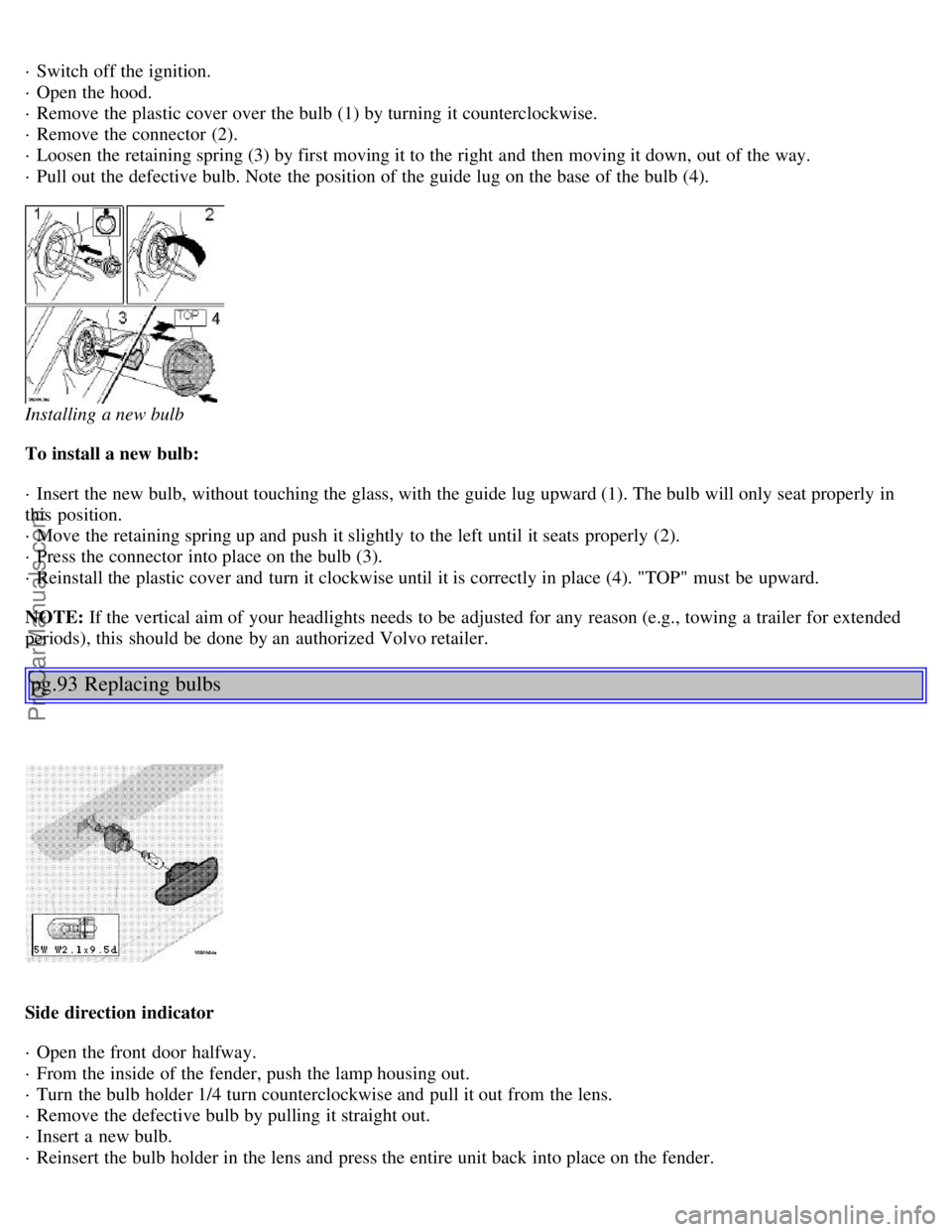
· Switch off the ignition.
· Open the hood.
· Remove the plastic cover over the bulb (1) by turning it counterclockwise.
· Remove the connector (2).
· Loosen the retaining spring (3) by first moving it to the right and then moving it down, out of the way.
· Pull out the defective bulb. Note the position of the guide lug on the base of the bulb (4).
Installing a new bulb
To install a new bulb:
· Insert the new bulb, without touching the glass, with the guide lug upward (1). The bulb will only seat properly in
this position.
· Move the retaining spring up and push it slightly to the left until it seats properly (2).
· Press the connector into place on the bulb (3).
· Reinstall the plastic cover and turn it clockwise until it is correctly in place (4). "TOP" must be upward.
NOTE: If the vertical aim of your headlights needs to be adjusted for any reason (e.g., towing a trailer for extended
periods), this should be done by an authorized Volvo retailer.
pg.93 Replacing bulbs
Side direction indicator
· Open the front door halfway.
· From the inside of the fender, push the lamp housing out.
· Turn the bulb holder 1/4 turn counterclockwise and pull it out from the lens.
· Remove the defective bulb by pulling it straight out.
· Insert a new bulb.
· Reinsert the bulb holder in the lens and press the entire unit back into place on the fender.
ProCarManuals.com
Page 68 of 96
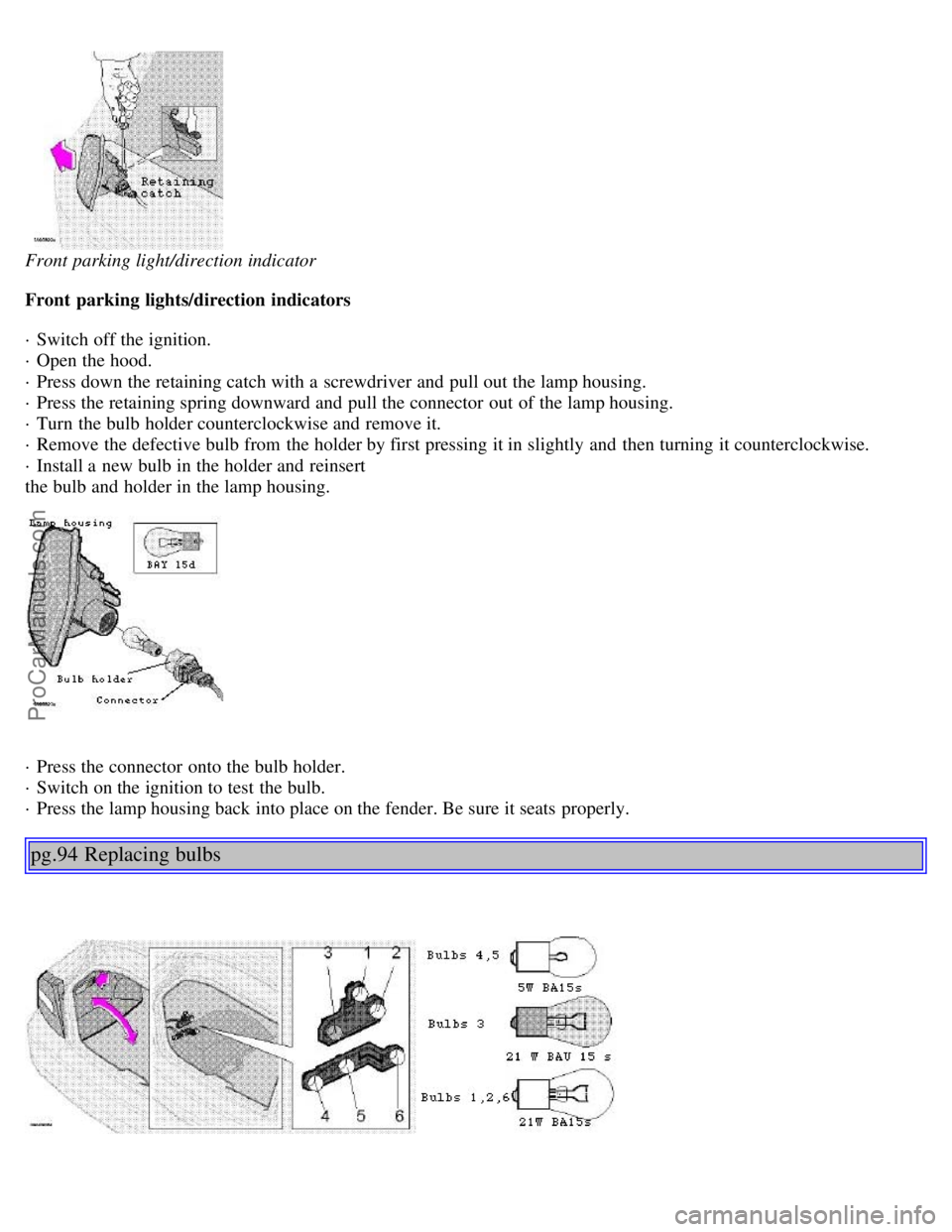
Front parking light/direction indicator
Front parking lights/direction indicators
· Switch off the ignition.
· Open the hood.
· Press down the retaining catch with a screwdriver and pull out the lamp housing.
· Press the retaining spring downward and pull the connector out of the lamp housing.
· Turn the bulb holder counterclockwise and remove it.
· Remove the defective bulb from the holder by first pressing it in slightly and then turning it counterclockwise.
· Install a new bulb in the holder and reinsert
the bulb and holder in the lamp housing.
· Press the connector onto the bulb holder.
· Switch on the ignition to test the bulb.
· Press the lamp housing back into place on the fender. Be sure it seats properly.
pg.94 Replacing bulbs
ProCarManuals.com
Page 91 of 96
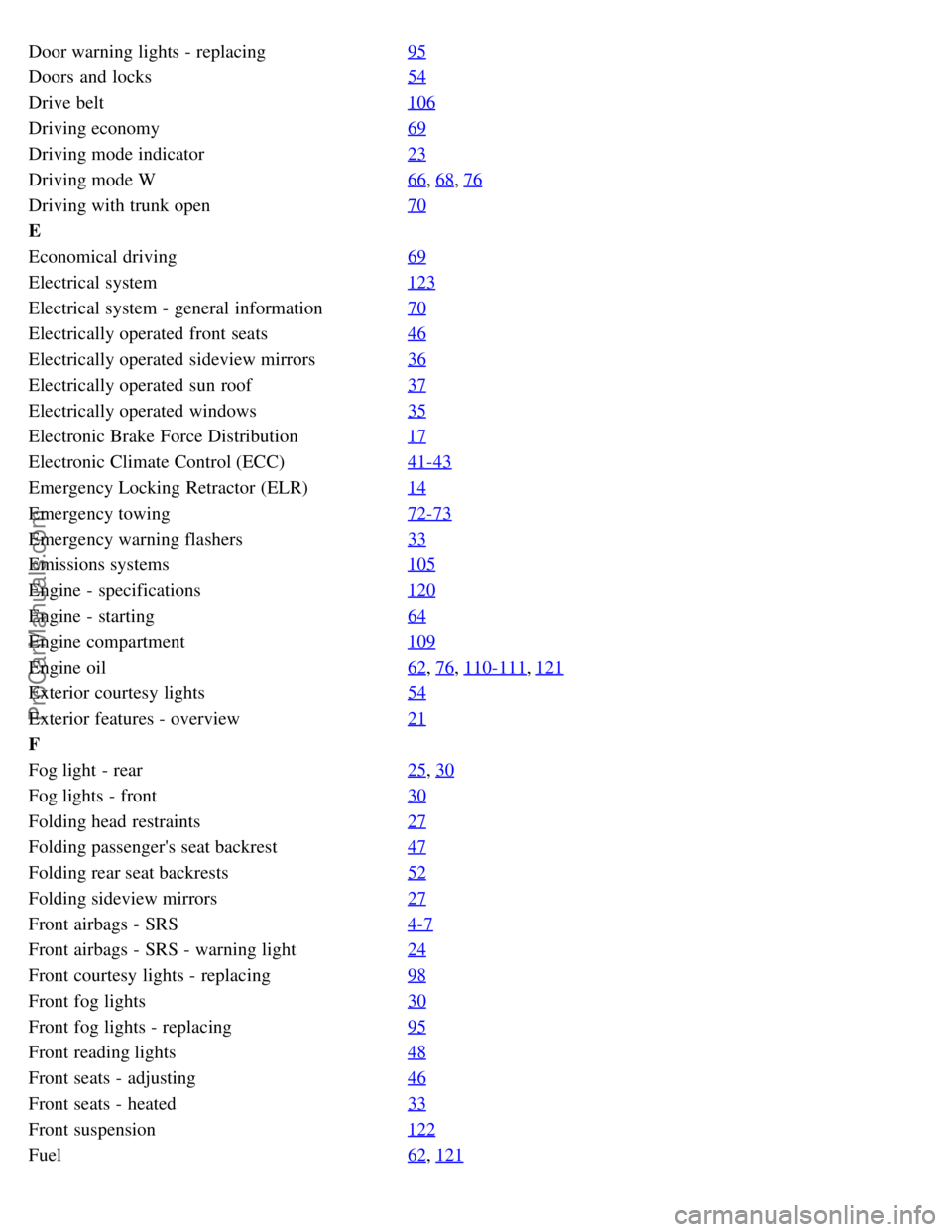
Door warning lights - replacing95
Doors and locks54
Drive belt106
Driving economy69
Driving mode indicator23
Driving mode W66, 68, 76
Driving with trunk open70
E
Economical driving69
Electrical system123
Electrical system - general information70
Electrically operated front seats46
Electrically operated sideview mirrors36
Electrically operated sun roof37
Electrically operated windows35
Electronic Brake Force Distribution17
Electronic Climate Control (ECC)41-43
Emergency Locking Retractor (ELR)14
Emergency towing72-73
Emergency warning flashers33
Emissions systems105
Engine - specifications120
Engine - starting64
Engine compartment109
Engine oil62, 76, 110-111, 121
Exterior courtesy lights54
Exterior features - overview21
F
Fog light - rear25
, 30
Fog lights - front30
Folding head restraints27
Folding passenger's seat backrest47
Folding rear seat backrests52
Folding sideview mirrors27
Front airbags - SRS4-7
Front airbags - SRS - warning light24
Front courtesy lights - replacing98
Front fog lights30
Front fog lights - replacing95
Front reading lights48
Front seats - adjusting46
Front seats - heated33
Front suspension122
Fuel62, 121
ProCarManuals.com
Page 92 of 96
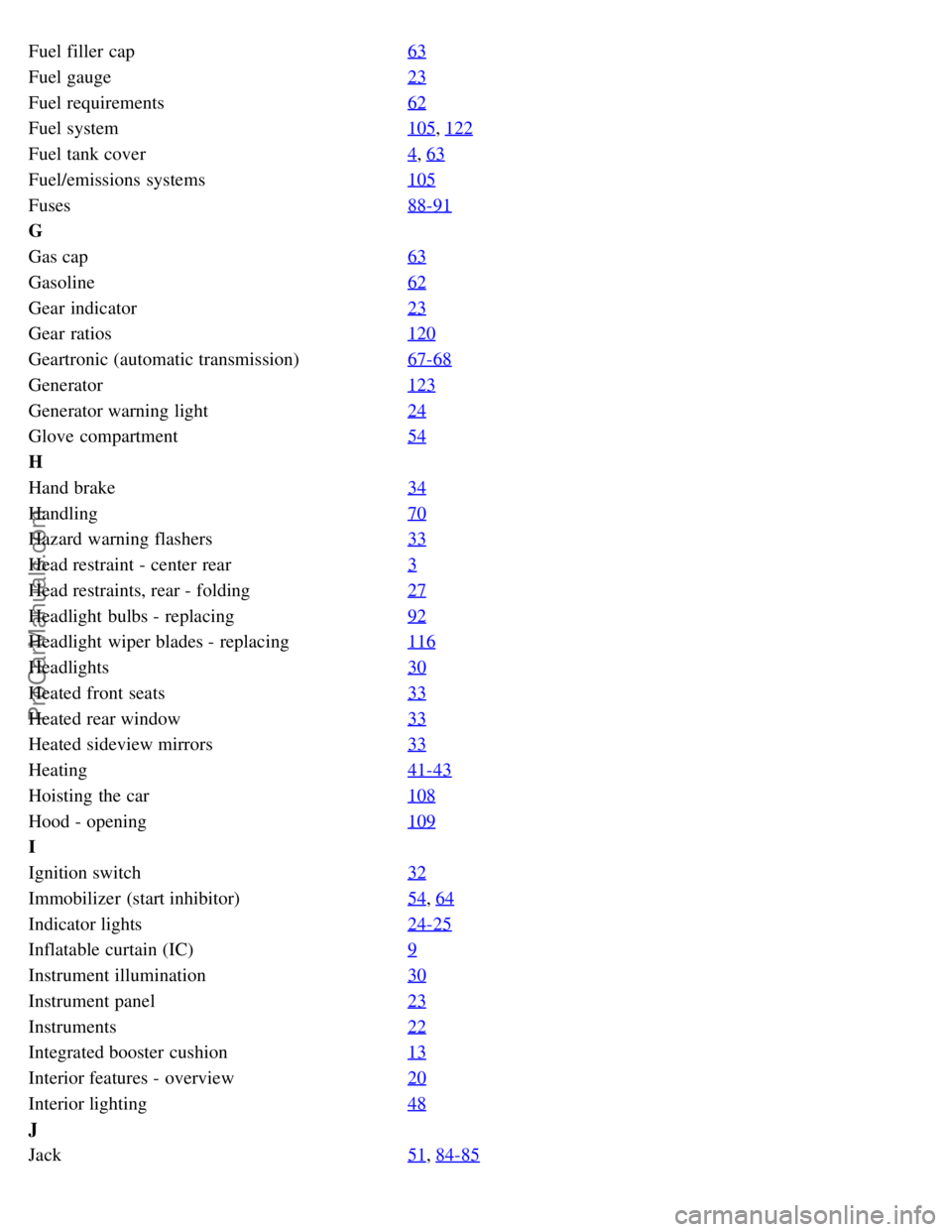
Fuel filler cap63
Fuel gauge23
Fuel requirements62
Fuel system105, 122
Fuel tank cover4, 63
Fuel/emissions systems105
Fuses88-91
G
Gas cap63
Gasoline62
Gear indicator23
Gear ratios120
Geartronic (automatic transmission)67-68
Generator123
Generator warning light24
Glove compartment54
H
Hand brake34
Handling70
Hazard warning flashers33
Head restraint - center rear3
Head restraints, rear - folding27
Headlight bulbs - replacing92
Headlight wiper blades - replacing116
Headlights30
Heated front seats33
Heated rear window33
Heated sideview mirrors33
Heating41-43
Hoisting the car108
Hood - opening109
I
Ignition switch32
Immobilizer (start inhibitor)54, 64
Indicator lights24-25
Inflatable curtain (IC)9
Instrument illumination30
Instrument panel23
Instruments22
Integrated booster cushion13
Interior features - overview20
Interior lighting48
J
Jack51
, 84-85
ProCarManuals.com