door lock VOLVO S90 2017 Owner´s Manual
[x] Cancel search | Manufacturer: VOLVO, Model Year: 2017, Model line: S90, Model: VOLVO S90 2017Pages: 548, PDF Size: 11.42 MB
Page 226 of 548
||
LOCKS AND ALARM
* Option/accessory.
224
Locking
All of the doors have to be closed before the vehicle can be locked but the trunk can be open. Lock the doors and trunk by pressing the pres- sure sensitive indentation on the outside of anyof the door handles. The lock indicator light onthe dashboard will begin to flash to show that thevehicle is locked and the alarm has been armed.
NOTE
Only one of a door handle's lock/unlock sur- faces should be pressed at a time. If bothareas are pressed simultaneously, the desiredlocking/unlocking action may not occur ormay be delayed.
To close windows or the moonroof * when locking
the vehicle, hold the pressure sensitive surface on the outside of a door handle until the win-dow(s)/moonroof have closed completely. Thewindows/moonroof will stop if the button isreleased before they are fully closed.
Unlocking
Pull a door handle to unlock and open the door or press the rubberized button under the trunkopening control. The lock indicator light on thedashboard will go out to show that the vehicle isunlocked and the alarm has been disarmed. The lock/unlock settings can be changed in the center display's Top view: Go to:
SettingsMy CarKeyless Unlockand select All Doors or Single Door.
Automatic relockingIf no door or the trunk is opened within two minutes after being unlocked, the vehicle willautomatically relock.
Remote door unlockThe vehicle can be unlocked using the Volvo OnCall app.
Related information
•
Remote key (p. 217)
• Remote key's range (p. 219)
• Detachable key blade (p. 221)
• Alarm (p. 236)
• Locking/unlocking from inside the vehicle(p. 224)
• Foot movement trunk operation
* (p. 232)
• Locking/unlocking the trunk (p. 228)
Locking/unlocking from inside the vehicle The lock buttons on either of the front doors can be used to lock or unlock all doors and the trunkat the same time. The rear doors can be locked using their respective lock buttons
*.
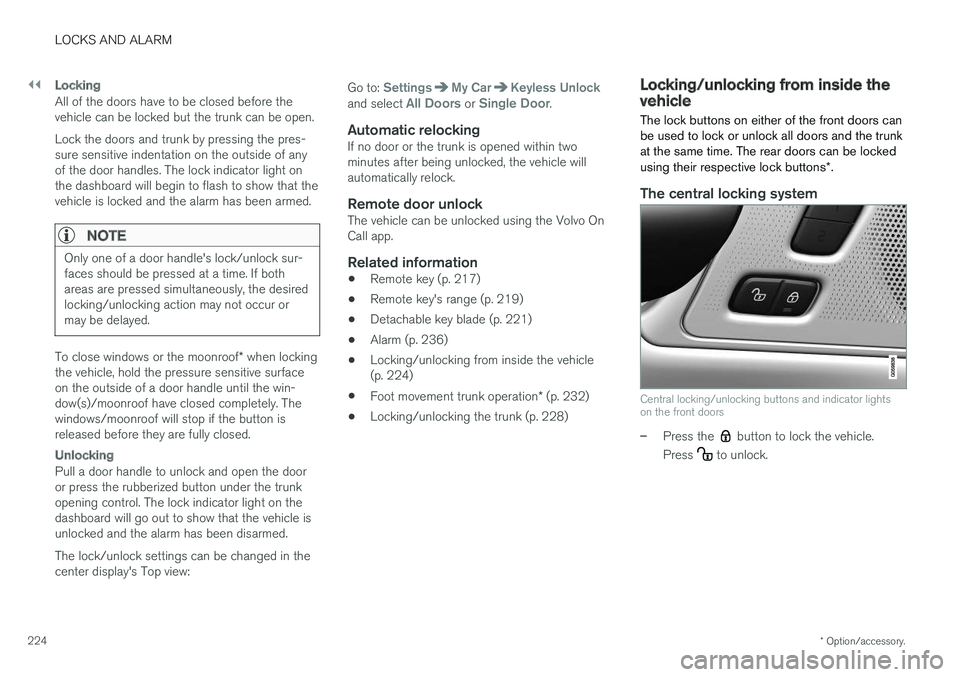
The central locking system
Central locking/unlocking buttons and indicator lights on the front doors
–Press the button to lock the vehicle.
Press
to unlock.
Page 227 of 548
LOCKS AND ALARM
}}
* Option/accessory.225
Unlocking
•
Press the button to unlock all doors and
the trunk.
• Pull the door opening handle on either of the front doors. This will unlock the vehicle com- pletely 5
and the door will open.
Locking
–Press the button on either of the front
doors to lock the vehicle (both front doors must be closed).
Lock buttons on the rear doors *
Lock button and indicator light in a rear door
The lock buttons in the rear doors lock/unlock each door respectively. To unlock a rear door:
–To open one of the rear doors individually, pull its handle to unlock and open the door
6
.
Automatic lockingAll of the doors/trunk will lock automatically when the vehicle begins to move.
Related information
• Locking/unlocking from outside the vehicle(p. 223)
• Locking and unlocking confirmation (p. 226)
• Child safety locks (p. 238)
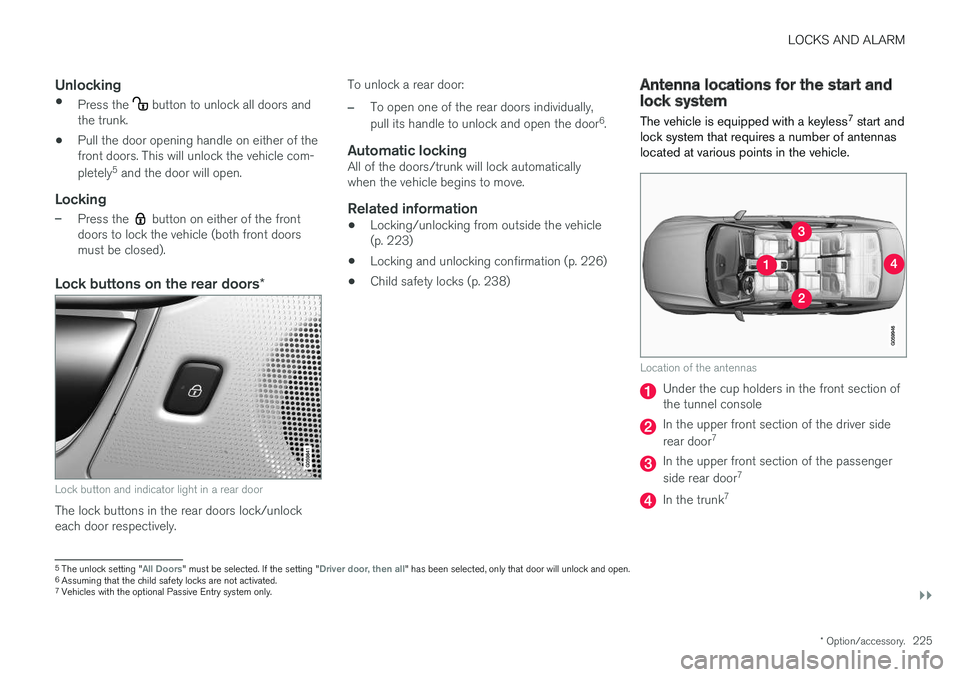
Antenna locations for the start and lock system
The vehicle is equipped with a keyless 7
start and
lock system that requires a number of antennas located at various points in the vehicle.
Location of the antennas
Under the cup holders in the front section of the tunnel console
In the upper front section of the driver side rear door 7
In the upper front section of the passenger side rear door 7
In the trunk7
5
The unlock setting "All Doors" must be selected. If the setting "Driver door, then all" has been selected, only that door will unlock and open.
6 Assuming that the child safety locks are not activated.
7 Vehicles with the optional Passive Entry system only.
Page 228 of 548
||
LOCKS AND ALARM
226
WARNING
People with implanted pacemakers should not allow the pacemaker to come closer than9 inches (22 cm) to any of the Passive Entrysystem's antennas. This is to help preventinterference between the pacemaker and thePassive Entry system.
Related information
•Remote key (p. 217)
• Remote key's range (p. 219)
Locking and unlocking confirmation
The turn signals can be used to indicate that the vehicle has been locked/unlocked with theremote key. These settings can also be changedin the center display's Top view by going to:
SettingsMy CarLockingLocking and
Unlocking Feedback.
Exterior confirmation
• Locking: the turn signals flash once and the door mirrors will fold in (retract) 8
• Unlocking: the turn signals flash twice andthe door mirrors will fold out 8
When the vehicle is locked, confirmation will only be given if all doors/trunk and the hood areclosed. If the vehicle is locked while only the driver's door is closed 9
, all doors/trunk will lock but confirma-
tion will only be given when all doors/trunk/hood are closed.
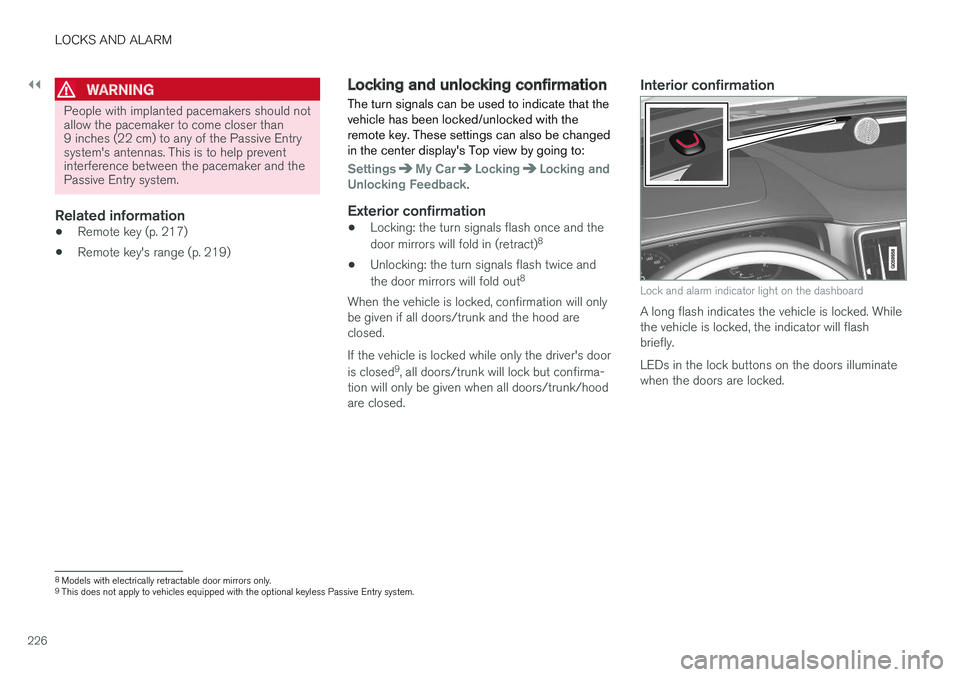
Interior confirmation
Lock and alarm indicator light on the dashboard
A long flash indicates the vehicle is locked. While the vehicle is locked, the indicator will flashbriefly. LEDs in the lock buttons on the doors illuminate when the doors are locked.
8 Models with electrically retractable door mirrors only.
9 This does not apply to vehicles equipped with the optional keyless Passive Entry system.
Page 229 of 548
LOCKS AND ALARM
227
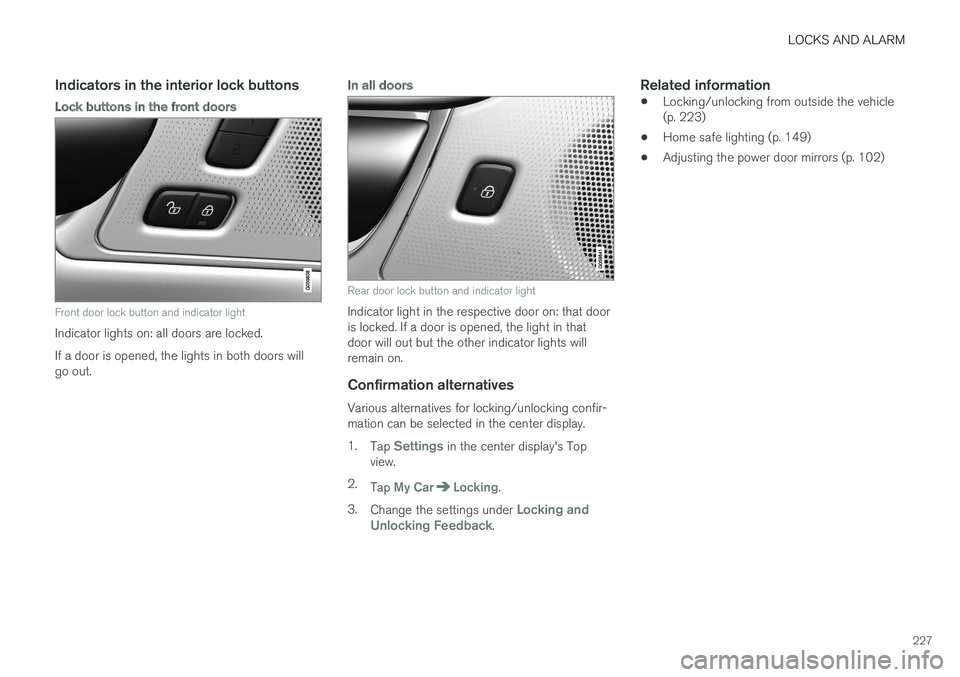
Indicators in the interior lock buttons
Lock buttons in the front doors
Front door lock button and indicator light
Indicator lights on: all doors are locked. If a door is opened, the lights in both doors will go out.
In all doors
Rear door lock button and indicator light
Indicator light in the respective door on: that door is locked. If a door is opened, the light in thatdoor will out but the other indicator lights willremain on.
Confirmation alternatives
Various alternatives for locking/unlocking confir-mation can be selected in the center display. 1.Tap
Settings in the center display's Top
view.
2. Tap
My CarLocking.
3. Change the settings under
Locking and
Unlocking Feedback.
Related information
• Locking/unlocking from outside the vehicle (p. 223)
• Home safe lighting (p. 149)
• Adjusting the power door mirrors (p. 102)
Page 230 of 548
LOCKS AND ALARM
* Option/accessory.
228
Locking/unlocking the trunk The trunk can be locked, unlocked and opened in several ways.
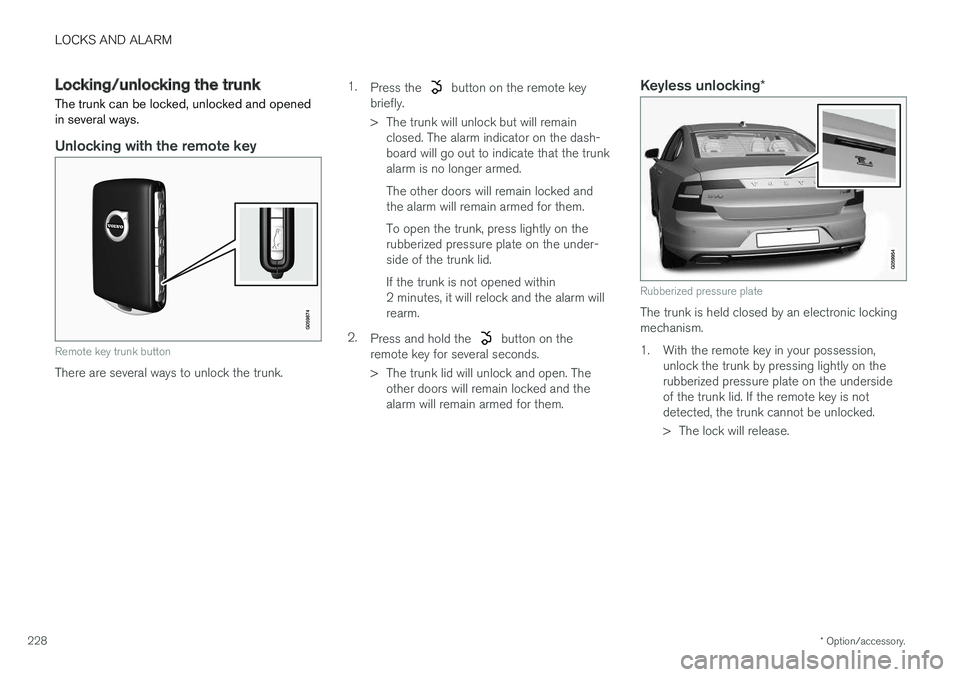
Unlocking with the remote key
Remote key trunk button
There are several ways to unlock the trunk. 1.
Press the
button on the remote key
briefly.
> The trunk will unlock but will remain closed. The alarm indicator on the dash- board will go out to indicate that the trunkalarm is no longer armed. The other doors will remain locked and the alarm will remain armed for them. To open the trunk, press lightly on the rubberized pressure plate on the under-side of the trunk lid. If the trunk is not opened within 2 minutes, it will relock and the alarm willrearm.
2. Press and hold the
button on the
remote key for several seconds.
> The trunk lid will unlock and open. The other doors will remain locked and the alarm will remain armed for them.
Keyless unlocking *
Rubberized pressure plate
The trunk is held closed by an electronic locking mechanism.
1. With the remote key in your possession, unlock the trunk by pressing lightly on therubberized pressure plate on the undersideof the trunk lid. If the remote key is notdetected, the trunk cannot be unlocked.
> The lock will release.
Page 232 of 548
||
LOCKS AND ALARM
* Option/accessory.
230
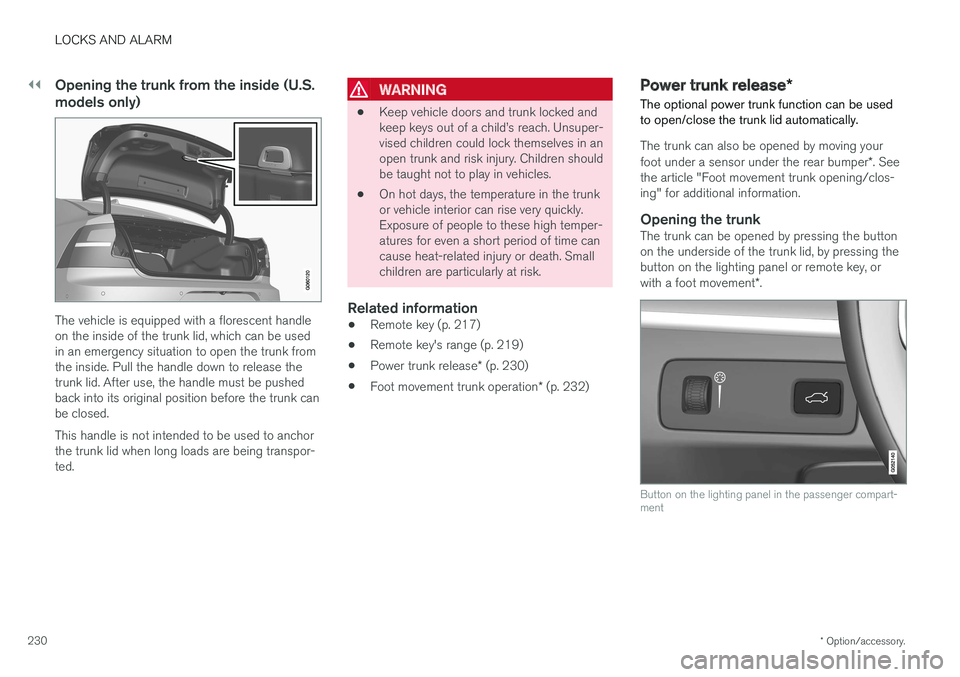
Opening the trunk from the inside (U.S. models only)
The vehicle is equipped with a florescent handle on the inside of the trunk lid, which can be usedin an emergency situation to open the trunk fromthe inside. Pull the handle down to release thetrunk lid. After use, the handle must be pushedback into its original position before the trunk canbe closed. This handle is not intended to be used to anchor the trunk lid when long loads are being transpor-ted.
WARNING
• Keep vehicle doors and trunk locked and keep keys out of a child
Page 233 of 548
LOCKS AND ALARM
}}
* Option/accessory.231
The power trunk release can be activated by:
• Pressing and holding the
button on the
lighting panel until the trunk lid begins to open.
• Pressing and holding the
button on the
remote key until the trunk lid begins to open.
• Pressing lightly on the rubber-covered button on the underside of the trunk lid.
• Moving your foot under a sensor under the rear bumper
*.
Closing the trunkThe trunk can be closed by pressing the button on the lighting panel or on the remote key, bypressing the button on the lower edge of the trunk lid *10
or by moving your foot under a sensor
beneath the rear bumper *.
To close the trunk:
–Press and hold the button on the light-
ing panel or on the
button on the
remote key.
> The trunk will close automatically and
audible signal will sound. This will not
lock the trunk.
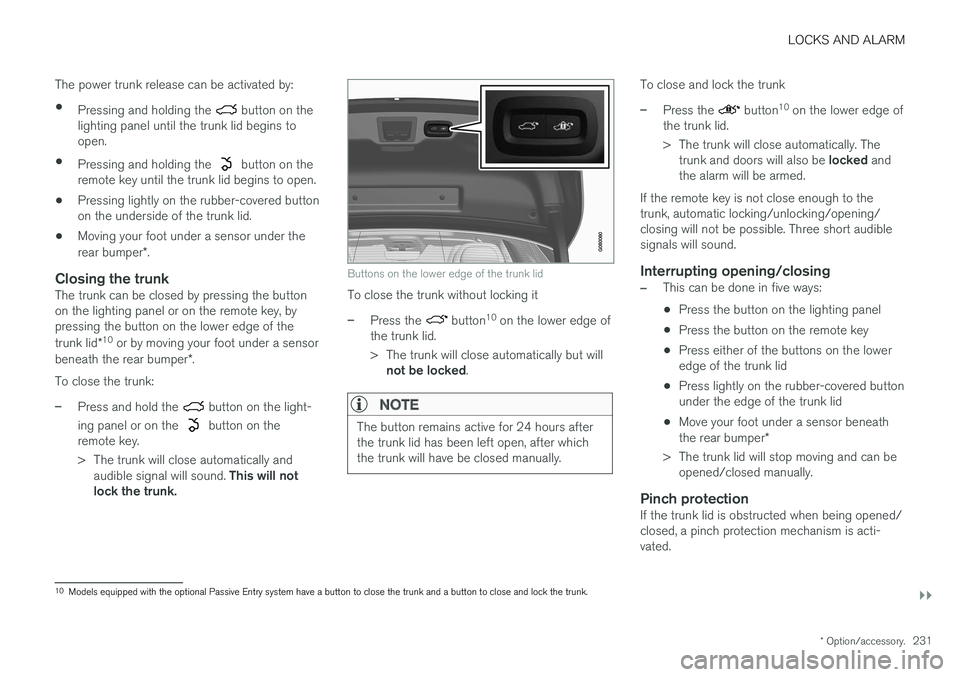
Buttons on the lower edge of the trunk lid
To close the trunk without locking it
–Press the button 10
on the lower edge of
the trunk lid.
> The trunk will close automatically but will not be locked .
NOTE
The button remains active for 24 hours after the trunk lid has been left open, after whichthe trunk will have be closed manually.
To close and lock the trunk
–Press the button10
on the lower edge of
the trunk lid.
> The trunk will close automatically. The trunk and doors will also be locked and
the alarm will be armed.
If the remote key is not close enough to the trunk, automatic locking/unlocking/opening/closing will not be possible. Three short audiblesignals will sound.
Interrupting opening/closing
–This can be done in five ways: • Press the button on the lighting panel
• Press the button on the remote key
• Press either of the buttons on the lower edge of the trunk lid
• Press lightly on the rubber-covered buttonunder the edge of the trunk lid
• Move your foot under a sensor beneath the rear bumper
*
> The trunk lid will stop moving and can be opened/closed manually.
Pinch protectionIf the trunk lid is obstructed when being opened/ closed, a pinch protection mechanism is acti-vated.
10Models equipped with the optional Passive Entry system have a button to close the trunk and a button to close and lock the trunk.
Page 237 of 548
LOCKS AND ALARM
}}
235
Locking/unlocking with the detachable key blade
The detachable key blade can be used to e.g., unlock the driver's door from the outside if, forexample, the remote key's battery is weak.
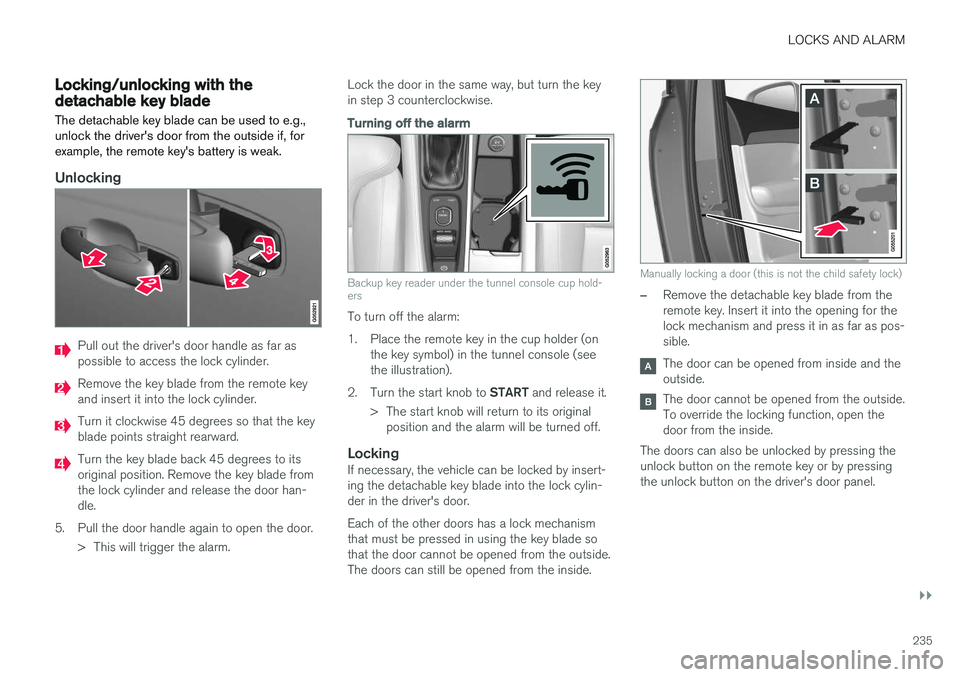
Unlocking
Pull out the driver's door handle as far as possible to access the lock cylinder.
Remove the key blade from the remote key and insert it into the lock cylinder.
Turn it clockwise 45 degrees so that the key blade points straight rearward.
Turn the key blade back 45 degrees to its original position. Remove the key blade fromthe lock cylinder and release the door han-dle.
5. Pull the door handle again to open the door. > This will trigger the alarm. Lock the door in the same way, but turn the keyin step 3 counterclockwise.
Turning off the alarm
Backup key reader under the tunnel console cup hold- ers
To turn off the alarm:
1. Place the remote key in the cup holder (on
the key symbol) in the tunnel console (see the illustration).
2. Turn the start knob to START and release it.
> The start knob will return to its original position and the alarm will be turned off.
LockingIf necessary, the vehicle can be locked by insert-ing the detachable key blade into the lock cylin-der in the driver's door. Each of the other doors has a lock mechanism that must be pressed in using the key blade sothat the door cannot be opened from the outside.The doors can still be opened from the inside.
Manually locking a door (this is not the child safety lock)
–Remove the detachable key blade from the remote key. Insert it into the opening for thelock mechanism and press it in as far as pos-sible.
The door can be opened from inside and the outside.
The door cannot be opened from the outside. To override the locking function, open thedoor from the inside.
The doors can also be unlocked by pressing theunlock button on the remote key or by pressingthe unlock button on the driver's door panel.
Page 238 of 548
||
LOCKS AND ALARM
236
NOTE
If the child safety locks are activated for the rear doors and the mechanical locking mech-anism has also been activated with the keyblade, it will not be possible to open thesedoors from the inside or the outside. To unlock, use the central unlocking button on either of the front doors or the unlock but-ton on the remote key.
Related information
•Detachable key blade (p. 221)
Automatically arming/disarming the alarm
Automatically arming the alarm helps prevent inadvertently leaving the vehicle without alarmprotection.
If the vehicle has been unlocked with the remote key (and the alarm has been disarmed) but nodoor or the trunk has been opened within2 minutes, the vehicle will automatically relockand the alarm will re-arm. In certain markets, the alarm will be re-armed automatically after a slight delay after the driver'sdoor has been opened and closed without beinglocked.
Related information
• Alarm (p. 236)
• Deactivating the alarm without a functioningremote key (p. 238)
Alarm
The alarm system provides a warning if an attempt is made to break into the vehicle.
The following conditions will trigger the alarm:
• a door/hood/trunk are opened
• the battery is disconnected
• the alarm siren is disconnected
If a problem is detected in the alarm system, this symbol and
Alarm
system failure Service required will
be displayed in the instrument panel.
Do not attempt to repair any of the components in the alarm system yourself; this could affect theinsurance policy on the vehicle. Contact a trainedand qualified Volvo service technician.
NOTE
One of the alarm sensors, which is sensitive to metallic objects, is located under the tunnelconsole cup holders. Avoid leaving coins,keys, etc., in the cup holders because theymay inadvertently trigger the alarm.
Page 239 of 548
LOCKS AND ALARM
* Option/accessory.237
Arming the alarm
–Lock the vehicle by pressing the remote key's lock button. On models with theoptional Passive Entry system, the vehiclecan also be locked by pressing the outerindentation for locking on one of the doorhandles or by pressing the trunk's rubberizedpressure plate. If the vehicle is equipped with a power trunk release*, the button on the lower edge of the
trunk can also be used to lock the vehicle and arm the alarm.
Disarming the alarmThe alarm can be disarmed by: • Unlock the vehicle by pressing the remote key's unlock button
• Pressing the pressure-sensitive area on theinside of one of the door handles on modelswith the optional Passive Entry system.
• Pressing the trunk's rubberized pressureplate on models with the optional PassiveEntry system.
Turning off a triggered (sounding)
alarm
–Press the remote key's unlock button or put the ignition in mode I by turning the start
knob to START and releasing it.
Alarm signalsThe following occurs if the alarm has been trig- gered:
• A siren will sound for 30 seconds or until thealarm is turned off
• All turn signals flash for 5 minutes or untilthe alarm is turned off
If the door that triggered the alarm is left open,
the alarm cycle will be repeated 10 times.
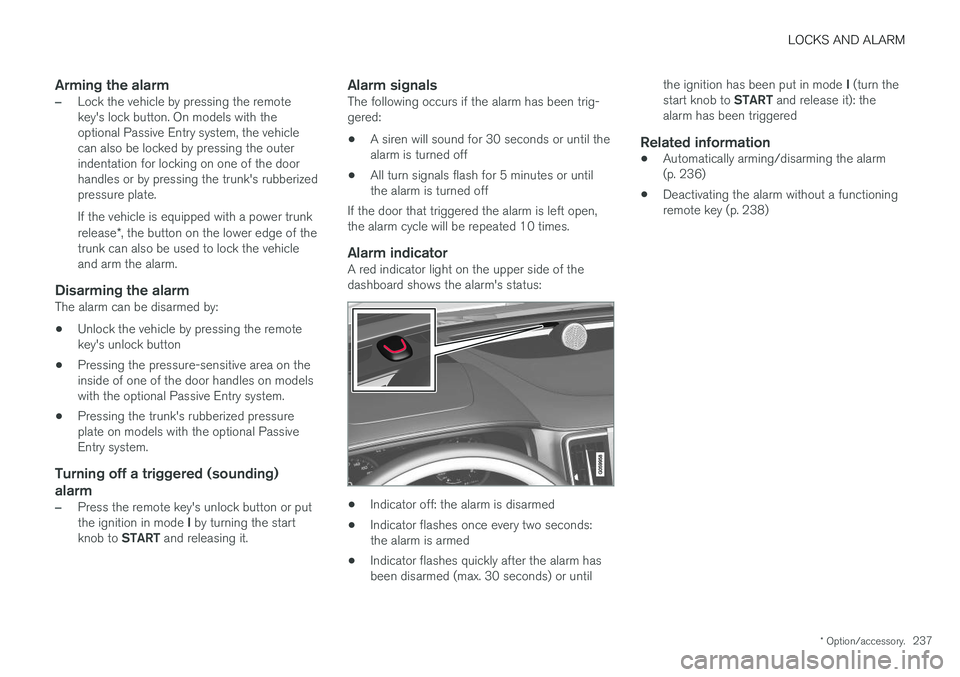
Alarm indicatorA red indicator light on the upper side of thedashboard shows the alarm's status:
• Indicator off: the alarm is disarmed
• Indicator flashes once every two seconds: the alarm is armed
• Indicator flashes quickly after the alarm hasbeen disarmed (max. 30 seconds) or until the ignition has been put in mode
I (turn the
start knob to START and release it): the
alarm has been triggered
Related information
• Automatically arming/disarming the alarm(p. 236)
• Deactivating the alarm without a functioningremote key (p. 238)