trunk VOLVO S90 2017 Owner´s Manual
[x] Cancel search | Manufacturer: VOLVO, Model Year: 2017, Model line: S90, Model: VOLVO S90 2017Pages: 548, PDF Size: 11.42 MB
Page 7 of 548
5
Air distribution table199
LOADING AND STORAGE
Cargo space202
Ski hatch *
202
Loading 202
Passenger compartment storage spaces 204
Using the glove compartment 205
Tunnel console 206
Grocery bag holder 207
Load anchoring eyelets 207
Sun visors 208
Electrical sockets 209
LOCKS AND ALARM
Locks and remote keys214
Immobilizer 214
Changing the remote key's battery 215
Remote key 217
Remote key's range 219
Red Key *
220
Detachable key blade 221
Locking/unlocking from outside the vehicle 223
Locking/unlocking from inside thevehicle 224
Antenna locations for the start andlock system 225
Locking and unlocking confirmation 226
Locking/unlocking the trunk 228
Power trunk release *
230
Foot movement trunk operation *
232
Private (valet) locking 233
Locking/unlocking with the detacha-ble key blade 235
Automatically arming/disarming thealarm 236
Alarm 236
Deactivating the alarm without afunctioning remote key 238
Child safety locks 238
Page 12 of 548
10
Inflating a tire with the tire sealing system compressor465
MAINTENANCE AND SERVICING
Volvo's service program
468
System updates 470
Remote updates 471
Vehicle status 471
Booking service and repairs 472
Wi-Fi connection to a workshop 474
Climate system service 475
Start battery 476
Support battery 478
Battery symbols 479
Fuses 480
Replacing fuses 481
Fuses in the engine compartment 482
Fuses in the passenger compartment 486
Fuses in the trunk 490
Replacing bulbs 493
Replacing low beam headlight bulbs 495
Replacing High Beam headlight bulbs 496
Replacing front turn signal bulbs 496
Replacing front parking light bulbs 497
Replacing the rear fog light 498
Bulb specifications 500
Hoisting the vehicle 501
Opening and closing the hood 503
Engine compartment overview504
Engine oil 505
Checking and refilling engine oil 506
Windshield wipers in the service position 507
Replacing wiper blades 508
Refilling coolant 509
Refilling the windshield washer fluid reservoir 510
Cleaning the exterior 511
Cleaning the interior 513
Cleaning the center display 515
Corrosion protection 516
Paint damage 516
Touching up paint damage 517
Polishing and waxing 518
Page 66 of 548
SAFETY
64
Door and seat belt remindersThe door and seat belt reminders are intended to alert all occupants of the vehicle that theirseat belts should be buckled before the vehiclebegins to move or if a door, the hood, trunk orfuel filler door have not been closed properly.
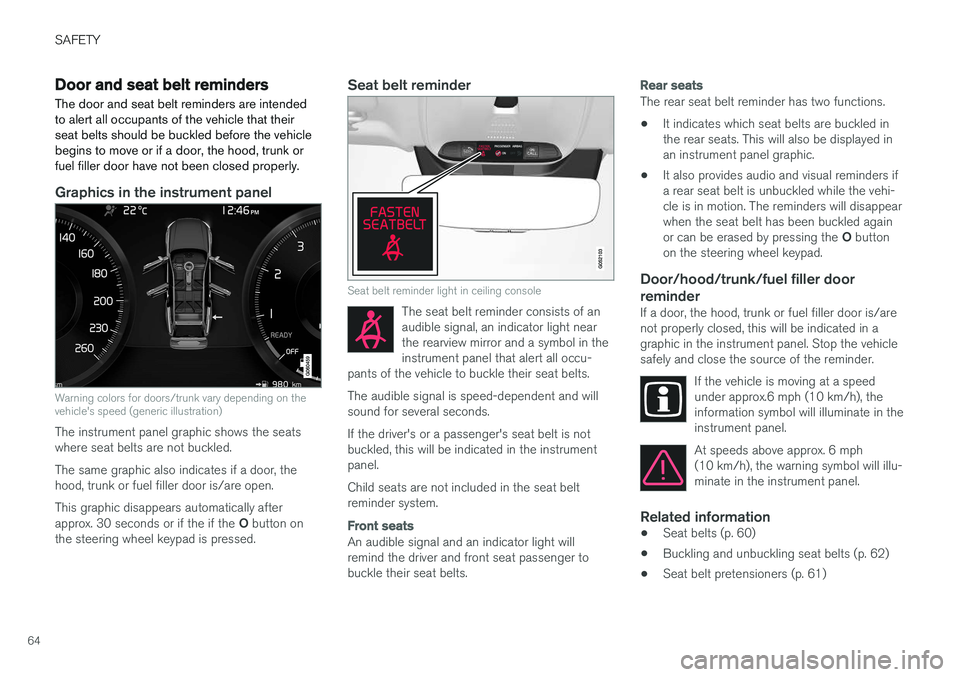
Graphics in the instrument panel
Warning colors for doors/trunk vary depending on the vehicle's speed (generic illustration)
The instrument panel graphic shows the seats where seat belts are not buckled. The same graphic also indicates if a door, the hood, trunk or fuel filler door is/are open. This graphic disappears automatically after approx. 30 seconds or if the if the O button on
the steering wheel keypad is pressed.
Seat belt reminder
Seat belt reminder light in ceiling console
The seat belt reminder consists of an audible signal, an indicator light nearthe rearview mirror and a symbol in theinstrument panel that alert all occu-
pants of the vehicle to buckle their seat belts.
The audible signal is speed-dependent and will sound for several seconds. If the driver's or a passenger's seat belt is not buckled, this will be indicated in the instrumentpanel. Child seats are not included in the seat belt reminder system.
Front seats
An audible signal and an indicator light will remind the driver and front seat passenger tobuckle their seat belts.
Rear seats
The rear seat belt reminder has two functions.
• It indicates which seat belts are buckled in the rear seats. This will also be displayed inan instrument panel graphic.
• It also provides audio and visual reminders ifa rear seat belt is unbuckled while the vehi-cle is in motion. The reminders will disappearwhen the seat belt has been buckled again or can be erased by pressing the
O button
on the steering wheel keypad.
Door/hood/trunk/fuel filler door
reminder
If a door, the hood, trunk or fuel filler door is/are not properly closed, this will be indicated in agraphic in the instrument panel. Stop the vehiclesafely and close the source of the reminder.
If the vehicle is moving at a speedunder approx.6 mph (10 km/h), theinformation symbol will illuminate in theinstrument panel.
At speeds above approx. 6 mph (10 km/h), the warning symbol will illu-minate in the instrument panel.
Related information
•Seat belts (p. 60)
• Buckling and unbuckling seat belts (p. 62)
• Seat belt pretensioners (p. 61)
Page 78 of 548
||
SAFETY
* Option/accessory.
76
WARNING
• Do not use child safety seats or child booster cushions/backrests in the frontpassenger's seat. We also recommendthat children under 4 feet 7 inches(140 cm) in height who have outgrownthese devices sit in the rear seat with theseat belt fastened.
• Sedan models: Keep vehicle doors andtrunk locked and keep remote controlsout of a child
Page 96 of 548
INSTRUMENTS AND CONTROLS
* Option/accessory.
94
Instruments and controls
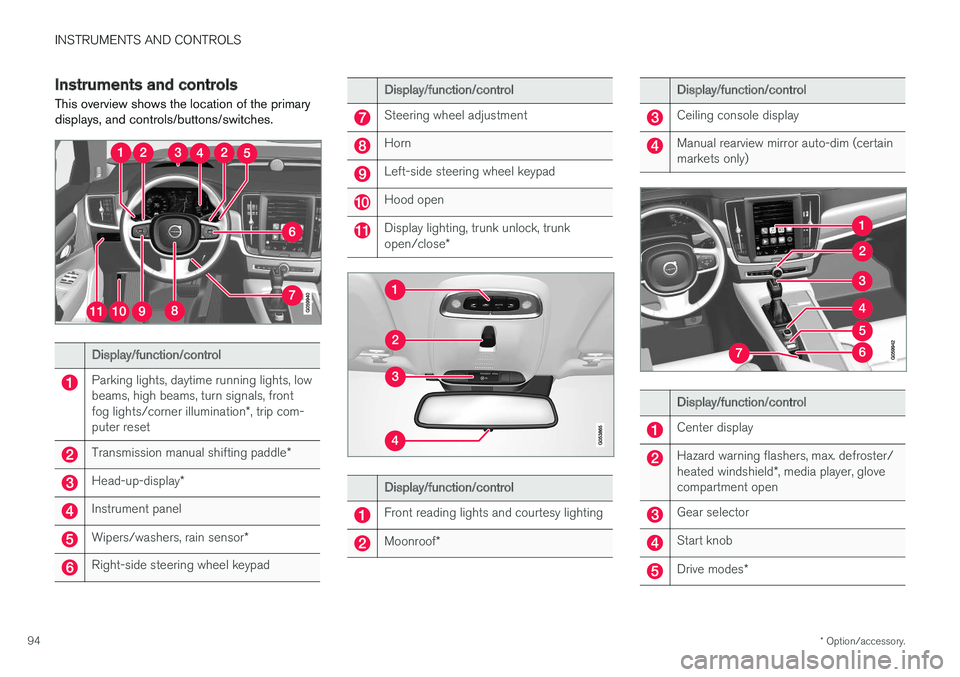
This overview shows the location of the primary displays, and controls/buttons/switches.
Display/function/control
Parking lights, daytime running lights, low beams, high beams, turn signals, front fog lights/corner illumination *, trip com-
puter reset
Transmission manual shifting paddle *
Head-up-display*
Instrument panel
Wipers/washers, rain sensor *
Right-side steering wheel keypad
Display/function/control
Steering wheel adjustment
Horn
Left-side steering wheel keypad
Hood open
Display lighting, trunk unlock, trunk open/close*
Display/function/control
Front reading lights and courtesy lighting
Moonroof*
Display/function/control
Ceiling console display
Manual rearview mirror auto-dim (certain markets only)
Display/function/control
Center display
Hazard warning flashers, max. defroster/ heated windshield *, media player, glove
compartment open
Gear selector
Start knob
Drive modes *
Page 97 of 548
INSTRUMENTS AND CONTROLS
}}
* Option/accessory.95
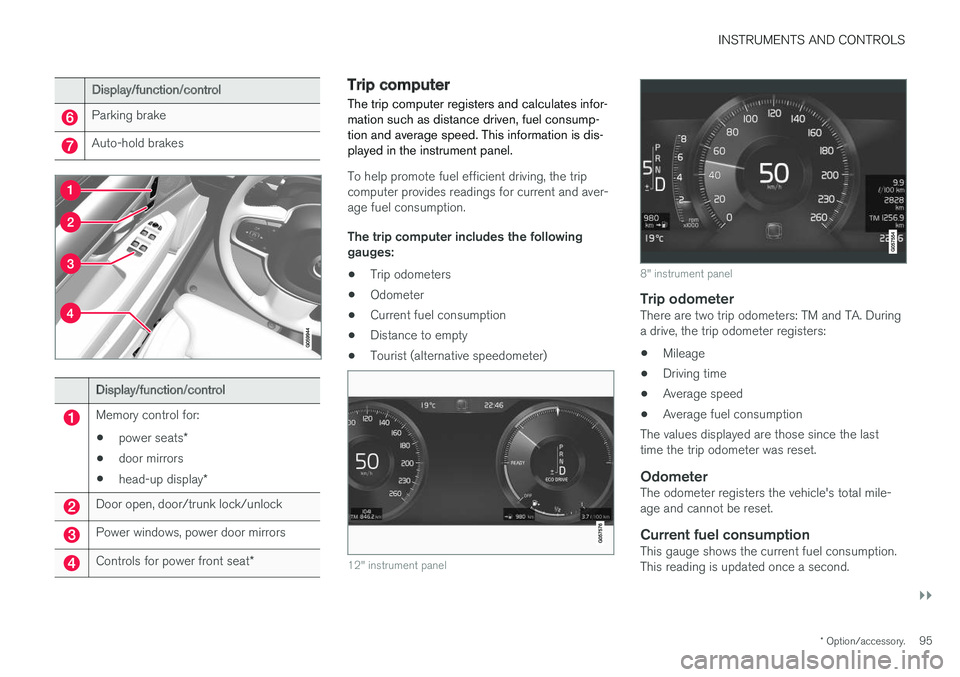
Display/function/control
Parking brake
Auto-hold brakes
Display/function/control
Memory control for:
• power seats
*
• door mirrors
• head-up display
*
Door open, door/trunk lock/unlock
Power windows, power door mirrors
Controls for power front seat *
Trip computer The trip computer registers and calculates infor- mation such as distance driven, fuel consump-tion and average speed. This information is dis-played in the instrument panel.
To help promote fuel efficient driving, the trip computer provides readings for current and aver-age fuel consumption. The trip computer includes the following gauges:
• Trip odometers
• Odometer
• Current fuel consumption
• Distance to empty
• Tourist (alternative speedometer)
12" instrument panel
8" instrument panel
Trip odometerThere are two trip odometers: TM and TA. During a drive, the trip odometer registers:
• Mileage
• Driving time
• Average speed
• Average fuel consumption
The values displayed are those since the lasttime the trip odometer was reset.
OdometerThe odometer registers the vehicle's total mile-age and cannot be reset.
Current fuel consumptionThis gauge shows the current fuel consumption.This reading is updated once a second.
Page 131 of 548
INSTRUMENTS AND CONTROLS
129
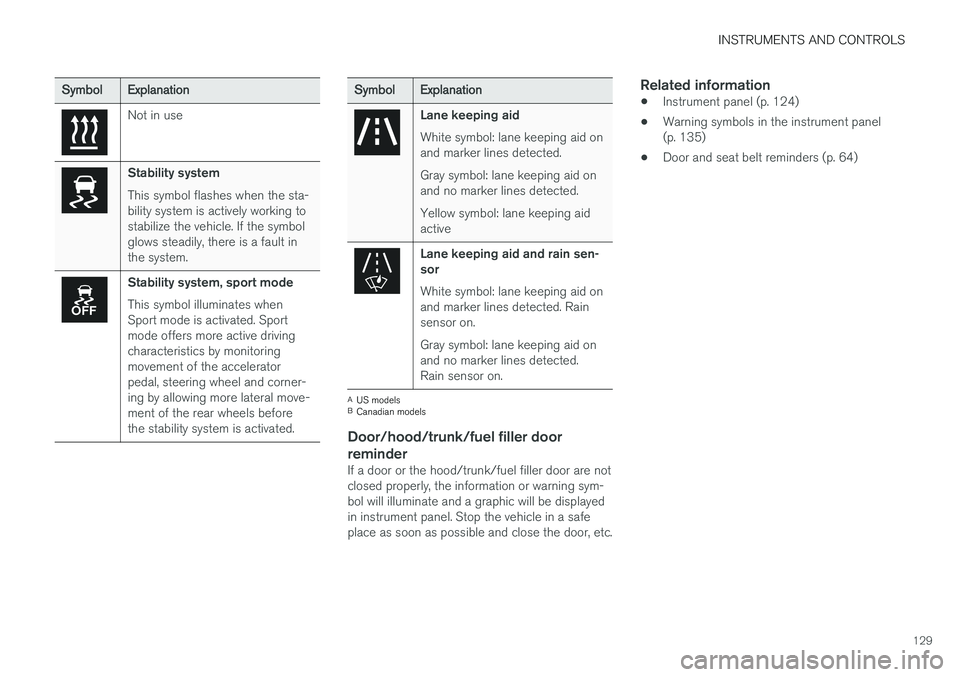
SymbolExplanation
Not in use
Stability system This symbol flashes when the sta- bility system is actively working tostabilize the vehicle. If the symbolglows steadily, there is a fault inthe system.
Stability system, sport mode This symbol illuminates when Sport mode is activated. Sportmode offers more active drivingcharacteristics by monitoringmovement of the acceleratorpedal, steering wheel and corner-ing by allowing more lateral move-ment of the rear wheels beforethe stability system is activated.
SymbolExplanation
Lane keeping aid White symbol: lane keeping aid on and marker lines detected. Gray symbol: lane keeping aid on and no marker lines detected. Yellow symbol: lane keeping aid active
Lane keeping aid and rain sen- sor White symbol: lane keeping aid on and marker lines detected. Rainsensor on. Gray symbol: lane keeping aid on and no marker lines detected.Rain sensor on.
A
US models
B Canadian models
Door/hood/trunk/fuel filler door
reminder
If a door or the hood/trunk/fuel filler door are not closed properly, the information or warning sym-bol will illuminate and a graphic will be displayedin instrument panel. Stop the vehicle in a safeplace as soon as possible and close the door, etc.
Related information
• Instrument panel (p. 124)
• Warning symbols in the instrument panel(p. 135)
• Door and seat belt reminders (p. 64)
Page 138 of 548
||
INSTRUMENTS AND CONTROLS
136
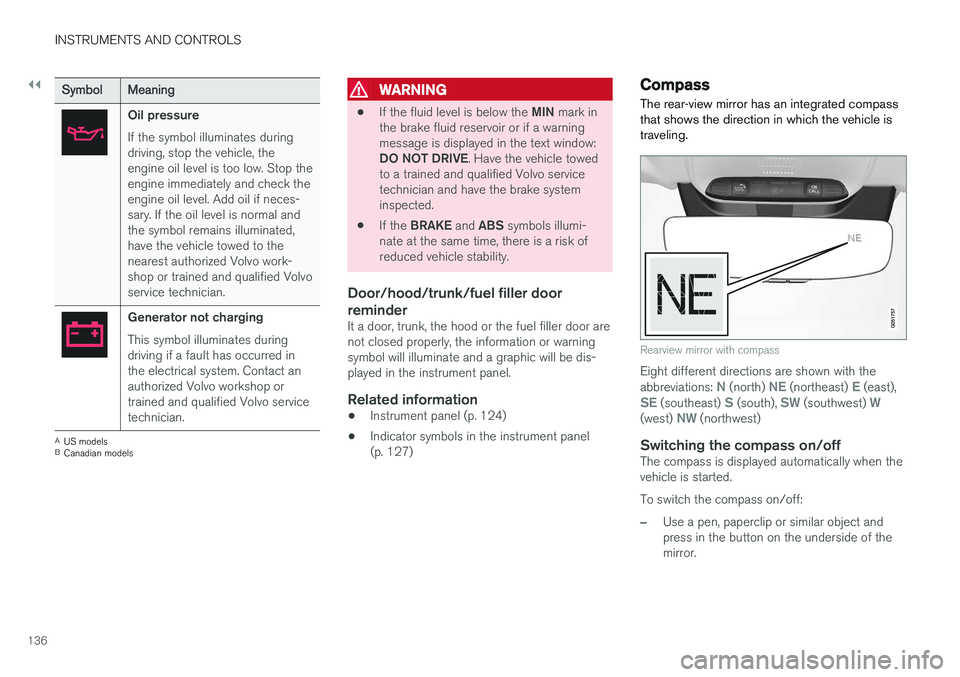
SymbolMeaning
Oil pressure If the symbol illuminates during driving, stop the vehicle, theengine oil level is too low. Stop theengine immediately and check theengine oil level. Add oil if neces-sary. If the oil level is normal andthe symbol remains illuminated,have the vehicle towed to thenearest authorized Volvo work-shop or trained and qualified Volvoservice technician.
Generator not charging This symbol illuminates during driving if a fault has occurred inthe electrical system. Contact anauthorized Volvo workshop ortrained and qualified Volvo servicetechnician.
A
US models
B Canadian models
WARNING
• If the fluid level is below the
MIN mark in
the brake fluid reservoir or if a warning message is displayed in the text window: DO NOT DRIVE . Have the vehicle towed
to a trained and qualified Volvo service technician and have the brake systeminspected.
• If the
BRAKE and ABS symbols illumi-
nate at the same time, there is a risk ofreduced vehicle stability.
Door/hood/trunk/fuel filler door reminder
It a door, trunk, the hood or the fuel filler door are not closed properly, the information or warningsymbol will illuminate and a graphic will be dis-played in the instrument panel.
Related information
• Instrument panel (p. 124)
• Indicator symbols in the instrument panel(p. 127)
Compass
The rear-view mirror has an integrated compass that shows the direction in which the vehicle istraveling.
Rearview mirror with compass
Eight different directions are shown with the abbreviations: N (north) NE (northeast) E (east),SE (southeast) S (south), SW (southwest) W(west) NW (northwest)
Switching the compass on/offThe compass is displayed automatically when the vehicle is started. To switch the compass on/off:
–Use a pen, paperclip or similar object and press in the button on the underside of themirror.
Page 141 of 548
INSTRUMENTS AND CONTROLS
139
Lighting
ring posi- tion Result
With the ignition in mode II or if the engine is running:
• The Daytime Running Lights will be
on in daylight condi-
tions B
• The low beam headlights will automatically switch on indark conditions
• Tunnel detection will be acti-vated
• Active High Beams (AHB)can be activated
• High beam flash can be used
• Continuous high beams canbe used in dark conditions
Active High Beams On/Off
A
The parking lights will be on in this position, even if the ignition is switched off. In dark conditions, the rear parking lights illumi-nate automatically when the trunk is open, regardless of thering's position or ignition mode.
B US models only: The use of Daytime Running Lights can beactivated/deactivated in the center display's Settings menu.
NOTE
Volvo recommends the use of Daytime Run- ning Lights in the United States. The use of these lights is mandatory in Canada .
Volvo recommends using the position
whenever possible.
WARNING
• Daytime Running Lights are a driving aid designed to help make the vehicle visibleto other roads users.
• The driver is always responsible foradapting the use of Daytime RunningLights/headlights according to ambientlighting and weather conditions.
Lighting panel
Instrument lighting
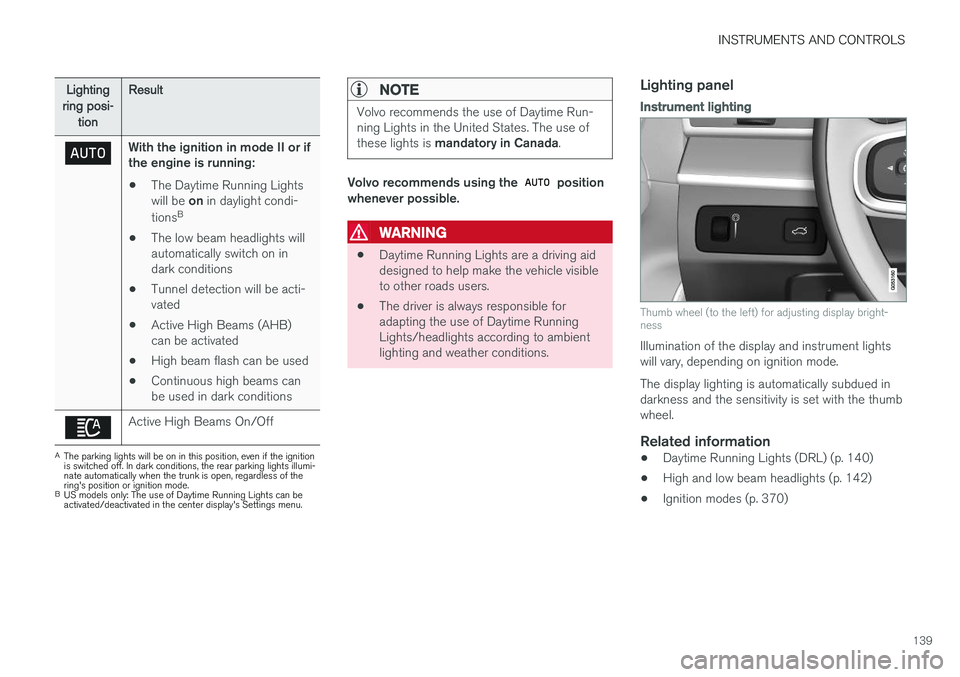
Thumb wheel (to the left) for adjusting display bright- ness
Illumination of the display and instrument lights will vary, depending on ignition mode. The display lighting is automatically subdued in darkness and the sensitivity is set with the thumbwheel.
Related information
• Daytime Running Lights (DRL) (p. 140)
• High and low beam headlights (p. 142)
• Ignition modes (p. 370)
Page 142 of 548
INSTRUMENTS AND CONTROLS
140
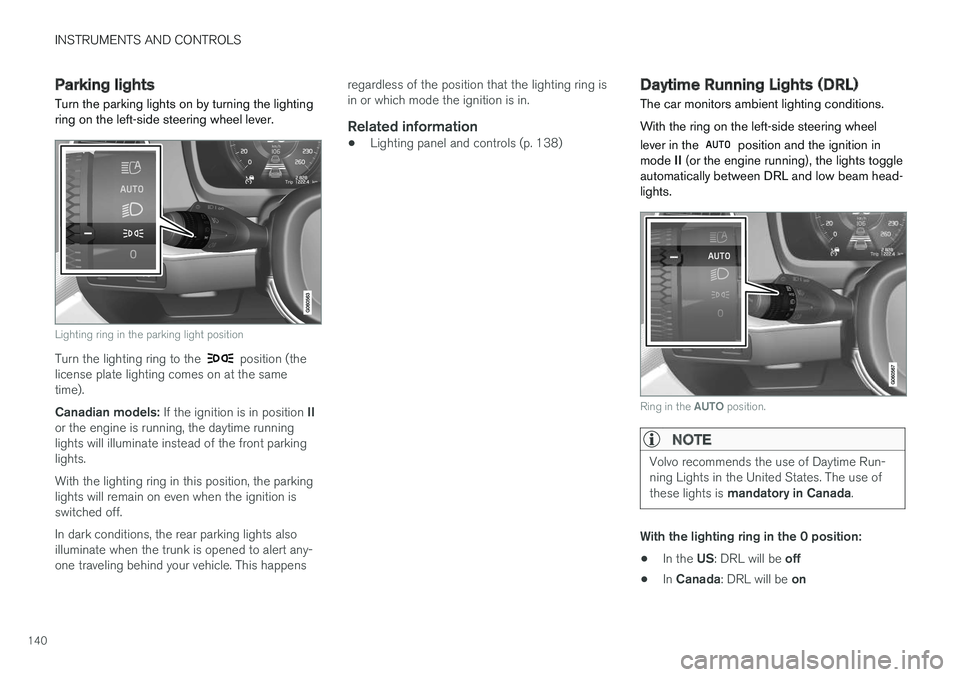
Parking lights Turn the parking lights on by turning the lighting ring on the left-side steering wheel lever.
Lighting ring in the parking light position
Turn the lighting ring to the position (the
license plate lighting comes on at the same time). Canadian models: If the ignition is in position II
or the engine is running, the daytime running lights will illuminate instead of the front parkinglights. With the lighting ring in this position, the parking lights will remain on even when the ignition isswitched off. In dark conditions, the rear parking lights also illuminate when the trunk is opened to alert any-one traveling behind your vehicle. This happens regardless of the position that the lighting ring isin or which mode the ignition is in.
Related information
•
Lighting panel and controls (p. 138)
Daytime Running Lights (DRL)
The car monitors ambient lighting conditions. With the ring on the left-side steering wheel lever in the
position and the ignition in
mode II (or the engine running), the lights toggle
automatically between DRL and low beam head- lights.
Ring in the AUTO position.
NOTE
Volvo recommends the use of Daytime Run- ning Lights in the United States. The use of these lights is mandatory in Canada .
With the lighting ring in the 0 position:
• In the
US: DRL will be off
• In
Canada : DRL will be on