display VOLVO S90 2018 Owner´s Manual
[x] Cancel search | Manufacturer: VOLVO, Model Year: 2018, Model line: S90, Model: VOLVO S90 2018Pages: 640, PDF Size: 11.37 MB
Page 160 of 640
||
LIGHTING
* Option/accessory.
158 ignition or when the lighting ring is turned to the
position.
NOTE
Regulations concerning fog light use vary from country to country.
Cornering illumination
*The front fog lamps can include the cornering lights function, which temporarily illuminates thearea diagonally in front of the car in the directionthe steering wheel is turned on a sharp bend, orin the direction shown by the direction indicators. The function is activated in weak daylight or dark conditions when the lighting ring is in
or
mode and the vehicle speed is less than
about 30 km/h (about 20 mph). Both cornering illumination are also illuminated as a complement to the taillights when reversing. The function is activated as the default factory setting and can be activated and deactivatedusing the center display.
Related information
• Lighting panel and controls (p. 150)
• Ignition modes (p. 397)
• Rear fog light (p. 158)
• Active Bending Lights
* (p. 157) •
Adjusting light functions via the center dis-play (p. 151)
Rear fog light
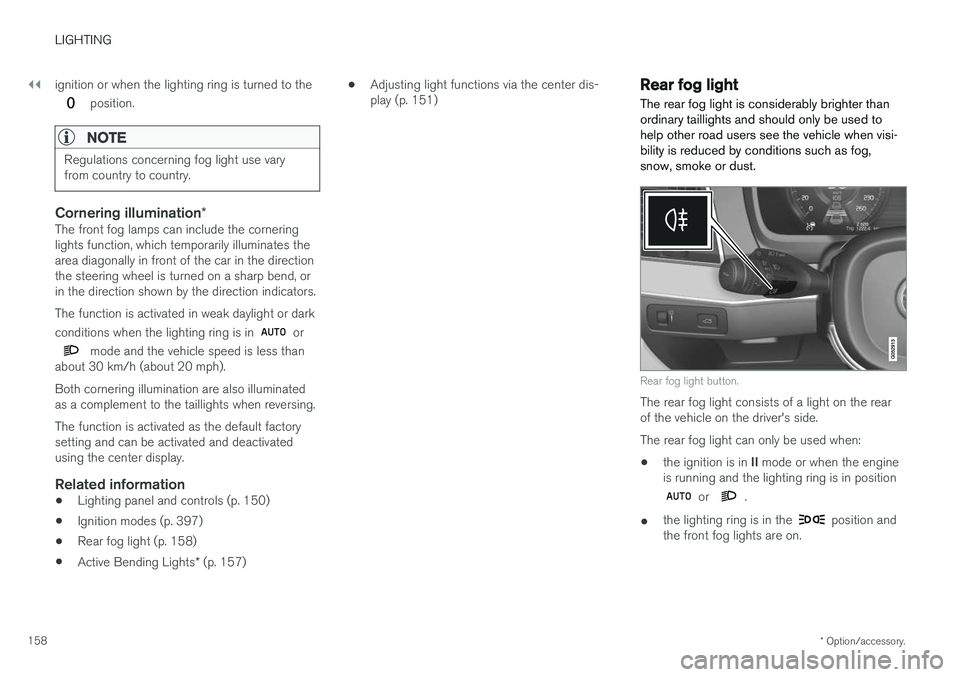
The rear fog light is considerably brighter than ordinary taillights and should only be used tohelp other road users see the vehicle when visi-bility is reduced by conditions such as fog,snow, smoke or dust.
Rear fog light button.
The rear fog light consists of a light on the rear of the vehicle on the driver's side. The rear fog light can only be used when:
• the ignition is in
II mode or when the engine
is running and the lighting ring is in position
or .
• the lighting ring is in the
position and
the front fog lights are on.
Page 162 of 640
LIGHTING
* Option/accessory.
160
Hazard warning flashers
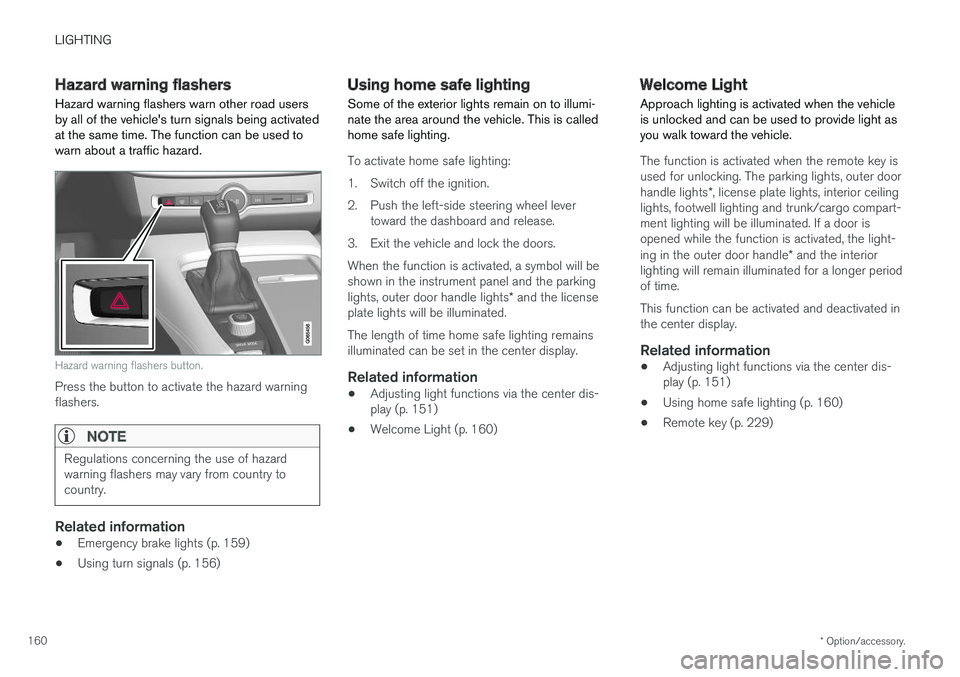
Hazard warning flashers warn other road users by all of the vehicle's turn signals being activatedat the same time. The function can be used towarn about a traffic hazard.
Hazard warning flashers button.
Press the button to activate the hazard warning flashers.
NOTE
Regulations concerning the use of hazard warning flashers may vary from country tocountry.
Related information
• Emergency brake lights (p. 159)
• Using turn signals (p. 156)
Using home safe lighting
Some of the exterior lights remain on to illumi- nate the area around the vehicle. This is calledhome safe lighting.
To activate home safe lighting:
1. Switch off the ignition.
2. Push the left-side steering wheel lever toward the dashboard and release.
3. Exit the vehicle and lock the doors.When the function is activated, a symbol will be shown in the instrument panel and the parking lights, outer door handle lights * and the license
plate lights will be illuminated. The length of time home safe lighting remains illuminated can be set in the center display.
Related information
• Adjusting light functions via the center dis-play (p. 151)
• Welcome Light (p. 160)
Welcome Light Approach lighting is activated when the vehicle is unlocked and can be used to provide light asyou walk toward the vehicle.
The function is activated when the remote key is used for unlocking. The parking lights, outer door handle lights
*, license plate lights, interior ceiling
lights, footwell lighting and trunk/cargo compart- ment lighting will be illuminated. If a door isopened while the function is activated, the light- ing in the outer door handle * and the interior
lighting will remain illuminated for a longer period of time. This function can be activated and deactivated in the center display.
Related information
• Adjusting light functions via the center dis-play (p. 151)
• Using home safe lighting (p. 160)
• Remote key (p. 229)
Page 164 of 640
||
LIGHTING
* Option/accessory.
162
Ground lighting *The ground lighting comes on or goes off when a door is opened or closed.
Doorsill lightingThe doorsill lighting comes on or goes off when adoor is opened or closed.
Trunk lightingThe trunk lighting comes on or goes off when thetrunk lid is opened or closed.
Ambient LightingThe ambient lighting comes on when the doorsare opened and goes out when the vehicle islocked. Ambient lighting brightness can beadjusted in the center display and also fine-tunedusing the thumb wheel in the dashboard.
Mood lighting*The vehicle is equipped with several LEDs thatprovide faint lighting in various colors. This light-ing is on when the engine is running. Mood light-ing can be adjusted in the center display and alsofine-tuned using the thumb wheel in the dash-board.
Lighting in the door storage compartments
Lighting in the door storage compartments comes on when the doors are opened and goesout when the vehicle is locked. The brightnesscan be adjusted using the thumb wheel in thedashboard.
Lighting in the front tunnel console cupholders
The lighting in front console cupholders switches on when the vehicle is unlocked and off when thevehicle is locked. The brightness can be adjustedusing the thumb wheel in the dashboard.
Related information
•Adjusting interior lighting (p. 162)
• Lighting panel and controls (p. 150)
• Ignition modes (p. 397)
• Passenger compartment interior (p. 538)
Adjusting interior lighting
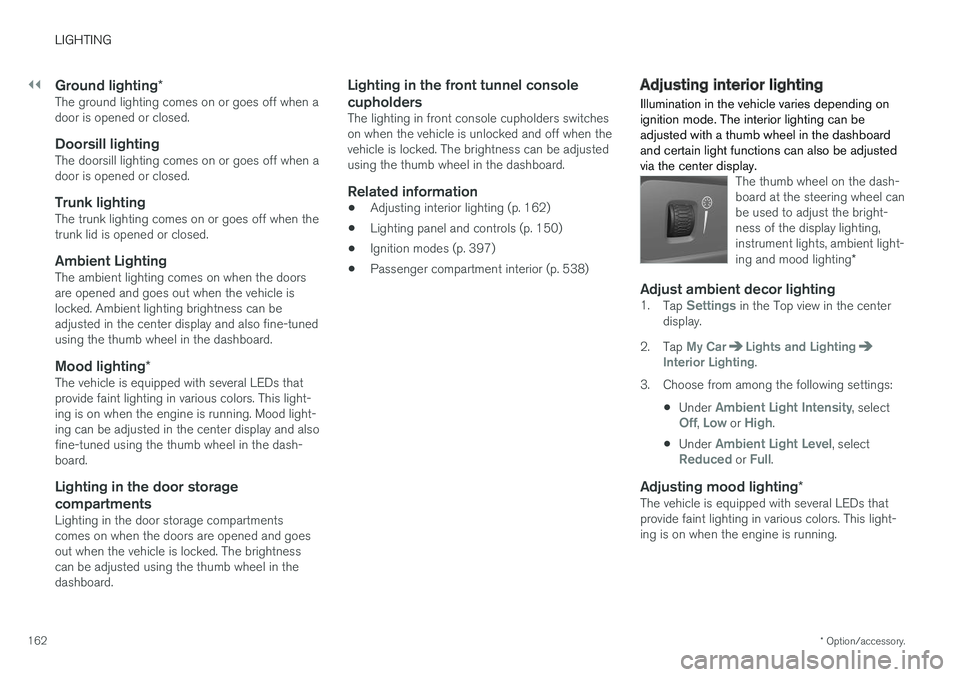
Illumination in the vehicle varies depending on ignition mode. The interior lighting can beadjusted with a thumb wheel in the dashboardand certain light functions can also be adjustedvia the center display.
The thumb wheel on the dash- board at the steering wheel canbe used to adjust the bright-ness of the display lighting,instrument lights, ambient light- ing and mood lighting *
Adjust ambient decor lighting1.
Tap Settings in the Top view in the center
display.
2. Tap
My CarLights and LightingInterior Lighting.
3. Choose from among the following settings:
•Under
Ambient Light Intensity, selectOff, Low or High.
• Under
Ambient Light Level, selectReduced or Full.
Adjusting mood lighting
*The vehicle is equipped with several LEDs that provide faint lighting in various colors. This light-ing is on when the engine is running.
Page 165 of 640
LIGHTING
163
Changing the brightness
1.Tap Settings in the Top view in the center
display.
2. Tap
My CarLights and Lighting
Interior LightingInterior Mood Lighting.
3. Under
Interior Mood Light Intensity, selectOff, Low or High.
Changing the color of the light
1.Tap Settings in the Top view in the center
display.
2. Tap
My CarLights and Lighting
Interior LightingInterior Mood Lighting.
3. Choose
By Temperature or By Color to
change the color of the light. If
By Temperature is selected, the light will
change according to the temperature set for the passenger compartment. If
By Color is selected, the subcategoryTheme Colors can be used to make further
adjustments.
Related information
• Interior Lighting (p. 161)
• Adjusting light functions via the center dis- play (p. 151)
• Ignition modes (p. 397)
Page 168 of 640
WINDOWS, GLASS AND MIRRORS
* Option/accessory.
166
Windows, glass and mirrors
The vehicle is equipped with controls for win- dows, glass and mirrors. Some of the windowsin the car are laminated.
Laminated glass
The windshield and panoramic roof * have lamina-
ted glass. The glass is reinforced, which provides better protection against break-ins and improvedsoundproofing in the passenger compartment.Laminated glass is available as an option forsome other glass surfaces.
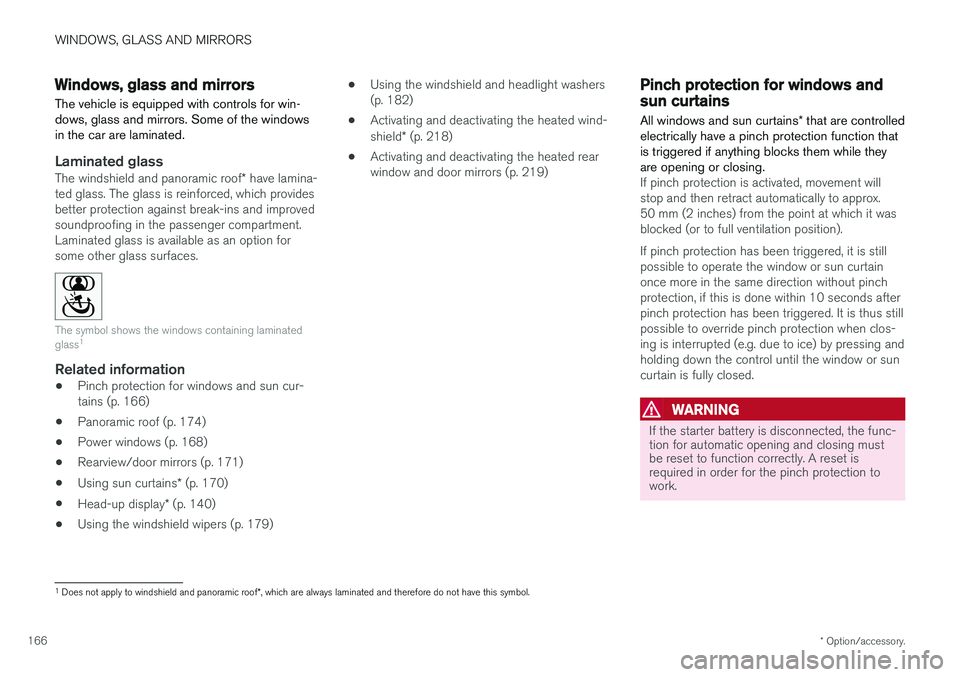
The symbol shows the windows containing laminated glass 1
Related information
•
Pinch protection for windows and sun cur- tains (p. 166)
• Panoramic roof (p. 174)
• Power windows (p. 168)
• Rearview/door mirrors (p. 171)
• Using sun curtains
* (p. 170)
• Head-up display
* (p. 140)
• Using the windshield wipers (p. 179) •
Using the windshield and headlight washers(p. 182)
• Activating and deactivating the heated wind- shield
* (p. 218)
• Activating and deactivating the heated rear window and door mirrors (p. 219)
Pinch protection for windows andsun curtains
All windows and sun curtains * that are controlled
electrically have a pinch protection function that is triggered if anything blocks them while theyare opening or closing.
If pinch protection is activated, movement will stop and then retract automatically to approx.50 mm (2 inches) from the point at which it wasblocked (or to full ventilation position). If pinch protection has been triggered, it is still possible to operate the window or sun curtainonce more in the same direction without pinchprotection, if this is done within 10 seconds afterpinch protection has been triggered. It is thus stillpossible to override pinch protection when clos-ing is interrupted (e.g. due to ice) by pressing andholding down the control until the window or suncurtain is fully closed.
WARNING
If the starter battery is disconnected, the func- tion for automatic opening and closing mustbe reset to function correctly. A reset isrequired in order for the pinch protection towork.
1 Does not apply to windshield and panoramic roof *, which are always laminated and therefore do not have this symbol.
Page 173 of 640
WINDOWS, GLASS AND MIRRORS
}}
* Option/accessory.171
In the rear window shelf
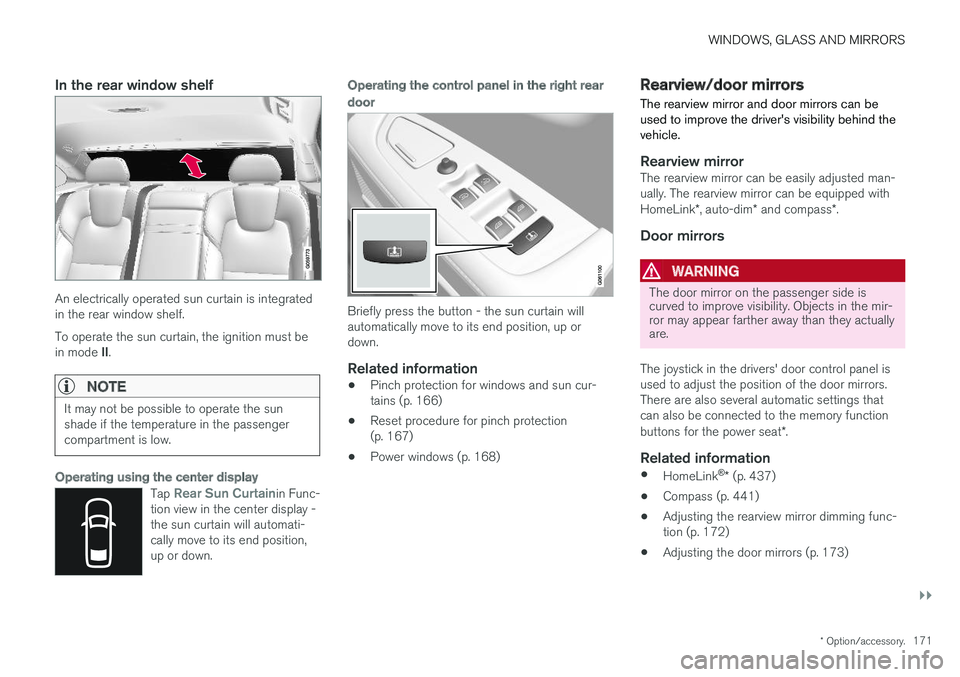
An electrically operated sun curtain is integrated in the rear window shelf. To operate the sun curtain, the ignition must be in mode II.
NOTE
It may not be possible to operate the sun shade if the temperature in the passengercompartment is low.
Operating using the center display
Tap Rear Sun Curtainin Func-
tion view in the center display - the sun curtain will automati-cally move to its end position,up or down.
Operating the control panel in the right rear
door
Briefly press the button - the sun curtain will automatically move to its end position, up ordown.
Related information
• Pinch protection for windows and sun cur- tains (p. 166)
• Reset procedure for pinch protection(p. 167)
• Power windows (p. 168)
Rearview/door mirrors
The rearview mirror and door mirrors can be used to improve the driver's visibility behind thevehicle.
Rearview mirrorThe rearview mirror can be easily adjusted man- ually. The rearview mirror can be equipped with HomeLink *, auto-dim * and compass *.
Door mirrors
WARNING
The door mirror on the passenger side is curved to improve visibility. Objects in the mir-ror may appear farther away than they actuallyare.
The joystick in the drivers' door control panel is used to adjust the position of the door mirrors.There are also several automatic settings thatcan also be connected to the memory function buttons for the power seat *.
Related information
•
HomeLink ®
* (p. 437)
• Compass (p. 441)
• Adjusting the rearview mirror dimming func- tion (p. 172)
• Adjusting the door mirrors (p. 173)
Page 174 of 640
WINDOWS, GLASS AND MIRRORS
* Option/accessory.
172 •
Storing memory settings in power front seats
* (p. 186)
• Activating and deactivating the heated rear window and door mirrors (p. 219)
Adjusting the rearview mirrordimming function
Bright light entering the vehicle from behind, e.g. from the headlights of following vehicles, couldreflect in the rearview mirror and door mirrorsand cause a glare. Use the dimming functionwhen light from behind is distracting.
Auto-dimIf bright light enters the vehicle from behind, the door mirrors will automatically dim. Auto-dim isalways active when the engine is running, exceptwhen reverse gear is engaged.
NOTE
When the level of sensitivity is changed, this change will not be noticeable immediately butwill instead take effect after a short period oftime.
The sensitivity level for dimming will affect both the rearview mirror and door mirrors. 1. Tap
Settings in the Top view in the center
display.
2. Tap
My CarMirrors and Convenience.
3. Under
Rearview Mirror Auto Dimming,
select Normal, Dark or Light.
The rearview mirror instead has two sensors - one pointing forward and one pointing rearward -which work together to identify and eliminate glare. The forward-pointing sensor monitorsambient light, while the rearward-pointing sensormonitors light from the headlights of followingvehicles. For the door mirrors to be equipped with auto- dim, the rearview mirror must also be equippedwith auto-dim.
NOTE
If the sensors are obstructed by e.g. a parking permit, transponder, sunshade or objects onthe seats or parcel shelf in a way that pre-vents light from reaching the sensors, theauto-dim function in the rearview and doormirrors will be reduced.
Related information
•
Rearview/door mirrors (p. 171)
• Adjusting the door mirrors (p. 173)
Page 175 of 640
WINDOWS, GLASS AND MIRRORS
}}
* Option/accessory.173
Adjusting the door mirrors
To improve visibility to the rear, the door mirrors need to be adjusted to the driver's height andseating position. There are several automaticsettings that can also be connected to the mem- ory function buttons for the power seat *.
Controls used for door mirrors
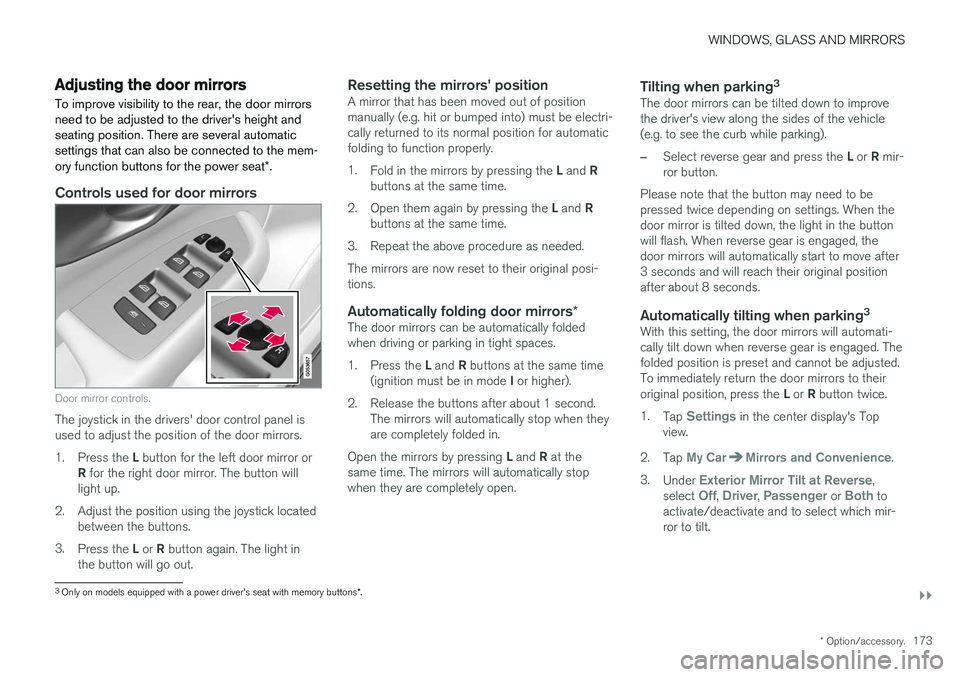
Door mirror controls.
The joystick in the drivers' door control panel is used to adjust the position of the door mirrors. 1.
Press the L button for the left door mirror or
R for the right door mirror. The button will
light up.
2. Adjust the position using the joystick located between the buttons.
3. Press the L or R button again. The light in
the button will go out.
Resetting the mirrors' positionA mirror that has been moved out of position manually (e.g. hit or bumped into) must be electri-cally returned to its normal position for automaticfolding to function properly. 1. Fold in the mirrors by pressing the L and R
buttons at the same time.
2. Open them again by pressing the L and R
buttons at the same time.
3. Repeat the above procedure as needed.The mirrors are now reset to their original posi- tions.
Automatically folding door mirrors *The door mirrors can be automatically foldedwhen driving or parking in tight spaces. 1.
Press the L and R buttons at the same time
(ignition must be in mode I or higher).
2. Release the buttons after about 1 second. The mirrors will automatically stop when they are completely folded in.
Open the mirrors by pressing L and R at the
same time. The mirrors will automatically stopwhen they are completely open.
Tilting when parking 3The door mirrors can be tilted down to improvethe driver's view along the sides of the vehicle(e.g. to see the curb while parking).
–Select reverse gear and press the
L or R mir-
ror button.
Please note that the button may need to be pressed twice depending on settings. When thedoor mirror is tilted down, the light in the buttonwill flash. When reverse gear is engaged, thedoor mirrors will automatically start to move after3 seconds and will reach their original positionafter about 8 seconds.
Automatically tilting when parking 3With this setting, the door mirrors will automati-cally tilt down when reverse gear is engaged. Thefolded position is preset and cannot be adjusted.To immediately return the door mirrors to their original position, press the
L or R button twice.
1. Tap
Settings in the center display's Top
view.
2. Tap
My CarMirrors and Convenience.
3. Under
Exterior Mirror Tilt at Reverse,
select Off, Driver, Passenger or Both to
activate/deactivate and to select which mir- ror to tilt.
3 Only on models equipped with a power driver's seat with memory buttons *.
Page 176 of 640
||
WINDOWS, GLASS AND MIRRORS
* Option/accessory.
174
Automatic folding when the vehicle is locked *
The door mirrors automatically fold in when the vehicle is locked and open when the vehicle isunlocked using the remote key. 1.
Tap
Settings in the center display's Top
view.
2. Tap
My CarMirrors and Convenience.
3. Select
Fold Mirror When Locked to acti-
vate/deactivate.
Related information
• Rearview/door mirrors (p. 171)
• Adjusting the rearview mirror dimming func- tion (p. 172)
• Storing memory settings in power front seats
* (p. 186)
• Activating and deactivating the heated rear window and door mirrors (p. 219)
Panoramic roof
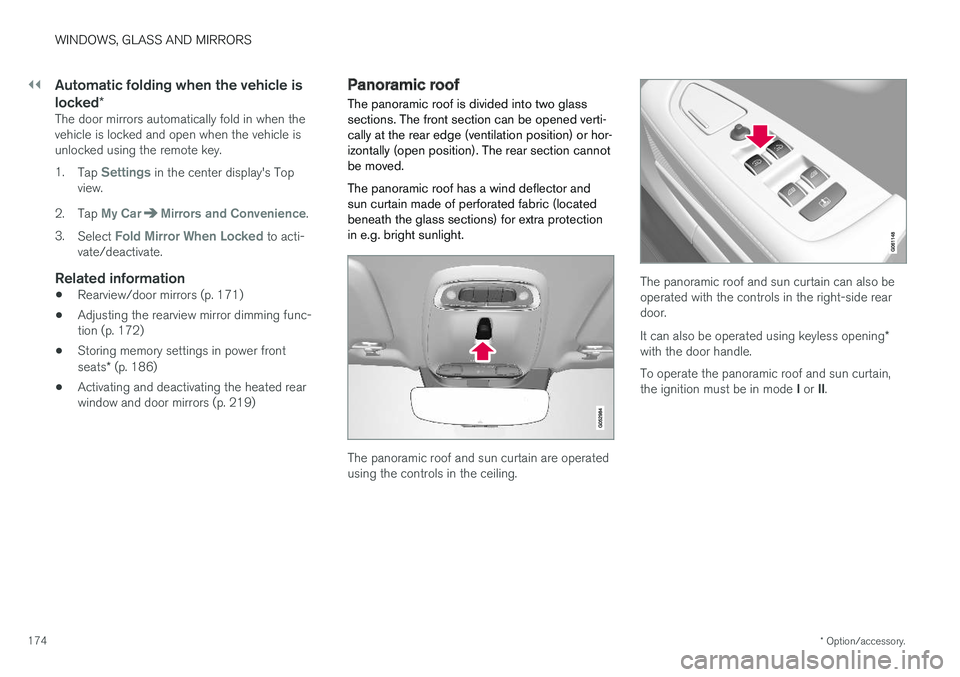
The panoramic roof is divided into two glass sections. The front section can be opened verti-cally at the rear edge (ventilation position) or hor-izontally (open position). The rear section cannotbe moved. The panoramic roof has a wind deflector and sun curtain made of perforated fabric (locatedbeneath the glass sections) for extra protectionin e.g. bright sunlight.
The panoramic roof and sun curtain are operated using the controls in the ceiling.
The panoramic roof and sun curtain can also be operated with the controls in the right-side reardoor. It can also be operated using keyless opening *
with the door handle. To operate the panoramic roof and sun curtain, the ignition must be in mode I or II.
Page 181 of 640
WINDOWS, GLASS AND MIRRORS
}}
* Option/accessory.179
Auto closing the panoramic roofsun curtain
With this function, the sun curtain closes auto- matically 15 minutes after the car has beenlocked if it is parked in hot weather. This is doneto lower the passenger compartment tempera-ture and protect the upholstery against beingbleached by the sun.
The function is deactivated as the default factory setting and can be activated or deactivated usingthe center display. 1. Tap
Settings in the Top view in the center
display.
2. Tap
My CarLocking.
Select
Auto Close Sunroof Curtain to
activate/deactivate.
NOTE
The sun curtain also closes when all windows are closed with keyless closing *.
Related information
• Panoramic roof (p. 174)
• Operating the panoramic roof (p. 175)
• Pinch protection for windows and sun cur- tains (p. 166)
• Keyless locking and unlocking
* (p. 244) •
Locking and unlocking using the remote key(p. 231)
• Locking and unlocking from inside the vehi-cle (p. 247)
Using the windshield wipers
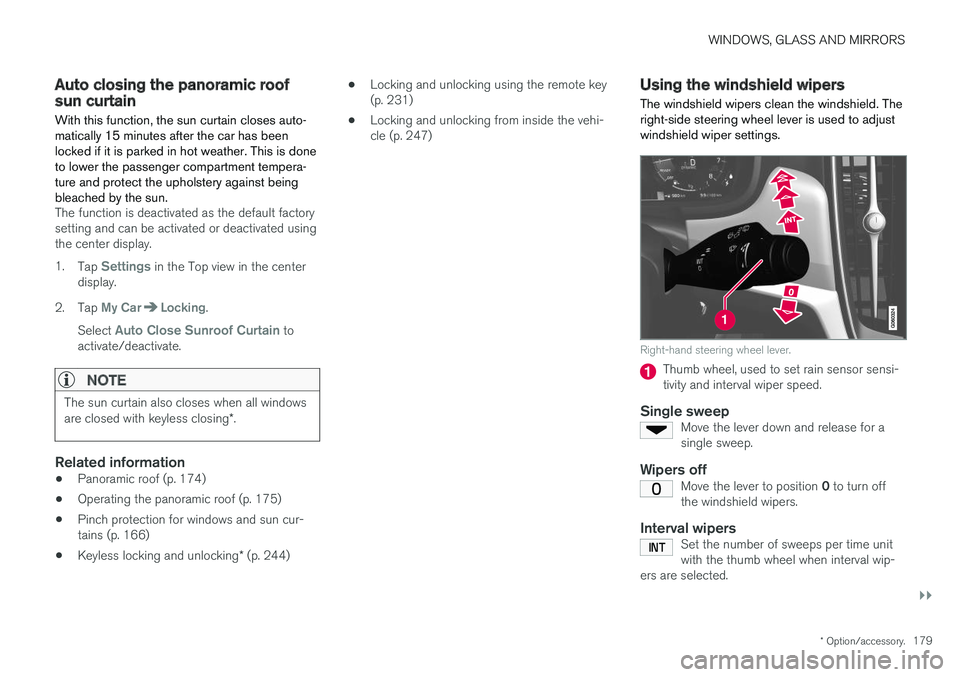
The windshield wipers clean the windshield. The right-side steering wheel lever is used to adjustwindshield wiper settings.
Right-hand steering wheel lever.
Thumb wheel, used to set rain sensor sensi- tivity and interval wiper speed.
Single sweepMove the lever down and release for asingle sweep.
Wipers offMove the lever to position 0 to turn off
the windshield wipers.
Interval wipersSet the number of sweeps per time unit with the thumb wheel when interval wip-
ers are selected.