display VOLVO S90 2018 Owner´s Manual
[x] Cancel search | Manufacturer: VOLVO, Model Year: 2018, Model line: S90, Model: VOLVO S90 2018Pages: 640, PDF Size: 11.37 MB
Page 226 of 640
CLIMATE CONTROL
224
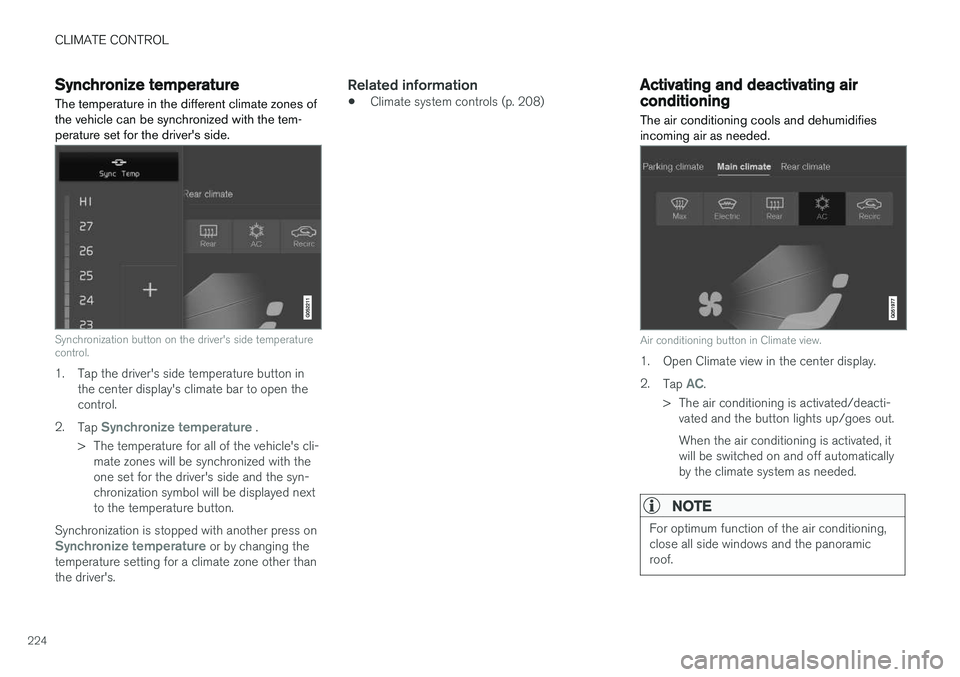
Synchronize temperatureThe temperature in the different climate zones of the vehicle can be synchronized with the tem-perature set for the driver's side.
Synchronization button on the driver's side temperature control.
1. Tap the driver's side temperature button in the center display's climate bar to open the control.
2. Tap
Synchronize temperature .
> The temperature for all of the vehicle's cli- mate zones will be synchronized with the one set for the driver's side and the syn-chronization symbol will be displayed nextto the temperature button.
Synchronization is stopped with another press on
Synchronize temperature or by changing the
temperature setting for a climate zone other than the driver's.
Related information
• Climate system controls (p. 208)
Activating and deactivating airconditioning
The air conditioning cools and dehumidifies incoming air as needed.
Air conditioning button in Climate view.
1. Open Climate view in the center display. 2. Tap
AC.
> The air conditioning is activated/deacti- vated and the button lights up/goes out. When the air conditioning is activated, it will be switched on and off automaticallyby the climate system as needed.
NOTE
For optimum function of the air conditioning, close all side windows and the panoramicroof.
Page 231 of 640

KEY, LOCKS AND ALARM
}}
* Option/accessory.229
In rear door*
Lock button with indicator light in rear door.
Illuminated indicator lights in each door indicate that that particular door is locked. If any door isunlocked and opened, the indicator light in thatdoor will go out. The lights in the other doors willremain illuminated.
Related information
•Lock confirmation settings (p. 229)
• Welcome Light (p. 160)
• Using home safe lighting (p. 160)
Lock confirmation settings Settings for how the vehicle confirms locking and unlocking can be adjusted in the center dis-play's Settings menu.
1.
Tap Settings in the center display's Top
view.
2. Tap
My CarLocking.
3. Tap
Visible Locking Feedback to deacti-
vate the function or to select when the vehi- cle should provide a visible response: during
Lock, Unlock or Both.
4. Select to receive an audible response when locking the vehicle by marking
Audible
Locking Feedback.
Folding door mirrors * confirmation
1. Tap
Settings in the center display's Top
view.
2. Tap
My CarMirrors and Convenience.
3. Select
Fold Mirror When Locked to acti-
vate or deactivate the function.
Related information
• Lock indication (p. 228)
Remote key
The remote key is used to lock and unlock doors, the trunk lid and the fuel filler door. Theremote key must be in the vehicle in order tostart the engine.
Remote control key, on left, and button-less key ((Key Tag) *), on right.
The remote key is not physically used to start the ignition because the vehicle is standard-equippedwith keyless start (Passive Start). To start thevehicle, the key must be in the front section ofthe passenger compartment, e.g. in the driver'spocket or in a cup holder in the tunnel console.
Page 234 of 640
||
KEY, LOCKS AND ALARM
* Option/accessory.
232
NOTE
Be aware of the risk of locking the Key Tag in the vehicle. If the remote key/Key Tag is leftin the vehicle, it will be deactivated when thevehicle is locked and the alarm set usinganother valid key. The deactivated key will be reactivated when the vehicle is unlocked.
Locking when the trunk lid is open
NOTE
If the vehicle is locked and the trunk lid is still open, make sure that the remote key is notleft in the trunk when the trunk lid is closed and the entire vehicle is locked 7
.
Unlocking with remote key
–Press the button on the remote key to
unlock.
Automatic relockingIf none of the doors or trunk lid are opened within two minutes after being unlocked, they will auto- matically relock. This function reduces the risk of inadvertently leaving the vehicle unlocked.
Remote key not working
NOTE
Move closer to the vehicle and try to unlock it again.
If the remote key is not working to lock or unlock the vehicle, its battery may be discharged. Usethe detachable key blade to lock/unlock the driv-er's door instead.
Related information
• Settings for remote and inside door unlock(p. 232)
• Unlocking the trunk lid using the remote key(p. 233)
• Remote key (p. 229)
• Replacing the remote key's battery (p. 234)
• Locking and unlocking with detachable keyblade (p. 241)
Settings for remote and inside doorunlock
Several different sequences are available for
remote unlocking.
1. Tap Settings in the center display's Top
view.
2. Tap
My CarLockingRemote and
Interior Unlock.
3. Select alternative:
•
All Doors
- unlocks all doors at the same time.
•
Single Door
- unlocks the driver's door. Press the remote key unlock button twice to unlock all doors.
The settings made here also affect central lock-ing using the inside door handle.
Related information
• Locking and unlocking using the remote key(p. 231)
• Locking and unlocking from inside the vehi-cle (p. 247)
7
If the vehicle is equipped with keyless locking/unlocking and the key is detected inside the vehicle, the trunk lid will not lock when it is closed. *
Page 236 of 640
||
KEY, LOCKS AND ALARM
* Option/accessory.
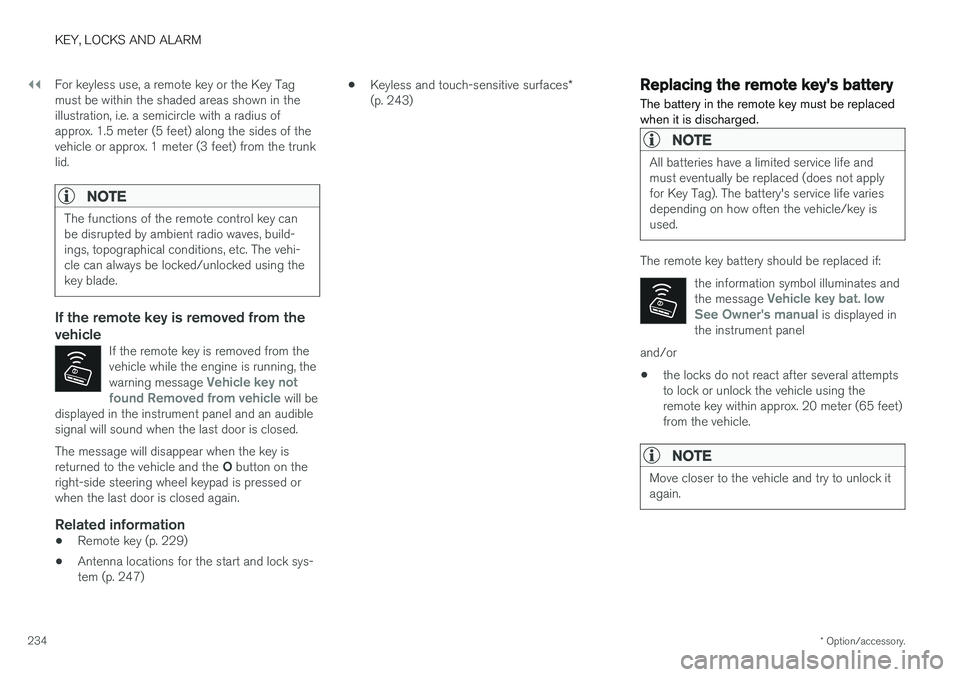
234 For keyless use, a remote key or the Key Tag must be within the shaded areas shown in theillustration, i.e. a semicircle with a radius ofapprox. 1.5 meter (5 feet) along the sides of thevehicle or approx. 1 meter (3 feet) from the trunklid.
NOTE
The functions of the remote control key can be disrupted by ambient radio waves, build-ings, topographical conditions, etc. The vehi-cle can always be locked/unlocked using thekey blade.
If the remote key is removed from the vehicle
If the remote key is removed from the vehicle while the engine is running, the warning message
Vehicle key not
found Removed from vehicle will be
displayed in the instrument panel and an audible signal will sound when the last door is closed.
The message will disappear when the key is returned to the vehicle and the O button on the
right-side steering wheel keypad is pressed or when the last door is closed again.
Related information
• Remote key (p. 229)
• Antenna locations for the start and lock sys-tem (p. 247) •
Keyless and touch-sensitive surfaces
*
(p. 243)
Replacing the remote key's battery
The battery in the remote key must be replaced when it is discharged.
NOTE
All batteries have a limited service life and must eventually be replaced (does not applyfor Key Tag). The battery's service life variesdepending on how often the vehicle/key isused.
The remote key battery should be replaced if:
the information symbol illuminates and the message
Vehicle key bat. low
See Owner's manual is displayed in
the instrument panel
and/or
• the locks do not react after several attempts to lock or unlock the vehicle using theremote key within approx. 20 meter (65 feet)from the vehicle.
NOTE
Move closer to the vehicle and try to unlock it again.
Page 240 of 640
KEY, LOCKS AND ALARM
* Option/accessory.
238
Ordering additional remote keys
Two remote keys are provided with the vehicle. One Key Tag is also included if the vehicle is equipped with keyless locking/unlocking *. Addi-
tional keys can be ordered.
A total of 12 keys can be programmed and used for the same vehicle. An additional driver profilewill be added for each new remote key. This alsoapplies to the key tag.
Loss of a remote keyIf you lose your remote key, you can order areplacement from a workshop - an authorizedVolvo workshop is recommended. Bring the otherremaining remote keys to the workshop. As ananti-theft measure, the code of the lost remotekey must be erased from the system. The current number of keys registered for the vehicle can be checked via driver profiles in the center display's Top view. Select
Settings
SystemDriver Profiles.
NOTE
Volvo recommends that you order a new or duplicate remote control key from an author-ized Volvo workshop. You can also obtain additional or duplicate remote control keys from certain independentrepair facilities and locksmiths that are quali-fied to make remote control keys. Each keymust be programmed to work with your vehi-cle. A list of independent repair facilities and/or locksmiths known to Volvo that can cut andcode replacement keys can be found: • on Volvo's website www.volvocars.com/us
• by calling Volvo Customer Care 1-800-458-1552.
Related information
•
Remote key (p. 229)
Red Key - restricted remote key
*
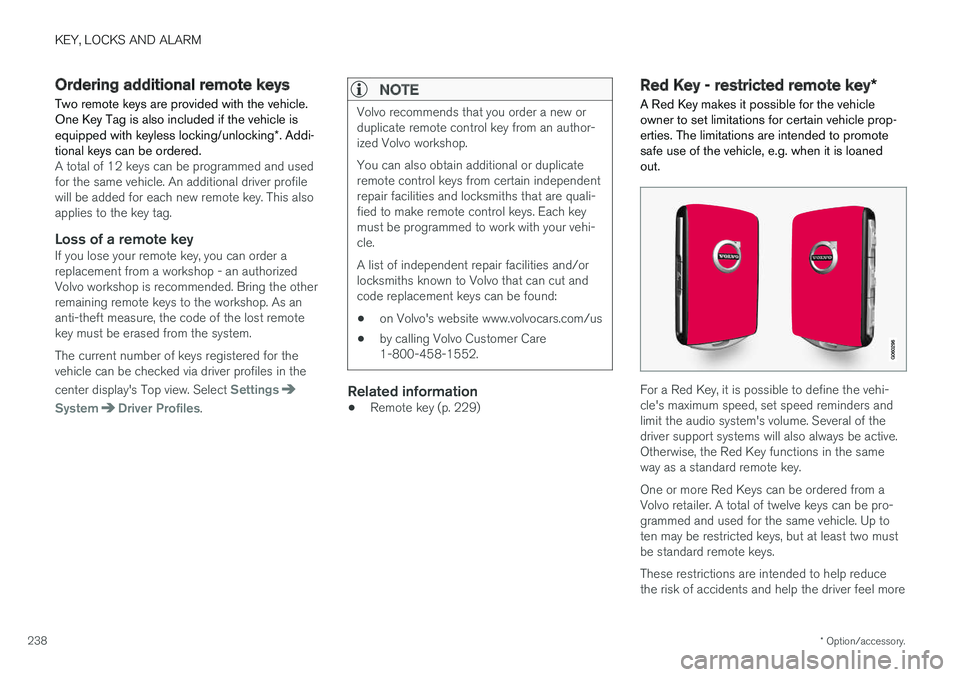
A Red Key makes it possible for the vehicle owner to set limitations for certain vehicle prop-erties. The limitations are intended to promotesafe use of the vehicle, e.g. when it is loanedout.
For a Red Key, it is possible to define the vehi- cle's maximum speed, set speed reminders andlimit the audio system's volume. Several of thedriver support systems will also always be active.Otherwise, the Red Key functions in the sameway as a standard remote key. One or more Red Keys can be ordered from a Volvo retailer. A total of twelve keys can be pro-grammed and used for the same vehicle. Up toten may be restricted keys, but at least two mustbe standard remote keys. These restrictions are intended to help reduce the risk of accidents and help the driver feel more
Page 241 of 640
KEY, LOCKS AND ALARM
* Option/accessory.239
secure when handing over the vehicle to e.g. a young driver, parking attendant or workshop. Thesettings for a Red Key cannot be changed by itsuser; a regular remote key is needed to changesettings.
Related information
•
Red Key
* settings (p. 239)
• Remote key (p. 229)
Red Key
* settings
The holder of a regular remote key can adjust settings for a Red Key. Certain driver supportfunctions are always active.
1. Tap Settings in the center display's Top
view.
2. Tap
SystemDriver ProfilesRed Key.
> The following settings can be made:
•
Set Time Gap For Adaptive Cruise Control
•Reduced Maximum Volume
•Max Speed Limit
•Speed Limit Warning
Adaptive Cruise Control *:
•Default setting: Longest interval
Reduced maximum volume (On/Off):
•Default setting: On
Speed Limiter (On/Off):
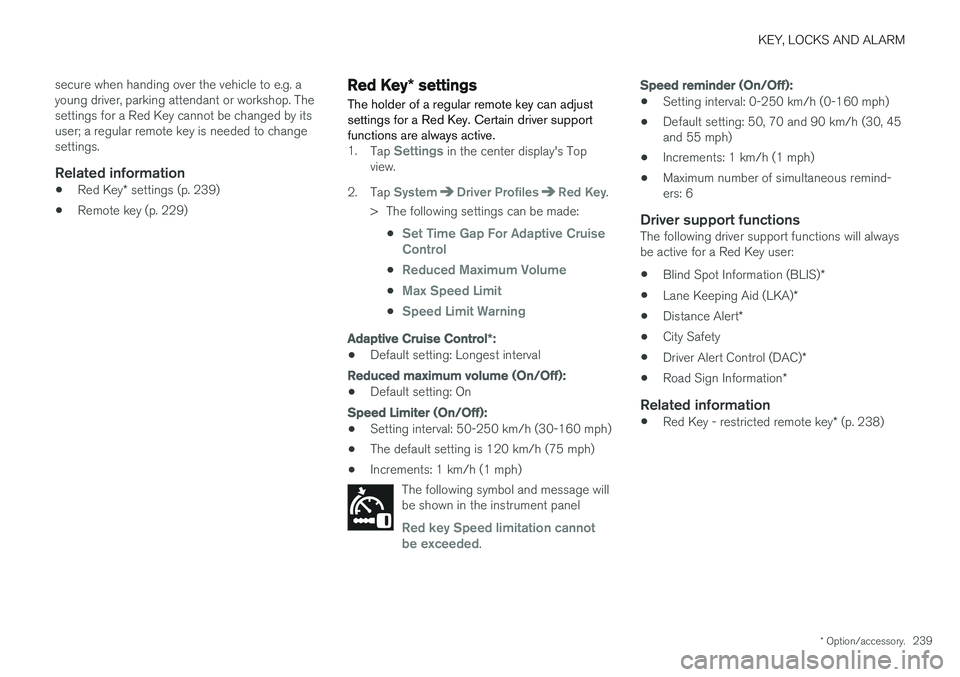
•Setting interval: 50-250 km/h (30-160 mph)
• The default setting is 120 km/h (75 mph)
• Increments: 1 km/h (1 mph)
The following symbol and message will be shown in the instrument panel
Red key Speed limitation cannot
be exceeded.
Speed reminder (On/Off):
• Setting interval: 0-250 km/h (0-160 mph)
• Default setting: 50, 70 and 90 km/h (30, 45 and 55 mph)
• Increments: 1 km/h (1 mph)
• Maximum number of simultaneous remind-ers: 6
Driver support functionsThe following driver support functions will alwaysbe active for a Red Key user:
• Blind Spot Information (BLIS)
*
• Lane Keeping Aid (LKA)
*
• Distance Alert
*
• City Safety
• Driver Alert Control (DAC)
*
• Road Sign Information
*
Related information
•Red Key - restricted remote key
* (p. 238)
Page 248 of 640
KEY, LOCKS AND ALARM
* Option/accessory.
246
Keyless unlock settings *
Several different sequences are available for keyless unlocking.
1. Tap Settings in the center display's Top
view.
2. Tap
My CarLockingKeyless Unlock
3. Select alternative: •
All Doors
- unlocks all doors at the same time.
•
Single Door
- unlocks the selected door.
Related information
• Keyless locking and unlocking
* (p. 244)
• Keyless and touch-sensitive surfaces
*
(p. 243)
Keyless trunk lid unlock *
The trunk lid can be opened using the remote key. The key only needs to be within range, e.g.in a pocket or bag.
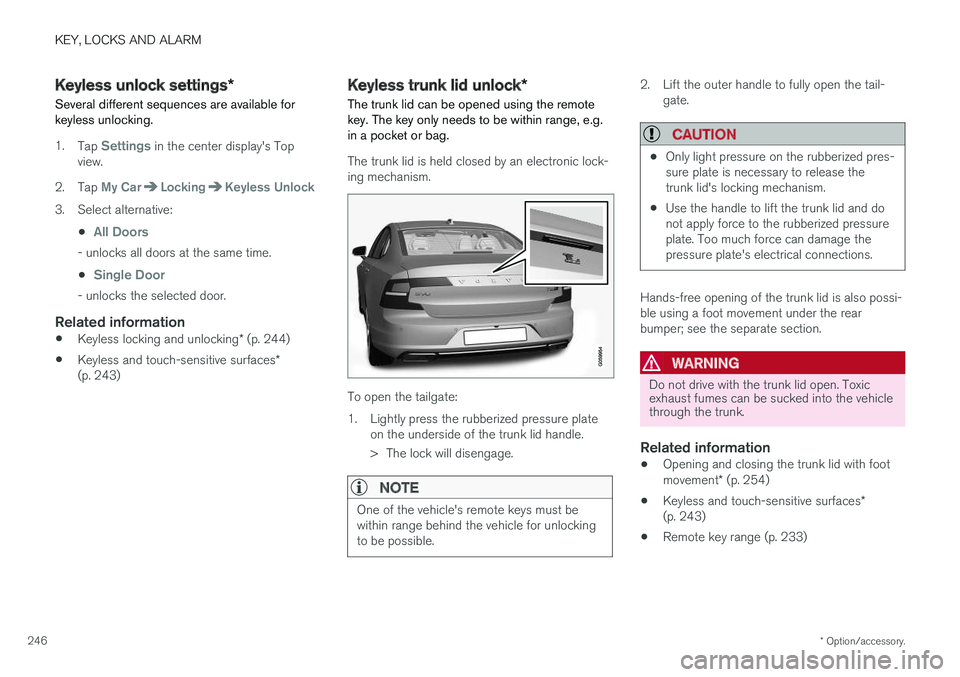
The trunk lid is held closed by an electronic lock- ing mechanism.
To open the tailgate:
1. Lightly press the rubberized pressure plate on the underside of the trunk lid handle.
> The lock will disengage.
NOTE
One of the vehicle's remote keys must be within range behind the vehicle for unlockingto be possible.
2. Lift the outer handle to fully open the tail-gate.
CAUTION
•Only light pressure on the rubberized pres- sure plate is necessary to release thetrunk lid's locking mechanism.
• Use the handle to lift the trunk lid and donot apply force to the rubberized pressureplate. Too much force can damage thepressure plate's electrical connections.
Hands-free opening of the trunk lid is also possi- ble using a foot movement under the rearbumper; see the separate section.
WARNING
Do not drive with the trunk lid open. Toxic exhaust fumes can be sucked into the vehiclethrough the trunk.
Related information
• Opening and closing the trunk lid with foot movement
* (p. 254)
• Keyless and touch-sensitive surfaces
*
(p. 243)
• Remote key range (p. 233)
Page 250 of 640
||
KEY, LOCKS AND ALARM
* Option/accessory.
248
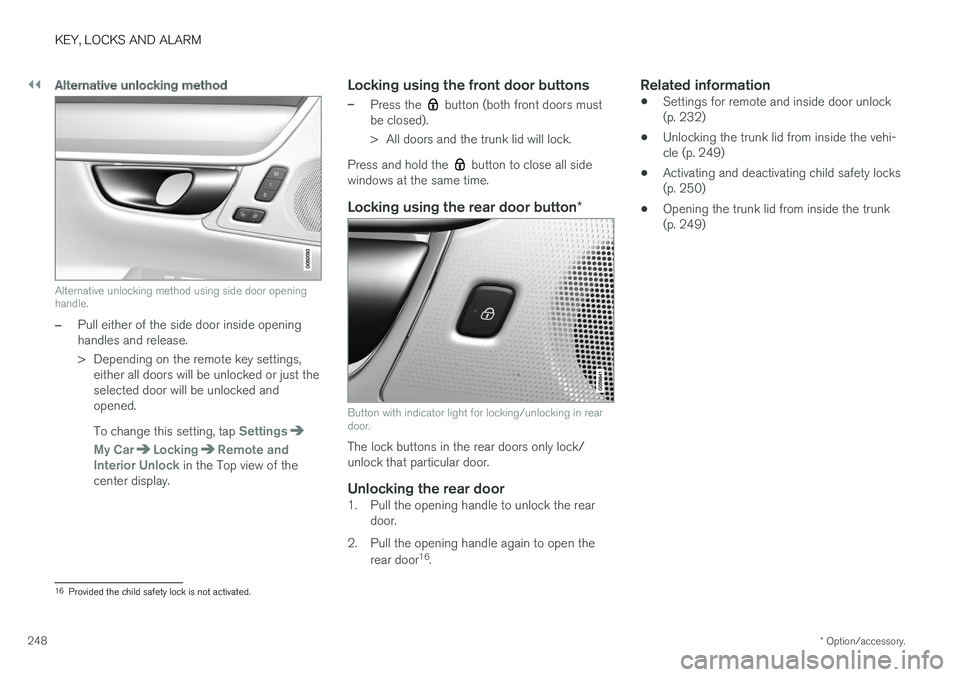
Alternative unlocking method
Alternative unlocking method using side door opening handle.
–Pull either of the side door inside opening handles and release.
> Depending on the remote key settings,
either all doors will be unlocked or just the selected door will be unlocked andopened. To change this setting, tap
Settings
My CarLockingRemote and
Interior Unlock in the Top view of the
center display.
Locking using the front door buttons
–Press the button (both front doors must
be closed).
> All doors and the trunk lid will lock.
Press and hold the
button to close all side
windows at the same time.
Locking using the rear door button *
Button with indicator light for locking/unlocking in rear door.
The lock buttons in the rear doors only lock/ unlock that particular door.
Unlocking the rear door1. Pull the opening handle to unlock the rear
door.
2. Pull the opening handle again to open the rear door 16
.
Related information
• Settings for remote and inside door unlock(p. 232)
• Unlocking the trunk lid from inside the vehi-cle (p. 249)
• Activating and deactivating child safety locks(p. 250)
• Opening the trunk lid from inside the trunk(p. 249)
16
Provided the child safety lock is not activated.
Page 257 of 640
KEY, LOCKS AND ALARM
}}
* Option/accessory.255
Do not keep your foot under the vehicle in a kick- ing motion. This may prevent activation.
Interrupting foot movement operation
–Make
one slow forward kicking motion while
the trunk lid is opening/closing to stop its movement.
> The trunk lid will stop closing and return to its fully open position. The trunk lid can then be opened or closed manually.
The remote key does not need to be within rangeof the vehicle to interrupt closing.
NOTE
There is a risk of reduced or lost function if there are large amounts of snow, ice, dirt, etc.on the rear bumper. Make sure to keep thebumper clean.
NOTE
Please note that the system could be inadver- tently activated in a car wash or similar if theremote key is within range.
Related information
• Keyless and touch-sensitive surfaces
*
(p. 243)
• Opening and closing the power trunk lid
*
(p. 251)
• Remote key range (p. 233)
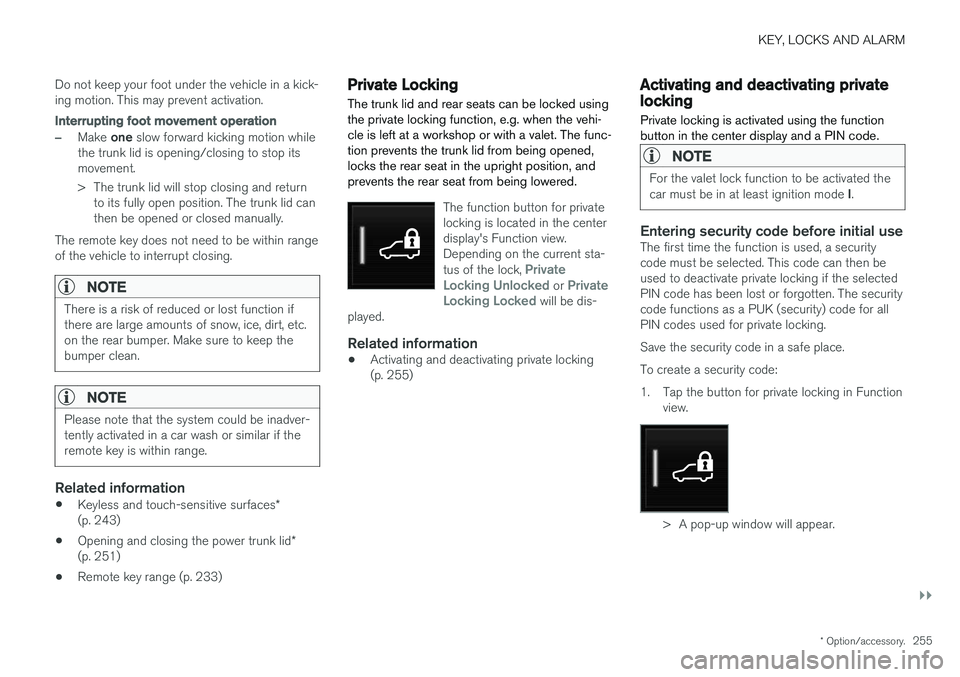
Private Locking The trunk lid and rear seats can be locked using the private locking function, e.g. when the vehi-cle is left at a workshop or with a valet. The func-tion prevents the trunk lid from being opened,locks the rear seat in the upright position, andprevents the rear seat from being lowered.
The function button for private locking is located in the centerdisplay's Function view.Depending on the current sta- tus of the lock,
Private
Locking Unlocked or Private
Locking Locked will be dis-
played.
Related information
• Activating and deactivating private locking (p. 255)
Activating and deactivating privatelocking
Private locking is activated using the function button in the center display and a PIN code.
NOTE
For the valet lock function to be activated the car must be in at least ignition mode I.
Entering security code before initial useThe first time the function is used, a security code must be selected. This code can then beused to deactivate private locking if the selectedPIN code has been lost or forgotten. The securitycode functions as a PUK (security) code for allPIN codes used for private locking. Save the security code in a safe place.To create a security code:
1. Tap the button for private locking in Function
view.
> A pop-up window will appear.
Page 261 of 640
KEY, LOCKS AND ALARM
* Option/accessory.259
To change this setting: 1.
Tap
Settings in the center display's Top
view.
2. Tap
My CarLocking.
3. Select
Passive Arming Deactivation to
temporarily deactivate the function.
Related information
• Alarm (p. 257)
Foreign Component Detection
*
The Foreign Component Detection function detects if an unknown component has beenconnected to the vehicle.
Each LED headlight * is customized for the vehi-
cle. If an unrecognized headlight is used, the message
Unknown vehicle part. Service
required, unknown part found. will be dis-
played in the instrument panel. Volvo recom- mends contacting an authorized Volvo workshop.
Related information
• Volvo's service program (p. 548)