power steering VOLVO S90 TWIN ENGINE 2019 User Guide
[x] Cancel search | Manufacturer: VOLVO, Model Year: 2019, Model line: S90 TWIN ENGINE, Model: VOLVO S90 TWIN ENGINE 2019Pages: 669, PDF Size: 14.33 MB
Page 187 of 669

SEATS AND STEERING WHEEL
}}
* Option/accessory.185
Adjusting front seat massage
settings*
The settings for the multifunctional seats can beadjusted using either the mutifunction control onthe seat or the center display. The adjustmentsettings are shown in the center display.
Adjusting front seat massage settings
The front seat backrests have a massage func-tion. Air-filled cushions provide the massagingaction and a number of settings are available.
The massage function can only be activatedwhen the engine is running.
1. Activate the multifunction control by turning
the control upward/downward. The seatsettings view will appear in the center dis-play.
2.Select Massage in the seat settings view.
3.Select massage settings by tapping the cen-ter display or by moving the cursor up/down
using the multifunction control's upper /
lower buttons. Change a setting in theselected function by tapping the arrows onthe center display or by using the multifunc-
tion control's front /rear buttons.
Related information
Manual front seats (p. 180)
Power* front seats (p. 181)
Adjusting the power* front seats (p. 181)
Storing positions for seats, mirrors and head-up display* (p. 182)
Using stored positions for seats, mirrors andhead-up display* (p. 183)
Adjusting* front seat cushion length (p. 185)
Front seat massage* settings (p. 184)
Adjusting front seat side bolster settings*(p. 186)
Adjusting front seat lumbar support* (p. 187)
Adjusting the passenger seat from the driv-er's seat* (p. 188)
Adjusting* front seat cushion length
Depending on the selected equipment level, thelength of the seat cushion can either beadjusted using the multifunction control* on theside of the seat cushion, or manually adjustedusing the control on the front of the seat cush-ion.
Adjusting seat cushion length using the
multifunction control
The multifunction control, located on the side of the seatcushion.
1. Activate the multifunction control by turning
the control upward/downward. The seatsettings view will appear in the center dis-play.
Page 188 of 669
||
SEATS AND STEERING WHEEL
* Option/accessory.186
2.Select Cushion extension in the seat set-tings view.
Push in the front part of the four-way but-
ton to extend the seat cushion.
Press the rear part of the four-way button
to shorten the seat cushion.
Manually adjusting seat cushion length
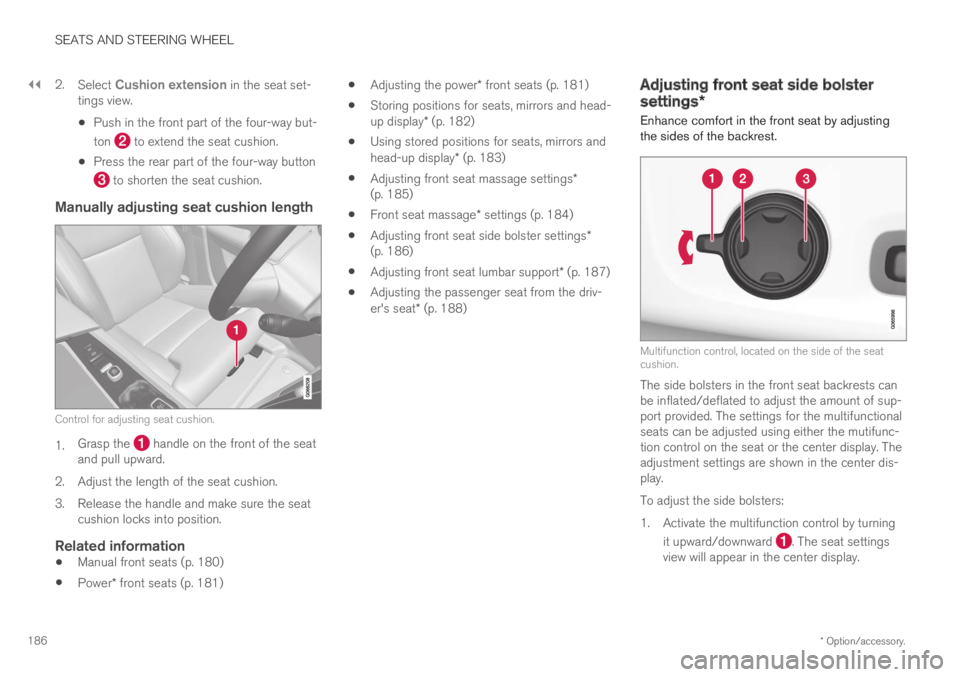
Control for adjusting seat cushion.
1.Grasp the handle on the front of the seatand pull upward.
2. Adjust the length of the seat cushion.
3.Release the handle and make sure the seatcushion locks into position.
Related information
Manual front seats (p. 180)
Power* front seats (p. 181)
Adjusting the power* front seats (p. 181)
Storing positions for seats, mirrors and head-up display* (p. 182)
Using stored positions for seats, mirrors andhead-up display* (p. 183)
Adjusting front seat massage settings*(p. 185)
Front seat massage* settings (p. 184)
Adjusting front seat side bolster settings*(p. 186)
Adjusting front seat lumbar support* (p. 187)
Adjusting the passenger seat from the driv-er's seat* (p. 188)
Adjusting front seat side bolster
settings*
Enhance comfort in the front seat by adjustingthe sides of the backrest.
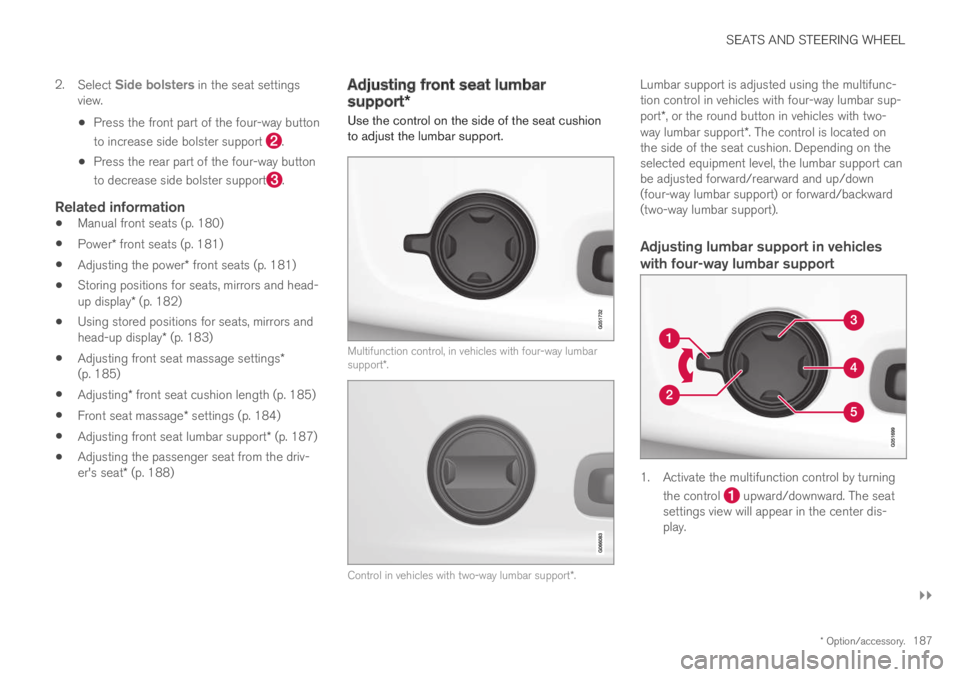
Multifunction control, located on the side of the seatcushion.
The side bolsters in the front seat backrests canbe inflated/deflated to adjust the amount of sup-port provided. The settings for the multifunctionalseats can be adjusted using either the mutifunc-tion control on the seat or the center display. Theadjustment settings are shown in the center dis-play.
To adjust the side bolsters:
1. Activate the multifunction control by turning
it upward/downward . The seat settingsview will appear in the center display.
Page 189 of 669
SEATS AND STEERING WHEEL
}}
* Option/accessory.187
2.Select Side bolsters in the seat settingsview.
Press the front part of the four-way button
to increase side bolster support .
Press the rear part of the four-way button
to decrease side bolster support.
Related information
Manual front seats (p. 180)
Power* front seats (p. 181)
Adjusting the power* front seats (p. 181)
Storing positions for seats, mirrors and head-up display* (p. 182)
Using stored positions for seats, mirrors andhead-up display* (p. 183)
Adjusting front seat massage settings*(p. 185)
Adjusting* front seat cushion length (p. 185)
Front seat massage* settings (p. 184)
Adjusting front seat lumbar support* (p. 187)
Adjusting the passenger seat from the driv-er's seat* (p. 188)
Adjusting front seat lumbar
support*
Use the control on the side of the seat cushionto adjust the lumbar support.
Multifunction control, in vehicles with four-way lumbarsupport*.
Control in vehicles with two-way lumbar support*.
Lumbar support is adjusted using the multifunc-tion control in vehicles with four-way lumbar sup-port*, or the round button in vehicles with two-way lumbar support*. The control is located onthe side of the seat cushion. Depending on theselected equipment level, the lumbar support canbe adjusted forward/rearward and up/down(four-way lumbar support) or forward/backward(two-way lumbar support).
Adjusting lumbar support in vehicles
with four-way lumbar support
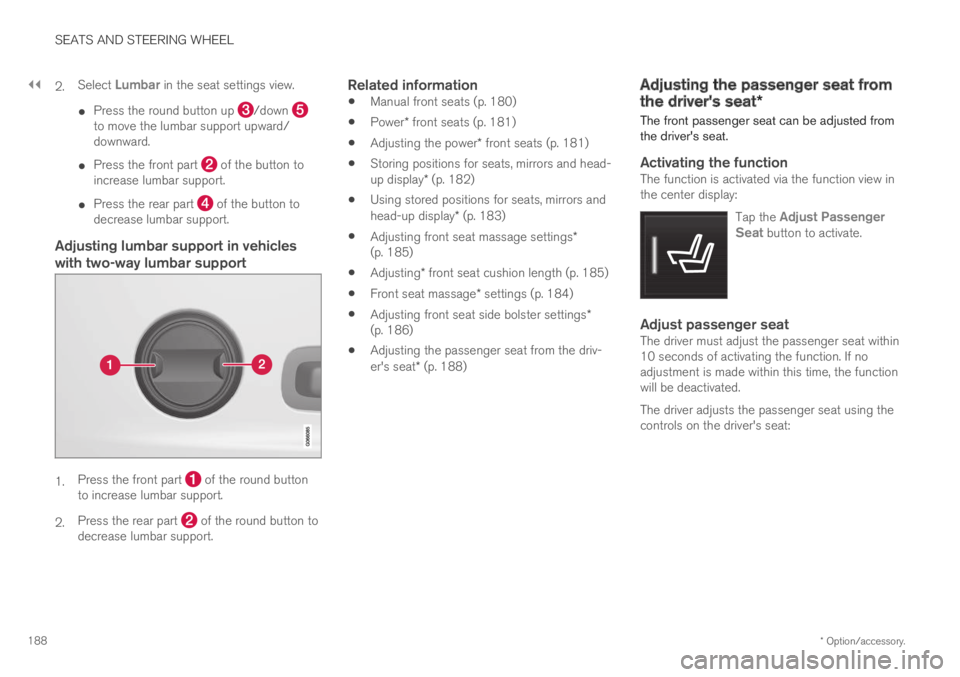
1. Activate the multifunction control by turning
the control upward/downward. The seatsettings view will appear in the center dis-play.
Page 190 of 669
||
SEATS AND STEERING WHEEL
* Option/accessory.188
2.Select Lumbar in the seat settings view.
Press the round button up /down to move the lumbar support upward/downward.
Press the front part of the button toincrease lumbar support.
Press the rear part of the button todecrease lumbar support.
Adjusting lumbar support in vehicles
with two-way lumbar support
1.Press the front part of the round buttonto increase lumbar support.
2.Press the rear part of the round button todecrease lumbar support.
Related information
Manual front seats (p. 180)
Power* front seats (p. 181)
Adjusting the power* front seats (p. 181)
Storing positions for seats, mirrors and head-up display* (p. 182)
Using stored positions for seats, mirrors andhead-up display* (p. 183)
Adjusting front seat massage settings*(p. 185)
Adjusting* front seat cushion length (p. 185)
Front seat massage* settings (p. 184)
Adjusting front seat side bolster settings*(p. 186)
Adjusting the passenger seat from the driv-er's seat* (p. 188)
Adjusting the passenger seat from
the driver's seat*
The front passenger seat can be adjusted fromthe driver's seat.
Activating the function
The function is activated via the function view inthe center display:
Tap the Adjust PassengerSeat button to activate.
Adjust passenger seat
The driver must adjust the passenger seat within10 seconds of activating the function. If noadjustment is made within this time, the functionwill be deactivated.
The driver adjusts the passenger seat using thecontrols on the driver's seat:
Page 191 of 669

SEATS AND STEERING WHEEL
}}
* Option/accessory.189
Move the passenger seat forward/rearwardby moving the control forward/rearward.
Change the backrest tilt of the passengerseat by moving the control forward/back-ward.
Related information
Manual front seats (p. 180)
Power* front seats (p. 181)
Adjusting the power* front seats (p. 181)
Storing positions for seats, mirrors and head-up display* (p. 182)
Using stored positions for seats, mirrors andhead-up display* (p. 183)
Adjusting front seat massage settings*(p. 185)
Adjusting* front seat cushion length (p. 185)
Front seat massage* settings (p. 184)
Adjusting front seat side bolster settings*(p. 186)
Adjusting front seat lumbar support* (p. 187)
Folding down the rear seat
backrests*
The rear seat backrest is divided into two sec-
tions that can be folded down separately5.
WARNING
Adjust the seat and ensure it locks intoposition before driving. Use caution whenadjusting the seat. Uncontrolled or care-less adjustments could lead to injury.
Long objects must always be securelytied down to help prevent injury or dam-age in the event of sudden braking.
Always turn off the engine and apply theparking brake when loading or unloadingthe vehicle.
Put the gear selector in P to help preventthe gear selector from being inadvertentlymoved.
CAUTION
When the backrest is folded down, make surethere are no objects in the rear seat, and theseat belts are not buckled. Otherwise there isa risk of damage to the upholstery.
Page 195 of 669
SEATS AND STEERING WHEEL
}}
* Option/accessory.193
Steering wheel controls and horn
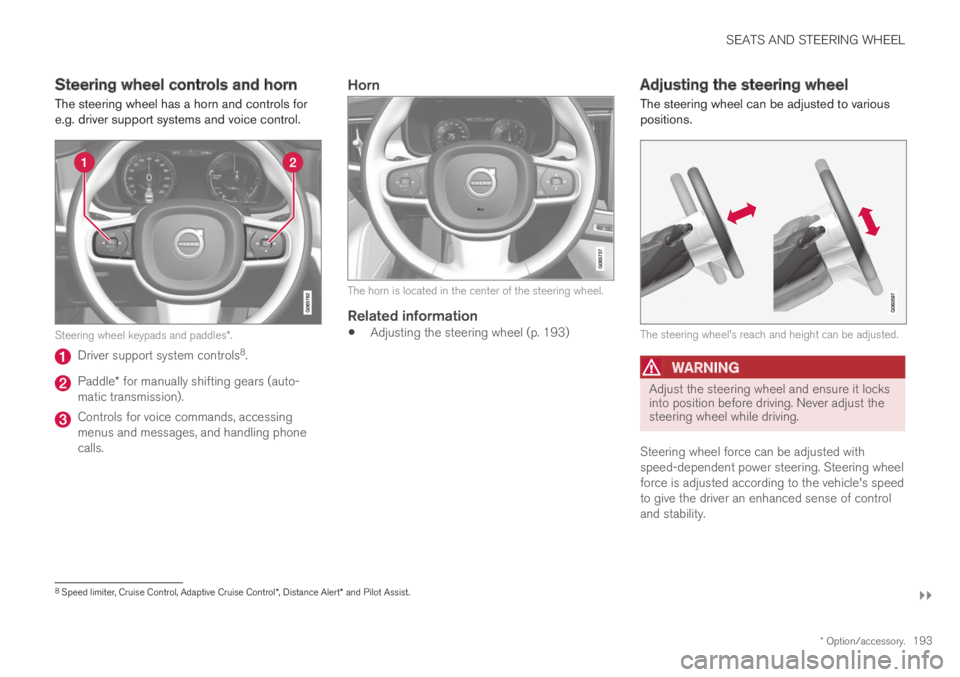
The steering wheel has a horn and controls fore.g. driver support systems and voice control.
Steering wheel keypads and paddles*.
Driver support system controls8.
Paddle* for manually shifting gears (auto-matic transmission).
Controls for voice commands, accessingmenus and messages, and handling phonecalls.
Horn
The horn is located in the center of the steering wheel.
Related information
Adjusting the steering wheel (p. 193)
Adjusting the steering wheel
The steering wheel can be adjusted to variouspositions.
The steering wheel's reach and height can be adjusted.
WARNING
Adjust the steering wheel and ensure it locksinto position before driving. Never adjust thesteering wheel while driving.
Steering wheel force can be adjusted withspeed-dependent power steering. Steering wheelforce is adjusted according to the vehicle's speedto give the driver an enhanced sense of controland stability.
8Speed limiter, Cruise Control, Adaptive Cruise Control*, Distance Alert* and Pilot Assist.
Page 196 of 669
||
SEATS AND STEERING WHEEL
* Option/accessory.194
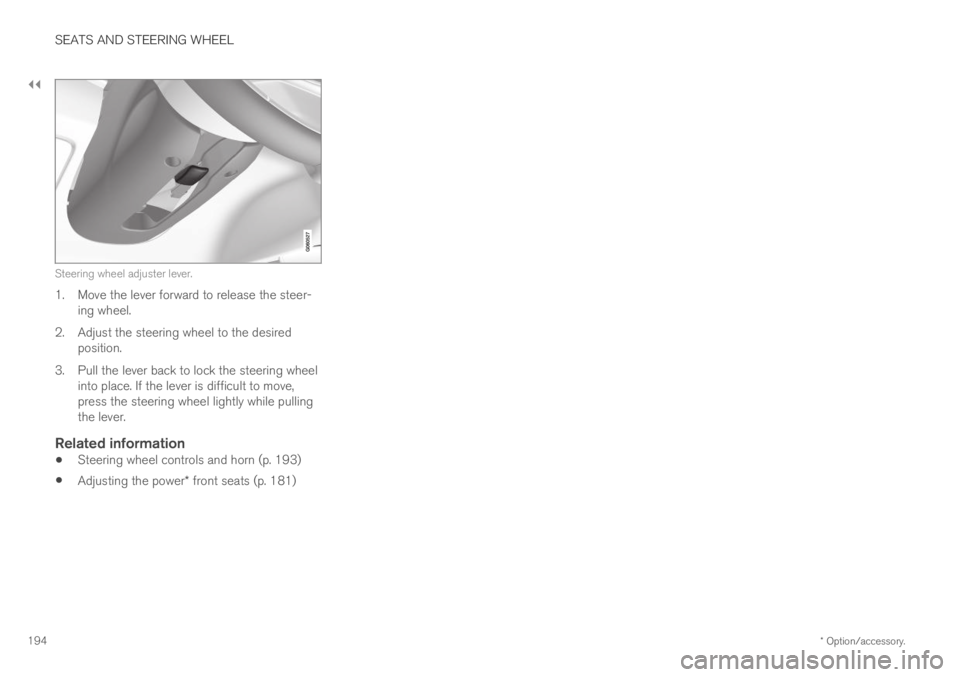
Steering wheel adjuster lever.
1. Move the lever forward to release the steer-ing wheel.
2. Adjust the steering wheel to the desiredposition.
3.Pull the lever back to lock the steering wheelinto place. If the lever is difficult to move,press the steering wheel lightly while pullingthe lever.
Related information
Steering wheel controls and horn (p. 193)
Adjusting the power* front seats (p. 181)
Page 211 of 669
CLIMATE CONTROL
}}
* Option/accessory.209
screen locks automatically after a period of inac-tivity.
Related information
Climate (p. 196)
Activating and deactivating power frontseats* (p. 209)
Activating and deactivating the heated rearseats* (p. 210)
Activating and deactivating front seat ventila-tion* (p. 211)
Activating and deactivating the ventilatedrear seats* (p. 212)
Activating and deactivating the heated steer-ing wheel* (p. 213)
Activating auto climate control (p. 214)
Activating and deactivating recirculation(p. 214)
Activating and deactivating max defroster(p. 215)
Activating and deactivating the heated wind-shield* (p. 217)
Activating and deactivating the heated rearwindow and door mirrors (p. 218)
Setting the blower speed for the front seats(p. 219)
Setting the blower speed for the rear seats(p. 220)
Synchronize temperature (p. 222)
Activating and deactivating air conditioning(p. 223)Activating and deactivating power
front seats*
The seats can be heated for added comfort forthe driver and passengers in cold weather.
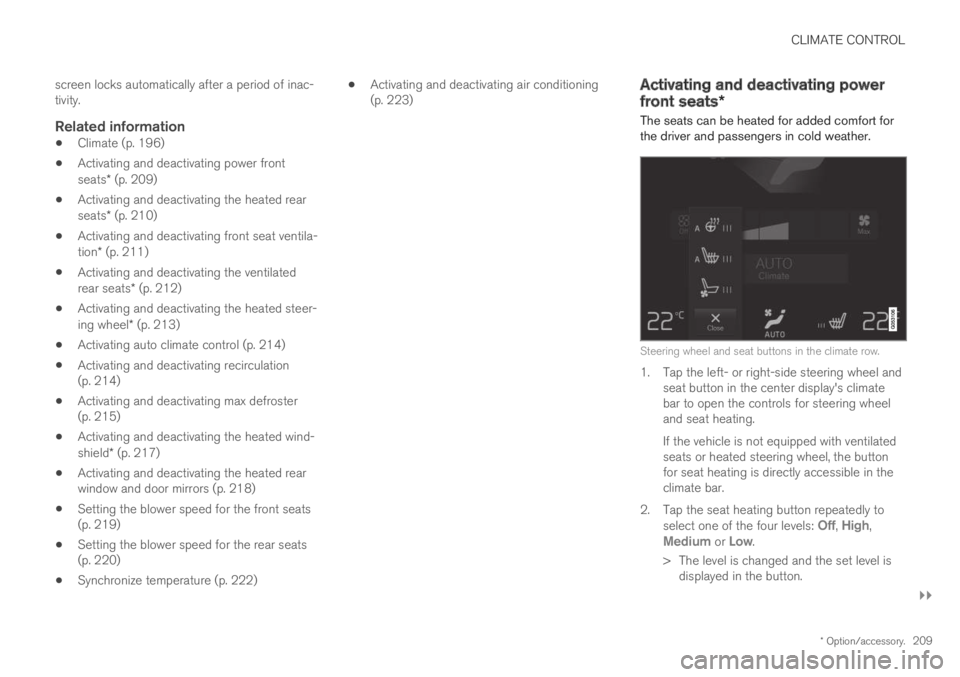
Steering wheel and seat buttons in the climate row.
1. Tap the left- or right-side steering wheel andseat button in the center display's climatebar to open the controls for steering wheeland seat heating.
If the vehicle is not equipped with ventilatedseats or heated steering wheel, the buttonfor seat heating is directly accessible in theclimate bar.
2. Tap the seat heating button repeatedly toselect one of the four levels: Off, High,Medium or Low.
> The level is changed and the set level isdisplayed in the button.
Page 272 of 669

DRIVER SUPPORT
* Option/accessory.270
Driver support systems
The vehicle is equipped with a number of driversupport systems that can provide the driver withactive or passive assistance in various situations.
The systems can, for example, help the driver:
maintain a set speed
maintain a set time interval to the vehicleahead
help prevent a collision by warning the driverand applying the brakes
park the vehicle.
Some of the systems are standard and others areoptions. This also varies from market to market.
Related information
Speed-dependent steering wheel resistance(p. 270)
Electronic Stability Control (p. 271)
Speed limiter (p. 275)
Automatic Speed Limiter (p. 279)
Cruise control (p. 283)
Distance Alert* (p. 288)
Adaptive Cruise Control* (p. 292)
Pilot Assist (p. 308)
Radar sensor (p. 324)
Camera (p. 329)
City Safety™ (p. 333)
Rear Collision Warning (p. 346)
BLIS* (p. 347)
Cross Traffic Alert* (p. 352)
Road Sign Information* (p. 356)
Driver Alert Control (p. 362)
Lane Keeping Aid (p. 364)
Steering assistance at risk of collision(p. 372)
Park Assist* (p. 382)
Park Assist Camera* (p. 388)
Park Assist Pilot* (p. 398)
Speed-dependent steering wheelresistance
Speed-dependent power steering increases thesteering wheel resistance in pace with the vehi-cle's speed to give the driver an enhanced feel-ing of control and stability.
Steering may feel stiffer on highways. Whenparking and at low speeds, it will be easier tomove the steering wheel.
NOTE
In some situations, the power steering maybecome too hot and require temporary cool-ing – during such time the power steering willwork at reduced output and the steeringwheel may feel more difficult to move.
In parallel with the temporarily reduced steer-ing assistance, the driver display shows amessage as well as a STEERING WHEELsymbol.
WARNING
While the power steering is working atreduced power, the driver support functionsand systems with steering assistance are notavailable.
In such a situation, the driver display showsthe Power steering failure message, com-bined with a STEERING WHEEL symbol.
Page 273 of 669

DRIVER SUPPORT
}}
* Option/accessory.271
Changing the level of steering wheel
resistance *
To change the level of steering wheel resistance,see the description of the INDIVIDUAL optionunder "Available drive modes" in the "Drivemodes" section.
On models not equipped with drive mode con-trols and the INDIVIDUAL option, steering wheelresistance can instead be set in the center dis-play's Top view under:
SettingsMy CarDrive ModesSteering Force
Steering wheel resistance settings cannot beaccessed when turning at speeds above10 km/h (6 mph).
Related information
Drive modes (p. 446)
Pilot Assist (p. 308)
Lane Keeping Aid (p. 364)
Steering assistance at risk of collision(p. 372)
Park Assist Pilot* (p. 398)
Electronic Stability Control
The Electronic Stability Control (ESC1) functionhelps the driver avoid skidding and improves thevehicle's directional stability.
This symbol will be displayed inthe instrument panel when theESC system is intervening.
When the ESC has intervenedto apply the brakes, a pulsingsound may be heard and thevehicle may accelerate more slowly than expec-ted when the accelerator pedal is depressed.
The ESC system consists of the following sub-functions:
Stability control2
Spin control and active yaw control
Engine drag control
WARNING
The Electronic Stability Control systemESC is supplementary driver supportintended to facilitate driving and make itsafer – it cannot handle all situations inall traffic, weather and road conditions.
ESC is not a substitute for the driver'sattention and judgment. The driver isalways responsible for ensuring the vehi-cle is driven in a safe manner, at theappropriate speed, with an appropriatedistance to other vehicles, and in accord-ance with current traffic rules and regula-tions.
Stability control 2
This function helps control the driving and brak-ing force of each individual wheel in an attemptto stabilize the vehicle.
Spin control and active yaw control
This function is active at low speeds and brakesthe wheels that are spinning to transfer additionalpower from wheels that are not spinning.
This function also helps prevent the wheels fromspinning while the vehicle is accelerating.
1Electronic Stability Control2Also called traction control.