warning VOLVO V60 2012 Owners Manual
[x] Cancel search | Manufacturer: VOLVO, Model Year: 2012, Model line: V60, Model: VOLVO V60 2012Pages: 400, PDF Size: 9.28 MB
Page 202 of 400
04 Comfort and driving pleasure
Driver Alert System – DAC*
04
200* Option/accessory, for more information, see Introduction.
Operation
Some settings are made from the centre con-
sole display screen and its menu system. For
information on how the menu system is used,
see page 144.
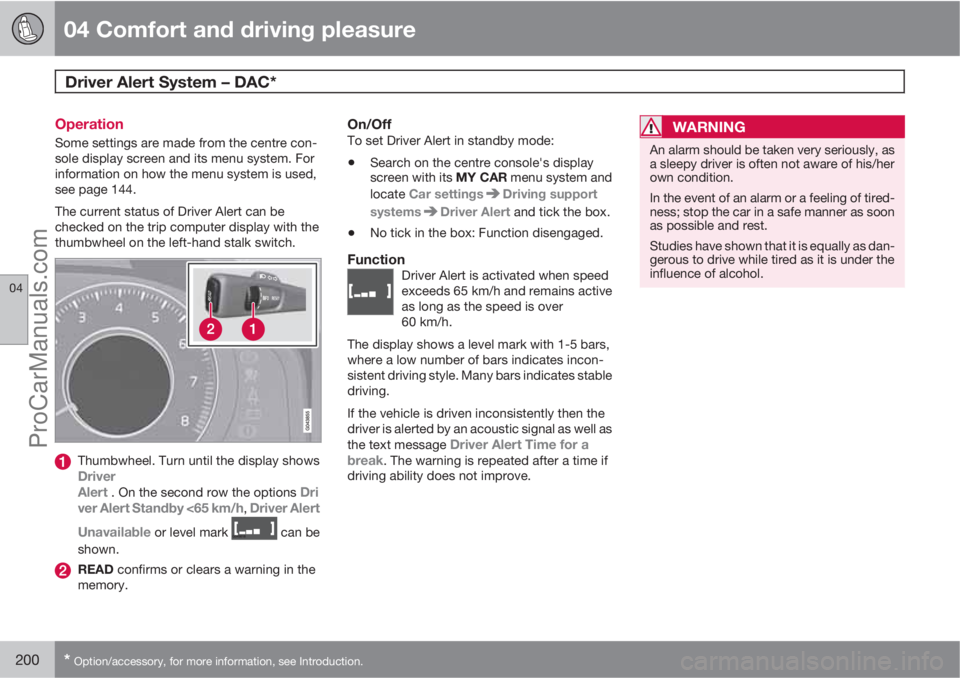
The current status of Driver Alert can be
checked on the trip computer display with the
thumbwheel on the left-hand stalk switch.
Thumbwheel. Turn until the display showsDriver
Alert . On the second row the options Dri
ver Alert Standby <65 km/h, Driver Alert
Unavailable
or level mark can be
shown.
READ confirms or clears a warning in the
memory.
On/OffTo set Driver Alert in standby mode:
•Search on the centre console's display
screen with its MY CAR menu system and
locate Car settings
Driving support
systems
Driver Alert and tick the box.
•No tick in the box: Function disengaged.
FunctionDriver Alert is activated when speed
exceeds 65 km/h and remains active
as long as the speed is over
60 km/h.
The display shows a level mark with 1-5 bars,
where a low number of bars indicates incon-
sistent driving style. Many bars indicates stable
driving.
If the vehicle is driven inconsistently then the
driver is alerted by an acoustic signal as well as
the text message
Driver Alert Time for a
break. The warning is repeated after a time if
driving ability does not improve.
WARNING
An alarm should be taken very seriously, as
a sleepy driver is often not aware of his/her
own condition.
In the event of an alarm or a feeling of tired-
ness; stop the car in a safe manner as soon
as possible and rest.
Studies have shown that it is equally as dan-
gerous to drive while tired as it is under the
influence of alcohol.
ProCarManuals.com
Page 203 of 400
04 Comfort and driving pleasure
Driver Alert System – DAC*
04
* Option/accessory, for more information, see Introduction.201 Symbols and messages in the display
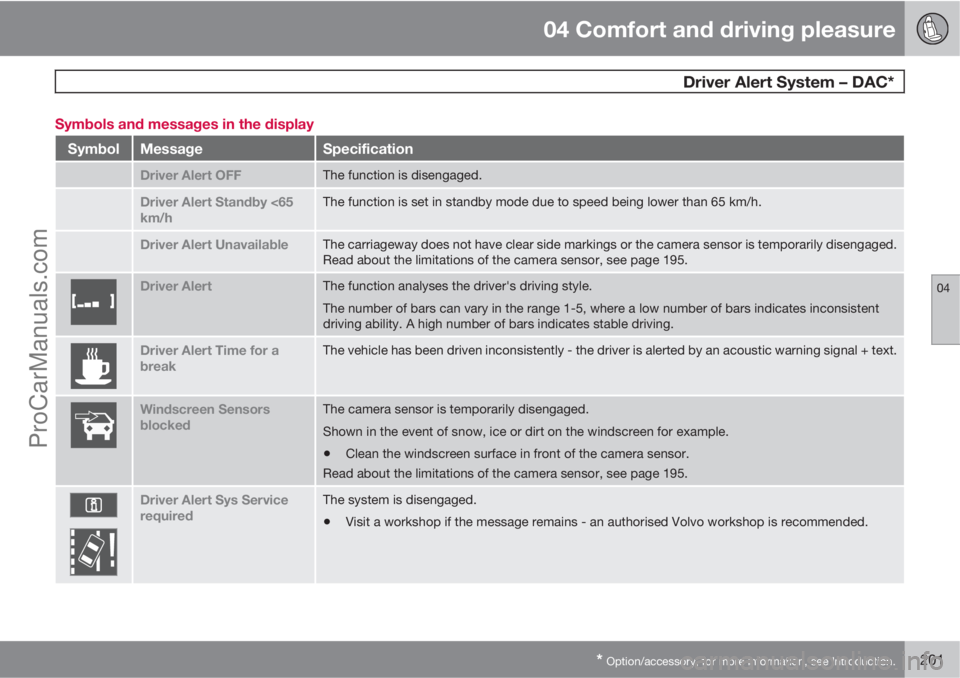
SymbolMessageSpecification
Driver Alert OFFThe function is disengaged.
Driver Alert Standby <65
km/hThe function is set in standby mode due to speed being lower than 65 km/h.
Driver Alert UnavailableThe carriageway does not have clear side markings or the camera sensor is temporarily disengaged.
Read about the limitations of the camera sensor, see page 195.
Driver AlertThe function analyses the driver's driving style.
The number of bars can vary in the range 1-5, where a low number of bars indicates inconsistent
driving ability. A high number of bars indicates stable driving.
Driver Alert Time for a
breakThe vehicle has been driven inconsistently - the driver is alerted by an acoustic warning signal + text.
Windscreen Sensors
blockedThe camera sensor is temporarily disengaged.
Shown in the event of snow, ice or dirt on the windscreen for example.
•Clean the windscreen surface in front of the camera sensor.
Read about the limitations of the camera sensor, see page 195.
Driver Alert Sys Service
requiredThe system is disengaged.
•Visit a workshop if the message remains - an authorised Volvo workshop is recommended.
ProCarManuals.com
Page 204 of 400
04 Comfort and driving pleasure
Driver Alert System - LDW*
04
202* Option/accessory, for more information, see Introduction.
General information on Lane Departure
Warning - LDW
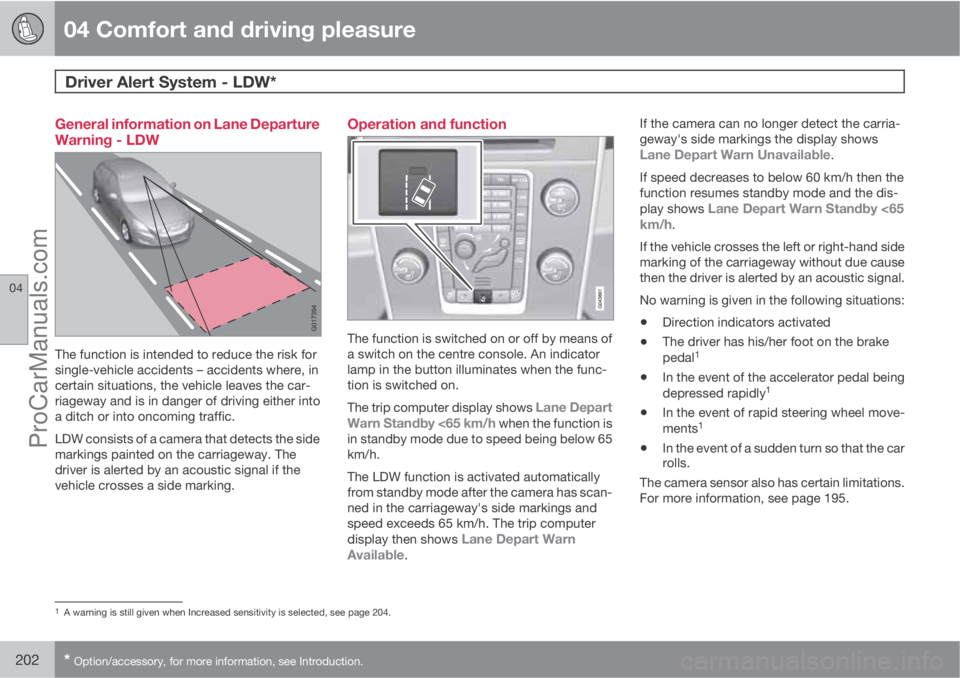
The function is intended to reduce the risk for
single-vehicle accidents – accidents where, in
certain situations, the vehicle leaves the car-
riageway and is in danger of driving either into
a ditch or into oncoming traffic.
LDW consists of a camera that detects the side
markings painted on the carriageway. The
driver is alerted by an acoustic signal if the
vehicle crosses a side marking.
Operation and function
The function is switched on or off by means of
a switch on the centre console. An indicator
lamp in the button illuminates when the func-
tion is switched on.
The trip computer display shows
Lane Depart
Warn Standby <65 km/h when the function is
in standby mode due to speed being below 65
km/h.
The LDW function is activated automatically
from standby mode after the camera has scan-
ned in the carriageway's side markings and
speed exceeds 65 km/h. The trip computer
display then shows
Lane Depart Warn
Available.If the camera can no longer detect the carria-
geway's side markings the display shows
Lane Depart Warn Unavailable.
If speed decreases to below 60 km/h then the
function resumes standby mode and the dis-
play shows
Lane Depart Warn Standby <65
km/h.
If the vehicle crosses the left or right-hand side
marking of the carriageway without due cause
then the driver is alerted by an acoustic signal.
No warning is given in the following situations:
•Direction indicators activated
•The driver has his/her foot on the brake
pedal1
•In the event of the accelerator pedal being
depressed rapidly1
•In the event of rapid steering wheel move-
ments1
•In the event of a sudden turn so that the car
rolls.
The camera sensor also has certain limitations.
For more information, see page 195.
1A warning is still given when Increased sensitivity is selected, see page 204.
ProCarManuals.com
Page 205 of 400
04 Comfort and driving pleasure
Driver Alert System - LDW*
04
* Option/accessory, for more information, see Introduction.203
NOTE
The driver is only warned once each time the
wheels cross a line. So there is no acoustic
alarm when there is a line between the car's
wheels.
Symbols and messages in the display
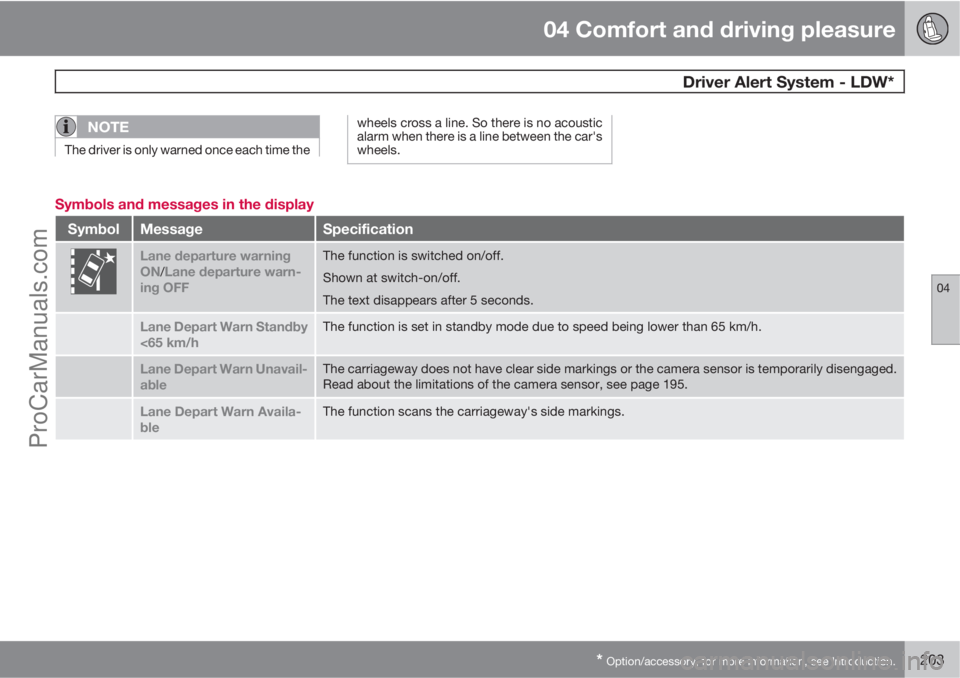
SymbolMessageSpecification
Lane departure warning
ON/Lane departure warn-
ing OFF
The function is switched on/off.
Shown at switch-on/off.
The text disappears after 5 seconds.
Lane Depart Warn Standby
<65 km/hThe function is set in standby mode due to speed being lower than 65 km/h.
Lane Depart Warn Unavail-
ableThe carriageway does not have clear side markings or the camera sensor is temporarily disengaged.
Read about the limitations of the camera sensor, see page 195.
Lane Depart Warn Availa-
bleThe function scans the carriageway's side markings.
ProCarManuals.com
Page 206 of 400
04 Comfort and driving pleasure
Driver Alert System - LDW*
04
204* Option/accessory, for more information, see Introduction.
SymbolMessageSpecification
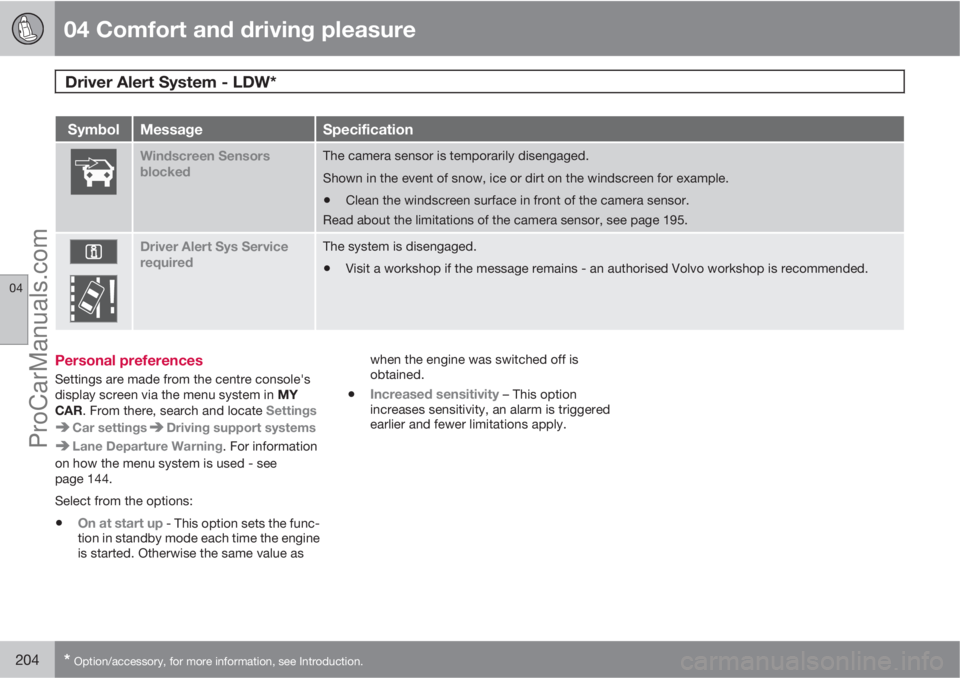
Windscreen Sensors
blockedThe camera sensor is temporarily disengaged.
Shown in the event of snow, ice or dirt on the windscreen for example.
•Clean the windscreen surface in front of the camera sensor.
Read about the limitations of the camera sensor, see page 195.
Driver Alert Sys Service
requiredThe system is disengaged.
•Visit a workshop if the message remains - an authorised Volvo workshop is recommended.
Personal preferences
Settings are made from the centre console's
display screen via the menu system in MY
CAR. From there, search and locate Settings
Car settingsDriving support systems
Lane Departure Warning. For information
on how the menu system is used - see
page 144.
Select from the options:
•On at start up - This option sets the func-
tion in standby mode each time the engine
is started. Otherwise the same value aswhen the engine was switched off is
obtained.
•Increased sensitivity – This option
increases sensitivity, an alarm is triggered
earlier and fewer limitations apply.
ProCarManuals.com
Page 207 of 400
04 Comfort and driving pleasure
Park assist syst*
04
* Option/accessory, for more information, see Introduction.205 General
Parking assistance is used as an aid to parking.
An acoustic signal as well as symbols on the
centre console's display screen indicate the
distance to the detected obstacle.
Parking assistance sound level can be
adjusted during the ongoing acoustic signal
using the centre console's VOL knob or in the
car's menu system MY CAR - see page 144.
Parking assistance is available in two variants:
•Rear only
•Both front and rear.
WARNING
•Parking assistance does not relinquish
the driver's own responsibility during
parking.
•The sensors have blind spots where
obstacles cannot be detected.
•Be aware of e.g. people or animals near
the car.
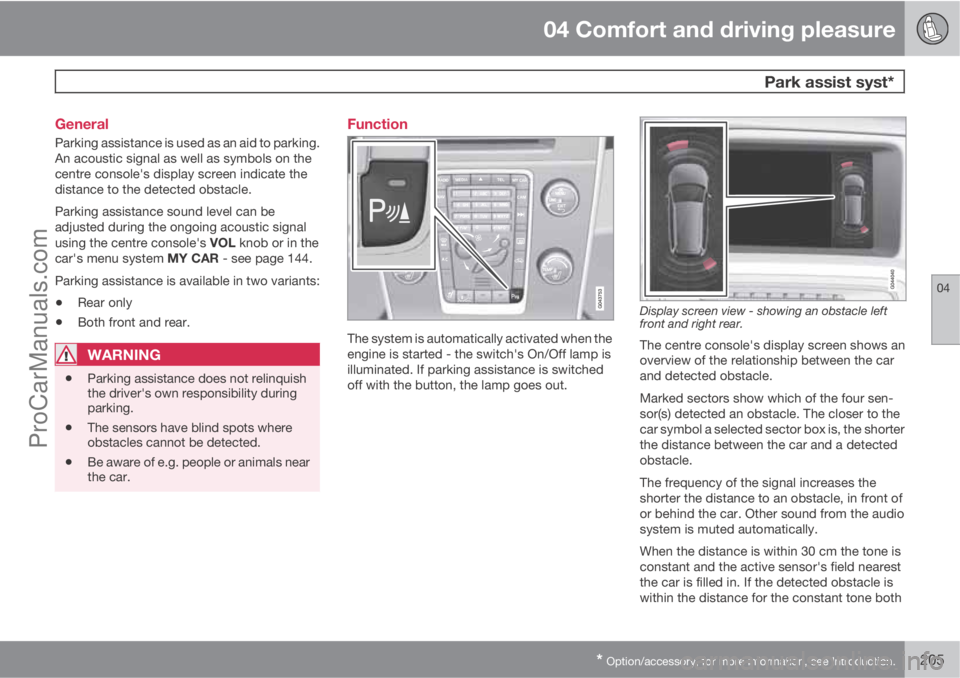
Function
The system is automatically activated when the
engine is started - the switch's On/Off lamp is
illuminated. If parking assistance is switched
off with the button, the lamp goes out.
Display screen view - showing an obstacle left
front and right rear.
The centre console's display screen shows an
overview of the relationship between the car
and detected obstacle.
Marked sectors show which of the four sen-
sor(s) detected an obstacle. The closer to the
car symbol a selected sector box is, the shorter
the distance between the car and a detected
obstacle.
The frequency of the signal increases the
shorter the distance to an obstacle, in front of
or behind the car. Other sound from the audio
system is muted automatically.
When the distance is within 30 cm the tone is
constant and the active sensor's field nearest
the car is filled in. If the detected obstacle is
within the distance for the constant tone both
ProCarManuals.com
Page 209 of 400
04 Comfort and driving pleasure
Park assist syst*
04
* Option/accessory, for more information, see Introduction.207
IMPORTANT
When fitting auxiliary lamps: Remember that
they must not obscure the sensors – the
auxiliary lamps could then be detected as
obstacles.
Fault indicator
If the information symbol illuminates
with constant glow and the informa-
tion display shows
Park assist syst Service
required then parking assistance is disen-
gaged.
IMPORTANT
In certain conditions the parking assistance
system may produce incorrect warning sig-
nals that are caused by external audio
sources that emit the same ultrasonic fre-
quencies that the system works with.
Examples of such sources include horns,
wet tyres on asphalt, pneumatic brakes and
exhaust noises from motorcycles etc.
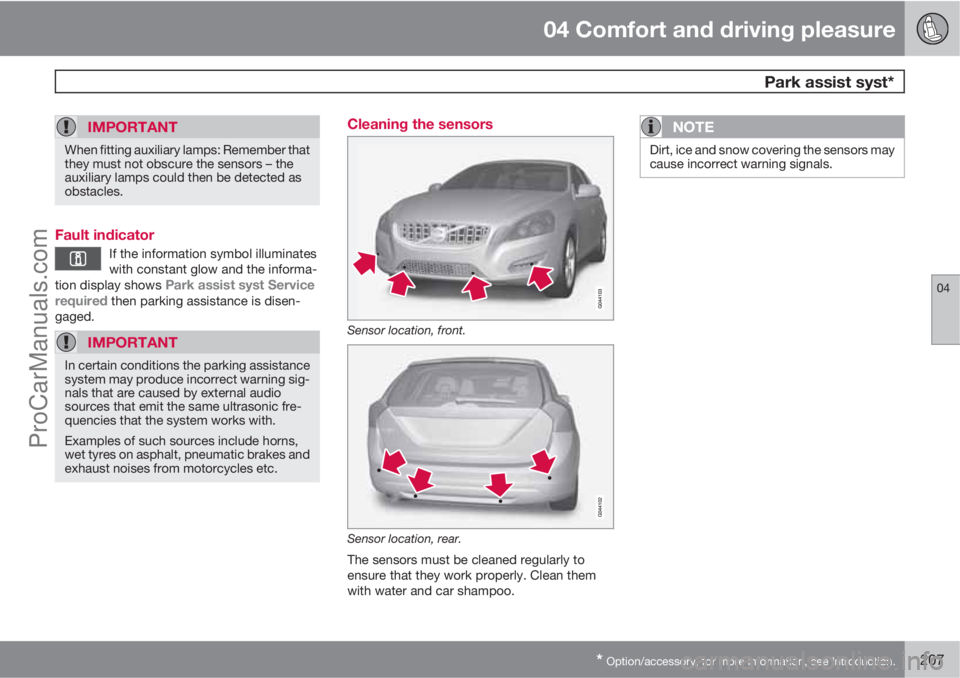
Cleaning the sensors
Sensor location, front.
Sensor location, rear.
The sensors must be cleaned regularly to
ensure that they work properly. Clean them
with water and car shampoo.
NOTE
Dirt, ice and snow covering the sensors may
cause incorrect warning signals.
ProCarManuals.com
Page 210 of 400
04 Comfort and driving pleasure
Park assist camera*
04
208* Option/accessory, for more information, see Introduction.
General
The parking camera is an assist system and is
activated when reverse gear is engaged (can
be changed in the settings menu, see
page 144).
The camera image is shown on the centre con-
sole's screen.
WARNING
•The parking camera serves as an aid. It
does not relieve the driver of responsi-
bility when reversing.
•The camera has blind spots, where
obstacles cannot be detected.
•Be aware of people and animals in the
vicinity of the car.
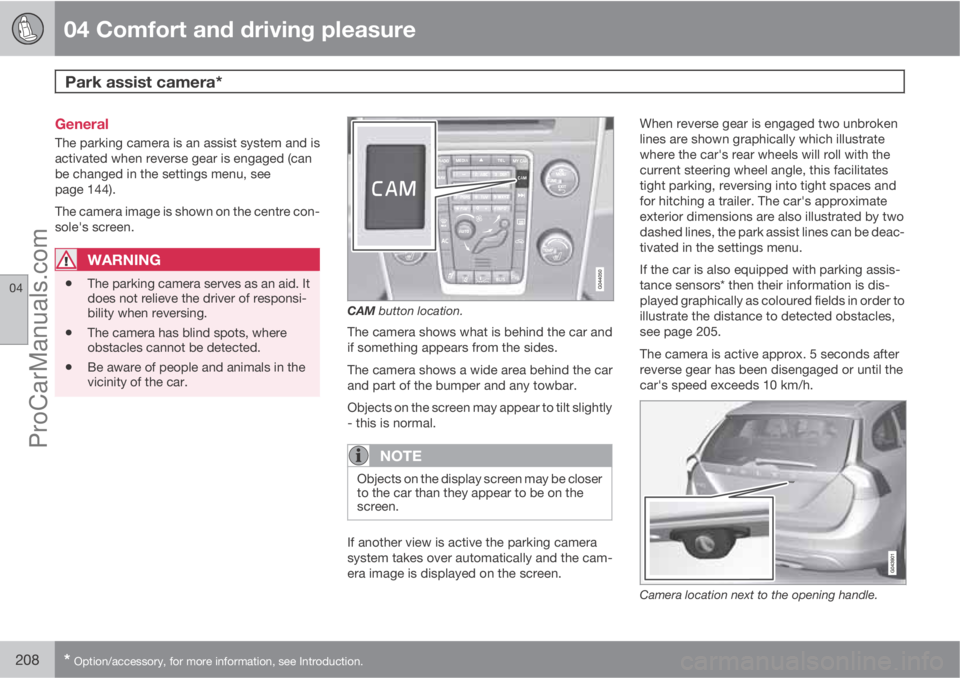
CAM button location.
The camera shows what is behind the car and
if something appears from the sides.
The camera shows a wide area behind the car
and part of the bumper and any towbar.
Objects on the screen may appear to tilt slightly
- this is normal.
NOTE
Objects on the display screen may be closer
to the car than they appear to be on the
screen.
If another view is active the parking camera
system takes over automatically and the cam-
era image is displayed on the screen.When reverse gear is engaged two unbroken
lines are shown graphically which illustrate
where the car's rear wheels will roll with the
current steering wheel angle, this facilitates
tight parking, reversing into tight spaces and
for hitching a trailer. The car's approximate
exterior dimensions are also illustrated by two
dashed lines, the park assist lines can be deac-
tivated in the settings menu.
If the car is also equipped with parking assis-
tance sensors* then their information is dis-
played graphically as coloured fields in order to
illustrate the distance to detected obstacles,
see page 205.
The camera is active approx. 5 seconds after
reverse gear has been disengaged or until the
car's speed exceeds 10 km/h.
Camera location next to the opening handle.
ProCarManuals.com
Page 213 of 400
04 Comfort and driving pleasure
BLIS* – Blind Spot Information System
04
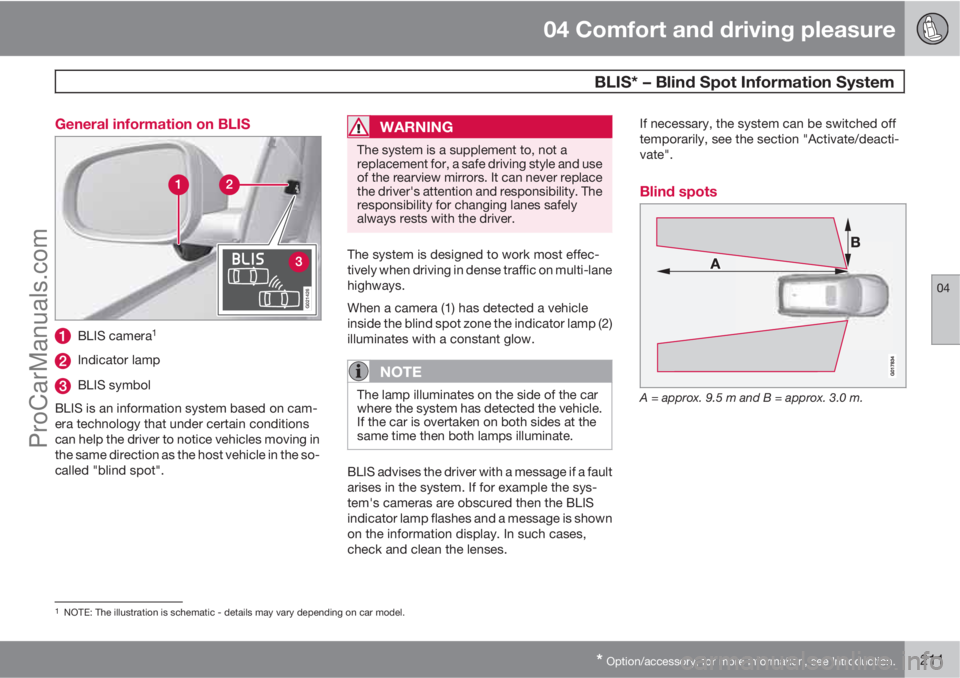
* Option/accessory, for more information, see Introduction.211 General information on BLIS
G021426
BLIS camera1
Indicator lamp
BLIS symbol
BLIS is an information system based on cam-
era technology that under certain conditions
can help the driver to notice vehicles moving in
the same direction as the host vehicle in the so-
called "blind spot".
WARNING
The system is a supplement to, not a
replacement for, a safe driving style and use
of the rearview mirrors. It can never replace
the driver's attention and responsibility. The
responsibility for changing lanes safely
always rests with the driver.
The system is designed to work most effec-
tively when driving in dense traffic on multi-lane
highways.
When a camera (1) has detected a vehicle
inside the blind spot zone the indicator lamp (2)
illuminates with a constant glow.
NOTE
The lamp illuminates on the side of the car
where the system has detected the vehicle.
If the car is overtaken on both sides at the
same time then both lamps illuminate.
BLIS advises the driver with a message if a fault
arises in the system. If for example the sys-
tem's cameras are obscured then the BLIS
indicator lamp flashes and a message is shown
on the information display. In such cases,
check and clean the lenses.If necessary, the system can be switched off
temporarily, see the section "Activate/deacti-
vate".
Blind spots
A = approx. 9.5 m and B = approx. 3.0 m.
1NOTE: The illustration is schematic - details may vary depending on car model.
ProCarManuals.com
Page 214 of 400
04 Comfort and driving pleasure
BLIS* – Blind Spot Information System
04
212* Option/accessory, for more information, see Introduction.
Activate/deactivate
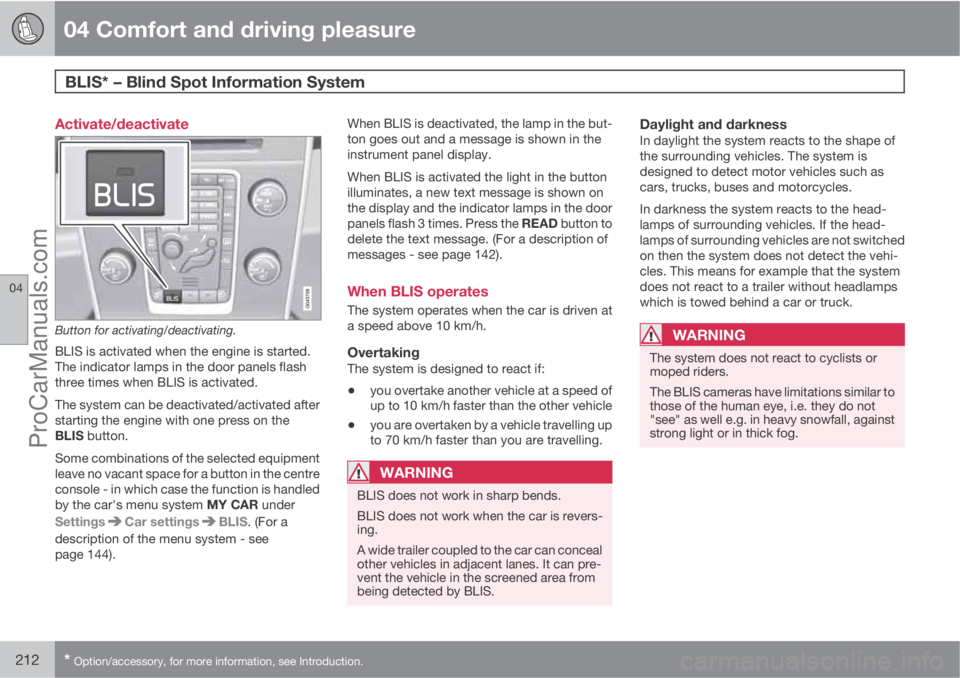
Button for activating/deactivating.
BLIS is activated when the engine is started.
The indicator lamps in the door panels flash
three times when BLIS is activated.
The system can be deactivated/activated after
starting the engine with one press on the
BLIS button.
Some combinations of the selected equipment
leave no vacant space for a button in the centre
console - in which case the function is handled
by the car's menu system MY CAR under
Settings
Car settingsBLIS. (For a
description of the menu system - see
page 144).When BLIS is deactivated, the lamp in the but-
ton goes out and a message is shown in the
instrument panel display.
When BLIS is activated the light in the button
illuminates, a new text message is shown on
the display and the indicator lamps in the door
panels flash 3 times. Press the READ button to
delete the text message. (For a description of
messages - see page 142).
When BLIS operates
The system operates when the car is driven at
a speed above 10 km/h.
OvertakingThe system is designed to react if:
•you overtake another vehicle at a speed of
up to 10 km/h faster than the other vehicle
•you are overtaken by a vehicle travelling up
to 70 km/h faster than you are travelling.
WARNING
BLIS does not work in sharp bends.
BLIS does not work when the car is revers-
ing.
A wide trailer coupled to the car can conceal
other vehicles in adjacent lanes. It can pre-
vent the vehicle in the screened area from
being detected by BLIS.
Daylight and darknessIn daylight the system reacts to the shape of
the surrounding vehicles. The system is
designed to detect motor vehicles such as
cars, trucks, buses and motorcycles.
In darkness the system reacts to the head-
lamps of surrounding vehicles. If the head-
lamps of surrounding vehicles are not switched
on then the system does not detect the vehi-
cles. This means for example that the system
does not react to a trailer without headlamps
which is towed behind a car or truck.
WARNING
The system does not react to cyclists or
moped riders.
The BLIS cameras have limitations similar to
those of the human eye, i.e. they do not
"see" as well e.g. in heavy snowfall, against
strong light or in thick fog.
ProCarManuals.com