display VOLVO V60 2013 Workshop Manual
[x] Cancel search | Manufacturer: VOLVO, Model Year: 2013, Model line: V60, Model: VOLVO V60 2013Pages: 422, PDF Size: 9.59 MB
Page 159 of 422
04 Driver support
Adaptive cruise control*
04
* Option/accessory, for more information, see Introduction.157
Changing the speedTo change the stored speed:
•Adjust with short presses on or -
every press gives +/- 5 km/h. The last
presses made are stored in the memory.
If speed is increased using the accelerator
pedal prior to pressing the
/ button,
then it is the car's current speed when the
button is pressed that is stored in the
cruise control.
•In active mode the button has the same
function as
but results in a lower
increase in speed: + 1 km/h.
NOTE
If any of the Cruise Control buttons are held
down for more than approx. 1 minute, it is
blocked and disabled. To be able to reacti-
vate Cruise Control, the car must be stop-
ped and the engine restarted.
In certain situations, cruise control cannot
be activated. Then the display shows
Cruise control Unavailable, see
page 162.
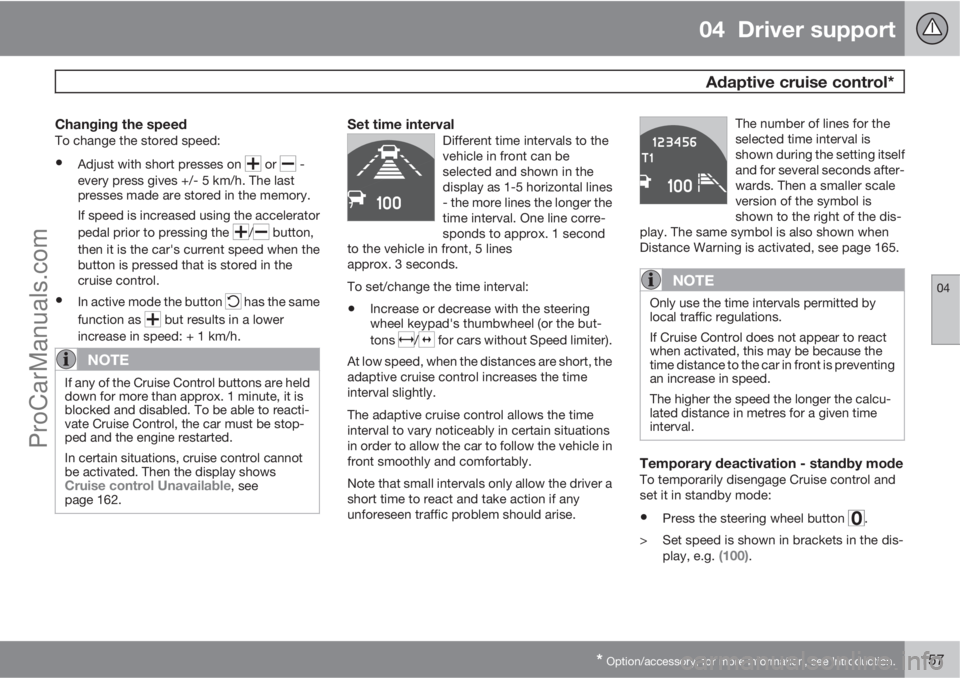
Set time intervalDifferent time intervals to the
vehicle in front can be
selected and shown in the
display as 1-5 horizontal lines
- the more lines the longer the
time interval. One line corre-
sponds to approx. 1 second
to the vehicle in front, 5 lines
approx. 3 seconds.
To set/change the time interval:
•Increase or decrease with the steering
wheel keypad's thumbwheel (or the but-
tons
/ for cars without Speed limiter).
At low speed, when the distances are short, the
adaptive cruise control increases the time
interval slightly.
The adaptive cruise control allows the time
interval to vary noticeably in certain situations
in order to allow the car to follow the vehicle in
front smoothly and comfortably.
Note that small intervals only allow the driver a
short time to react and take action if any
unforeseen traffic problem should arise.The number of lines for the
selected time interval is
shown during the setting itself
and for several seconds after-
wards. Then a smaller scale
version of the symbol is
shown to the right of the dis-
play. The same symbol is also shown when
Distance Warning is activated, see page 165.
NOTE
Only use the time intervals permitted by
local traffic regulations.
If Cruise Control does not appear to react
when activated, this may be because the
time distance to the car in front is preventing
an increase in speed.
The higher the speed the longer the calcu-
lated distance in metres for a given time
interval.
Temporary deactivation - standby modeTo temporarily disengage Cruise control and
set it in standby mode:
•Press the steering wheel button .
> Set speed is shown in brackets in the dis-
play, e.g.
(100).
ProCarManuals.com
Page 160 of 422
04 Driver support
Adaptive cruise control*
04
158* Option/accessory, for more information, see Introduction.
Keypad without Speed limiter*To temporarily disengage Cruise control and
set it in standby mode:
•Press the steering wheel button .
Standby mode due to driver interventionCruise control is temporarily disengaged and
set in standby mode if:
•the foot brake is used
•the clutch pedal is depressed for longer
than 1 minute6
•the gear selector is moved to N position
(automatic gearbox)
•the driver maintains a speed higher than
the set speed for longer than 1 minute.
The driver must then regulate the speed.
A temporary increase in speed with the accel-
erator pedal, e.g. during overtaking, does not
affect the cruise control setting - the car returns
to the last stored speed when the accelerator
pedal is released.
Automatic standby modeThe Adaptive cruise control is dependent on
other systems, e.g.. DSTC (see page 146). Ifany of these systems stop working then cruise
control is automatically deactivated.
In the event of automatic deactivation a signal
will sound and the message
Cruise control
Cancelled is shown in the display. The driver
must then intervene and adapt the speed and
distance to the vehicle ahead.
An automatic deactivation can be due to:
•engine speed is too low/high
•speed falls below 30 km/h7
•wheels lose traction
•brake temperature is high
•the radar sensor is covered e.g. by wet
snow or heavy rain (radar waves blocked).
Resume set speedCruise control in standby mode is re-activated
with one press on the steering wheel button
- the speed is then set to the last stored
speed.
NOTE
A significant increase in speed may arise
after the speed has been resumed with .
Overtaking another vehicleWhen the car is following another vehicle and
the driver indicates an imminent overtake with
the direction indicator
8, the Cruise control
helps to briefly accelerate the car towards the
vehicle in front.
The function is active at speeds
above 70 km/h.
WARNING
Be aware that this function can be activated
in more situations other than during over-
taking, e.g. when a direction indicator is
used to indicate a change of lane or exit to
another road - the car will then accelerate
briefly.
Deactivate
Keypad with Speed limiter
Adaptive cruise control is deactivated with the
steering wheel button
. The set speed is
cleared and cannot be resumed with the
button.
Keypad without Speed limiterWith a short press on the steering wheel button
the cruise control is set in standby mode.
6Disengaging and selecting a higher or lower gear does not involve standby mode.7Does not apply to a car with Queue Assistant - it manages right down to stationary.8On left flash only in left-hand drive car, or right flash in right-hand drive car.
ProCarManuals.com
Page 164 of 422
04 Driver support
Adaptive cruise control*
04
162* Option/accessory, for more information, see Introduction.
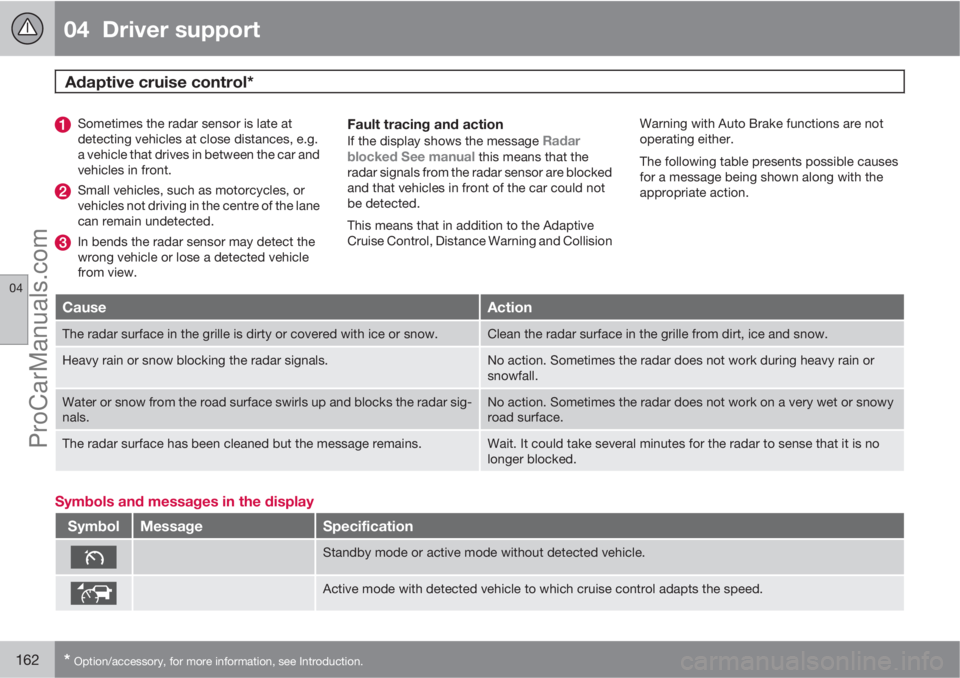
Sometimes the radar sensor is late at
detecting vehicles at close distances, e.g.
a vehicle that drives in between the car and
vehicles in front.
Small vehicles, such as motorcycles, or
vehicles not driving in the centre of the lane
can remain undetected.
In bends the radar sensor may detect the
wrong vehicle or lose a detected vehicle
from view.
Fault tracing and action
If the display shows the message Radar
blocked See manual this means that the
radar signals from the radar sensor are blocked
and that vehicles in front of the car could not
be detected.
This means that in addition to the Adaptive
Cruise Control, Distance Warning and CollisionWarning with Auto Brake functions are not
operating either.
The following table presents possible causes
for a message being shown along with the
appropriate action.
CauseAction
The radar surface in the grille is dirty or covered with ice or snow.Clean the radar surface in the grille from dirt, ice and snow.
Heavy rain or snow blocking the radar signals.No action. Sometimes the radar does not work during heavy rain or
snowfall.
Water or snow from the road surface swirls up and blocks the radar sig-
nals.No action. Sometimes the radar does not work on a very wet or snowy
road surface.
The radar surface has been cleaned but the message remains.Wait. It could take several minutes for the radar to sense that it is no
longer blocked.
Symbols and messages in the display
SymbolMessageSpecification
Standby mode or active mode without detected vehicle.
Active mode with detected vehicle to which cruise control adapts the speed.
ProCarManuals.com
Page 167 of 422
04 Driver support
Distance Warning*
04
* Option/accessory, for more information, see Introduction.165 General
Distance Warning (Distance Alert) is a function
that informs the driver about the time interval
to vehicles in front.
Distance Warning is active at speeds above
30 km/h and only reacts to vehicles driving in
front of the car, in the same direction. No dis-
tance information is provided for oncoming,
slow or stationary vehicles.
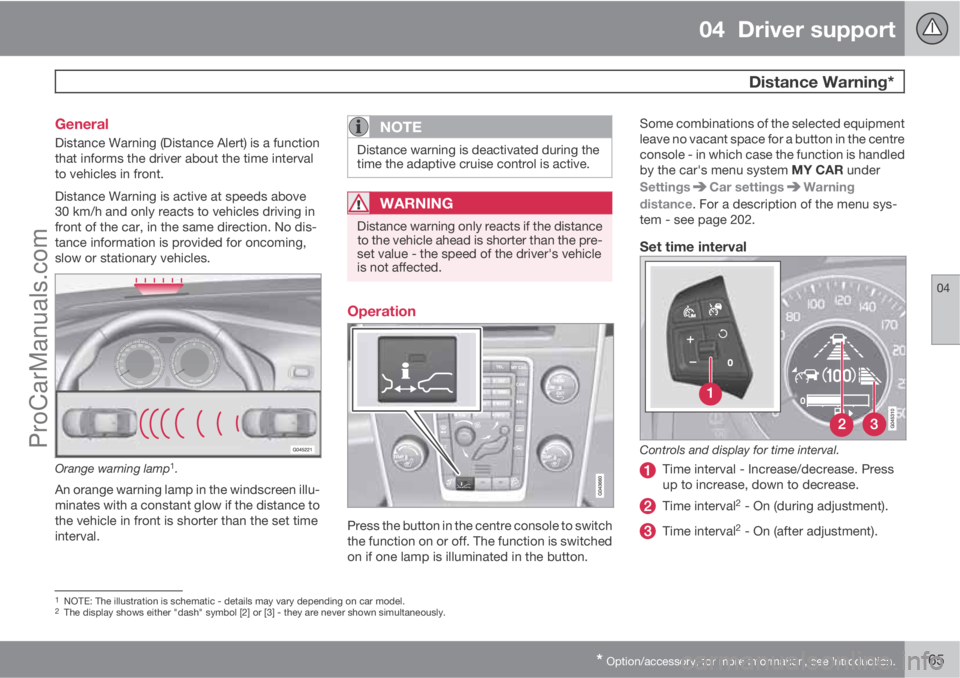
Orange warning lamp1.
An orange warning lamp in the windscreen illu-
minates with a constant glow if the distance to
the vehicle in front is shorter than the set time
interval.
NOTE
Distance warning is deactivated during the
time the adaptive cruise control is active.
WARNING
Distance warning only reacts if the distance
to the vehicle ahead is shorter than the pre-
set value - the speed of the driver's vehicle
is not affected.
Operation
Press the button in the centre console to switch
the function on or off. The function is switched
on if one lamp is illuminated in the button.Some combinations of the selected equipment
leave no vacant space for a button in the centre
console - in which case the function is handled
by the car's menu system MY CAR under
Settings
Car settingsWarning
distance. For a description of the menu sys-
tem - see page 202.
Set time interval
Controls and display for time interval.
Time interval - Increase/decrease. Press
up to increase, down to decrease.
Time interval2 - On (during adjustment).
Time interval2 - On (after adjustment).
1NOTE: The illustration is schematic - details may vary depending on car model.2The display shows either "dash" symbol [2] or [3] - they are never shown simultaneously.
ProCarManuals.com
Page 168 of 422
04 Driver support
Distance Warning*
04
166* Option/accessory, for more information, see Introduction.
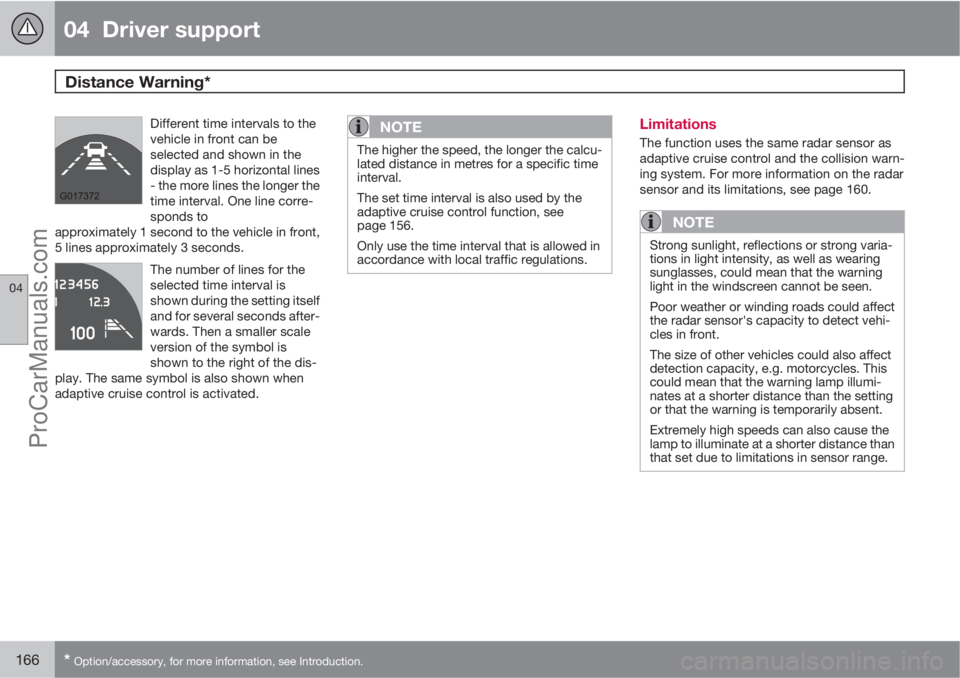
Different time intervals to the
vehicle in front can be
selected and shown in the
display as 1-5 horizontal lines
- the more lines the longer the
time interval. One line corre-
sponds to
approximately 1 second to the vehicle in front,
5 lines approximately 3 seconds.
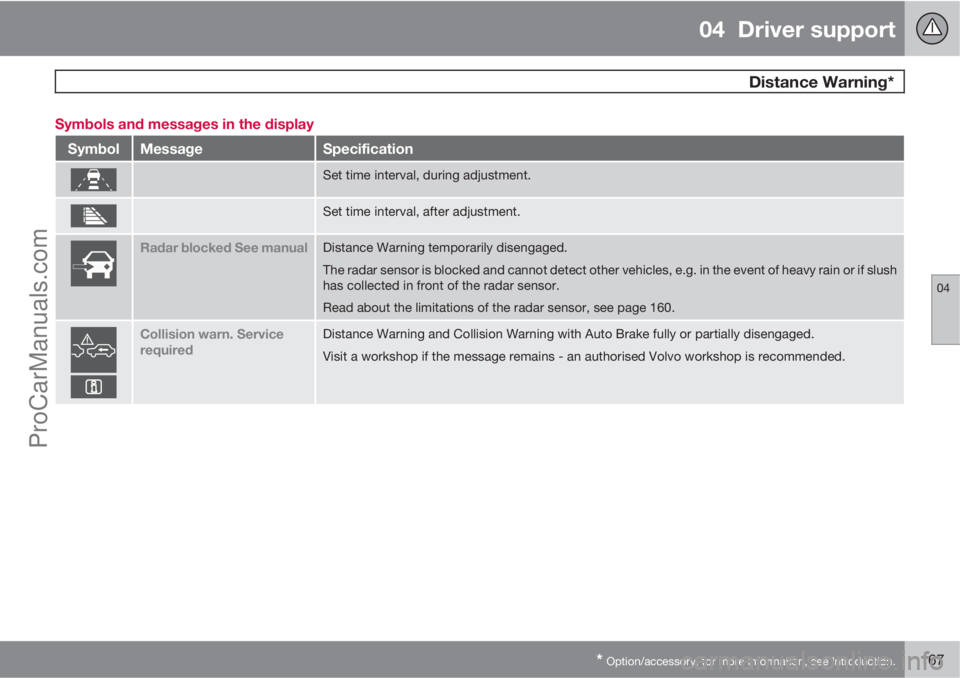
The number of lines for the
selected time interval is
shown during the setting itself
and for several seconds after-
wards. Then a smaller scale
version of the symbol is
shown to the right of the dis-
play. The same symbol is also shown when
adaptive cruise control is activated.
NOTE
The higher the speed, the longer the calcu-
lated distance in metres for a specific time
interval.
The set time interval is also used by the
adaptive cruise control function, see
page 156.
Only use the time interval that is allowed in
accordance with local traffic regulations.
Limitations
The function uses the same radar sensor as
adaptive cruise control and the collision warn-
ing system. For more information on the radar
sensor and its limitations, see page 160.
NOTE
Strong sunlight, reflections or strong varia-
tions in light intensity, as well as wearing
sunglasses, could mean that the warning
light in the windscreen cannot be seen.
Poor weather or winding roads could affect
the radar sensor's capacity to detect vehi-
cles in front.
The size of other vehicles could also affect
detection capacity, e.g. motorcycles. This
could mean that the warning lamp illumi-
nates at a shorter distance than the setting
or that the warning is temporarily absent.
Extremely high speeds can also cause the
lamp to illuminate at a shorter distance than
that set due to limitations in sensor range.
ProCarManuals.com
Page 169 of 422
04 Driver support
Distance Warning*
04
* Option/accessory, for more information, see Introduction.167 Symbols and messages in the display
SymbolMessageSpecification
Set time interval, during adjustment.
Set time interval, after adjustment.
Radar blocked See manualDistance Warning temporarily disengaged.
The radar sensor is blocked and cannot detect other vehicles, e.g. in the event of heavy rain or if slush
has collected in front of the radar sensor.
Read about the limitations of the radar sensor, see page 160.
Collision warn. Service
requiredDistance Warning and Collision Warning with Auto Brake fully or partially disengaged.
Visit a workshop if the message remains - an authorised Volvo workshop is recommended.
ProCarManuals.com
Page 171 of 422
04 Driver support
City Safety™
04
169
If the difference in speed between the vehicles
is greater than 15 km/h then City Safety™ may
not prevent the collision on its own. To obtain
full brake force, the driver must depress the
brake pedal. This could then make it possible
to prevent a collision, even at speed differen-
ces above 15 km/h.
When the function is activated and brakes, the
instrument panel display shows a message to
the effect that the function is/has been active.
NOTE
The brake lights come on when City
Safety™ brakes the car.
Operation
NOTE
The City Safety™ function is always ena-
bled after the engine has been started via
key position I and II (see page 78 on key
positions).
On and OffIn certain situations, it may advisable to disable
City Safety™, e.g. where leafy branches could
sweep over the bonnet and/or windscreen.
After starting the engine City Safety™ can be
deactivated as follows:
•Using MY CAR on the centre console dis-
play screen with its menu system, search
and locate Settings
Car settings
Driver support systemsCity Safety.
Select the
Off option. For more information
on the menu system MY CAR, see
page 202.
However, the function will be enabled the
next time the engine is started, regardless
of whether the system was enabled or dis-
abled when the engine was switched off.
WARNING
The laser sensor also transmits laser light
when City Safety™ is disabled manually.
To enable City Safety™ again:
•Follow the same procedure as for disa-
bling, but select the On option.
Limitations
The sensor in City Safety™ is designed to
detect cars and other large vehicles in front of
the car irrespective of whether it is day or night.
However, the sensor has limitations and has
poorer functionality - or none at all - in e.g.
heavy snowfall or rain, dense fog, dust storms
or snow flurries. Mist, dirt, ice or snow on the
windscreen may disrupt the function.Low-hanging objects, e.g. a flag/pennant for
projecting load, or accessories such as auxili-
ary lamps and bull bars that are higher than the
bonnet limit the function.
The laser light from the sensor in City
Safety™ measures how the light is reflected.
The sensor cannot detect objects with low
reflection capacity. The rear sections of the
vehicle generally reflect the light sufficiently
thanks to the number plate and rear light reflec-
tors.
On slippery road surfaces the braking distance
is extended, which may reduce the capacity of
City Safety™ to avoid a collision. In such sit-
uations the ABS and DSTC systems will pro-
vide best possible braking force with main-
tained stability.
When your own car is reversing, City Safety™
is temporarily deactivated.
City Safety™ is not activated at low speeds -
under 4 km/h, which is why the system does
not intervene in situations where a vehicle in
front is being approached very slowly, e.g.
when parking.
Driver commands are always prioritised, which
is why City Safety™ does not intervene in sit-
uations where the driver is steering or acceler-
ating in a clear manner, even if a collision is
unavoidable.
ProCarManuals.com
Page 173 of 422
04 Driver support
City Safety™
04
171 Laser sensor
The City Safety™ function includes a sensor
which transmits laser light. Contact a qualified
workshop in the event of a fault or if the laser
sensor needs servicing - an authorised Volvo
workshop is recommended.
WARNING
Never look into the laser sensor (which
emits spreading invisible laser radiation) at
a distance of 100 mm or closer with magni-
fying optics such as a magnifying glass,
microscope, lens or similar optical instru-
ments - this would involve a risk of eye injury
(the illustration on page 168 shows sensor
location).
For more information on the laser sensor, see
page 9.
Symbols and messages in the display
In conjunction with automatic braking by the
City Safety™ system, one or more symbols
may illuminate on the instrument panel and a
message may appear on its display.
A text message can be acknowledged by
briefly pressing the OK button on the direction
indicator stalk.
ProCarManuals.com
Page 177 of 422
04 Driver support
Collision Warning with Auto Brake & Pedestrian Protection*
04
* Option/accessory, for more information, see Introduction.175 Detection of pedestrians
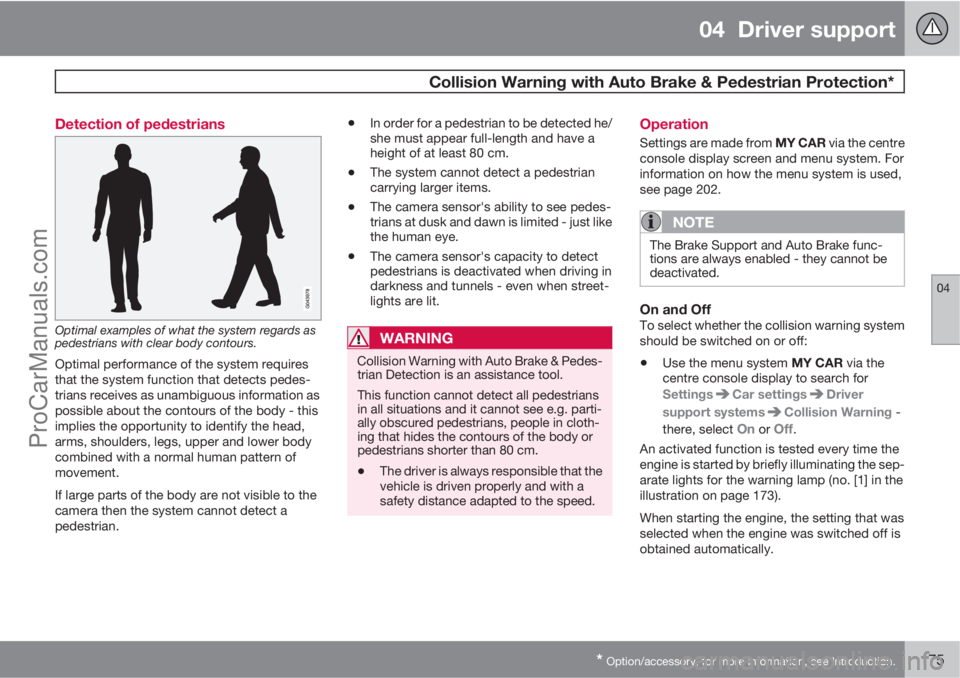
Optimal examples of what the system regards as
pedestrians with clear body contours.
Optimal performance of the system requires
that the system function that detects pedes-
trians receives as unambiguous information as
possible about the contours of the body - this
implies the opportunity to identify the head,
arms, shoulders, legs, upper and lower body
combined with a normal human pattern of
movement.
If large parts of the body are not visible to the
camera then the system cannot detect a
pedestrian.
•In order for a pedestrian to be detected he/
she must appear full-length and have a
height of at least 80 cm.
•The system cannot detect a pedestrian
carrying larger items.
•The camera sensor's ability to see pedes-
trians at dusk and dawn is limited - just like
the human eye.
•The camera sensor's capacity to detect
pedestrians is deactivated when driving in
darkness and tunnels - even when street-
lights are lit.
WARNING
Collision Warning with Auto Brake & Pedes-
trian Detection is an assistance tool.
This function cannot detect all pedestrians
in all situations and it cannot see e.g. parti-
ally obscured pedestrians, people in cloth-
ing that hides the contours of the body or
pedestrians shorter than 80 cm.
•The driver is always responsible that the
vehicle is driven properly and with a
safety distance adapted to the speed.
Operation
Settings are made from MY CAR via the centre
console display screen and menu system. For
information on how the menu system is used,
see page 202.
NOTE
The Brake Support and Auto Brake func-
tions are always enabled - they cannot be
deactivated.
On and OffTo select whether the collision warning system
should be switched on or off:
•Use the menu system MY CAR via the
centre console display to search for
Settings
Car settingsDriver
support systems
Collision Warning -
there, select
On or Off.
An activated function is tested every time the
engine is started by briefly illuminating the sep-
arate lights for the warning lamp (no. [1] in the
illustration on page 173).
When starting the engine, the setting that was
selected when the engine was switched off is
obtained automatically.
ProCarManuals.com
Page 178 of 422
04 Driver support
Collision Warning with Auto Brake & Pedestrian Protection*
04
176* Option/accessory, for more information, see Introduction.
Activating/deactivating warning signalsThe warning lamp (no. [1] in the illustration on
page 173) is activated automatically when the
engine is started if Collision Warning is ena-
bled.
The warning sound can be activated/deacti-
vated separately:
•Select On or Off in the menu system MY
CAR under Settings
Car settings
Driver support systemsCollision
Warning
Warning sound.
Set warning distanceThe warning distance regulates the distance at
which the visual and acoustic warnings are
deployed.
•Select one of the options from Long,Normal or Short in the menu system MY
CAR under Settings
Car settings
Driver support systemsCollision
Warning
Warning distance.
The warning distance determines the system's
sensitivity. Warning distance
Long provides an
earlier warning. First test with Long and if this
setting produces too many warnings, which
could be perceived as irritating in certain sit-uations, then change to warning distance
Normal.
Only use warning distance
Short in excep-
tional cases, e.g. for dynamic driving.
NOTE
When the adaptive cruise control is in use
the warning lamp and warning sound will be
used by the cruise control even if the colli-
sion warning system is switched off.
The collision warning system warns the
driver in the event of a risk of a collision, but
the function cannot shorten driver reaction
time.
In order for the collision warning system to
be effective, always drive with the Distance
Alert set at time interval 4 – 5. see
page 165.
NOTE
Even if the warning distance has been set toLong warnings could be perceived as being
late in certain situations, e.g. when there are
large differences in speed or if vehicles in
front brake heavily.
WARNING
No automatic system can guarantee
100 % correct function in all situations.
Therefore, never test the Auto Brake system
by driving at people or vehicles - this may
cause severe damage and injury and risk
lives.
Checking settingsThe settings required can be controlled on the
centre console display screen. Search with the
menu system MY CAR under Settings
Car
settings
Driver support systems
Collision Warning, see page 202.
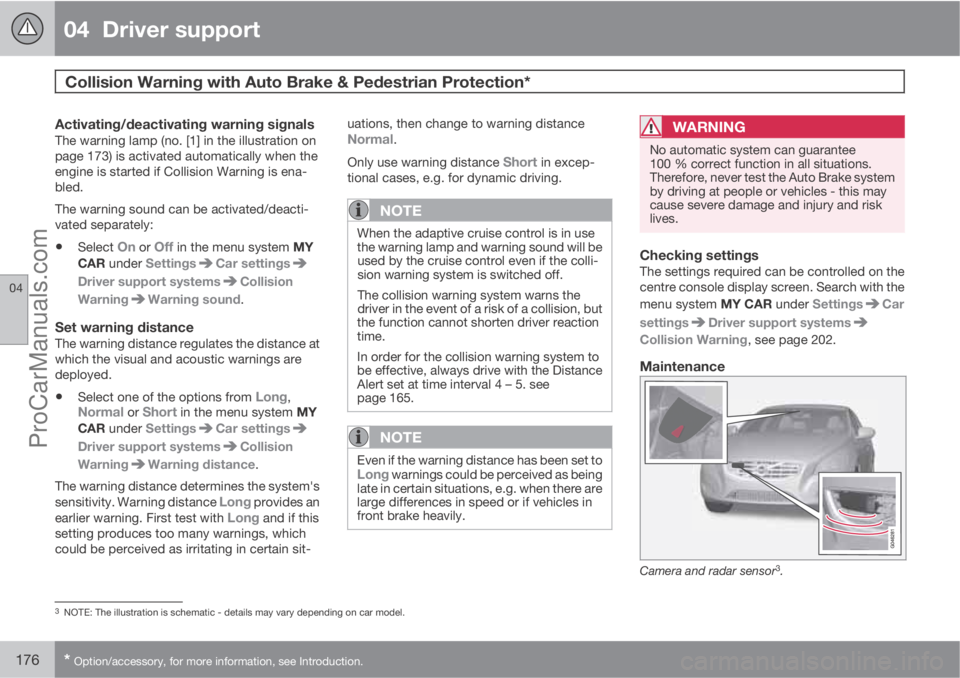
Maintenance
Camera and radar sensor3.
3NOTE: The illustration is schematic - details may vary depending on car model.
ProCarManuals.com