light VOLVO V60 2021 Owners Manual
[x] Cancel search | Manufacturer: VOLVO, Model Year: 2021, Model line: V60, Model: VOLVO V60 2021Pages: 661, PDF Size: 12.68 MB
Page 335 of 661
DRIVER SUPPORT
}}
333
City Safety limitationsCity Safety 81
functionality may be reduced in
certain situations.
Surroundings
Low objects
Hanging objects, such as flags for overhang- ing loads or accessories such as auxiliarylights or front protective grids that extendbeyond the height of the hood, may limit City Safety functionality.
Slippery road conditions
The extended braking distance on slippery roads may reduce City Safety's capacity tohelp avoid a collision. In these types of situa-tions, the Anti-lock Braking System and Elec- tronic Stability Control (ESC 82
) are designed
for optimal braking power with maintained stability.
Backlighting
The visual warning signal in the windshield may be difficult to detect in bright sunlight, ifthere are reflections, or if the driver is wearingsunglasses or not looking straight ahead.
Heat
If the temperature in the passenger compart- ment is high due to e.g. bright sunlight, thevisual warning signal in the windshield may betemporarily disabled.
Camera and radar sensor's field of vision
The camera's field of vision is limited and in certain situations, it may be unable to detectpedestrians, large animals, cyclists or vehicles,or it may detect them later than expected. Vehicles that are dirty may be detected later than clean vehicles, and in dark conditions,motorcycles may be detected late or not at all. If a text message displayed in the instrument panel indicates that the camera or radar sen-sor is obstructed, it may be difficult for CitySafety to detect pedestrians, large animals,cyclists, vehicles or lane markings in front ofthe vehicle. City Safety functionality maytherefore be reduced. Text messages may not be displayed for all sit- uations in which the windshield sensors areblocked. The driver must therefore alwayskeep the windshield in front of the camera/radar sensor clean.
CAUTION
Only a workshop may perform mainte- nance on driver support components – anauthorized Volvo workshop is recom-mended.
Driver intervention
Backing up
City Safety is temporarily deactivated when the vehicle is backing up.
Low speed
City Safety is not activated at very low speeds under 4 km/h (3 mph). The system will there-fore not intervene in situations in which yourvehicle is approaching another vehicle veryslowly, such as when parking.
Active driver
Action by the driver always has priority. City Safety will therefore not react or will react at alater stage with a warning or intervention insituations in which the driver is clearly steeringand operating the accelerator pedal, even if acollision is unavoidable. An active and aware driving style may there- fore delay collision warnings and interventionin order to minimize unnecessary warnings.
81 This function is not available on all markets.
82 Electronic Stability Control
Page 336 of 661
||
DRIVER SUPPORT
334
Important warnings
WARNING
The driver support system only issues a warning for obstacles detected by its radarsensor – thus, a warning may come after adelay or not at all. Never wait for a warning or assistance. Apply the brakes when necessary.
WARNING
Warnings and brake interventions can be triggered late or not at all if the traf-fic situation or external influences pre-vent the camera and radar unit fromproperly detecting pedestrians,cyclists, large animals or vehiclesahead of the vehicle.
To be able to detect vehicles at night,its front and rear lights must work andilluminate clearly.
The camera and radar unit have a lim-ited range for pedestrians and cyclists– the system can provide effectivewarnings and brake interventions if therelative speed is lower than 50 km/h(30 mph). For stationary or slow-mov-ing vehicles, warnings and brake inter-ventions are effective at vehicle speedsof up to 70 km/h (43 mph). Speedreduction for large animals is less than15 km/h (9 mph) and can be achievedat vehicle speeds over 70 km/h(43 mph). At lower speeds, the warn-ing and brake intervention for large ani-mals is less effective.
Warnings for stationary or slow-mov-ing vehicles and large animals can bedisengaged due to darkness or poorvisibility.
Warnings and brake interventions for pedestrians and cyclists are disen-gaged at vehicle speeds over 80 km/h(50 mph).
Do not place, affix or mount anythingon the inside or outside of the wind-shield, or in front of or around the cam-era and radar unit – this could disruptcamera-based functions.
Objects, snow, ice or dirt in the area ofthe camera sensor can reduce thefunction, disengage it completely orgive an improper function response.
Page 340 of 661
DRIVER SUPPORT
* Option/accessory.
338
Activating or deactivating steering assistance during collision risks
The steering assistance function is optional – the driver can choose to have it activated ordeactivated.
Activate or deactivate the function using this button inthe center display's Functionview.
GREEN button indicator light – the func- tion is activated.
GRAY button indicator light – the functionis deactivated.
The function is automatically activated each time the engine is started 83
.
NOTE
When the Collision avoidance function is
deactivated, all subfunctions of the follow- ing are deactivated:
Steering assistance at risk of run-off
Steering assistance at risk of head-oncollision
Steering assistance during collision risks from behind
*
Although it is possible to deactivate the function, the driver is advised to keep itactivated since it can help improve drivingsafety in most cases.
Related information
Steering assistance at risk of collision (p. 337)
Steering assistance during collision riskslimitations (p. 341)
Run-Off Mitigation with steering assistance
Steering assistance has several sub-func- tions. Run-Off Mitigation with steering assis-tance can help the driver and reduce the riskof the vehicle inadvertently running off theroad by actively steering the vehicle backonto the road.
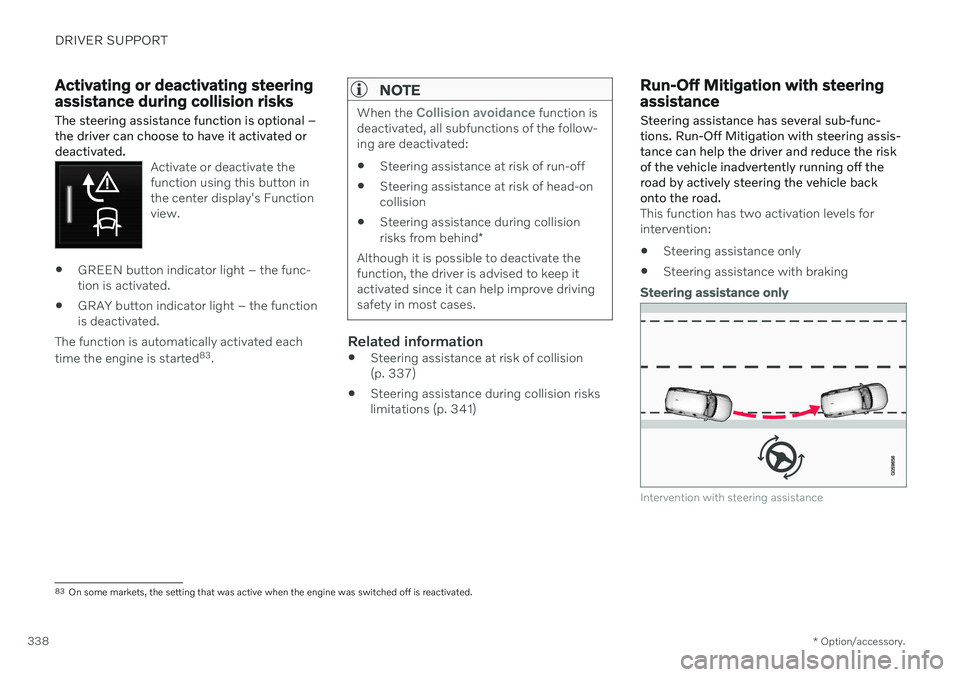
This function has two activation levels for intervention: Steering assistance only
Steering assistance with braking
Steering assistance only
Intervention with steering assistance
83
On some markets, the setting that was active when the engine was switched off is reactivated.
Page 342 of 661
||
DRIVER SUPPORT
* Option/accessory.
340 The function is active at speeds between
60-140 km/h (37-87 mph) on roads with clearly visible traffic lane markings/lines. If your vehicle is starting to veer from your own lane and a vehicle is approaching fromthe opposite direction, this function can helpthe driver steer the vehicle back into its ownlane. However, the function will not provide steer-
ing assistance if the turn signal is used. The function will also not be activated if it detectsthat the driver is actively operating the vehicle.
Related information
Steering assistance at risk of collision(p. 337)
Collision risk warning from driver support(p. 311)
Steering assistance during collision riskslimitations (p. 341)
Steering assistance during collision risks from behind
*
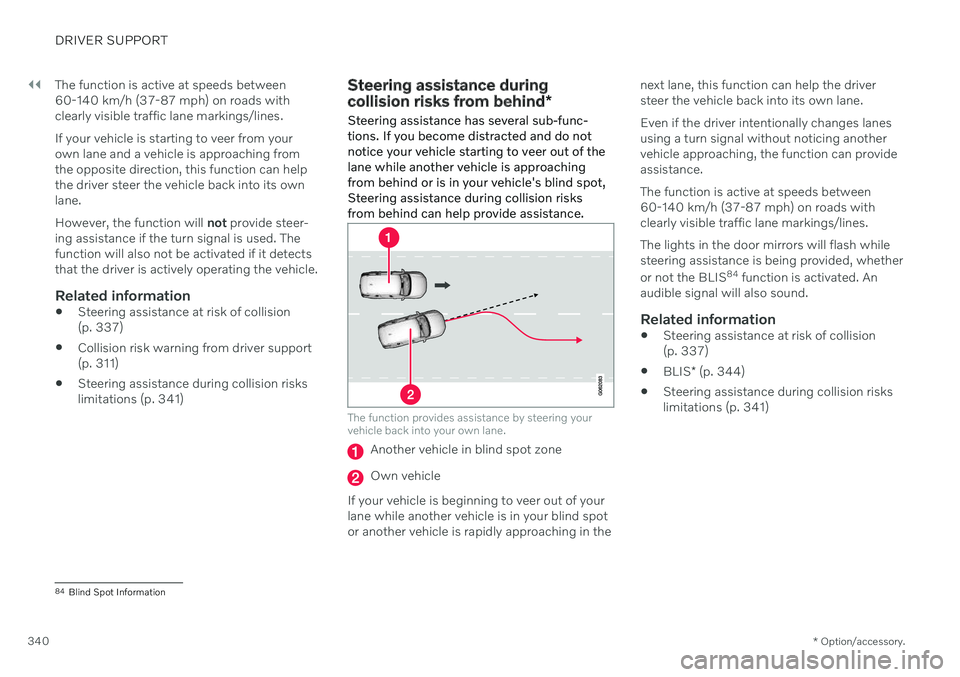
Steering assistance has several sub-func- tions. If you become distracted and do notnotice your vehicle starting to veer out of thelane while another vehicle is approachingfrom behind or is in your vehicle's blind spot,Steering assistance during collision risksfrom behind can help provide assistance.
The function provides assistance by steering your vehicle back into your own lane.
Another vehicle in blind spot zone
Own vehicle
If your vehicle is beginning to veer out of your lane while another vehicle is in your blind spotor another vehicle is rapidly approaching in the next lane, this function can help the driversteer the vehicle back into its own lane. Even if the driver intentionally changes lanes using a turn signal without noticing anothervehicle approaching, the function can provideassistance. The function is active at speeds between 60-140 km/h (37-87 mph) on roads withclearly visible traffic lane markings/lines. The lights in the door mirrors will flash while steering assistance is being provided, whether or not the BLIS
84
function is activated. An
audible signal will also sound.
Related information
Steering assistance at risk of collision (p. 337)
BLIS
* (p. 344)
Steering assistance during collision riskslimitations (p. 341)
84
Blind Spot Information
Page 346 of 661
||
DRIVER SUPPORT
* Option/accessory.
344
Related information
Rear Collision Warning
* (p. 343)
Setting a warning distance for City Safety (p. 326)
Camera/radar sensor limitations (p. 383)
BLIS
*
The BLIS 88
function is designed to help pro-
vide assistance in heavy traffic with several lanes moving in the same direction by helpingthe driver to detect the presence of vehiclesin the "blind spot" area behind and to the sideof the vehicle.
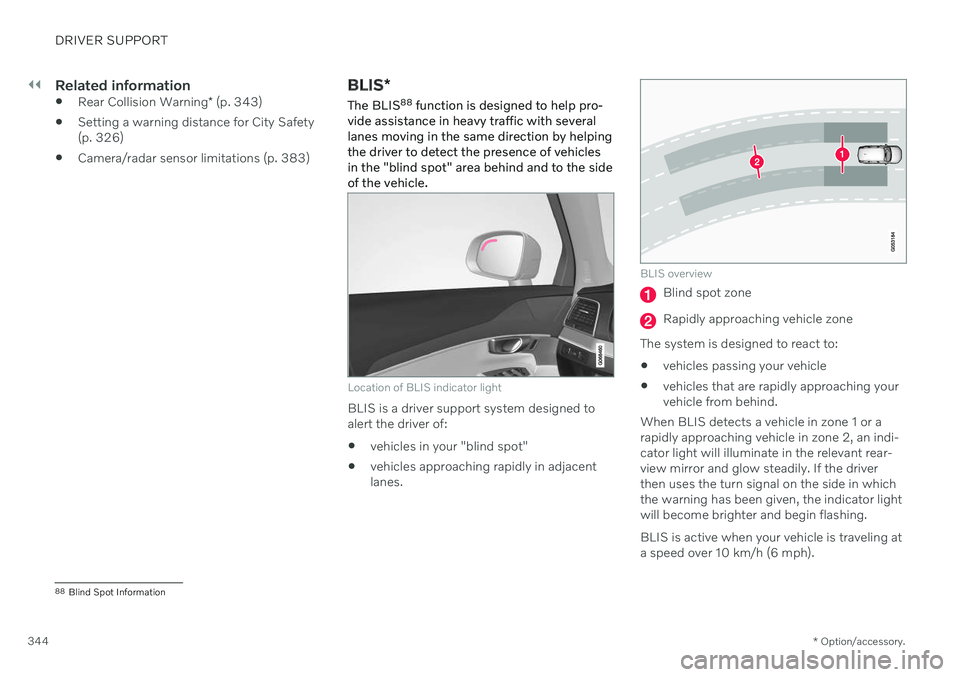
Location of BLIS indicator light
BLIS is a driver support system designed to alert the driver of:
vehicles in your "blind spot"
vehicles approaching rapidly in adjacentlanes.
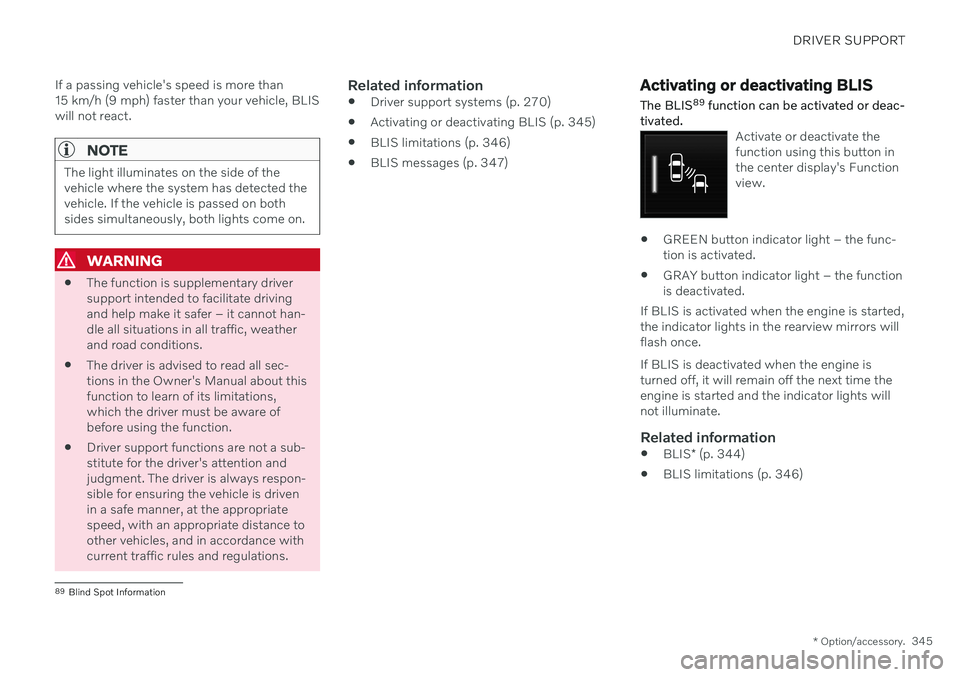
BLIS overview
Blind spot zone
Rapidly approaching vehicle zone
The system is designed to react to:
vehicles passing your vehicle
vehicles that are rapidly approaching your vehicle from behind.
When BLIS detects a vehicle in zone 1 or arapidly approaching vehicle in zone 2, an indi-cator light will illuminate in the relevant rear-view mirror and glow steadily. If the driverthen uses the turn signal on the side in whichthe warning has been given, the indicator lightwill become brighter and begin flashing. BLIS is active when your vehicle is traveling at a speed over 10 km/h (6 mph).
88 Blind Spot Information
Page 347 of 661
DRIVER SUPPORT
* Option/accessory.345
If a passing vehicle's speed is more than 15 km/h (9 mph) faster than your vehicle, BLISwill not react.
NOTE
The light illuminates on the side of the vehicle where the system has detected thevehicle. If the vehicle is passed on bothsides simultaneously, both lights come on.
WARNING
The function is supplementary driver support intended to facilitate drivingand help make it safer – it cannot han-dle all situations in all traffic, weatherand road conditions.
The driver is advised to read all sec-tions in the Owner's Manual about thisfunction to learn of its limitations,which the driver must be aware ofbefore using the function.
Driver support functions are not a sub-stitute for the driver's attention andjudgment. The driver is always respon-sible for ensuring the vehicle is drivenin a safe manner, at the appropriatespeed, with an appropriate distance toother vehicles, and in accordance withcurrent traffic rules and regulations.
Related information
Driver support systems (p. 270)
Activating or deactivating BLIS (p. 345)
BLIS limitations (p. 346)
BLIS messages (p. 347)
Activating or deactivating BLIS
The BLIS 89
function can be activated or deac-
tivated.
Activate or deactivate the function using this button inthe center display's Functionview.
GREEN button indicator light – the func- tion is activated.
GRAY button indicator light – the functionis deactivated.
If BLIS is activated when the engine is started,the indicator lights in the rearview mirrors willflash once. If BLIS is deactivated when the engine is turned off, it will remain off the next time theengine is started and the indicator lights willnot illuminate.
Related information
BLIS
* (p. 344)
BLIS limitations (p. 346)
89
Blind Spot Information
Page 352 of 661
DRIVER SUPPORT
* Option/accessory.
350
Driver Alert Control limitations
Driver Alert Control (DAC) functionality may be reduced in certain situations.
In certain situations, the system may provide a warning even if it has not detected a change indriving behavior, e.g.: in strong crosswinds
on grooved road surfaces.
WARNING
In certain cases, driving behavior might not be affected despite the driver's fatigue – when using the Pilot Assist
* function –
resulting in the driver not getting a warning from DAC. It is therefore very important to always stop and take a break at the slightest signof fatigue, regardless of whether the func-tion has issued a warning or not.
NOTE
The function uses the vehicle's camera and radar sensor, which has certain generallimitations.
Related information
Driver Alert Control (p. 348)
Camera/radar sensor limitations (p. 383)
Distance Alert
*93
The Distance Alert function can help the driver become aware if the time interval tothe vehicle in front is too short. The vehicle must be equipped with a head-up display * in
order to display Distance Alert.
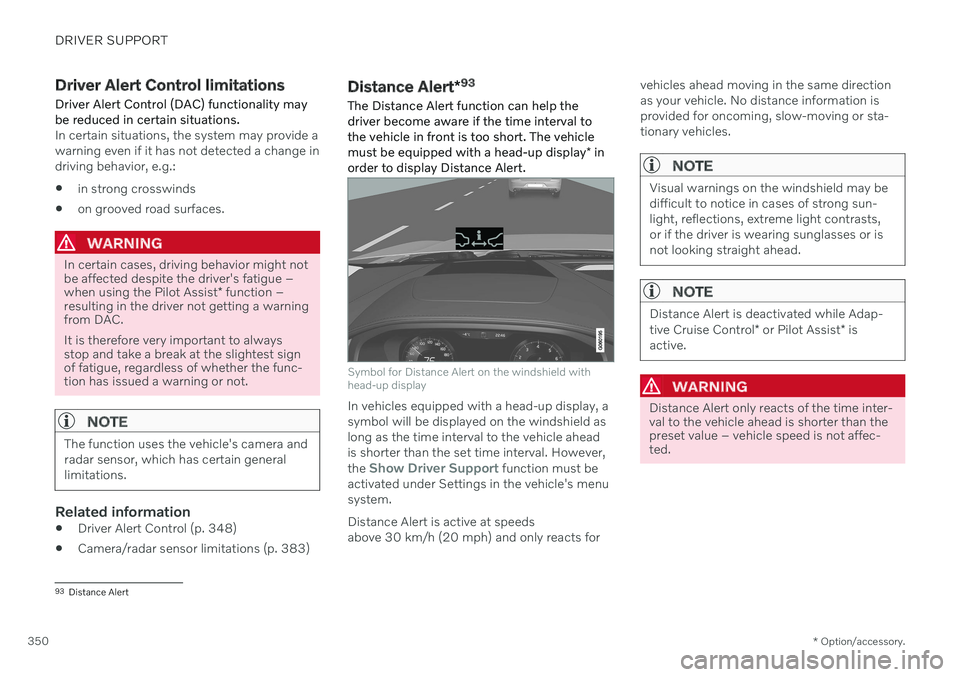
Symbol for Distance Alert on the windshield with head-up display
In vehicles equipped with a head-up display, a symbol will be displayed on the windshield aslong as the time interval to the vehicle aheadis shorter than the set time interval. However, the
Show Driver Support function must be
activated under Settings in the vehicle's menu system. Distance Alert is active at speeds above 30 km/h (20 mph) and only reacts for vehicles ahead moving in the same directionas your vehicle. No distance information isprovided for oncoming, slow-moving or sta-tionary vehicles.
NOTE
Visual warnings on the windshield may be difficult to notice in cases of strong sun-light, reflections, extreme light contrasts,or if the driver is wearing sunglasses or isnot looking straight ahead.
NOTE
Distance Alert is deactivated while Adap- tive Cruise Control
* or Pilot Assist * is
active.
WARNING
Distance Alert only reacts of the time inter- val to the vehicle ahead is shorter than thepreset value – vehicle speed is not affec-ted.
93 Distance Alert
Page 353 of 661
DRIVER SUPPORT
* Option/accessory.351
WARNING
The function is supplementary driver support intended to facilitate drivingand help make it safer – it cannot han-dle all situations in all traffic, weatherand road conditions.
The driver is advised to read all sec-tions in the Owner's Manual about thisfunction to learn of its limitations,which the driver must be aware ofbefore using the function.
Driver support functions are not a sub-stitute for the driver's attention andjudgment. The driver is always respon-sible for ensuring the vehicle is drivenin a safe manner, at the appropriatespeed, with an appropriate distance toother vehicles, and in accordance withcurrent traffic rules and regulations.
Related information
Activating or deactivating Distance Alert(p. 351)
Distance Alert limitations (p. 351)
Setting time interval to the vehicle ahead(p. 314)
Collision risk warning from driver support(p. 311)
Head-up display
* (p. 140)
Activating or deactivating Distance Alert 94
Distance Alert can be turned off. The function is only available in vehicles that can displayinformation on the windshield with a head-up display *.
Activate or deactivate the function using this button inthe center display's Functionview.
GREEN button indicator light – the func- tion is activated.
GRAY button indicator light – the functionis deactivated.
Distance Alert is automatically activated eachtime the engine is started.
Related information
Distance Alert
* (p. 350)
Distance Alert limitations (p. 351)
Distance Alert limitations 95
Distance Alert functionality may be reduced in certain situations. The function is onlyavailable in vehicles that can display informa-tion on the windshield with a head-up dis- play *.
WARNING
Detection ability may be affected by vehicle size, e.g. motorcycles, whichcan cause the warning light to come onat a shorter time interval than that setor cause the warning to be temporarilyabsent.
Very high speeds can cause the light tocome on at a shorter time interval thanthat set due to limitations in the rangeof the radar unit.
NOTE
The function uses the vehicle's camera and radar sensor, which has certain generallimitations.
Related information
Distance Alert
* (p. 350)
Camera/radar sensor limitations (p. 383)
Head-up display
* (p. 140)
Page 355 of 661
DRIVER SUPPORT
}}
* Option/accessory.353
Related information
Driver support systems (p. 270)
Activating or deactivating Cross Traffic Alert
* (p. 353)
Cross Traffic Alert
* limitations (p. 353)
Cross Traffic Alert
* messages (p. 355)
BLIS
* (p. 344)
Park Assist
* (p. 356)
Activating or deactivating Cross Traffic Alert *98
The driver can choose to deactivate the Cross
Traffic Alert (CTA) function.
Activate or deactivate the function using this button inthe center display's Functionview.
GREEN button indicator light – the func- tion is activated.
GRAY button indicator light – the functionis deactivated.
The function is automatically activated eachtime the engine is started.
Related information
Cross Traffic Alert
* (p. 352)
Cross Traffic Alert
* limitations (p. 353)
Cross Traffic Alert
* messages (p. 355)
Cross Traffic Alert *99
limitations
The Cross Traffic Alert (CTA) function with auto brake may have limited functionality in
certain situations. Auto-brake is active atspeeds under 15 km/h (9.3 mph).
WARNING
The auto-brake sub-function can only
detect and apply the brakes for other mov- ing vehicles – not for e.g. stationary obsta-
cles, cyclists or pedestrians.
The function has certain limitations – the sen- sors, for example, cannot "see" through otherparked vehicles or objects blocking the vehi-cle. Below are a few examples of situations in which the function's field of vision may be ini-tially limited and approaching vehicles maytherefore not be detected until they are veryclose to your vehicle:
98 Warning for crossing traffic when the vehicle is backing up.
99 Warning for crossing traffic when the vehicle is backing up.
Page 359 of 661
DRIVER SUPPORT
}}
* Option/accessory.357
Related information
Driver support systems (p. 270)
Park Assist front, rear and sides
* (p. 357)
Activating or deactivating Park Assist
*
(p. 358)
Park Assist symbols and messages (p. 360)
Park Assist limitations (p. 359)
Park Assist front, rear and sides
*
Park Assist (PAS 102
) behaves differently
depending on which part of the vehicle is approaching an obstacle.
Front camera
The warning signal has a continuous tone when the obstacle is less than approx. 30 cm (1 ft) from thevehicle.
The Park Assist system's front sensors are automatically activated when the engine isstarted. They are active at speedsbelow 10 km/h (6 mph). The distance monitored extends approx. 80 cm (2.5 ft) in front of the vehicle.
NOTE
The Park Assist system is deactivated when the parking brake is used or when P
is selected on vehicles with automatictransmission.
CAUTION
When installing auxiliary lights: Make sure these do not obscure the sensors – theauxiliary lights could be perceived as anobstacle.
Back
The warning signal has a continuous tone when the obstacle is less than approx. 30 cm (1 ft) from thevehicle.
102 Park Assist System