climate control VOLVO V60 2021 Workshop Manual
[x] Cancel search | Manufacturer: VOLVO, Model Year: 2021, Model line: V60, Model: VOLVO V60 2021Pages: 661, PDF Size: 12.68 MB
Page 415 of 661
STARTING AND DRIVING
}}
* Option/accessory.413
Automatic transmission symbols and messages If a problem occurs with the transmission, a symbol and a message are displayed in theinstrument panel.
CAUTION
Check the operating temperature of the transmission to help avoid damage to anyof the drive system components. If there isa risk of overheating, a warning symbol willappear in the instrument panel and a textmessage will be displayed. Follow the rec-ommendations given.
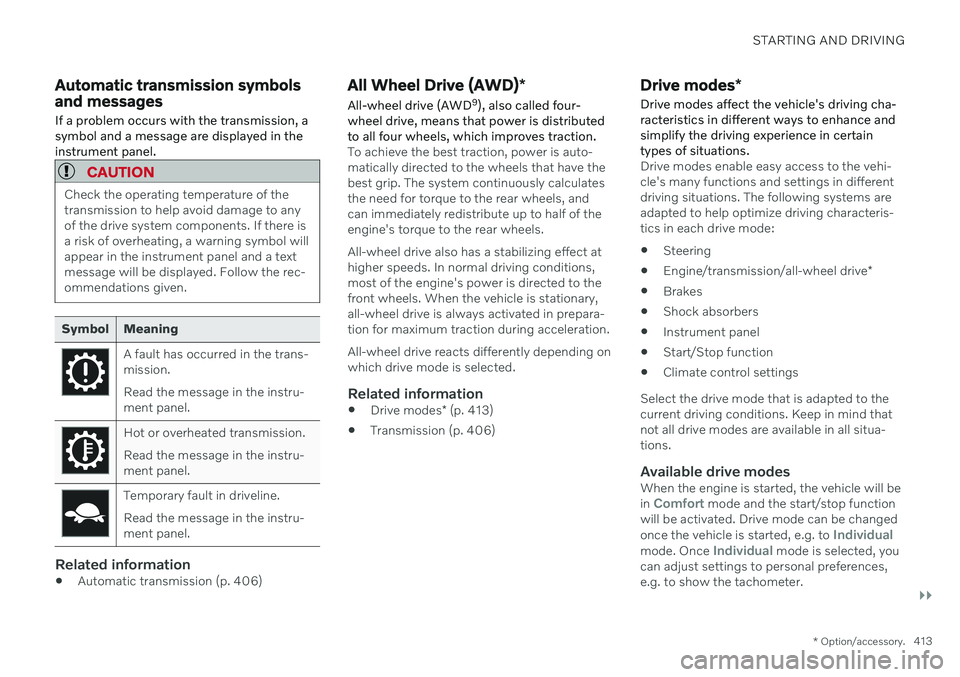
Symbol Meaning
A fault has occurred in the trans- mission. Read the message in the instru- ment panel.
Hot or overheated transmission. Read the message in the instru- ment panel.
Temporary fault in driveline. Read the message in the instru- ment panel.
Related information
Automatic transmission (p. 406)
All Wheel Drive (AWD)
*
All-wheel drive (AWD 9
), also called four-
wheel drive, means that power is distributed to all four wheels, which improves traction.
To achieve the best traction, power is auto- matically directed to the wheels that have thebest grip. The system continuously calculatesthe need for torque to the rear wheels, andcan immediately redistribute up to half of theengine's torque to the rear wheels. All-wheel drive also has a stabilizing effect at higher speeds. In normal driving conditions,most of the engine's power is directed to thefront wheels. When the vehicle is stationary,all-wheel drive is always activated in prepara-tion for maximum traction during acceleration. All-wheel drive reacts differently depending on which drive mode is selected.
Related information
Drive modes
* (p. 413)
Transmission (p. 406)
Drive modes
*
Drive modes affect the vehicle's driving cha- racteristics in different ways to enhance andsimplify the driving experience in certaintypes of situations.
Drive modes enable easy access to the vehi- cle's many functions and settings in differentdriving situations. The following systems areadapted to help optimize driving characteris-tics in each drive mode: Steering
Engine/transmission/all-wheel drive
*
Brakes
Shock absorbers
Instrument panel
Start/Stop function
Climate control settings
Select the drive mode that is adapted to the current driving conditions. Keep in mind thatnot all drive modes are available in all situa-tions.
Available drive modesWhen the engine is started, the vehicle will be in Comfort mode and the start/stop function
will be activated. Drive mode can be changed once the vehicle is started, e.g. to
Individualmode. Once Individual mode is selected, you
can adjust settings to personal preferences, e.g. to show the tachometer.
Page 417 of 661

STARTING AND DRIVING
* Option/accessory.415
3.
Under
Presets, select one of the following
drive modes as a basis: Eco, Comfort,Dynamic or Polestar Engineered* .
The following settings can be modified:
Driver Display
Steering Force
Powertrain Characteristics
Brake Characteristics
Suspension Control
ECO Climate
Start/Stop.
Related information
Changing drive mode
* (p. 415)
Eco drive mode (p. 416)
Economical driving (p. 423)
Start/Stop function (p. 418)
All Wheel Drive (AWD)
* (p. 413)
Driver profiles (p. 134)
Regenerative braking
* (p. 405)
Changing drive mode *
Select the drive mode that is adapted to the current driving conditions. The drive mode is changed using the control in the tunnel console.
Keep in mind that not all drive modes are available in all situations. To change drive mode:
1. Press the DRIVE MODE control.
> A pop-up menu will appear in the cen- ter display.
2. Roll the wheel upward or downward to the desired drive mode. 3. Press the drive mode control or tap its
button in the center display to confirm the selection.
> The selected drive mode is shown inthe instrument panel.
Related information
Drive modes
* (p. 413)
Activating and deactivating Eco drive mode using the function button (p. 418)
Page 418 of 661
STARTING AND DRIVING
* Option/accessory.
416
Eco drive mode
Eco drive mode can help make driving more
fuel-efficient and eco-friendly.
Use this mode to save fuel and promote eco- friendly driving. When
Eco mode is activated, the following
characteristics are modified:
The automatic transmission's shifting points.
Engine control and accelerator pedalresponse.
Eco Coast functionality is activated andengine braking is disabled when the accel-erator pedal is released at speedsbetween 65 and 140 km/h(40 and 87 mph).
Some of the climate system settings willbe reduced or switched off.
Information will be shown in the ECOgauge in the instrument panel to help pro-mote more eco-friendly and economicaldriving.
Coast function Eco CoastEco Coast essentially deactivates engine brak-ing, allowing the vehicle's kinetic energy to beused to roll greater distances. When the driverreleases the accelerator pedal, the transmis-sion is automatically disengaged from theengine. Engine speed is reduced to idlingspeed to reduce fuel consumption. This function is most effective in driving situa-tions where the vehicle can roll freely for along distance e.g. on roads with slight down-grades or when a decrease in speed is antici-pated such as when approaching an area witha lower speed limit.
Activating Eco Coast
The function is activated when the accelerator pedal is fully released and the following condi-tions are met:
Eco drive mode is activated.
The gear selector is in
D.
The vehicle's speed is approximately 65-140 km/h (40-87 mph).
The gradient of the downgrade is less thanapproximately 6%.
COASTING will be displayed in the instrument
panel when Eco Coast is being used.
Limitations
Eco Coast is not available if
the engine and/or transmission are not at normal working temperatures
the gear selector is moved from
D to man-
ual shifting mode
the vehicle's speed is not within the65-140 km/h (40-87 mph) range
the gradient of the downgrade is morethan approximately 6%
the steering wheel paddles
* are being
used for manual shifting.
Deactivating and turning off Eco Coast
In certain situations, it may be advisable to deactivate or turn off Eco Coast so that enginebraking can be used. These situations mightinclude driving down steep hills or beforepassing another vehicle to help ensure thiscan be done as safely as possible. Deactivate Eco Coast by
pressing the accelerator or brake pedal
moving the gear selector to manual mode
using the steering wheel paddles
* to shift.
Turn off Eco Coast by
switching to another drive mode
*
deactivating
Eco drive mode in Function
view.
It is possible to roll short distances even with- out Eco Coast in order to help conserve fuel.However, for the best fuel economy, EcoCoast should be activated and used to rolllonger distances.
Cruise control Eco CruiseWhen cruise control is activated in the Ecodrive mode, the vehicle's acceleration and deceleration will be slower than in other drivemodes to help further conserve fuel. Becauseof this, the vehicle's actual speed may beslightly above or below the set speed.
Page 419 of 661

STARTING AND DRIVING
* Option/accessory.417
On a level road, the vehicle's actual speed may differ from the set speed when cruisecontrol is active and the vehicle is coast-ing.
On a steep uphill gradient, the vehicle'sspeed is reduced until the transmissiondownshifts. Reduced acceleration is theninitiated in order to reach the set speed.
On a downhill gradient in which the vehi-cle is coasting, the vehicle's actual speedmay be slightly above or below the setspeed. The function uses engine brakingto keep the set speed. If necessary, thenormal brakes are also applied.
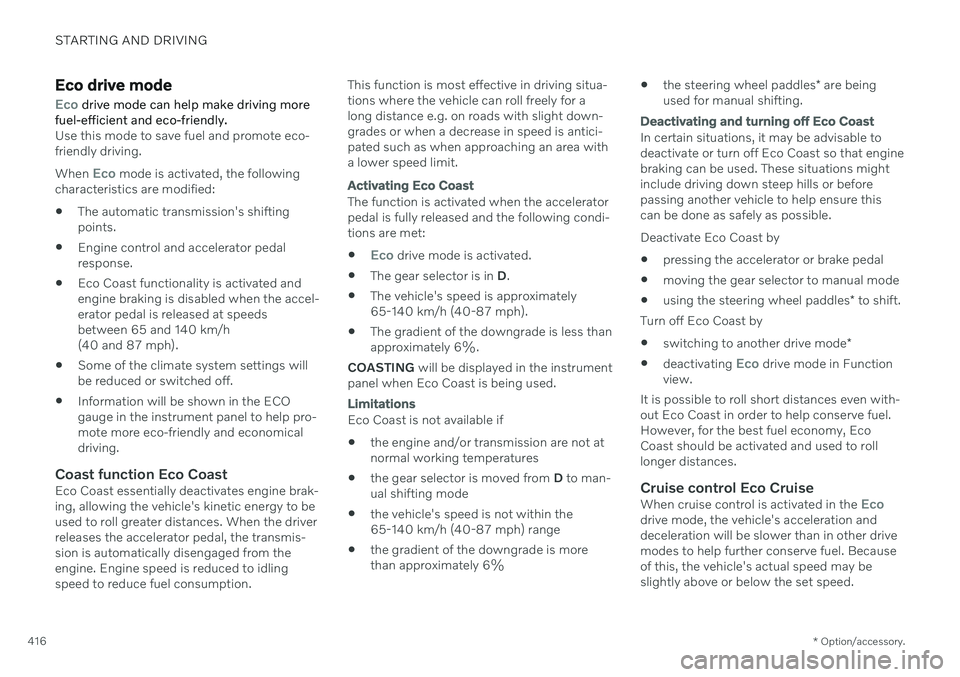
ECO gauge in the instrument panel
Eco gauge in 12" instrument panel
*.
Eco gauge in 8" instrument panel.
The ECO gauge indicates how economical current driving is:
A low reading in the green area of thegauge indicates economical driving.
A high reading is shown when driving isnot economical, e.g. heavy braking orrapid acceleration.
The ECO gauge also has an indicator showinghow a reference driver would drive in the samedriving situation. This is shown by the shortpointer in the gauge.
ECO ClimateIn Eco mode, ECO climate is automatically
activated in the passenger compartment to help reduce energy consumption.
NOTE
When the Eco drive mode is activated, set-
tings for certain climate system and elec- tricity consuming functions are reduced.Some of these settings can be reset man-ually, but full functionality will only be restored by switching off
Eco mode or
adapting the Individual* drive mode to full
climate system functionality.
If condensation forms on the windows, tap the max defroster button, which will function nor-mally.
Related information
Changing drive mode
* (p. 415)
Activating and deactivating Eco drivemode using the function button (p. 418)
Drive modes
* (p. 413)
Economical driving (p. 423)
Start/Stop function (p. 418)
Page 420 of 661

STARTING AND DRIVING
* Option/accessory.
418
Activating and deactivating Eco drive mode using the functionbutton There is a function button for
Eco drive mode
in the center display's Function view if the vehicle is not equipped with a drive modecontrol in the tunnel console.
When the engine is switched off, Eco mode is
deactivated and must therefore be reactivated each time the engine is started. ECO will be
displayed in the instrument panel when thefunction is activated.
Selecting Eco drive mode in the center
display's Function view
–Tap the Driving Mode ECO button to
activate or deactivate the function.
> An indicator light in the button will illu- minate when the function is activated.
Related information
Eco drive mode (p. 416)
Changing drive mode
* (p. 415)
Drive modes
* (p. 413)
Start/Stop function Start/Stop is a function that temporarily switches off the engine when the vehicle hasstopped, e.g. at a traffic light or in heavy traf-fic, and then starts it again automaticallywhen needed.
The Start/Stop function reduces fuel con- sumption, which helps to reduce exhaustemissions. The system makes it possible to drive more economically and climate-smart by letting theengine auto-stop when appropriate.
Related information
Driving with the Start/Stop function(p. 418)
Conditions for the Start/Stop function(p. 420)
Drive modes
* (p. 413)
Driving with the Start/Stop function
Start/stop is a function that temporarily turns off the engine when the vehicle is stationaryand then automatically starts it when needed.
The Start/Stop function is available when the ignition is started and can be activated if cer-tain conditions are met. The instrument panel indicates when the func- tion is
Available
active
not available.
All of the vehicle's ordinary systems, such aslighting, radio, etc. function normally when theengine has been auto-stopped. Certain func-tions may be temporarily reduced howeversuch as the climate system's blower speed orextremely high audio system volume.
Auto-stopTo auto-stop the engine:
Page 425 of 661
STARTING AND DRIVING
* Option/accessory.423
Economical driving
A more economical driving style can help lower fuel consumption.
Before driving
If possible, precondition the vehicle before driving.
If preconditioning is not possible when itis cold outside, use seat and steeringwheel heating first. Avoid heating theentire passenger compartment to reducethe amount of current being taken fromthe start battery.
Avoid using idling to warm up the vehiclebefore driving.
The type of tires and inflation pressureused could affect energy consumption –consult an authorized Volvo retailer foradvice on suitable tires.
Remove unnecessary items from the vehi-cle - the heavier the load, the higher thefuel consumption.
While driving
Activate Eco drive mode.
Use gear selector position
D as often as
possible.
When using manual gear shifting, drive using the highest possible gear. Use the gear indicator 14
.
Maintain a steady speed and a generous following distance to traffic ahead to mini-mize braking. Use engine braking if possi-ble.
Higher speeds increase energy consump-tion because air resistance increases withspeed.
In a cold climate, reduce heating of thewindshield/rear window, mirrors, seatsand the steering wheel.
Avoid driving with the windows open.
Do not use the accelerator pedal to keepthe vehicle stationary on an uphill gradi-ent. Instead, activate the auto-hold brakefunction at a standstill.
Use trip data to see current fuel consump-tion.
WARNING
Never turn off the engine while the vehicle is moving, e.g. when driving downhill. Thisdeactivates certain important systemssuch as power steering and brakes.
After driving
If possible, park in a climate-controlled garage.
Related information
Eco drive mode (p. 416)
Starting and stopping preconditioning
*
(p. 226)
Checking tire pressure (p. 527)
Activating and deactivating Auto-hold at astandstill (p. 404)
Start/Stop function (p. 418)
Trip computer (p. 87)
14
Only available in certain markets.
Page 523 of 661
WHEELS AND TIRES
}}
521
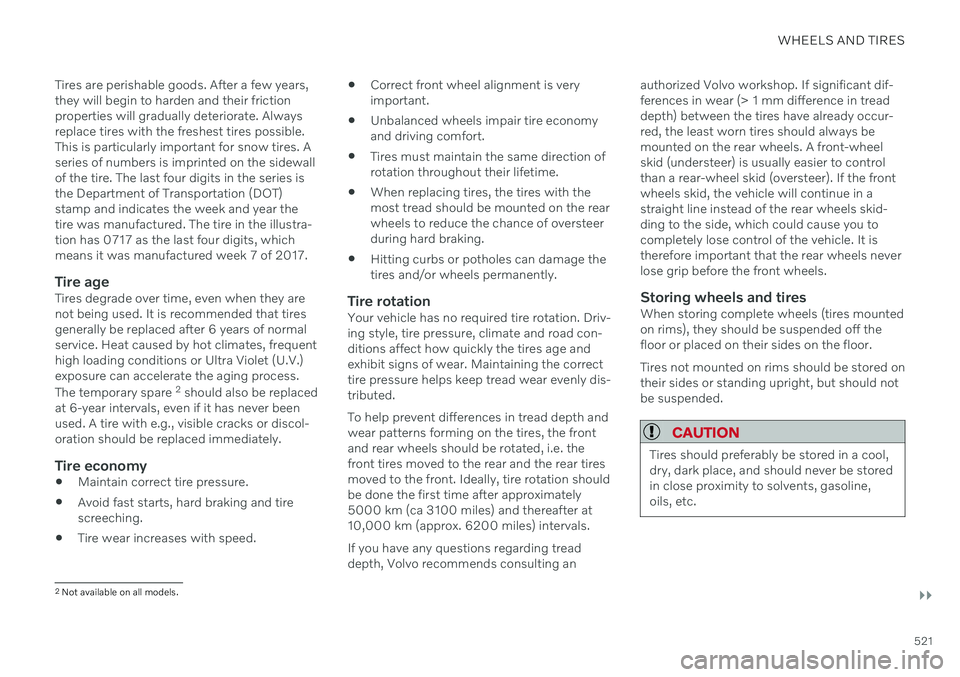
Tires are perishable goods. After a few years, they will begin to harden and their frictionproperties will gradually deteriorate. Alwaysreplace tires with the freshest tires possible.This is particularly important for snow tires. Aseries of numbers is imprinted on the sidewallof the tire. The last four digits in the series isthe Department of Transportation (DOT)stamp and indicates the week and year thetire was manufactured. The tire in the illustra-tion has 0717 as the last four digits, whichmeans it was manufactured week 7 of 2017.
Tire ageTires degrade over time, even when they arenot being used. It is recommended that tiresgenerally be replaced after 6 years of normalservice. Heat caused by hot climates, frequenthigh loading conditions or Ultra Violet (U.V.)exposure can accelerate the aging process. The temporary spare
2
should also be replaced
at 6-year intervals, even if it has never been used. A tire with e.g., visible cracks or discol-oration should be replaced immediately.
Tire economy
Maintain correct tire pressure.
Avoid fast starts, hard braking and tirescreeching.
Tire wear increases with speed.
Correct front wheel alignment is veryimportant.
Unbalanced wheels impair tire economyand driving comfort.
Tires must maintain the same direction ofrotation throughout their lifetime.
When replacing tires, the tires with themost tread should be mounted on the rearwheels to reduce the chance of oversteerduring hard braking.
Hitting curbs or potholes can damage thetires and/or wheels permanently.
Tire rotationYour vehicle has no required tire rotation. Driv-ing style, tire pressure, climate and road con-ditions affect how quickly the tires age andexhibit signs of wear. Maintaining the correcttire pressure helps keep tread wear evenly dis-tributed. To help prevent differences in tread depth and wear patterns forming on the tires, the frontand rear wheels should be rotated, i.e. thefront tires moved to the rear and the rear tiresmoved to the front. Ideally, tire rotation shouldbe done the first time after approximately5000 km (ca 3100 miles) and thereafter at10,000 km (approx. 6200 miles) intervals. If you have any questions regarding tread depth, Volvo recommends consulting an authorized Volvo workshop. If significant dif-ferences in wear (> 1 mm difference in treaddepth) between the tires have already occur-red, the least worn tires should always bemounted on the rear wheels. A front-wheelskid (understeer) is usually easier to controlthan a rear-wheel skid (oversteer). If the frontwheels skid, the vehicle will continue in astraight line instead of the rear wheels skid-ding to the side, which could cause you tocompletely lose control of the vehicle. It istherefore important that the rear wheels neverlose grip before the front wheels.
Storing wheels and tiresWhen storing complete wheels (tires mountedon rims), they should be suspended off thefloor or placed on their sides on the floor. Tires not mounted on rims should be stored on their sides or standing upright, but should notbe suspended.
CAUTION
Tires should preferably be stored in a cool, dry, dark place, and should never be storedin close proximity to solvents, gasoline,oils, etc.
2
Not available on all models.
Page 528 of 661
WHEELS AND TIRES
526
Uniform Tire Quality GradingALL PASSENGER VEHICLE TIRES MUST CONFORM TO FEDERAL SAFETYREQUIREMENTS IN ADDITION TO THESEGRADES .
Quality grades can be found, where applica- ble, on the tire sidewall between the treadshoulder and maximum section width. Forexample: Treadwear 200 Traction AA Temperature A
TREADWEARThe treadwear grade is a comparative rating based on the wear rate of the tire when testedunder controlled conditions on a specifiedgovernment test course. For example, a tiregraded 150 would wear one and one half (1 ½)times as well on the government course as atire graded 100. The relative performance oftires depends upon the actual conditions oftheir use, however, and many depart signifi-cantly from the norm due to variation in drivinghabits, maintenance practices and differencesin road characteristics and climate.
TRACTIONThe traction grades, from highest to lowest,are AA, A, B, and C, as measured under con-trolled conditions on specified governmenttest surfaces of asphalt and concrete. A tiremarked C may have poor traction perform-ance.
WARNING
The traction grade assigned to this tire is based on braking (straight-ahead) tractiontests and is not a measure of cornering(turning) traction.
TEMPERATUREThe temperature grades are A (the highest), B, and C, representing the tire's resistance to thegeneration of heat and its ability to dissipateheat when tested under controlled conditionson a specified indoor laboratory test wheel.Sustained high temperature can cause thematerial of the tire to degenerate and reducetire life, and excessive temperature can lead tosudden tire failure. The grade C correspondsto a minimum level of performance that allpassenger vehicle tires must meet under theFederal Motor Safety Standard No. 109.Grades B and A represent higher levels of per-formance on the laboratory test wheel thanthe minimum required by law.
WARNING
The temperature grade for this tire is estab- lished for a tire that is properly inflated andnot overloaded. Excessive speed, under-inflation, or excessive loading, either sepa-rately or in combination, can cause heatbuildup and tire failure.
Related information
Tires (p. 520)
Tire sidewall designations (p. 524)
Page 553 of 661
LOADING, STORAGE AND PASSENGER COMPARTMENT
* Option/accessory.551
Tunnel console
The tunnel console is located between the front seats.
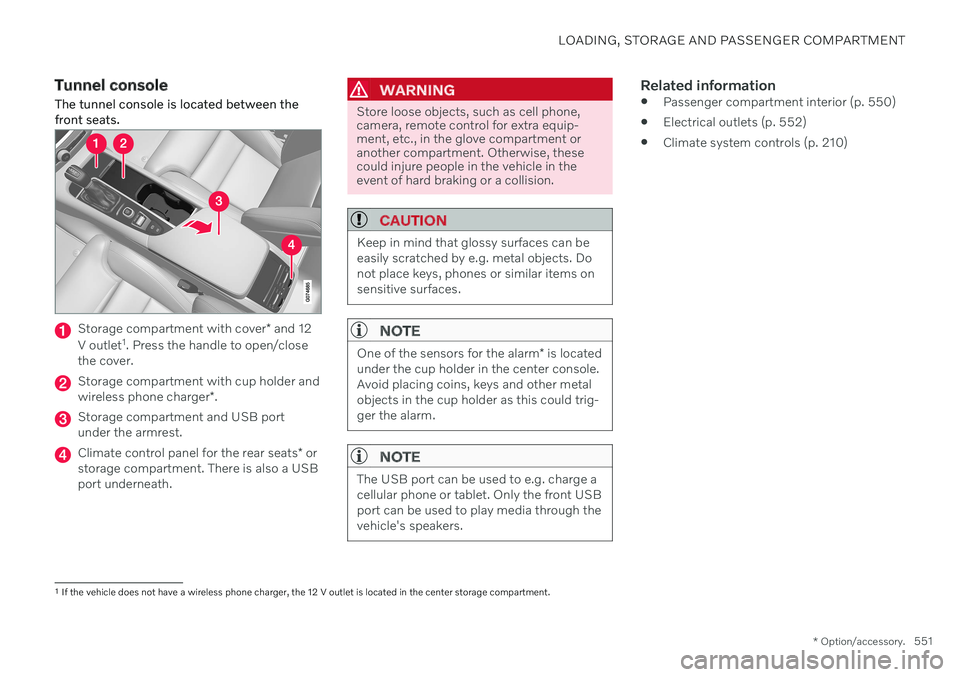
Storage compartment with cover * and 12
V outlet 1
. Press the handle to open/close
the cover.
Storage compartment with cup holder and wireless phone charger *.
Storage compartment and USB port under the armrest.
Climate control panel for the rear seats * or
storage compartment. There is also a USB port underneath.
WARNING
Store loose objects, such as cell phone, camera, remote control for extra equip-ment, etc., in the glove compartment oranother compartment. Otherwise, thesecould injure people in the vehicle in theevent of hard braking or a collision.
CAUTION
Keep in mind that glossy surfaces can be easily scratched by e.g. metal objects. Donot place keys, phones or similar items onsensitive surfaces.
NOTE
One of the sensors for the alarm * is located
under the cup holder in the center console. Avoid placing coins, keys and other metalobjects in the cup holder as this could trig-ger the alarm.
NOTE
The USB port can be used to e.g. charge a cellular phone or tablet. Only the front USBport can be used to play media through thevehicle's speakers.
Related information
Passenger compartment interior (p. 550)
Electrical outlets (p. 552)
Climate system controls (p. 210)
1
If the vehicle does not have a wireless phone charger, the 12 V outlet is located in the center storage compartment.
Page 570 of 661
||
MAINTENANCE AND SERVICE
568
Monthly:
Check cold tire pressure in all tires. Inspect the tires for wear.
Check that engine coolant and other fluidlevels are between the indicated "min"and "max" markings.
Clean interior glass surfaces with a glasscleaner and soft paper towels.
Wipe driver information displays with asoft cloth.
Visually inspect battery terminals for cor-rosion. Corrosion may indicate a loose ter-minal connector, or a battery near the endof its useful service life. Consult your Volvoretailer for additional information.
As needed:
Wash the vehicle, including the undercarriage, to reduce wear that can be caused by abuildup of dirt, and corrosion that can becaused by salt residues. Clean leaves and twigs from air intake vents at the base of the windshield, and from other pla-ces where they may collect.
NOTE
Complete service information for qualified technicians is available online for purchaseor subscription at www.volvotechinfo.com.
Related information
Vehicle status (p. 570)
Scheduling service and repairs (p. 571)
Connecting equipment to the vehicle's data link connector (p. 37)
Technician certification (p. 38)
Climate control system service (p. 576)
Maintenance of the brake system (p. 399)
Engine compartment overview (p. 578)
Data transfer between vehicle and workshop over Wi-Fi
Volvo workshops have a designated Wi-Fi network for data transfer between your vehi-cle and the workshop. Your visit to the work-shop will be easier and more effective whendiagnostics information and software can betransferred over the workshop's network.
At the workshop, your service technician can connect your vehicle to the workshop's Wi-Finetwork to perform troubleshooting anddownload software. For this type of communi-cation, the vehicle only connects to a work-shop's network. It is not possible to connectthe vehicle to another Wi-Fi network (e.g. yourhome network) in the same way as to a work-shop's network.
Connecting with remote keyConnection is usually managed by the servicetechnician, who will use the remote key but-tons. It is therefore important to bring a keywith buttons with you when you visit theworkshop. Pressing the lock button on theremote key three times will connect the vehi-cle to the workshop's Wi-Fi network. When the car is connected to a Wi-Fi net- work, the
symbol appears in the center
display.