seats VOLVO V60 2021 Repair Manual
[x] Cancel search | Manufacturer: VOLVO, Model Year: 2021, Model line: V60, Model: VOLVO V60 2021Pages: 661, PDF Size: 12.68 MB
Page 552 of 661
LOADING, STORAGE AND PASSENGER COMPARTMENT
* Option/accessory.
550
Passenger compartment interior
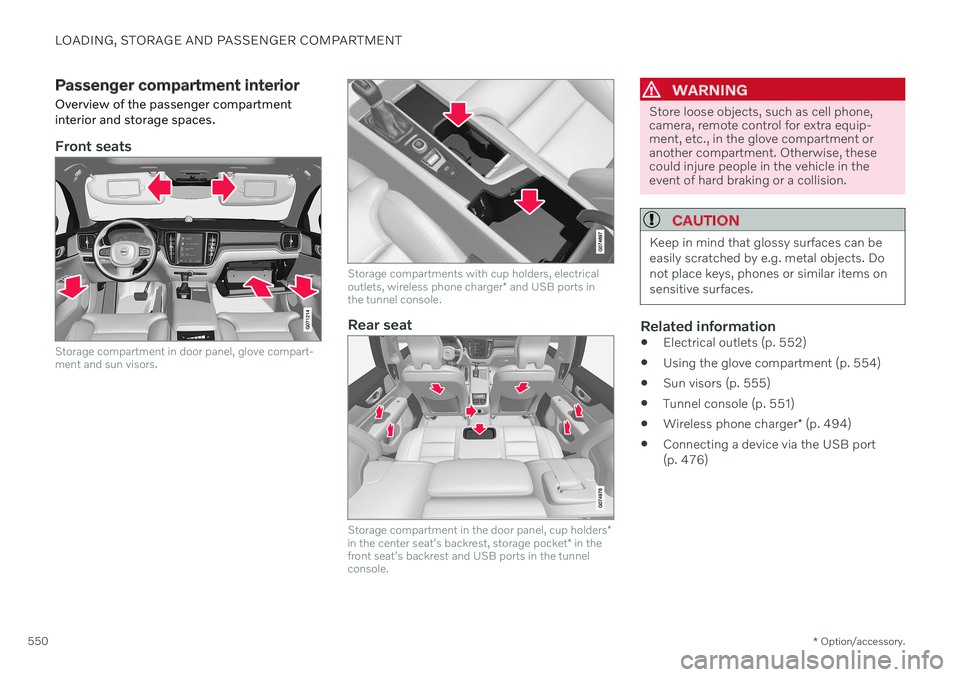
Overview of the passenger compartment interior and storage spaces.
Front seats
Storage compartment in door panel, glove compart- ment and sun visors.
Storage compartments with cup holders, electrical outlets, wireless phone charger * and USB ports in
the tunnel console.
Rear seat
Storage compartment in the door panel, cup holders *
in the center seat's backrest, storage pocket * in the
front seat's backrest and USB ports in the tunnel console.
WARNING
Store loose objects, such as cell phone, camera, remote control for extra equip-ment, etc., in the glove compartment oranother compartment. Otherwise, thesecould injure people in the vehicle in theevent of hard braking or a collision.
CAUTION
Keep in mind that glossy surfaces can be easily scratched by e.g. metal objects. Donot place keys, phones or similar items onsensitive surfaces.
Related information
Electrical outlets (p. 552)
Using the glove compartment (p. 554)
Sun visors (p. 555)
Tunnel console (p. 551)
Wireless phone charger
* (p. 494)
Connecting a device via the USB port (p. 476)
Page 553 of 661
LOADING, STORAGE AND PASSENGER COMPARTMENT
* Option/accessory.551
Tunnel console
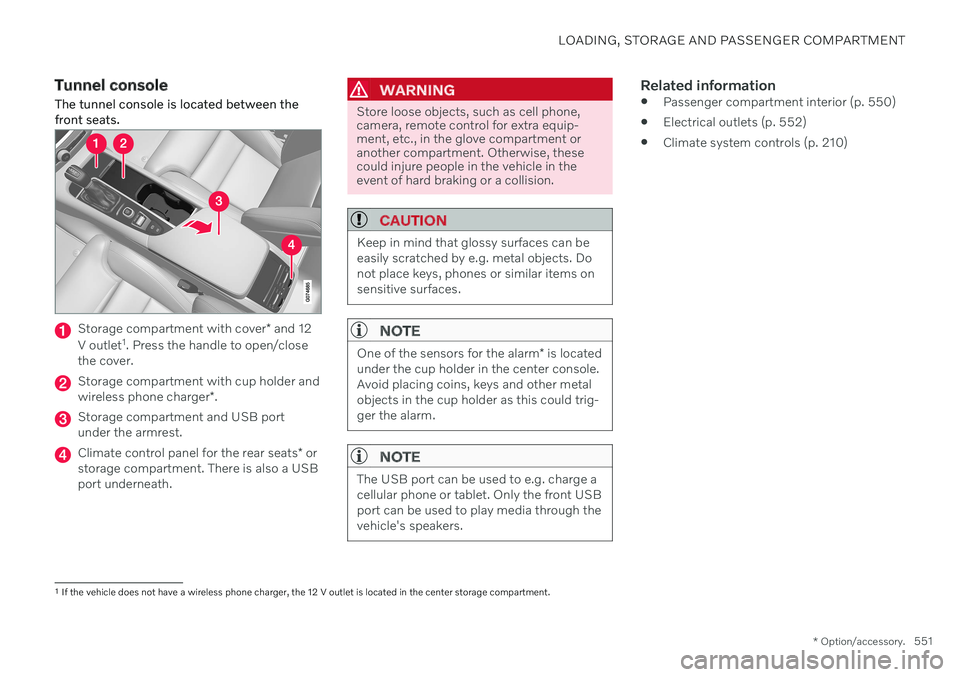
The tunnel console is located between the front seats.
Storage compartment with cover * and 12
V outlet 1
. Press the handle to open/close
the cover.
Storage compartment with cup holder and wireless phone charger *.
Storage compartment and USB port under the armrest.
Climate control panel for the rear seats * or
storage compartment. There is also a USB port underneath.
WARNING
Store loose objects, such as cell phone, camera, remote control for extra equip-ment, etc., in the glove compartment oranother compartment. Otherwise, thesecould injure people in the vehicle in theevent of hard braking or a collision.
CAUTION
Keep in mind that glossy surfaces can be easily scratched by e.g. metal objects. Donot place keys, phones or similar items onsensitive surfaces.
NOTE
One of the sensors for the alarm * is located
under the cup holder in the center console. Avoid placing coins, keys and other metalobjects in the cup holder as this could trig-ger the alarm.
NOTE
The USB port can be used to e.g. charge a cellular phone or tablet. Only the front USBport can be used to play media through thevehicle's speakers.
Related information
Passenger compartment interior (p. 550)
Electrical outlets (p. 552)
Climate system controls (p. 210)
1
If the vehicle does not have a wireless phone charger, the 12 V outlet is located in the center storage compartment.
Page 557 of 661
LOADING, STORAGE AND PASSENGER COMPARTMENT
* Option/accessory.555
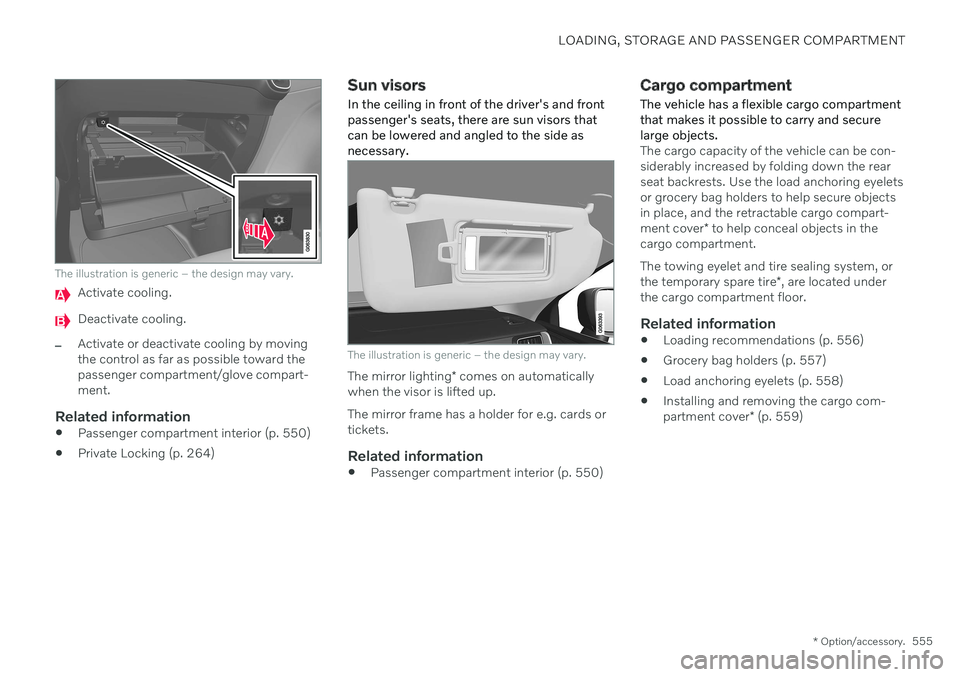
The illustration is generic – the design may vary.
Activate cooling.
Deactivate cooling.
–Activate or deactivate cooling by moving the control as far as possible toward thepassenger compartment/glove compart-ment.
Related information
Passenger compartment interior (p. 550)
Private Locking (p. 264)
Sun visors
In the ceiling in front of the driver's and front passenger's seats, there are sun visors thatcan be lowered and angled to the side asnecessary.
The illustration is generic – the design may vary.
The mirror lighting * comes on automatically
when the visor is lifted up. The mirror frame has a holder for e.g. cards or tickets.
Related information
Passenger compartment interior (p. 550)
Cargo compartment
The vehicle has a flexible cargo compartment that makes it possible to carry and securelarge objects.
The cargo capacity of the vehicle can be con- siderably increased by folding down the rearseat backrests. Use the load anchoring eyeletsor grocery bag holders to help secure objectsin place, and the retractable cargo compart- ment cover * to help conceal objects in the
cargo compartment. The towing eyelet and tire sealing system, or the temporary spare tire *, are located under
the cargo compartment floor.
Related information
Loading recommendations (p. 556)
Grocery bag holders (p. 557)
Load anchoring eyelets (p. 558)
Installing and removing the cargo com-partment cover
* (p. 559)
Page 558 of 661
LOADING, STORAGE AND PASSENGER COMPARTMENT
* Option/accessory.
556
Loading recommendations
There are a number of things that are impor- tant to consider when carrying loads in or onthe vehicle.
Load-carrying capacity is determined by the vehicle's curb weight. The total weight of allpassengers and any installed accessoriesreduces the vehicle's load-carrying capacity bythe corresponding amount.
WARNING
The vehicle's driving characteristics change depending on the weight and position ofthe load.
Loading the cargo compartment/trunkKeep the following in mind when loading:
Position objects so they are pressing against the rear seat backrests.
Heavy objects should be positioned as lowas possible. Avoid placing heavy objectson folded-down seat backrests.
Cover sharp corners with a soft cloth orsimilar to help prevent damage to theupholstery.
Use the load anchoring eyelets and ten-sioning straps or similar to secure allobjects.
WARNING
In a head-on collision at a speed of 50 km/h (30 mph), an unsecured objectweighing 20 kg (44 pounds) can reach aprojectile weight equivalent to 1000 kg(2200 pounds).
WARNING
If objects are loaded higher than the upper edge of the side windows, leave a 10 cm(4 in.) space between the objects and thewindow. Objects placed closer to thiscould impede the function of the inflatablecurtain concealed inside the headlining.
WARNING
Always secure the load. Otherwise, it may shift during heavy braking and injure peo-ple in the vehicle. Cover sharp edges and sharp corners with something soft. Turn off the engine and apply the parking brake when loading/unloading longobjects. Otherwise, it is possible for theload to reach the gear lever or gear selectorand move it to a drive position – whichcould cause the vehicle to begin rolling.
Extra cargo space
The rear seat backrests can be folded down to increase cargo space in the cargo compart- ment/trunk and simplify loading. If the rearseat backrests are folded down, make surethat no objects loaded into the vehicle preventthe WHIPS system for the front seats fromfunctioning correctly. A ski hatch in the rear seat can be folded down to carry skis or other long, thin objects.
Related information
Load anchoring eyelets (p. 558)
Folding down the rear seat backrests(p. 192)
Rear seat ski hatch (p. 559)
Roof loads and load carriers (p. 557)
Leveling control
* and suspension (p. 422)
Weights (p. 633)
Page 565 of 661
LOADING, STORAGE AND PASSENGER COMPARTMENT
}}
* Option/accessory.563
Installing and removing the cargo net*
The cargo net helps prevent objects in the cargo compartment from entering the pas-senger compartment in the event of a suddenstop or hard braking.
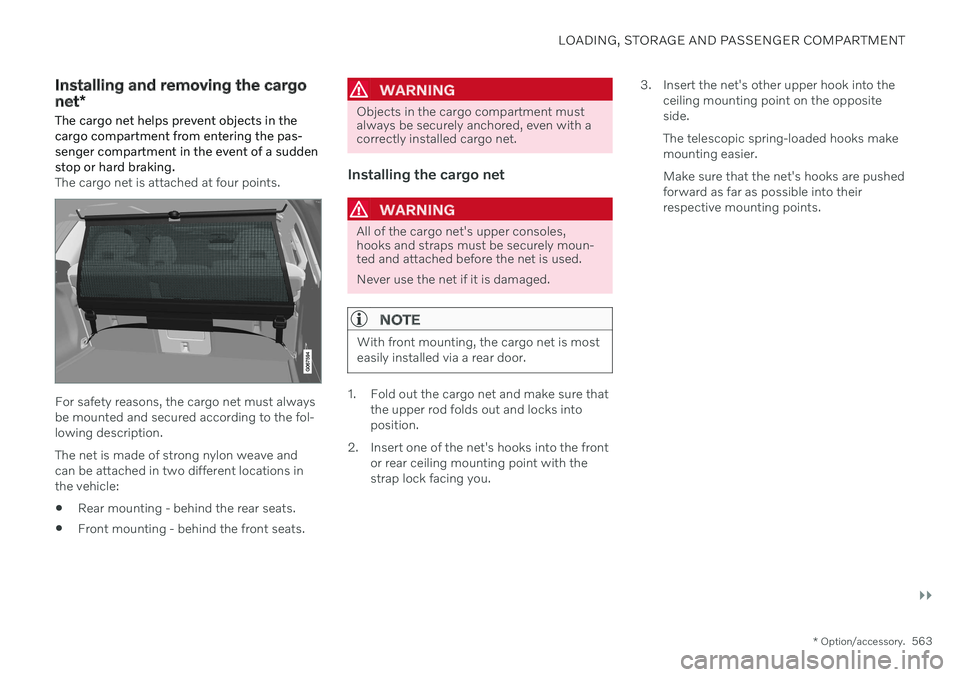
The cargo net is attached at four points.
For safety reasons, the cargo net must always be mounted and secured according to the fol-lowing description. The net is made of strong nylon weave and can be attached in two different locations inthe vehicle:
Rear mounting - behind the rear seats.
Front mounting - behind the front seats.
WARNING
Objects in the cargo compartment must always be securely anchored, even with acorrectly installed cargo net.
Installing the cargo net
WARNING
All of the cargo net's upper consoles, hooks and straps must be securely moun-ted and attached before the net is used. Never use the net if it is damaged.
NOTE
With front mounting, the cargo net is most easily installed via a rear door.
1. Fold out the cargo net and make sure that
the upper rod folds out and locks into position.
2. Insert one of the net's hooks into the front or rear ceiling mounting point with thestrap lock facing you. 3. Insert the net's other upper hook into the
ceiling mounting point on the oppositeside. The telescopic spring-loaded hooks make mounting easier. Make sure that the net's hooks are pushed forward as far as possible into theirrespective mounting points.
Page 566 of 661
||
LOADING, STORAGE AND PASSENGER COMPARTMENT
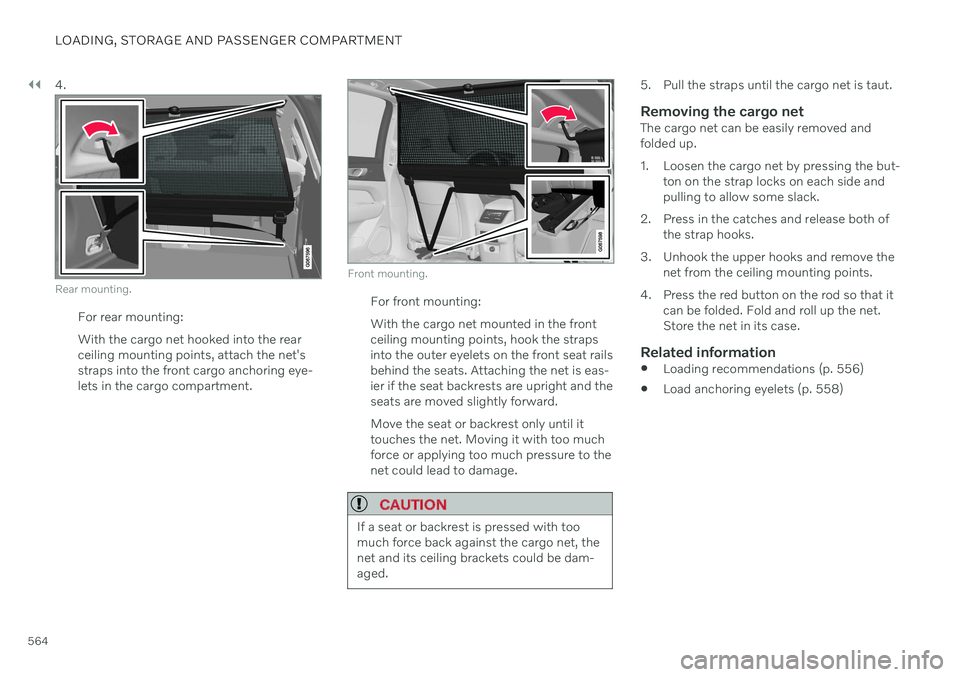
5644.
Rear mounting.
For rear mounting: With the cargo net hooked into the rear ceiling mounting points, attach the net'sstraps into the front cargo anchoring eye-lets in the cargo compartment.
Front mounting.
For front mounting: With the cargo net mounted in the front ceiling mounting points, hook the strapsinto the outer eyelets on the front seat railsbehind the seats. Attaching the net is eas-ier if the seat backrests are upright and theseats are moved slightly forward. Move the seat or backrest only until it touches the net. Moving it with too muchforce or applying too much pressure to thenet could lead to damage.
CAUTION
If a seat or backrest is pressed with too much force back against the cargo net, thenet and its ceiling brackets could be dam-aged.
5. Pull the straps until the cargo net is taut.
Removing the cargo netThe cargo net can be easily removed and folded up.
1. Loosen the cargo net by pressing the but-
ton on the strap locks on each side and pulling to allow some slack.
2. Press in the catches and release both of the strap hooks.
3. Unhook the upper hooks and remove the net from the ceiling mounting points.
4. Press the red button on the rod so that it can be folded. Fold and roll up the net.Store the net in its case.
Related information
Loading recommendations (p. 556)
Load anchoring eyelets (p. 558)
Page 601 of 661
MAINTENANCE AND SERVICE
}}
* Option/accessory.599
Function Ampere Type
Climate system control module 10 Micro
– – Micro
Data link connector OBD-II10 Micro
Center display 5 Micro
Climate system blower module (front)40
MCaseB
USB HUB
5 Micro
Instrument lighting; Interior lighting; Rearview mirror auto-dim function*; Rain and light sensors *; Rear tunnel console
keypad, rear seat *; Power front seats *; Rear door control panels; Climate system blower module left/right 7.5 Micro
Control module for driver support functions
5 Micro
Panoramic roof with sun curtain* 20 Micro
Head-up display
* 5 Micro
Passenger compartment lighting
5 Micro
Wireless charging pad5 Micro
Ceiling console display (seat belt reminder/front passenger side airbag indicator)5 Micro
–– Micro
–– Micro
–– Micro
Page 604 of 661
MAINTENANCE AND SERVICE
* Option/accessory.
602
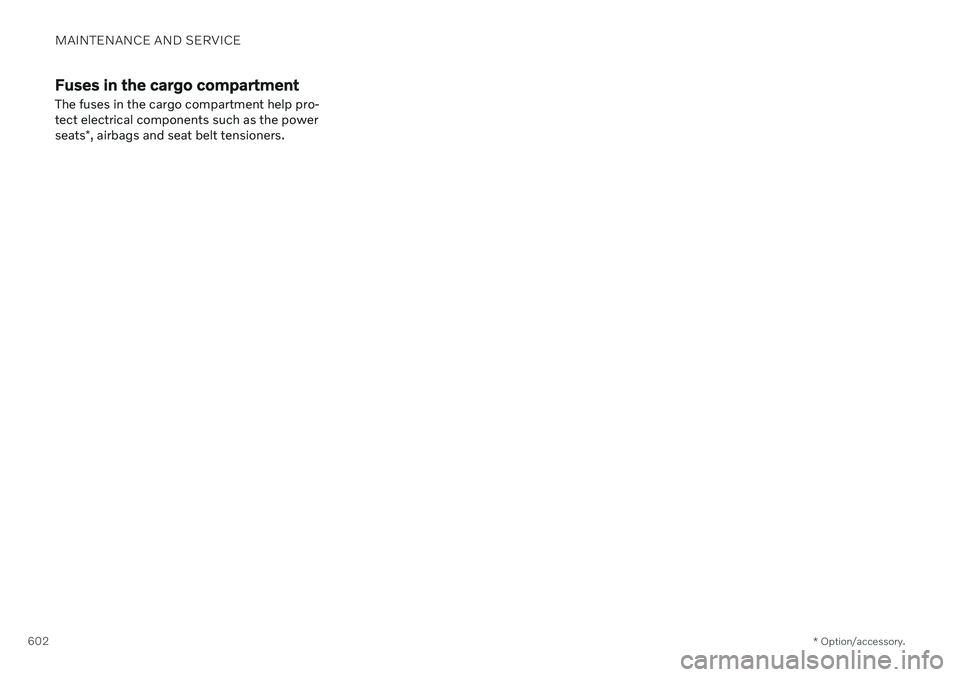
Fuses in the cargo compartment
The fuses in the cargo compartment help pro- tect electrical components such as the power seats *, airbags and seat belt tensioners.
Page 645 of 661
INDEX
643
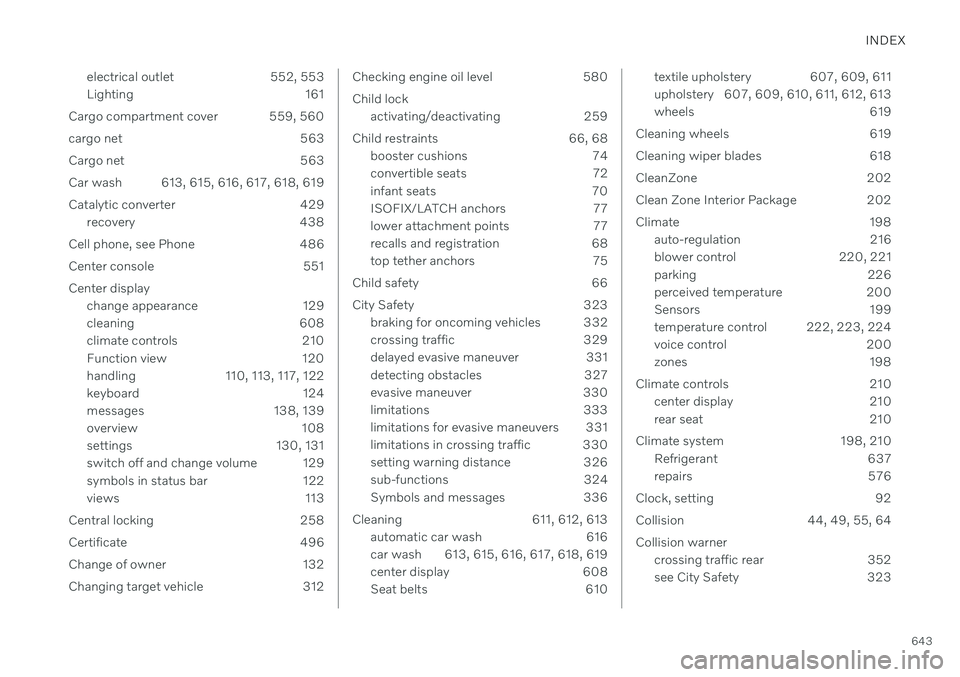
electrical outlet 552, 553
Lighting 161
Cargo compartment cover 559, 560
cargo net 563
Cargo net 563
Car wash 613, 615, 616, 617, 618, 619
Catalytic converter 429 recovery 438
Cell phone, see Phone 486
Center console 551
Center display change appearance 129
cleaning 608
climate controls 210
Function view 120
handling 110, 113, 117, 122
keyboard 124
messages 138, 139
overview 108
settings 130, 131
switch off and change volume 129
symbols in status bar 122
views 113
Central locking 258
Certificate 496
Change of owner 132
Changing target vehicle 312
Checking engine oil level 580 Child lock activating/deactivating 259
Child restraints 66, 68 booster cushions 74
convertible seats 72
infant seats 70
ISOFIX/LATCH anchors 77
lower attachment points 77
recalls and registration 68
top tether anchors 75
Child safety 66
City Safety 323 braking for oncoming vehicles 332
crossing traffic 329
delayed evasive maneuver 331
detecting obstacles 327
evasive maneuver 330
limitations 333
limitations for evasive maneuvers 331
limitations in crossing traffic 330
setting warning distance 326
sub-functions 324
Symbols and messages 336
Cleaning 611, 612, 613 automatic car wash 616
car wash 613, 615, 616, 617, 618, 619
center display 608
Seat belts 610textile upholstery 607, 609, 611
upholstery 607, 609, 610, 611, 612, 613
wheels 619
Cleaning wheels 619
Cleaning wiper blades 618
CleanZone 202
Clean Zone Interior Package 202
Climate 198 auto-regulation 216
blower control 220, 221
parking 226
perceived temperature 200
Sensors 199
temperature control 222, 223, 224
voice control 200
zones 198
Climate controls 210 center display 210
rear seat 210
Climate system 198, 210 Refrigerant 637
repairs 576
Clock, setting 92
Collision 44, 49, 55, 64Collision warner crossing traffic rear 352
see City Safety 323
Page 646 of 661
INDEX
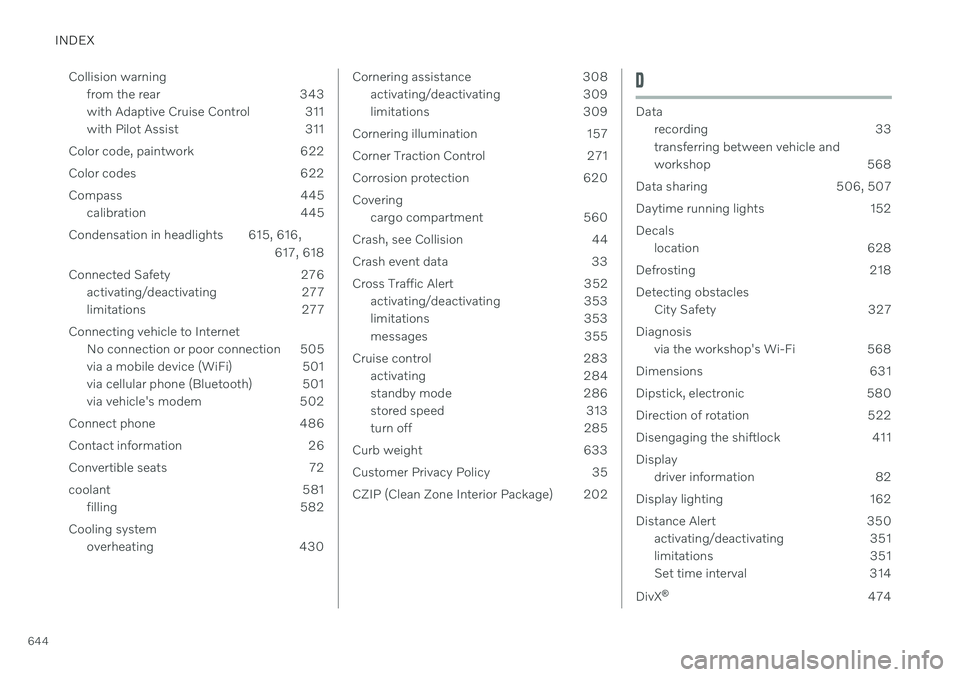
644Collision warning
from the rear 343
with Adaptive Cruise Control 311
with Pilot Assist 311
Color code, paintwork 622
Color codes 622
Compass 445 calibration 445
Condensation in headlights 615, 616, 617, 618
Connected Safety 276 activating/deactivating 277
limitations 277
Connecting vehicle to Internet No connection or poor connection 505
via a mobile device (WiFi) 501
via cellular phone (Bluetooth) 501
via vehicle's modem 502
Connect phone 486
Contact information 26
Convertible seats 72
coolant 581 filling 582
Cooling system overheating 430
Cornering assistance 308activating/deactivating 309
limitations 309
Cornering illumination 157
Corner Traction Control 271
Corrosion protection 620Covering cargo compartment 560
Crash, see Collision 44
Crash event data 33
Cross Traffic Alert 352 activating/deactivating 353
limitations 353
messages 355
Cruise control 283 activating 284
standby mode 286
stored speed 313
turn off 285
Curb weight 633
Customer Privacy Policy 35
CZIP (Clean Zone Interior Package) 202D
Data recording 33 transferring between vehicle and
workshop 568
Data sharing 506, 507
Daytime running lights 152Decals location 628
Defrosting 218Detecting obstacles City Safety 327
Diagnosis via the workshop's Wi-Fi 568
Dimensions 631
Dipstick, electronic 580
Direction of rotation 522
Disengaging the shiftlock 411 Display driver information 82
Display lighting 162
Distance Alert 350 activating/deactivating 351
limitations 351
Set time interval 314
DivX ®
474