ABS VOLVO V90 2017 User Guide
[x] Cancel search | Manufacturer: VOLVO, Model Year: 2017, Model line: V90, Model: VOLVO V90 2017Pages: 594, PDF Size: 15.07 MB
Page 404 of 594
||
STARTING AND DRIVING
* Option/accessory.
402 3.
In
Presets, select a drive mode to start from:Eco, Comfort or Dynamic.
Possible adjustments apply to settings for:
•
Driver Display
•Steering force
•Powertrain Characteristics
•Brake Characteristics
•Suspension Control
•ECO Climate
•Start/Stop.
Related information
• Speed-dependent steering force (p. 272)
• Level control
* and shock absorption (p. 405)
• Start/Stop (p. 396)
• Drive mode ECO (p. 402)
• All-wheel drive
* (p. 405)
Drive mode ECO
Driving mode ECO mode optimises the car's
driving characteristics for more fuel efficient and environmentally-conscious driving.
Use this drive mode to save fuel and the environ- ment. The following properties are adapted for Eco driv- ing:
• Gearbox gearshift points 8
.
• Engine management and response from theaccelerator pedal.
• The Eco Coast 9
freewheel function is acti-
vated and engine braking is deactivatedwhen the accelerator pedal is released atspeeds between 65 and 140 km/h(40 and 87 mph).
• Some of the climate control system's set-tings work at reduced power or are deacti-vated.
• The driver display shows information in anECO gauge which facilitates environmentally-conscious and fuel-efficient driving.
Selecting ECO modeThe Eco mode is deactivated when the engine isswitched off, and it must therefore be activatedafter each time the engine is started. The driver display shows ECO when the function is acti-vated.
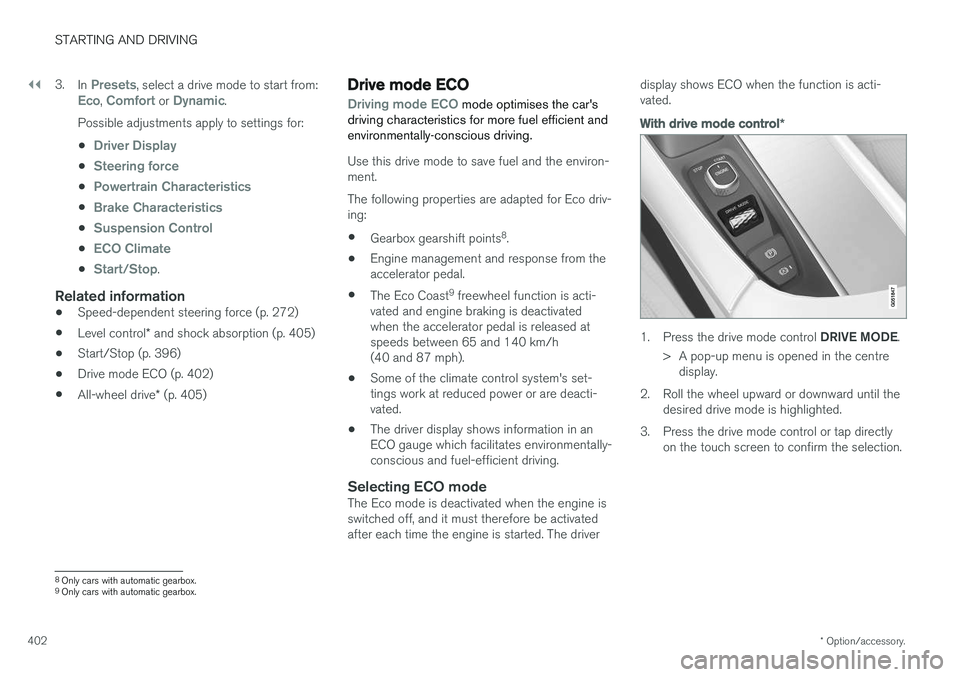
With drive mode control
*
1.
Press the drive mode control DRIVE MODE.
> A pop-up menu is opened in the centre display.
2. Roll the wheel upward or downward until the desired drive mode is highlighted.
3. Press the drive mode control or tap directly on the touch screen to confirm the selection.
8Only cars with automatic gearbox.
9 Only cars with automatic gearbox.
Page 407 of 594
STARTING AND DRIVING
* Option/accessory.405
Level control * and shock absorption
Level control and shock absorption are regula- ted automatically in the car.
With rear level control, the car maintains the same height at the rear regardless of load. Levelcontrol can also occur even after the car hasbeen parked.
Shock absorption (Four-C)The shock absorption is adapted according to theselected drive mode and according to the speedof the car. Shock absorption is normally set forthe best possible comfort and is regulated con-tinuously depending on the road surface, thecar's acceleration, braking and cornering.
Settings for level control
Deactivation of air suspension and level control
In certain cases, the function must be deacti- vated, e.g. before the car is raised with a jack *.
The difference in level created by raising the car with a jack can otherwise cause problems for theair suspension. Deactivating the function via the centre display:1. Press
Settings in the top view.
2. Press
My CarSuspension .
3. Select
Disable Leveling Control.
Change the damping level 11
Cars with active chassis (Four-C) and without the drive mode function
* can adjust the shock
absorption level via the centre display: 1. Press
Settings in the top view.
2. Tap on
My CarDrive ModeSuspension Control and select the level.
During transportDuring transport of the car on a ferry, train or truck, the car must be lashed around the tyresand not around other parts of the chassis.Changes in the air suspension may occur duringtransport, which could affect the lashing nega-tively.
Related information
• Drive modes
* (p. 400)
• Loading (p. 227)
All-wheel drive
*
All-wheel drive, AWD (All Wheel Drive), means that the car is driving all four wheels at the sametime, which improves traction.
To achieve the best possible traction and prevent wheel spin the motive force is distributed auto-matically to the wheels with the best grip. Thesystem continuously calculates the need for tor-que to the rear wheels, and can immediatelyredistribute up to half of the motor's torque to therear wheels. All-wheel drive also has a stabilising effect at higher speeds. Under normal driving conditions,the majority of power is transmitted to the frontwheels. When stationary, the all-wheel drive isalways engaged in preparation for maximum trac-tion during acceleration. All-wheel drive characteristics vary depending on the selected drive mode *.
Related information
• Drive modes
* (p. 400)
11
Depends on the car's equipment.
Page 408 of 594
STARTING AND DRIVING
406
Brake functions
The car's brakes are used to reduce the speed or prevent the car from rolling.
Besides the foot brake and parking brake, the car is equipped with several automatic brake assistfunctions. These can assist the driver by notneeding to keep his/her foot on the brake pedalwhen stationary at a traffic light, when starting onan uphill gradient or when driving on a downhillgradient. Depending on the car's equipment, the following auto braking functions are available:
• Automatic braking when stationary (AutoHold)
• Hill start assist (Hill Start Assist)
• Auto braking after a collision
• City Safety
Related information
•
Foot brake (p. 406)
• Parking brake (p. 409)
• Hill start assist (p. 412)
• Automatic braking when stationary (p. 412)
• Auto braking after a collision (p. 408)
Foot brake
The foot brake is used to reduce the car's speed while driving.
Foot brake systemThe car is equipped with two brake circuits. If a brake circuit is damaged, the brake pedal willengage deeper. Higher pressure on the pedal willtherefore be needed to produce the normal brak-ing effect. The driver's brake pedal pressure is assisted by a brake servo.
WARNING
The brake servo only works when the engine is running.
If the foot brake is used when the engine is switched off then the pedal will feel stiff and ahigher pedal pressure must be used to brake thecar. In very hilly terrain or when driving with a heavy load the brakes can be relieved by using enginebraking in manual gearshift mode. Engine brakingis most efficiently used if the same gear is useddownhill as up.
Anti-lock braking systemThe car has anti-lock brakes, Anti-lock BrakingSystem (ABS), which prevent the wheels fromlocking while braking and allows maintained steering control. Vibration may be felt in thebrake pedal when this is engaged and this is nor-mal. A short test of the ABS system is made automat- ically after the engine has been started when thedriver releases the brake pedal. A further auto-matic test of the system may be made at lowspeed. The test may be experienced as pulses inthe brake pedal.
Braking on wet roadsWhen driving for a prolonged period of time inheavy rain without braking, the braking effect maybe delayed slightly when next using the brakes.This may also be the case after a car wash. It isthen necessary to depress the brake pedal moreforcefully. You should therefore maintain agreater distance to the vehicles in front. Brake the car firmly after driving on wet roads or using a car wash. This warms up the brake discs,enabling them to dry faster and protecting themagainst corrosion. Bear in mind the current trafficsituation when braking.
Braking on salted roadsWhen driving on salted roads, a layer of salt mayform on the brake discs and brake linings. Thismay extend braking distance. You should there-fore maintain an extra large safety distance tovehicles in front. In addition, make sure you dothe following:
Page 409 of 594
STARTING AND DRIVING
407
•
Brake now and again to remove any layer of salt. Make sure that other road users are notput at risk by the braking.
• Gently depress the brake pedal after finish-ing driving and before starting your next trip.
MaintenanceTo keep the car as safe and reliable as possible,follow the Volvo service intervals as specified inthe Service and Warranty Booklet. New and replaced brake linings and brake discs do not provide optimal braking effect until theyhave been "worn in" a few hundred kilometres.Compensate for the reduced braking effect bydepressing the brake pedal harder. Volvo recom-mends only fitting brake linings that are approvedfor your Volvo.
IMPORTANT
The wear on the brake system's components must be checked regularly. Contact a workshop for information about the procedure or engage a workshop to carry outthe inspection - an authorised Volvo work-shop is recommended.
Symbols in the driver display
Symbol
Specification
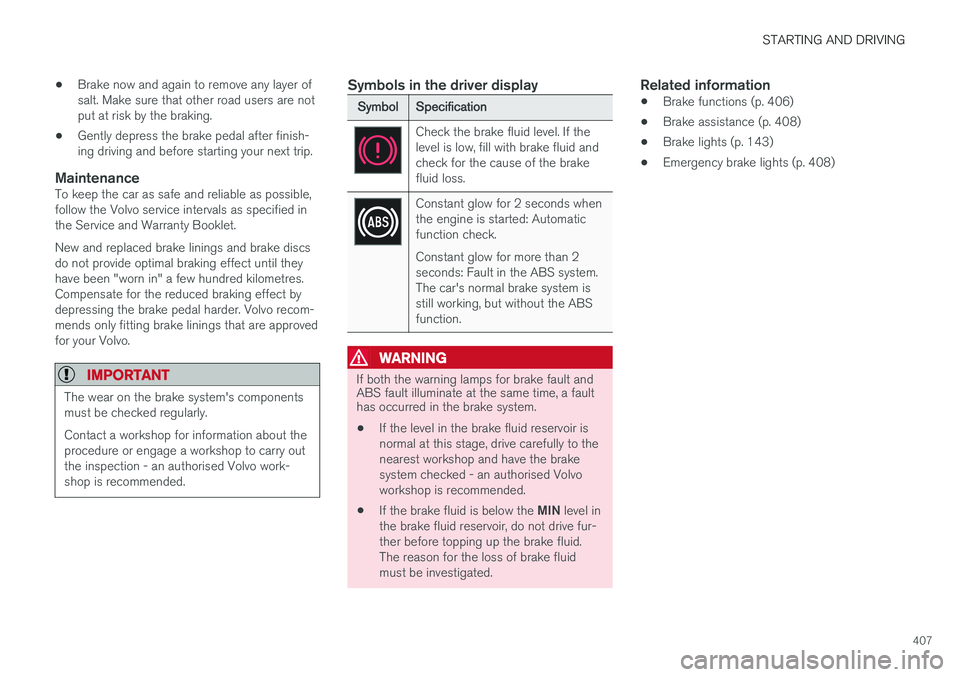
Check the brake fluid level. If the level is low, fill with brake fluid andcheck for the cause of the brakefluid loss.
Constant glow for 2 seconds when the engine is started: Automaticfunction check. Constant glow for more than 2 seconds: Fault in the ABS system.The car's normal brake system isstill working, but without the ABSfunction.
WARNING
If both the warning lamps for brake fault and ABS fault illuminate at the same time, a faulthas occurred in the brake system.
• If the level in the brake fluid reservoir is normal at this stage, drive carefully to thenearest workshop and have the brakesystem checked - an authorised Volvoworkshop is recommended.
• If the brake fluid is below the
MIN level in
the brake fluid reservoir, do not drive fur-ther before topping up the brake fluid.The reason for the loss of brake fluidmust be investigated.
Related information
• Brake functions (p. 406)
• Brake assistance (p. 408)
• Brake lights (p. 143)
• Emergency brake lights (p. 408)
Page 410 of 594
STARTING AND DRIVING
408
Emergency brake lightsEmergency brake lights are activated to alert vehicles behind about heavy braking. The func-tion means that the brake light flashes instead of- as in normal braking - shining with a constantglow.
The emergency brake lights are activated during heavy braking or if the ABS system is activated athigh speeds. After emergency braking to a lowspeed, the brake lights return from flashing to thenormal constant glow. The car's hazard warningflashers are activated at the same time. Theseflash until the driver accelerates the car to ahigher speed again or switches off the hazardwarning flashers.
Related information
• Foot brake (p. 406)
• Hazard warning flashers (p. 143)
• Brake lights (p. 143)
Brake assistance
The brake assist system, BAS (Brake Assist System), helps to increase brake force duringbraking, thereby shortening the braking distance.
The system detects the way in which the driver brakes and increases brake force where neces-sary. The brake force can be boosted up to thelevel when the ABS system is engaged. Thefunction is suspended when the pressure on thebrake pedal decreases.
NOTE
When BAS is activated the brake pedal low- ers slightly more than usual, depress (hold)the brake pedal as long as necessary. When the brake pedal is released, all braking ceases.
Related information
• Foot brake (p. 406)
Auto braking after a collision In the event of a collision in which the activation level is reached for the pyrotechnic seatbelt ten-sioners or airbags, or if a collision with a largeanimal is detected, the car's brakes are automat-ically applied. This function is to prevent orreduce the effects of any subsequent collision.
After a serious collision there is a risk that it is no longer possible to control and steer the car. Inorder to avoid or mitigate a possible further colli-sion with a vehicle or an object in the vehicle'spath, the auto braking system is activated auto-matically and brakes the car in a safe manner. Brake lights and hazard warning lights are acti- vated during braking. When the car has stopped,the hazard warning lights continue to flash andthe parking brake is applied. If braking is not appropriate, e.g. if there is a risk of being hit by following traffic, the system can beoverridden by the driver depressing the accelera-tor pedal. The function assumes that the brake system is intact after the collision. See also the sections "Rear Collision Warning" and "Blind Spot Information".
Related information
• Brake functions (p. 406)
• Seatbelt tensioner (p. 59)
• Airbags (p. 63)
Page 418 of 594
STARTING AND DRIVING
* Option/accessory.
416 •
Speed camera information
* (p. 350)
• Driving with a trailer (p. 426)
• Driving in water (p. 413)
• Alarm
* (p. 262)
• Level control
* and shock absorption (p. 405)
• Warning triangle (p. 500)
• Emergency puncture repair kit (p. 490)
• Spare wheel
* (p. 498)
Winter driving
For winter driving it is important to perform cer- tain checks of the car in order to ensure that itcan be driven safely.
Check the following in particular before the cold season:
• The engine coolant must contain 50% glycol.This mixture protects the engine againstfrost erosion down to approximately –35 °C.To avoid health risks, different types of glycolmust not be mixed.
• The fuel tank must be kept filled to preventcondensation.
• Engine oil viscosity is important. Oils withlower viscosity (thinner oils) facilitate startingin cold weather and also reduce fuel con-sumption while the engine is cold. Readmore about suitable oils in the section"Adverse driving conditions for engine oil".
IMPORTANT
Low viscosity oil must not be used for hard driving or in hot weather.
• The condition of the starter battery and charge level must be inspected. Coldweather places great demands on the starter battery and its capacity is reduced by thecold.
• Use washer fluid with antifreeze to avoid iceforming in the washer fluid reservoir.
Slippery driving conditionsTo achieve optimum roadholding Volvo recom-mends using winter tyres on all wheels if there isa risk of snow or ice.
NOTE
The use of winter tyres is a legal requirement in certain countries. Studded tyres are notpermitted in all countries.
Practise driving on slippery surfaces under con- trolled conditions to learn how the car reacts.
Related information
•Topping up coolant (p. 518)
• Adverse driving conditions for engine oil(p. 569)
• Starter battery (p. 530)
• Winter wheels (p. 499)
• Filling washer fluid (p. 529)
• Replacing a wiper blade (p. 528)
• Parking climate
* (p. 206)
• Activating/deactivating defrost of windowsand door mirrors (p. 194)
Page 482 of 594
AUDIO AND MEDIA
480
Terms and conditions for services and Customer Privacy Policy
Read the terms and conditions for services and the Customer Privacy Policy atsupport.volvocars.com.
Terms & Conditions for ServicesVolvo is committed to offering you the absolute best services to ensure that it is as safe, comfort-able and pleasant as possible for you to driveyour Volvo. Volvo offers a wide range of services,from assistance in emergency situations to navi-gation in various infotainment services. Read these terms and conditions ("Service Terms and Conditions") carefully before using the serv-ices - support.volvocars.com.
Customer Privacy PolicyThis policy applies for the processing of customerdata and personal data. The purpose of the policyis to provide our existing, previous and prospec-tive customers with a general understanding of: • The circumstances in which we gather and process your personal data.
• The types of personal data we gather.
• The reasons we gather your personal data.
• How we handle your personal data.
This policy can be read in its entirety atsupport.volvocars.com.
Related information
• License agreement for audio and media(p. 470)
• License agreement for the driver display(p. 99)
• Type approval for radar units (p. 323)
Page 487 of 594
WHEELS AND TYRES
}}
* Option/accessory.485
Related information
•Tyres (p. 482)
• Checking tyre pressure with the tyre monitor- ing system
* (p. 487)
• Inflate tyres with the compressor from the emergency puncture repair kit (p. 494)
• Approved tyre pressures (p. 574)
Tyre monitoring
*
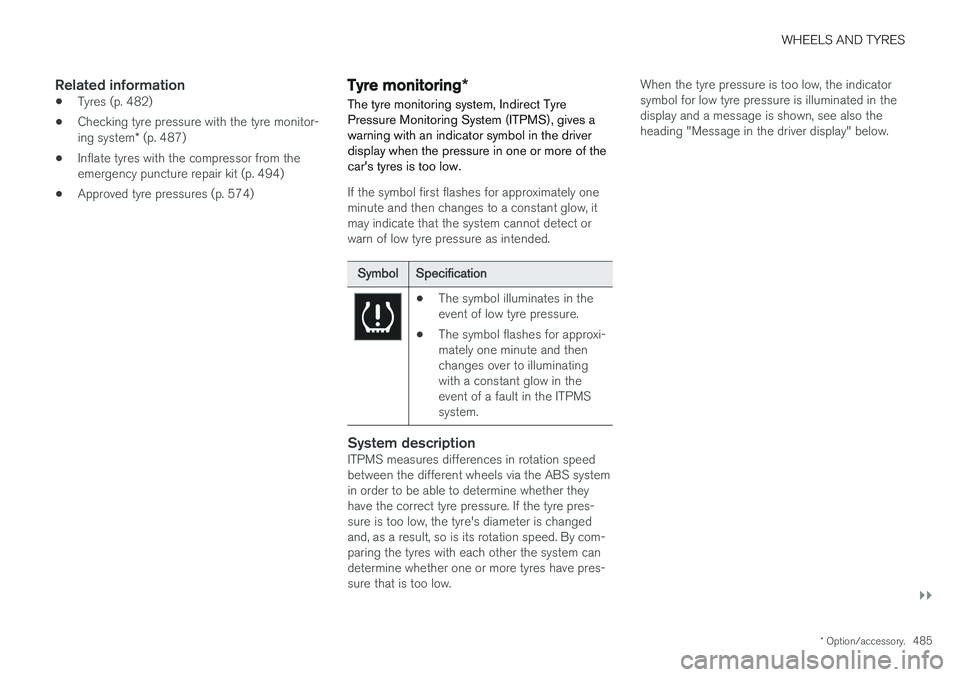
The tyre monitoring system, Indirect Tyre Pressure Monitoring System (ITPMS), gives awarning with an indicator symbol in the driverdisplay when the pressure in one or more of thecar's tyres is too low.
If the symbol first flashes for approximately one minute and then changes to a constant glow, itmay indicate that the system cannot detect orwarn of low tyre pressure as intended.
Symbol Specification
•The symbol illuminates in the event of low tyre pressure.
• The symbol flashes for approxi-mately one minute and thenchanges over to illuminatingwith a constant glow in theevent of a fault in the ITPMSsystem.
System descriptionITPMS measures differences in rotation speed between the different wheels via the ABS systemin order to be able to determine whether they have the correct tyre pressure. If the tyre pres-sure is too low, the tyre's diameter is changedand, as a result, so is its rotation speed. By com-paring the tyres with each other the system candetermine whether one or more tyres have pres-sure that is too low. When the tyre pressure is too low, the indicatorsymbol for low tyre pressure is illuminated in thedisplay and a message is shown, see also theheading "Message in the driver display" below.
Page 508 of 594
MAINTENANCE AND SERVICE
* Option/accessory.
506
Volvo service programme
To keep the car as safe and reliable as possible, follow the Volvo service programme as specifiedin the Service and Warranty Booklet.
Volvo recommends engaging an authorised Volvo workshop to perform the service and mainte-nance work. Volvo workshops have the personnel,special tools and service literature to guaranteethe highest quality of service.
IMPORTANT
For the Volvo warranty to apply, check and follow the instructions in the Service andWarranty Booklet.
Related information
• Servicing the climate control system (p. 520)
• Book service and repair (p. 506)
Car status The car's general status can be shown in the centre display along with the opportunity to bookservice.
The Car status app is started
from app view in the centre dis- play and has three tabs:
•Messages - saved status messages
•
Status - check of tyre pressure and engine
oil level
•
Appointments - booking of service and
repair work.
Related information
• Managing messages saved from the driver display and centre display (p. 110)
• Checking tyre pressure with the tyre monitor- ing system
* (p. 487)
• Checking and filling with engine oil (p. 517)
• Book service and repair (p. 506)
Book service and repair 1
Manage service, repair and booking information directly from your online car. The information is handled in the
Car statusapp, which is opened from the app view in the centre display.
This service provides, for certain markets, a con- venient way to book service and workshop visitsdirectly from your car. Vehicle data is sent to yourdealer, who can prepare the workshop visit. Thedealer will get back to you with a booking sug-gestion. For certain markets, the system willremind you of a scheduled appointment time as it approaches and the navigation system 2
can also
guide you to the workshop when the time comes. You also have information on your dealer availa-ble in the car and can contact your workshop atany time.
Before the service can be used
Volvo ID
• Create a Volvo ID, see section "Volvo ID".
• Register the Volvo ID for your car, see sec- tion "Volvo ID". If a Volvo ID already exists,use the same e-mail address that was usedwhen the Volvo ID was created.
1
Applies to certain markets.
2 Applies to Sensus Navigation *.
Page 534 of 594
||
MAINTENANCE AND SERVICE
532
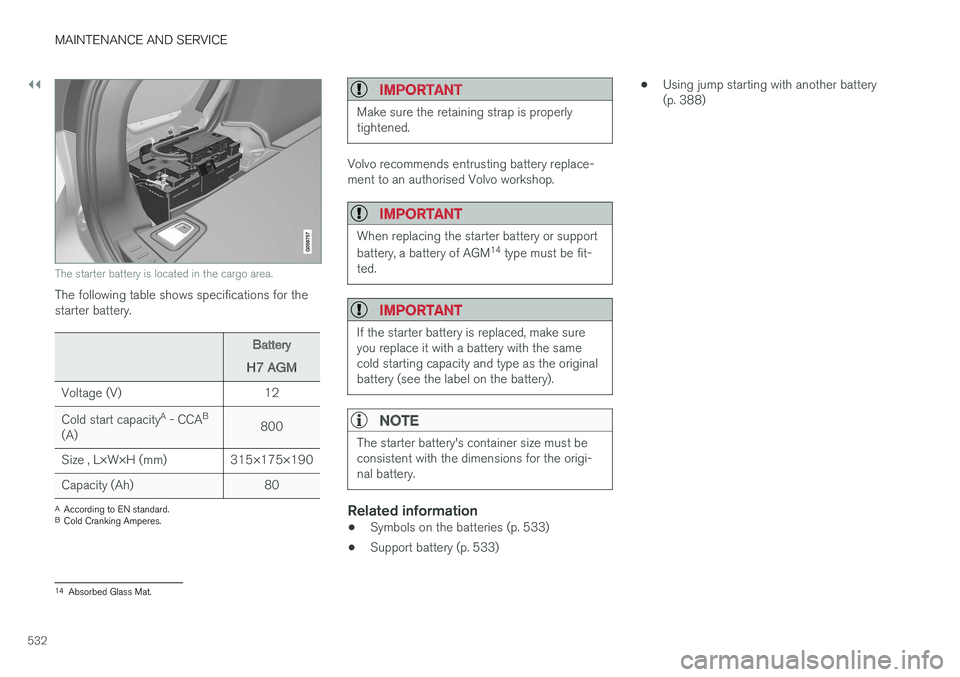
The starter battery is located in the cargo area.
The following table shows specifications for the starter battery.
Battery
H7 AGM
Voltage (V) 12 Cold start capacity A
- CCA B
(A) 800
Size , L×W×H (mm) 315×175×190
Capacity (Ah) 80
A According to EN standard.
B Cold Cranking Amperes.
IMPORTANT
Make sure the retaining strap is properly tightened.
Volvo recommends entrusting battery replace- ment to an authorised Volvo workshop.
IMPORTANT
When replacing the starter battery or support battery, a battery of AGM 14
type must be fit-
ted.
IMPORTANT
If the starter battery is replaced, make sure you replace it with a battery with the samecold starting capacity and type as the originalbattery (see the label on the battery).
NOTE
The starter battery's container size must be consistent with the dimensions for the origi-nal battery.
Related information
• Symbols on the batteries (p. 533)
• Support battery (p. 533) •
Using jump starting with another battery (p. 388)
14
Absorbed Glass Mat.