air condition VOLVO V90 2017 User Guide
[x] Cancel search | Manufacturer: VOLVO, Model Year: 2017, Model line: V90, Model: VOLVO V90 2017Pages: 594, PDF Size: 15.07 MB
Page 186 of 594
CLIMATE CONTROL
* Option/accessory.
184
Air quality
The materials selected for the passenger com- partment and the air cleaning system ensure thatthe air quality in the passenger compartment ishigh.
Materials in the passenger compartment
The interior of the passenger compartment is designed to be pleasant and comfortable, evenfor people with contact allergies and for asthmasufferers. Tested materials have been developed in order to minimise the quantity of dust in the passengercompartment and to contribute to making thepassenger compartment easier to keep clean. The carpets in both the passenger compartment and the cargo area are removable and easy toremove and clean. Use cleaning agents and car care products rec- ommended by Volvo to clean the interior.
Air cleaning systemIn addition to the passenger compartment filter,the modifications for Clean Zone Interior Package * and the air quality system Interior Air
Quality System * also help to maintain high air
quality in the passenger compartment.
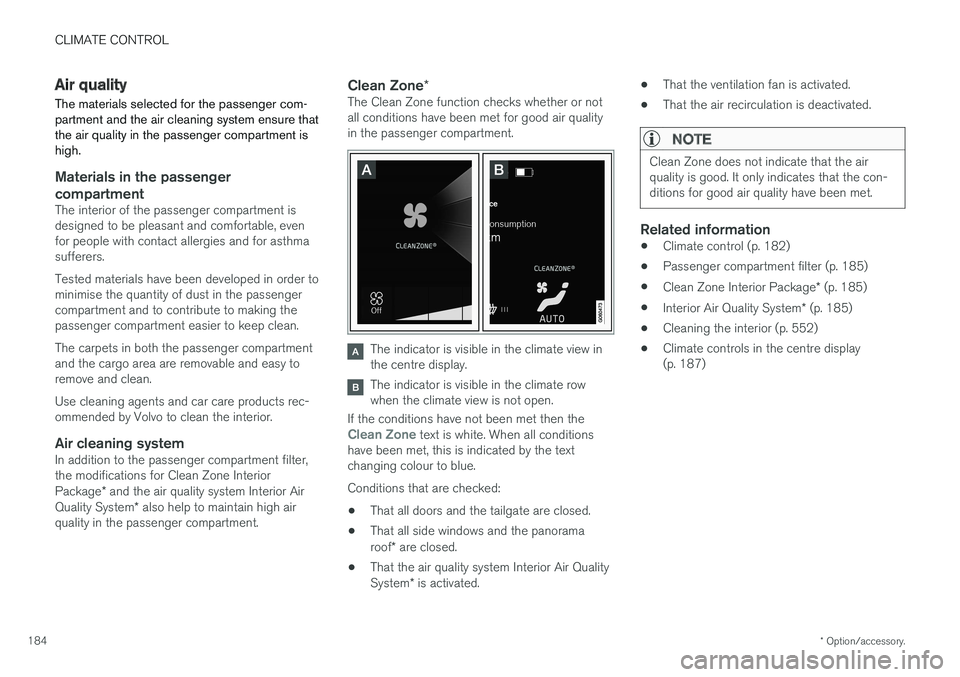
Clean Zone *The Clean Zone function checks whether or not all conditions have been met for good air qualityin the passenger compartment.
The indicator is visible in the climate view in the centre display.
The indicator is visible in the climate row when the climate view is not open.
If the conditions have not been met then the
Clean Zone text is white. When all conditions
have been met, this is indicated by the text changing colour to blue. Conditions that are checked:
• That all doors and the tailgate are closed.
• That all side windows and the panorama roof
* are closed.
• That the air quality system Interior Air QualitySystem
* is activated. •
That the ventilation fan is activated.
• That the air recirculation is deactivated.
NOTE
Clean Zone does not indicate that the air quality is good. It only indicates that the con-ditions for good air quality have been met.
Related information
•Climate control (p. 182)
• Passenger compartment filter (p. 185)
• Clean Zone Interior Package
* (p. 185)
• Interior Air Quality System
* (p. 185)
• Cleaning the interior (p. 552)
• Climate controls in the centre display (p. 187)
Page 189 of 594
CLIMATE CONTROL
}}
* Option/accessory.187
Climate controls in the centre display All climate functions can be regulated from the climate row and the climate view in the centredisplay.
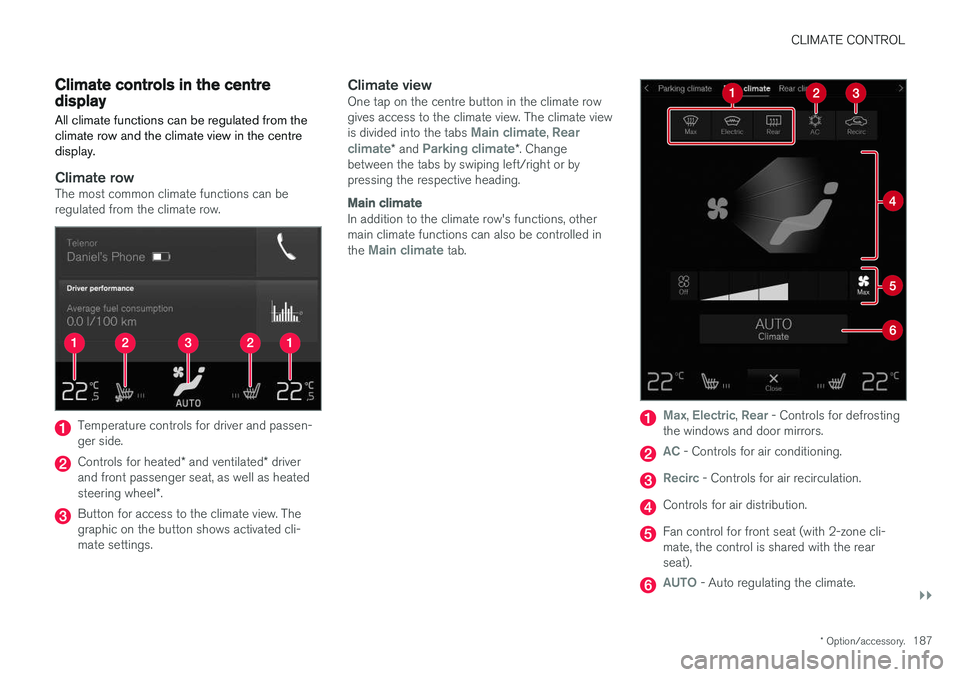
Climate rowThe most common climate functions can be regulated from the climate row.
Temperature controls for driver and passen- ger side.
Controls for heated * and ventilated * driver
and front passenger seat, as well as heated steering wheel *.
Button for access to the climate view. The graphic on the button shows activated cli-mate settings.
Climate viewOne tap on the centre button in the climate rowgives access to the climate view. The climate view is divided into the tabs
Main climate, Rear
climate* and Parking climate*. Change
between the tabs by swiping left/right or by pressing the respective heading.
Main climate
In addition to the climate row's functions, other main climate functions can also be controlled in the
Main climate tab.
Max, Electric, Rear - Controls for defrosting
the windows and door mirrors.
AC - Controls for air conditioning.
Recirc - Controls for air recirculation.
Controls for air distribution.
Fan control for front seat (with 2-zone cli- mate, the control is shared with the rearseat).
AUTO - Auto regulating the climate.
Page 190 of 594
||
CLIMATE CONTROL
* Option/accessory.
188
Rear climate control *
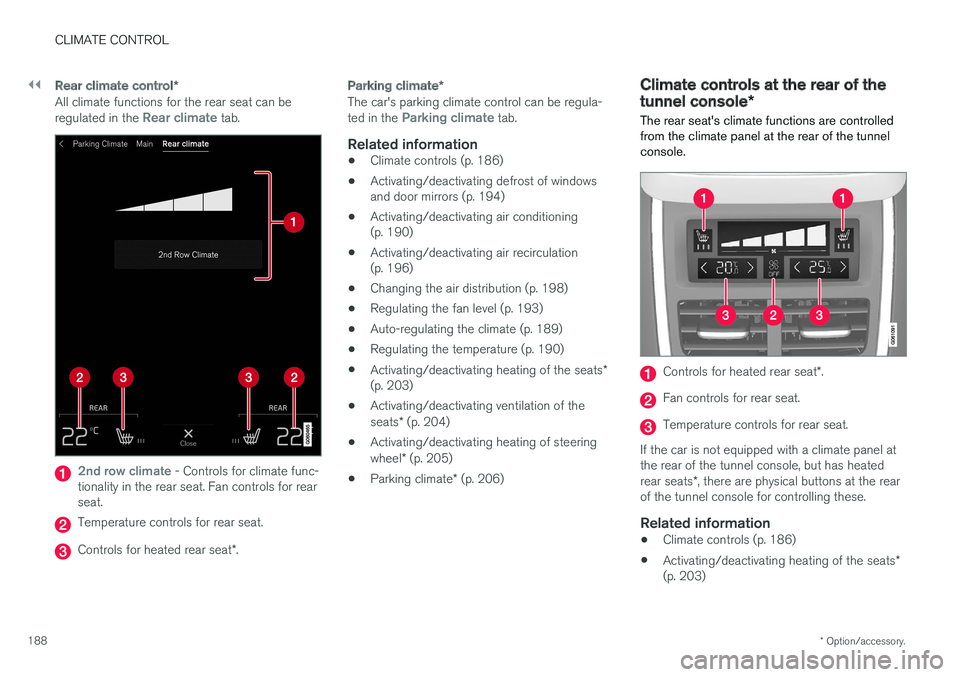
All climate functions for the rear seat can be regulated in the Rear climate tab.
2nd row climate - Controls for climate func-
tionality in the rear seat. Fan controls for rear seat.
Temperature controls for rear seat.
Controls for heated rear seat *.
Parking climate *
The car's parking climate control can be regula- ted in the Parking climate tab.
Related information
•Climate controls (p. 186)
• Activating/deactivating defrost of windows and door mirrors (p. 194)
• Activating/deactivating air conditioning(p. 190)
• Activating/deactivating air recirculation(p. 196)
• Changing the air distribution (p. 198)
• Regulating the fan level (p. 193)
• Auto-regulating the climate (p. 189)
• Regulating the temperature (p. 190)
• Activating/deactivating heating of the seats
*
(p. 203)
• Activating/deactivating ventilation of the seats
* (p. 204)
• Activating/deactivating heating of steeringwheel
* (p. 205)
• Parking climate
* (p. 206)
Climate controls at the rear of the tunnel console *
The rear seat's climate functions are controlled
from the climate panel at the rear of the tunnel console.
Controls for heated rear seat *.
Fan controls for rear seat.
Temperature controls for rear seat.
If the car is not equipped with a climate panel at the rear of the tunnel console, but has heated rear seats *, there are physical buttons at the rear
of the tunnel console for controlling these.
Related information
• Climate controls (p. 186)
• Activating/deactivating heating of the seats
*
(p. 203)
Page 191 of 594
CLIMATE CONTROL
* Option/accessory.189
•
Regulating the fan level (p. 193)
• Regulating the temperature (p. 190)
Auto-regulating the climate
With an auto-regulated climate, several climate functions are controlled automatically by the cli-mate control system.
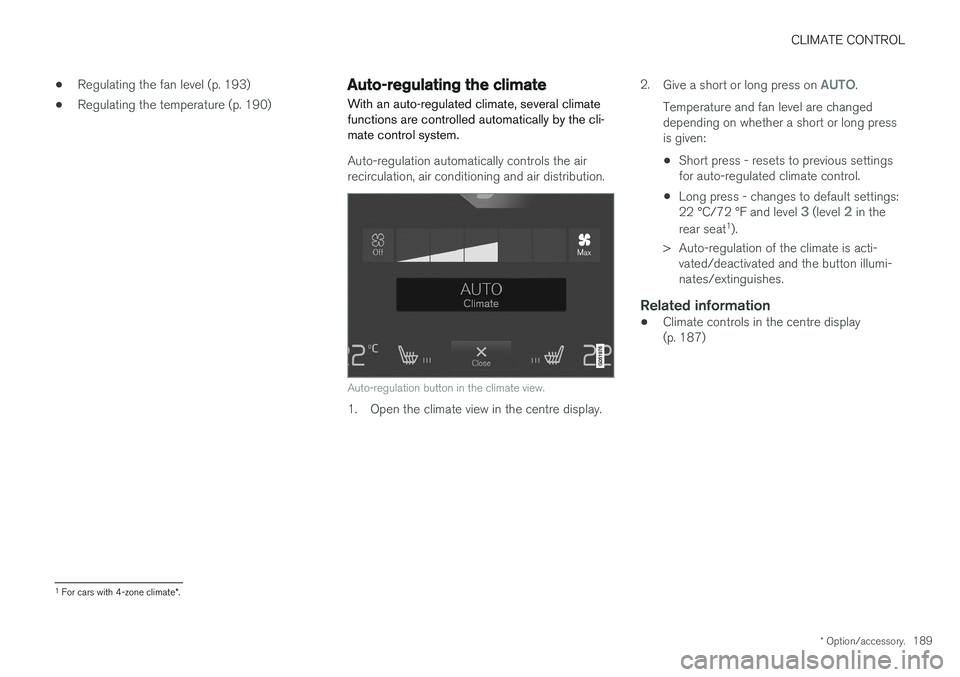
Auto-regulation automatically controls the air recirculation, air conditioning and air distribution.
Auto-regulation button in the climate view.
1. Open the climate view in the centre display. 2.
Give a short or long press on
AUTO.
Temperature and fan level are changed depending on whether a short or long pressis given:
• Short press - resets to previous settingsfor auto-regulated climate control.
• Long press - changes to default settings: 22 °C/72 °F and level
3 (level 2 in the
rear seat 1
).
> Auto-regulation of the climate is acti- vated/deactivated and the button illumi- nates/extinguishes.
Related information
• Climate controls in the centre display(p. 187)
1
For cars with 4-zone climate *.
Page 192 of 594
CLIMATE CONTROL
* Option/accessory.
190
Activating/deactivating air conditioning
The air conditioning cools and dehumidifies incoming air as required.
Activating/deactivating the main air conditioning
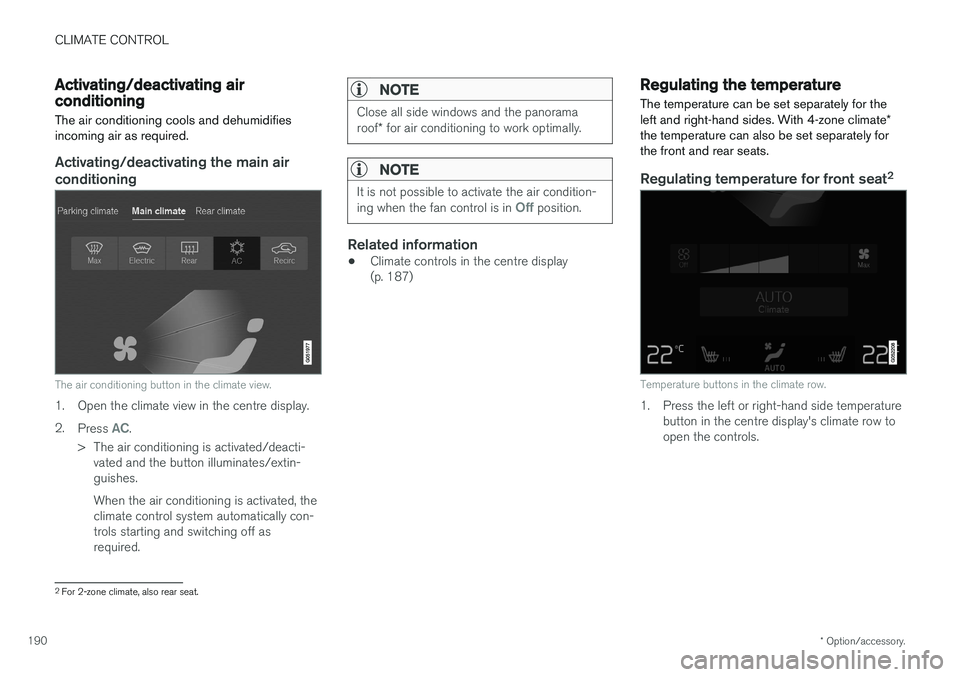
The air conditioning button in the climate view.
1. Open the climate view in the centre display. 2. Press
AC.
> The air conditioning is activated/deacti- vated and the button illuminates/extin- guishes. When the air conditioning is activated, the climate control system automatically con-trols starting and switching off asrequired.
NOTE
Close all side windows and the panorama roof * for air conditioning to work optimally.
NOTE
It is not possible to activate the air condition- ing when the fan control is in Off position.
Related information
• Climate controls in the centre display (p. 187)
Regulating the temperature
The temperature can be set separately for the left and right-hand sides. With 4-zone climate *
the temperature can also be set separately for the front and rear seats.
Regulating temperature for front seat 2
Temperature buttons in the climate row.
1. Press the left or right-hand side temperature
button in the centre display's climate row to open the controls.
2For 2-zone climate, also rear seat.
Page 197 of 594
CLIMATE CONTROL
}}
* Option/accessory.195
From the climate view in the centre display
Activating/deactivating max defroster
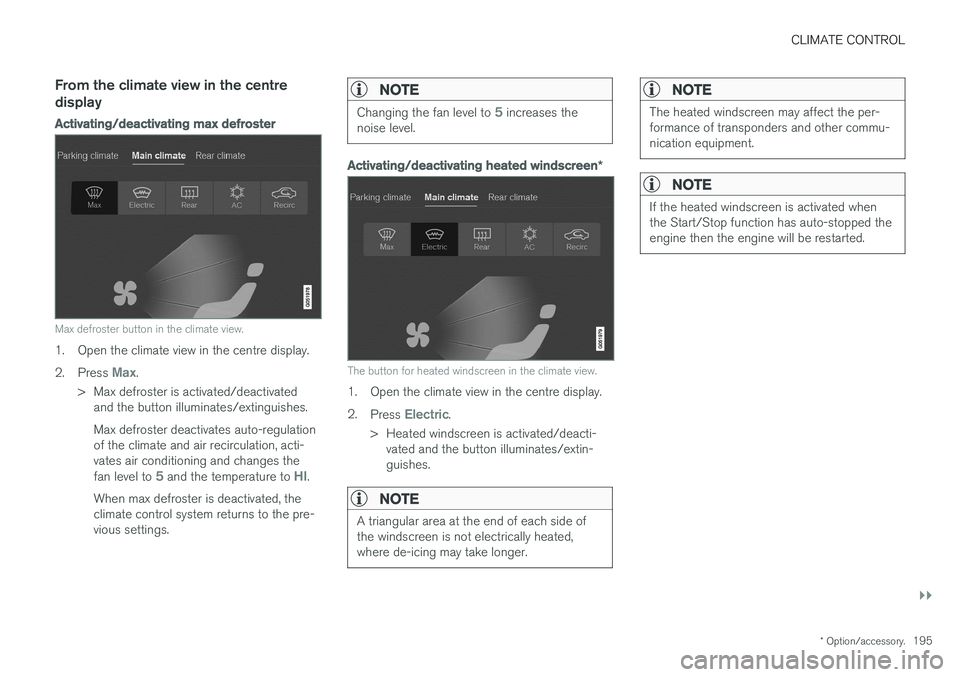
Max defroster button in the climate view.
1. Open the climate view in the centre display. 2.
Press
Max.
> Max defroster is activated/deactivated and the button illuminates/extinguishes. Max defroster deactivates auto-regulation of the climate and air recirculation, acti-vates air conditioning and changes the fan level to
5 and the temperature to HI.
When max defroster is deactivated, the climate control system returns to the pre-vious settings.
NOTE
Changing the fan level to 5 increases the
noise level.
Activating/deactivating heated windscreen *
The button for heated windscreen in the climate view.
1. Open the climate view in the centre display. 2.
Press
Electric.
> Heated windscreen is activated/deacti- vated and the button illuminates/extin- guishes.
NOTE
A triangular area at the end of each side of the windscreen is not electrically heated,where de-icing may take longer.
NOTE
The heated windscreen may affect the per- formance of transponders and other commu-nication equipment.
NOTE
If the heated windscreen is activated when the Start/Stop function has auto-stopped theengine then the engine will be restarted.
Page 209 of 594
CLIMATE CONTROL
}}
* Option/accessory.207
The function utilises several systems in different cases: •
Residual heat from the engine, in a cold cli- mate, heats the passenger compartment tocomfort temperature.
• The ventilation, in a hot climate, cools thepassenger compartment to the current outertemperature.
NOTE
Climate comfort retention is switched off when the car is locked from the outside toavoid using residual heat unnecessarily. Useof the function is intended to maintain climatecomfort when driver or passengers remaininside the car.
Related information
• Climate control (p. 182)
• Starting/stopping preconditioning
* (p. 207)
• Timer for preconditioning
* (p. 208)
• Starting/switching off climate comfort reten- tion
* (p. 210)
• Symbols and messages for parking climatecontrol
* (p. 212)
• Heater
* (p. 213)
• Parking heater
* (p. 214)
Starting/stopping preconditioning *
Preconditioning warms the passenger compart- ment and engine or airs the passenger compart-ment before driving. The function can use directstart from the centre display or a mobile phone.
Starting/stopping from the centre
display
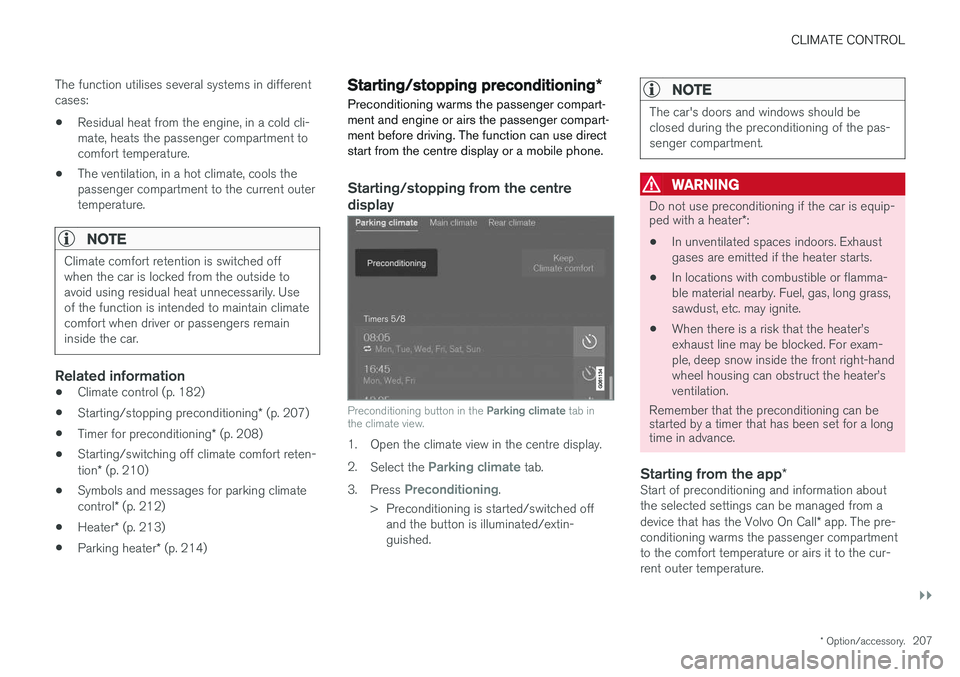
Preconditioning button in the Parking climate tab in
the climate view.
1. Open the climate view in the centre display. 2. Select the
Parking climate tab.
3. Press
Preconditioning.
> Preconditioning is started/switched off and the button is illuminated/extin- guished.
NOTE
The car's doors and windows should be closed during the preconditioning of the pas-senger compartment.
WARNING
Do not use preconditioning if the car is equip- ped with a heater *:
• In unventilated spaces indoors. Exhaust gases are emitted if the heater starts.
• In locations with combustible or flamma-ble material nearby. Fuel, gas, long grass,sawdust, etc. may ignite.
• When there is a risk that the heater
Page 210 of 594
||
CLIMATE CONTROL
* Option/accessory.
208 To be able to also cool the passenger compart- ment to the comfort temperature (with the car'sair conditioning) the engine remote start function Engine Remote Start - ERS
5
via the Volvo On
Call * app. can be used.
Related information
• Parking climate
* (p. 206)
• Timer for preconditioning
* (p. 208)
• Starting/switching off climate comfort reten- tion
* (p. 210)
• Symbols and messages for parking climatecontrol
* (p. 212)
• Heater
* (p. 213)
Timer for preconditioning *
The timer can be set so that the preconditioning is finished at a predetermined time.
The timer can handle up to 8 different settings for:
• A time on a single date
• A time on one or more days of the week, withor without repetition.
Related information
•
Parking climate
* (p. 206)
• Setting the timer for preconditioning
*
(p. 208)
• Activating/deactivating the timer for precon- ditioning
* (p. 210)
• Starting/stopping preconditioning
* (p. 207)
• Symbols and messages for parking climatecontrol
* (p. 212)
Setting the timer for preconditioning *
The timer for preconditioning can manage up to 8 time settings.
Adding a time setting
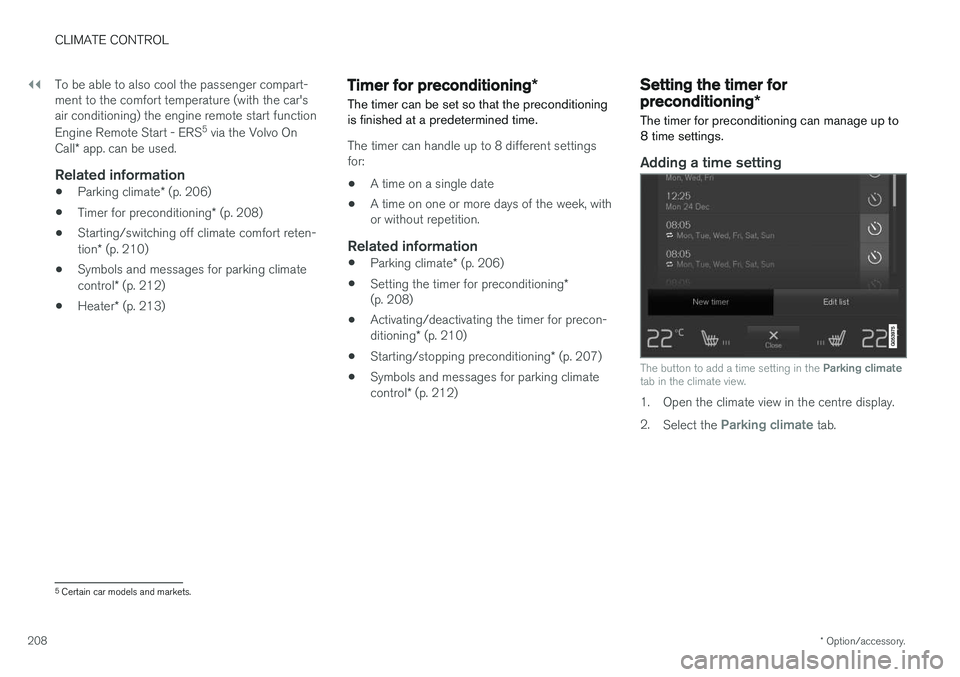
The button to add a time setting in the Parking climate
tab in the climate view.
1. Open the climate view in the centre display. 2. Select the
Parking climate tab.
5
Certain car models and markets.
Page 216 of 594
CLIMATE CONTROL
* Option/accessory.
214
Parking heater *
The parking heater helps the passenger com- partment reach the correct temperature beforedriving.
The parking heater is one of two subfunctions of the car's heater. The heater is fitted in the frontright-hand wheel housing.
NOTE
When the heater is running, smoke may be emitted from the right-hand front wheel hous-ing and a low hum may be heard. A tickingsound from the fuel pump may also be heardfrom the rear section of the car. This is per-fectly normal.
The parking heater starts automatically when extra heat is required if the parking climate con- trol's preconditioning * is activated.
It is then switched off automatically when the right temperature, the time of a set timer or theheater's maximum running time has beenreached. The heater's maximum running time is 40 minutes.
NOTE
Make sure there is enough fuel in the car's normal fuel tank if the heater needs to beused. Make sure that there is enough charge in the starter battery if the heater needs to be used.
IMPORTANT
Repeated use of the parking heater combined with short journeys may discharge the batteryand impair starting. If the heater is used on a regular basis, then the car should be driven for the same amountof time that the heater is used in order toensure that the car's battery is recharged withthe same amount of energy as consumed bythe parking heater. The parking heater is usedfor a maximum of 40 minutes each time.
WARNING
Do not use preconditioning if the car is equip- ped with a heater *:
• In unventilated spaces indoors. Exhaust gases are emitted if the heater starts.
• In locations with combustible or flamma-ble material nearby. Fuel, gas, long grass,sawdust, etc. may ignite.
• When there is a risk that the heater
Page 317 of 594
DRIVER SUPPORT
}}
* Option/accessory.315
IMPORTANT
In certain situations, Pilot Assist steering assistance may have difficulty helping thedriver in the right way or it may be automati-cally deactivated - in which case, the use ofPilot Assist is not recommended. Examples ofsuch situations may be that: •the lane markings are worn, missing or cross each other.
• lane division is unclear, for example, whenthe lanes divide or merge or at exits or inthe event of multiple sets of markings.
• edges or other lines than lane markingsare present on or near the road, e.g.curbs, joints or repairs to the road sur-face, edges of barriers, roadside edges orstrong shadows.
• the lane is narrow or winding.
• the lane contains ridges or holes.
• weather conditions are poor, e.g. rain,snow or fog or slush or impaired viewwith poor light conditions, back-lighting,wet road surface etc.
The driver should also note that Pilot Assisthas the following limitations: • High kerbs, roadside barriers, temporary obstacles (traffic cones, safety barriers,etc.) are not detected. Alternatively, theymay be detected incorrectly as lane
markings, with a subsequent risk of con- tact between the car and such obstacles.The driver must ensure him/herself thatthe car is at a suitable distance from suchobstacles.
• The camera and radar sensor does nothave the capacity to detect all oncomingobjects and obstacles in traffic environ-ments, e.g. potholes, stationary obstaclesor objects which completely or partiallyblock the route.
• Pilot Assist does not "see" pedestrians,animals, etc.
• The recommended steering input is forcelimited, which means that it cannotalways help the driver to steer and keepthe car within the lane.
The driver always has the possibility of correcting or adjusting a steering intervention imposed byPilot Assist and can turn the steering wheel tothe desired position.
Steep roads and/or heavy loadBear in mind that Pilot Assist is primarilyintended for use when driving on level road surfa-ces. The function may have difficulty in keepingthe correct distance from the vehicle ahead whendriving on steep downhill slopes - in which case,be extra attentive and ready to brake. Do not usePilot Assist with a heavy load or with a trailer con-nected to the car.
Miscellaneous
•Off Road drive mode cannot be selected
when Pilot Assist is activated.
NOTE
The function uses the car's camera unit, which has some general limitations, see the"Limitations for camera unit" section.
NOTE
The function uses the car's radar unit, which has some general limitations, see the "Limita-tions for radar unit" section.
Related information
• Pilot Assist
* (p. 304)
• Activating and starting the Pilot Assist
*
(p. 307)
• Managing the speed for Pilot Assist
* (p. 309)
• Setting the time interval for Pilot Assist
*
(p. 310)
• Change of target and automatic braking with Pilot Assist
* (p. 313)
• Deactivating/activating the Pilot Assist
*
(p. 311)
• Overtaking assistance with the adaptivecruise control
* or Pilot Assist * (p. 298)