park assist VOLVO V90 2017 User Guide
[x] Cancel search | Manufacturer: VOLVO, Model Year: 2017, Model line: V90, Model: VOLVO V90 2017Pages: 594, PDF Size: 15.07 MB
Page 346 of 594
||
DRIVER SUPPORT
* Option/accessory.
344 If CTA has sensed that something is approaching from the side, this is also indicated with:
• an acoustic signal - the sound is heard in theleft-hand or right-hand speaker according tothe direction from which the objectapproaches.
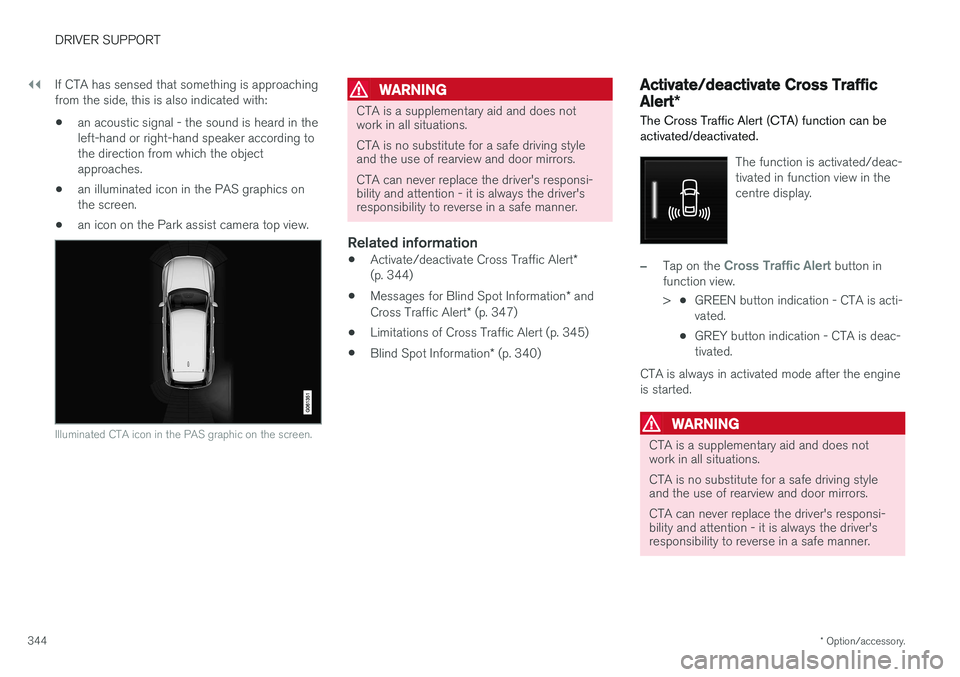
• an illuminated icon in the PAS graphics onthe screen.
• an icon on the Park assist camera top view.
Illuminated CTA icon in the PAS graphic on the screen.
WARNING
CTA is a supplementary aid and does not work in all situations. CTA is no substitute for a safe driving style and the use of rearview and door mirrors. CTA can never replace the driver's responsi- bility and attention - it is always the driver'sresponsibility to reverse in a safe manner.
Related information
•
Activate/deactivate Cross Traffic Alert
*
(p. 344)
• Messages for Blind Spot Information
* and
Cross Traffic Alert * (p. 347)
• Limitations of Cross Traffic Alert (p. 345)
• Blind Spot Information
* (p. 340)
Activate/deactivate Cross Traffic Alert *
The Cross Traffic Alert (CTA) function can be activated/deactivated.
The function is activated/deac- tivated in function view in thecentre display.
–Tap on the Cross Traffic Alert button in
function view. > •GREEN button indication - CTA is acti- vated.
• GREY button indication - CTA is deac-tivated.
CTA is always in activated mode after the engine
is started.
WARNING
CTA is a supplementary aid and does not work in all situations. CTA is no substitute for a safe driving style and the use of rearview and door mirrors. CTA can never replace the driver's responsi- bility and attention - it is always the driver'sresponsibility to reverse in a safe manner.
Page 365 of 594
DRIVER SUPPORT
}}
* Option/accessory.363
Park Assist*
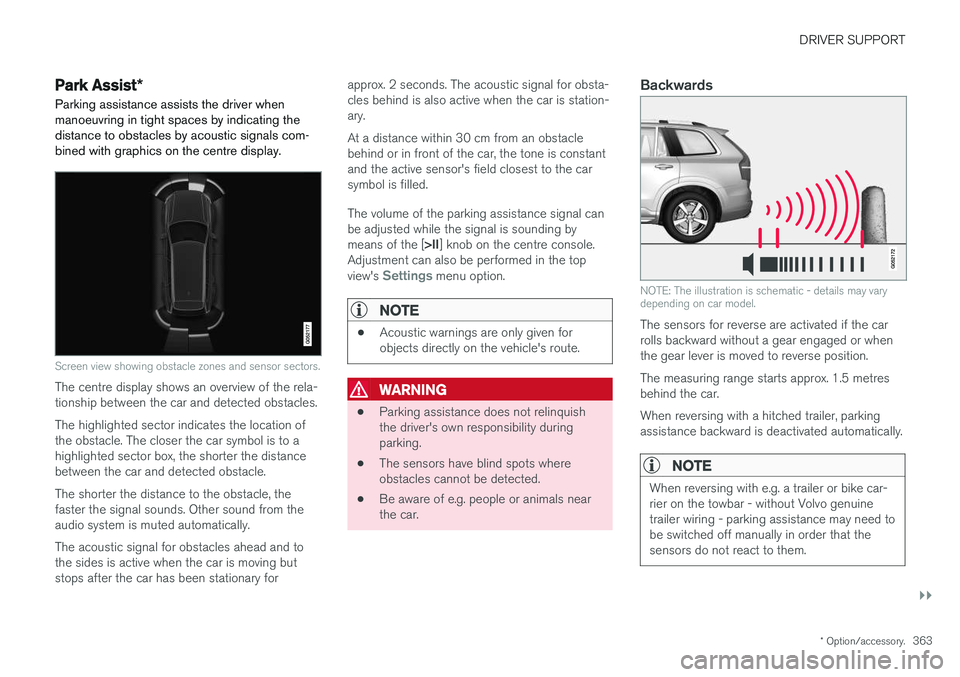
Parking assistance assists the driver when manoeuvring in tight spaces by indicating thedistance to obstacles by acoustic signals com-bined with graphics on the centre display.
Screen view showing obstacle zones and sensor sectors.
The centre display shows an overview of the rela- tionship between the car and detected obstacles. The highlighted sector indicates the location of the obstacle. The closer the car symbol is to ahighlighted sector box, the shorter the distancebetween the car and detected obstacle. The shorter the distance to the obstacle, the faster the signal sounds. Other sound from theaudio system is muted automatically. The acoustic signal for obstacles ahead and to the sides is active when the car is moving butstops after the car has been stationary for approx. 2 seconds. The acoustic signal for obsta-cles behind is also active when the car is station-ary. At a distance within 30 cm from an obstacle behind or in front of the car, the tone is constantand the active sensor's field closest to the carsymbol is filled. The volume of the parking assistance signal can be adjusted while the signal is sounding by means of the [
>II] knob on the centre console.
Adjustment can also be performed in the top view's
Settings menu option.
NOTE
• Acoustic warnings are only given for objects directly on the vehicle's route.
WARNING
•Parking assistance does not relinquish the driver's own responsibility duringparking.
• The sensors have blind spots whereobstacles cannot be detected.
• Be aware of e.g. people or animals nearthe car.
Backwards
NOTE: The illustration is schematic - details may vary depending on car model.
The sensors for reverse are activated if the car rolls backward without a gear engaged or whenthe gear lever is moved to reverse position. The measuring range starts approx. 1.5 metres behind the car. When reversing with a hitched trailer, parking assistance backward is deactivated automatically.
NOTE
When reversing with e.g. a trailer or bike car- rier on the towbar - without Volvo genuinetrailer wiring - parking assistance may need tobe switched off manually in order that thesensors do not react to them.
Page 366 of 594
||
DRIVER SUPPORT
* Option/accessory.
364
Along the sides
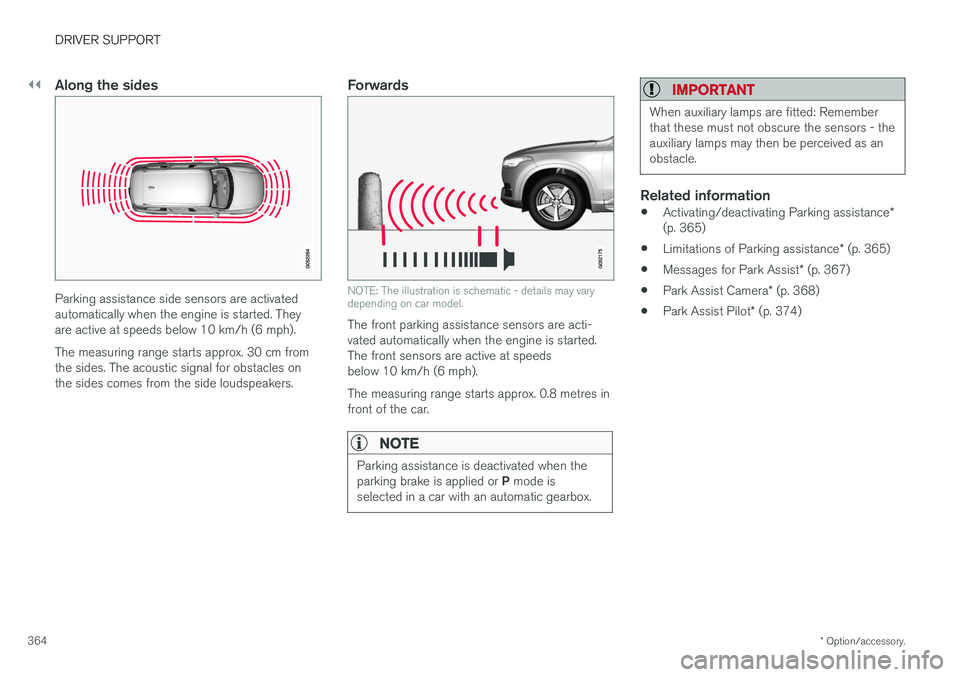
Parking assistance side sensors are activated automatically when the engine is started. Theyare active at speeds below 10 km/h (6 mph). The measuring range starts approx. 30 cm from the sides. The acoustic signal for obstacles onthe sides comes from the side loudspeakers.
Forwards
NOTE: The illustration is schematic - details may vary depending on car model.
The front parking assistance sensors are acti- vated automatically when the engine is started.The front sensors are active at speedsbelow 10 km/h (6 mph). The measuring range starts approx. 0.8 metres in front of the car.
NOTE
Parking assistance is deactivated when the parking brake is applied or P mode is
selected in a car with an automatic gearbox.
IMPORTANT
When auxiliary lamps are fitted: Remember that these must not obscure the sensors - theauxiliary lamps may then be perceived as anobstacle.
Related information
• Activating/deactivating Parking assistance
*
(p. 365)
• Limitations of Parking assistance
* (p. 365)
• Messages for Park Assist
* (p. 367)
• Park Assist Camera
* (p. 368)
• Park Assist Pilot
* (p. 374)
Page 367 of 594
DRIVER SUPPORT
}}
* Option/accessory.365
Activating/deactivating Parking assistance*
The Parking assistance function can be acti- vated/deactivated.
The front and side parking assistance sensors are activated automatically when the engine isstarted. The rear sensors activate if the car rollsbackwards or if reverse gear in engaged.
The function is activated/deac-tivated in function view in thecentre display. Parking assistance can also be activated/deactivated from thecamera views.
–Tap on the Park Assist button in function
view.
> Parking assistance is activated/deacti- vated, a green/grey indicator is displayed in the button.
Related information
• Park Assist
* (p. 363)
• Cross Traffic Alert
* (p. 343)
Limitations of Parking assistance *
The Parking assistance function may have limita- tions in certain situations.
NOTE
Since a towbar is configured with the car's electrical system, towbar protrusion isincluded when the function measures the dis-tance to an object behind the car.
IMPORTANT
Objects e.g. chains, thin glossy poles or low barriers may be in the "signal shadow" andare then temporarily not detected by the sen-sors - the pulsating tone may then unexpect-edly stop instead of changing over to theexpected constant tone. The sensors cannot detect high objects, such as projecting loading docks.
• In such situations, pay extra attention andmanoeuvre/reposition the car particularlyslowly or stop the current parkingmanoeuvre - there may be a high risk ofdamage to vehicles or other objects sinceinformation from the sensors is notalways reliable in such situations.
IMPORTANT
In certain conditions the parking assistance system may produce incorrect warning sig-nals that are caused by external soundsources that emit the same ultrasonic fre-quencies that the system works with. Examples of such sources include horns, wet tyres on asphalt, pneumatic brakes andexhaust noises from motorcycles, etc.
Maintenance
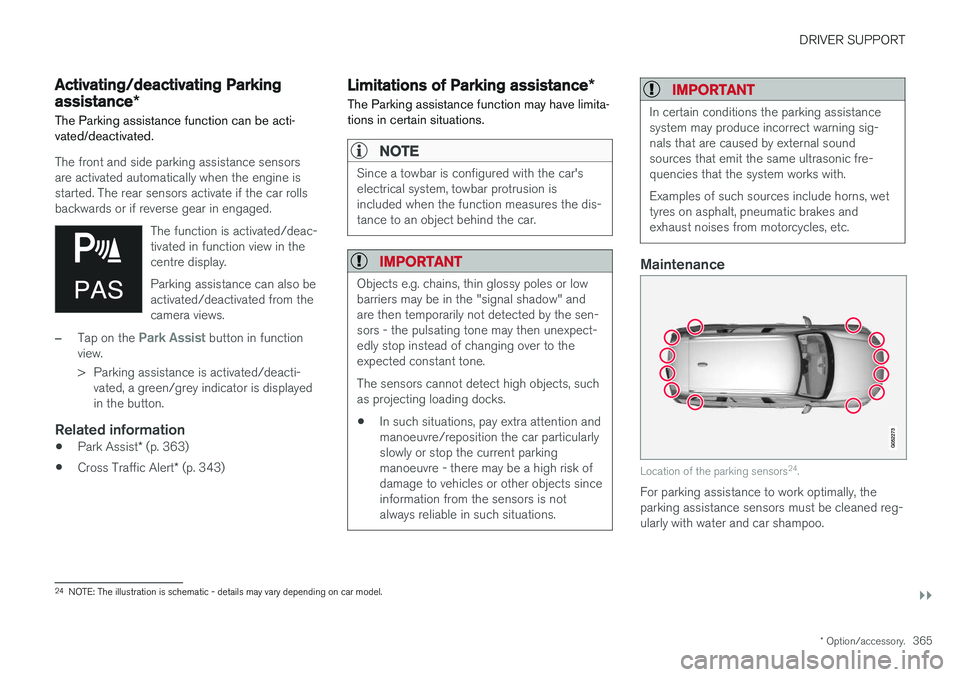
Location of the parking sensors 24
.
For parking assistance to work optimally, the parking assistance sensors must be cleaned reg-ularly with water and car shampoo.
24 NOTE: The illustration is schematic - details may vary depending on car model.
Page 368 of 594
||
DRIVER SUPPORT
* Option/accessory.
366
NOTE
Dirt, ice and snow covering the sensors may cause incorrect warning signals, reduced orno function.
Related information
• Park Assist
* (p. 363)
• Activating/deactivating Parking assistance
*
(p. 365)
• Messages for Park Assist
* (p. 367)
Page 369 of 594
DRIVER SUPPORT
* Option/accessory.367
Messages for Park Assist *
A number of messages regarding Park Assist can be shown in the driver display.The following table shows some examples.
Message Specification
Park Assist System Unavailable Service requiredThe system does not function as it should. A workshop should be contacted - an authorised Volvo workshop is recommended.
Park Assist System Sensors blocked, cleaning neededOne or more of the system's sensors are blocked - check and correct as soon as possible.
Related information
•Park Assist
* (p. 363)
• Activating/deactivating Parking assistance
*
(p. 365)
• Limitations of Parking assistance
* (p. 365)
Page 370 of 594
DRIVER SUPPORT
* Option/accessory.
368
Park Assist Camera *
The Park Assist Camera helps the driver when manoeuvring in tight spaces by indicating obsta-cles with a camera image and graphics in thecentre display.
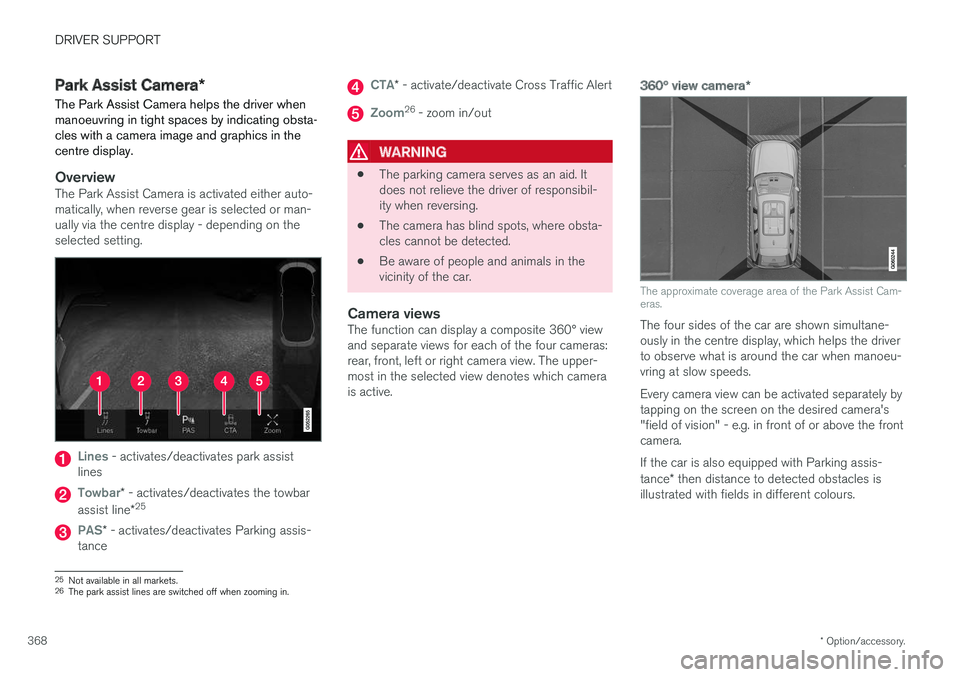
OverviewThe Park Assist Camera is activated either auto- matically, when reverse gear is selected or man-ually via the centre display - depending on theselected setting.
Lines - activates/deactivates park assist
lines
Towbar* - activates/deactivates the towbar
assist line *25
PAS*
- activates/deactivates Parking assis-
tance
CTA* - activate/deactivate Cross Traffic Alert
Zoom26
- zoom in/out
WARNING
• The parking camera serves as an aid. It does not relieve the driver of responsibil-ity when reversing.
• The camera has blind spots, where obsta-cles cannot be detected.
• Be aware of people and animals in thevicinity of the car.
Camera viewsThe function can display a composite 360° viewand separate views for each of the four cameras:rear, front, left or right camera view. The upper-most in the selected view denotes which camerais active.
360° view camera
*
The approximate coverage area of the Park Assist Cam- eras.
The four sides of the car are shown simultane- ously in the centre display, which helps the driverto observe what is around the car when manoeu-vring at slow speeds. Every camera view can be activated separately by tapping on the screen on the desired camera's"field of vision" - e.g. in front of or above the frontcamera. If the car is also equipped with Parking assis- tance* then distance to detected obstacles is
illustrated with fields in different colours.
25 Not available in all markets.
26 The park assist lines are switched off when zooming in.
Page 371 of 594
DRIVER SUPPORT
* Option/accessory.369
Backwards
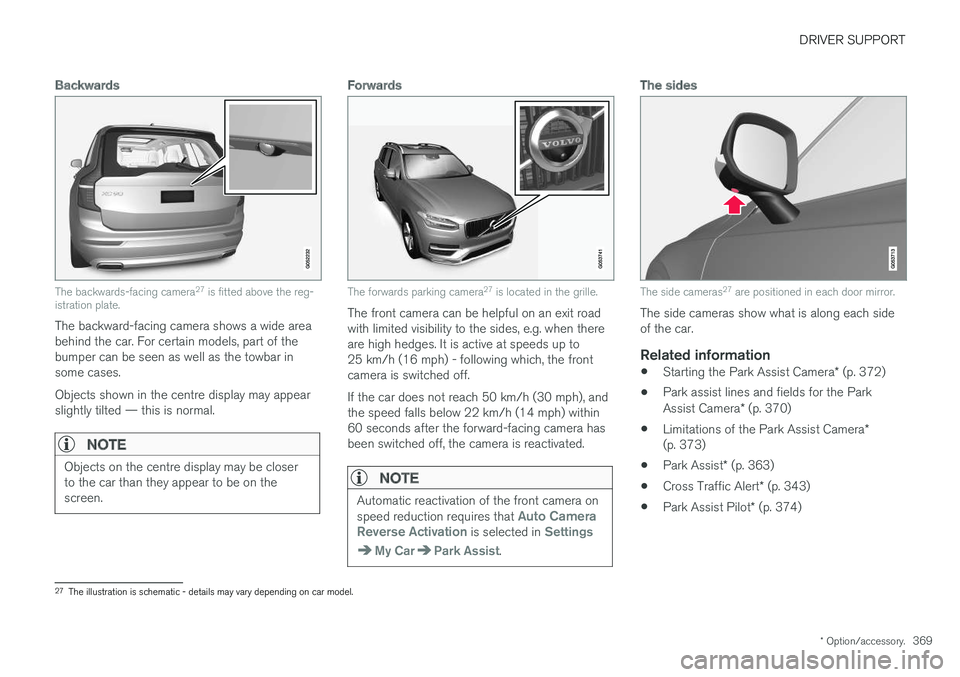
The backwards-facing camera 27
is fitted above the reg-
istration plate.
The backward-facing camera shows a wide area behind the car. For certain models, part of thebumper can be seen as well as the towbar insome cases. Objects shown in the centre display may appear slightly tilted — this is normal.
NOTE
Objects on the centre display may be closer to the car than they appear to be on thescreen.
Forwards
The forwards parking camera 27
is located in the grille.
The front camera can be helpful on an exit road with limited visibility to the sides, e.g. when thereare high hedges. It is active at speeds up to25 km/h (16 mph) - following which, the frontcamera is switched off. If the car does not reach 50 km/h (30 mph), and the speed falls below 22 km/h (14 mph) within60 seconds after the forward-facing camera hasbeen switched off, the camera is reactivated.
NOTE
Automatic reactivation of the front camera on speed reduction requires that Auto Camera
Reverse Activation is selected in Settings
My CarPark Assist.
The sides
The side cameras 27
are positioned in each door mirror.
The side cameras show what is along each side of the car.
Related information
• Starting the Park Assist Camera
* (p. 372)
• Park assist lines and fields for the Park Assist Camera
* (p. 370)
• Limitations of the Park Assist Camera
*
(p. 373)
• Park Assist
* (p. 363)
• Cross Traffic Alert
* (p. 343)
• Park Assist Pilot
* (p. 374)
27
The illustration is schematic - details may vary depending on car model.
Page 372 of 594
DRIVER SUPPORT
* Option/accessory.
370
Park assist lines and fields for the Park Assist Camera *
The Park Assist Camera indicates the position of the car in relation to its surroundings by display-ing lines on the camera image.
Park assist lines
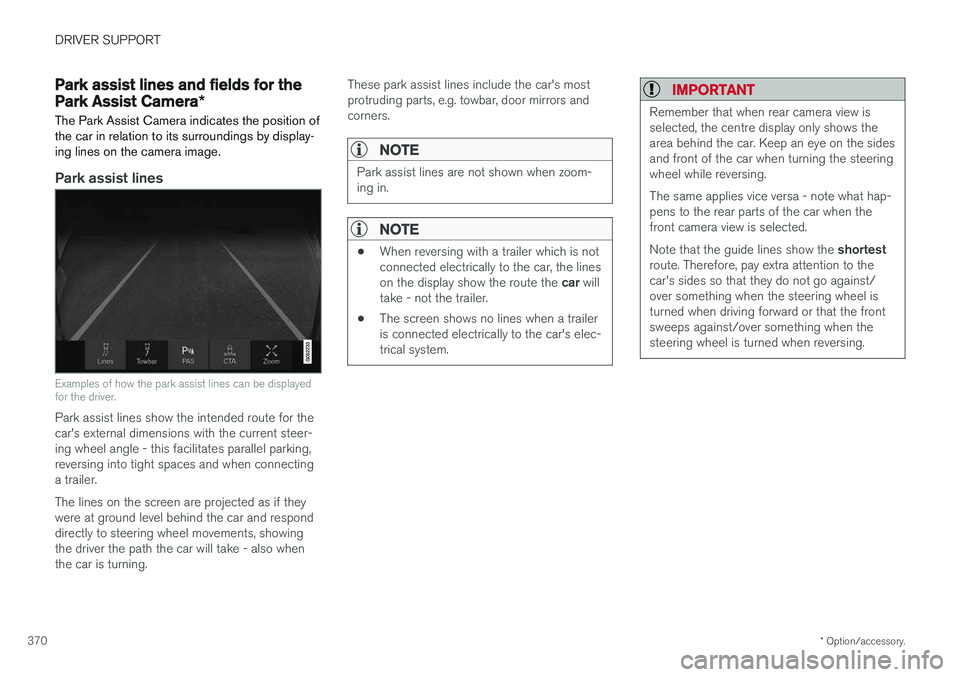
Examples of how the park assist lines can be displayed for the driver.
Park assist lines show the intended route for the car's external dimensions with the current steer-ing wheel angle - this facilitates parallel parking,reversing into tight spaces and when connectinga trailer. The lines on the screen are projected as if they were at ground level behind the car and responddirectly to steering wheel movements, showingthe driver the path the car will take - also whenthe car is turning. These park assist lines include the car's mostprotruding parts, e.g. towbar, door mirrors andcorners.
NOTE
Park assist lines are not shown when zoom- ing in.
NOTE
•
When reversing with a trailer which is not connected electrically to the car, the lines on the display show the route the
car will
take - not the trailer.
• The screen shows no lines when a trailer is connected electrically to the car's elec-trical system.
IMPORTANT
Remember that when rear camera view is selected, the centre display only shows thearea behind the car. Keep an eye on the sidesand front of the car when turning the steeringwheel while reversing. The same applies vice versa - note what hap- pens to the rear parts of the car when thefront camera view is selected. Note that the guide lines show the
shortest
route. Therefore, pay extra attention to the car's sides so that they do not go against/over something when the steering wheel isturned when driving forward or that the frontsweeps against/over something when thesteering wheel is turned when reversing.
Page 373 of 594
DRIVER SUPPORT
}}
* Option/accessory.371
Park assist lines in 360° view *
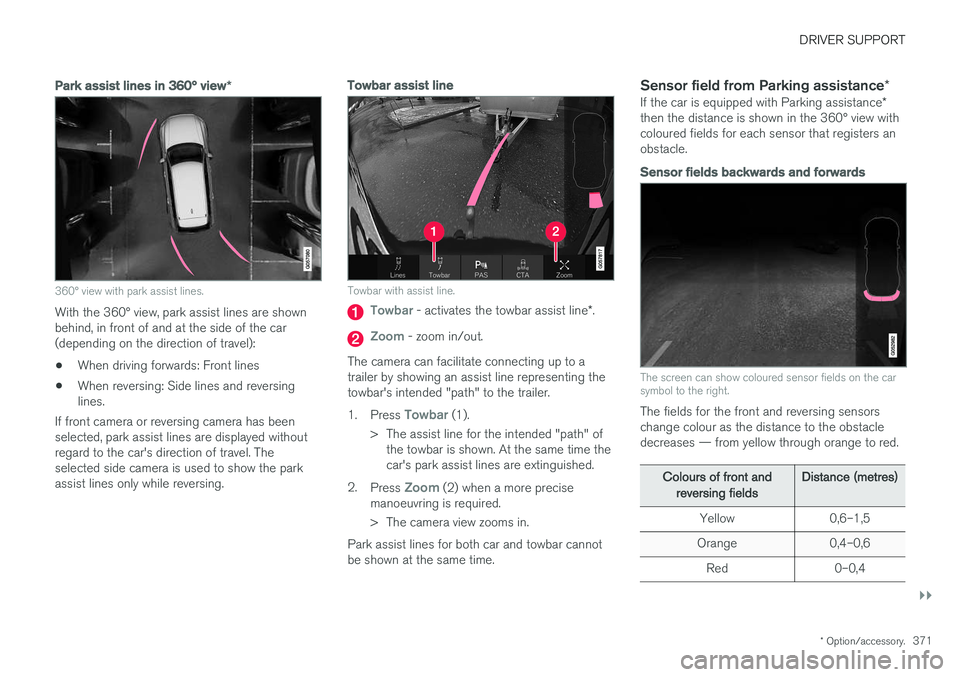
360° view with park assist lines.
With the 360° view, park assist lines are shown behind, in front of and at the side of the car(depending on the direction of travel):
• When driving forwards: Front lines
• When reversing: Side lines and reversinglines.
If front camera or reversing camera has beenselected, park assist lines are displayed withoutregard to the car's direction of travel. Theselected side camera is used to show the parkassist lines only while reversing.
Towbar assist line
Towbar with assist line.
Towbar - activates the towbar assist line *.
Zoom - zoom in/out.
The camera can facilitate connecting up to a trailer by showing an assist line representing thetowbar's intended "path" to the trailer. 1. Press
Towbar (1).
> The assist line for the intended "path" of the towbar is shown. At the same time the car's park assist lines are extinguished.
2. Press
Zoom (2) when a more precise
manoeuvring is required.
> The camera view zooms in.
Park assist lines for both car and towbar cannot be shown at the same time.
Sensor field from Parking assistance *
If the car is equipped with Parking assistance *
then the distance is shown in the 360° view withcoloured fields for each sensor that registers anobstacle.
Sensor fields backwards and forwards
The screen can show coloured sensor fields on the car symbol to the right.
The fields for the front and reversing sensors change colour as the distance to the obstacledecreases — from yellow through orange to red.
Colours of front and
reversing fields Distance (metres)
Yellow 0,6–1,5
Orange 0,4–0,6 Red 0–0,4